Yellowstone County Deed of Full Reconveyance - for Trust Indenture/Deed of Trust Form
Last validated October 14, 2026 by our Forms Development TeamFormatted for recording in Yellowstone County, for property anywhere in the county: rural and unincorporated areas as well as Acton, Ballantine, Billings, Broadview, Custer, Huntley, Laurel, Molt and 3 more.
- 3 documents included
- Immediate PDF download
- Formatting guarantee
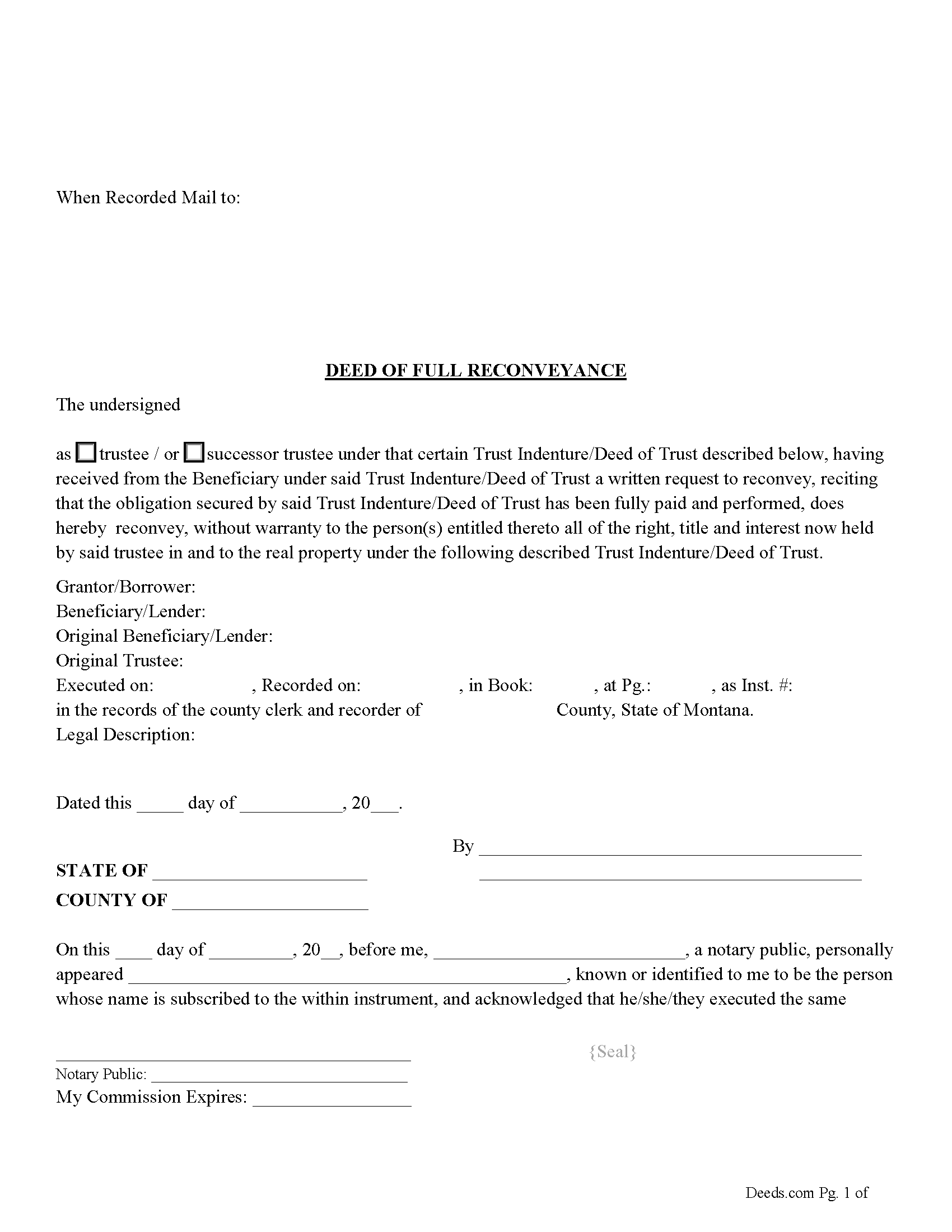
Yellowstone County Deed of Full Reconveyance Form
Fill in the blank form formatted to comply with all recording and content requirements.
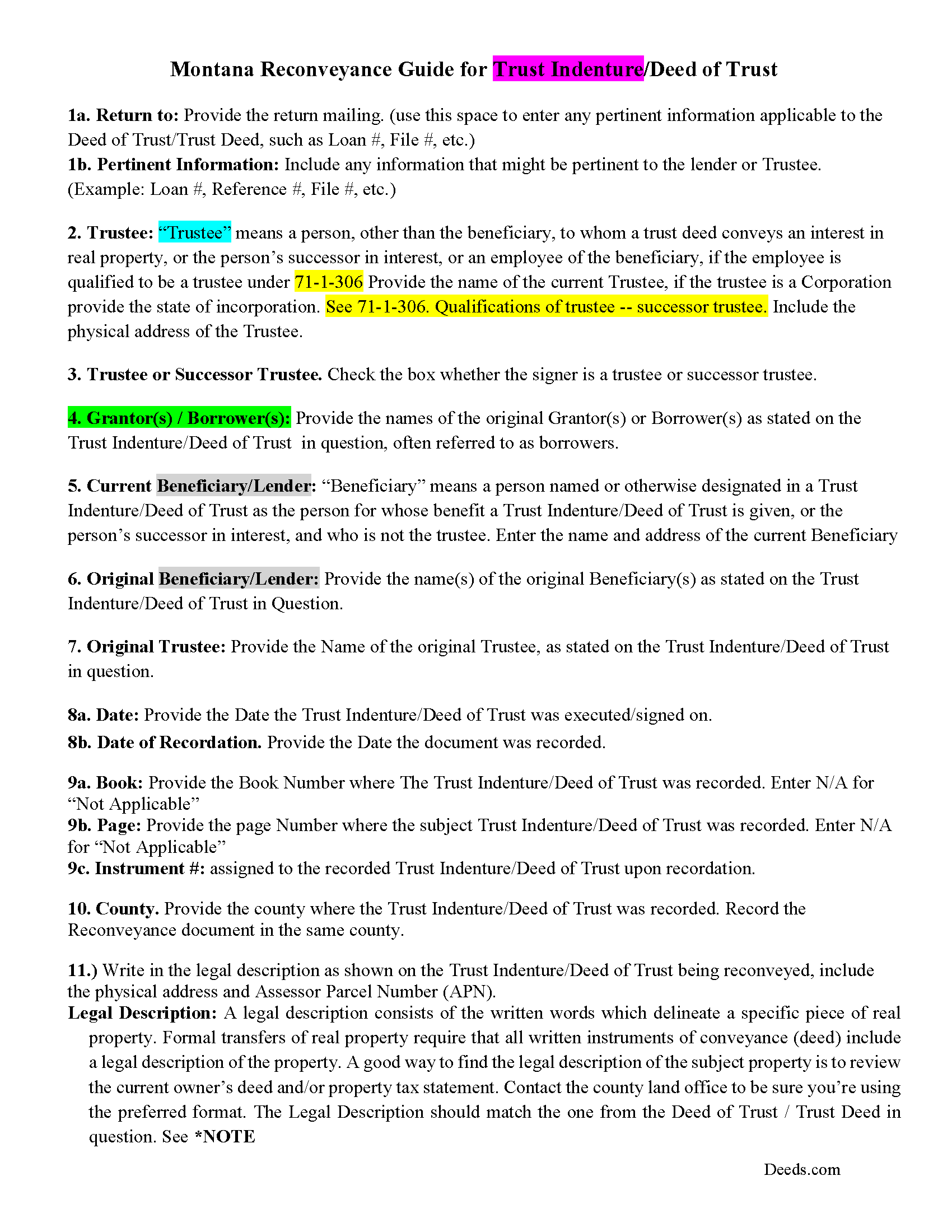
Yellowstone County Deed of Full Reconveyance Guidelines
Line by line guide explaining every blank on the form.
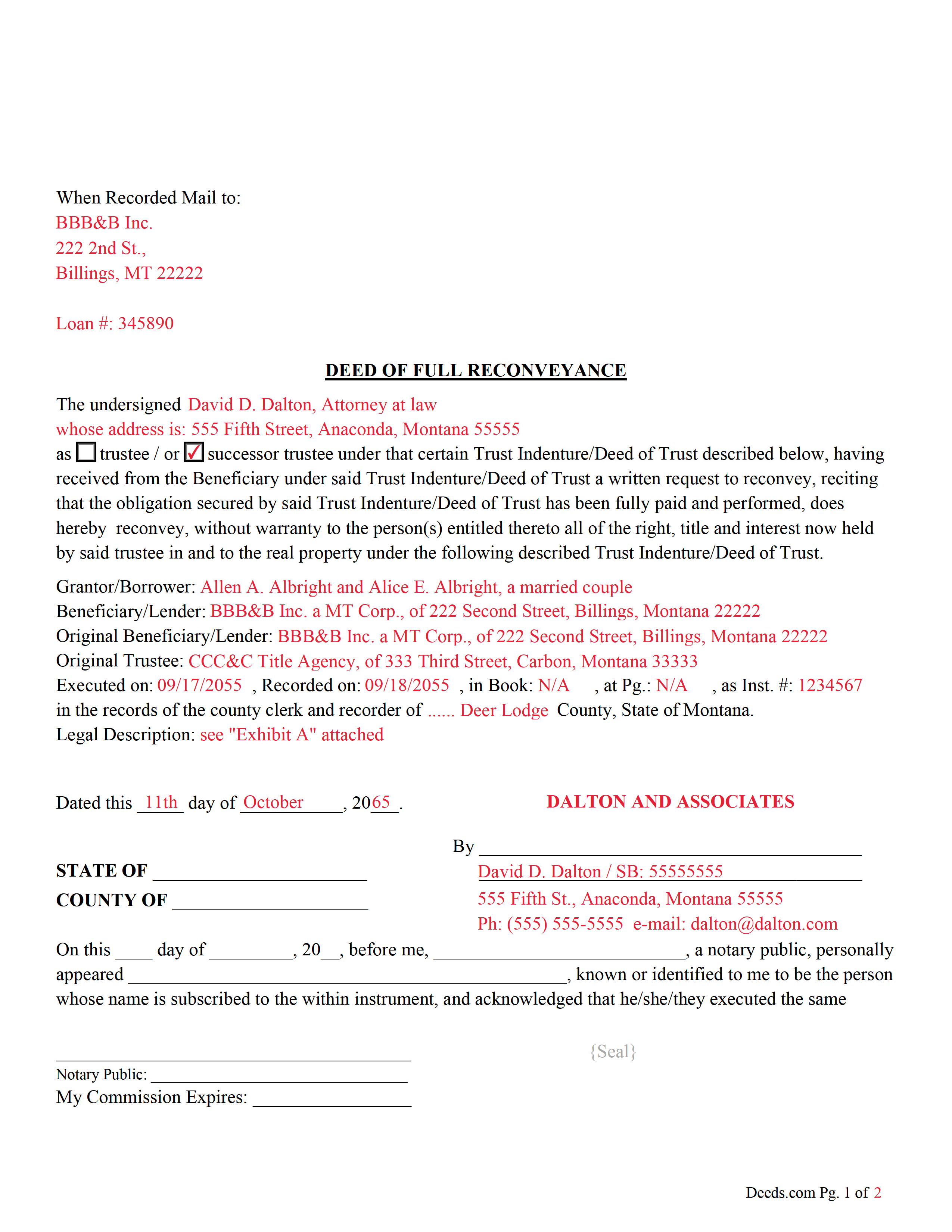
Yellowstone County Completed Example of the Deed of Full Reconveyance Document
Example of a properly completed form for reference.
All 3 documents above included • One-time purchase • No recurring fees
Immediate Download • Secure Checkout
Additional Montana and Yellowstone County documents included at no extra charge:
Where to Record Your Documents
Yellowstone County Clerk / Recorder
Billings, Montana 59107
Hours: 8:00 to 5:00 M-F
Phone: (406) 256-2785
Recording Tips for Yellowstone County:
- Bring your driver's license or state-issued photo ID
- Ensure all signatures are in blue or black ink
- Check that your notary's commission hasn't expired
- Documents must be on 8.5 x 11 inch white paper
- Double-check legal descriptions match your existing deed
Cities and Jurisdictions in Yellowstone County
Properties in any of these areas use Yellowstone County forms:
- Acton
- Ballantine
- Billings
- Broadview
- Custer
- Huntley
- Laurel
- Molt
- Pompeys Pillar
- Shepherd
- Worden
Hours, fees, requirements, and more for Yellowstone County
How do I get my forms?
Forms are available for immediate download after payment. The Yellowstone County forms will be in your account ready to download to your computer. An account is created for you during checkout if you don't have one. Forms are NOT emailed.
Are these forms guaranteed to be recordable in Yellowstone County?
Yes. Our form blanks are guaranteed to meet or exceed the applicable formatting requirements used for recording in Yellowstone County, including margin requirements, font requirements, and other layout standards. This guarantee applies to formatting, not to the legal sufficiency of information entered by the user or the suitability of a form for a particular transaction.
Can I reuse these forms?
Yes. You can reuse the forms for your personal use. For example, if you have multiple properties in Yellowstone County you only need to order once.
What do I need to use these forms?
The forms are PDFs that you fill out on your computer. The free Adobe Acrobat Reader is recommended, and most PDF apps also work. You do NOT enter your property information online - you download the blank forms and complete them privately on your own computer.
Are there any recurring fees?
No. This is a one-time purchase. Nothing to cancel, no memberships, no recurring fees.
How much does it cost to record in Yellowstone County?
Recording fees in Yellowstone County vary. Contact the recorder's office at (406) 256-2785 for current fees.
Questions answered? Let's get started!
This form is used by the trustee or successor trustee to reconvey a trust indenture/deed of trust when it has been satisfied/paid in full.
71-1-307 Reconveyance upon performance -- liability for failure to reconvey
(1) Upon performance of the obligation secured by the trust indenture, the trustee, upon written request of the beneficiary or servicer, shall reconvey the interest in real property described in the trust indenture to the grantor. If the obligation is performed and the beneficiary or servicer refuses to request reconveyance or the trustee refuses to reconvey the property within 90 days of the request, the beneficiary, servicer, or trustee who refuses is liable to the grantor for the sum of $500 and all actual damages resulting from the refusal to reconvey.
(2) If a beneficiary or servicer has received a notice of intent to reconvey pursuant to 71-1-308 and has not timely requested a reconveyance or has not objected to the reconveyance within the 90-day period established in 71-1-308, the beneficiary or servicer is liable to the title insurer or title insurance producer for the sum of $500 and all damages resulting from the failure.
(3) In an action by a grantor, title insurer, or title insurance producer to collect any sums due under this section, the court shall award attorney fees and costs to the prevailing party.
(Montana DOFR Package includes form, guidelines, and completed example) For use in Montana only.
Important: Your property must be located in Yellowstone County to use these forms. Documents should be recorded at the county recording office listed above.
This Deed of Full Reconveyance - for Trust Indenture/Deed of Trust meets all recording requirements specific to Yellowstone County.
Our Promise
The documents you receive here are guaranteed to meet or exceed the applicable Yellowstone County recording format requirements. If there is a rejection caused by our formatting, we will correct the issue or refund your payment. This guarantee applies to document formatting only and does not extend to information entered by the user, the selection of the form, or the legal effect of the completed document.
Save Time and Money
Get your Yellowstone County Deed of Full Reconveyance - for Trust Indenture/Deed of Trust form done right the first time with Deeds.com Uniform Conveyancing Blanks. At Deeds.com, we understand that your time and money are valuable resources, and we don't want you to face a penalty fee or rejection imposed by a county recorder for submitting nonstandard documents. We constantly review and update our forms to meet rapidly changing state and county recording requirements for roughly 3,500 counties and local jurisdictions.
4.8 out of 5 - ( 4,829 Reviews )
Robert D. 5 out of 5 stars
These forms made it so easy to update the property deed and the instructions and sample filled out form were most helpful. You might want to add some brief information on when or why to use the Acknowledgment in Individual Capacity notary form. In my case the notary was required to use it but also filled in the brief notarize section on the Affidavit as well. She said the one on the Affidavit had some value because it showed she had witnessed the my signature. But this was only after I suggested both be filled in as she initially thought to just strike through it and just use the Acknowledgment in Individual Capacity form.
Thank you for your feedback. We really appreciate it. Have a great day!
Robert J D. 5 out of 5 stars
No feedback
Thank you for your feedback. We really appreciate it. Have a great day!
Alison L. 5 out of 5 stars
Wonderful and easy to use platform. I was using a more complicated platform that wouldn't load half the time. Makes for filing deeds in the pandemic quick and easy.
We appreciate your business and value your feedback. Thank you. Have a wonderful day!
Donna W. 5 out of 5 stars
This is an amazing place to come for all your deed help. I had looked on several other sites without luck, but deeds.com got everything I needed quickly and they are very inexpensive! Love this site and will be recommending it to anyone needing this type of help.
Thank you for your positive words! We’re thrilled to hear about your experience.
LeiLoni L. 5 out of 5 stars
This site was easy to use.
Thank you for your positive words! We’re thrilled to hear about your experience.
Scott M. 5 out of 5 stars
Complete Package don't spend good money for a title co. to do this
Thank you for your feedback. We really appreciate it. Have a great day!
Maryanne M. 5 out of 5 stars
Excellent service and actually better than expected. Plus if the information is not available you refund my money immediately. I will use this service again and again. Thanks
Thank you for your feedback. We really appreciate it. Have a great day!
Brad T. 5 out of 5 stars
I didn't spend a lot of time there but seems to be a good site with a valuable service.
Thank you!
Laura B. 5 out of 5 stars
Downloaded and completed these quit claim forms in less than one cup of coffee, quick easy and stress free.
We appreciate your business and value your feedback. Thank you. Have a wonderful day!
Kenneth D. 5 out of 5 stars
I was very pleased with the service and the product. All the extras were a nice addition to my order. With the example and instructions, I was able to fill out my correction deed correctly. I filed it and it was accepted with zero reservations by my clerk and recorder's office. The expected result (which was to remove a name from the current deed) happened almost immediately. I definitely recommend deeds.com .
We appreciate your business and value your feedback. Thank you. Have a wonderful day!
Ronald S. 5 out of 5 stars
got what i wanted
Thank you for your feedback. We really appreciate it. Have a great day!
Tim T. 5 out of 5 stars
Fast and efficient
We appreciate your business and value your feedback. Thank you. Have a wonderful day!
Kristi T. 5 out of 5 stars
This was so very easy and fast! Well worth the small fee. I will use this again if I have a need. Thank you!
We appreciate your business and value your feedback. Thank you. Have a wonderful day!
Diane O. 5 out of 5 stars
Filling out forms was easy....so far, I am happy !
We appreciate your business and value your feedback. Thank you. Have a wonderful day!
Carol S. 1 out of 5 stars
Unfortunately for me this website was of no help, due to the amount of paperwork that needed to be submitted. One thing I can say they responded with answer really quickly. If this is a website that only deals with quick and fast deed issues, then it should indicate what they can and cannot do.
Thank you for your feedback. We really appreciate it. Have a great day!