Cascade County Quitclaim Deed (Partnership or Limited Partnership Grantor) Form
Last validated October 13, 2026 by our Forms Development TeamFormatted for recording in Cascade County, for property anywhere in the county: rural and unincorporated areas as well as Belt, Black Eagle, Cascade, Fort Shaw, Great Falls, Malmstrom A F B, Monarch, Neihart and 6 more.
- 3 documents included
- Immediate PDF download
- Formatting guarantee
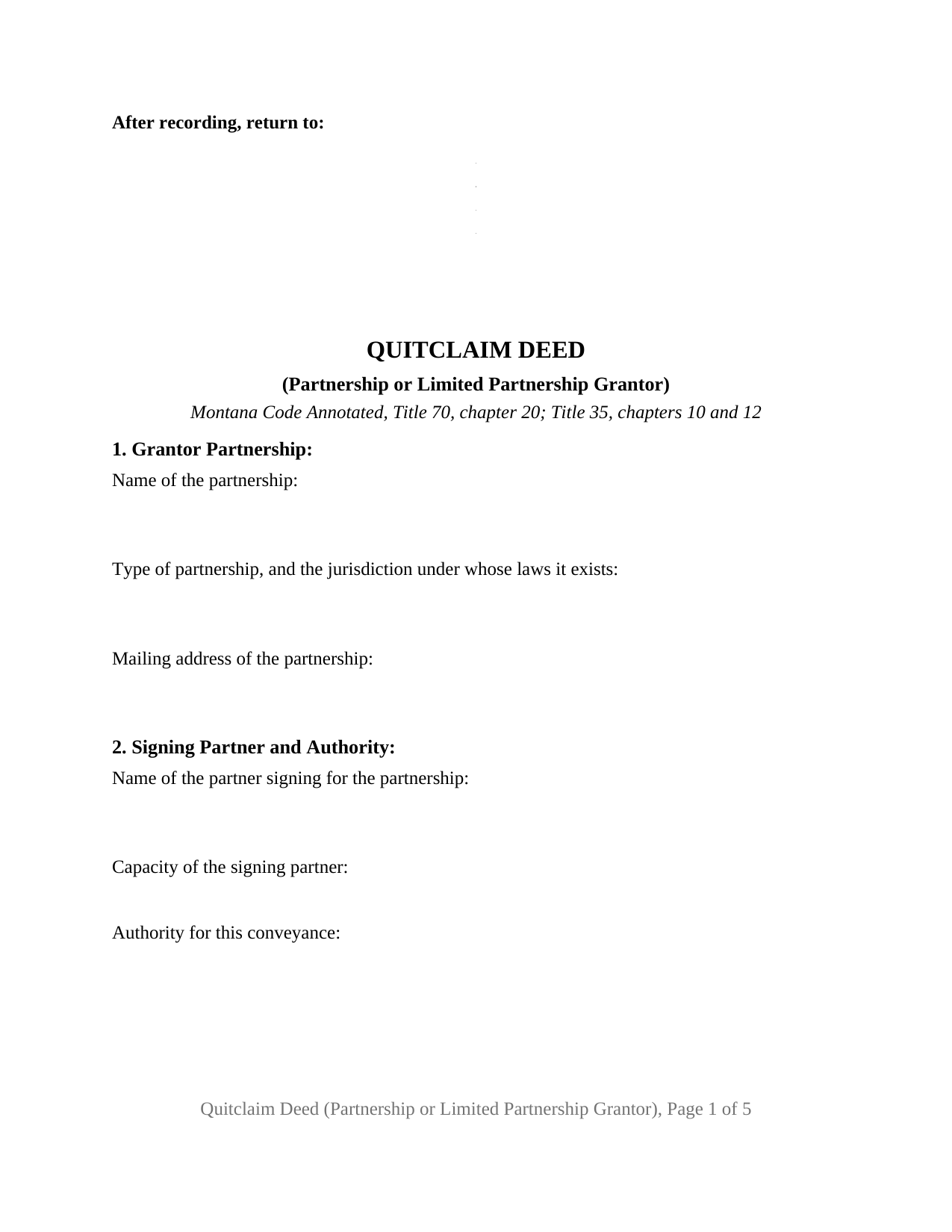
Cascade County Quitclaim Deed (Partnership or Limited Partnership Grantor) Form
Fill in the blank Quitclaim Deed (Partnership or Limited Partnership Grantor) form formatted to comply with all Montana recording and content requirements.
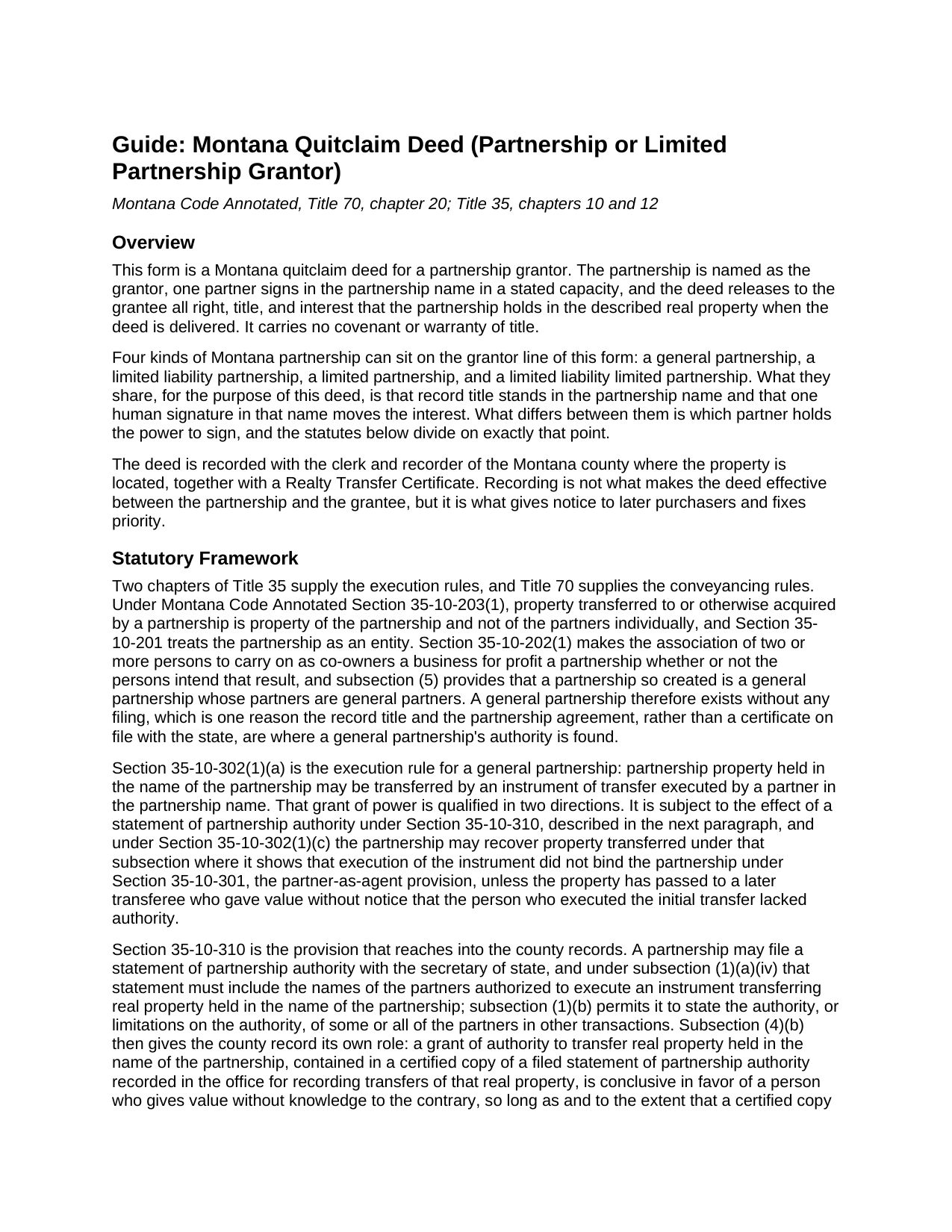
Cascade County Quitclaim Deed (Partnership or Limited Partnership Grantor) Guide
Line by line guide explaining every blank on the Quitclaim Deed (Partnership or Limited Partnership Grantor) form.
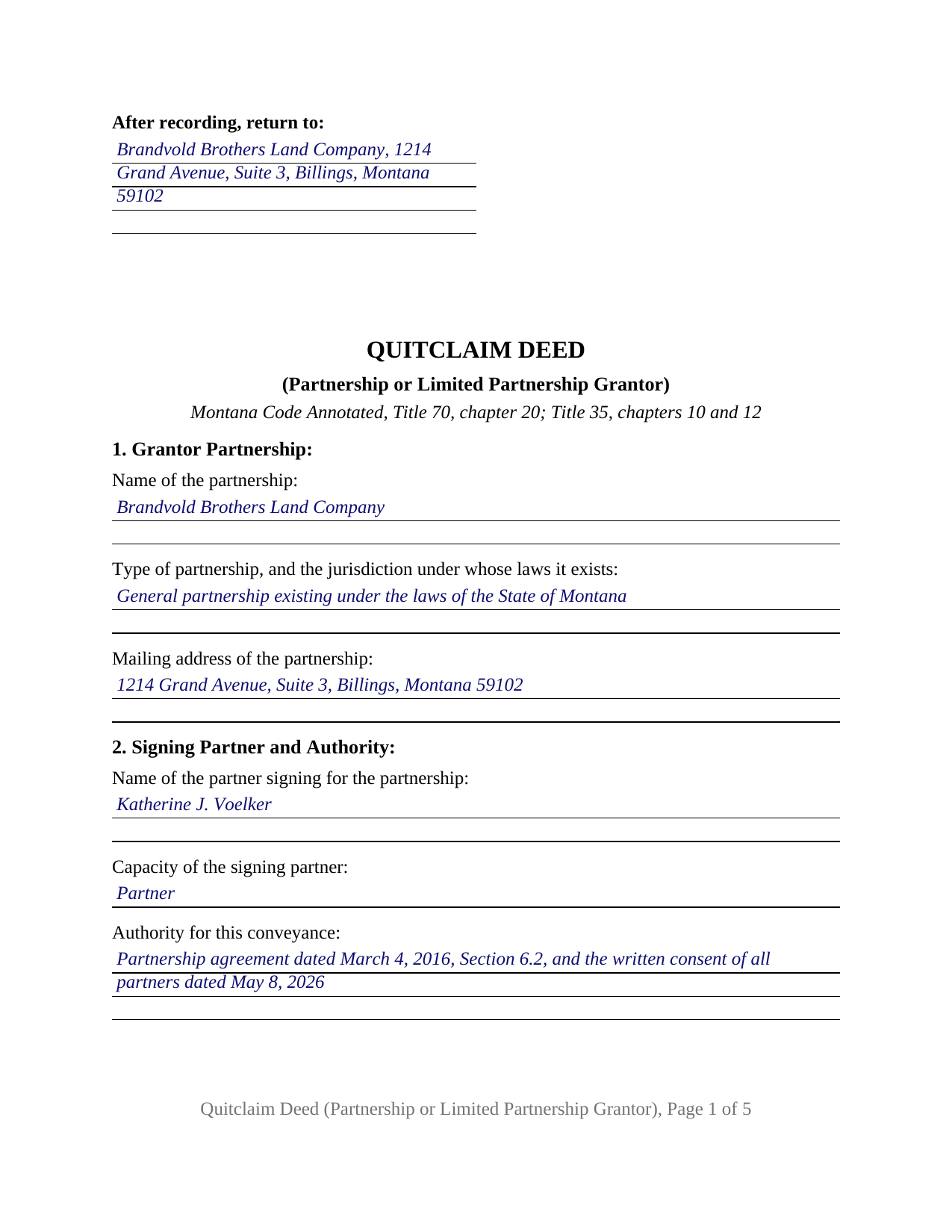
Cascade County Completed Example of the Quitclaim Deed (Partnership or Limited Partnership Grantor) Document
Example of a properly completed Montana Quitclaim Deed (Partnership or Limited Partnership Grantor) document for reference.
All 3 documents above included • One-time purchase • No recurring fees
Immediate Download • Secure Checkout
Additional Montana and Cascade County documents included at no extra charge:
Where to Record Your Documents
Cascade County Clerk / Recorder
Great Falls, Montana 59401 / 59403
Hours: 7:00am - 5:00pm M-F
Phone: (406) 454-6801
Recording Tips for Cascade County:
- Bring your driver's license or state-issued photo ID
- Ensure all signatures are in blue or black ink
- Both spouses typically need to sign if property is jointly owned
- Bring extra funds - fees can vary by document type and page count
- Check margin requirements - usually 1-2 inches at top
Cities and Jurisdictions in Cascade County
Properties in any of these areas use Cascade County forms:
- Belt
- Black Eagle
- Cascade
- Fort Shaw
- Great Falls
- Malmstrom A F B
- Monarch
- Neihart
- Sand Coulee
- Simms
- Stockett
- Sun River
- Ulm
- Vaughn
Hours, fees, requirements, and more for Cascade County
How do I get my forms?
Forms are available for immediate download after payment. The Cascade County forms will be in your account ready to download to your computer. An account is created for you during checkout if you don't have one. Forms are NOT emailed.
Are these forms guaranteed to be recordable in Cascade County?
Yes. Our form blanks are guaranteed to meet or exceed the applicable formatting requirements used for recording in Cascade County, including margin requirements, font requirements, and other layout standards. This guarantee applies to formatting, not to the legal sufficiency of information entered by the user or the suitability of a form for a particular transaction.
Can I reuse these forms?
Yes. You can reuse the forms for your personal use. For example, if you have multiple properties in Cascade County you only need to order once.
What do I need to use these forms?
The forms are PDFs that you fill out on your computer. The free Adobe Acrobat Reader is recommended, and most PDF apps also work. You do NOT enter your property information online - you download the blank forms and complete them privately on your own computer.
Are there any recurring fees?
No. This is a one-time purchase. Nothing to cancel, no memberships, no recurring fees.
How much does it cost to record in Cascade County?
Recording fees in Cascade County vary. Contact the recorder's office at (406) 454-6801 for current fees.
Questions answered? Let's get started!
What stalls a partnership conveyance is rarely whether the partnership owns the parcel. It is which partner can sign for it, and Montana answers that in two places, one of them the county record where the deed itself is filed. This Montana quitclaim deed is built for a partnership grantor: one partner executes in the partnership name in a stated capacity, and the grantee receives whatever right, title, and interest the partnership holds at delivery, with no warranty of title.
Authority that can sit in the county index
Montana Code Annotated Section 35-10-302(1)(a) lets a partner transfer partnership property held in the partnership name by an instrument executed in that name, subject to a statement of partnership authority under Section 35-10-310. It goes to the secretary of state and must name the partners authorized to convey real property held in the partnership name. Section 35-10-310 then does something unusual for an entity filing: it sends a certified copy to the county. A grant of authority over real property, in a certified copy recorded where transfers of that property are recorded, is conclusive for a person giving value without knowledge to the contrary, unless a copy carrying a limitation is also of record. Read the other way, a recorded limitation counts as known to anyone who is not a partner. Section 8 takes the recording reference for each such copy, and reads None recorded when the index holds none.
Which partner signs, and why the answer splits
The capacity blank in Section 2 carries the most weight, because Montana's two partnership chapters answer that question differently. For a general partnership or a limited liability partnership, Section 35-10-302(1)(a) accepts a partner, and such a partnership needs no filing at all: under Section 35-10-202, co-owners carrying on a business for profit create one whether or not they meant to. For a limited partnership or a limited liability limited partnership, the power sits with the general partners, because Section 35-12-809(1) gives each general partner equal rights in managing the entity's activities, while Section 35-12-706 gives a limited partner, acting as one, no power to bind it. Hence no limited partner signature line.
Nothing promised about the title
Montana hangs implied deed covenants on one word: under Section 70-20-304, a fee conveyance carrying the word grant brings a covenant against the grantor's own earlier conveyance and one against encumbrances of the grantor's making. This operative section withholds that word, remising, releasing, and quitclaiming instead, with those covenants restrained expressly and the after-acquired title mechanism of Section 70-20-302 disclaimed. An easement, an assessment lien, and a plat restriction all outlive the conveyance.
One partnership, one signature, one certificate
Section 1 recites the partnership name, its type, and the jurisdiction under whose laws it exists; Section 2 recites the signing partner, that partner's capacity, and the authority relied on. Section 12 carries one signature line for the partnership by its authorized partner, and a representative-capacity acknowledgment certificate follows, naming the individual, the capacity, and the party for whom the instrument was executed, per Section 1-5-610. Because property acquired by a partnership belongs to the partnership and not to its partners individually under Section 35-10-203(1), nobody signs individually and no spousal joinder block appears. Arrangements putting a partnership on the grantor line of a Montana quit claim deed include a parcel released to a partner in redemption of part of that partner's interest, and a general partnership deeding out to the limited liability company its partners formed to succeed it. The form is not set up for two partners executing together, for a signer under a power of attorney, or for a parcel whose record title stands in individual partners' names, which Section 35-10-302(1)(b) addresses separately.
What the clerk and recorder needs
Recording happens in the county holding the land, at $20 for a first page plus $10 per additional page for deeds recorded on or after October 1, 2025. One body entry is an acceptance condition, not a nicety: under Section 7-4-2618 the clerk and recorder may not receive a deed lacking the grantee's post-office address. The Department of Revenue's Realty Transfer Certificate travels to the counter with the deed, carrying price information on a confidential filing, and is prepared separately.
The download delivers this partnership quitclaim deed as a fillable PDF, a completed example worked out for a Carbon County release by a Billings general partnership, and a plain language guide covering the sections, notarization, and recording. The materials are informational and are not legal advice.
Important: Your property must be located in Cascade County to use these forms. Documents should be recorded at the county recording office listed above.
This Quitclaim Deed (Partnership or Limited Partnership Grantor) meets all recording requirements specific to Cascade County.
Our Promise
The documents you receive here are guaranteed to meet or exceed the applicable Cascade County recording format requirements. If there is a rejection caused by our formatting, we will correct the issue or refund your payment. This guarantee applies to document formatting only and does not extend to information entered by the user, the selection of the form, or the legal effect of the completed document.
Save Time and Money
Get your Cascade County Quitclaim Deed (Partnership or Limited Partnership Grantor) form done right the first time with Deeds.com Uniform Conveyancing Blanks. At Deeds.com, we understand that your time and money are valuable resources, and we don't want you to face a penalty fee or rejection imposed by a county recorder for submitting nonstandard documents. We constantly review and update our forms to meet rapidly changing state and county recording requirements for roughly 3,500 counties and local jurisdictions.
4.8 out of 5 - ( 4,830 Reviews )
Cary C. 5 out of 5 stars
I am very grateful for this service! But I was quite surprised to see the fees went up over 50%! The last 5 or 6 recordings I have done we each only $25.00. Thank you, Sally Center
Thank you for your feedback. We really appreciate it. Have a great day!
Margaret L. 1 out of 5 stars
I was not able to use the form after paying for it. The words in red would not let me type over them and I could not get a blank document. Useless.
Each forms package includes a blank form, a guide, and a completed example. The red text appears in the completed example to show how a finished document may look; the blank form is the editable document intended for customer use. Because our products are do-it-yourself legal forms, we canceled the order and payment when it was clear the customer was not able to identify and use the blank form included in the package.
Ardith S. 5 out of 5 stars
Very informative and user friendly. Was able to get all information and forms needed without any problems.
We appreciate your business and value your feedback. Thank you. Have a wonderful day!
Maxwell G. 5 out of 5 stars
I am so very happy with the service provided by Deeds.com. The process was simple and saved me a lot of time by not having to go to the courthouse, wait in line, and waste a big part of my day. In addition, the cost is a lot less than I expected. I highly recommend this service.
Your feedback is greatly appreciated. Thank you for taking the time to share your experience!
Lowell P. 5 out of 5 stars
Exceptionally helpful instruments that are compliant with State law and anticipate various contingencies. Very pleased.
Thank you for your feedback. We really appreciate it. Have a great day!
Carol H. 5 out of 5 stars
Easy to understand, quick access, inexpensive, and I took it to my registrar's office and he said the warranty deed was good to go. Thanks for saving me a bundle in lawyer's fees.
We appreciate your business and value your feedback. Thank you. Have a wonderful day!
Charles S. 5 out of 5 stars
very happy with guidance and responses - thank you - not finished yet but confident
We are sincerely grateful for your feedback and are committed to providing the highest quality service. Thank you for your trust in us.
Peter W. 5 out of 5 stars
Thanks worked out great
Thank you for the follow up Peter. Have a great day!
Marilyn S. 5 out of 5 stars
I was pleased with the service and product.
Thank you!
William M. 5 out of 5 stars
I got what I needed and did exactly what I needed. All legal and no hassle. Thanks Deeds.com, you made the job much easier.
Thank you!
Robert D L. 5 out of 5 stars
Found the forms to be very easy to use, instructions very clear and helpful. Recording office was surprised the forms were exactly what they required. Thank you
We appreciate your business and value your feedback. Thank you. Have a wonderful day!
Blanche S. 5 out of 5 stars
Thank you I hope I've done it all right!!
Thank you!
Amanda W. 5 out of 5 stars
Very helpful.
Thank you!
gene h. 5 out of 5 stars
Had used website while working as Land Rep for major oil company (retired 2.5 years ago). Recently had need to do some online research and went back to Deeds.com to find needed documents. Same as before, website provides a great service at a great price.
Thank you for your feedback. We really appreciate it. Have a great day!
Jaime H. 5 out of 5 stars
quick and easy
Thank you!