Phillips County Termination of Easement Form
Last validated October 29, 2026 by our Forms Development TeamFormatted for recording in Phillips County, for property anywhere in the county: rural and unincorporated areas as well as Dodson, Loring, Malta, Saco, Whitewater, Zortman.
- 3 documents included
- Immediate PDF download
- Formatting guarantee
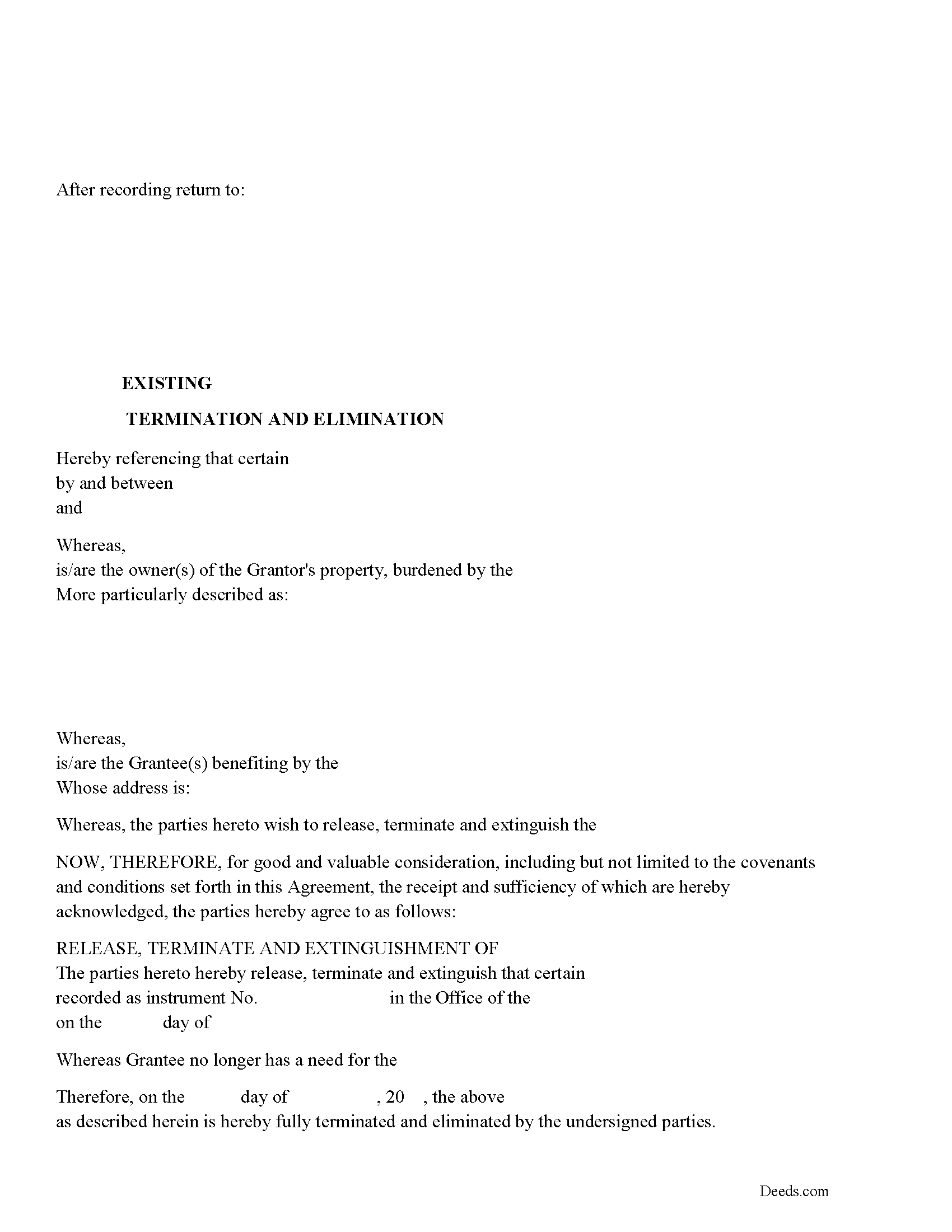
Phillips County Release of Easement, Right of Way Form
Fill in the blank form formatted to comply with all recording and content requirements.
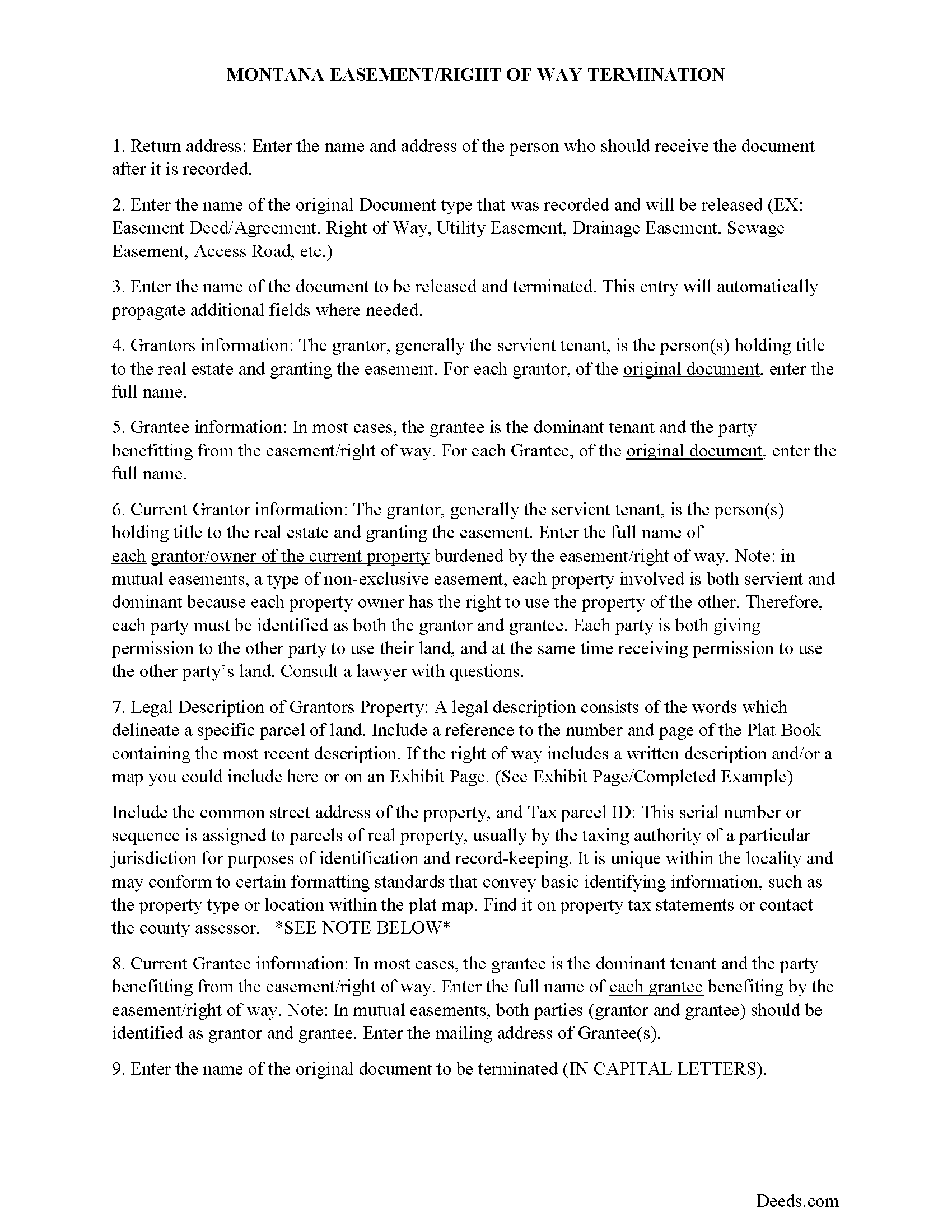
Phillips County Guidelines for Release of Easement
Line by line guide explaining every blank on the form.
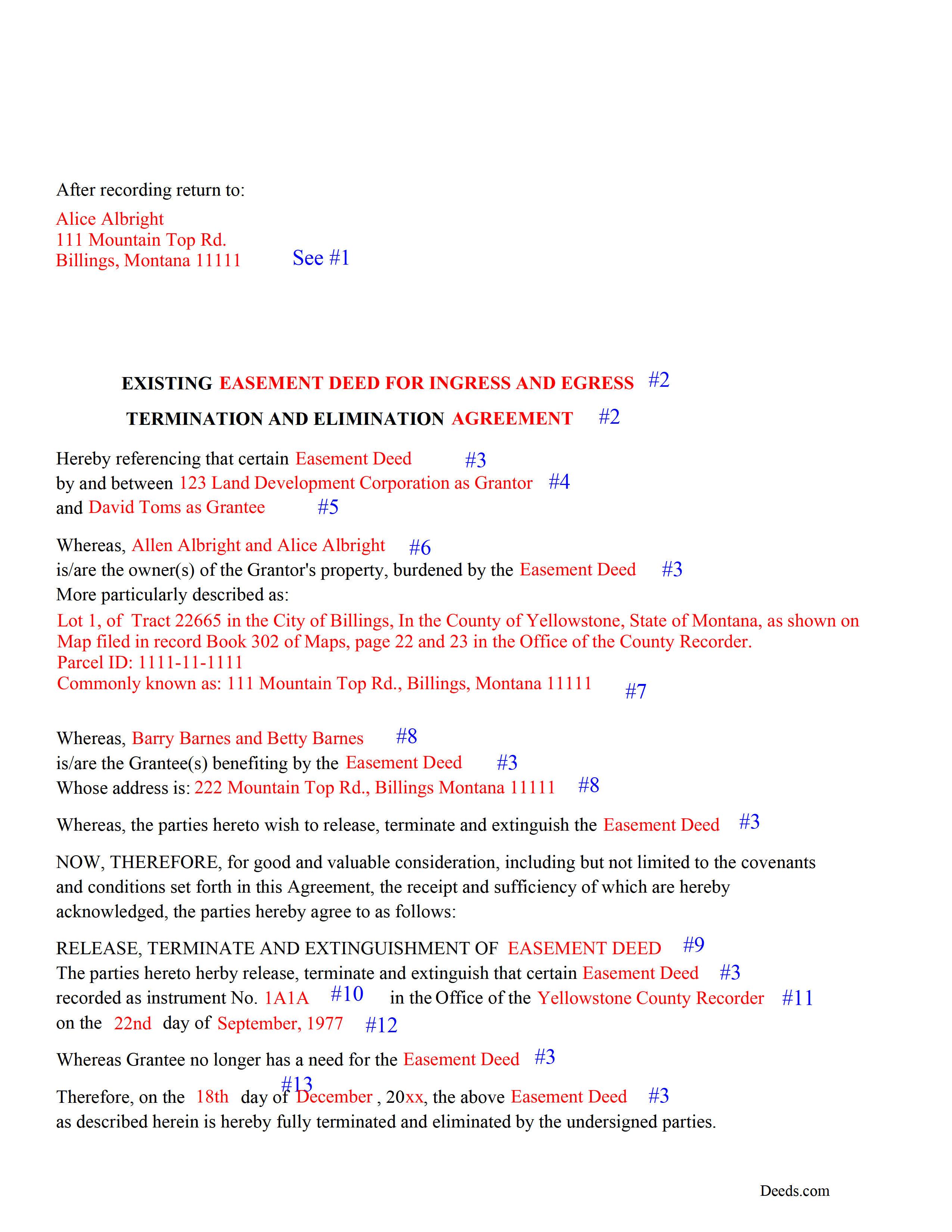
Phillips County Completed Example of the Release of Easement Document
Example of a properly completed form for reference.
All 3 documents above included • One-time purchase • No recurring fees
Immediate Download • Secure Checkout
Additional Montana and Phillips County documents included at no extra charge:
Where to Record Your Documents
Phillips County Clerk / Recorder
Malta, Montana 59538
Hours: 8:00 to 5:00 M-F
Phone: (406) 654-2423
Recording Tips for Phillips County:
- Bring your driver's license or state-issued photo ID
- Ensure all signatures are in blue or black ink
- Leave recording info boxes blank - the office fills these
- Make copies of your documents before recording - keep originals safe
- Recorded documents become public record - avoid including SSNs
Cities and Jurisdictions in Phillips County
Properties in any of these areas use Phillips County forms:
- Dodson
- Loring
- Malta
- Saco
- Whitewater
- Zortman
Hours, fees, requirements, and more for Phillips County
How do I get my forms?
Forms are available for immediate download after payment. The Phillips County forms will be in your account ready to download to your computer. An account is created for you during checkout if you don't have one. Forms are NOT emailed.
Are these forms guaranteed to be recordable in Phillips County?
Yes. Our form blanks are guaranteed to meet or exceed the applicable formatting requirements used for recording in Phillips County, including margin requirements, font requirements, and other layout standards. This guarantee applies to formatting, not to the legal sufficiency of information entered by the user or the suitability of a form for a particular transaction.
Can I reuse these forms?
Yes. You can reuse the forms for your personal use. For example, if you have multiple properties in Phillips County you only need to order once.
What do I need to use these forms?
The forms are PDFs that you fill out on your computer. The free Adobe Acrobat Reader is recommended, and most PDF apps also work. You do NOT enter your property information online - you download the blank forms and complete them privately on your own computer.
Are there any recurring fees?
No. This is a one-time purchase. Nothing to cancel, no memberships, no recurring fees.
How much does it cost to record in Phillips County?
Recording fees in Phillips County vary. Contact the recorder's office at (406) 654-2423 for current fees.
Questions answered? Let's get started!
Use this form to release, terminate, extinguish a previously recorded document that involves access to and from a property.
Documents such as:
1. Easement Deeds or Agreements (An easement is a non-possessory interest in land, granting the right to use someone else's property for a specific purpose, like a driveway or utility line)
2. Access Roads
3. Right of Ways
4. Utility Easements (Power, Gas, Water, Sewer, Etc.)
5. Drainage Easements
This document allows the owner of the land, burdened by the access and the party that benefits from the access, to sign an agreement releasing the property from such access, under the premises the benefiting party no longer needs access. Once the easement is successfully terminated and the release is recorded, it should be reflected in the title records for the property, effectively removing the easement from the property's title.
(Termination of Easement Package includes form, guidelines, and completed example)
Important: Your property must be located in Phillips County to use these forms. Documents should be recorded at the county recording office listed above.
This Termination of Easement meets all recording requirements specific to Phillips County.
Our Promise
The documents you receive here are guaranteed to meet or exceed the applicable Phillips County recording format requirements. If there is a rejection caused by our formatting, we will correct the issue or refund your payment. This guarantee applies to document formatting only and does not extend to information entered by the user, the selection of the form, or the legal effect of the completed document.
Save Time and Money
Get your Phillips County Termination of Easement form done right the first time with Deeds.com Uniform Conveyancing Blanks. At Deeds.com, we understand that your time and money are valuable resources, and we don't want you to face a penalty fee or rejection imposed by a county recorder for submitting nonstandard documents. We constantly review and update our forms to meet rapidly changing state and county recording requirements for roughly 3,500 counties and local jurisdictions.
4.8 out of 5 - ( 4,837 Reviews )
David W. 5 out of 5 stars
Excellent service! Questions were answered promptly, and the entire process was easy and fast. Thank you!
We appreciate your business and value your feedback. Thank you. Have a wonderful day!
Kari G. 5 out of 5 stars
The service was prompt and attentive to my questions. I would've just appreciated a heads up that I also needed to contact the county directly (and provide contact info) to receive a certified copy of the document (Notice of Commencement) in order to submit the certified copy to the Building Department. This was an extra step that I haven't had to complete before using another eRecording service. Even if this extra step is a result of the county's system. I would still have expected a head's up (since there wasn't any info regarding this on the county's site for eRecording).
Thank you for your feedback. We really appreciate it. Have a great day!
Kenneth R. 5 out of 5 stars
Easy to use and saves money.
Thank you!
Joshua W. 5 out of 5 stars
Very efficient and easy to use, worth the price.
Thank you for your feedback. We really appreciate it. Have a great day!
Stephanie F. 5 out of 5 stars
Thorough, efficient, couldn't ask for better support. I refer everyone I know in real estate to use Deeds.com
Thank you for your positive words! We’re thrilled to hear about your experience.
Sandra P. 5 out of 5 stars
Thank so much! It' was pretty easy with the help of my Brother in-law .
Thank you for your feedback. We really appreciate it. Have a great day!
Rubin C. 5 out of 5 stars
Very good forms and the online recording was a blessing.
Thank you for your feedback. We really appreciate it. Have a great day!
Charles G. 5 out of 5 stars
I downloaded your Transfer on Death Deed Forms on Monday and registered the deed on Wednesday. Thank you.
We appreciate your business and value your feedback. Thank you. Have a wonderful day!
Hans K. 5 out of 5 stars
The deeds.com site provides clarifying useful information for the do-it-yourself type of person.
We appreciate your business and value your feedback. Thank you. Have a wonderful day!
Stephanie B. 5 out of 5 stars
Really great, relevant and straight forward forms. Deeds.com is excellent and helps you avoid costly errors on documents.
Thank you for your feedback. We really appreciate it. Have a great day!
Kevin A. 5 out of 5 stars
I LOVE THIS SITE KEEP UP THE GREAT WORK YOUR DOING THNKS KEVIN
Thank you!
Karen W. 5 out of 5 stars
Great experience. Easy.
We appreciate your business and value your feedback. Thank you. Have a wonderful day!
James S. 2 out of 5 stars
Order Process: 5 Stars - very easy Material Received: 2 Stars Issues: 1. Printing- Document would not print in format displayed. Format would continually shrink to approx 2/3 size thus not useable for formal doc submission to County Records office. 2. Document Format- Data insertion fields (addresses) were not of correct size for data input. I needed a 4 line input space but was limited to only 3 lines. Also, Date field (year) was mis-oriented in-so-much that the 3rd digit (inputted) overlapped on 2nd digit (pre-printed) and also was of noticeably different font. 3. Useability- Hand-written input space provided (for Notary) was deficient in space and spacing. It was a challenge to utilize the space available to complete fully and maintain legibility. Overall - the document worked marginally as advertised, I did need to re-write the entire document myself. It is a good concept but I'd recommend that Deeds company improve the downloaded forms for actual useability, readability, functionability. regards, Jim S
Thank you for your feedback. We really appreciate it. Have a great day!
Dennis H. 5 out of 5 stars
Thank you for this program. It will help in the future. Dennis Holt
Thank you!
Sylvia O. 5 out of 5 stars
Very efficient, and the samples and instructions are very easy to follow. Thank you Deeds.com
Thank you!