Frontier County Construction Lien Amendment Form
Last validated October 23, 2026 by our Forms Development TeamFormatted for recording in Frontier County, for property anywhere in the county: rural and unincorporated areas as well as Curtis, Eustis, Maywood, Moorefield, Stockville.
- 3 documents included
- Immediate PDF download
- Formatting guarantee
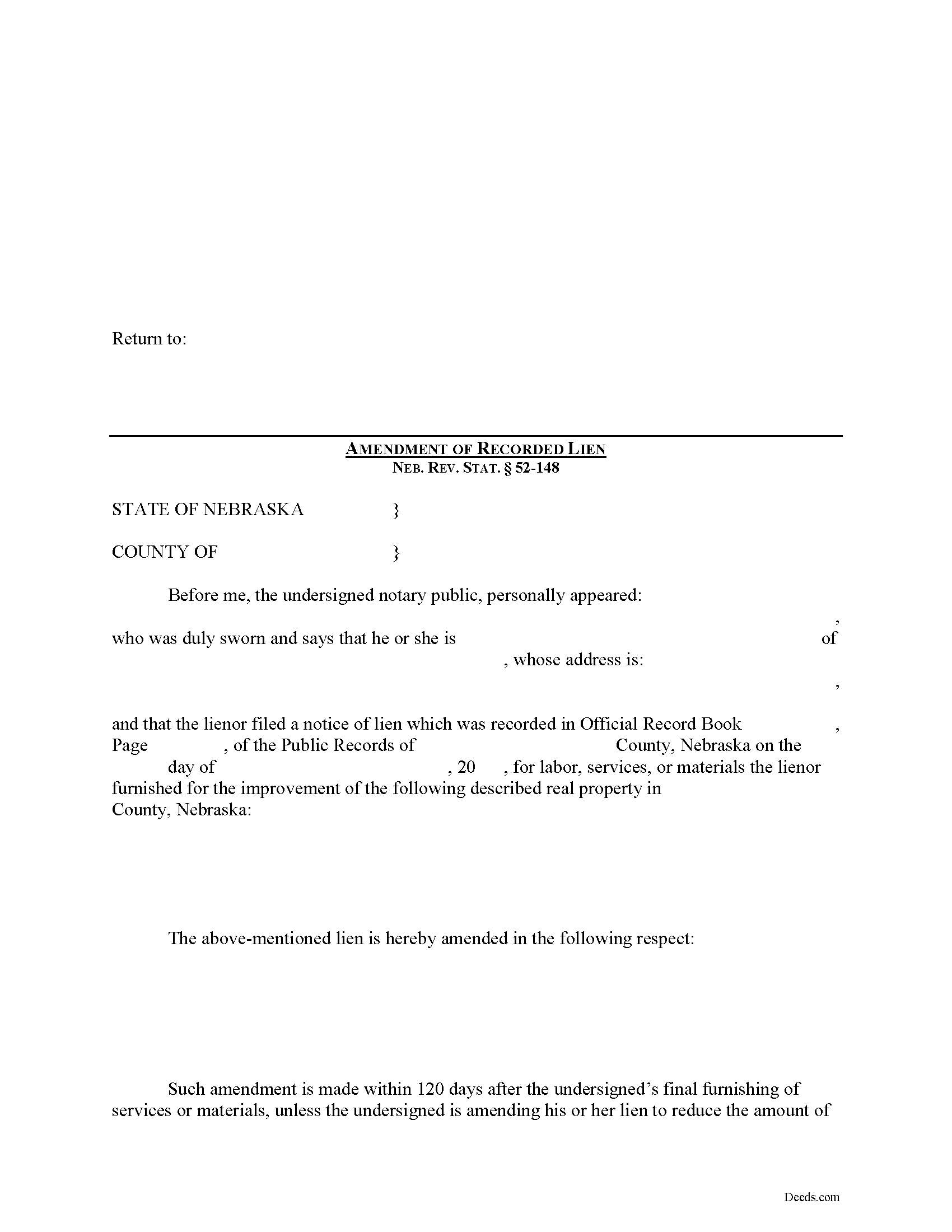
Frontier County Construction Lien Amendment Form
Fill in the blank Construction Lien Amendment form formatted to comply with all Nebraska recording and content requirements.
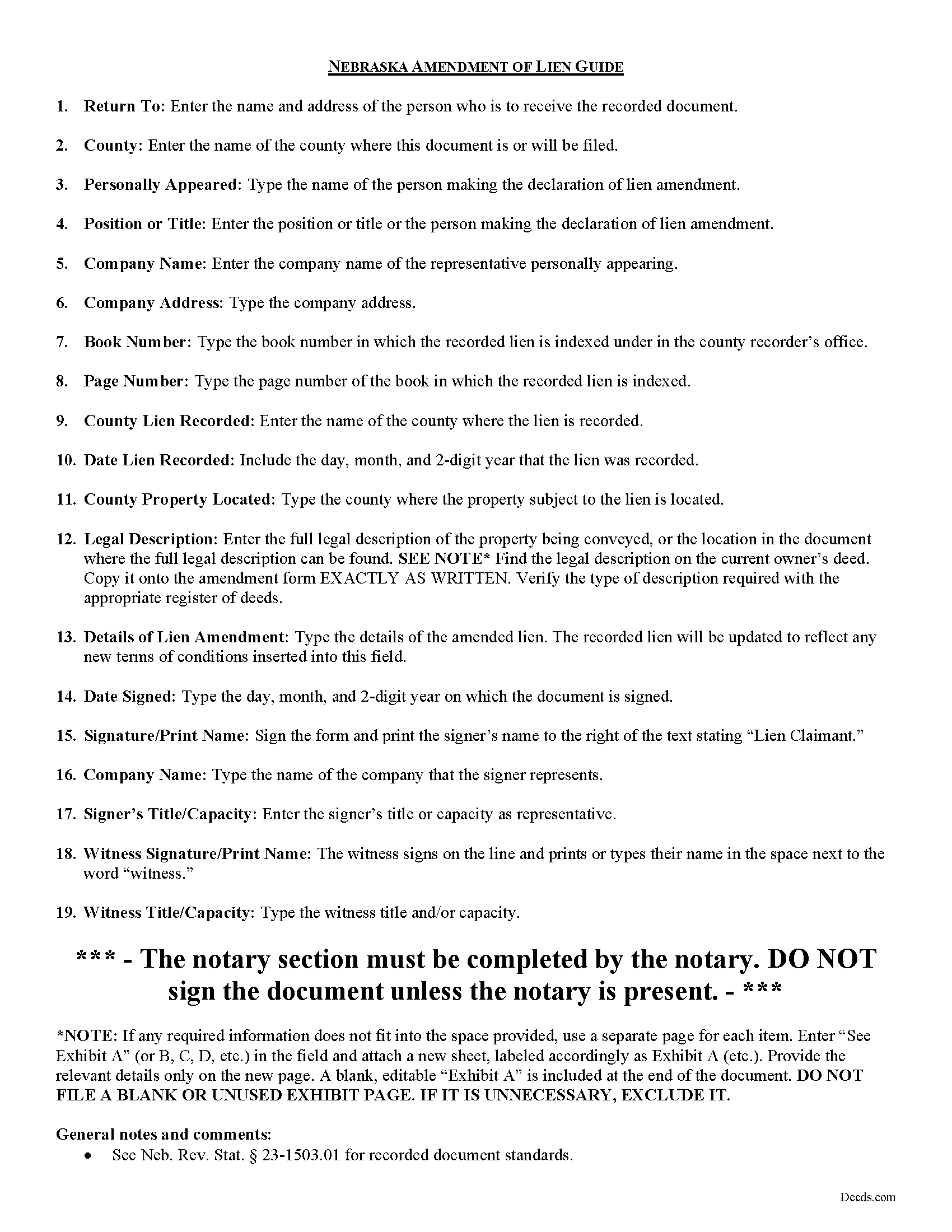
Frontier County Construction Lien Amendment Guide
Line by line guide explaining every blank on the form.
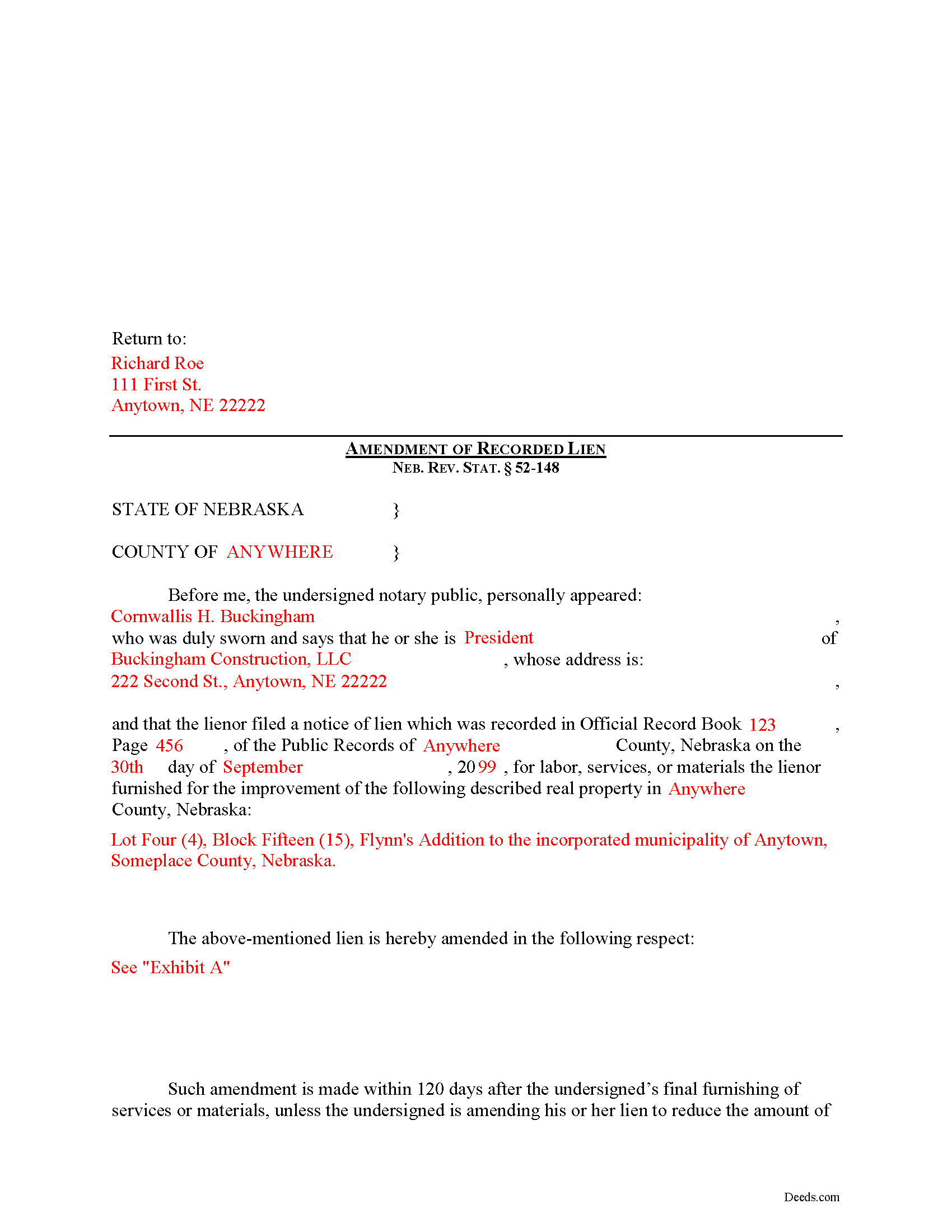
Frontier County Completed Example of the Construction Lien Amendment Document
Example of a properly completed form for reference.
All 3 documents above included • One-time purchase • No recurring fees
Immediate Download • Secure Checkout
Additional Nebraska and Frontier County documents included at no extra charge:
Where to Record Your Documents
Frontier County Register of Deeds
Stockville, Nebraska 69042
Hours: 8:30-12:00, 1:00-5:00
Phone: (308) 367-8641
Recording Tips for Frontier County:
- Bring your driver's license or state-issued photo ID
- Ensure all signatures are in blue or black ink
- Bring extra funds - fees can vary by document type and page count
- Check margin requirements - usually 1-2 inches at top
- Leave recording info boxes blank - the office fills these
Cities and Jurisdictions in Frontier County
Properties in any of these areas use Frontier County forms:
- Curtis
- Eustis
- Maywood
- Moorefield
- Stockville
Hours, fees, requirements, and more for Frontier County
How do I get my forms?
Forms are available for immediate download after payment. The Frontier County forms will be in your account ready to download to your computer. An account is created for you during checkout if you don't have one. Forms are NOT emailed.
Are these forms guaranteed to be recordable in Frontier County?
Yes. Our form blanks are guaranteed to meet or exceed the applicable formatting requirements used for recording in Frontier County, including margin requirements, font requirements, and other layout standards. This guarantee applies to formatting, not to the legal sufficiency of information entered by the user or the suitability of a form for a particular transaction.
Can I reuse these forms?
Yes. You can reuse the forms for your personal use. For example, if you have multiple properties in Frontier County you only need to order once.
What do I need to use these forms?
The forms are PDFs that you fill out on your computer. The free Adobe Acrobat Reader is recommended, and most PDF apps also work. You do NOT enter your property information online - you download the blank forms and complete them privately on your own computer.
Are there any recurring fees?
No. This is a one-time purchase. Nothing to cancel, no memberships, no recurring fees.
How much does it cost to record in Frontier County?
Recording fees in Frontier County vary. Contact the recorder's office at (308) 367-8641 for current fees.
Questions answered? Let's get started!
Amending a Construction Lien in Nebraska
Construction liens are governed under the Nebraska Construction Lien Act, found at Sections 52-125 to 52-159 of the Nebraska Revised Statutes.
Once a lien is recorded, there may be a reason to modify it later on. Should a modification become necessary, the claimant must file an Amendment of Recorded Lien.
A recorded lien may be amended by an additional recording at any time during the period allowed for recording the original lien. Neb. Rev. Stat. 52-148(1). An amendment adding real estate or increasing the amount of lien claimed is effective as to the additional real estate or increased amount only from the time the amendment is recorded. Id.
After the period allowed for recording the original lien, it may be amended for the purpose of: (a) Reducing the amount of the lien; (b) Reducing the real estate against which the lien is claimed; or (c) Making an apportionment of the lien among lots of a platted subdivision of record. Neb. Rev. Stat. 52-148(2).
The amendment states the recording location and date of recording of the notice of lien being amended and sets out the respects in which it is being amended. Neb. Rev. Stat. 52-148(3). It identifies the parties, the location of the subject property, and must also meet state and local standards for recorded documents.
This article is offered for informational purposes only and is not legal advice. This information not be relied upon as a substitute for speaking with an attorney. Please speak with a Nebraska attorney familiar with lien laws for any questions regarding amending a construction lien.
Important: Your property must be located in Frontier County to use these forms. Documents should be recorded at the county recording office listed above.
This Construction Lien Amendment meets all recording requirements specific to Frontier County.
Our Promise
The documents you receive here are guaranteed to meet or exceed the applicable Frontier County recording format requirements. If there is a rejection caused by our formatting, we will correct the issue or refund your payment. This guarantee applies to document formatting only and does not extend to information entered by the user, the selection of the form, or the legal effect of the completed document.
Save Time and Money
Get your Frontier County Construction Lien Amendment form done right the first time with Deeds.com Uniform Conveyancing Blanks. At Deeds.com, we understand that your time and money are valuable resources, and we don't want you to face a penalty fee or rejection imposed by a county recorder for submitting nonstandard documents. We constantly review and update our forms to meet rapidly changing state and county recording requirements for roughly 3,500 counties and local jurisdictions.
4.8 out of 5 - ( 4,862 Reviews )
Monique C. 5 out of 5 stars
Very quick and efficient service! I will continue to use them for future reference.
Thank you!
Robert R. 5 out of 5 stars
Just joined. Recommended by a strong source. Looking forward to doing business.
Thank you!
Raad A. 3 out of 5 stars
Not easy to navigate
Thank you for your feedback.
Nancy J. 5 out of 5 stars
Forms were not to hard to fill out, Will go to Douglas County Oregon Recorders office in a few weeks and hope I filled them out correctly.
Thank you for your feedback. We really appreciate it. Have a great day!
Robert D. 5 out of 5 stars
I was trying to register a financial statement (non real estate document). There was no link or statement on the home page to indicate that this could be done. All I had to do was to create an account, name and then upload the document. It took me over a day and several phone calls to the local deed recording office to try to figure this out. A simple link or statement to this effect would have saved me a lot of time
Thank you for your feedback. We really appreciate it. Have a great day!
charles b. 5 out of 5 stars
The product I needed was available, easy to download, access and complete. The instructions were very helpful. I had previously purchased another product which was terrible. I highly recommend Deeds.com
We appreciate your business and value your feedback. Thank you. Have a wonderful day!
Thomas T. 5 out of 5 stars
Amazing site, been using it since 2018 for forms and never an issue.
Thank you for your feedback. We really appreciate it. Have a great day!
Vickie G. 5 out of 5 stars
The form and instruction were perfect. Thank you.
Thank You Vickie!
Cathleen H. 5 out of 5 stars
The pdf form is good; however, the input boxes merge into the line above so the text is hard to read when complete. I added a return before entering my data and this solved the problem.
Thank you for your feedback Cathleen. We will have staff take a look at the document for issues with the text fields. Have a great day!
Christina D. 3 out of 5 stars
The papers allowed me to get done what I needed. But for the price I would expect a spell check. There were spelling errors when there should not have been any. Please proof read
Your feedback is a crucial part of our dedication to ongoing improvement. Thank you for your insightful comments.
Cindy N. 5 out of 5 stars
Our home was in only my husband’s name and as we are getting older, it was time to add my name to the Deed to avoid potential issues in the future. Our experience with Deeds.com was wonderful. The website is user friendly, instructions written in layman’s terms, straightforward and easy to follow. Very reasonably priced. I highly recommend using Deeds.com.
Thank you for the kind words Cindy. We appreciate you. Have an amazing day!
Connie B. 5 out of 5 stars
Needed to remove a deceased person from my mother's title. I live in another state. Deeds.com made it SO EASY to accomplish. I loved the example forms showing me how to fill out the forms that were provided. It went incredibly well at the County offices (all 3 departments!). Definitely will use Deeds.com again!
We appreciate your business and value your feedback. Thank you. Have a wonderful day!
Monica U. 5 out of 5 stars
Thank You. Good Service. Questions were answered.
Thank you for your feedback. We really appreciate it. Have a great day!
Patricia R. 5 out of 5 stars
Great Transaction. Easy to follow instructions!
We appreciate your business and value your feedback. Thank you. Have a wonderful day!
Jerry C. 5 out of 5 stars
NIce job Guys! Helped me with my recordings and slight errors. Submitted Perfectly Good Communication. Thanks. Will use again.
Happy we could assist. Thank you for sharing your experience.