Boyd County Easement Deed Form
Last validated October 16, 2026 by our Forms Development TeamFormatted for recording in Boyd County, for property anywhere in the county: rural and unincorporated areas as well as Bristow, Butte, Lynch, Naper, Spencer.
- 4 documents included
- Immediate PDF download
- Formatting guarantee
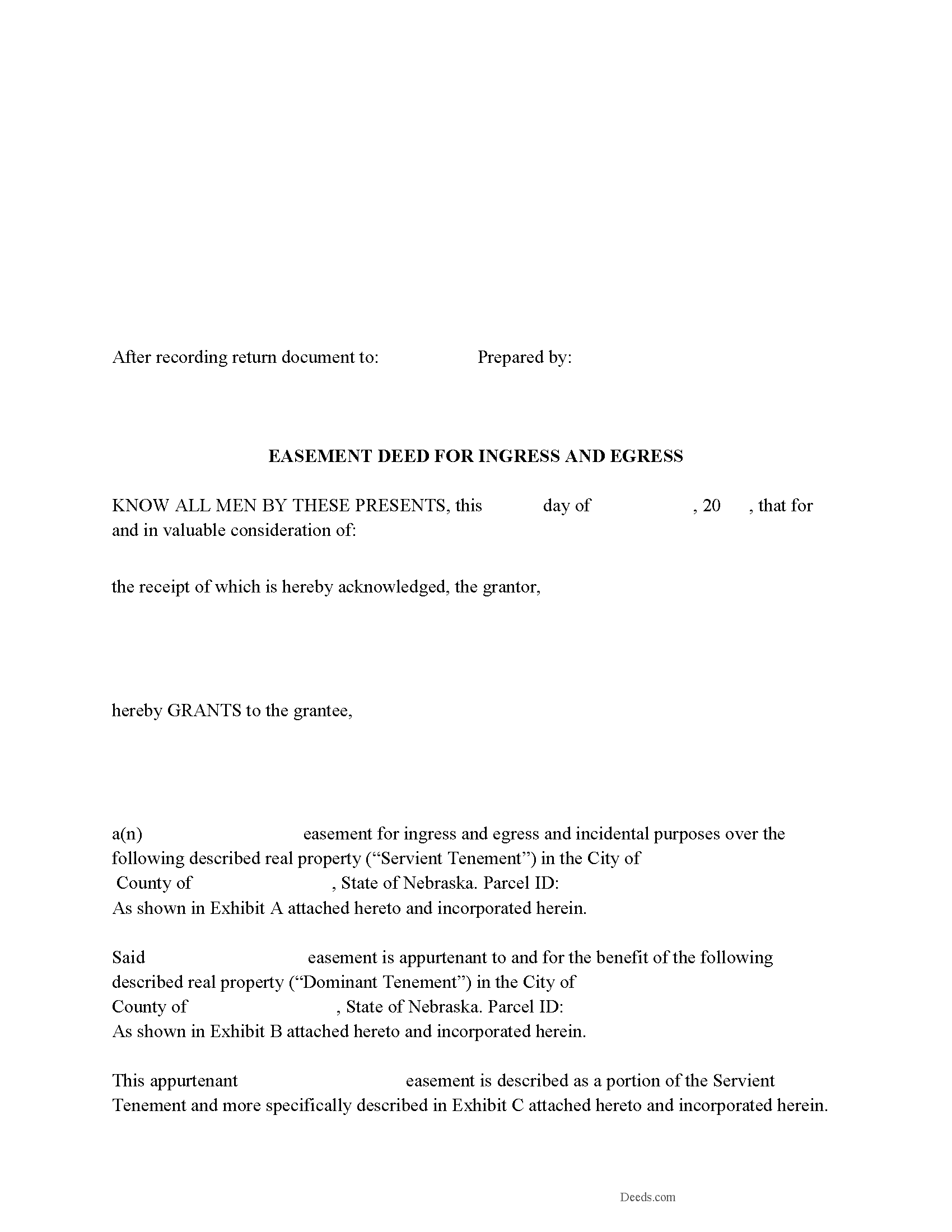
Boyd County Easement Deed Form
Fill in the blank form formatted to comply with all recording and content requirements.
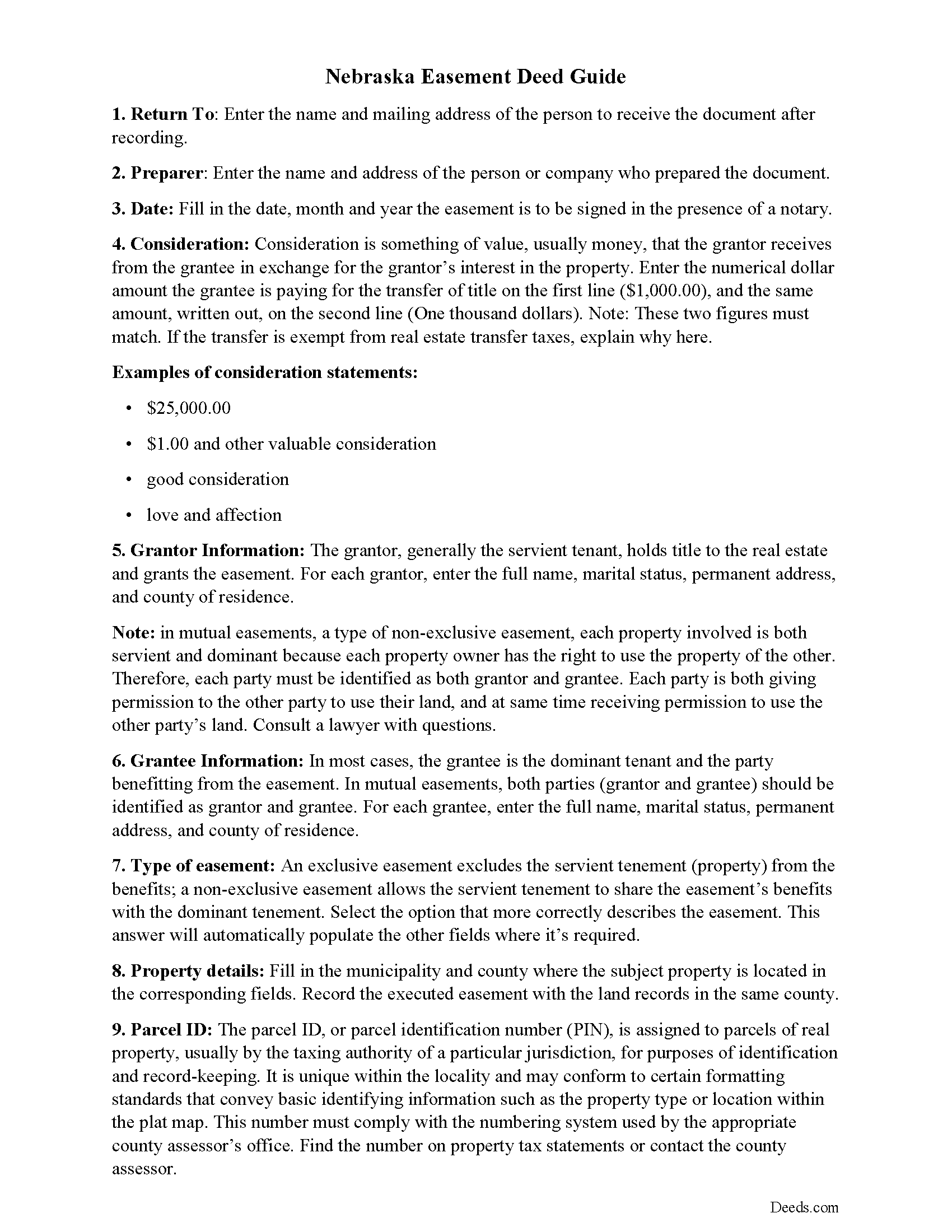
Boyd County Easement Deed Guide
Line by line guide explaining every blank on the form.
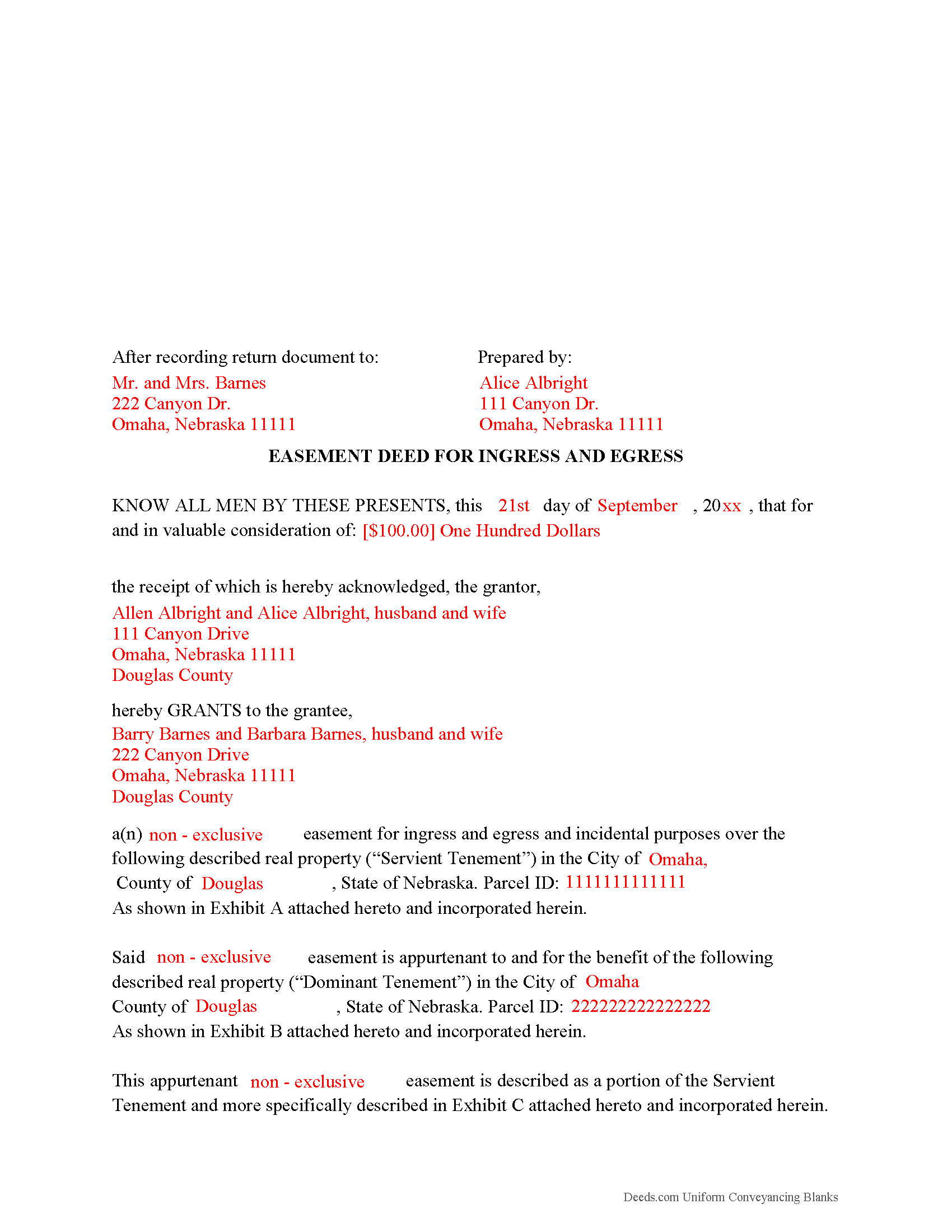
Boyd County Completed Example of the Easement Deed Document
Example of a properly completed form for reference.
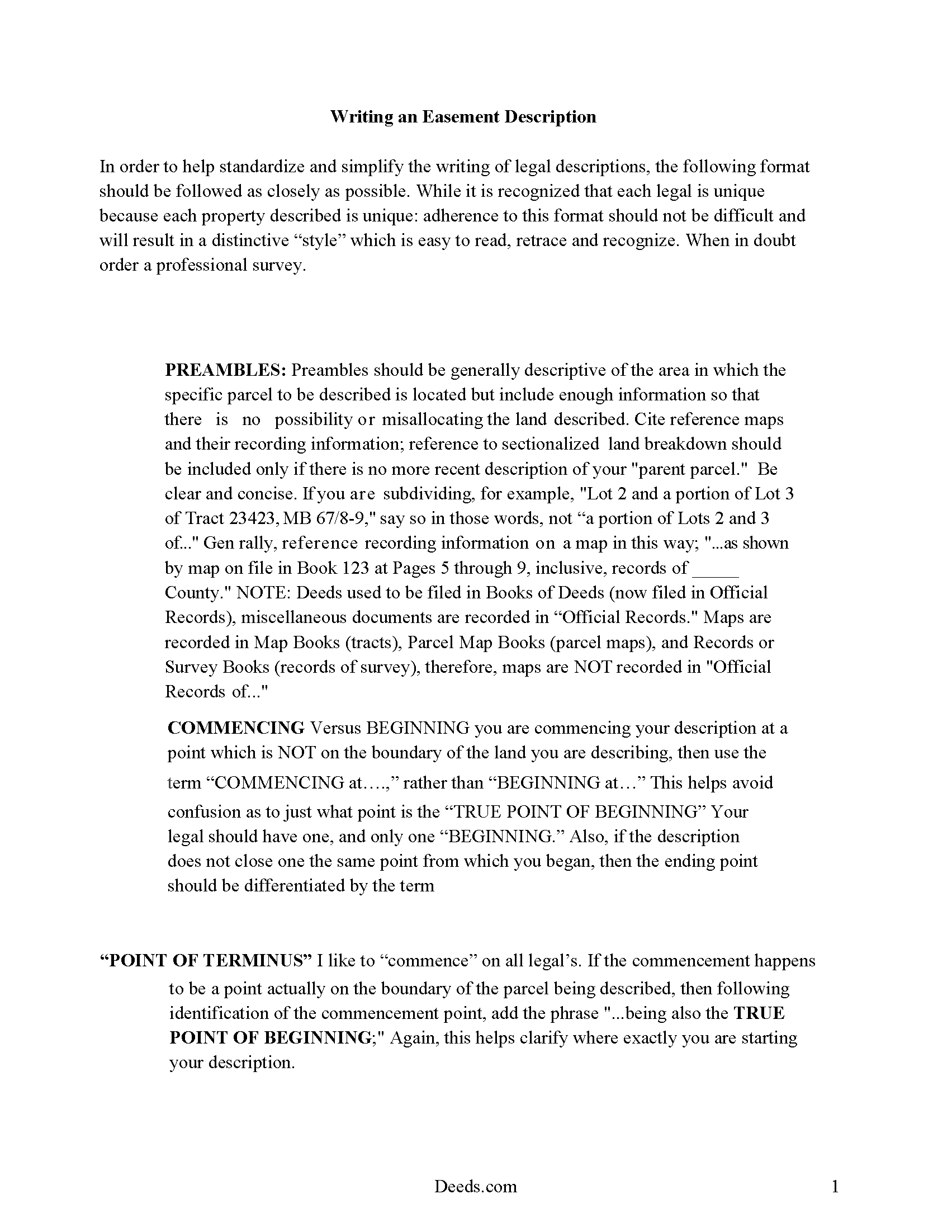
Boyd County Guide to Writing an Easement Description
A Description of the Easement will be required. This will show how to write an acceptable description for a Right of Way Easement, which gives access, to and from - point A to point B.
All 4 documents above included • One-time purchase • No recurring fees
Immediate Download • Secure Checkout
Additional Nebraska and Boyd County documents included at no extra charge:
Where to Record Your Documents
Boyd County Register of Deeds/Clerk
Butte, Nebraska 68722
Hours: 8:15 to 4:00. Monday through Friday
Phone: (402) 775-2391
Recording Tips for Boyd County:
- Bring your driver's license or state-issued photo ID
- Ensure all signatures are in blue or black ink
- Documents must be on 8.5 x 11 inch white paper
- Double-check legal descriptions match your existing deed
- Verify all names are spelled correctly before recording
Cities and Jurisdictions in Boyd County
Properties in any of these areas use Boyd County forms:
- Bristow
- Butte
- Lynch
- Naper
- Spencer
Hours, fees, requirements, and more for Boyd County
How do I get my forms?
Forms are available for immediate download after payment. The Boyd County forms will be in your account ready to download to your computer. An account is created for you during checkout if you don't have one. Forms are NOT emailed.
Are these forms guaranteed to be recordable in Boyd County?
Yes. Our form blanks are guaranteed to meet or exceed the applicable formatting requirements used for recording in Boyd County, including margin requirements, font requirements, and other layout standards. This guarantee applies to formatting, not to the legal sufficiency of information entered by the user or the suitability of a form for a particular transaction.
Can I reuse these forms?
Yes. You can reuse the forms for your personal use. For example, if you have multiple properties in Boyd County you only need to order once.
What do I need to use these forms?
The forms are PDFs that you fill out on your computer. The free Adobe Acrobat Reader is recommended, and most PDF apps also work. You do NOT enter your property information online - you download the blank forms and complete them privately on your own computer.
Are there any recurring fees?
No. This is a one-time purchase. Nothing to cancel, no memberships, no recurring fees.
How much does it cost to record in Boyd County?
Recording fees in Boyd County vary. Contact the recorder's office at (402) 775-2391 for current fees.
Questions answered? Let's get started!
An easement is an interest in real property that allows one person to use another person's property for a specific purpose. An easement deed is the instrument that creates the right to use another's property. Easements can be created to benefit a dominant estate and will run with the land, or they can be created to benefit an individual or a legal entity. The terms of the easement should be contained in the easement deed.
A conservation or preservation easement is an interest in real property and is created by an instrument in which the purpose for the easement is clearly stated. This type of easement is not effective until it is accepted by the holder. Conservation or preservation easements are recorded, filed, and indexed in the office of the register of deeds in the county where the property subject to the easement is located (76-2,112).
In order for an easement deed to be considered lawfully recorded, it must be acknowledged or proved in the manner prescribed by Nebraska Revised Statutes (76-241). If executed in Nebraska, the easement deed must be signed by the grantor or grantors, be acknowledged or proved, and recorded. Acknowledgments must be done in accordance with section 64-205 of the Nebraska Revised Statutes and may be made or proved before a judge or clerk of any court, a United States magistrate, or notary public. No such officer can take acknowledgments or proof outside of his or her territorial jurisdiction (76-217). If acknowledgments or proof are done in another state and according to the laws of such state, the easement deed will be eligible to record in Nebraska (76-219).
An easement deed or other instrument relating to or affecting the title to real estate in Nebraska should be recorded in the office of the register of deeds in the county where the real property subject to the easement is located. If an easement deed is not recorded, it will be valid between the parties to the instrument (76-238). After it is delivered to the register of deeds for recording, an easement deed will take effect and be in force as to all creditors and subsequent purchasers in good faith and without notice. All deeds are void to all creditors and subsequent purchasers without notice whose deeds, mortgages, or other instruments are recorded first (76-238).
(Nebraska ED Package includes form, guidelines, and completed example)
Important: Your property must be located in Boyd County to use these forms. Documents should be recorded at the county recording office listed above.
This Easement Deed meets all recording requirements specific to Boyd County.
Our Promise
The documents you receive here are guaranteed to meet or exceed the applicable Boyd County recording format requirements. If there is a rejection caused by our formatting, we will correct the issue or refund your payment. This guarantee applies to document formatting only and does not extend to information entered by the user, the selection of the form, or the legal effect of the completed document.
Save Time and Money
Get your Boyd County Easement Deed form done right the first time with Deeds.com Uniform Conveyancing Blanks. At Deeds.com, we understand that your time and money are valuable resources, and we don't want you to face a penalty fee or rejection imposed by a county recorder for submitting nonstandard documents. We constantly review and update our forms to meet rapidly changing state and county recording requirements for roughly 3,500 counties and local jurisdictions.
4.8 out of 5 - ( 4,845 Reviews )
Francine H. 4 out of 5 stars
Somewhat confusing, but I'm really not sure what I need. I have not complete4d the document.
We appreciate your business and value your feedback. Thank you. Have a wonderful day!
Jodi W. 1 out of 5 stars
Absolutely horrible service and experience. Would not recommend to anyone. If there was an option to select a zero star rating I would have. I am sure this review will not be posted.
Thank you for your feedback Jodi.
Noelle V. 5 out of 5 stars
I requested a copy of some documents and within the hour, they were waiting for me in PDF form. It was easy and helped a great deal to have this service available.
Your feedback is valuable to us and helps us improve. Thank you for sharing your thoughts!
Gerry A. 5 out of 5 stars
It was easy, affordable and I appreciate this service.
Thank you!
Mark W. 5 out of 5 stars
Great form and easy to complete. Sending a sample and instructions was very helpful. Thank you!
We appreciate your business and value your feedback. Thank you. Have a wonderful day!
Troy B. 4 out of 5 stars
Very pleased with website very simple to navigate through
Thank you for your feedback. We really appreciate it. Have a great day!
David M. 5 out of 5 stars
Extremely easy to use. The sample completed document was very helpful. I really appreciated not having to spend a few hundred dollars for a lawyer to generate a document that I can produce myself for a small fraction of the cost.
We appreciate your business and value your feedback. Thank you. Have a wonderful day!
Jorge F. 3 out of 5 stars
It would be helpful for documents to be in word format as well and for PDF version not to be locked.
Thank you for your feedback. We really appreciate it. Have a great day!
April M. 5 out of 5 stars
It was a very easy and quick site to use. Not to big of a fan price wise. But it gave me what I needed in a hurry. So all and all I'd definitely use this site again. Thank you!
We appreciate your business and value your feedback. Thank you. Have a wonderful day!
Marjorie K. 5 out of 5 stars
This was super easy to use, especially if you remember to look for a downloaded PDF file, not a Word file. Found the files right away after the light bulb went on! Thank you!!
We appreciate your business and value your feedback. Thank you. Have a wonderful day!
Catherine B. 5 out of 5 stars
Wow absolutely amazing service. So quick and easy and makes what would be such a hassel a piece of cake. Outstanding value for money way cheaper than I expected. Will use again and highly recommend.
Your appreciative words mean the world to us. Thank you.
Richard D. 5 out of 5 stars
We are pleased with your service. It is user friendly and efficient,
Thank you!
Rene S. 5 out of 5 stars
Amazing forms and great value. That may sound like hyperbole talking about legal forms but it's not, you really are getting way more than you pay for here.
Thank you for your feedback. We really appreciate it. Have a great day!
MARY LACEY M. 5 out of 5 stars
Deeds.com consistently provides excellent service at a fair price, and we rely and are thankful them for assisting with our recording needs.
Thank you, Mary! We truly appreciate your kind words and continued trust in Deeds.com. It means a lot to us to be part of your recording process, and we’re always here to help whenever you need us.
Barbara L. 5 out of 5 stars
Look great and I thought my daughter wanted me to buy, but she had already bought the package so didn't need it.
Thanks for taking the time to leave your feedback Barbara, we appreciate it. We understand that it was an inconvenience for both you and your daughter to have unintentionally purchased the same item. Therefore, we have taken immediate action and canceled your order as well as processed the refund for your payment. Have a wonderful day.