White Pine County Easement Deed Form
Last validated October 20, 2026 by our Forms Development TeamFormatted for recording in White Pine County, for property anywhere in the county or independent city: rural and unincorporated areas as well as Baker, Duckwater, Ely, Lund, Mc Gill, Ruth.
- 4 documents included
- Immediate PDF download
- Formatting guarantee
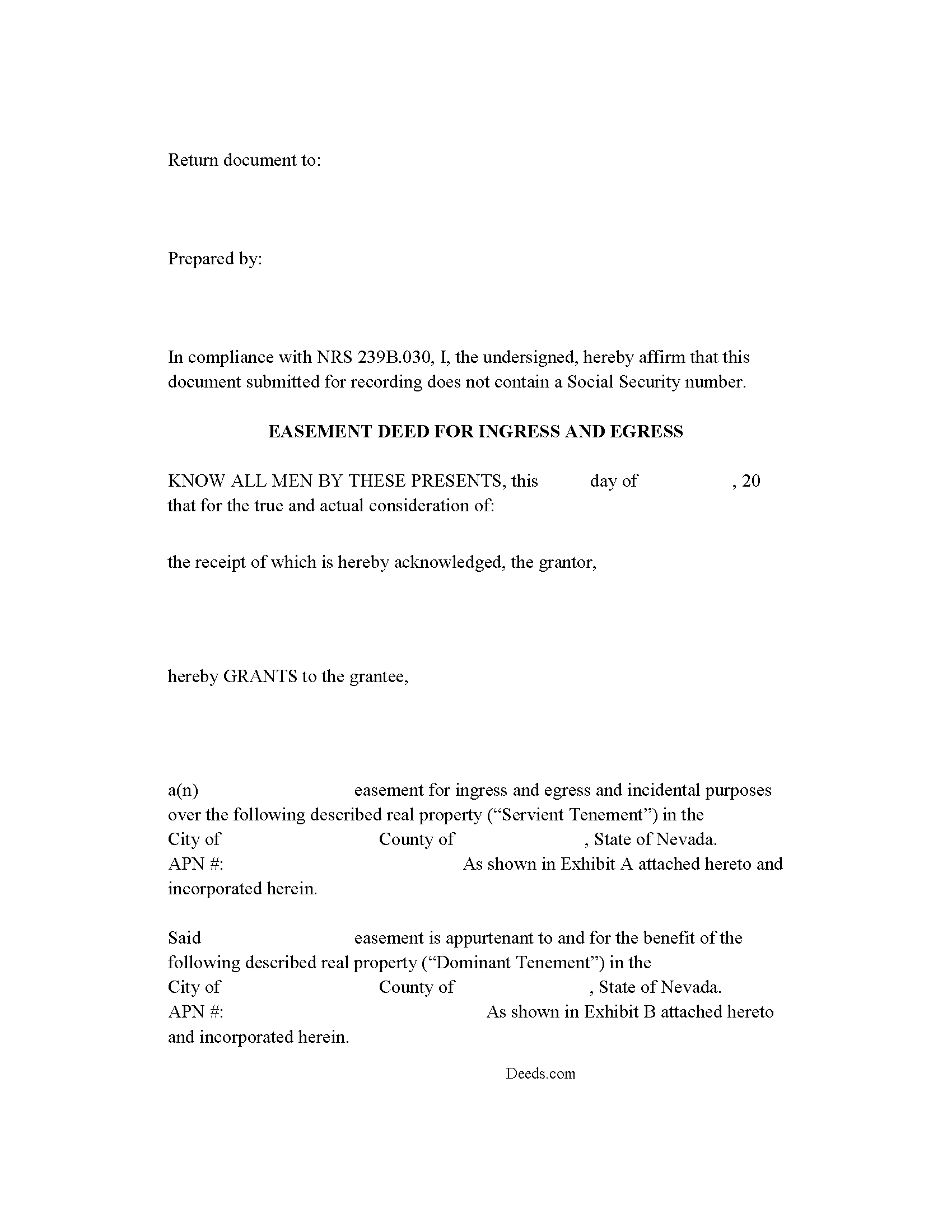
White Pine County Easement Deed Form
Fill in the blank form formatted to comply with all recording and content requirements.
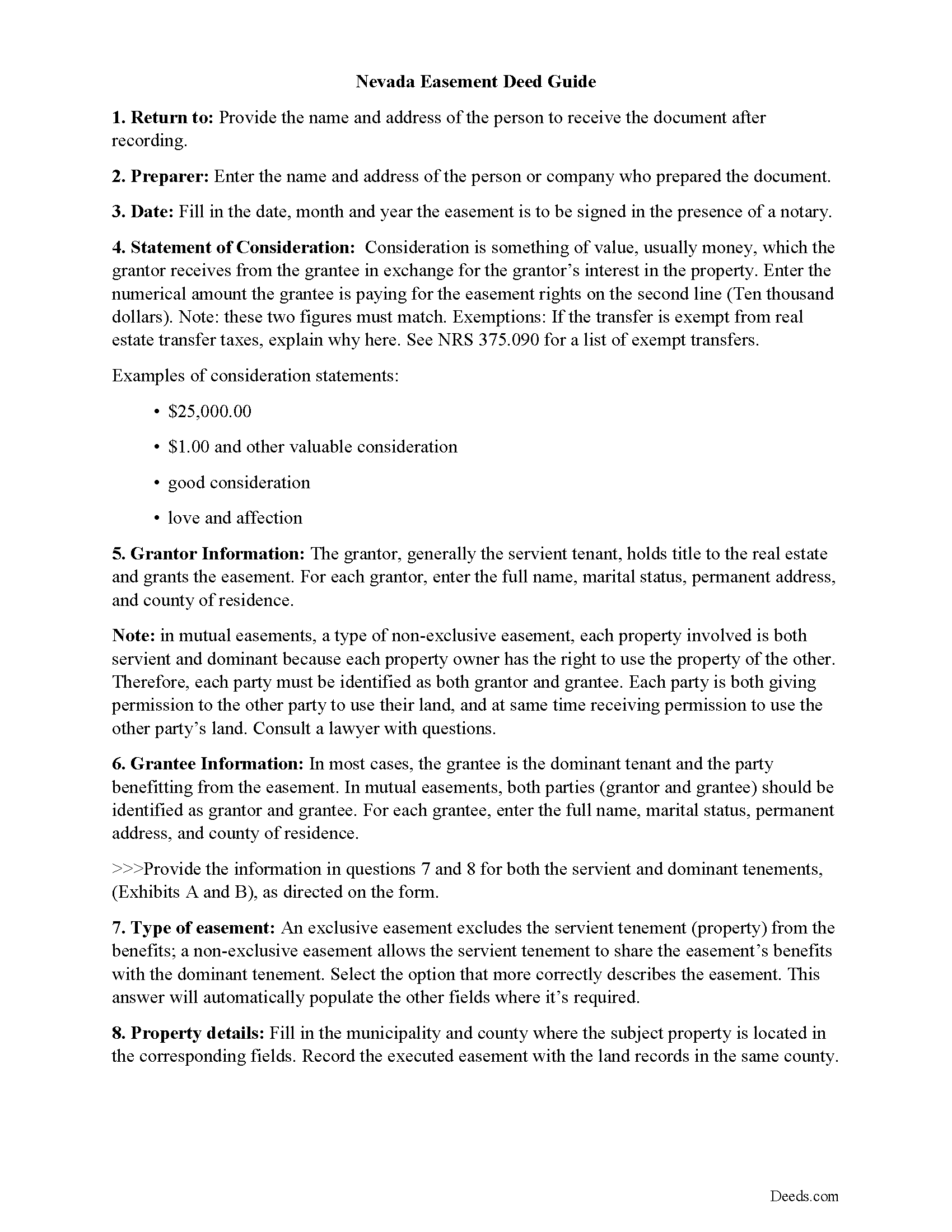
White Pine County Easement Deed Guide
Line by line guide explaining every blank on the form.
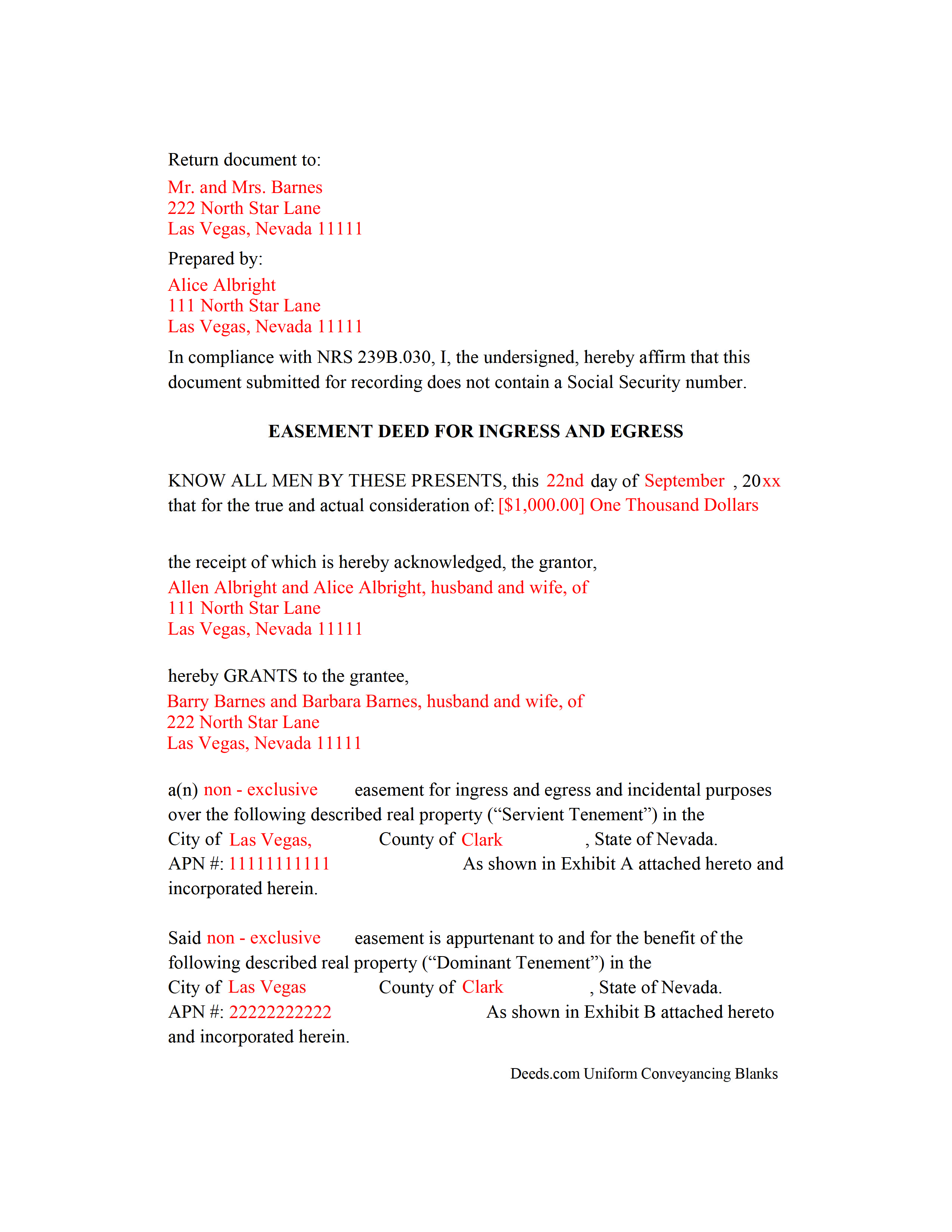
White Pine County Completed Example of the Easement Deed Document
Example of a properly completed form for reference.
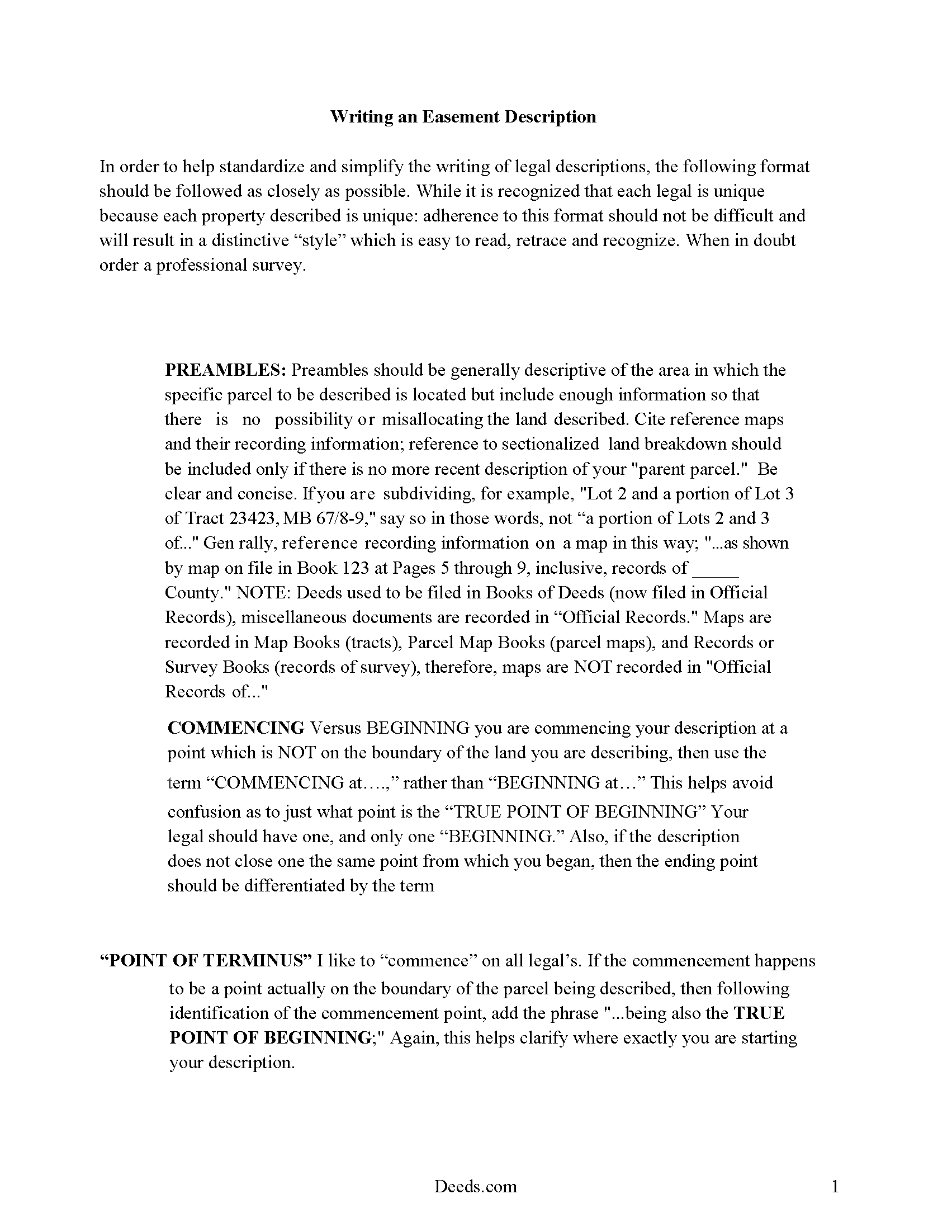
White Pine County Guide to Writing an Easement Description
A Description of the Easement will be required. This will show how to write an acceptable description for a Right of Way Easement, which gives access, to and from - point A to point B.
All 4 documents above included • One-time purchase • No recurring fees
Immediate Download • Secure Checkout
Additional Nevada and White Pine County documents included at no extra charge:
Where to Record Your Documents
White Pine County Recorder
Ely, Nevada 89301
Hours: 8:00 to 5:00 M-F
Phone: (775) 293-6507
Recording Tips for White Pine County:
- Bring your driver's license or state-issued photo ID
- Ensure all signatures are in blue or black ink
- Recording fees may differ from what's posted online - verify current rates
- Request a receipt showing your recording numbers
- Ask about accepted payment methods when you call ahead
Cities and Jurisdictions in White Pine County
Properties in any of these areas use White Pine County forms:
- Baker
- Duckwater
- Ely
- Lund
- Mc Gill
- Ruth
Hours, fees, requirements, and more for White Pine County
How do I get my forms?
Forms are available for immediate download after payment. The White Pine County forms will be in your account ready to download to your computer. An account is created for you during checkout if you don't have one. Forms are NOT emailed.
Are these forms guaranteed to be recordable in White Pine County?
Yes. Our form blanks are guaranteed to meet or exceed the applicable formatting requirements used for recording in White Pine County, including margin requirements, font requirements, and other layout standards. This guarantee applies to formatting, not to the legal sufficiency of information entered by the user or the suitability of a form for a particular transaction.
Can I reuse these forms?
Yes. You can reuse the forms for your personal use. For example, if you have multiple properties in White Pine County you only need to order once.
What do I need to use these forms?
The forms are PDFs that you fill out on your computer. The free Adobe Acrobat Reader is recommended, and most PDF apps also work. You do NOT enter your property information online - you download the blank forms and complete them privately on your own computer.
Are there any recurring fees?
No. This is a one-time purchase. Nothing to cancel, no memberships, no recurring fees.
How much does it cost to record in White Pine County?
Recording fees in White Pine County vary. Contact the recorder's office at (775) 293-6507 for current fees.
Questions answered? Let's get started!
An easement is a non-possessory interest in land that allows one person to use the real property of another person for a specific purpose. Easements can be either appurtenant or in gross, and can be created by deed, contract, or other written instrument. An easement deed should specify the location of the easement, the permitted use or uses, and the persons who may use it.
In this state, a solar easement is an interest in real property which must be expressed in a written instrument that has been signed by the grantor. This is an appurtenant easement. An easement for the collection of solar energy can be created by a grant from the owner of the neighboring land to the owner of land on which equipment for the collection of solar energy has been installed or is planned to be installed. The written instrument must include a description of the burdened and benefited land, as well as the type of equipment that will be used (NRS 111.370). A conservation easement can be created in a similar manner.
An easement deed should be signed by the grantor and acknowledged or proved in order to be recorded. Acknowledgment or proof of an easement deed in Nevada can be taken before a judge or clerk of court having seal, a notary public, or a justice of the peace (NRS 111.265). To entitle the instrument to be recorded, it must also have endorsed on it or attached a certificate of the acknowledgment or proof of execution, signed by the person taking the same, and under the stamp or seal of that person (NRS 111.310).
An easement deed should be recorded in the office of the county recorder in the county where the property subject to the easement is located in order for the instrument to operate as notice to third parties. If the easement deed is not recorded, it will be valid and binding between the parties to it (NRS 111.315). After an easement deed has been recorded, subsequent purchasers and mortgagees are deemed to purchase and take with notice (NRS 111.320).
(Nevada ED Package includes form, guidelines, and completed example)
Important: Your property must be located in White Pine County to use these forms. Documents should be recorded at the county or independent city recording office listed above.
This Easement Deed meets all recording requirements specific to White Pine County.
Our Promise
The documents you receive here are guaranteed to meet or exceed the applicable White Pine County recording format requirements. If there is a rejection caused by our formatting, we will correct the issue or refund your payment. This guarantee applies to document formatting only and does not extend to information entered by the user, the selection of the form, or the legal effect of the completed document.
Save Time and Money
Get your White Pine County Easement Deed form done right the first time with Deeds.com Uniform Conveyancing Blanks. At Deeds.com, we understand that your time and money are valuable resources, and we don't want you to face a penalty fee or rejection imposed by a county recorder for submitting nonstandard documents. We constantly review and update our forms to meet rapidly changing state and county recording requirements for roughly 3,500 counties and local jurisdictions.
4.8 out of 5 - ( 4,837 Reviews )
Stephanie B. 5 out of 5 stars
Site is SO easy to use. Thank you for such a valuable resource.
Thank you for your feedback. We really appreciate it. Have a great day!
Helen M. 5 out of 5 stars
All forms were exactly what I needed. Thank you Immediate, smoothly downloaded and printed.
We appreciate your business and value your feedback. Thank you. Have a wonderful day!
patricia l. 5 out of 5 stars
found this site very easy to use
Thank you for your feedback. We really appreciate it. Have a great day!
Gloria R. 5 out of 5 stars
The website was easy.
Thank you!
Ebony L. 5 out of 5 stars
Very pleased with deeds.com. I highly recommend them to anyone, from clueless beginners like myself to the more advanced. Thank you for simplifying this process.
Thank you for your feedback. We really appreciate it. Have a great day!
Anna C. 5 out of 5 stars
It was more detailed than the forms on other website, plus cheaper. I do not have date it was recorded in 2000 but did have date of warranty deed. Will that be ok with Recorder? Also did not want to date it today till I know when and where the Recorders office is located.
Thank you for your feedback. We really appreciate it. Have a great day!
DIANA S. 5 out of 5 stars
Five star rating. I requested a copy of the deed to my house and it arrived very quickly and for a fraction of the cost that it would have cost me on other sites. Great company. Will do business again. Five stars.
Thank you!
Theresa J. 5 out of 5 stars
The beginning of the process was very simple. In the middle now waiting for the invoice to move forward.
Thank you for your feedback. We really appreciate it. Have a great day!
Tiqula D. 5 out of 5 stars
Deeds.com is beyond convenient! It's a wonderful service for all your recording needs. The service is beyond fast and professional. Easy as 1 2 3....
Thank you for your feedback. We really appreciate it. Have a great day!
Quinlyn H. 5 out of 5 stars
They didn't have what I was looking for so they refunded my money immediately. Very easy to work with!
Thank you!
lamar J. 5 out of 5 stars
Easy to understand and work with Very pleased with the information I Received
We appreciate your business and value your feedback. Thank you. Have a wonderful day!
michael o. 5 out of 5 stars
After trying to get help locally I found your website. Very easy
Thank you for your feedback. We really appreciate it. Have a great day!
David M. 5 out of 5 stars
Outstanding products and interface. DCM, IL Attorney
We appreciate your business and value your feedback. Thank you. Have a wonderful day!
Hideo K. 5 out of 5 stars
Very prompt and satisfied with the service.
We appreciate your business and value your feedback. Thank you. Have a wonderful day!
Julie L. 5 out of 5 stars
Great documents! with complete instructions and the CTC as well. I work with a lot of recordings and transfers, this is a great comprehensive set..
Thank you!