White Pine County Notice of Right to Lien Form
Last validated November 17, 2026 by our Forms Development TeamFormatted for recording in White Pine County, for property anywhere in the county or independent city: rural and unincorporated areas as well as Baker, Duckwater, Ely, Lund, Mc Gill, Ruth.
- 3 documents included
- Immediate PDF download
- Formatting guarantee
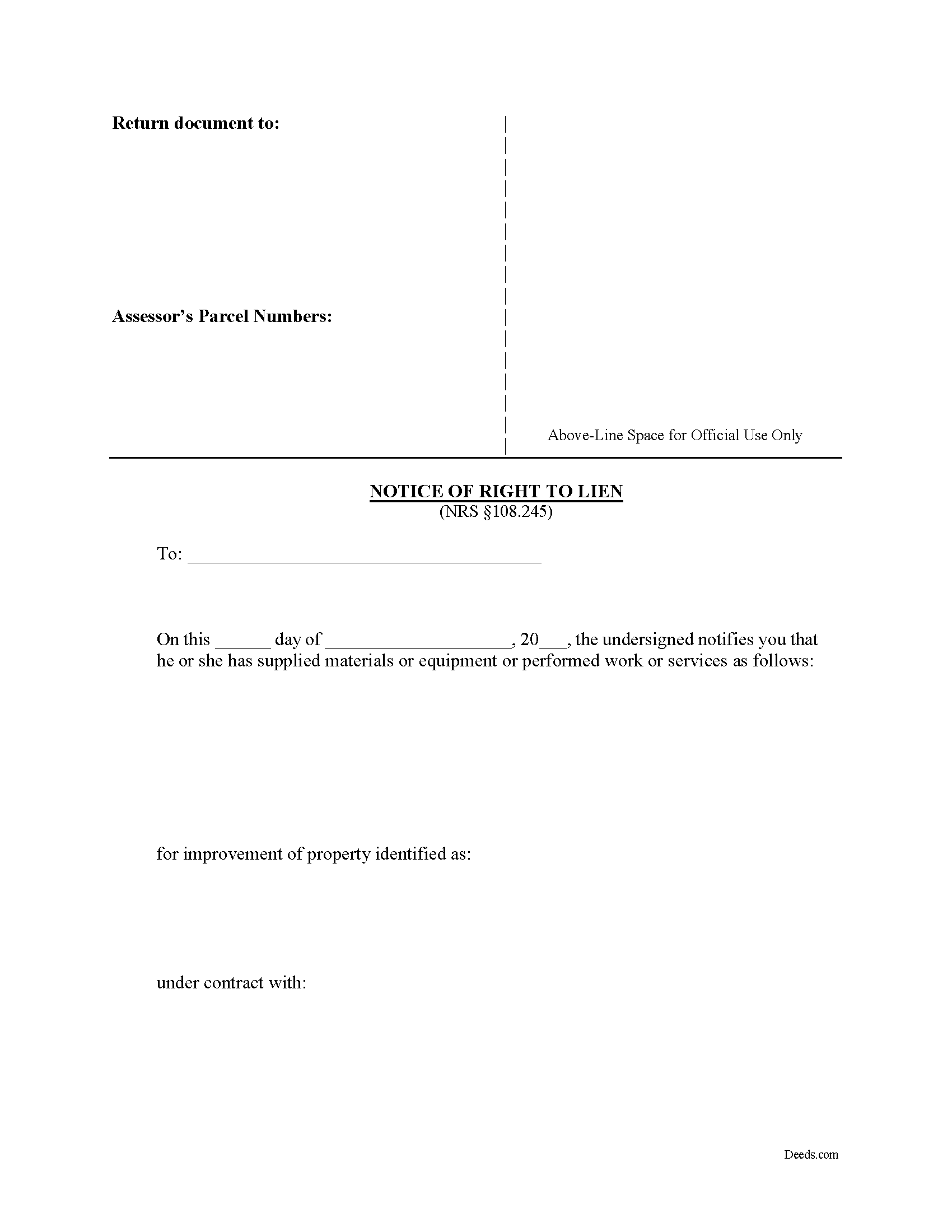
White Pine County Notice of Right to Lien Form
Fill in the blank form formatted to comply with all recording and content requirements.
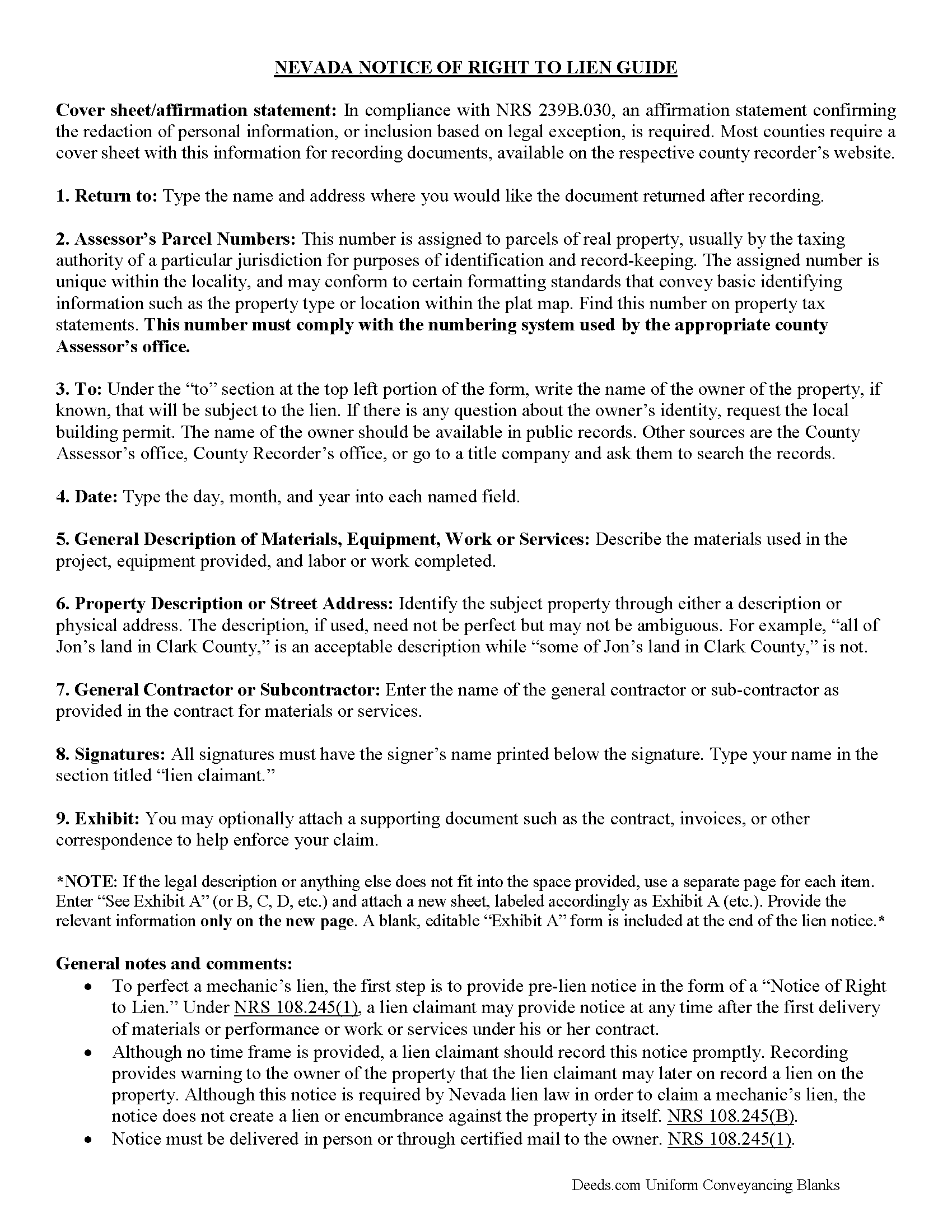
White Pine County Notice of Right to Lien Guide
Line by line guide explaining every blank on the form.
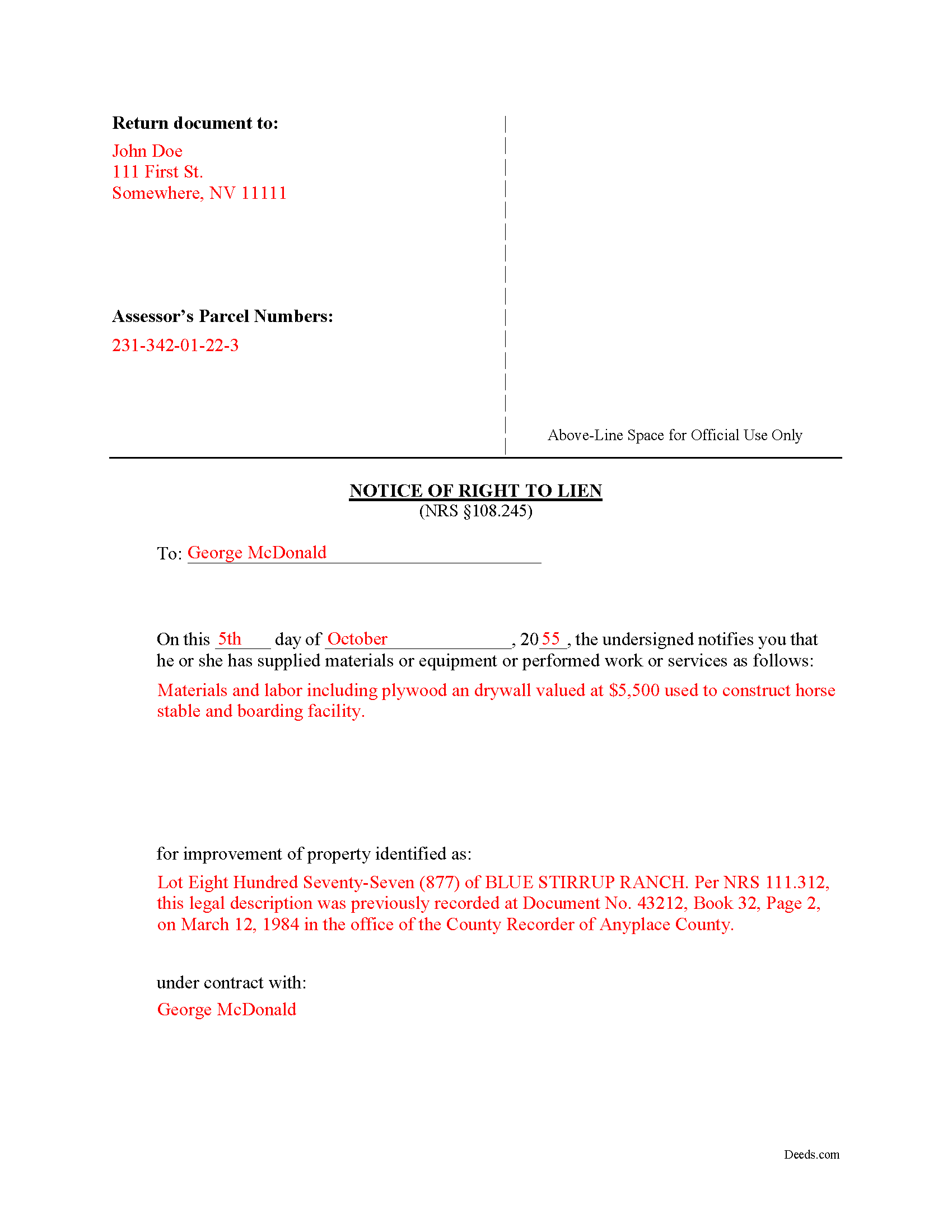
White Pine County Completed Example of the Notice of Right to Lien Document
Example of a properly completed form for reference.
All 3 documents above included • One-time purchase • No recurring fees
Immediate Download • Secure Checkout
Additional Nevada and White Pine County documents included at no extra charge:
Where to Record Your Documents
White Pine County Recorder
Ely, Nevada 89301
Hours: 8:00 to 5:00 M-F
Phone: (775) 293-6507
Recording Tips for White Pine County:
- Bring your driver's license or state-issued photo ID
- Ensure all signatures are in blue or black ink
- Recorded documents become public record - avoid including SSNs
- Recording fees may differ from what's posted online - verify current rates
- Request a receipt showing your recording numbers
Cities and Jurisdictions in White Pine County
Properties in any of these areas use White Pine County forms:
- Baker
- Duckwater
- Ely
- Lund
- Mc Gill
- Ruth
Hours, fees, requirements, and more for White Pine County
How do I get my forms?
Forms are available for immediate download after payment. The White Pine County forms will be in your account ready to download to your computer. An account is created for you during checkout if you don't have one. Forms are NOT emailed.
Are these forms guaranteed to be recordable in White Pine County?
Yes. Our form blanks are guaranteed to meet or exceed the applicable formatting requirements used for recording in White Pine County, including margin requirements, font requirements, and other layout standards. This guarantee applies to formatting, not to the legal sufficiency of information entered by the user or the suitability of a form for a particular transaction.
Can I reuse these forms?
Yes. You can reuse the forms for your personal use. For example, if you have multiple properties in White Pine County you only need to order once.
What do I need to use these forms?
The forms are PDFs that you fill out on your computer. The free Adobe Acrobat Reader is recommended, and most PDF apps also work. You do NOT enter your property information online - you download the blank forms and complete them privately on your own computer.
Are there any recurring fees?
No. This is a one-time purchase. Nothing to cancel, no memberships, no recurring fees.
How much does it cost to record in White Pine County?
Recording fees in White Pine County vary. Contact the recorder's office at (775) 293-6507 for current fees.
Questions answered? Let's get started!
The notice of right to lien form is used to put a property owner on notice that the person providing labor or materials for a construction project might have a lien claim against the property. In accordance with NRS 108.245, the notice of right to lien must be filed by every lien claimant, besides a prime contractor or other person who contracts directly with an owner or sells materials directly to an owner or one who performs only labor.
The notice shall be filed at any time after the first delivery of material or performance of work or services under a contract. The notice must also be served by delivering it in person or through certified mail to the owner of the property.
The notice is not a lien and does not provide actual or constructive notice of a lien for any purpose. The notice is merely a required step to notify a property owner of a potential future lien on his or her property.
Unless the notice form is filed and notice has been given, Nevada law will not permit a lien for materials or equipment furnished or for work or services performed, except for labor only. The notice does not need to be verified, sworn to or acknowledged by a notary public.
A lien claimant who is required under NRS 108.245 to give a notice of a right to lien to an owner and who gives such a notice has a right to lien for materials or equipment furnished or for work or services performed in the 31 days before the date the notice of right to lien is given. A claimant also has a right to a lien for the materials or equipment furnished or for work or services performed anytime thereafter until the completion of the work of improvement.
The notice should be recorded promptly in a public records office. Although Nevada law does not state a timeframe for recording the notice, it should be recorded as soon as practicable without any delay.
Although this guide and accompanying forms are prepared substantially in accordance with Nevada lien law, they are not a complete substitute for the advice of a competent, licensed attorney familiar with statutory and case law. Each case is unique and penalties for missing a deadline or misstating facts can be severe, so contact an attorney with specific questions or for complex situations.
Important: Your property must be located in White Pine County to use these forms. Documents should be recorded at the county or independent city recording office listed above.
This Notice of Right to Lien meets all recording requirements specific to White Pine County.
Our Promise
The documents you receive here are guaranteed to meet or exceed the applicable White Pine County recording format requirements. If there is a rejection caused by our formatting, we will correct the issue or refund your payment. This guarantee applies to document formatting only and does not extend to information entered by the user, the selection of the form, or the legal effect of the completed document.
Save Time and Money
Get your White Pine County Notice of Right to Lien form done right the first time with Deeds.com Uniform Conveyancing Blanks. At Deeds.com, we understand that your time and money are valuable resources, and we don't want you to face a penalty fee or rejection imposed by a county recorder for submitting nonstandard documents. We constantly review and update our forms to meet rapidly changing state and county recording requirements for roughly 3,500 counties and local jurisdictions.
4.8 out of 5 - ( 4,860 Reviews )
Amanda P. 5 out of 5 stars
Quick kind and useful feedback provided related to issues.
We appreciate your business and value your feedback. Thank you. Have a wonderful day!
Tom B. 4 out of 5 stars
I ended up loading the same file twice and was unable to delete one of them. I did send e request in to have one deleted and I did get a response back that only one file was processed. This was done in a timely manner but required more additional time. It would have been nice to be able to delete the file myself and finish the process at the same time. Other than this every thing did go very well. Thank you
Thank you for your feedback. We really appreciate it. Have a great day!
Darrell P. 5 out of 5 stars
My legal description exceeds the avaiable space in the one page Exhibit A...any way to add a second page as 'Exhibit A (continued)'?
It is not required to use the included exhibit page. Simply label your printed legal description as the appropriate exhibit.
Billy A. 5 out of 5 stars
Documents were as described, Will not be able to tell if it works or not.. Will be Dead, but easy enough to fill out.
Thank you for taking a moment to share your thoughts.
Timothy B. 5 out of 5 stars
Information was very helpful and straight forward, Thankyou!
Thank you!
Connie L. 5 out of 5 stars
Ordered a Quitclaim deed and worked perfectly at Register of Deed office. Liked the instructions and copy of one example filled out made it so much easier to understand. One price is great as most of other companies wanted a membership to join. Will use Deeds.com again if I ever need different forms. Thanks!!!
We are grateful for your feedback and looking forward to serving you again. Thank you!
Janice W. 5 out of 5 stars
Great instructions, samples, ease in getting the form I needed, filling it out as a PDF, and having it ready for a Notary's signature. I was hesitant a first, but glad I paid the fee - now it is done!
Great to hear Janice! Thanks, have a great day!
Keith C. 1 out of 5 stars
not worth anything to me as i could never get notary info on form to print along with other info
Sorry to hear that Keith. We have processed a refund for your order.
CAMILLE C. 5 out of 5 stars
You had just the form I needed at a great price.
Thanks for your feedback. We’re glad we could help.
Nellie V. 5 out of 5 stars
You guys make it so easy. Thank you for that! Hugs!
Thank you Nellie!
James P. 5 out of 5 stars
I wish I used this site more often. The format is pretty easy but the messages were invaluable and the staff were great. I was able to complete my transaction in a Covid environment from the security of my own home. Great service and tools!
Thank you for your feedback. We really appreciate it. Have a great day!
Marilyn G. 5 out of 5 stars
Easy to follow instructions
Thank you for your feedback. We really appreciate it. Have a great day!
EARL R. 5 out of 5 stars
easy to use once i found out i could fill it out right on the deeds website instead of downloading it to word duh.
Thank you for your feedback Earl. We'll work on ways to make it more clear that the forms are fill in the blank right in the PDF. Have an amazing day!
Richard C. 5 out of 5 stars
There was not much info available but what you produced confirmed what I needed to know.
Thank you for your feedback. We really appreciate it. Have a great day!
Lutz P. 5 out of 5 stars
Your forms are great but I couldn’t use them with my computer and acrobats reader didn’t work. And then my thermal printer would only print 1/3 size pages with no way to fix it. I ordered a new color printer and we’ll see what happens.
Thank you, Lutz. We're glad you like the forms, and we're sorry getting them working turned into such a hassle. That shrunken page is typical of thermal printers: most use narrow receipt or label paper, so a full page gets scaled down to fit, and no setting can change that. Thermal paper also fades over time, which you don't want on a document you're recording, so the new printer is the right call. When it arrives, print on plain white paper with “Actual size” selected in the print settings so the page comes out full size with its margins intact. If Acrobat Reader gives you trouble again, save the form to your computer first and open the saved file in Acrobat Reader rather than in your web browser. Still stuck? Contact our support team and we'll walk you through it.