Granville County Durable Power of Attorney Form
Last validated November 12, 2026 by our Forms Development TeamFormatted for recording in Granville County, for property anywhere in the county: rural and unincorporated areas as well as Bullock, Butner, Creedmoor, Oxford, Stem, Stovall.
- 3 documents included
- Immediate PDF download
- Formatting guarantee
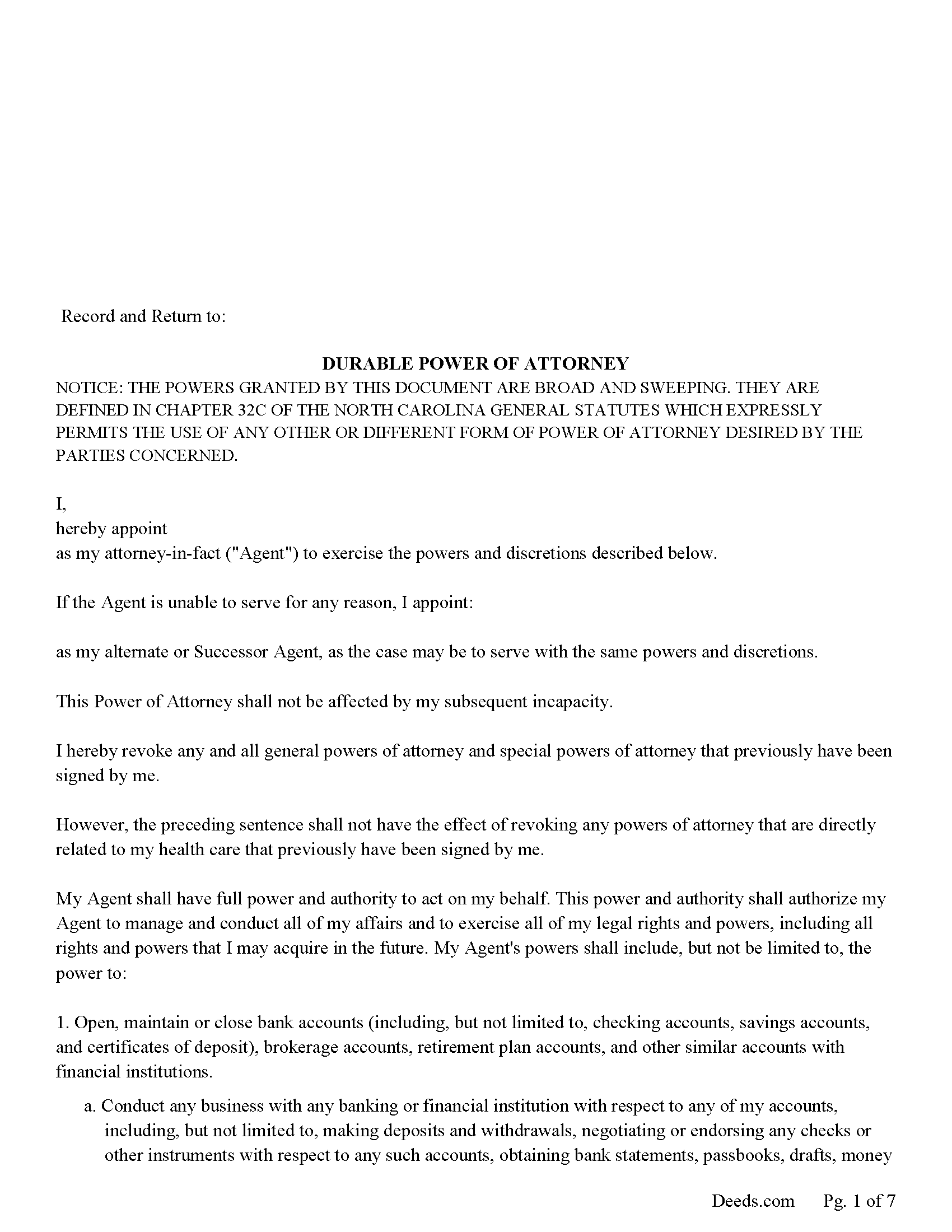
Granville County Durable Power of Attorney Form
Fill in the blank form formatted to comply with all recording and content requirements.
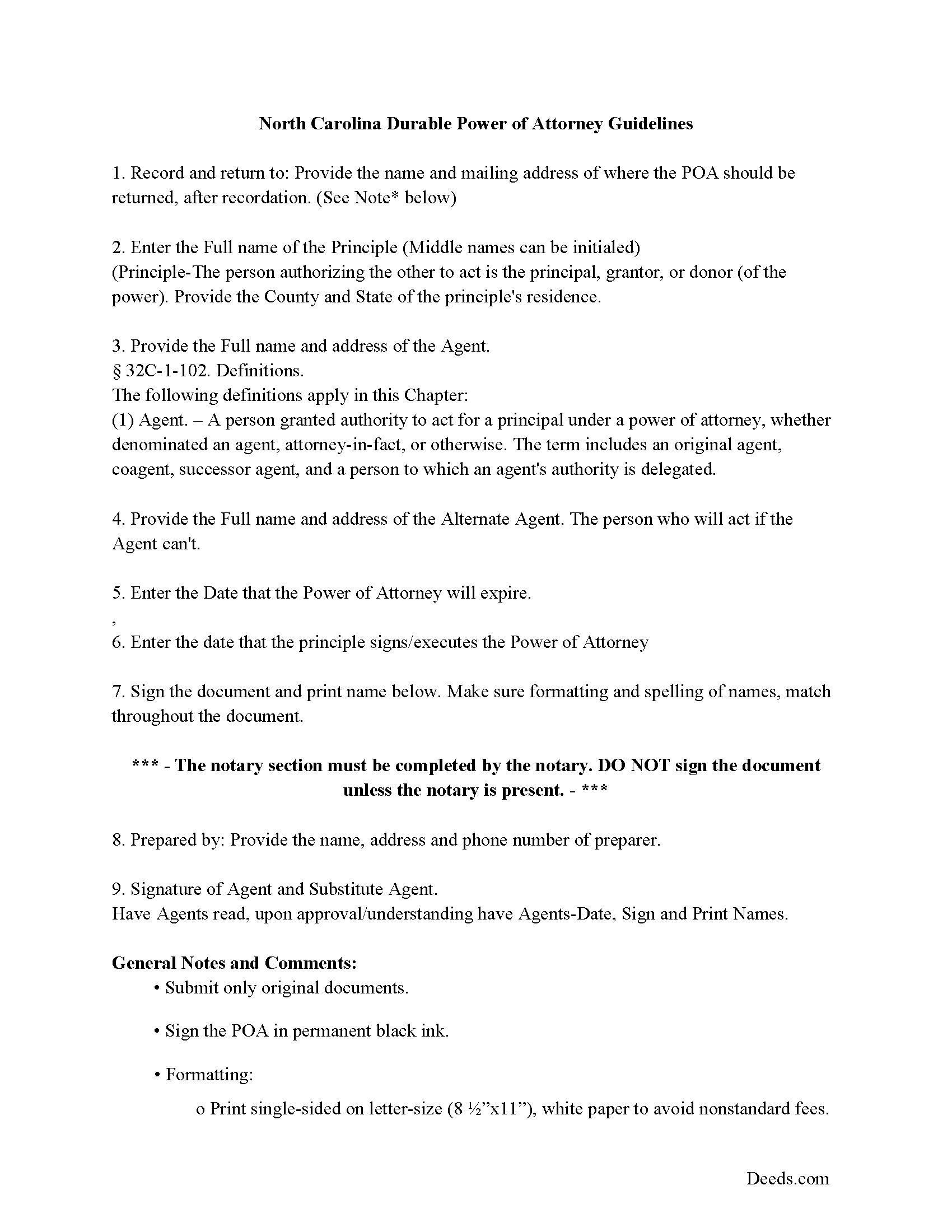
Granville County Durable Power of Attorney Guide
Line by line guide explaining every blank on the form.
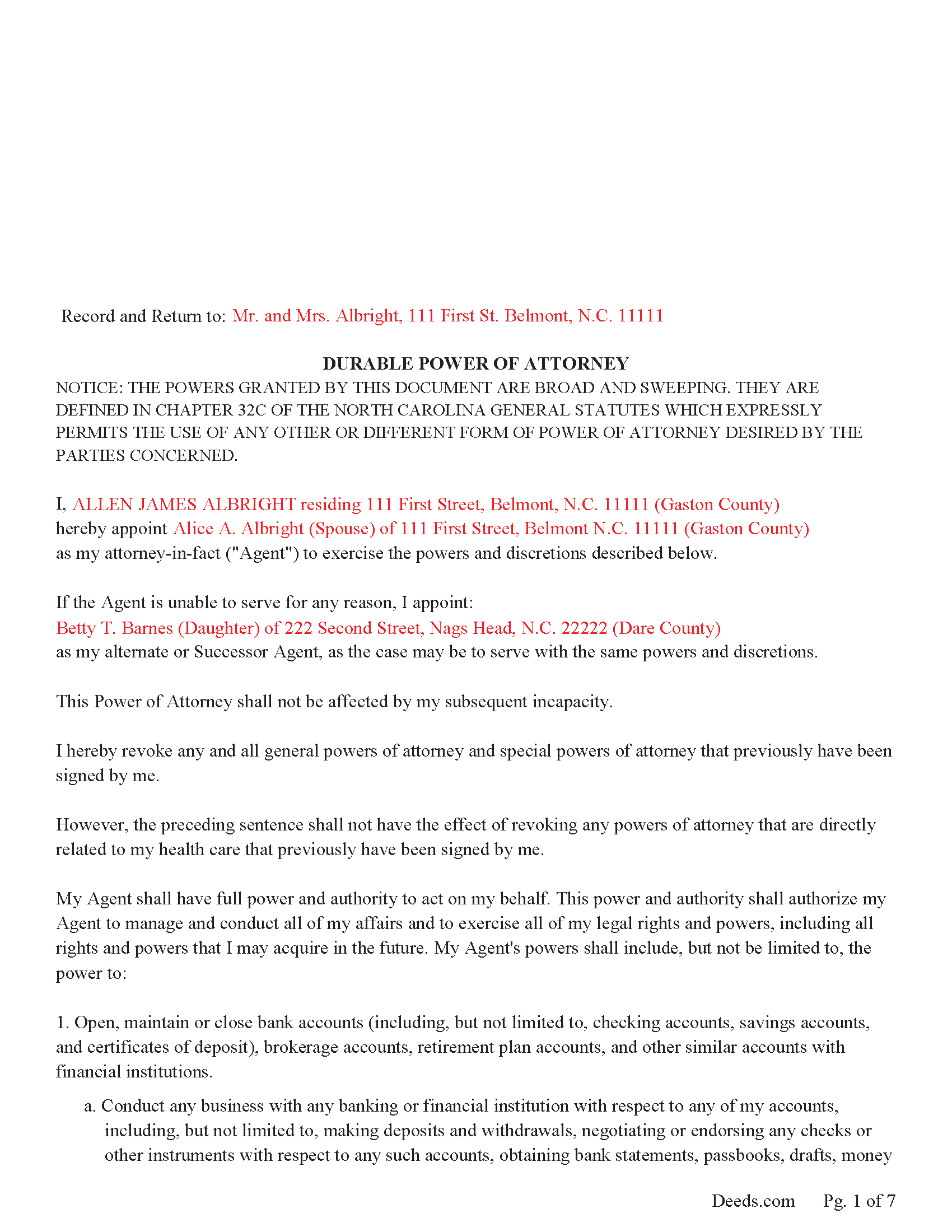
Granville County Completed Example of a Durable POA
Example of a properly completed form for reference.
All 3 documents above included • One-time purchase • No recurring fees
Immediate Download • Secure Checkout
Additional North Carolina and Granville County documents included at no extra charge:
Where to Record Your Documents
Granville County Register of Deeds
Oxford, North Carolina 27565
Hours: 8:30 to 4:30 M-F
Phone: (919) 693-6314
Recording Tips for Granville County:
- Bring your driver's license or state-issued photo ID
- Ensure all signatures are in blue or black ink
- Recorded documents become public record - avoid including SSNs
- Recording fees may differ from what's posted online - verify current rates
- Request a receipt showing your recording numbers
Cities and Jurisdictions in Granville County
Properties in any of these areas use Granville County forms:
- Bullock
- Butner
- Creedmoor
- Oxford
- Stem
- Stovall
Hours, fees, requirements, and more for Granville County
How do I get my forms?
Forms are available for immediate download after payment. The Granville County forms will be in your account ready to download to your computer. An account is created for you during checkout if you don't have one. Forms are NOT emailed.
Are these forms guaranteed to be recordable in Granville County?
Yes. Our form blanks are guaranteed to meet or exceed the applicable formatting requirements used for recording in Granville County, including margin requirements, font requirements, and other layout standards. This guarantee applies to formatting, not to the legal sufficiency of information entered by the user or the suitability of a form for a particular transaction.
Can I reuse these forms?
Yes. You can reuse the forms for your personal use. For example, if you have multiple properties in Granville County you only need to order once.
What do I need to use these forms?
The forms are PDFs that you fill out on your computer. The free Adobe Acrobat Reader is recommended, and most PDF apps also work. You do NOT enter your property information online - you download the blank forms and complete them privately on your own computer.
Are there any recurring fees?
No. This is a one-time purchase. Nothing to cancel, no memberships, no recurring fees.
How much does it cost to record in Granville County?
Recording fees in Granville County vary. Contact the recorder's office at (919) 693-6314 for current fees.
Questions answered? Let's get started!
The powers granted to the agent are broad and sweeping, defined in Chapter 32 of the North Carolina Power of Attorney Act, that became effective January 1, 2018.
This POA is effective immediately and is a Durable Power of Attorney, (the incapacity of the principal does not terminate the power of attorney.) A predetermined termination date can be set into this document and/or may be revoked by the principle at any time by providing written notice to the Agent. 32C-1-102 (2)
This POA includes a Substitute Agent in the case the Agent can't or won't act.
1. (The successor agent has the same authority as that granted to the original agent.
2. The successor agent may not act until all predecessor agents have resigned, died, become incapacitated, are no longer qualified to serve, or have declined to serve.) 32C-1-111 (b)
In general, a NC Power of Attorney is NOT required to be recorded unless a real property transfer or a business transaction occurs on behalf of the incapacitate principle. Although recording may not be required it is considered prudent. This form is formatted to meet N.C. recording standards.
(North Carolina DPOA Package includes form, guidelines, and completed example) For use in North Carolina only.
Important: Your property must be located in Granville County to use these forms. Documents should be recorded at the county recording office listed above.
This Durable Power of Attorney meets all recording requirements specific to Granville County.
Our Promise
The documents you receive here are guaranteed to meet or exceed the applicable Granville County recording format requirements. If there is a rejection caused by our formatting, we will correct the issue or refund your payment. This guarantee applies to document formatting only and does not extend to information entered by the user, the selection of the form, or the legal effect of the completed document.
Save Time and Money
Get your Granville County Durable Power of Attorney form done right the first time with Deeds.com Uniform Conveyancing Blanks. At Deeds.com, we understand that your time and money are valuable resources, and we don't want you to face a penalty fee or rejection imposed by a county recorder for submitting nonstandard documents. We constantly review and update our forms to meet rapidly changing state and county recording requirements for roughly 3,500 counties and local jurisdictions.
4.8 out of 5 - ( 4,862 Reviews )
Brian S. 3 out of 5 stars
PDF fields change font sizes leading to an unprofessional-appearing printed page. The examples for "Convey to" section don't include how to specify just one person instead of a married couple. Maybe that is simple but it would help to spell it out in an example. Haven't submitted to County Recorder yet, so will find out if it is acceptable.
Thank you for the feedback Brian.
The font issue is caused by using a PDF viewer other than Adobe Acrobat Reader. Our form fields are set to a uniform 12-point font, but non-Adobe viewers often render form fields inconsistently. Opening and printing the form with the free Adobe Acrobat Reader will resolve that.
Regarding the examples, that's a fair point, we'll look at expanding them.
Kendrick S. 5 out of 5 stars
Really solid system for determining what may prevent your documents from being accepted. I love the comments section allowing for fluid communication. I only wish there were automated emails for all those communications and once documents were accepted, but I did receive a couple personally-generated emails regarding the progress instructing me to check the site.
Thank you for your feedback. We really appreciate it. Have a great day!
Alisen J. 5 out of 5 stars
Easiest experience ever when filling out these forms, given the examples provided, and explanation of content on forms.
We’re glad you had a positive experience. Thank you.
yasin a. 5 out of 5 stars
good service
Thank you!
JOHN H. 5 out of 5 stars
It was simple and fast thanks so much.
We appreciate your business and value your feedback. Thank you. Have a wonderful day!
Melissa L. 5 out of 5 stars
Exactly what I was looking for and easy to fill out.
Thank you for your feedback. We really appreciate it. Have a great day!
BARBARA L. 4 out of 5 stars
Fairly easy to use. I had to really search to get some info. I had to use the Exhibit feature because the description box was way too small and I ended up re-typing it. The package had good and useful links. The County Clerk looked at it and said, "I see you used an online form, and that's OK, but..." and proceeded to show me a couple of things that were left out. They recorded it with no problems.
Thank you!
Diana B. 5 out of 5 stars
Really can't say enough good things about these deed forms and the related material. Just having the formatting done saves possibly hours of work. County seems to love these forms also (they referred me to Deeds.com). All around great great great!
Thank you!
Jackie C. 5 out of 5 stars
It was easy to access the documents for a minimal fee.
Thank you for your feedback. We really appreciate it. Have a great day!
Thuc P. 5 out of 5 stars
Fast and good service. Very details in instructions.
Thank you!
Deborah B. 5 out of 5 stars
EVERYTHING WENT WELL, HAD NO PROBLEMS DOWNLOADING MY FORMS. THE ORDER QUICK AND EASY. THANKS IF I EVER NEED AND OF THESES FORMS AGAIN I WILL BE BACK.
Thanks Deborah, we really appreciate your feedback.
Rachelle S. 5 out of 5 stars
Wow that was easy
Thank you!
Rosanne E. 5 out of 5 stars
Excellent response and all went well with downloading documents. Thank you for offering this important service.
We appreciate your business and value your feedback. Thank you. Have a wonderful day!
William S. 5 out of 5 stars
Assuming that the downloads went without a hitch, the system was easy to follow and execute.
Thank you!
Thomas N. 5 out of 5 stars
TODD Form would not print surveyor degrees character (superscript "o") in Exhibit A. It also would not print the "Return Address" or "Prepared By" entries with my middle name as your example showed.
Thank you for your feedback. We really appreciate it. Have a great day!