Mcintosh County Certificate of Trust Form
Last validated October 14, 2026 by our Forms Development TeamFormatted for recording in Mcintosh County, for property anywhere in the county: rural and unincorporated areas as well as Ashley, Lehr, Wishek, Zeeland.
- 3 documents included
- Immediate PDF download
- Formatting guarantee
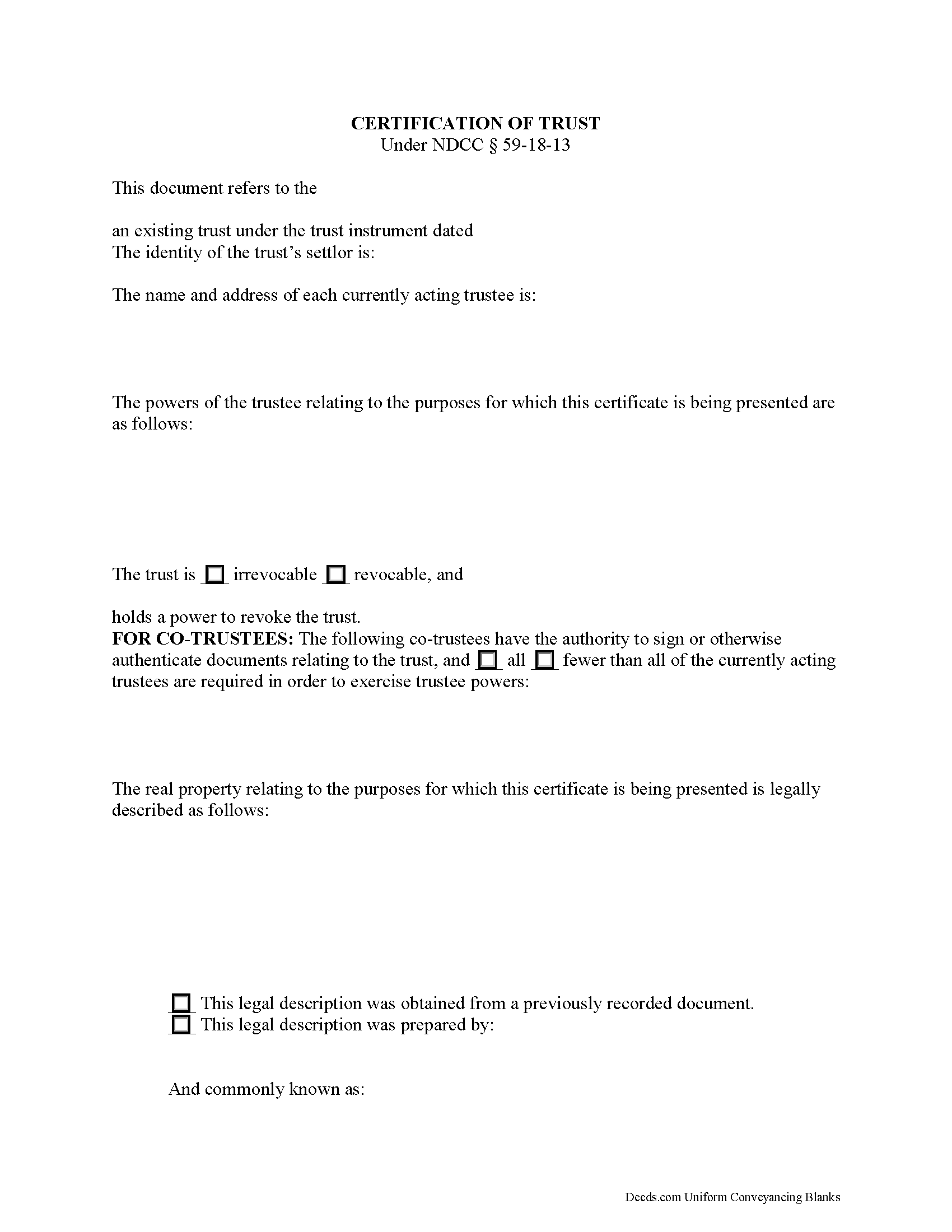
Mcintosh County Certificate of Trust Form
Fill in the blank form formatted to comply with all recording and content requirements.
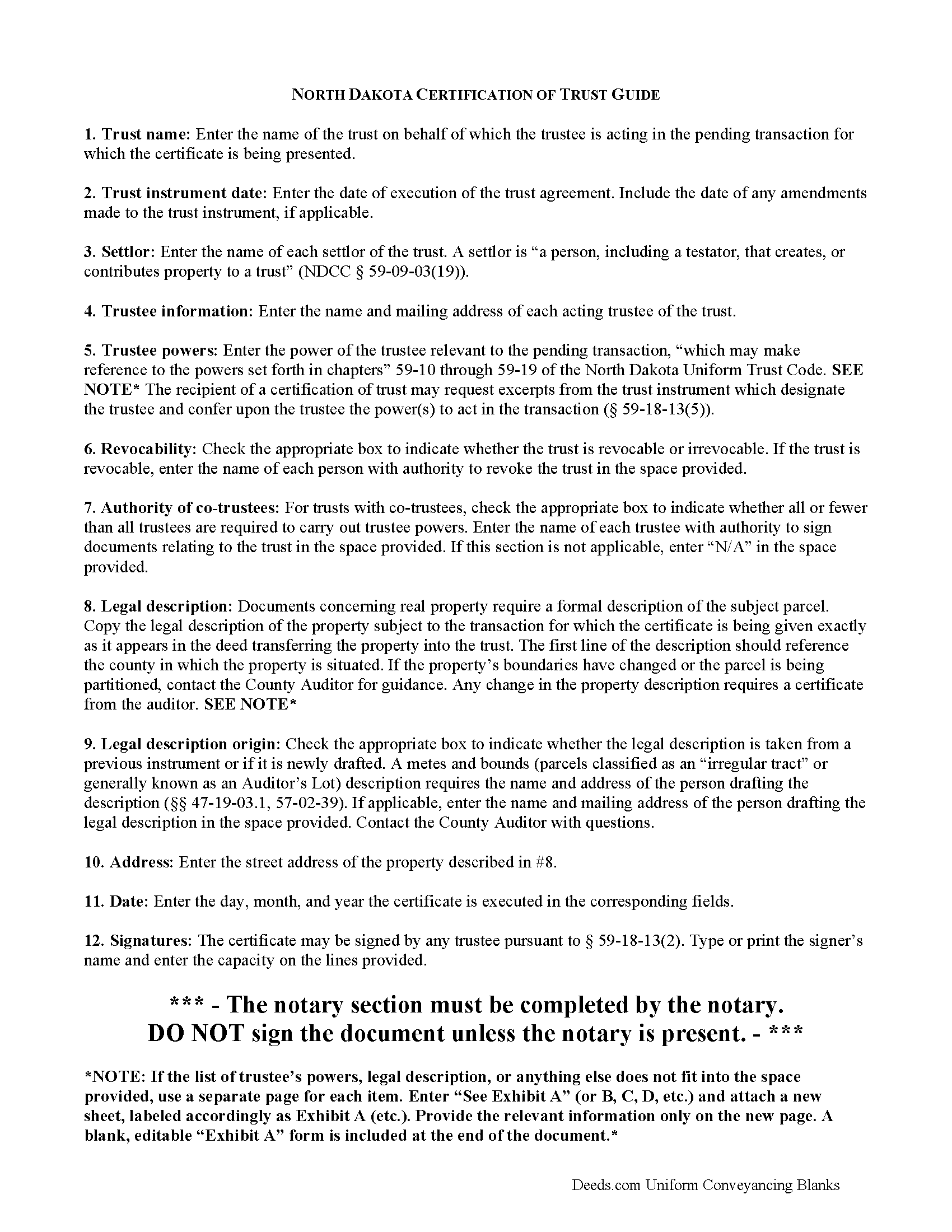
Mcintosh County Certificate of Trust Guide
Line by line guide explaining every blank on the form.
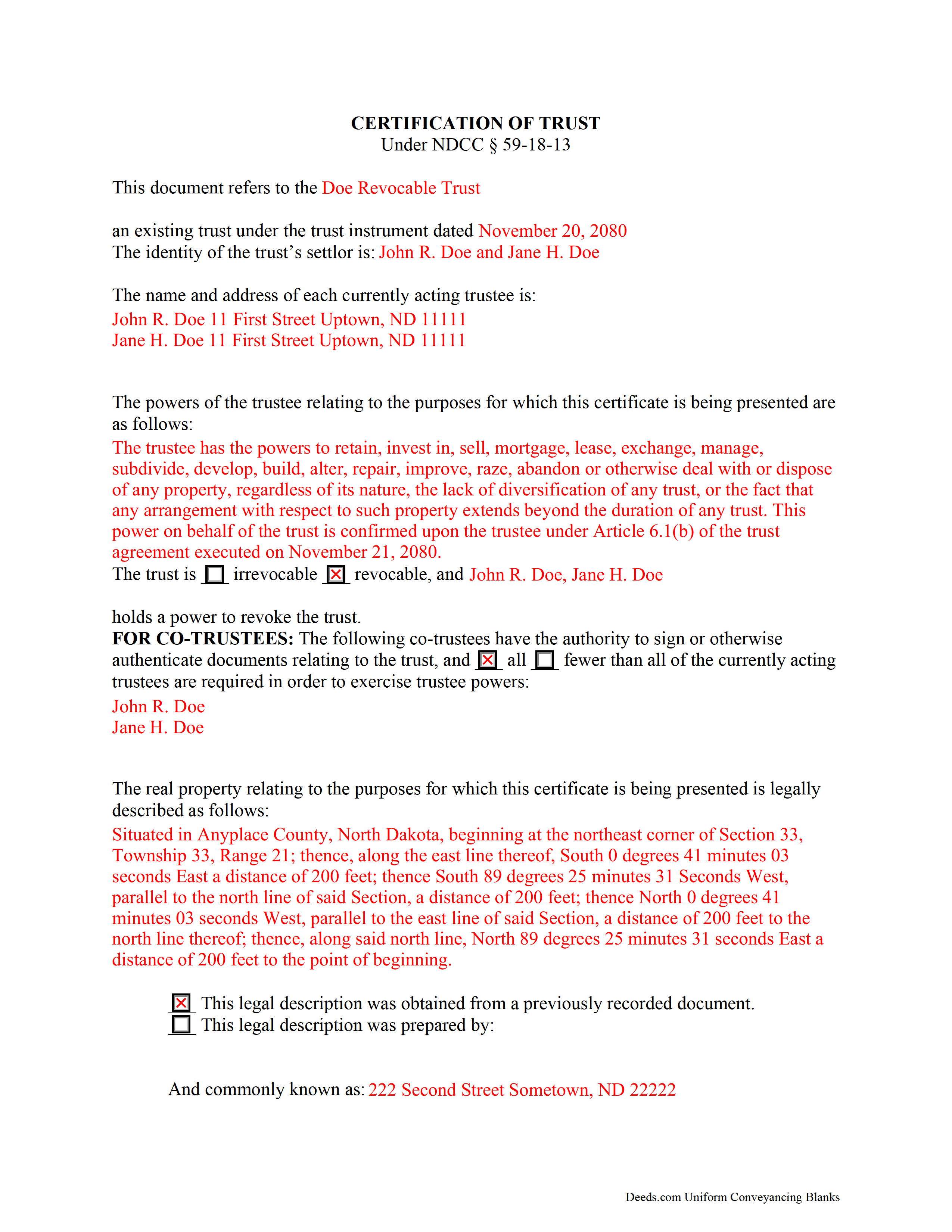
Mcintosh County Completed Example of the Certificate of Trust Document
Example of a properly completed form for reference.
All 3 documents above included • One-time purchase • No recurring fees
Immediate Download • Secure Checkout
Additional North Dakota and Mcintosh County documents included at no extra charge:
Where to Record Your Documents
McIntosh County Recorder
Ashley, North Dakota 58413-0179
Hours: 8:00 - 12:00, 1:00 - 4:30
Phone: (701) 288-5150
Recording Tips for Mcintosh County:
- Bring your driver's license or state-issued photo ID
- Ensure all signatures are in blue or black ink
- Documents must be on 8.5 x 11 inch white paper
- Double-check legal descriptions match your existing deed
- Verify all names are spelled correctly before recording
Cities and Jurisdictions in Mcintosh County
Properties in any of these areas use Mcintosh County forms:
- Ashley
- Lehr
- Wishek
- Zeeland
Hours, fees, requirements, and more for Mcintosh County
How do I get my forms?
Forms are available for immediate download after payment. The Mcintosh County forms will be in your account ready to download to your computer. An account is created for you during checkout if you don't have one. Forms are NOT emailed.
Are these forms guaranteed to be recordable in Mcintosh County?
Yes. Our form blanks are guaranteed to meet or exceed the applicable formatting requirements used for recording in Mcintosh County, including margin requirements, font requirements, and other layout standards. This guarantee applies to formatting, not to the legal sufficiency of information entered by the user or the suitability of a form for a particular transaction.
Can I reuse these forms?
Yes. You can reuse the forms for your personal use. For example, if you have multiple properties in Mcintosh County you only need to order once.
What do I need to use these forms?
The forms are PDFs that you fill out on your computer. The free Adobe Acrobat Reader is recommended, and most PDF apps also work. You do NOT enter your property information online - you download the blank forms and complete them privately on your own computer.
Are there any recurring fees?
No. This is a one-time purchase. Nothing to cancel, no memberships, no recurring fees.
How much does it cost to record in Mcintosh County?
Recording fees in Mcintosh County vary. Contact the recorder's office at (701) 288-5150 for current fees.
Questions answered? Let's get started!
Codified at N. D. Cent. Code 59-18-13 as part of the North Dakota Uniform Trust Code, the certification of trust is a document containing essential information about a trust. A trustee can present a certificate when entering transactions on behalf of a trust. As the name suggests, the form certifies the trust's existence and the trustee's authority to conduct business in the trust's name, and its recipient may rely upon the facts contained within it without further inquiry ( 59-18-13(6)).
A trust is an arrangement whereby a settlor (or grantor) transfers property to another person (trustee) to be held for the benefit of third (beneficiary). The trust is governed by the terms expressed in the trust instrument, a (generally) unrecorded document that designates the trustee, contains the scope of the trust's assets, and identifies the trust's beneficiaries. Some types of trust take effect during the settlor's lifetime (inter vivos trust), and others take effect upon the death of the settlor (testator), as provided for by a will (testamentary trust).
In North Dakota, the certification states that the trust exists and provides the trust's name and effective date of the trust instrument. In addition, it identifies each person who has contributed property to the trust as a settlor and gives the name and address of the currently acting trustee. The trustee's powers relevant to the pending transaction are enumerated; reference may be made to the statutory trustee powers codified at chapters 59-09 through 59-19 of the North Dakota Uniform Trust Code. The recipient of a certification of trust can request copies of excerpts from the trust instrument designating the trustee and conferring the power to act in the business at hand ( 59-18-13(5)).
The certificate also defines the trust as either irrevocable or revocable, and names who, if any, holds a power to revoke the trust. If the trust has co-trustees, the certificate states whether or not all trustees are required in order to carry out trustee powers. It also specifies, by name, which trustees can authorize trust documents. Finally, the document contains a statement that the trust has not been revoked, modified, or amended in any way that would falsify the statements made within.
Generally, it is unnecessary to provide a certificate of trust alongside conveyances of property from trustees in North Dakota, as the "trustee of a trust that holds title to real property is presumed to have the power to sell, convey, and encumber the real property unless restrictions on that power appear in the records of the county recorder" ( 47-10-26).
However, some situations may warrant an accompanying certificate, such as when a trustee is incorrectly identified on the deed into trust, or the trustee named on the current deed has been replaced [1]. When property deeded into a trust is erroneously titled in the name of the trust rather than the trustee of the trust, the subsequent conveyance out of the trust may be validated if the trustee's identity "is reasonably ascertainable from the conveyance or from other information of public record," such as a certification of trust ( 47-19-42.1). When used in transactions involving real property, the certificate should provide a legal description of the subject property.
The certificate must be signed by a trustee in the presence of a notary public. If recording is applicable to the situation, the certificate may be recorded through the recorder's office. Consult a lawyer with any questions.
(North Dakota COT Package includes form, guidelines, and completed example)
Important: Your property must be located in Mcintosh County to use these forms. Documents should be recorded at the county recording office listed above.
This Certificate of Trust meets all recording requirements specific to Mcintosh County.
Our Promise
The documents you receive here are guaranteed to meet or exceed the applicable Mcintosh County recording format requirements. If there is a rejection caused by our formatting, we will correct the issue or refund your payment. This guarantee applies to document formatting only and does not extend to information entered by the user, the selection of the form, or the legal effect of the completed document.
Save Time and Money
Get your Mcintosh County Certificate of Trust form done right the first time with Deeds.com Uniform Conveyancing Blanks. At Deeds.com, we understand that your time and money are valuable resources, and we don't want you to face a penalty fee or rejection imposed by a county recorder for submitting nonstandard documents. We constantly review and update our forms to meet rapidly changing state and county recording requirements for roughly 3,500 counties and local jurisdictions.
4.8 out of 5 - ( 4,828 Reviews )
Kathleen H. 2 out of 5 stars
Very disappointed that the Recording Information section did not state where to get the information required.
Sorry to hear that we failed you Kathleen.
Julie D S. 5 out of 5 stars
thank you for all the forms
Thank you!
Tullea S. 5 out of 5 stars
Although I didn't get what I needed, the customer service is outstanding. I got a text asking if I needed any help. He canceled my subscription right away and was very helpful. He responded quickly each time.
We are delighted to have been of service. Thank you for the positive review!
Ruth L. 5 out of 5 stars
Easy to use form. I filled it out and took it to the county office. Entire process took less than 20 min.
We appreciate your business and value your feedback. Thank you. Have a wonderful day!
Patrick S. 5 out of 5 stars
Excellent!
Thank you!
JOSEPH P. 3 out of 5 stars
It would have been a lot better if I could have downloaded ALL at once, as a package.
Thank you for your feedback. We really appreciate it. Have a great day!
Stephen D. 5 out of 5 stars
I recommend you add a box "Add another document or package." The way it is now confused me, so I uploaded the same document two more times, thinking the upload failed the first two times.
Thank you for your feedback Stephen.
LuAnn F. 5 out of 5 stars
Simple and quick access to the form I needed
Thank you!
Cyrus A. 5 out of 5 stars
Easy site to work with.
We are grateful for your feedback and looking forward to serving you again. Thank you!
daniel b. 5 out of 5 stars
nice & easy, site needs to have notification as to security of credit card info. who and how?
Thank you for your feedback. We really appreciate it. Have a great day!
Eric D. 5 out of 5 stars
Very helpful and informative. It has saved me time going to get the forms at county recorder / clerk (as my county and state websites dont offer forms on their sites) and also provided help understanding the uses of the specific deed I needed to use.
Thank you Eric. Have a great day!
Janet M. 5 out of 5 stars
This site is amazing! What a time saver from driving somewhere and standing around waiting.
Thank you!
MARY LACEY M. 5 out of 5 stars
The recording process was done perfectly. We much appreciate your communication, prompt service and highly professional assistance. Thank you.
Thank you so much for the kind words. We're glad the recording went smoothly and that our team kept you informed along the way. Keeping things prompt and professional is exactly what we aim for, so it means a lot to hear it landed. We appreciate you taking the time to share this, and we're here whenever you need us again.
Susan S. 4 out of 5 stars
Great forms, easy to understand and use (the guide helped a lot). Recorded with no issues. Will be back when needed.
We appreciate your business and value your feedback. Thank you. Have a wonderful day!
Sandra P. 5 out of 5 stars
Thank so much! It' was pretty easy with the help of my Brother in-law .
Thank you for your feedback. We really appreciate it. Have a great day!