Woods County Affidavit of Cancellation of Lien Form
Last validated October 14, 2026 by our Forms Development TeamFormatted for recording in Woods County, for property anywhere in the county: rural and unincorporated areas as well as Alva, Dacoma, Freedom, Hopeton, Waynoka.
- 3 documents included
- Immediate PDF download
- Formatting guarantee
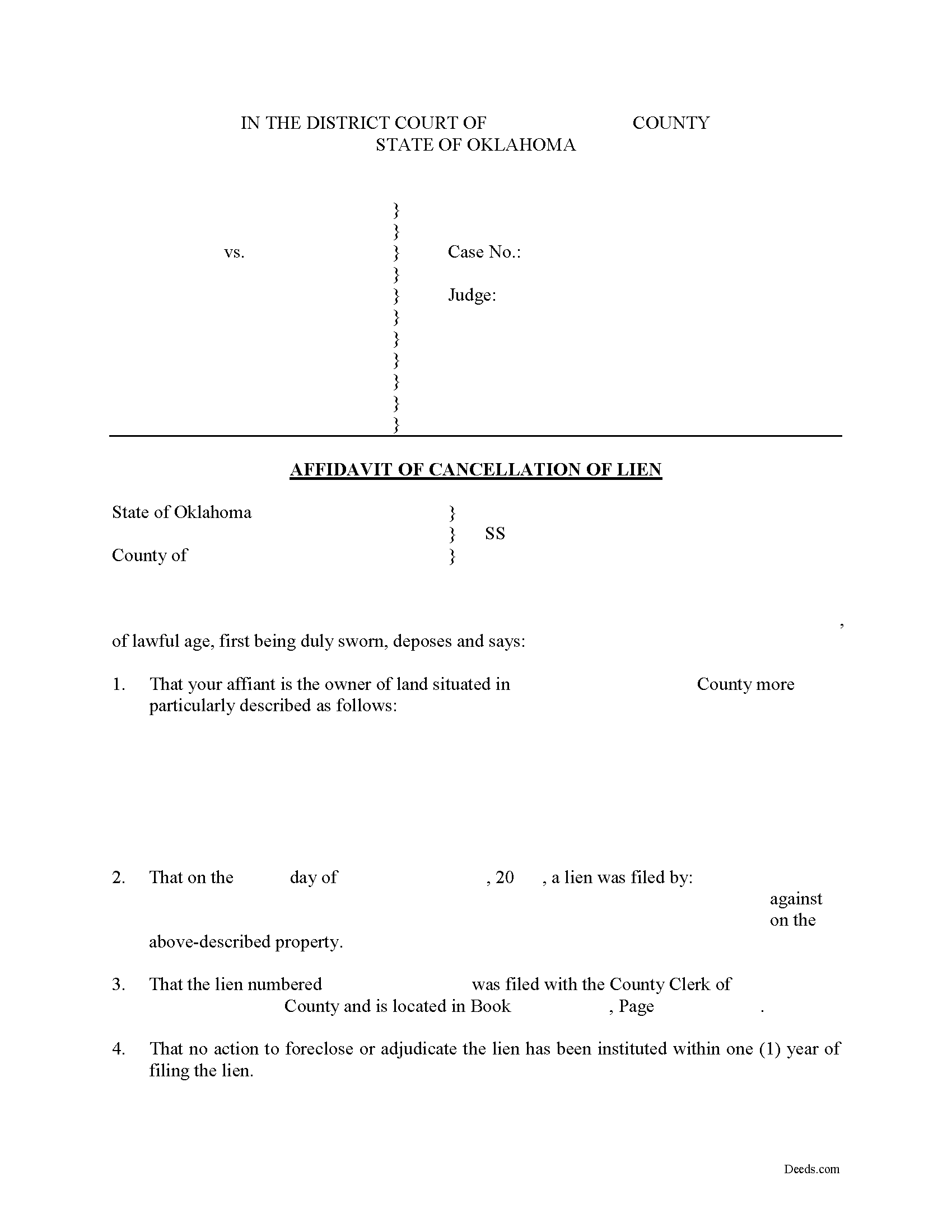
Woods County Affidavit of Cancellation of Lien Form
Fill in the blank Affidavit of Cancellation of Lien form formatted to comply with all Oklahoma recording and content requirements.
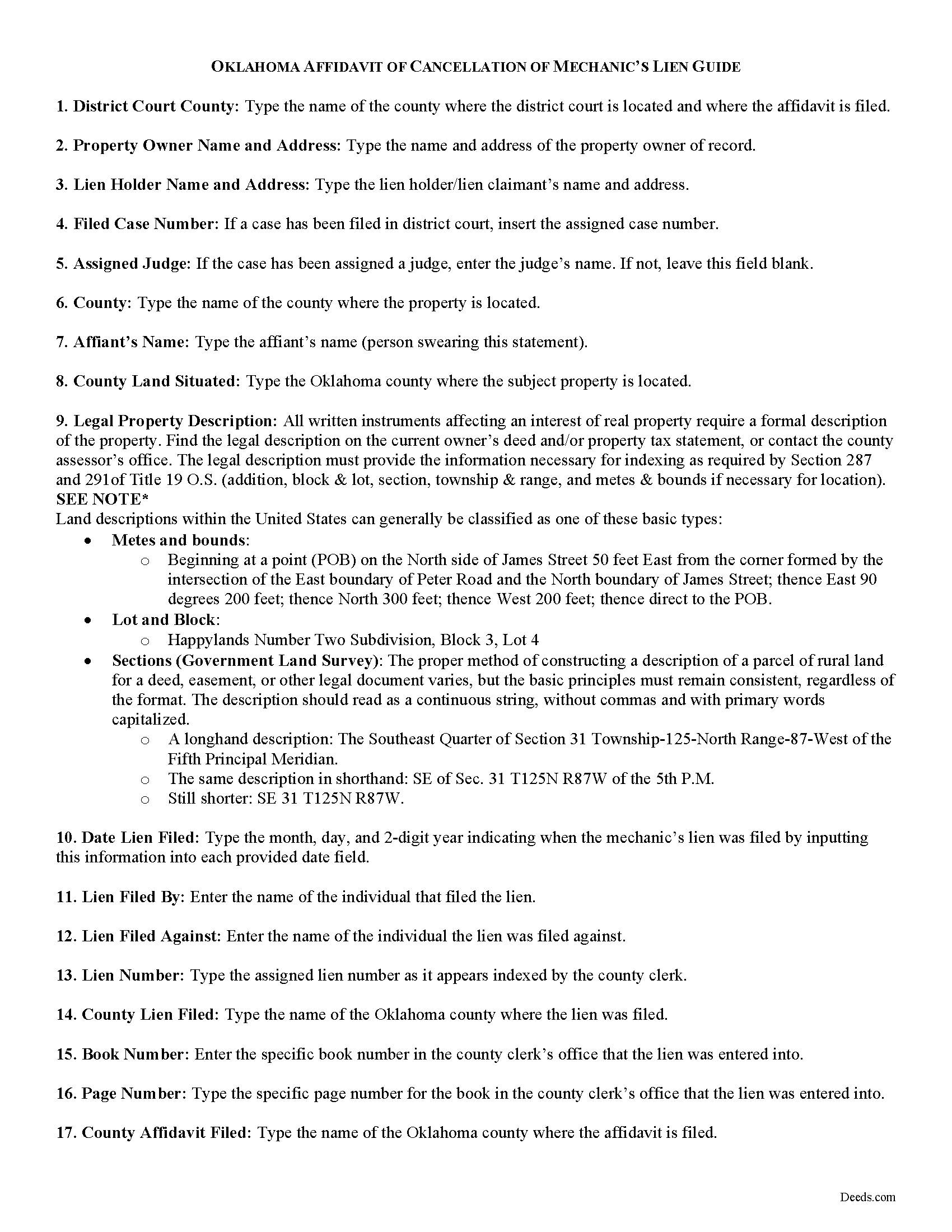
Woods County Affidavit of Cancellation of Lien Guide
Line by line guide explaining every blank on the form.
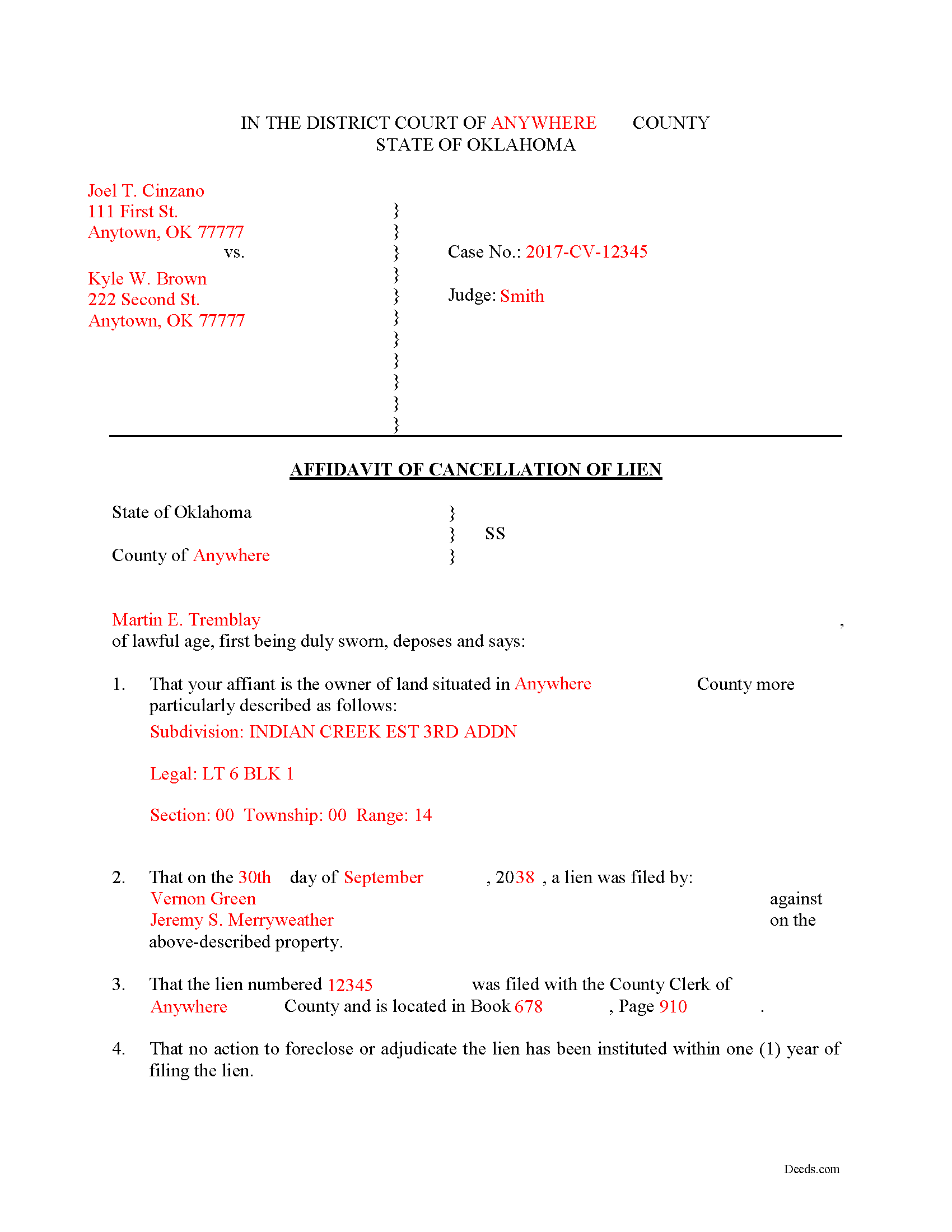
Woods County Completed Example of the Affidavit of Cancellation of Lien Document
Example of a properly completed form for reference.
All 3 documents above included • One-time purchase • No recurring fees
Immediate Download • Secure Checkout
Additional Oklahoma and Woods County documents included at no extra charge:
Where to Record Your Documents
Woods County Clerk
Alva, Oklahoma 73717
Hours: 8:30 to 4:00 M-F
Phone: (580) 327-0942
Recording Tips for Woods County:
- Bring your driver's license or state-issued photo ID
- Ensure all signatures are in blue or black ink
- Documents must be on 8.5 x 11 inch white paper
- Double-check legal descriptions match your existing deed
- Verify all names are spelled correctly before recording
Cities and Jurisdictions in Woods County
Properties in any of these areas use Woods County forms:
- Alva
- Dacoma
- Freedom
- Hopeton
- Waynoka
Hours, fees, requirements, and more for Woods County
How do I get my forms?
Forms are available for immediate download after payment. The Woods County forms will be in your account ready to download to your computer. An account is created for you during checkout if you don't have one. Forms are NOT emailed.
Are these forms guaranteed to be recordable in Woods County?
Yes. Our form blanks are guaranteed to meet or exceed the applicable formatting requirements used for recording in Woods County, including margin requirements, font requirements, and other layout standards. This guarantee applies to formatting, not to the legal sufficiency of information entered by the user or the suitability of a form for a particular transaction.
Can I reuse these forms?
Yes. You can reuse the forms for your personal use. For example, if you have multiple properties in Woods County you only need to order once.
What do I need to use these forms?
The forms are PDFs that you fill out on your computer. The free Adobe Acrobat Reader is recommended, and most PDF apps also work. You do NOT enter your property information online - you download the blank forms and complete them privately on your own computer.
Are there any recurring fees?
No. This is a one-time purchase. Nothing to cancel, no memberships, no recurring fees.
How much does it cost to record in Woods County?
Recording fees in Woods County vary. Contact the recorder's office at (580) 327-0942 for current fees.
Questions answered? Let's get started!
Liens are pesky creatures and if your property is plagued by one, you probably are looking for methods to remove it. Sometimes liens can be erroneously placed on your property or the claimant neglects to ever enforce the lien. Therefore, by filing an Affidavit of Lien Cancellation, you swear to the court that the facts behind the lien justify its cancellation.
If any lien is filed, and no action to foreclose the lien has commenced, the owner of the land may file a petition in the district court of the county in which the land is situated, naming the lien claimants as defendants, and requesting the court for an decision of the lien, and if the lien claimant fails establish a lien, the court may tax against the claimant the whole, or a portion of the costs of the action as may be just. O.S. 42-177.
Liens also can be cancelled by becoming time-barred. If no action to foreclose or settle the lien is filed within one (1) year from the filing of the lien, the lien is canceled by limitation of law. Id. If a lien is canceled by limitation of law, the owner of the land may file an affidavit proving its cancellation with the county clerk of the county in which the land is located. Id. Upon receipt of the affidavit, the county clerk will attach the affidavit to the original lien document in the lien docket file and enter a notation of the filing in the mechanics' lien journal. Id.
This article is provided for informational purposes only and should not be relied upon as a substitute for the advice from a legal professional. If you have questions about cancelling a lien, or any other issue related to liens in Oklahoma, please contact an attorney.
Important: Your property must be located in Woods County to use these forms. Documents should be recorded at the county recording office listed above.
This Affidavit of Cancellation of Lien meets all recording requirements specific to Woods County.
Our Promise
The documents you receive here are guaranteed to meet or exceed the applicable Woods County recording format requirements. If there is a rejection caused by our formatting, we will correct the issue or refund your payment. This guarantee applies to document formatting only and does not extend to information entered by the user, the selection of the form, or the legal effect of the completed document.
Save Time and Money
Get your Woods County Affidavit of Cancellation of Lien form done right the first time with Deeds.com Uniform Conveyancing Blanks. At Deeds.com, we understand that your time and money are valuable resources, and we don't want you to face a penalty fee or rejection imposed by a county recorder for submitting nonstandard documents. We constantly review and update our forms to meet rapidly changing state and county recording requirements for roughly 3,500 counties and local jurisdictions.
4.8 out of 5 - ( 4,836 Reviews )
Gloria S. 5 out of 5 stars
Hard to find, obscure, forms were available. I did not think I was going to be able to find them, let alone find such high quality docs, great job!
Thank you for your feedback. We really appreciate it. Have a great day!
Kenneth H. 5 out of 5 stars
The deeds.com website is incredibly easy to navigate and the nearly instantaneous chat function allowed me to quickly correct an entry error I made uploading a document. The day after enrolling and uploading the document I had a copy of the document properly filed. Very efficient; very effective.
Thank you for your feedback. We really appreciate it. Have a great day!
A. S. 3 out of 5 stars
First, I am glad that you gave a blank copy, an example copy, and a 'guide'. It made it much easier to do. Overall I was very happy with your products and organization... however, things got pretty confusing and I have a pretty 'serious' law background in Real Estate and Civil law. With that said, I spent about 10+ hours getting my work done, using the Deed of Trust and Promissory note from you and there were a few problems: First, it would be FANTASTIC if you actually aligned your guide to actually match the Deed or Promissory Note. What I mean is that if the Deed says 'section (E)' then your guide shouldn't be 'randomly' numbered as 1,2,3, for advice/instructions, but should EXACTLY match 'section (E)'. Some places you have to 'hunt' for what you are looking for, and if you did it based on my suggestion, you wouldn't need to 'hunt' and it would avoid confusion. 2nd: This one really 'hurt'... you had something called the 'Deed of Trust Master Form' yet you had basically no information on what it was or how to use it. The only information you had was a small section at the top of the 'Short Form Deed of Trust Guide'. Holy Cow, was that 'section' super confusing. I still don't know if I did it correctly, but your guide says only put a return address on it and leave the rest of the 16 or so page Deed of Trust beneath it blank... and then include your 'Deed of Trust' (I had to assume the short form deed that I had just created) as part of it. I had to assume that I had to print off the entire 17 page or so title page and blank deed. I also had to assume that the promissory note was supposed to be EXHIBIT A or B on the Short Form Deed. It would be great if someone would take a serious look at that short section in your 'Short Form Deed of Trust Guide' and realize that those of us using your products are seriously turning this into a county clerk to file and that most of us, probably already have a property that has an existing Deed... or at least can find one in the county records if necessary... and make sure that you make a distinction between the Deed for the property that already exists, versus the Deed of Trust and Promissory note that we are trying to file. Thanks.
Thank you for your feedback. We'll have staff review the document for clarity. Have a great day!
Dennis W. 4 out of 5 stars
Fairly straight forward. Notary had a small amount of confusion regarding what wanted in their area.
Thank you for your feedback, Dennis! We're glad the process was straightforward overall. We appreciate you noting the confusion about area requirements - we'll work with our notary partners to ensure clearer communication going forward. Your input helps us improve!
David P. 5 out of 5 stars
Easy to use, all the information I wanted. Took about a minute to get it.
Thank you for your feedback. We really appreciate it. Have a great day!
Don M. 3 out of 5 stars
I find the site very difficult to nagitagte.
Sorry to hear that Don, we’ll try harder.
TRACEY W. 5 out of 5 stars
The system is very easy to use. I wasn't able to access what I needed but my fees were refunded without issue.
We appreciate your business and value your feedback. Thank you. Have a wonderful day!
Woody P. 5 out of 5 stars
I was informed that a quit Claim Deed that I had submitted, did not meet county requirements. I ordered the correct form and was surprised that the form included instructions and a sample "completed" form for me to follow. I found it al very helpful. Thank you !!!
Thank you!
Sean M. 5 out of 5 stars
This was exactly what I needed. For $25-$30 it gave me the formatted document I needed and made it so easy to input the info. I wouldn't recommend it to someone who has no clue what they're doing, but for somebody who knows all the info and just needs a formatted page to input it onto, this is perfect.
We appreciate your business and value your feedback. Thank you. Have a wonderful day!
Kathy P. 5 out of 5 stars
I like that the quit claim form was fill in the blank on my computer instead of online, made it so much easier than having to do everything at once, at the mercy of the internet connection. Will refer others here.
We appreciate your business and value your feedback. Thank you. Have a wonderful day!
JOANNE W. 5 out of 5 stars
Excellent product and so easily obtained. Well worth the price.
Thank you for your feedback. We really appreciate it. Have a great day!
Garrison T. 5 out of 5 stars
Excellent service & very easy to use.
Thank you!
Samuel T. 5 out of 5 stars
So far, so good. explanations provided for the forms and instructions on how I should proceed were clear as a bell, and it was nice to get immediate delivery of the forms. I'll be looking for other ways to take advantage of this site, for sure.
Thank you!
LuAnn F. 5 out of 5 stars
Simple and quick access to the form I needed
Thank you!
Walter T. 5 out of 5 stars
Awesome thanks
Thank you for your feedback. We really appreciate it. Have a great day!