Seminole County Correction Deed Form
Last validated November 12, 2026 by our Forms Development TeamFormatted for recording in Seminole County, for property anywhere in the county: rural and unincorporated areas as well as Bowlegs, Cromwell, Konawa, Sasakwa, Seminole, Wewoka.
- 3 documents included
- Immediate PDF download
- Formatting guarantee
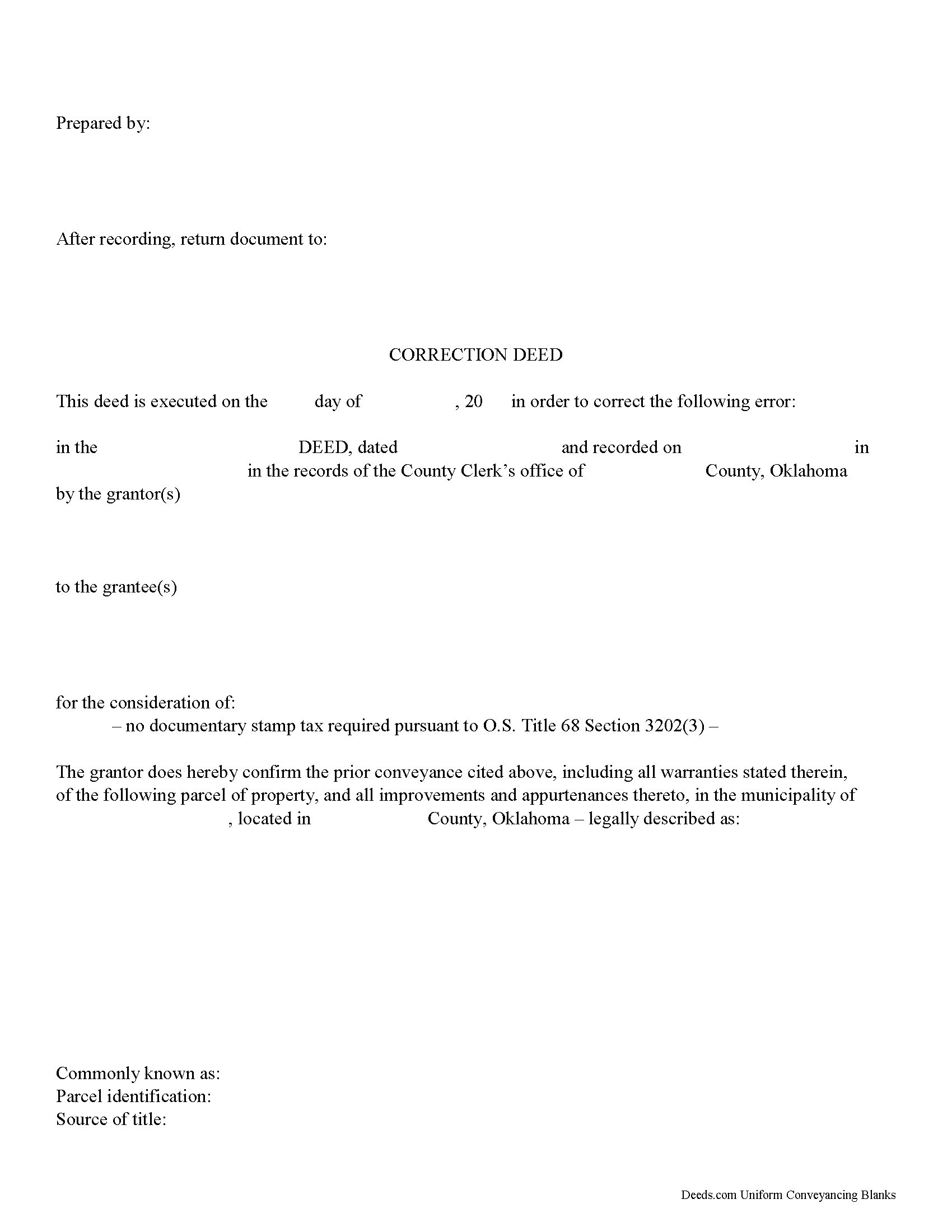
Seminole County Correction Deed Form
Fill in the blank form formatted to comply with all recording and content requirements.
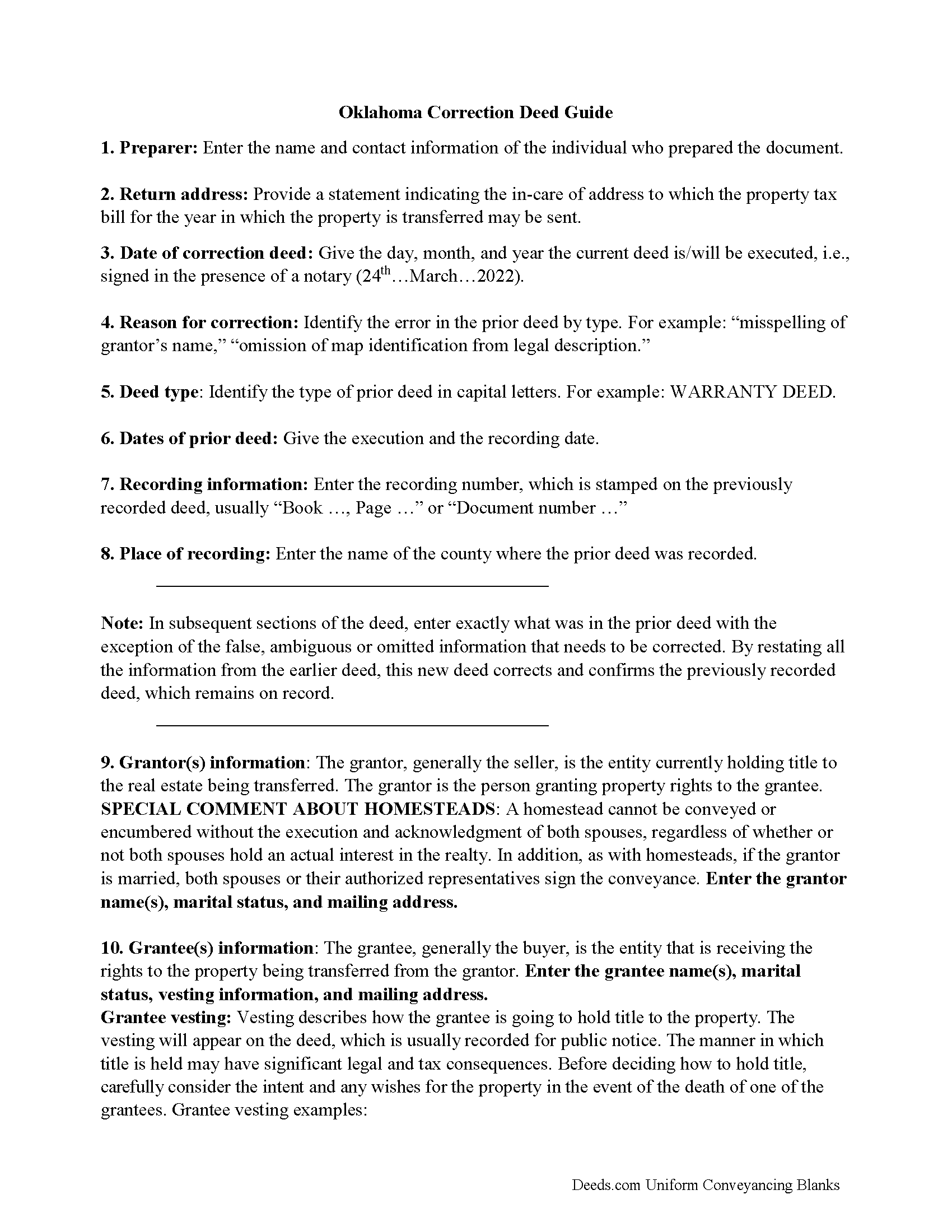
Seminole County Correction Deed Guide
Line by line guide explaining every blank on the form.
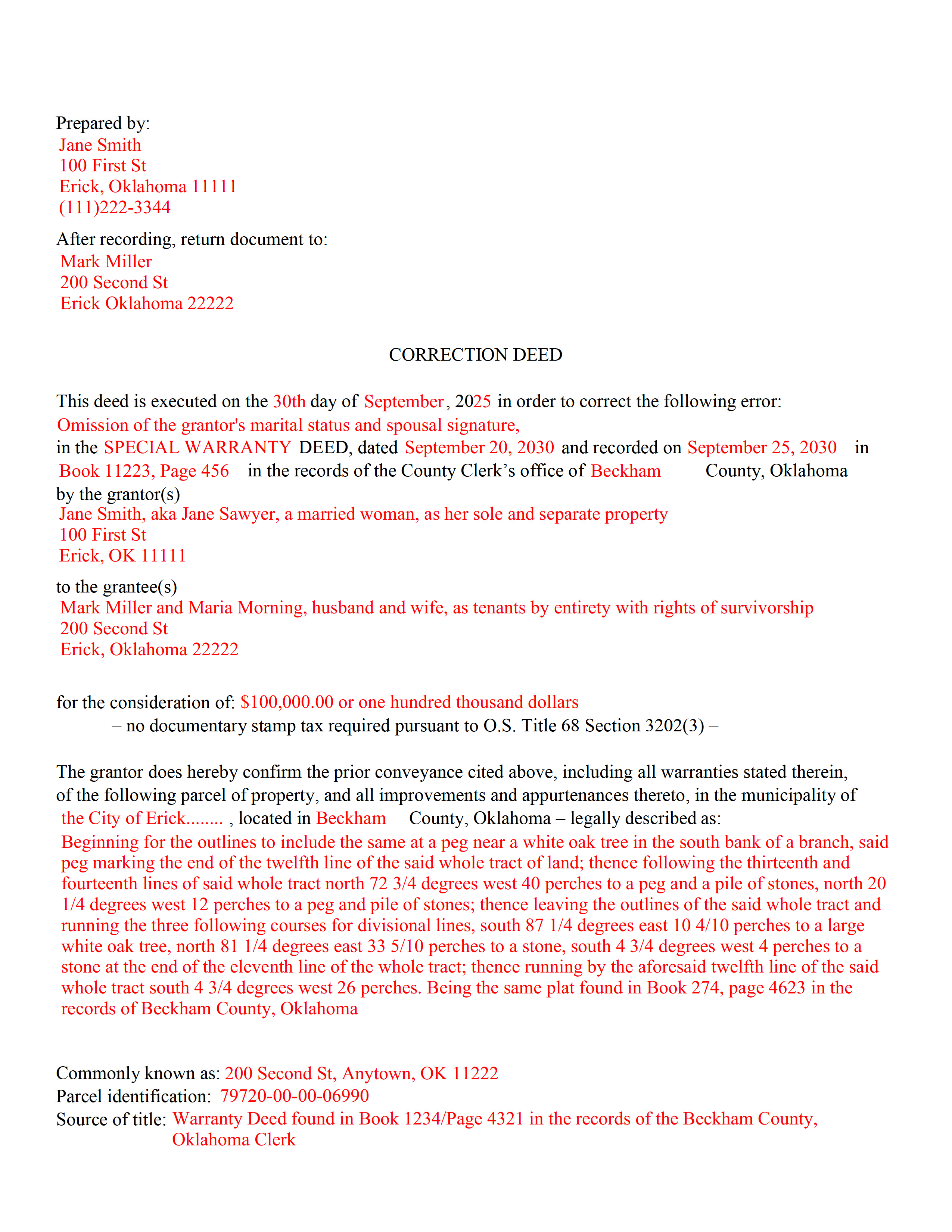
Seminole County Completed Example of the Correction Deed Document
Example of a properly completed form for reference.
All 3 documents above included • One-time purchase • No recurring fees
Immediate Download • Secure Checkout
Additional Oklahoma and Seminole County documents included at no extra charge:
Where to Record Your Documents
Seminole County Clerk
Wewoka, Oklahoma 74884
Hours: 8:00 to 4:00 Monday through Friday
Phone: (405) 257-2501
Recording Tips for Seminole County:
- Bring your driver's license or state-issued photo ID
- Ensure all signatures are in blue or black ink
- Recorded documents become public record - avoid including SSNs
- Recording fees may differ from what's posted online - verify current rates
- Request a receipt showing your recording numbers
Cities and Jurisdictions in Seminole County
Properties in any of these areas use Seminole County forms:
- Bowlegs
- Cromwell
- Konawa
- Sasakwa
- Seminole
- Wewoka
Hours, fees, requirements, and more for Seminole County
How do I get my forms?
Forms are available for immediate download after payment. The Seminole County forms will be in your account ready to download to your computer. An account is created for you during checkout if you don't have one. Forms are NOT emailed.
Are these forms guaranteed to be recordable in Seminole County?
Yes. Our form blanks are guaranteed to meet or exceed the applicable formatting requirements used for recording in Seminole County, including margin requirements, font requirements, and other layout standards. This guarantee applies to formatting, not to the legal sufficiency of information entered by the user or the suitability of a form for a particular transaction.
Can I reuse these forms?
Yes. You can reuse the forms for your personal use. For example, if you have multiple properties in Seminole County you only need to order once.
What do I need to use these forms?
The forms are PDFs that you fill out on your computer. The free Adobe Acrobat Reader is recommended, and most PDF apps also work. You do NOT enter your property information online - you download the blank forms and complete them privately on your own computer.
Are there any recurring fees?
No. This is a one-time purchase. Nothing to cancel, no memberships, no recurring fees.
How much does it cost to record in Seminole County?
Recording fees in Seminole County vary. Contact the recorder's office at (405) 257-2501 for current fees.
Questions answered? Let's get started!
In Oklahoma, use a correction deed to amend a previously recorded deed that contains a minor error.
A corrective deed is, in effect, an explanation and correction of an error in a prior instrument. As such, it passes no title and, except for the corrected item, reiterates and confirms the prior conveyance. It should be executed from the original grantor to the original grantee, and it needs to be recorded in order to be legally valid.
The correction deed must reference the original conveyance it is correcting by type of error, date of execution and recording, as well as by recording number and location. Beyond that, it restates the information given in the prior deed, which remains on record, usually with a marginal notation to the corrective instrument.
Deeds of correction are most appropriate for minor errors and omissions in the original deed, such as misspelled names, omission of marital status, or typos in the legal description. More substantial changes, such as adding a name to the title, changing vesting information or legal description of the property, may require a new deed of conveyance instead of a correction deed.
Correction deeds are exempt from deed recording fee, often referred to as documentary or deed stamps, pursuant to Oklahoma Statutes Title 68 section 3202 (3), which exempts "deeds which, without additional consideration, confirm, correct, modify or supplement a deed previously recorded." Some counties require this exemption to be stated on the corrective instrument.
(Oklahoma CD Package includes form, guidelines, and completed example)
Important: Your property must be located in Seminole County to use these forms. Documents should be recorded at the county recording office listed above.
This Correction Deed meets all recording requirements specific to Seminole County.
Our Promise
The documents you receive here are guaranteed to meet or exceed the applicable Seminole County recording format requirements. If there is a rejection caused by our formatting, we will correct the issue or refund your payment. This guarantee applies to document formatting only and does not extend to information entered by the user, the selection of the form, or the legal effect of the completed document.
Save Time and Money
Get your Seminole County Correction Deed form done right the first time with Deeds.com Uniform Conveyancing Blanks. At Deeds.com, we understand that your time and money are valuable resources, and we don't want you to face a penalty fee or rejection imposed by a county recorder for submitting nonstandard documents. We constantly review and update our forms to meet rapidly changing state and county recording requirements for roughly 3,500 counties and local jurisdictions.
4.8 out of 5 - ( 4,852 Reviews )
John B. 5 out of 5 stars
I bought a Quitclaim Deed package for Fayette County, Kentucky, to transfer my house into a Living Trust that I had set up previously. Creating my Quitclaim Deed was pretty straightforward, using the form, the instructions, and the sample Quitclaim Deed. I signed my Quitclaim Deed at a nearby Notary Public, then took it to the Fayette County Clerk's office to be recorded. The clerk there asked me to make two small changes to the Quitclaim Deed, which she let me do in pen on the spot: * In the signature block for the receiver of the property, filled in "Capacity" as "Grantee as Trustee ______________________________ Living Trust". * In the notary's section, changed "were acknowledged before me" to "were acknowledged and sworn to before me".
Thank you for your feedback. We really appreciate it. Have a great day!
John L. 5 out of 5 stars
WOW, This site saved me from going to a lawyer. Not only do they give you great directions, they also include a sample that is extremely helpful.
We appreciate your business and value your feedback. Thank you. Have a wonderful day!
ELOISA F. 5 out of 5 stars
Once I had everything right;the recording was fast and easy. I was updated at every juncture and apprised of my mistakes in order to fix and record my deed. To improve service: I think that several different examples and scenarios would have helped. If you have different names from your children; birth certificates and marriage certificates are a requirement in Clark County, NV. If you want to add anyone to the deed in a Quit Claim Deed; you have to add yourself as a grantee even if you are the grantor along with the other grantees.
Thank you for your feedback. We really appreciate it. Have a great day!
Charles C. 5 out of 5 stars
I found this site to be very easy to use . I found and printed what I needed in just a few minutes after getting on the sit . Good work setting up this site . Thank you .
Thank you!
Jeremy C. 5 out of 5 stars
Really impressed with the speed and professionalism of the service. I would recommend putting a grey background on the form field inputs as I had trouble seeing them in the user interface, but otherwise I was really impressed and would happily return as a customer.
Thank you for your feedback. We really appreciate it. Have a great day!
Holly K. 5 out of 5 stars
This is the simplest way to record a deed ever. Just uploaded the deed and the professionals at deed.com did the rest. Within 8 hours, I had my recorded deed back. The price is fantastic. It would have cost me more in gas to drive to the county where I had to record the deed.
We appreciate your business and value your feedback. Thank you. Have a wonderful day!
Shirley B. 5 out of 5 stars
Very convenient, glad I discovered this website.
We appreciate your business and value your feedback. Thank you. Have a wonderful day!
Clinton M. 5 out of 5 stars
Very informative. I submitted my form.The county accepted it. Thank you.
Thank you for your feedback. We really appreciate it. Have a great day!
Dreama R. 5 out of 5 stars
Awesome! I had to correct a quit claim deed and the form on your site made it very easy. Thank you
We appreciate your business and value your feedback. Thank you. Have a wonderful day!
Helen M. 5 out of 5 stars
All forms were exactly what I needed. Thank you Immediate, smoothly downloaded and printed.
We appreciate your business and value your feedback. Thank you. Have a wonderful day!
Tram V. 5 out of 5 stars
This is quick, easy, and very reasonably priced. I wish I found this site before doing my living trust. I had the company who does my trust do the transfer deed and they charged an additional $329 for the deed alone.
Thank you for your feedback. We really appreciate it. Have a great day!
Evelyn B. 5 out of 5 stars
Wow! Deeds.com provided proficient eRecording with great response time and great service... and it was super easy, super fast, and very reasonably priced. What more could you possibly want?! Highly recommended!
We appreciate your business and value your feedback. Thank you. Have a wonderful day!
Willard V. 3 out of 5 stars
While it's nice to get all the forms and info in one package for a reasonable cost, the fixed format of the form does not allow for a lengthy meet and bounds property description for real property. Also, the Cover Sheet has big fillable sections with no instructions about what's supposed to go there. I tried the "Contact Us" link, but all it does is spin saying it's trying verify the security of my connection. Looks like I;m going to have to create my own deed in MS Word instead of just filling in the blacks of the PDF file that I downloaded. Bummer!
Your feedback is a crucial part of our dedication to ongoing improvement. Thank you for your insightful comments.
Barbara S. 5 out of 5 stars
I found your site easy to use, though I would prefer an option to download to MWords but Adobe works well. The cost is very, very reasonable and provides documents I didn't know were needed. I would recommend this to anyone trying to deal with legal documents.
Thank you!
Ira S. 5 out of 5 stars
Hi, 1. I need a password to be able to copy and paste from the deed. 2. It would be more convenient if all documents could be downloaded together. Ira
Thank you for your feedback. We really appreciate it. Have a great day!