Custer County Quitclaim Deed (LLC Grantor) Form
Last validated October 30, 2026 by our Forms Development TeamFormatted for recording in Custer County, for property anywhere in the county: rural and unincorporated areas as well as Arapaho, Butler, Clinton, Custer City, Thomas, Weatherford.
- 3 documents included
- Immediate PDF download
- Formatting guarantee
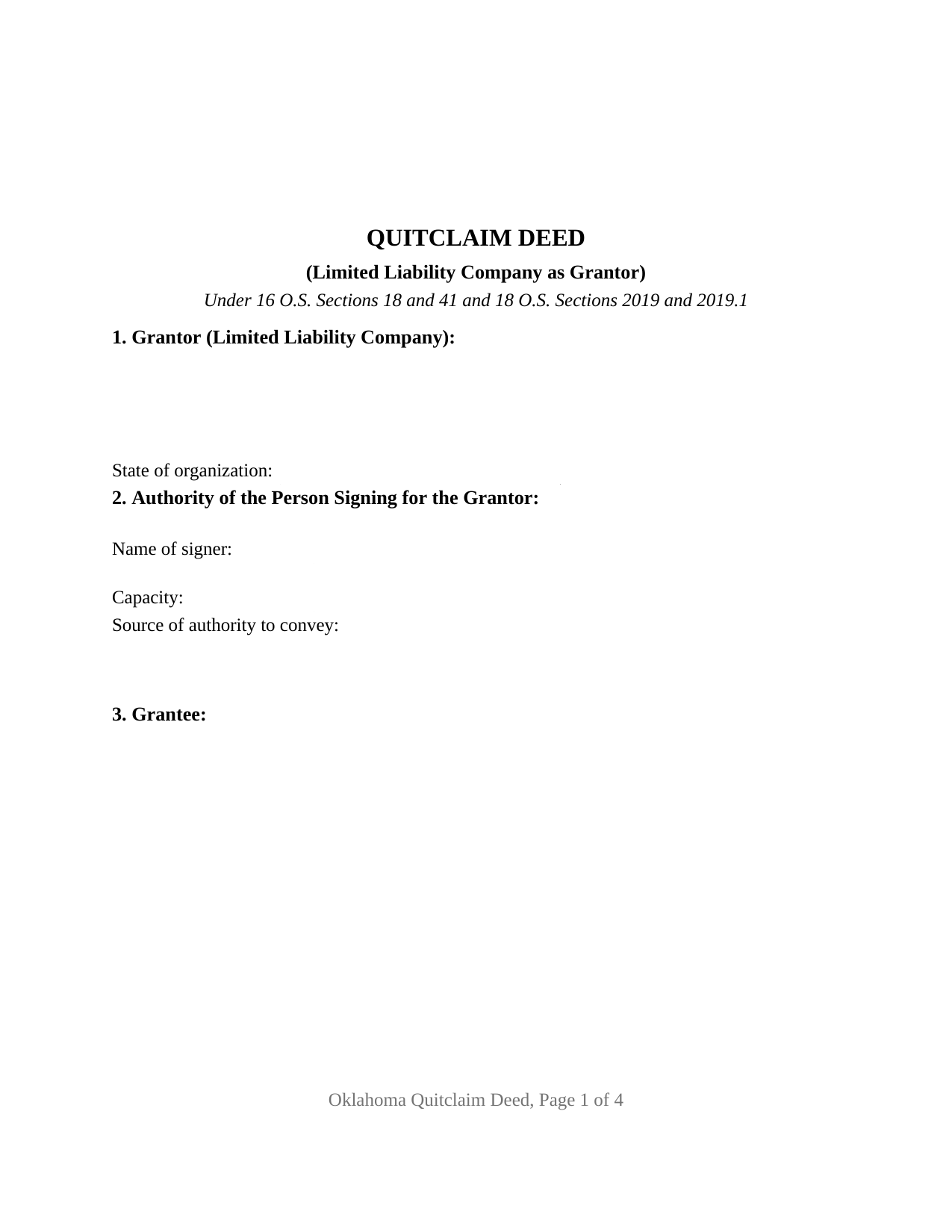
Custer County Quitclaim Deed (LLC Grantor) Form
Fill in the blank Quitclaim Deed (LLC Grantor) form formatted to comply with all Oklahoma recording and content requirements.
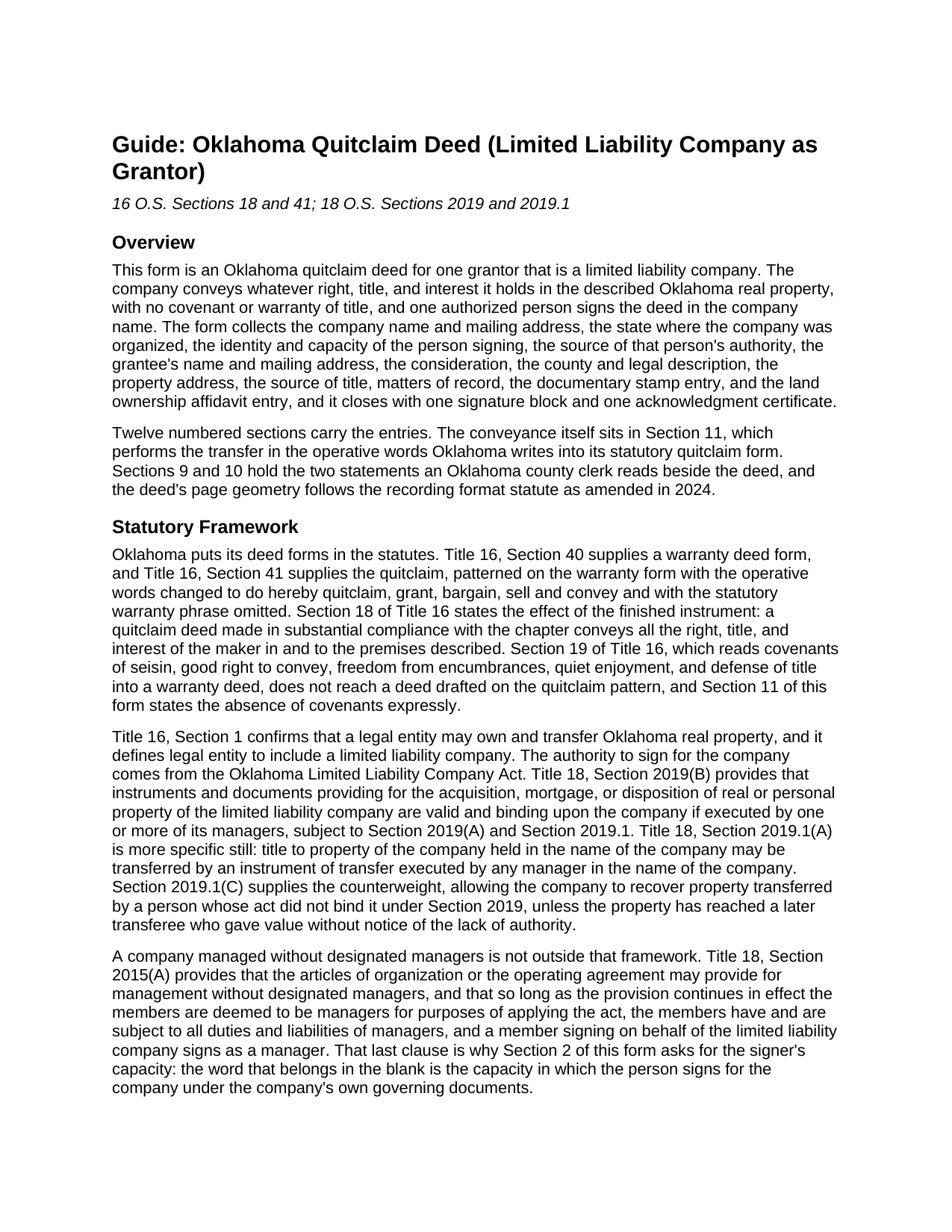
Custer County Quitclaim Deed (LLC Grantor) Guide
Line by line guide explaining every blank on the Quitclaim Deed (LLC Grantor) form.
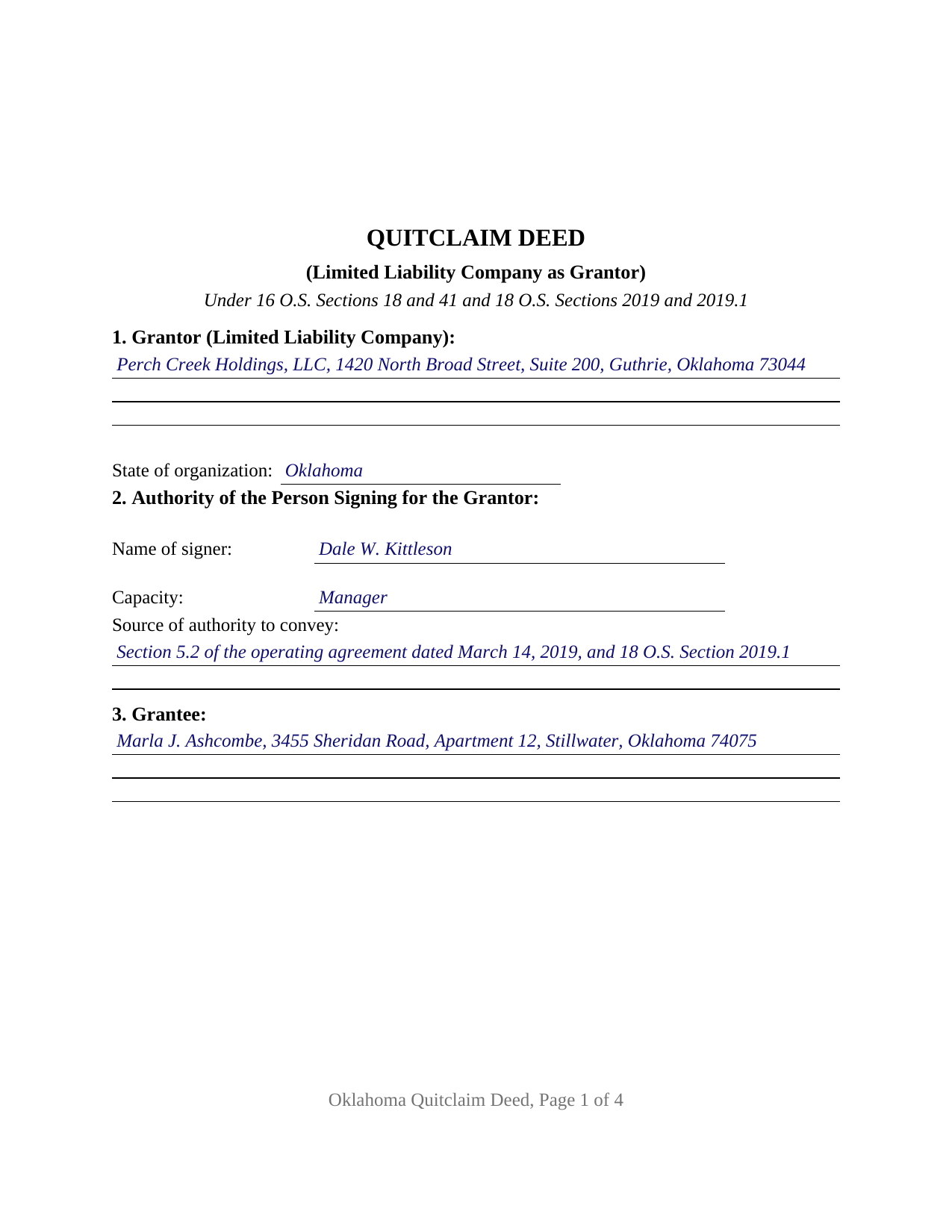
Custer County Completed Example of the Quitclaim Deed (LLC Grantor) Document
Example of a properly completed Oklahoma Quitclaim Deed (LLC Grantor) document for reference.
All 3 documents above included • One-time purchase • No recurring fees
Immediate Download • Secure Checkout
Additional Oklahoma and Custer County documents included at no extra charge:
Where to Record Your Documents
Custer County Clerk
Arapaho, Oklahoma 73620
Hours: 8:00 to 4:00 Monday through Friday
Phone: (580) 323-1221
Recording Tips for Custer County:
- Bring your driver's license or state-issued photo ID
- Ensure all signatures are in blue or black ink
- Ask about accepted payment methods when you call ahead
- Ask for certified copies if you need them for other transactions
- Ask if they accept credit cards - many offices are cash/check only
Cities and Jurisdictions in Custer County
Properties in any of these areas use Custer County forms:
- Arapaho
- Butler
- Clinton
- Custer City
- Thomas
- Weatherford
Hours, fees, requirements, and more for Custer County
How do I get my forms?
Forms are available for immediate download after payment. The Custer County forms will be in your account ready to download to your computer. An account is created for you during checkout if you don't have one. Forms are NOT emailed.
Are these forms guaranteed to be recordable in Custer County?
Yes. Our form blanks are guaranteed to meet or exceed the applicable formatting requirements used for recording in Custer County, including margin requirements, font requirements, and other layout standards. This guarantee applies to formatting, not to the legal sufficiency of information entered by the user or the suitability of a form for a particular transaction.
Can I reuse these forms?
Yes. You can reuse the forms for your personal use. For example, if you have multiple properties in Custer County you only need to order once.
What do I need to use these forms?
The forms are PDFs that you fill out on your computer. The free Adobe Acrobat Reader is recommended, and most PDF apps also work. You do NOT enter your property information online - you download the blank forms and complete them privately on your own computer.
Are there any recurring fees?
No. This is a one-time purchase. Nothing to cancel, no memberships, no recurring fees.
How much does it cost to record in Custer County?
Recording fees in Custer County vary. Contact the recorder's office at (580) 323-1221 for current fees.
Questions answered? Let's get started!
The grantor on this Oklahoma quitclaim deed is a limited liability company, and the signature that moves the property belongs to a person who owns none of it. Section 1 names the company and its state of organization, Section 2 records the signer, the capacity, and the authority relied on, and Section 12 closes with the company name above one signature line. Whatever interest the company holds crosses to the grantee released rather than warranted, on the quitclaim pattern of 16 O.S. Sections 18 and 41.
The word Oklahoma puts in the capacity blank
Two sections of the Oklahoma Limited Liability Company Act decide who signs. Under 18 O.S. Section 2019.1(A), title to company property held in the company name may be transferred by an instrument executed by any manager in the company name, and 18 O.S. Section 2019(B) makes such an instrument binding on the company when one or more managers executes it. Companies that run without designated managers are not left out: 18 O.S. Section 2015(A) deems the members to be managers, then adds the line the capacity blank must reckon with, that a member signing on behalf of the company signs as a manager. Section 2019.1(C) shows the stake: the company may recover property a person conveyed without authority, except from a transferee who gave value without notice.
An entity grantor, and the homestead question that never arises
Most Oklahoma deeds answer a marriage question first: 16 O.S. Section 4, carrying Article XII, Section 2 of the Oklahoma Constitution, invalidates a deed relating to a married couple's homestead unless both spouses subscribe it, and 31 O.S. Sections 1 and 2 build that exemption around the home of the family. A company has no spouse and no family, so this form carries no joinder block and no marital statement, and the space goes to entity facts: registered name, state of organization, signer, capacity, authority. A company winding up and deeding a parcel out to its members, and a company releasing whatever interest it holds in a tract to settle a competing claim, present the entity-grantor pattern this deed recites.
What a quitclaim carries out of a company
The operative sentence uses the statutory words, do hereby quitclaim, grant, bargain, sell and convey, and drops the warranty language of 16 O.S. Section 40. Section 18 sets the reach, all the right, title, and interest of the maker in the premises, and the covenants of 16 O.S. Section 19 never arise. The mortgage the company signed stays put, with the easements, restrictions, severed minerals, and unpaid taxes. Section 8 lists such matters for information, and the deed states on its face that a listing or omission creates no covenant or warranty. Searches for a quit claim deed, quick claim deed, or LLC property transfer land here.
A certificate written for a signer in a capacity
One person signs, so one notarial certificate follows, in the representative-capacity form of 49 O.S. Section 119(2): acknowledged before the officer by a named person, as a stated type of authority, of the party on behalf of whom the instrument was executed. The by-line holds a name, a capacity, and the company. 49 O.S. Section 112 defines such an acknowledgment to include the declaration that the signer had proper authority and acted for the entity. No subscribing witness is needed under 16 O.S. Section 2.
The stamp paragraph reads differently in this direction
Documentary stamp tax attaches under 68 O.S. Section 3201 above $100 of consideration or value, at seventy-five cents per $500, and Section 9 takes the computed tax or the exemption ground. Direction matters. Paragraph 4 of 68 O.S. Section 3202 runs from a person to a company owned by that person and close relatives, and Paragraph 9 covers deeds made pursuant to company mergers, so a conveyance the other way answers on its own facts. The Tax Commission rule at OAC 710:30-1-9 lists conveyances without consideration among transfers the tax leaves alone. Under Section 10 and 60 O.S. Section 121, the affidavit belongs to the party taking title, not to the company signing. Pages follow 19 O.S. Section 298 as SB57 amended it in 2024: 2 inch top margins on every page.
The download delivers the fillable deed, a completed example worked through a Logan County parcel sold by an Oklahoma company, and a plain language guide to the twelve numbered sections, the notarial mechanics, and the recording steps. The materials describe Oklahoma law in general terms and are not legal advice.
Important: Your property must be located in Custer County to use these forms. Documents should be recorded at the county recording office listed above.
This Quitclaim Deed (LLC Grantor) meets all recording requirements specific to Custer County.
Our Promise
The documents you receive here are guaranteed to meet or exceed the applicable Custer County recording format requirements. If there is a rejection caused by our formatting, we will correct the issue or refund your payment. This guarantee applies to document formatting only and does not extend to information entered by the user, the selection of the form, or the legal effect of the completed document.
Save Time and Money
Get your Custer County Quitclaim Deed (LLC Grantor) form done right the first time with Deeds.com Uniform Conveyancing Blanks. At Deeds.com, we understand that your time and money are valuable resources, and we don't want you to face a penalty fee or rejection imposed by a county recorder for submitting nonstandard documents. We constantly review and update our forms to meet rapidly changing state and county recording requirements for roughly 3,500 counties and local jurisdictions.
4.8 out of 5 - ( 4,845 Reviews )
Lutz P. 5 out of 5 stars
Your forms are great but I couldn’t use them with my computer and acrobats reader didn’t work. And then my thermal printer would only print 1/3 size pages with no way to fix it. I ordered a new color printer and we’ll see what happens.
Thank you, Lutz. We're glad you like the forms, and we're sorry getting them working turned into such a hassle. That shrunken page is typical of thermal printers: most use narrow receipt or label paper, so a full page gets scaled down to fit, and no setting can change that. Thermal paper also fades over time, which you don't want on a document you're recording, so the new printer is the right call. When it arrives, print on plain white paper with “Actual size” selected in the print settings so the page comes out full size with its margins intact. If Acrobat Reader gives you trouble again, save the form to your computer first and open the saved file in Acrobat Reader rather than in your web browser. Still stuck? Contact our support team and we'll walk you through it.
Pamela L. 5 out of 5 stars
Fast efficient informative. Thank you.
Thank you for your feedback. We really appreciate it. Have a great day!
Raad A. 3 out of 5 stars
Not easy to navigate
Thank you for your feedback.
Brenda W. 5 out of 5 stars
Good.
Thank you for your feedback. We really appreciate it. Have a great day!
Stephen F. 5 out of 5 stars
Easy to use. Outstanding interface.
Thank you!
Stephen K. 5 out of 5 stars
The forms were correct and the instructions and Completed sample were very helpful. I filled it out and filed it at the county office, they didn't question anything. Thank you.
Thank you!
Michael K. 5 out of 5 stars
I haven't used them yet. So far so good.
Thank you!
Stephen P. 5 out of 5 stars
Quick and Easy
Thank you!
Norbert C. 5 out of 5 stars
Great resource and everything went smoothly except email was performed through autofill prompted by the system but the autofill added a letter that gave wrong email. I can still sign in with wrong email since the system recognizes it as mine even though it is wrong. May be my fault and not the system since I did not catch the discrepancy in time. I would suggest a field that allows a correction to any misinformation prior to signing out from the initial sign on. Still think it is a great resource if all documents are processed and accepted by the pwers to be. Thanks.
Thank you!
Michael K. 5 out of 5 stars
The link for the note guidelines just shows the same directions as for the mortgage. Other than that, very helpful.
Thank you for your feedback. We really appreciate it. Have a great day!
Robert B. 5 out of 5 stars
Excellent, easy to operate, saved $$$ by doing this TOD deed myself. WILL BUY AGAIN!!
Thank you Robert. Have a fantastic day!
Michael M. 5 out of 5 stars
I downloaded the gift deed and I can not type my info onto it what am I doing wrong. Please advise
Sounds like you may be trying to complete the form in your browser. The document needs to be downloaded and saved to you computer, then opened in Adobe.
Shane T. 4 out of 5 stars
The Transfer on Death Deed form package was very good. But like anything, could use some improvements. There is not enough space to fill more than one beneficiary with any level of additional detail like "as his sole and separate property" The area for the legal description could be a bit bigger and potentially fit many legal descriptions. Or it could be made to simply say "See Exhibit A" as is likely necessary for most anyway. The guide should indicate what "homestead property" means so the user doesn't have to research the legal definition. (which turns out to be obvious, at least in my state, if you live there, it's your homestead.) It would be helpful if an "Affidavit of Death" form were included in the package for instances where the current deed hasn't been updated to reflect a widowed owner as the sole owner before recording with only the one signature.
Thank you for your feedback. We really appreciate it. Have a great day!
Patricia W. 5 out of 5 stars
Easy to use with the itemized instruction.
Thank you for your feedback. We really appreciate it. Have a great day!
Judith H. 5 out of 5 stars
This site was so easy. Got my documents in minutes. downloaded and they work perfectly and accurately. I LOVE THIS SITE AND COMPANY!!!
Thank you for your feedback. We really appreciate it. Have a great day!