Johnston County Quitclaim Deed (Trustee Grantee) Form
Last validated September 9, 2026 by our Forms Development TeamFormatted for recording in Johnston County, for property anywhere in the county: rural and unincorporated areas as well as Bromide, Coleman, Connerville, Kenefic, Mannsville, Milburn, Mill Creek, Ravia and 2 more.
- 3 documents included
- Immediate PDF download
- Formatting guarantee
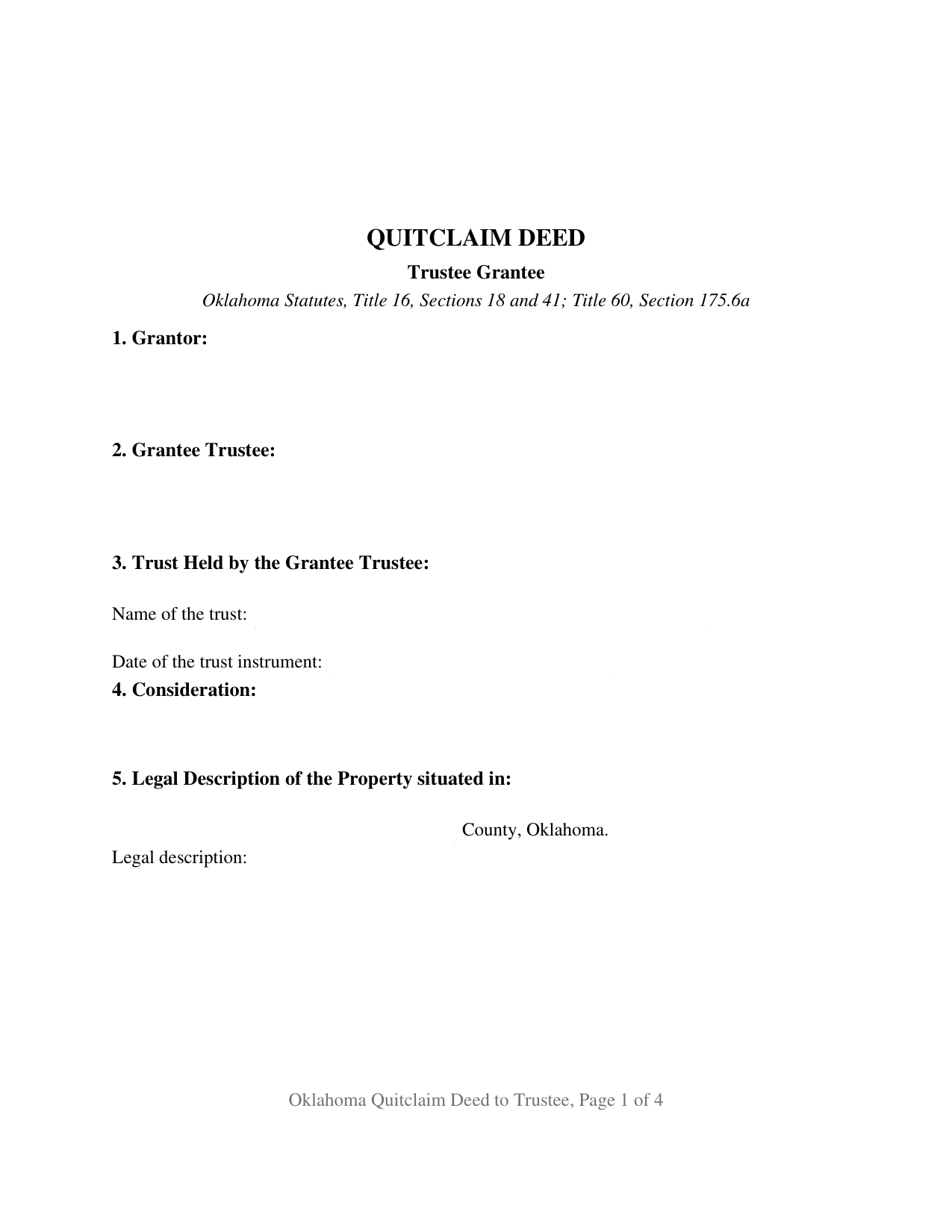
Johnston County Quitclaim Deed (Trustee Grantee) Form
Fill in the blank Quitclaim Deed (Trustee Grantee) form formatted to comply with all Oklahoma recording and content requirements.
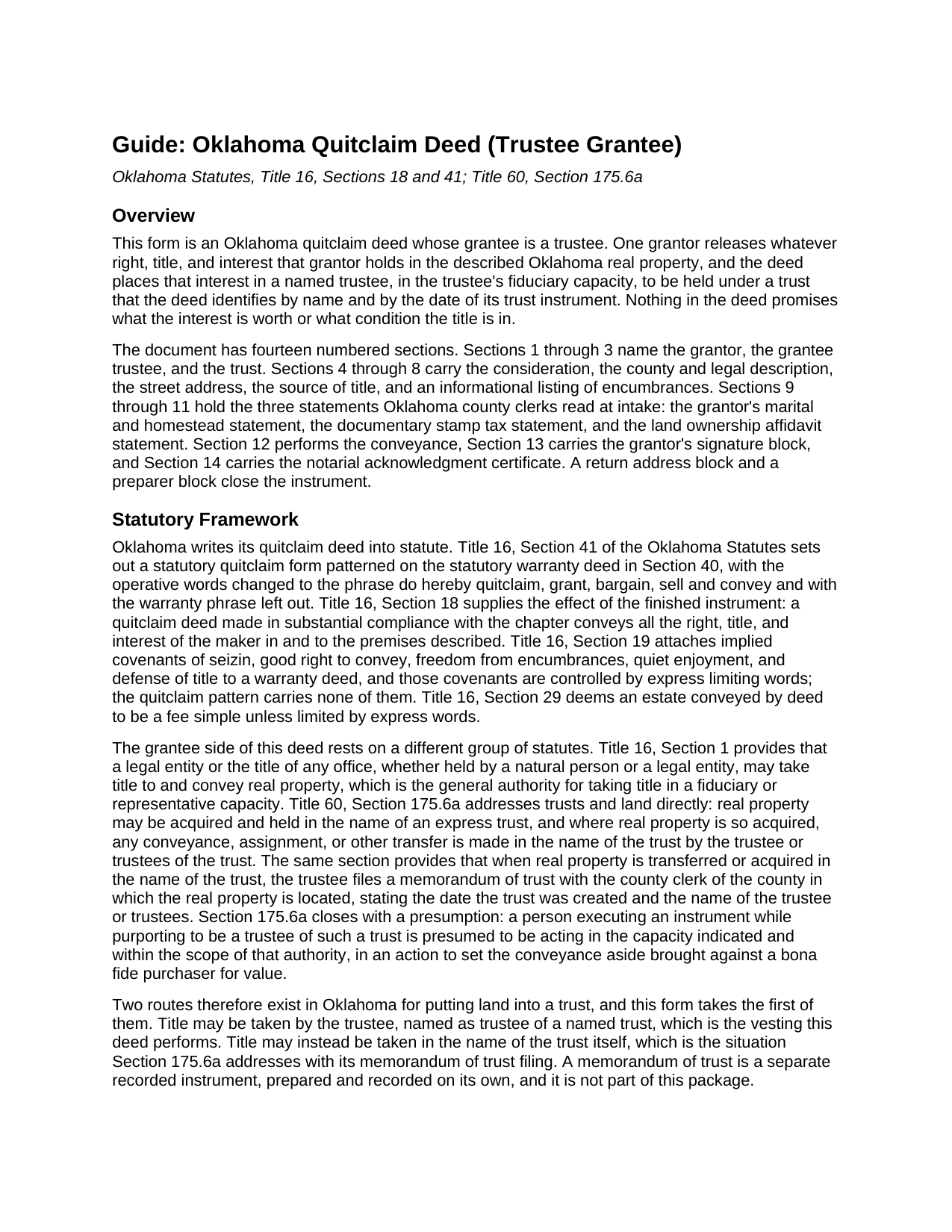
Johnston County Quitclaim Deed (Trustee Grantee) Guide
Line by line guide explaining every blank on the Quitclaim Deed (Trustee Grantee) form.
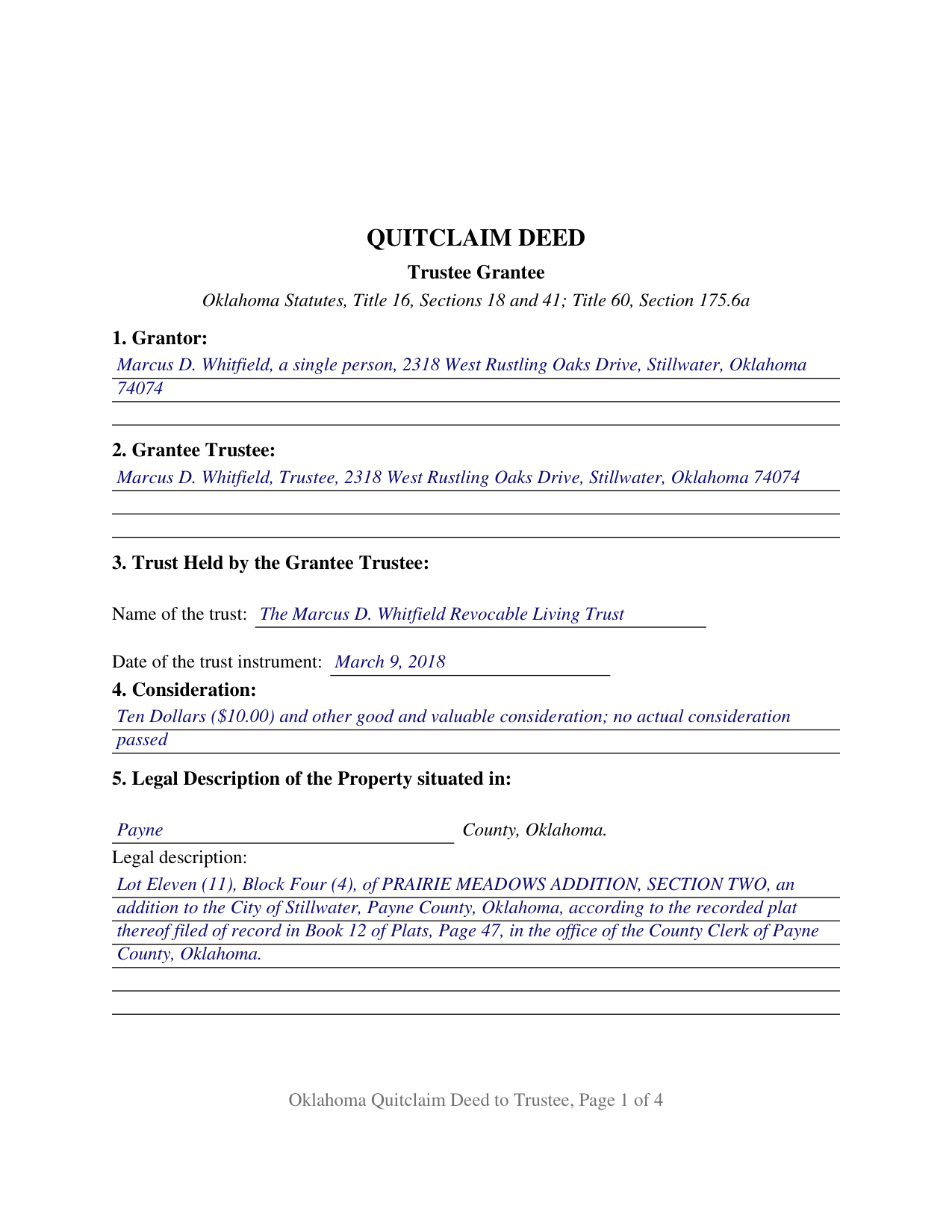
Johnston County Completed Example of the Quitclaim Deed (Trustee Grantee) Document
Example of a properly completed Oklahoma Quitclaim Deed (Trustee Grantee) document for reference.
All 3 documents above included • One-time purchase • No recurring fees
Immediate Download • Secure Checkout
Additional Oklahoma and Johnston County documents included at no extra charge:
Where to Record Your Documents
Johnston County Clerk
Tishomingo, Oklahoma 73460
Hours: 8:30am to 4:30pm M-F
Phone: (580) 371-3184
Recording Tips for Johnston County:
- Bring your driver's license or state-issued photo ID
- Ensure all signatures are in blue or black ink
- Leave recording info boxes blank - the office fills these
- Make copies of your documents before recording - keep originals safe
- Recorded documents become public record - avoid including SSNs
Cities and Jurisdictions in Johnston County
Properties in any of these areas use Johnston County forms:
- Bromide
- Coleman
- Connerville
- Kenefic
- Mannsville
- Milburn
- Mill Creek
- Ravia
- Tishomingo
- Wapanucka
Hours, fees, requirements, and more for Johnston County
How do I get my forms?
Forms are available for immediate download after payment. The Johnston County forms will be in your account ready to download to your computer. An account is created for you during checkout if you don't have one. Forms are NOT emailed.
Are these forms guaranteed to be recordable in Johnston County?
Yes. Our form blanks are guaranteed to meet or exceed the applicable formatting requirements used for recording in Johnston County, including margin requirements, font requirements, and other layout standards. This guarantee applies to formatting, not to the legal sufficiency of information entered by the user or the suitability of a form for a particular transaction.
Can I reuse these forms?
Yes. You can reuse the forms for your personal use. For example, if you have multiple properties in Johnston County you only need to order once.
What do I need to use these forms?
The forms are PDFs that you fill out on your computer. The free Adobe Acrobat Reader is recommended, and most PDF apps also work. You do NOT enter your property information online - you download the blank forms and complete them privately on your own computer.
Are there any recurring fees?
No. This is a one-time purchase. Nothing to cancel, no memberships, no recurring fees.
How much does it cost to record in Johnston County?
Recording fees in Johnston County vary. Contact the recorder's office at (580) 371-3184 for current fees.
Questions answered? Let's get started!
The receiving side of this Oklahoma quitclaim deed is a fiduciary. Section 2 names a trustee, Section 3 names the trust and the date of its trust instrument, and Section 12 places whatever the grantor holds in that trustee, in that capacity and no other, along with the successors in trust. One grantor signs, nothing about the title is warranted, and the statutory quitclaim pattern of 16 O.S. Sections 18 and 41 supplies the words that do the work.
A grantee who holds in a capacity
Most deeds name a grantee taking for their own account. This one names a grantee taking for someone else. The grantee block carries the trustee's name followed by the word Trustee, and the section beneath it carries the trust name and the date of the trust instrument, so the fiduciary character of the vesting sits on the face of the recorded document. The granting language runs to the successors in trust as well, so a later change of trustee leaves no gap in the record vesting. One signature closes the instrument and one notarial certificate follows it, because a trustee accepting a conveyance signs nothing here. A co-owner releasing an undivided share to the trustee of a trust that already holds the rest of a parcel, an heir passing an inherited interest to the trustee of the family trust that will administer it, and a parcel left out when a trust was funded and deeded over years later are the patterns this configuration is built around.
Two ways Oklahoma puts land into a trust
Oklahoma says out loud what many states leave to practice: a trust may hold land in its own name. Under 60 O.S. Section 175.6a real property may be acquired and held in the name of an express trust, a transfer of property so held is made in the name of the trust by its trustee, and when title moves in the trust's name the trustee files a memorandum of trust with the county clerk where the land lies. That memorandum is a separate recorded instrument, prepared and recorded on its own, and it is not part of this package. This deed takes the other route, putting title in the trustee as trustee of a named trust. Section 175.6a also presumes that someone signing while purporting to be trustee of such a trust acts within the scope of that authority, in an action to set the conveyance aside brought against a bona fide purchaser for value.
A release, not a promise
16 O.S. Section 41 supplies the operative words, do hereby quitclaim, grant, bargain, sell and convey, and omits the warranty phrase the statutory warranty deed carries. 16 O.S. Section 18 states the effect: the instrument passes all the right, title, and interest of the maker in the premises described. None of the covenants that 16 O.S. Section 19 implies in a warranty deed arise here, so the mortgage, the judgment liens, the plat restrictions, and the severed minerals cross into the trust exactly as they stood. Shoppers looking for a quit claim deed, a quick claim deed, or a deed putting property into a trust in Oklahoma are reading about this instrument.
The trust affidavit and the stamp paragraph
Of the two gates at the county clerk's counter, one reads differently for a trust. Since November 1, 2023, 60 O.S. Section 121 has let a covered deed onto the record only with the affidavit of the party taking title attached as an exhibit, or with an exemption identified on the deed itself. The Attorney General publishes a separate affidavit for business entities and trusts, and it asks whether the trust's grantors, trustees, and all direct and contingent beneficiaries are United States citizens or bona fide residents of Oklahoma. Section 10 holds the stamp entry: 68 O.S. Section 3202 lists exemptions by paragraph, and Paragraph 4 covers a deed between any person and an express revocable trust created by that person or that person's spouse. Format follows 19 O.S. Section 298 as SB57 rewrote it in 2024, with a 2 inch top margin on every page instead of the first alone.
The download delivers the trustee-grantee deed as a fillable PDF, a completed example worked through a Payne County parcel released to the trustee of a revocable living trust, and a plain language guide to the fourteen numbered sections and the recording steps. The package describes Oklahoma law in general terms and is not legal advice.
Important: Your property must be located in Johnston County to use these forms. Documents should be recorded at the county recording office listed above.
This Quitclaim Deed (Trustee Grantee) meets all recording requirements specific to Johnston County.
Our Promise
The documents you receive here are guaranteed to meet or exceed the applicable Johnston County recording format requirements. If there is a rejection caused by our formatting, we will correct the issue or refund your payment. This guarantee applies to document formatting only and does not extend to information entered by the user, the selection of the form, or the legal effect of the completed document.
Save Time and Money
Get your Johnston County Quitclaim Deed (Trustee Grantee) form done right the first time with Deeds.com Uniform Conveyancing Blanks. At Deeds.com, we understand that your time and money are valuable resources, and we don't want you to face a penalty fee or rejection imposed by a county recorder for submitting nonstandard documents. We constantly review and update our forms to meet rapidly changing state and county recording requirements for roughly 3,500 counties and local jurisdictions.
4.8 out of 5 - ( 4,830 Reviews )
Jeanette S. 5 out of 5 stars
Easy to use and instructions were very clear. If possible, it would be nice to be able to download the entire package at one time - it was a little cumbersome to download each item separately. (Of course, I didn't know which of the items I needed, so downloaded them all)
Thank you for your feedback. We really appreciate it. Have a great day!
Caroline K. 5 out of 5 stars
SIMPLE, THAT IS GOOD
Thank you for your feedback. We really appreciate it. Have a great day!
walter m. 3 out of 5 stars
directions and getting to forms, printing good, but I wish it could be more simply and clearly presented. We'll see how it finally works out
Thank you for your feedback. We really appreciate it. Have a great day!
Donna R. 5 out of 5 stars
Great service. Just started using Deeds.com yesterday. So far, so good.
Thank you for your feedback. We really appreciate it. Have a great day!
Gloria J. 5 out of 5 stars
I needed a Missouri Notice of Intent to Sell without a named designated buyer. Mo Statutes require notice be notarized and filed 45 days before any closing to protect buyer from liens. You do not have that document. We are flipping a house so it must be filed. Our lawyer was on vacation. Cannot find one anywhere on net. Finally got a template from our title company.
Thank you for your feedback Gloria.
Sharon L H. 3 out of 5 stars
The forms were good enough, hard to get excited about legal forms... The information was very thorough and helpful.
Thank you!
william h. 5 out of 5 stars
got what I needed.
Thank you!
Irma G. 5 out of 5 stars
Although I did not use the forms yet, it appears very easy to understand and navigate.
Thank you for your feedback. We really appreciate it. Have a great day!
Charles C. 5 out of 5 stars
Easy to use, fast!
Thank you!
Cecelia S. 5 out of 5 stars
I was looking for a copy of my deed and was able to complete the request and get copy fast.
Thank you!
Tierre J. 1 out of 5 stars
I put in two orders. I did not get any results from either order and I am still waiting for my refunds.
Thank you for your feedback. Sorry we were not able to pull the information you requested. We reviewed your account and the payment voids were processed as your were notified. Sometimes, depending on your financial institution, it can take a few days for the pending charges to fall off of your statement reporting.
Sara R. 5 out of 5 stars
The deed is presently at the auditors office and will be recorded after approval from zoning board. As far as I know, everything is going along well. A self addressed envelope was left at recorder's office for return after recording is complete.
Thank you!
Kellie Z. 5 out of 5 stars
Wow! So much simpler & faster than I had expected. I had thought it would take weeks to get filed & took days- yea! Super easy & speedy!
Thank you!
Ann M. 5 out of 5 stars
I was extremely pleased with how easy this process was, and how quickly my document was recorded. I will definitely use this again!
We appreciate your business and value your feedback. Thank you. Have a wonderful day!
Catherine O. 5 out of 5 stars
Love the fact that you can buy a form instead of a subscription. I would highly recommend this site.
Thank you for your feedback. We really appreciate it. Have a great day!