Pike County Quitclaim Deed (Trustee Grantor) Form
Last validated September 21, 2026 by our Forms Development TeamFormatted for recording in Pike County, for property anywhere in the county: rural and unincorporated areas as well as Bushkill, Dingmans Ferry, Greeley, Greentown, Hawley, Lackawaxen, Matamoras, Milford and 7 more.
- 3 documents included
- Immediate PDF download
- Formatting guarantee
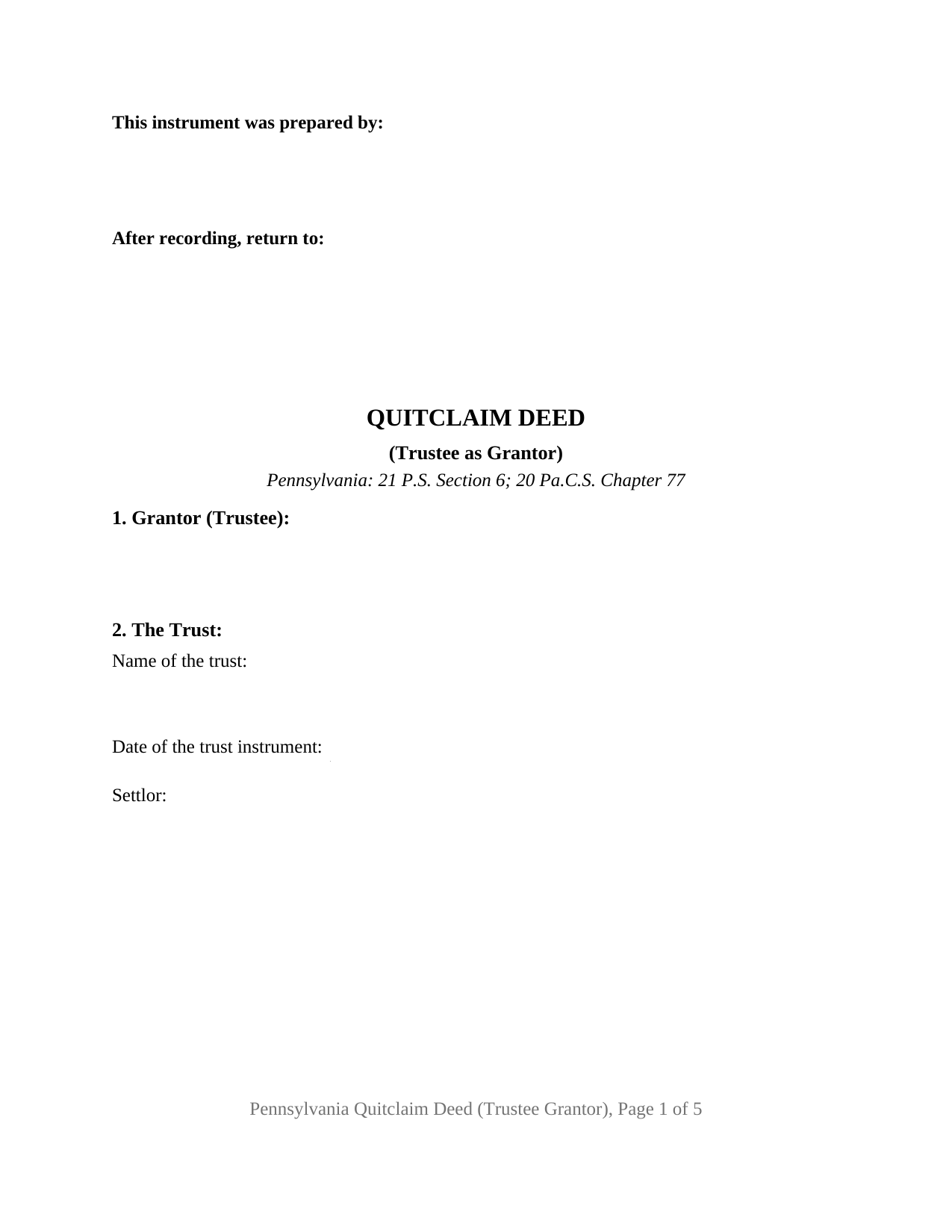
Pike County Quitclaim Deed (Trustee Grantor) Form
Fill in the blank Quitclaim Deed (Trustee Grantor) form formatted to comply with all Pennsylvania recording and content requirements.
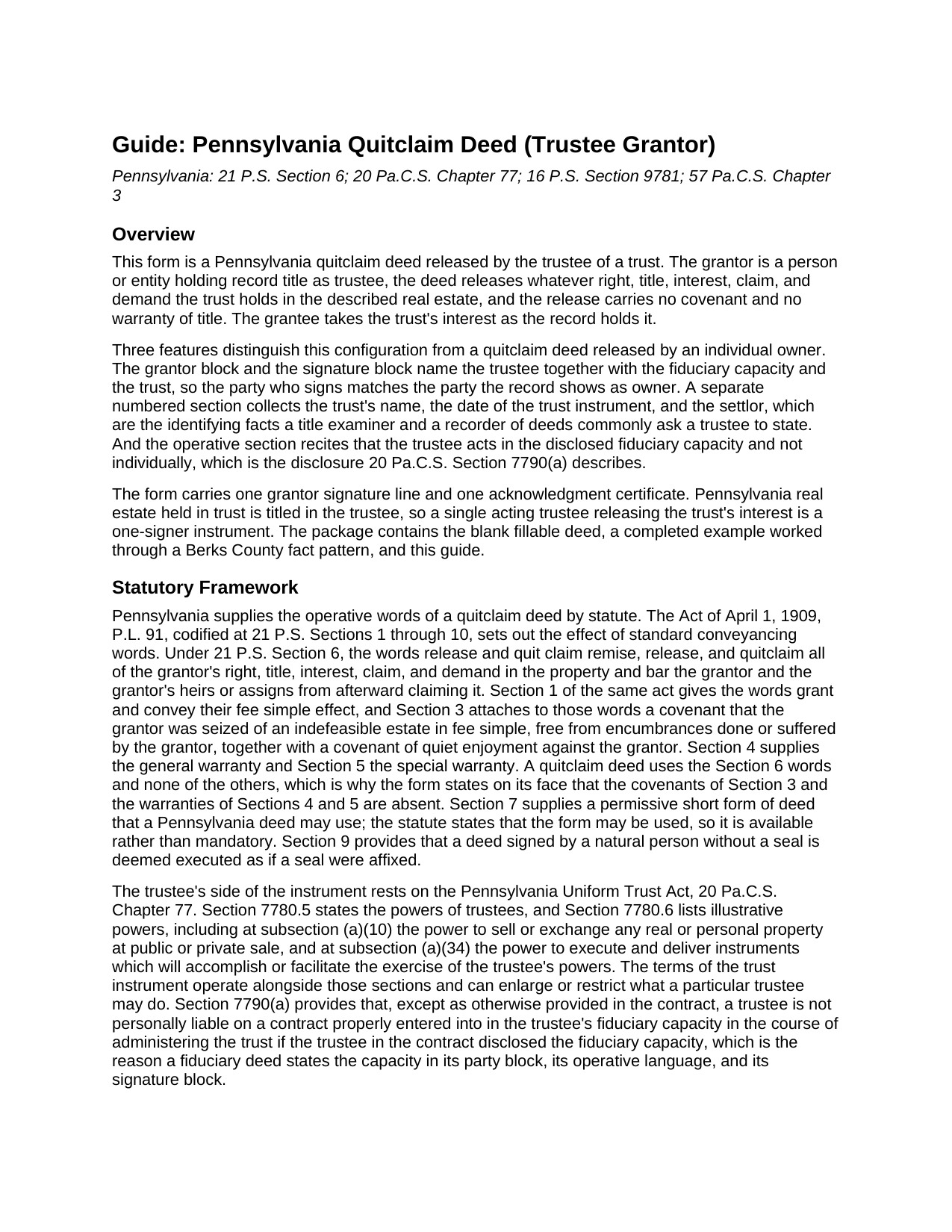
Pike County Quitclaim Deed (Trustee Grantor) Guide
Line by line guide explaining every blank on the Quitclaim Deed (Trustee Grantor) form.
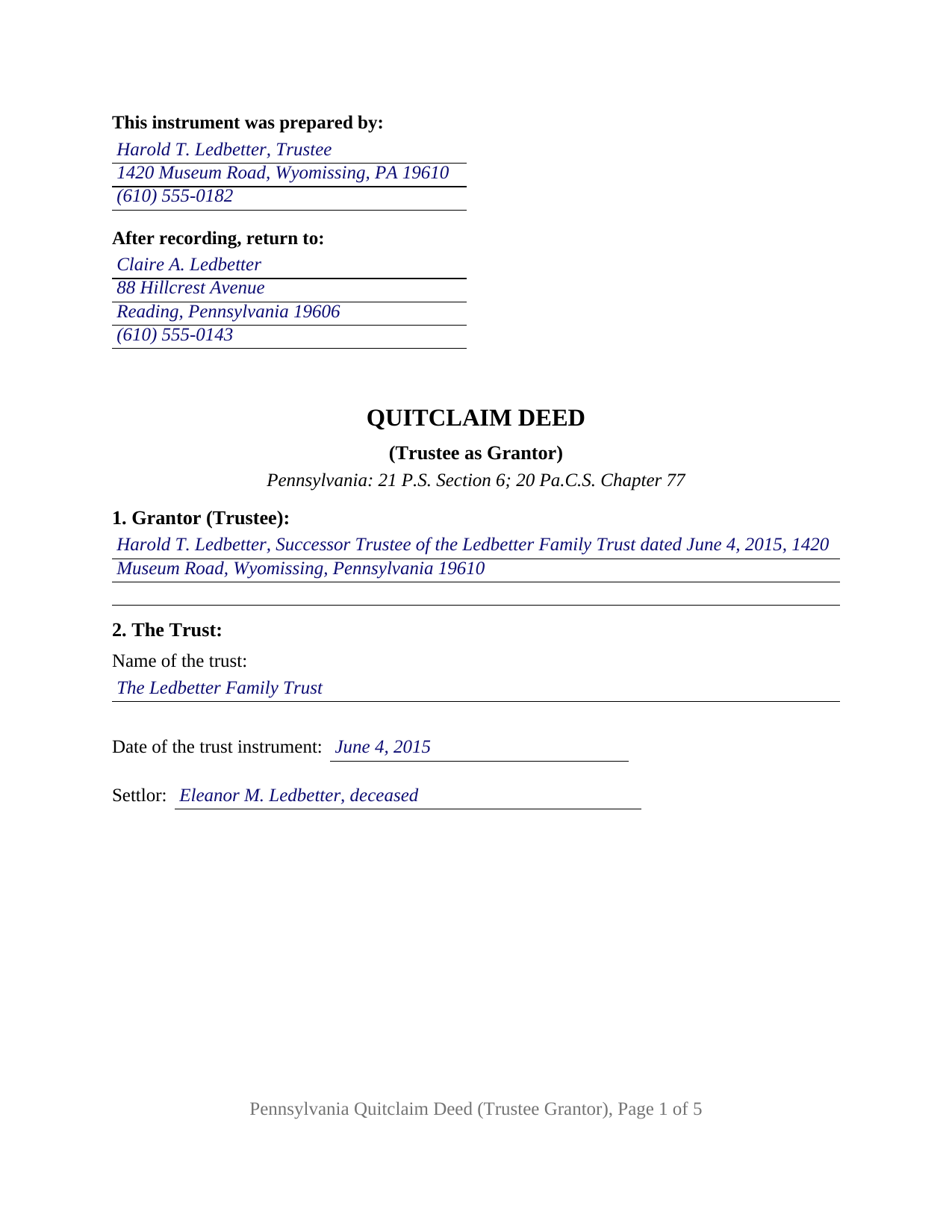
Pike County Completed Example of the Quitclaim Deed (Trustee Grantor) Document
Example of a properly completed Pennsylvania Quitclaim Deed (Trustee Grantor) document for reference.
All 3 documents above included • One-time purchase • No recurring fees
Immediate Download • Secure Checkout
Additional Pennsylvania and Pike County documents included at no extra charge:
Where to Record Your Documents
Pike County Recorder of Deeds
Milford, Pennsylvania 18337
Hours: 8:30 a.m. - 4:30 p.m. Monday - Friday
Phone: (570) 296-3508
Recording Tips for Pike County:
- Bring your driver's license or state-issued photo ID
- Ensure all signatures are in blue or black ink
- Leave recording info boxes blank - the office fills these
- Make copies of your documents before recording - keep originals safe
- Recorded documents become public record - avoid including SSNs
Cities and Jurisdictions in Pike County
Properties in any of these areas use Pike County forms:
- Bushkill
- Dingmans Ferry
- Greeley
- Greentown
- Hawley
- Lackawaxen
- Matamoras
- Milford
- Millrift
- Paupack
- Rowland
- Shohola
- Tafton
- Tamiment
- Unity House
Hours, fees, requirements, and more for Pike County
How do I get my forms?
Forms are available for immediate download after payment. The Pike County forms will be in your account ready to download to your computer. An account is created for you during checkout if you don't have one. Forms are NOT emailed.
Are these forms guaranteed to be recordable in Pike County?
Yes. Our form blanks are guaranteed to meet or exceed the applicable formatting requirements used for recording in Pike County, including margin requirements, font requirements, and other layout standards. This guarantee applies to formatting, not to the legal sufficiency of information entered by the user or the suitability of a form for a particular transaction.
Can I reuse these forms?
Yes. You can reuse the forms for your personal use. For example, if you have multiple properties in Pike County you only need to order once.
What do I need to use these forms?
The forms are PDFs that you fill out on your computer. The free Adobe Acrobat Reader is recommended, and most PDF apps also work. You do NOT enter your property information online - you download the blank forms and complete them privately on your own computer.
Are there any recurring fees?
No. This is a one-time purchase. Nothing to cancel, no memberships, no recurring fees.
How much does it cost to record in Pike County?
Recording fees in Pike County vary. Contact the recorder's office at (570) 296-3508 for current fees.
Questions answered? Let's get started!
The party releasing title on this Pennsylvania quitclaim deed signs an office rather than a personal holding. The grantor is a trustee, the interest released belongs to a trust, and the instrument says so three times over: in the grantor block, in the operative sentence, and above the signature line. That disclosure does work. Under 20 Pa.C.S. Section 7790(a), a trustee who discloses the fiduciary capacity is not personally liable on a contract properly entered into in that capacity in the course of administering the trust.
A grantor named by office, trust, and date
The form collects its identifying facts before it releases anything. The grantor block takes the trustee's name, capacity, and address, and a numbered section beneath it takes the trust's name, the date its instrument was executed, and the settlor. What the deed does not do is prove any of it: a recital states the status asserted, and authority to release trust property comes from the trust instrument together with the trustee powers of 20 Pa.C.S. Sections 7780.5 and 7780.6, which include selling or exchanging real property and executing the instruments that carry those powers into effect.
What protects the party on the other side
Pennsylvania answers the authority question outside the deed. Under 20 Pa.C.S. Section 7790.2, a person dealing with a trustee, absent actual knowledge of a breach of trust or of facts amounting to bad faith, may assume without inquiry that the trust powers exist and are properly exercised, and is fully protected as if they were. Subsection (c.1) adds that a trustee's act is not set aside merely for going beyond the listed powers, while a court stays free to act on fraud, accident, mistake, or self dealing. What the release carries is fixed by 21 P.S. Section 6: remising, releasing, and quitclaiming the whole of the grantor's right, title, interest, claim, and demand, with no covenant under 21 P.S. Section 3 and neither warranty of Sections 4 and 5.
Transfer tax turns on where the property is headed
A conveyance out of a trust is measured by its destination, not by its label (61 Pa. Code Section 91.164). Under 61 Pa. Code Section 91.156(e)(1), a transfer from the trustee of a living trust during the settlor's lifetime to a grantee other than the settlor is treated as if the settlor had made it directly, so the exclusions tested are the ones that would reach the settlor's own deed. Subsection (e)(2) excludes a transfer from the trustee of a living trust back to its settlor. Subsection (f) reaches a distribution after the settlor's death, exempting it only for no or nominal consideration and only to the person entitled under the governing instrument to the real estate or its sale proceeds; subsection (d) states the parallel rule for an ordinary trust. Subsection (g) sets the condition all of them share: the recorder of deeds is presented with a copy of the trust agreement.
One acting trustee, one certificate
The architecture matches a single fiduciary title. The grantor block names the acting trustee together with the capacity; a signature line beneath the release takes that trustee's printed name and the date; and the notarial certificate that follows carries the short form wording supplied by 57 Pa.C.S. Section 316, which lets a trustee appear before a notarial officer of any state, or remotely under 57 Pa.C.S. Section 306.1. Releases on this configuration recur in Pennsylvania record rooms: a trustee distributing a parcel to the beneficiary entitled to it after the settlor has died, a trustee handing record title back to the settlor of a revocable trust, and and a successor trustee releasing a stray claim held in a former trustee's name so a sale can close. One acting trustee is what the form recites; where cotrustees hold title and the trust calls for more than one to act, each of them executes the release, a multiple-signer grantor arrangement this deed does not print. Section 12 closes the form with the residence certificate that 16 P.S. Section 9781 conditions recording on, stating where the grantee resides and the grantee's full post-office address, and the grantee signs it.
The download holds the blank deed as a fillable PDF, a completed example following a Berks County distribution out of a family trust, and a plain-language guide to the twelve sections, the capacity rules, notarization, the trust tax subsections, and county recording. The materials describe Pennsylvania law in general terms and are not legal advice.
Important: Your property must be located in Pike County to use these forms. Documents should be recorded at the county recording office listed above.
This Quitclaim Deed (Trustee Grantor) meets all recording requirements specific to Pike County.
Our Promise
The documents you receive here are guaranteed to meet or exceed the applicable Pike County recording format requirements. If there is a rejection caused by our formatting, we will correct the issue or refund your payment. This guarantee applies to document formatting only and does not extend to information entered by the user, the selection of the form, or the legal effect of the completed document.
Save Time and Money
Get your Pike County Quitclaim Deed (Trustee Grantor) form done right the first time with Deeds.com Uniform Conveyancing Blanks. At Deeds.com, we understand that your time and money are valuable resources, and we don't want you to face a penalty fee or rejection imposed by a county recorder for submitting nonstandard documents. We constantly review and update our forms to meet rapidly changing state and county recording requirements for roughly 3,500 counties and local jurisdictions.
4.8 out of 5 - ( 4,829 Reviews )
Emanuel W. 5 out of 5 stars
Excellent service! We surely use again
Thank you for your feedback. We really appreciate it. Have a great day!
Jane N. 5 out of 5 stars
Good morning, It seems to be easy to navigate and print out the form I needed. Great!!! Jane
We appreciate your business and value your feedback. Thank you. Have a wonderful day!
Roger G. 5 out of 5 stars
Straight to the point and easy to use site.
Thank you!
Thomas D. 2 out of 5 stars
The documents themselves are fine and the information provided with them is helpful. I find the actual processing of the documents, however, to be difficult particularly once the document has been saved. First, I note that the box for the date only allows entry of the last 2 digits of the year. Unfortunately, my download only allows me to enter one of the 2 digits required. When I delete it repeatedly, it eventually allows both digits to be entered but puts them in extremely small text and in superscrypt. I have not found a solution to this problem and am not sure the deed can even be recorded with this problem. Another problem is that if you try to revise the document after you have saved it the curser goes to the end of the line after each key entry. This means that there basically is no way to efficiently save the document for reworking later since you will have to delete everything you have entered in the text box unless you only need to make a single keystroke change or are willing to replace the curser after each entry. Try that with a long property description! Please note that I am using a Mac to prepare my documents and perhaps this is part of an "incompatibility problem". However, I didn't see a disclaimer regarding Mac use and so would expect the documents to perform correctly. Overall, I give the program a "2 star" rating because I am experiencing significant difficulties in entering dates in the documents even before saving them and because saving your work for later revision appears to be basically unworkable.
Thank you for your feedback Thomas, we appreciate you being specific about the issues you encountered. Adobe and Mac have a fairly long history of issues working together.
brian p. 4 out of 5 stars
Good, easy to use, quit claim form worked as expected.
We appreciate your business and value your feedback. Thank you. Have a wonderful day!
fran g. 5 out of 5 stars
To hard for me. But with that being said it's a great option for most people.
Thank you!
Samuel M. 4 out of 5 stars
it was convenient to have a starting place, however, though the property is in Colorado, the probate is in Iowa, so I had to create my own document because you locked my capacity to edit the form I paid for. If I pay for it, I should be able to edit everything including non fill in text. I could not open it in word, as I normally could.
Thank you for your feedback. We really appreciate it. Have a great day!
Kimberly H. 5 out of 5 stars
Very convenient, easy to use, and fast! I highly recommend Deeds.com!
We appreciate your business and value your feedback. Thank you. Have a wonderful day!
Melissa H. 5 out of 5 stars
Amazing forms! Order the quitclaim deed forms, got the form and lots of extra forms which is good because I needed a few of them and didn't even know it. Very happy, will be back if needed.
We appreciate your business and value your feedback. Thank you. Have a wonderful day!
Felice T. 5 out of 5 stars
Very easy to use and responsive.
Thank you for your feedback. We really appreciate it. Have a great day!
Pam B. 4 out of 5 stars
This form really helped me out a lot could be a little more explanatory in some areas but all and all it works.
Thanks Pam, we appreciate your feedback.
Margaret G. 5 out of 5 stars
Easy to navigate.
Thank you!
Kevin C. 5 out of 5 stars
Easy to use but the quit claim deep looked old and dated. The example of how to fill out should have asterisks stating what is need and what can be skipped
Thank you for your feedback. We really appreciate it. Have a great day!
Christi W. 5 out of 5 stars
Very simple and made recording a breeze. Worth the fee!
We appreciate your business and value your feedback. Thank you. Have a wonderful day!
John R. 5 out of 5 stars
All the material included made preparing the quit claim deed very easy. Good product.
Thank you for your feedback. We really appreciate it. Have a great day!