Saluda County Affidavit of Deceased Joint Tenant Form
Last validated September 25, 2026 by our Forms Development TeamFormatted for recording in Saluda County, for property anywhere in the county: rural and unincorporated areas as well as Ridge Spring, Saluda, Ward.
- 3 documents included
- Immediate PDF download
- Formatting guarantee
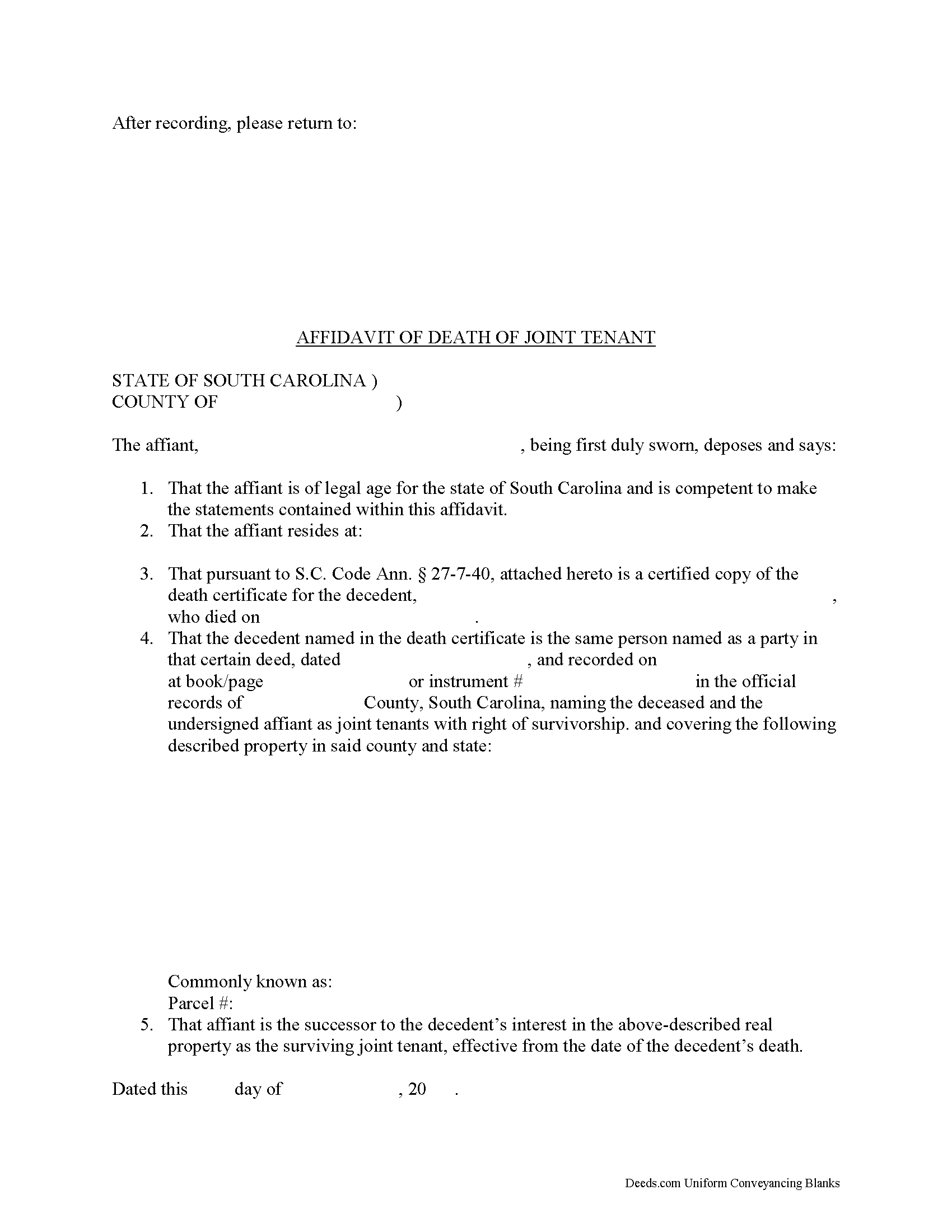
Saluda County Affidavit of Deceased Joint Tenant Form
Fill in the blank form formatted to comply with all recording and content requirements.
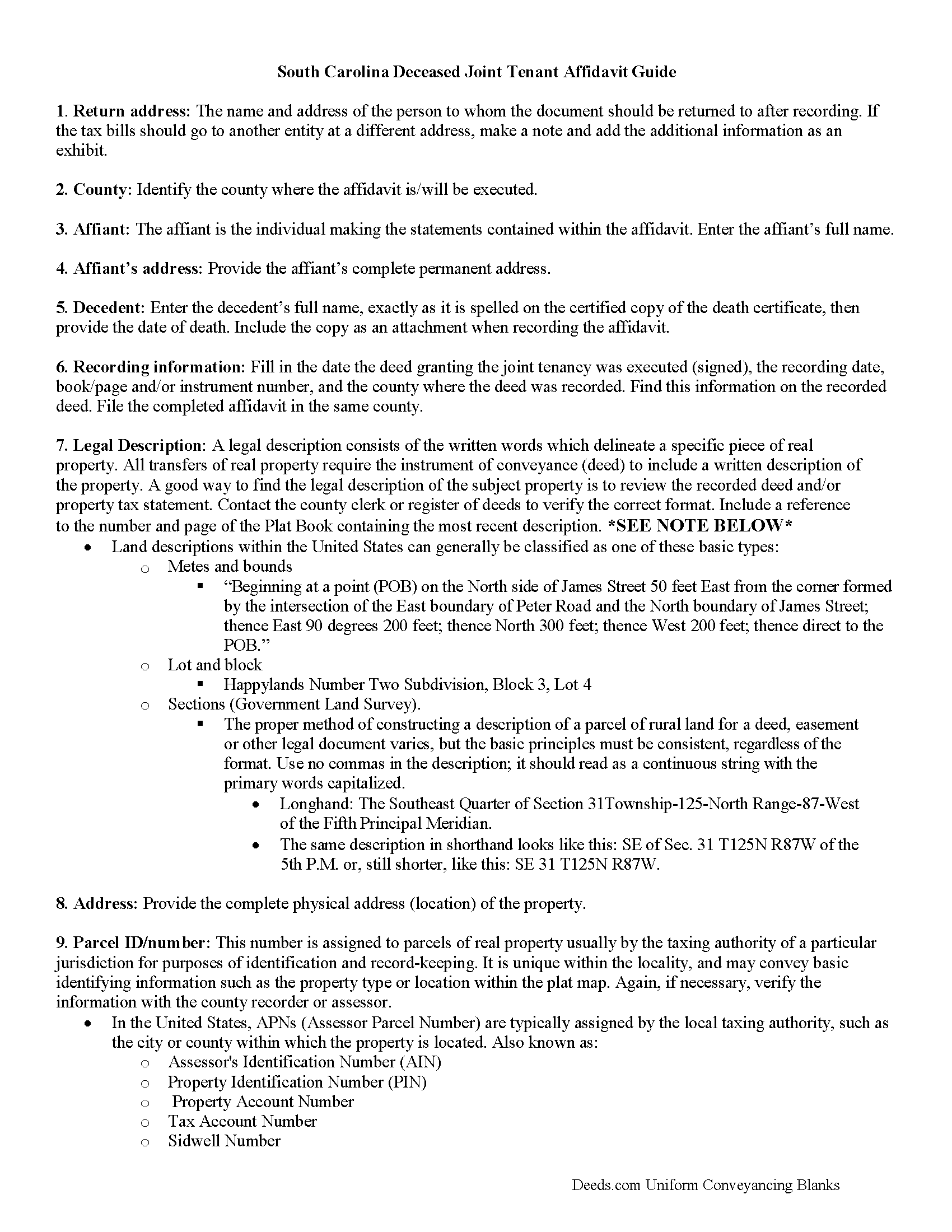
Saluda County Affidavit of Deceased Joint Tenant Guide
Line by line guide explaining every blank on the form.
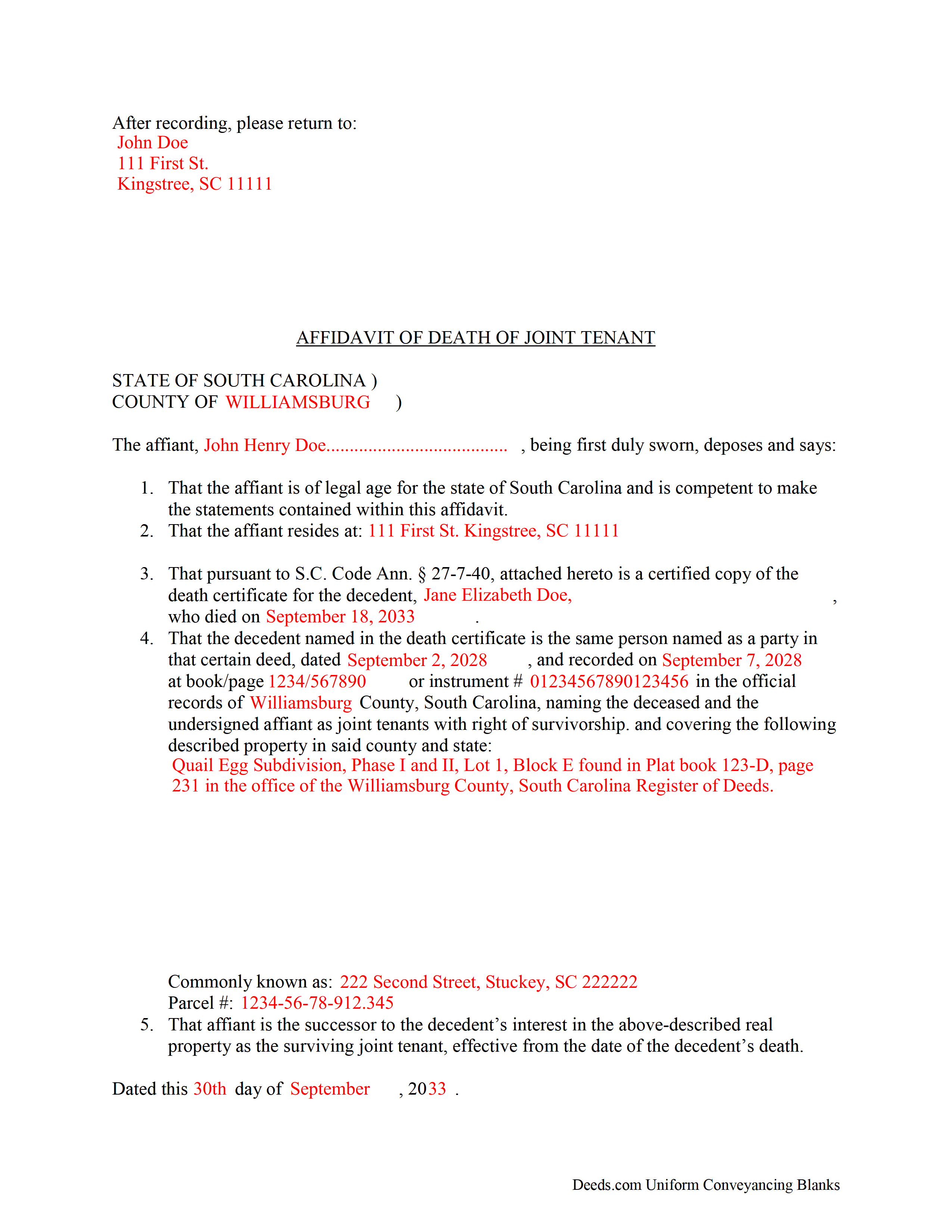
Saluda County Completed Example of the Affidavit of Deceased Joint Tenant Document
Example of a properly completed form for reference.
All 3 documents above included • One-time purchase • No recurring fees
Immediate Download • Secure Checkout
Additional South Carolina and Saluda County documents included at no extra charge:
Where to Record Your Documents
Saluda County Clerk of Court
Saluda, South Carolina 29138
Hours: 8:30am - 5:00pm M-F
Phone: (864) 445-4500 Ext 2216
Recording Tips for Saluda County:
- Bring your driver's license or state-issued photo ID
- Ensure all signatures are in blue or black ink
- Bring extra funds - fees can vary by document type and page count
- Check margin requirements - usually 1-2 inches at top
- Leave recording info boxes blank - the office fills these
Cities and Jurisdictions in Saluda County
Properties in any of these areas use Saluda County forms:
- Ridge Spring
- Saluda
- Ward
Hours, fees, requirements, and more for Saluda County
How do I get my forms?
Forms are available for immediate download after payment. The Saluda County forms will be in your account ready to download to your computer. An account is created for you during checkout if you don't have one. Forms are NOT emailed.
Are these forms guaranteed to be recordable in Saluda County?
Yes. Our form blanks are guaranteed to meet or exceed the applicable formatting requirements used for recording in Saluda County, including margin requirements, font requirements, and other layout standards. This guarantee applies to formatting, not to the legal sufficiency of information entered by the user or the suitability of a form for a particular transaction.
Can I reuse these forms?
Yes. You can reuse the forms for your personal use. For example, if you have multiple properties in Saluda County you only need to order once.
What do I need to use these forms?
The forms are PDFs that you fill out on your computer. The free Adobe Acrobat Reader is recommended, and most PDF apps also work. You do NOT enter your property information online - you download the blank forms and complete them privately on your own computer.
Are there any recurring fees?
No. This is a one-time purchase. Nothing to cancel, no memberships, no recurring fees.
How much does it cost to record in Saluda County?
Recording fees in Saluda County vary. Contact the recorder's office at (864) 445-4500 Ext 2216 for current fees.
Questions answered? Let's get started!
Joint tenancy in South Carolina is governed by S.C. Code Ann. 27-7-40.
When two or more people share ownership of real property, they have choice of ways in which to hold title -- either as tenants in common or as joint tenants with the right of survivorship.
Tenancy in common is the standard form of co-ownership. In it, each person owns a percentage of the land, and when the owner dies, that portion passes to his/her estate where it is distributed during the probate process.
Joint tenancy, on the other hand, must be declared in the text of the deed: "whenever any deed of conveyance of real estate contains the names of the grantees followed by the words 'as joint tenants with rights of survivorship, and not as tenants in common' the creation of a joint tenancy with rights of survivorship in the real estate is conclusively deemed to have been created" ( 27-7-40(a)).
The statutes go on to explain that in the "event of the death of a joint tenant, and in the event only one other joint tenant in the joint tenancy survives, the entire interest of the deceased joint tenant in the real estate vests in the surviving joint tenant, who is vested with the entire interest in the real estate owned by the joint tenants" ( 27-7-40(a)(i)).
If one or more joint tenant survives the deceased owner, "the entire interest of the deceased joint tenant vests equally in the surviving joint tenants who continues to own the entire interest owned by them as joint tenants with right of survivorship" ( 27-7-40(a)(ii)).
So, how does the survivorship process work? The statutes direct the surviving joint tenant or tenants to file with the Register of Deeds of the county in which the real estate is located a certified copy of the certificate of death of the deceased joint tenant. The fee to be paid to the Register of Deeds for this filing is the same as the fee for the deed of conveyance. The Register of Deeds must index the certificate of death under the name of the deceased joint tenant in the grantor deed index of that office. The filing of the certificate of death is conclusive that the joint tenant is deceased and that the interest of the deceased joint tenant has vested by operation of law in the surviving joint tenant or tenants in the joint tenancy in real estate" ( 27-7-40(b)).
While there is no specific statutory obligation to submit the certified copy of the death certificate with an affidavit attesting to the details of the change in ownership status, it makes sense to do so. An affidavit contains statements, made under oath, which can be admitted as evidence in court. By recording an affidavit of deceased joint tenant along with the death certificate, the surviving owner(s) protect the title to the real estate. Maintaining a clear chain of title leads to less complicated sales in the future because the title search will show a continuous series of owners and transfers, which reduces the likelihood of unexpected claims against the title.
Even though recording the affidavit of deceased joint tenant and the official copy of the death certificate initiates the process of distributing the decedent's share of the real property, the only way to remove his/her name from the title is to record a new deed with the updated information.
(South Carolina AODJT Package includes form, guidelines, and completed example)
Important: Your property must be located in Saluda County to use these forms. Documents should be recorded at the county recording office listed above.
This Affidavit of Deceased Joint Tenant meets all recording requirements specific to Saluda County.
Our Promise
The documents you receive here are guaranteed to meet or exceed the applicable Saluda County recording format requirements. If there is a rejection caused by our formatting, we will correct the issue or refund your payment. This guarantee applies to document formatting only and does not extend to information entered by the user, the selection of the form, or the legal effect of the completed document.
Save Time and Money
Get your Saluda County Affidavit of Deceased Joint Tenant form done right the first time with Deeds.com Uniform Conveyancing Blanks. At Deeds.com, we understand that your time and money are valuable resources, and we don't want you to face a penalty fee or rejection imposed by a county recorder for submitting nonstandard documents. We constantly review and update our forms to meet rapidly changing state and county recording requirements for roughly 3,500 counties and local jurisdictions.
4.8 out of 5 - ( 4,830 Reviews )
Yvette B. 5 out of 5 stars
Efficient
Thank you!
Marcia H. 5 out of 5 stars
This was so easy and fast! Plus it had all the information I needed in one place. The example was right on point too!
Thank you for your feedback. We really appreciate it. Have a great day!
Elizabth T. 5 out of 5 stars
Deed instructions were easy to follow & understand. Deed was exactly what I needed at a fair price.
Great to hear — thank you for taking the time to write a review.
Ryan K. 5 out of 5 stars
Excellent service! Quick and much easier than having to do everything through the mail. The agent was quick to answer questions and everything was processed and submitted from Deeds.com within a couple of hours. Will definitely use again if the need arises.
We appreciate your business and value your feedback. Thank you. Have a wonderful day!
Darius M. 5 out of 5 stars
I receive the specific legal forms that I needed as well as a guide on how to fill out the form. Very pleased. I saved $300.00 in lawyers fees by filling out the Quickclaim deed myself.
Thank you for your feedback. We really appreciate it. Have a great day!
Michael D. 1 out of 5 stars
I did not like the size of the Warranty Deed form which took 2 pages to print. It should be no larger than 8 1/2 by 14 inches. I did not like that I could not reformat it to be smaller, could not eliminate unused lines, could not delete the excessive 4 signature lines, could not copy or paste into text editor. Very unsatisfactory rating.
Thank you for your feedback Michael. Unfortunately we don't make the requirements, we only make the documents to be compliant with the requirements. Have a great day!
Keri C. 5 out of 5 stars
It was confusing at first, but the customer service was excellent and fast and I got everything taken care of right away. I'll use Deeds.com even after the recorder's office is open to the public.
Thank you for your feedback. We really appreciate it. Have a great day!
Tiffany W. 5 out of 5 stars
Exactly what I needed and with the help of ChatGPT who needs a damn lawyer for anything.
We’re glad to hear things went well. Thank you for the review.
Sharom B. 5 out of 5 stars
Easy to navigate site and download forms to PC!
We appreciate your business and value your feedback. Thank you. Have a wonderful day!
Andrew S. 5 out of 5 stars
This is fast and easy.
We appreciate your business and value your feedback. Thank you. Have a wonderful day!
Jennifer D. 5 out of 5 stars
I was skeptical; but, so thankful I went with them. They were beyond helpful through the entire process and very patient with me. I could not have done my quit deed form without them. Thank you for all of your help.
We appreciate your business and value your feedback. Thank you. Have a wonderful day!
Cherie J K. 5 out of 5 stars
needed to prepare a corrective deed and found this great website to print the corrective deed and instructions and example of corrective deed
We appreciate your business and value your feedback. Thank you. Have a wonderful day!
Norma C. 5 out of 5 stars
Great service and process for recording deeds quickly and easily. Also impressed with prompt replies to messages providing clear and specific instructions/guidance.
We appreciate your business and value your feedback. Thank you. Have a wonderful day!
Yolanda S. 5 out of 5 stars
very professional
Thank you!
Cynthia S. 5 out of 5 stars
The staff was wonderful we needed an additional state form for Wisconsin for the transfer. They went Above And Beyond assisting it was they were just amazing. They are truly an asset and I am very grateful.
Great to hear — thank you for taking the time to write a review.