Berkeley County Easement Deed Form
Last validated November 23, 2026 by our Forms Development TeamFormatted for recording in Berkeley County, for property anywhere in the county: rural and unincorporated areas as well as Bethera, Bonneau, Charleston, Cordesville, Cross, Goose Creek, Hanahan, Huger and 7 more.
- 4 documents included
- Immediate PDF download
- Formatting guarantee
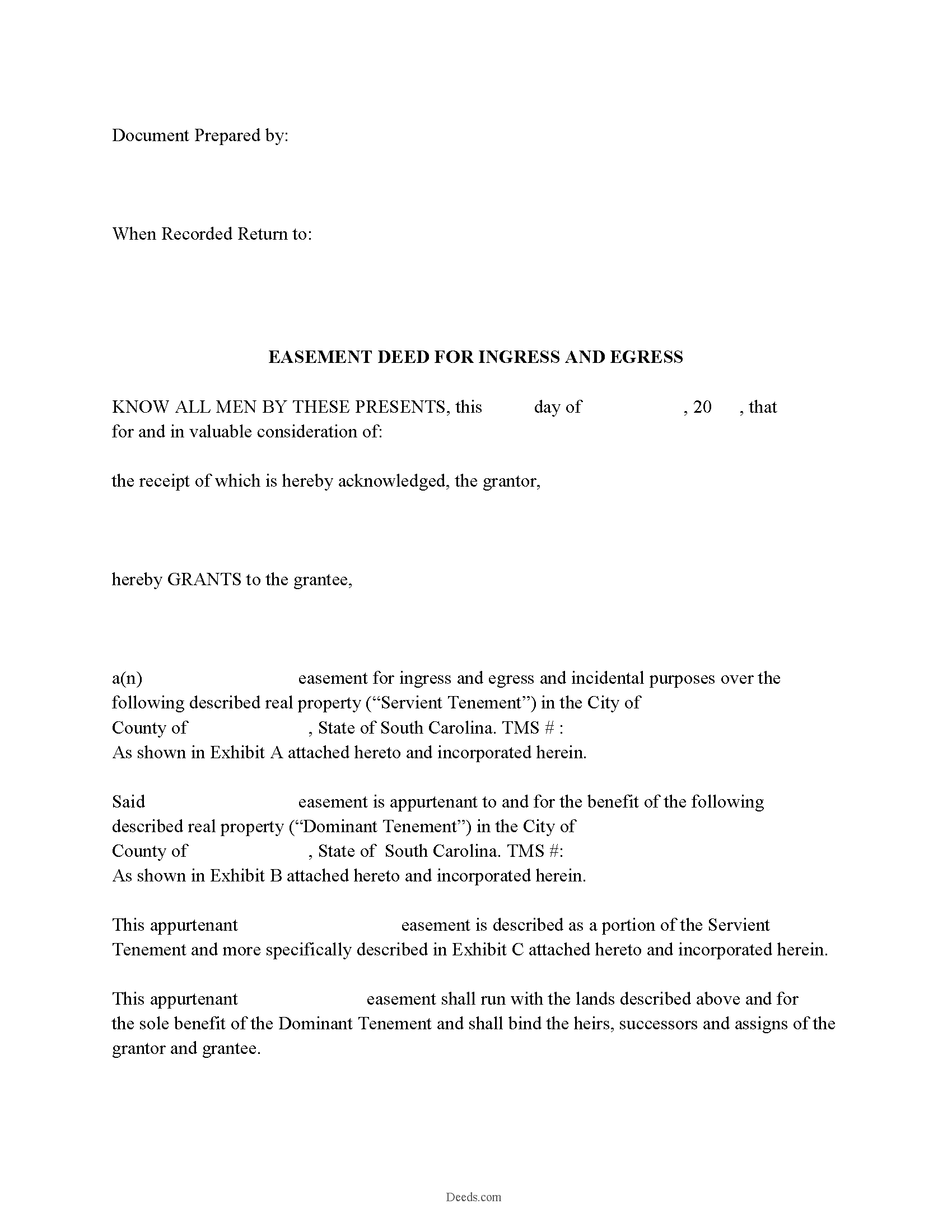
Berkeley County Easement Deed Form
Fill in the blank form formatted to comply with all recording and content requirements.
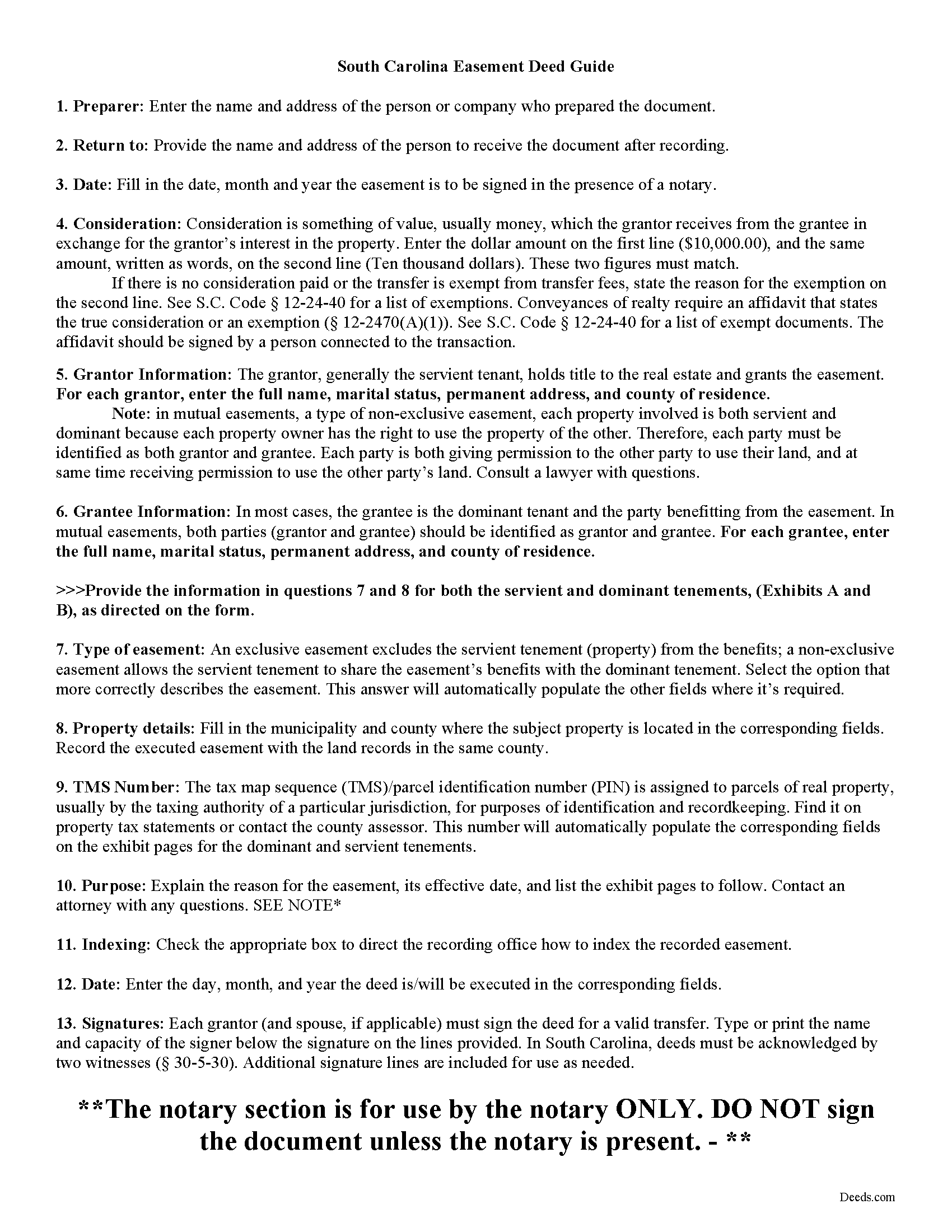
Berkeley County Easement Deed Guide
Line by line guide explaining every blank on the form.
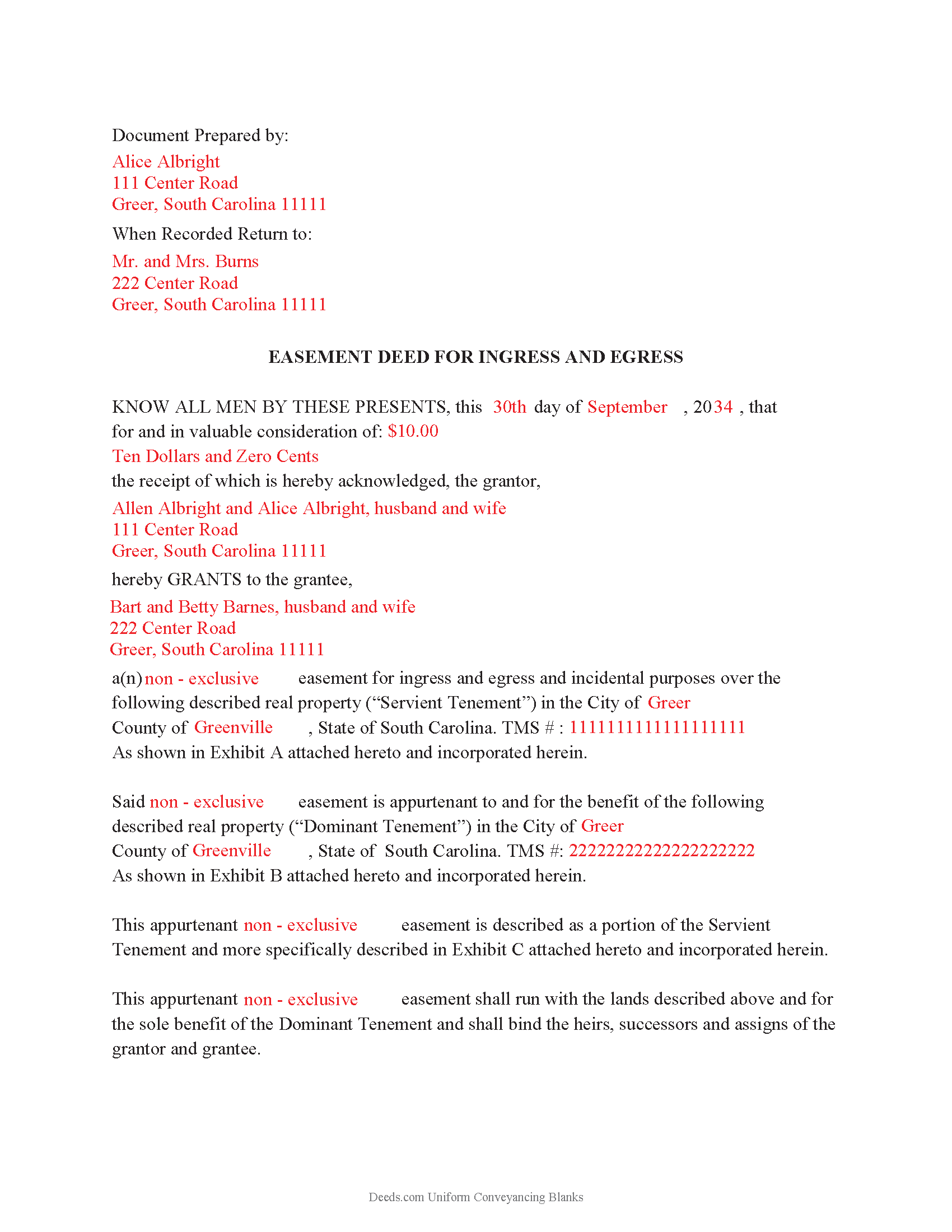
Berkeley County Completed Example of the Easement Deed Document
Example of a properly completed form for reference.
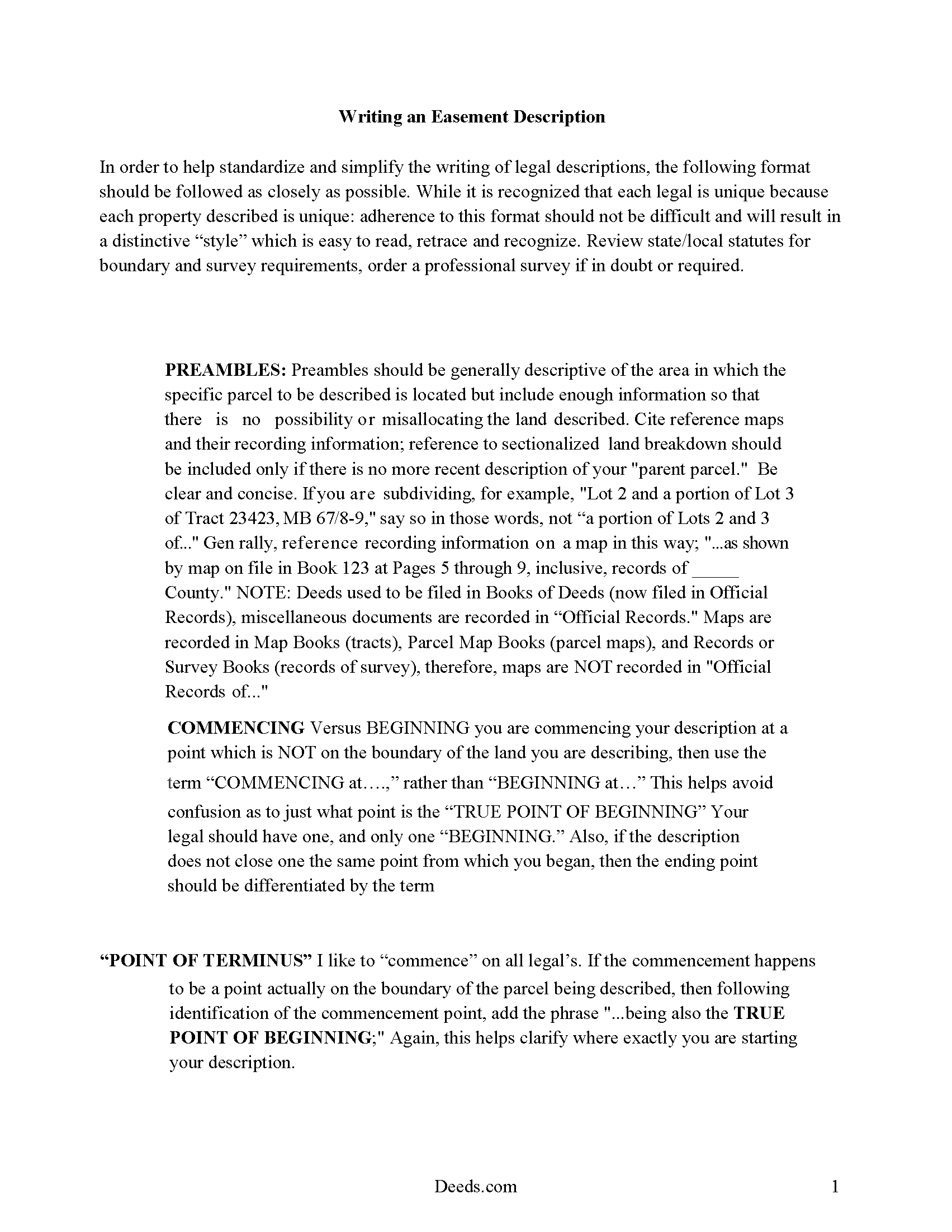
Berkeley County Easement Deed Description
A Description of the Easement will be required. This will show how to write an acceptable description for a Right of Way Easement, which gives access, to and from - point A to point B.
All 4 documents above included • One-time purchase • No recurring fees
Immediate Download • Secure Checkout
Additional South Carolina and Berkeley County documents included at no extra charge:
Where to Record Your Documents
Berkeley County Register of Deeds
Moncks Corner, South Carolina 29461
Hours: 9:00am to 5:00pm Monday through Friday
Phone: (843) 719-4084
Recording Tips for Berkeley County:
- Bring your driver's license or state-issued photo ID
- Ensure all signatures are in blue or black ink
- Both spouses typically need to sign if property is jointly owned
- Bring extra funds - fees can vary by document type and page count
- Check margin requirements - usually 1-2 inches at top
Cities and Jurisdictions in Berkeley County
Properties in any of these areas use Berkeley County forms:
- Bethera
- Bonneau
- Charleston
- Cordesville
- Cross
- Goose Creek
- Hanahan
- Huger
- Jamestown
- Ladson
- Moncks Corner
- Pineville
- Pinopolis
- Russellville
- Saint Stephen
Hours, fees, requirements, and more for Berkeley County
How do I get my forms?
Forms are available for immediate download after payment. The Berkeley County forms will be in your account ready to download to your computer. An account is created for you during checkout if you don't have one. Forms are NOT emailed.
Are these forms guaranteed to be recordable in Berkeley County?
Yes. Our form blanks are guaranteed to meet or exceed the applicable formatting requirements used for recording in Berkeley County, including margin requirements, font requirements, and other layout standards. This guarantee applies to formatting, not to the legal sufficiency of information entered by the user or the suitability of a form for a particular transaction.
Can I reuse these forms?
Yes. You can reuse the forms for your personal use. For example, if you have multiple properties in Berkeley County you only need to order once.
What do I need to use these forms?
The forms are PDFs that you fill out on your computer. The free Adobe Acrobat Reader is recommended, and most PDF apps also work. You do NOT enter your property information online - you download the blank forms and complete them privately on your own computer.
Are there any recurring fees?
No. This is a one-time purchase. Nothing to cancel, no memberships, no recurring fees.
How much does it cost to record in Berkeley County?
Recording fees in Berkeley County vary. Contact the recorder's office at (843) 719-4084 for current fees.
Questions answered? Let's get started!
An easement is a non-possessory right of use over another's land that allows the holder to use another's property for a specific purpose. Easements may be express or implied. An express easement can be created by deed, contract, or other written instrument. An express easement must describe the scope of the interest being conveyed, along with the location and dimensions of the easement. An implied easement can be created by pre-existing use, when it is evident that the parties involved intended to create an easement.
Before a deed or other instrument of writing can be recorded in South Carolina, it must be acknowledged or proved by either of the following methods: (A) the execution of the deed must be proved by the affidavit of a subscribing witness to the instrument, taken before an officer in the state competent to administer oaths or (B) a deed or other instrument must be signed by the grantor in the presence of two witnesses, taken before an officer in the state competent to administer oaths (30-5-30A, B). A notary public may be one of the witnesses to an easement deed. Acknowledgments taken out of state must comply with the Uniform Recognition of Acknowledgments Act (30-5-30.2). A derivation clause is required to be on most real estate deeds presented for recording, but is not required for a deed devoted to a utility or railroad purpose of any private or public utility or railroad. A derivation clause is also not required on any non-warranty or quitclaim deed in South Carolina (30-5-35).
An easement deed will be valid so as to affect the rights of subsequent purchasers or purchasers for valuable consideration without notice only from the time it is recorded with the register of deeds in the county where the property subject to the easement is located. The priority of instruments is determined by the time of filing for record (30-7-10). The recording of documents serves to establish a priority of claims against a specific property.
(South Carolina ED Package includes form, guidelines, and completed example)
Important: Your property must be located in Berkeley County to use these forms. Documents should be recorded at the county recording office listed above.
This Easement Deed meets all recording requirements specific to Berkeley County.
Our Promise
The documents you receive here are guaranteed to meet or exceed the applicable Berkeley County recording format requirements. If there is a rejection caused by our formatting, we will correct the issue or refund your payment. This guarantee applies to document formatting only and does not extend to information entered by the user, the selection of the form, or the legal effect of the completed document.
Save Time and Money
Get your Berkeley County Easement Deed form done right the first time with Deeds.com Uniform Conveyancing Blanks. At Deeds.com, we understand that your time and money are valuable resources, and we don't want you to face a penalty fee or rejection imposed by a county recorder for submitting nonstandard documents. We constantly review and update our forms to meet rapidly changing state and county recording requirements for roughly 3,500 counties and local jurisdictions.
4.8 out of 5 - ( 4,867 Reviews )
Kerry H. 5 out of 5 stars
Good experience - Just what I needed
Thank you Kerry, have an awesome day!
Tarik W. 5 out of 5 stars
Excellent customer service!!!!!
We appreciate your business and value your feedback. Thank you. Have a wonderful day!
A. S. 3 out of 5 stars
First, I am glad that you gave a blank copy, an example copy, and a 'guide'. It made it much easier to do. Overall I was very happy with your products and organization... however, things got pretty confusing and I have a pretty 'serious' law background in Real Estate and Civil law. With that said, I spent about 10+ hours getting my work done, using the Deed of Trust and Promissory note from you and there were a few problems: First, it would be FANTASTIC if you actually aligned your guide to actually match the Deed or Promissory Note. What I mean is that if the Deed says 'section (E)' then your guide shouldn't be 'randomly' numbered as 1,2,3, for advice/instructions, but should EXACTLY match 'section (E)'. Some places you have to 'hunt' for what you are looking for, and if you did it based on my suggestion, you wouldn't need to 'hunt' and it would avoid confusion. 2nd: This one really 'hurt'... you had something called the 'Deed of Trust Master Form' yet you had basically no information on what it was or how to use it. The only information you had was a small section at the top of the 'Short Form Deed of Trust Guide'. Holy Cow, was that 'section' super confusing. I still don't know if I did it correctly, but your guide says only put a return address on it and leave the rest of the 16 or so page Deed of Trust beneath it blank... and then include your 'Deed of Trust' (I had to assume the short form deed that I had just created) as part of it. I had to assume that I had to print off the entire 17 page or so title page and blank deed. I also had to assume that the promissory note was supposed to be EXHIBIT A or B on the Short Form Deed. It would be great if someone would take a serious look at that short section in your 'Short Form Deed of Trust Guide' and realize that those of us using your products are seriously turning this into a county clerk to file and that most of us, probably already have a property that has an existing Deed... or at least can find one in the county records if necessary... and make sure that you make a distinction between the Deed for the property that already exists, versus the Deed of Trust and Promissory note that we are trying to file. Thanks.
Thank you for your feedback. We'll have staff review the document for clarity. Have a great day!
Wesley R T. 5 out of 5 stars
Great service and easy use
We appreciate your business and value your feedback. Thank you. Have a wonderful day!
Jeffrey B. 5 out of 5 stars
Love Deeds.com! I was a little confused as to how to go about Quitclaiming, but you made it very easy! Thank you SO much!
We appreciate your business and value your feedback. Thank you. Have a wonderful day!
Thomas W. 5 out of 5 stars
The serevice was fast and accurate. I would highly recommend Deeds.com to my friends and associates.
Thank you!
Diana M. 5 out of 5 stars
Awesome service. Quick and easy. Complete directions on how to complete the forms with examples for further assistance.
We appreciate your business and value your feedback. Thank you. Have a wonderful day!
Dana Y. 5 out of 5 stars
Purchased and used the quitclaim form. I have no complaints with any aspect. The forms, instructions, and example all came together to make the process very easy.
Thank you Dana. Have a great day!
Jacqueline S. 5 out of 5 stars
Outstanding service. The quit claim Deed form was great. Very easy to use and explained very clearly. Definitely recommend.
Thank you for your feedback. We really appreciate it. Have a great day!
Charles G. 5 out of 5 stars
Easy to request. Fast response
Thank you!
David P. 5 out of 5 stars
The forms were easy to follow and it was good to have an example to follow as well. It was convenient that they had forms for each County.
We truly value your business and appreciate your review.
Glenda W. 5 out of 5 stars
It is a very helpful and awesome website. I was so glad to hear about it. It is very convenient and saves money as well. I'm sure I will be using it again in the future. Thumbs up to deeds.com!
Thank you for your feedback. We really appreciate it. Have a great day!
Lloyd S. 5 out of 5 stars
What a great website. It does Pasco County PROUD !!
Thank you!
Pamela D K. 5 out of 5 stars
very helpful. Was unable to find what I needed, but did everything they could to help. Will try them again in the future, if need be.
Thank you for your feedback. We really appreciate it. Have a great day!
Giuseppina M. 5 out of 5 stars
Love to work with your company
It was a pleasure serving you. Thank you for the positive feedback!