Greenville County Mortgage Secured by Promissory Note Form
Last validated October 2, 2026 by our Forms Development TeamFormatted for recording in Greenville County, for property anywhere in the county: rural and unincorporated areas as well as Cleveland, Conestee, Fountain Inn, Greenville, Greer, Marietta, Mauldin, Piedmont and 5 more.
- 7 documents included
- Immediate PDF download
- Formatting guarantee
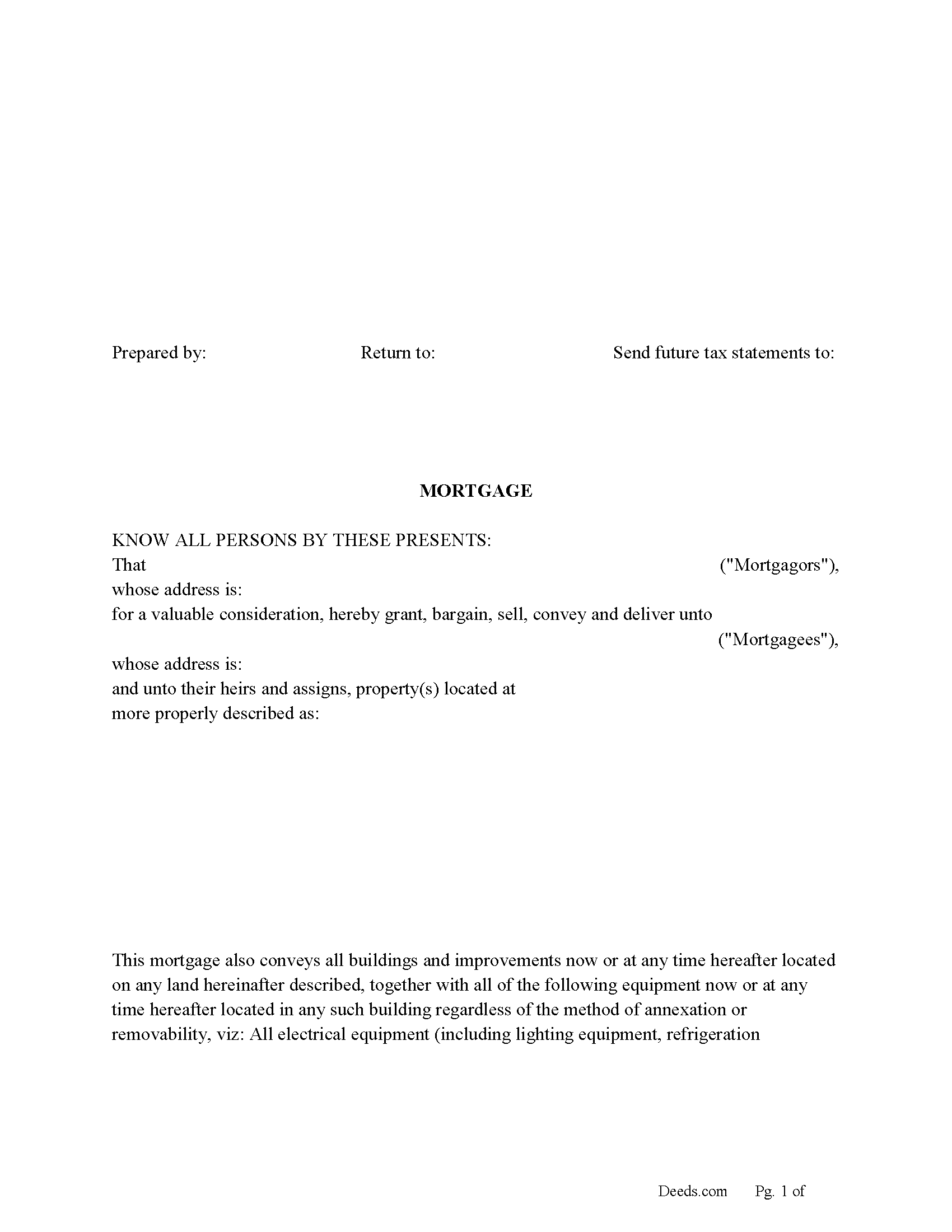
Greenville County Mortgage Form
Fill in the blank form formatted to comply with all recording and content requirements.
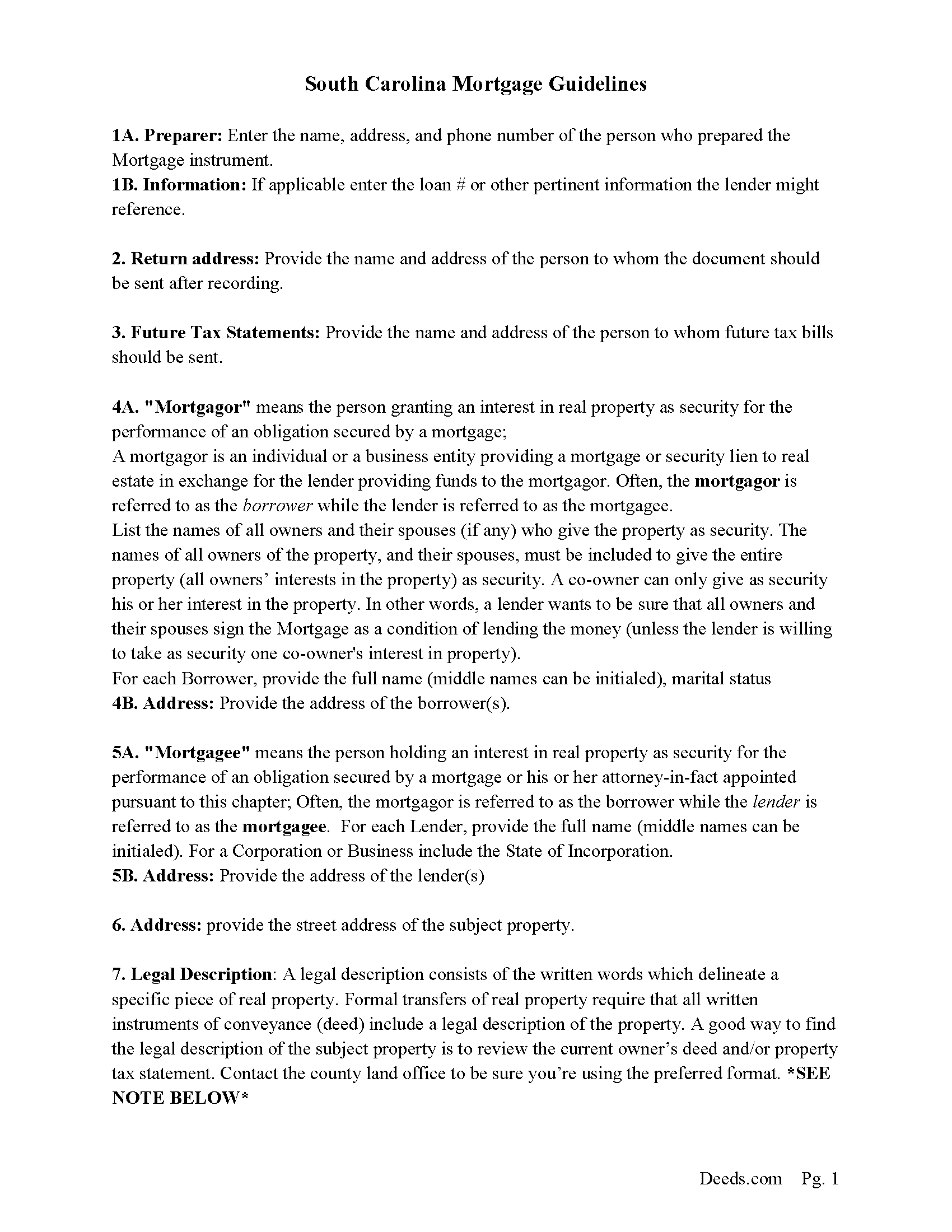
Greenville County Mortgage Guidelines
Line by line guide explaining every blank on the form.
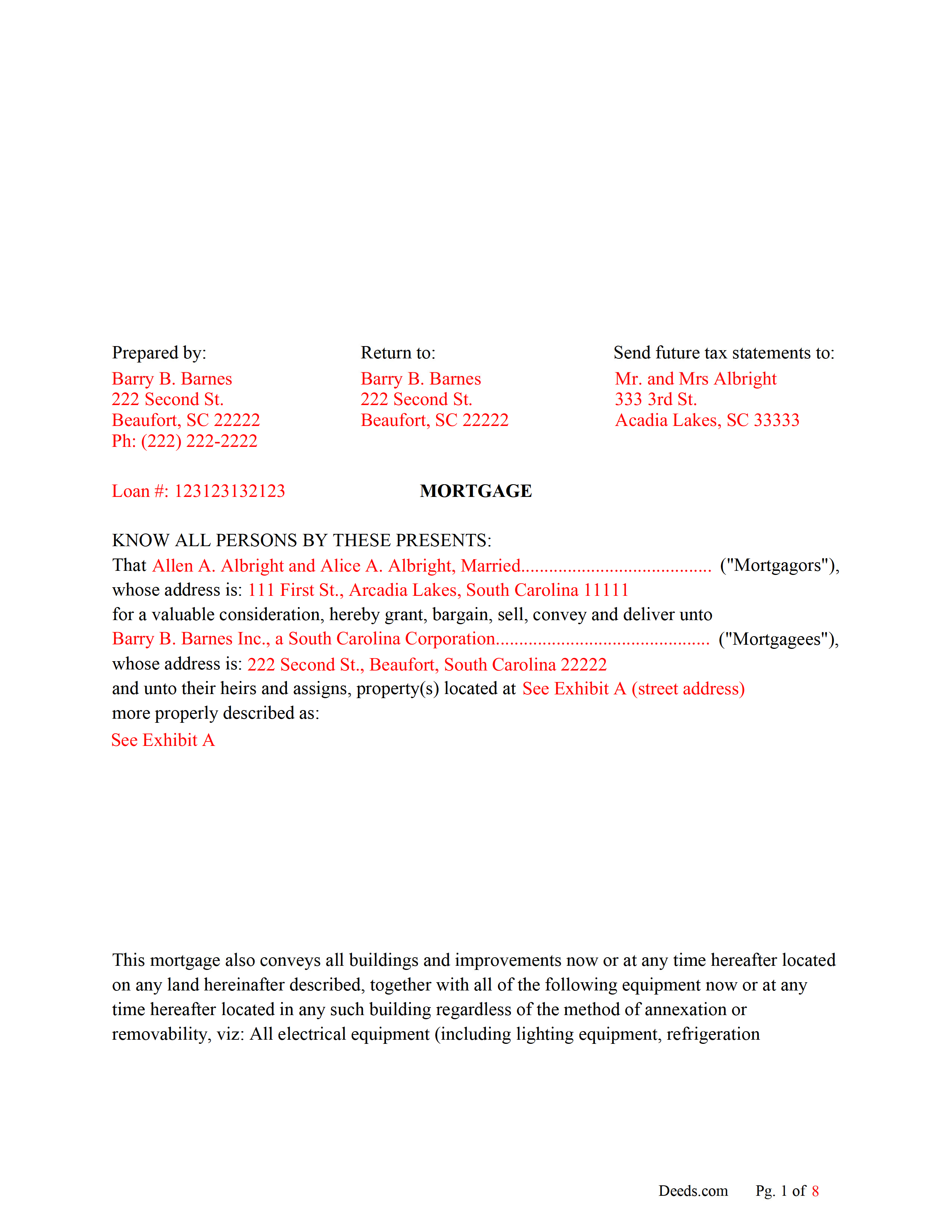
Greenville County Completed Example of the Mortgage Document
Line by line guide explaining every blank on the form.
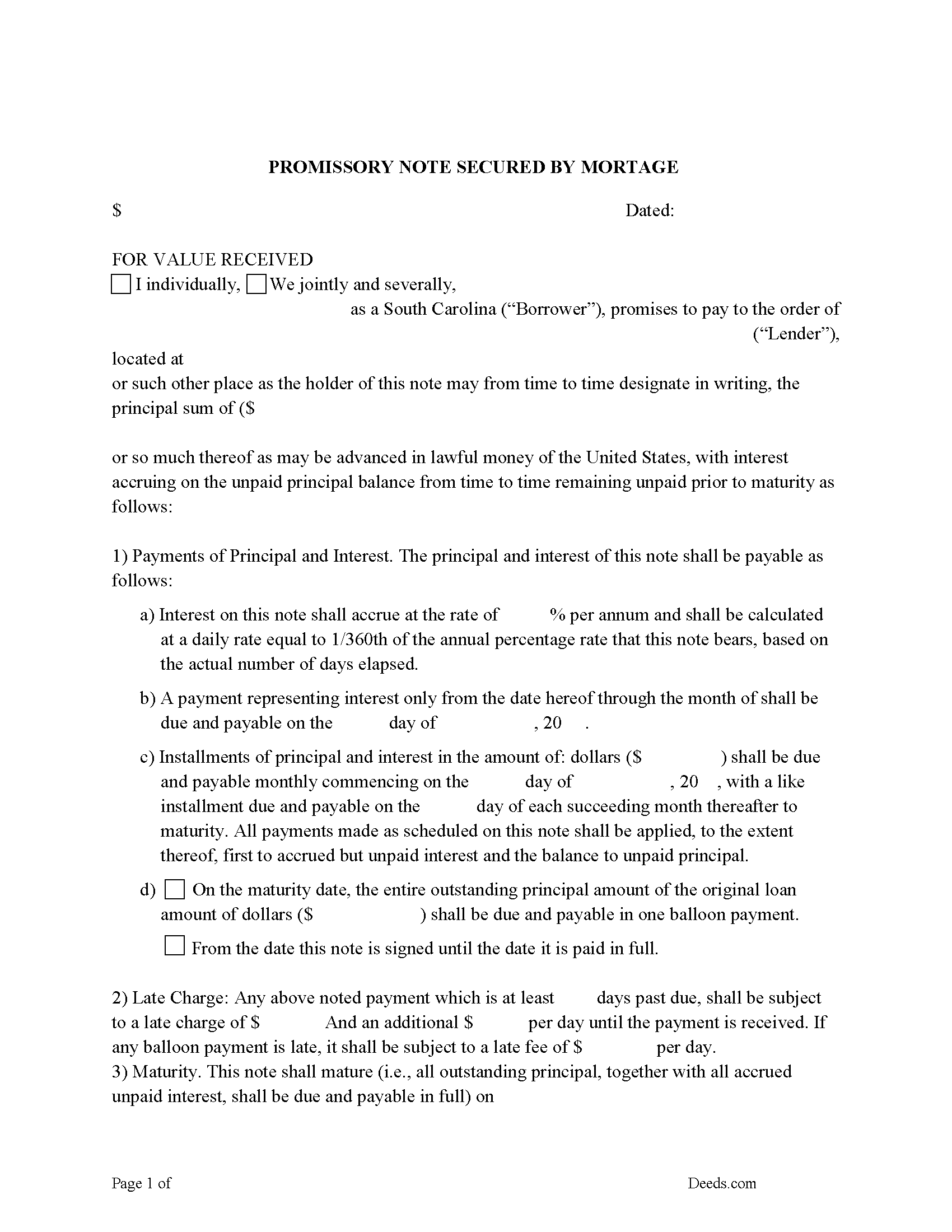
Greenville County Promissory Note Form
P/N can be used for installment or balloon payment(s).
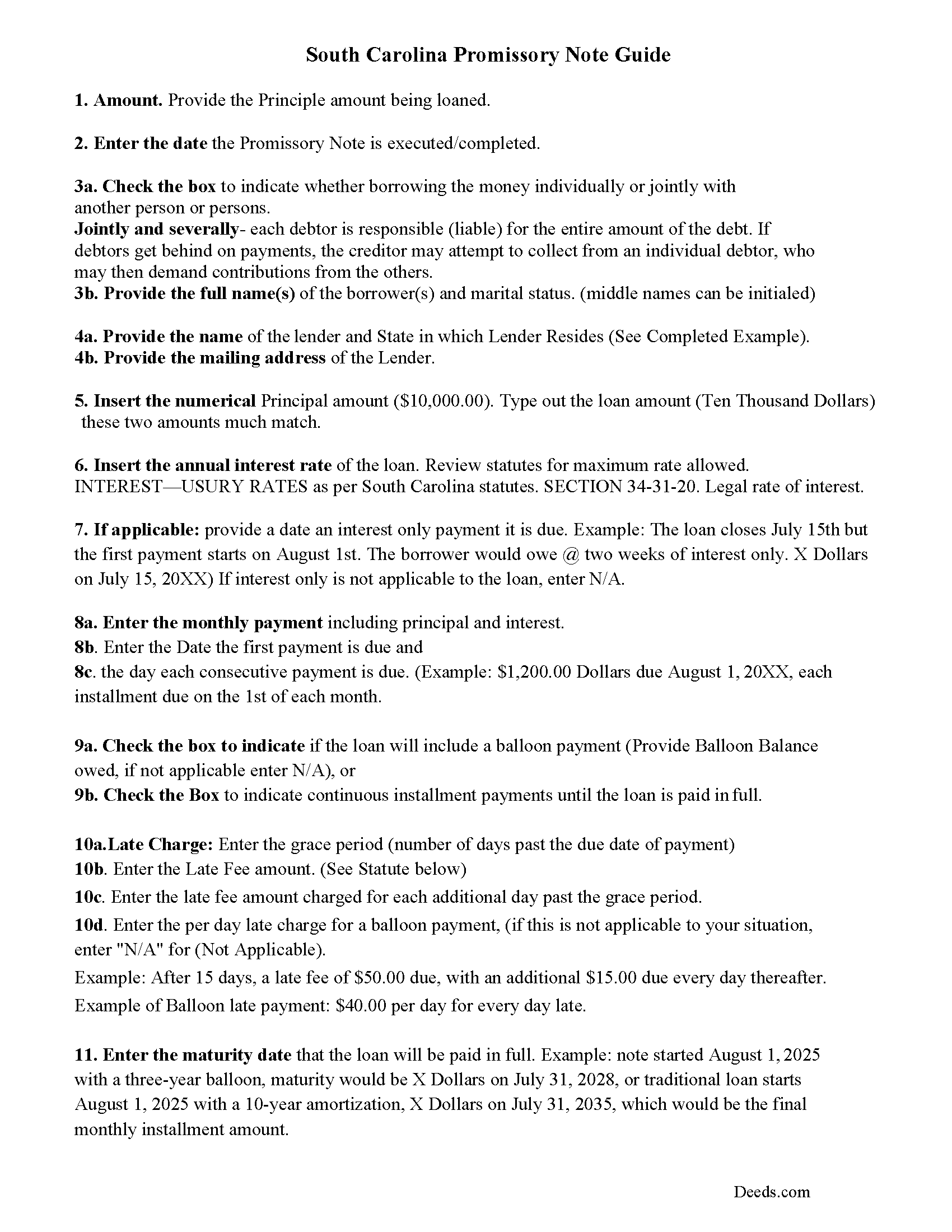
Greenville County Promissory Note Guidelines
Line by line guide explaining every blank on the form.
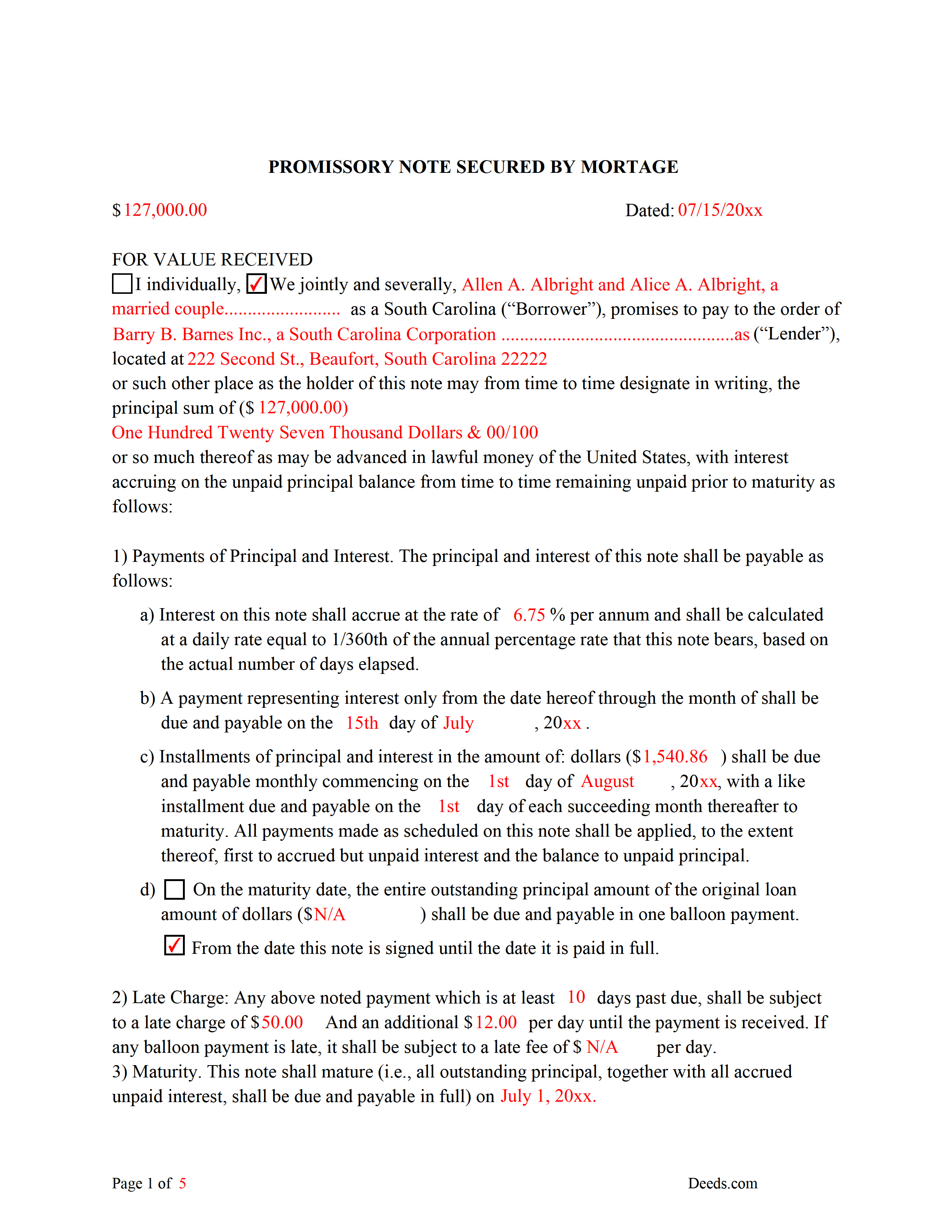
Greenville County Completed Example of the Promissory Note Document
This Promissory Note is filled in and highlighted, showing how the guideline information, can be interpreted into the document.
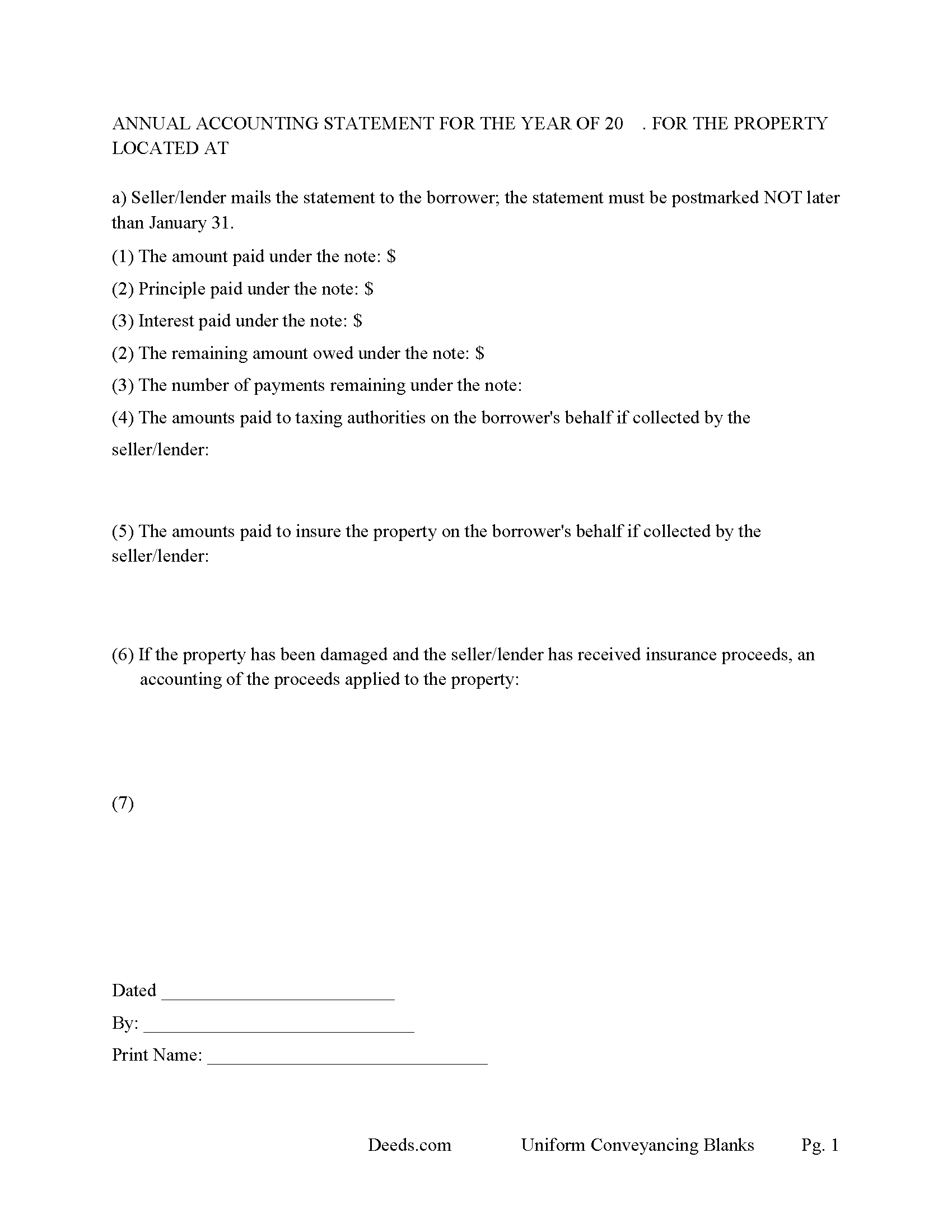
Greenville County Annual Accounting Statement Form
Mail to borrower for fiscal year reporting.
All 7 documents above included • One-time purchase • No recurring fees
Immediate Download • Secure Checkout
Additional South Carolina and Greenville County documents included at no extra charge:
Where to Record Your Documents
Greenville County Register of Deeds
Greenville, South Carolina 29601
Hours: 8:30am to 5:00pm Monday through Friday / Recording until 4:45pm
Phone: (864) 467-7240
Recording Tips for Greenville County:
- Bring your driver's license or state-issued photo ID
- Ensure all signatures are in blue or black ink
- Recording fees may differ from what's posted online - verify current rates
- Request a receipt showing your recording numbers
- Ask about accepted payment methods when you call ahead
Cities and Jurisdictions in Greenville County
Properties in any of these areas use Greenville County forms:
- Cleveland
- Conestee
- Fountain Inn
- Greenville
- Greer
- Marietta
- Mauldin
- Piedmont
- Simpsonville
- Slater
- Taylors
- Tigerville
- Travelers Rest
Hours, fees, requirements, and more for Greenville County
How do I get my forms?
Forms are available for immediate download after payment. The Greenville County forms will be in your account ready to download to your computer. An account is created for you during checkout if you don't have one. Forms are NOT emailed.
Are these forms guaranteed to be recordable in Greenville County?
Yes. Our form blanks are guaranteed to meet or exceed the applicable formatting requirements used for recording in Greenville County, including margin requirements, font requirements, and other layout standards. This guarantee applies to formatting, not to the legal sufficiency of information entered by the user or the suitability of a form for a particular transaction.
Can I reuse these forms?
Yes. You can reuse the forms for your personal use. For example, if you have multiple properties in Greenville County you only need to order once.
What do I need to use these forms?
The forms are PDFs that you fill out on your computer. The free Adobe Acrobat Reader is recommended, and most PDF apps also work. You do NOT enter your property information online - you download the blank forms and complete them privately on your own computer.
Are there any recurring fees?
No. This is a one-time purchase. Nothing to cancel, no memberships, no recurring fees.
How much does it cost to record in Greenville County?
Recording fees in Greenville County vary. Contact the recorder's office at (864) 467-7240 for current fees.
Questions answered? Let's get started!
Use this form to mortgage residential property, rental property (up to 4 units), small commercial, condominiums and planned unit developments. A mortgagor is often referred to as the borrower and the mortgagee as the lender. (The mortgagor shall be deemed the owner of the land and the mortgagee as owner of the money lent or due and the mortgagee shall be entitled to recover satisfaction for such money out of the land by foreclosure and sale according to law. But notwithstanding the foregoing provision all releases of the equity of redemption shall be binding and effectual in law.) (SECTION 29-3-10. Rights and title of mortgagor and mortgagee.) This form meets recording requirements for a South Carolina Mortgage:
- Signature of mortgagor (borrower)
- Name and address of mortgagee (lender)
- Two witnesses
- SC Probate or Acknowledgement
- Property description
- Derivation Clause
A mortgage and promissory note with stringent default terms can be advantageous to the lender in the case of a default. Compatible with investor/owner financing.
(South Carolina Mortgage Package includes forms, guidelines, and completed examples) For use in South Carolina only.
Important: Your property must be located in Greenville County to use these forms. Documents should be recorded at the county recording office listed above.
This Mortgage Secured by Promissory Note meets all recording requirements specific to Greenville County.
Our Promise
The documents you receive here are guaranteed to meet or exceed the applicable Greenville County recording format requirements. If there is a rejection caused by our formatting, we will correct the issue or refund your payment. This guarantee applies to document formatting only and does not extend to information entered by the user, the selection of the form, or the legal effect of the completed document.
Save Time and Money
Get your Greenville County Mortgage Secured by Promissory Note form done right the first time with Deeds.com Uniform Conveyancing Blanks. At Deeds.com, we understand that your time and money are valuable resources, and we don't want you to face a penalty fee or rejection imposed by a county recorder for submitting nonstandard documents. We constantly review and update our forms to meet rapidly changing state and county recording requirements for roughly 3,500 counties and local jurisdictions.
4.8 out of 5 - ( 4,823 Reviews )
Tim P. 5 out of 5 stars
Super easy and they filed my paperwork the same day
Thank you for your feedback. We really appreciate it. Have a great day!
Wendy C. 3 out of 5 stars
I purchased a Warranty Deed "package" on Friday and found that the Main download was a working document, but the secondary document (which is required) was not. In other words, I was able to use the fill-in feature on the main document, but not on the second document. I used the portal on the website to report my issue the same day. That was Friday. This is Wednesday. I have not heard a word from them and I have to use my documents in 2 days. I will probably have to resort to pen and ink for that document, but I have already tried filling it out twice and have to keep reprinting and starting over. You can't white out or cross out. I would really prefer to have the complete service that I paid for.
Thank you for your feedback. As is noted on the site, supplemental forms are provided as a courtesy with your order. They are not our forms, we did not create them. They are created and provided by the jurisdiction/agency that requires them. Have a wonderful day.
Sherri R. 5 out of 5 stars
I was impressed with how quick and easy the process was.
Happy we could assist. Thank you for sharing your experience.
Joel B. 5 out of 5 stars
I would have liked more room in the text fields for describing the potential claim. had to use Exhibit A. Could not delete Exhibit B. Alo would like to have a custom footer - not deeds.com. Unprofessional.
Thank you for your feedback. We really appreciate it. Have a great day!
Donald P. 4 out of 5 stars
Very fast and efficient. Easy to fill out but was upset the latest tax exemptions ruled in 2014 did not seem to be included. Exclusion of sale to blood relatives, etc. _ the one I needed.
Thank you for your feedback. We really appreciate it. Have a great day!
Patricia P. 5 out of 5 stars
Easy to use and super convenient.
Thank you for your feedback. We really appreciate it. Have a great day!
Frank B. 5 out of 5 stars
Great website, super easy to use, user friendly to navigate. Will definitely use for future needs, and will definitely refer to other customers. F. Betancourt Texas
Thank you!
Daniel A. 5 out of 5 stars
First time using Deeds.com. Downloaded the PDF forms for creating an Illinois Mortgage and Promissory Note. Filled them out, saved them, and printed them out. Going to send them to my Title Company for closing on a property. Save a bunch of money on not have to pay lawyer fees for creating the same legal documents that Deeds.com provided.
We appreciate your business and value your feedback. Thank you. Have a wonderful day!
Alain L. 5 out of 5 stars
deeds.com was able to turnaround my document in a matter of hours. I was also surprised at how easy their website was to navigate, considering other websites that offered the same service were so convoluted. Thank you again for the quick turnaround.
Thank you!
Roy S. 5 out of 5 stars
The website is easy to maneuver and information needed was readily available. Thanks so much!
Thank you!
John D. 5 out of 5 stars
I was quite impressed by the quality of your documents and the ease of the download.
Thank you for your feedback. We really appreciate it. Have a great day!
Linda P. 5 out of 5 stars
Very informative. It was very helpful.
Thank you!
LANDON C. 5 out of 5 stars
Process was simple, with a reasonable fee and within the suggested timetable for recordation. I highly recommend Deeds.com
Thank you!
Dawn M. 5 out of 5 stars
So helpful and quick! The response time and kindness was amazing! The steps were easy to follow as well. We will definitely be using Deeds.com in the future!
Thank you for your feedback. We really appreciate it. Have a great day!
John T. 5 out of 5 stars
Great site, I was able to navigate with ease. We appreciate all those who contributed in making this possible
Thank you!