Greenwood County Personal Representative Deed of Distribution Form
Last validated October 29, 2026 by our Forms Development TeamFormatted for recording in Greenwood County, for property anywhere in the county: rural and unincorporated areas as well as Bradley, Greenwood, Hodges, Ninety Six, Troy, Ware Shoals.
- 3 documents included
- Immediate PDF download
- Formatting guarantee
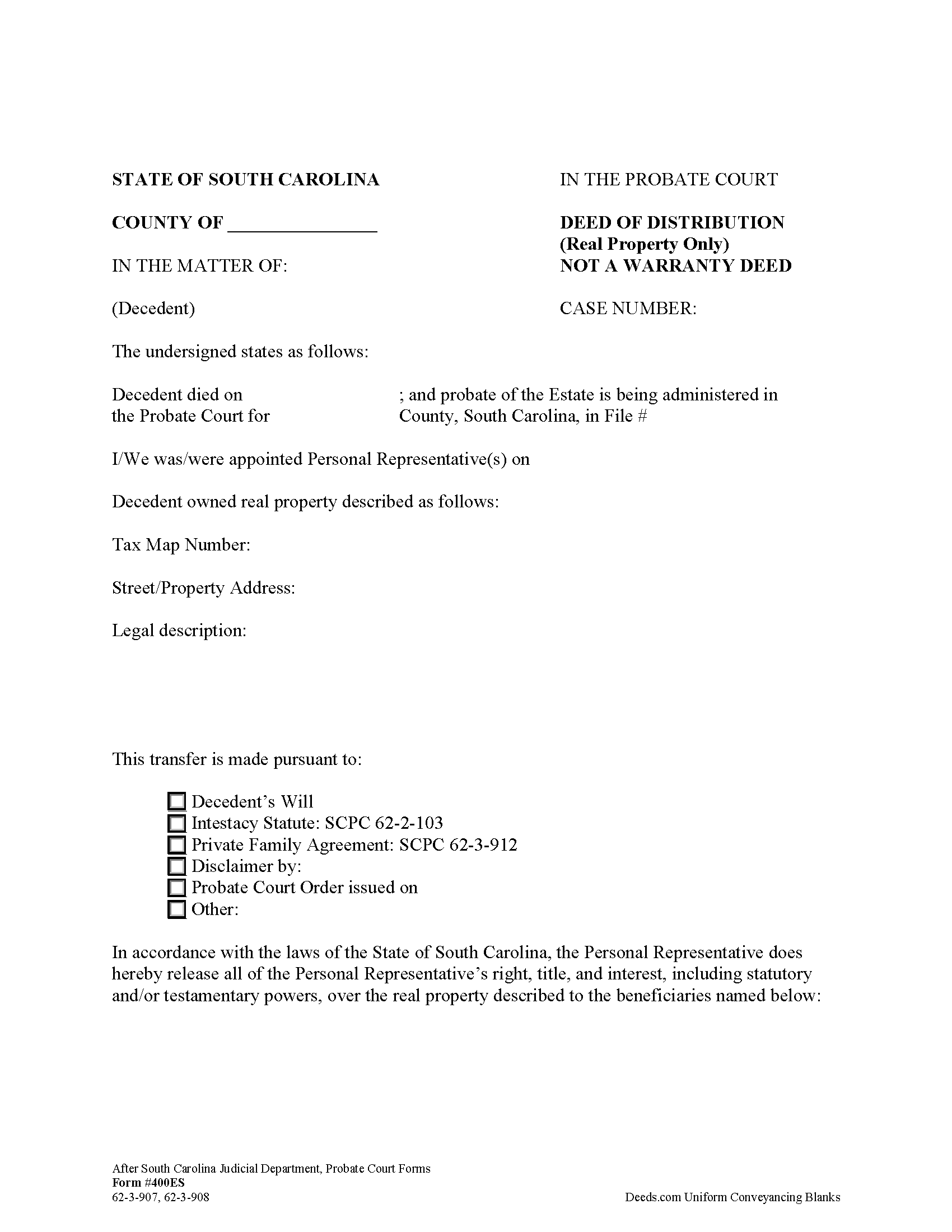
Greenwood County Personal Representative Deed of Distribution Form
Fill in the blank form formatted to comply with all recording and content requirements.
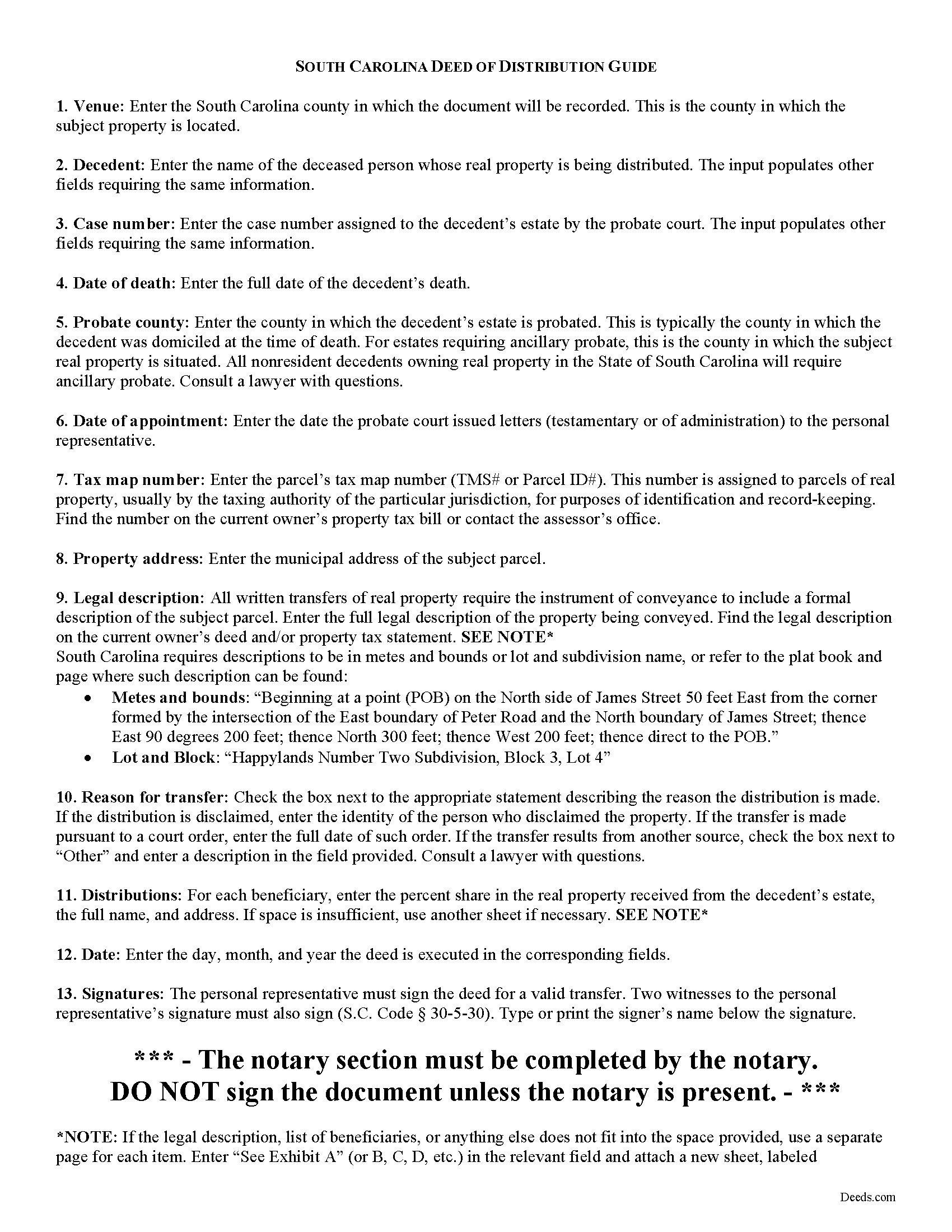
Greenwood County Personal Representative Deed of Distribution Guide
Line by line guide explaining every blank on the form.
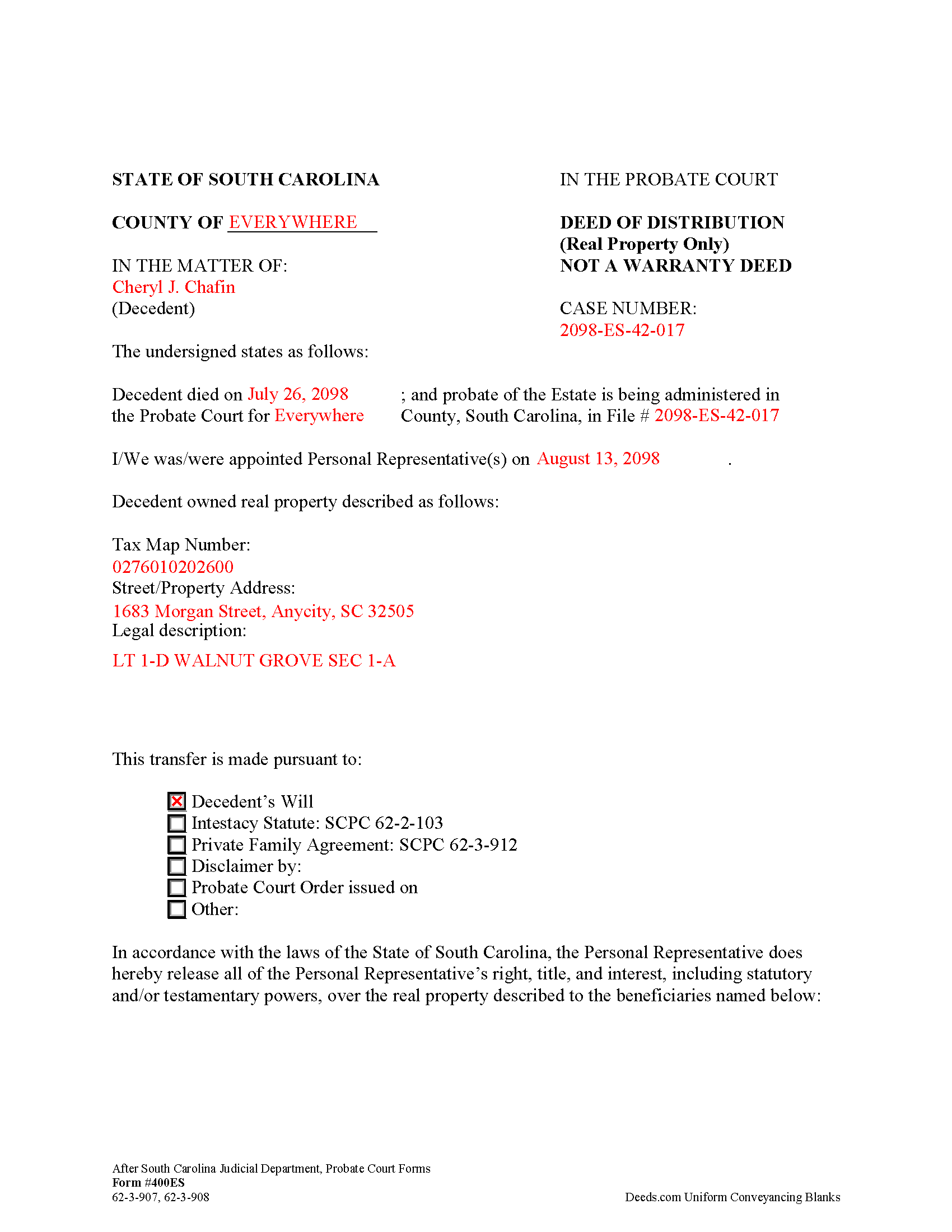
Greenwood County Completed Example of the Personal Representative Deed of Distribution Form
Example of a properly completed form for reference.
All 3 documents above included • One-time purchase • No recurring fees
Immediate Download • Secure Checkout
Additional South Carolina and Greenwood County documents included at no extra charge:
Where to Record Your Documents
Greenwood County Clerk of Court
Greenwood, South Carolina 29646
Hours: 8:30 to 5:00 Monday through Friday
Phone: (864) 942-8613/ 942-8575
Recording Tips for Greenwood County:
- Bring your driver's license or state-issued photo ID
- Ensure all signatures are in blue or black ink
- Recording fees may differ from what's posted online - verify current rates
- Request a receipt showing your recording numbers
- Ask about accepted payment methods when you call ahead
Cities and Jurisdictions in Greenwood County
Properties in any of these areas use Greenwood County forms:
- Bradley
- Greenwood
- Hodges
- Ninety Six
- Troy
- Ware Shoals
Hours, fees, requirements, and more for Greenwood County
How do I get my forms?
Forms are available for immediate download after payment. The Greenwood County forms will be in your account ready to download to your computer. An account is created for you during checkout if you don't have one. Forms are NOT emailed.
Are these forms guaranteed to be recordable in Greenwood County?
Yes. Our form blanks are guaranteed to meet or exceed the applicable formatting requirements used for recording in Greenwood County, including margin requirements, font requirements, and other layout standards. This guarantee applies to formatting, not to the legal sufficiency of information entered by the user or the suitability of a form for a particular transaction.
Can I reuse these forms?
Yes. You can reuse the forms for your personal use. For example, if you have multiple properties in Greenwood County you only need to order once.
What do I need to use these forms?
The forms are PDFs that you fill out on your computer. The free Adobe Acrobat Reader is recommended, and most PDF apps also work. You do NOT enter your property information online - you download the blank forms and complete them privately on your own computer.
Are there any recurring fees?
No. This is a one-time purchase. Nothing to cancel, no memberships, no recurring fees.
How much does it cost to record in Greenwood County?
Recording fees in Greenwood County vary. Contact the recorder's office at (864) 942-8613/ 942-8575 for current fees.
Questions answered? Let's get started!
In South Carolina, title to a decedent's real property devolves at death to the decedent's heirs (intestate estates) and devisees (testate estates) (S.C. Code 62-3-101). Though title passes by operation of law, the estate is still subject to administration in probate. Probate is the legal process of settling the decedent's estate and distributing assets to those entitled to receive it. A PR may not make distribution of the estate without first obtaining permission from the court.
The personal representative (PR) of the estate executes a deed of distribution following an order for distribution from the court to distribute real property from a decedent's estate. The deed of distribution (Form 400ES) evidences the legal succession of title of the decedent's interest in real property and releases the PR's powers over the subject property.
The deed, given under 62-3-907, 62-3-908 is "conclusive evidence that the distributee has succeeded to the interest of the estate...against all persons interested in the estate" (62-3-908).
Apart from meeting all state and local standards for documents affecting title to real property, the deed of distribution must identify the reason for the transfer (i.e., a will, laws of intestacy, a family agreement, disclaimer, or order), and name each beneficiary and the percent of the decedent's interest in the subject property he or she is inheriting.
The deed of distribution is signed by the acting PR in the presence of a notary public and two witnesses before recording in the Register of Deeds' office of the county where the subject property is situated. A certified copy should be delivered to the probate court.
Consult a lawyer with questions regarding probate and deeds of distribution in South Carolina, as each situation is unique.
(South Carolina PRDOD Package includes form, guidelines, and completed example)
Important: Your property must be located in Greenwood County to use these forms. Documents should be recorded at the county recording office listed above.
This Personal Representative Deed of Distribution meets all recording requirements specific to Greenwood County.
Our Promise
The documents you receive here are guaranteed to meet or exceed the applicable Greenwood County recording format requirements. If there is a rejection caused by our formatting, we will correct the issue or refund your payment. This guarantee applies to document formatting only and does not extend to information entered by the user, the selection of the form, or the legal effect of the completed document.
Save Time and Money
Get your Greenwood County Personal Representative Deed of Distribution form done right the first time with Deeds.com Uniform Conveyancing Blanks. At Deeds.com, we understand that your time and money are valuable resources, and we don't want you to face a penalty fee or rejection imposed by a county recorder for submitting nonstandard documents. We constantly review and update our forms to meet rapidly changing state and county recording requirements for roughly 3,500 counties and local jurisdictions.
4.8 out of 5 - ( 4,839 Reviews )
Andrew M. 5 out of 5 stars
Awesome service, I don’t know how much it saved me but I know it was a lot cheaper than going to a lawyer.
We are delighted to have been of service. Thank you for the positive review!
Richard K. 3 out of 5 stars
South Carolina Warranty Deed document is good. The example and instruction documents are marginal help for Trusts.
Thank you for your feedback, Richard. We’re glad to hear the South Carolina Warranty Deed met your needs. We appreciate your note about the trust-related guidance as well. That’s helpful input, and we’ll review the example and instruction materials to see where we can improve clarity for trust transfers.
Donna W. 5 out of 5 stars
Answered all of my questions and was very easy to use. I will use Deeds.com to do all of my real estate forms from now on. Thanks.
Thank you!
Jennifer S. 5 out of 5 stars
Fabulous
Thank you!
Judy C. 5 out of 5 stars
Both sets of deeds were complete and easy to understand. Both states accepted the forms to transfer property.
We appreciate your business and value your feedback. Thank you. Have a wonderful day!
Debby P. 5 out of 5 stars
Great company! I have been using Deeds.com for many years. I just opened a new account when I retired from my Escrow job. My recording was flawless!
We appreciate your business and value your feedback. Thank you. Have a wonderful day!
Joseph M. 5 out of 5 stars
Very easy to use the service and responses came very quickly.
Thank you!
Hanna M. 5 out of 5 stars
Very helpful information! Thank you for your service!
Thank you!
William Q. 5 out of 5 stars
The website and information is fine. The proof in the pudding, of course, is whether the forms I used now will provide the results I want if the changes are challenged at some future date.
Thank you for your feedback. We really appreciate it. Have a great day!
Marion B. 5 out of 5 stars
As far as I know all is in order as far as my transfer on death instrument for Illinois. Thank you so much!
Thank you for your feedback. We really appreciate it. Have a great day!
Nga C. 5 out of 5 stars
I am so happy to discover the Deeds.com website. It is worth to pay the package fee and the recording fee for my beneficiary deed in AZ state. It is so convenient, I highly recommend everybody to use the service. Thank you and thank you.
Thank you for your feedback. We really appreciate it. Have a great day!
Tom D. 5 out of 5 stars
I have one suggestion and couple of question I would think that most TOD's would be from married couples. It would be real helpful to have a example of the I(we) block for married couples. Why would I check or not check the "property is registered (torrents)" Do I need a notarized signature of the Grantee
Thank you for your feedback. We really appreciate it. Have a great day!
Lisa G. 5 out of 5 stars
Rec'd downloads for quitclaim deed process in Florida. Recorded with the clerk of courts today and the form was done perfectly--she had no changes to make. Well worth the money--thanks
Glad to hear Lisa, we appreciate you taking the time to leave your feedback.
Keyuna C. 5 out of 5 stars
Speedy process, they provided me with the exact documents that I needed.
Thank you!
Robert W. 5 out of 5 stars
The forms were as I expected them to be. The guide was very helpful. Overall very good.
Thanks Robert. We appreciate your feedback.