Colleton County Warranty Deed Form
Last validated October 2, 2026 by our Forms Development TeamFormatted for recording in Colleton County, for property anywhere in the county: rural and unincorporated areas as well as Canadys, Cottageville, Edisto Island, Green Pond, Islandton, Jacksonboro, Lodge, Round O and 4 more.
- 3 documents included
- Immediate PDF download
- Formatting guarantee
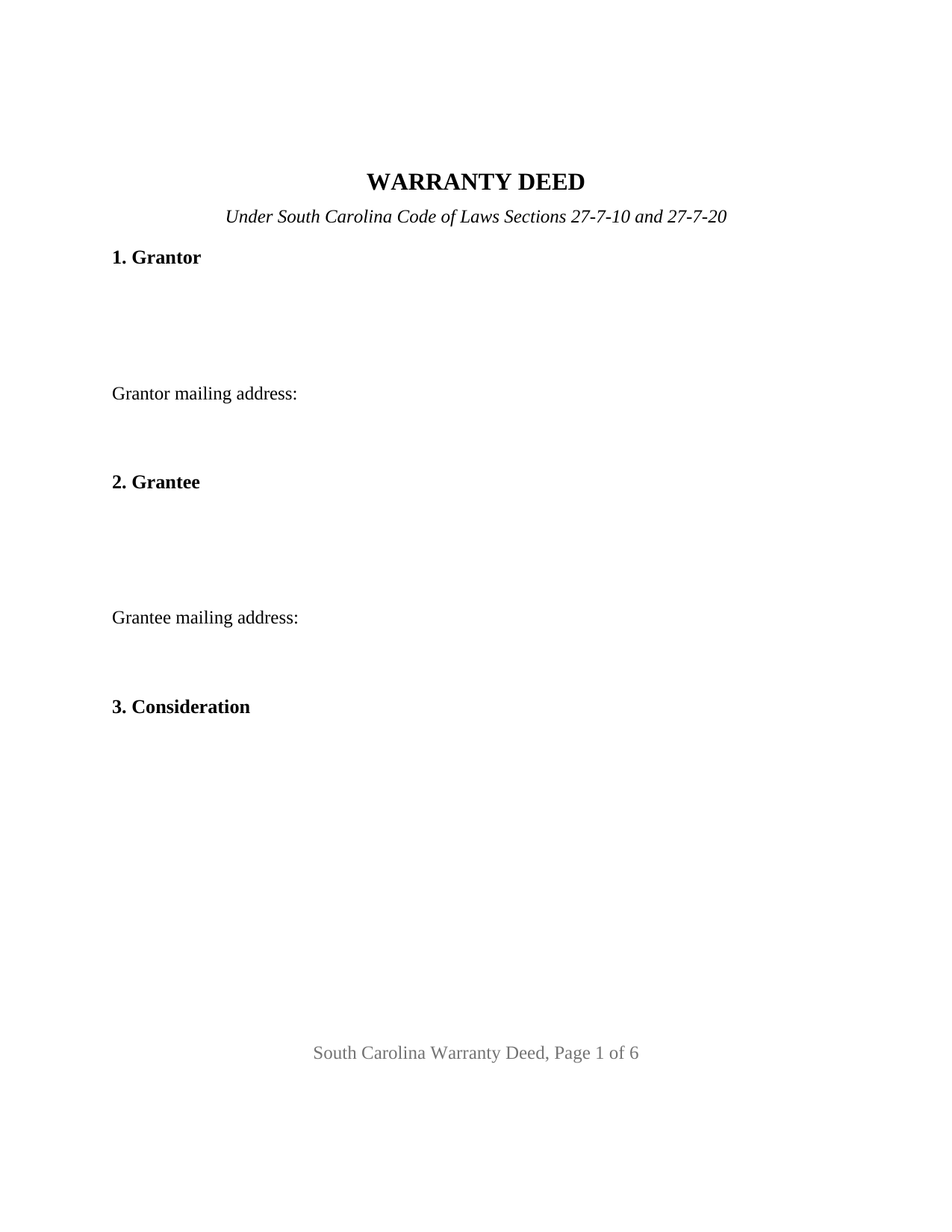
Colleton County Warranty Deed Form
Fill in the blank Warranty Deed form formatted to comply with all South Carolina recording and content requirements.
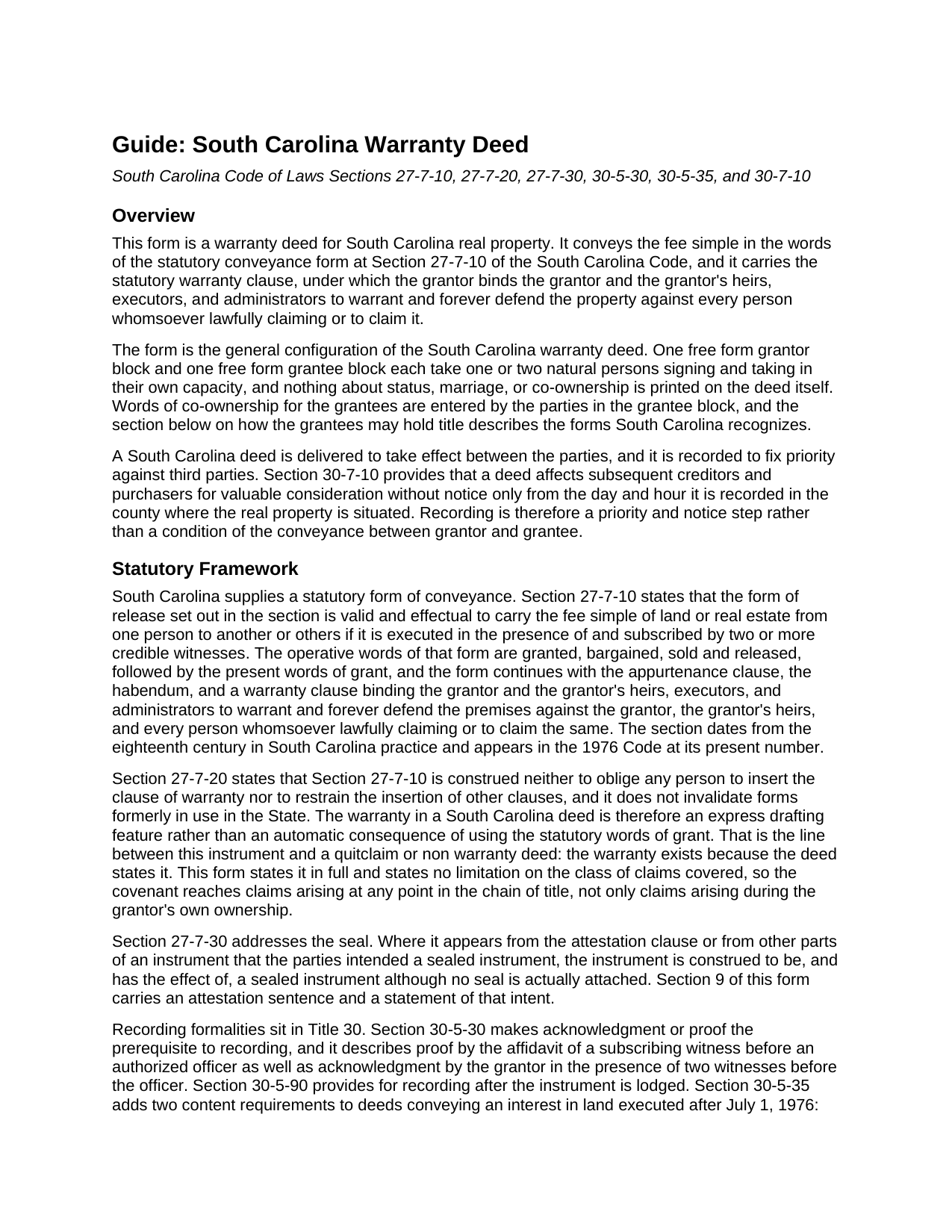
Colleton County Warranty Deed Guide
Line by line guide explaining every blank on the Warranty Deed form.
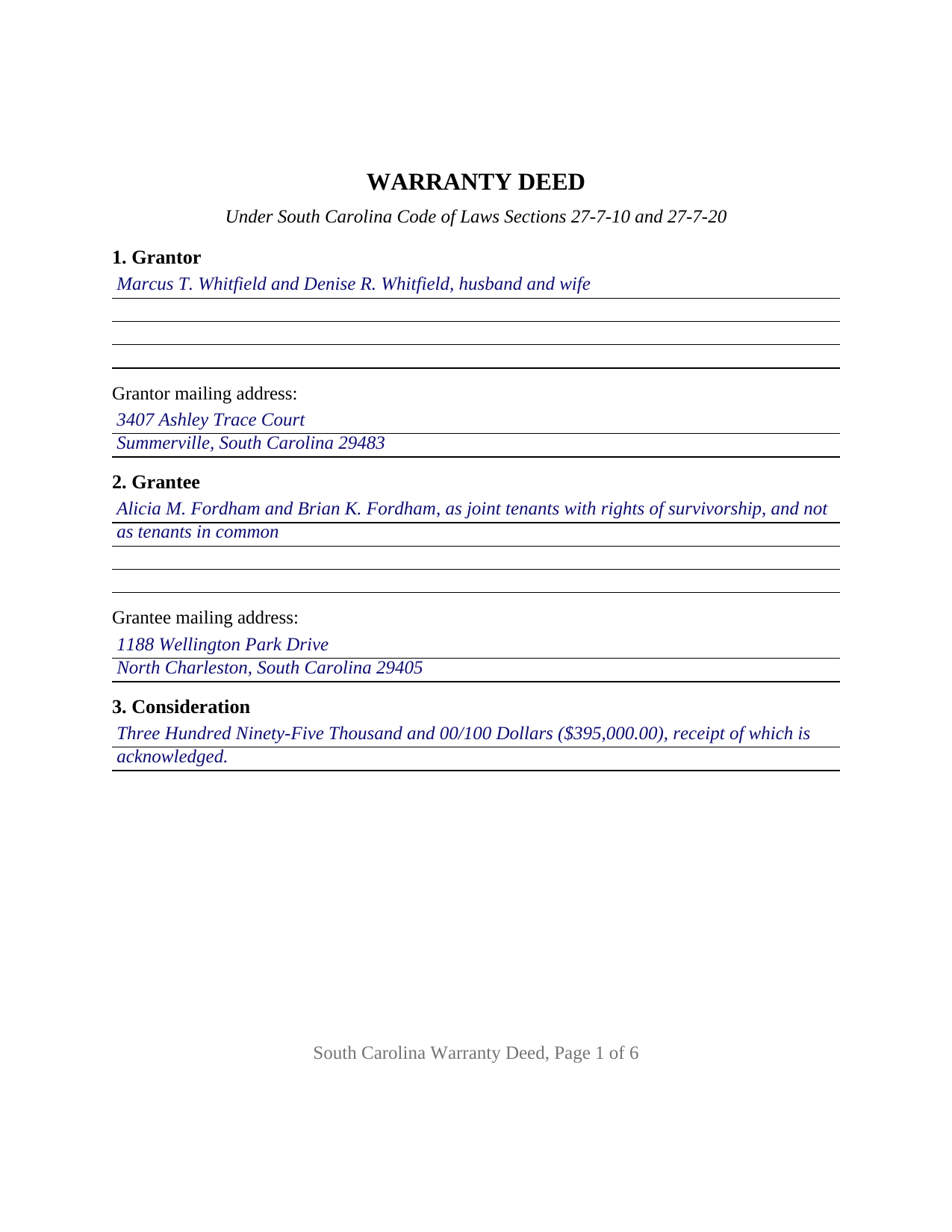
Colleton County Completed Example of the Warranty Deed Document
Example of a properly completed South Carolina Warranty Deed document for reference.
All 3 documents above included • One-time purchase • No recurring fees
Immediate Download • Secure Checkout
Additional South Carolina and Colleton County documents included at no extra charge:
Where to Record Your Documents
Colleton County Register of Deeds
Walterboro, South Carolina 29488
Hours: Monday - Friday 8AM - 5PM
Phone: (843) 542-2745
Recording Tips for Colleton County:
- Bring your driver's license or state-issued photo ID
- Ensure all signatures are in blue or black ink
- Ask about their eRecording option for future transactions
- Avoid the last business day of the month when possible
- Both spouses typically need to sign if property is jointly owned
Cities and Jurisdictions in Colleton County
Properties in any of these areas use Colleton County forms:
- Canadys
- Cottageville
- Edisto Island
- Green Pond
- Islandton
- Jacksonboro
- Lodge
- Round O
- Ruffin
- Smoaks
- Walterboro
- Williams
Hours, fees, requirements, and more for Colleton County
How do I get my forms?
Forms are available for immediate download after payment. The Colleton County forms will be in your account ready to download to your computer. An account is created for you during checkout if you don't have one. Forms are NOT emailed.
Are these forms guaranteed to be recordable in Colleton County?
Yes. Our form blanks are guaranteed to meet or exceed the applicable formatting requirements used for recording in Colleton County, including margin requirements, font requirements, and other layout standards. This guarantee applies to formatting, not to the legal sufficiency of information entered by the user or the suitability of a form for a particular transaction.
Can I reuse these forms?
Yes. You can reuse the forms for your personal use. For example, if you have multiple properties in Colleton County you only need to order once.
What do I need to use these forms?
The forms are PDFs that you fill out on your computer. The free Adobe Acrobat Reader is recommended, and most PDF apps also work. You do NOT enter your property information online - you download the blank forms and complete them privately on your own computer.
Are there any recurring fees?
No. This is a one-time purchase. Nothing to cancel, no memberships, no recurring fees.
How much does it cost to record in Colleton County?
Recording fees in Colleton County vary. Contact the recorder's office at (843) 542-2745 for current fees.
Questions answered? Let's get started!
South Carolina still asks for two witnesses at the signing table. This fillable Warranty Deed carries the state's full statutory warranty and the execution architecture that goes with it: two subscribing witness blocks, an officer's certificate for each grantor, and party blocks that take one or two natural persons on either side with no word of status or co-ownership printed on them. It is the general configuration of the South Carolina warranty deed, ready for recording in any county in the state.
Two witnesses, then an officer
Section 27-7-10 of the South Carolina Code makes its statutory form of conveyance effectual where the instrument is executed in the presence of and subscribed by two or more credible witnesses, so the deed prints two witness blocks, each with a signature line and a printed name entry. Section 30-5-30 then makes acknowledgment or proof the prerequisite to recording, and it opens two routes: the grantor acknowledges the deed before an officer, or a subscribing witness swears to the execution on the probate path, where Section 26-1-120(E) requires that certificate to state the witness is neither party nor beneficiary. This form prints the acknowledgment route in the individual short form pattern of Section 26-3-70, and Horry County publishes that the notary may serve as one of the two witnesses.
One or two names on either side
This is the general configuration of the deed type, and its architecture is deliberately open. A free form grantor block takes one or two natural persons signing in their own capacity, with any status wording the parties enter after the names; a grantee block of the same shape takes one or two names followed by any words of co-ownership; and the execution area carries two signature blocks, headed GRANTOR and SECOND GRANTOR (if applicable), with one acknowledgment certificate for each. Where a single grantor conveys, the second block and its certificate are left blank. Nothing about marriage, status, or vesting is preprinted on the instrument, which is how one deed carries all four count patterns: one or two natural persons conveying to one or two natural persons. The form is not set up as an entity, trustee, or attorney in fact deed, and it prints no third owner block.
The vesting words the grantees supply
Because nothing is preprinted, the grantee block is where the state's co-ownership menu gets picked, and the guide lays it out form by form. Silence has a cost: two grantees named without survivorship words take as tenants in common, and Section 62-2-804 deems a joint tenancy in real property severed at death unless the instrument expressly provides survivorship. Section 27-7-40 supplies the conclusive words, as joint tenants with rights of survivorship, and not as tenants in common, and lets the survivor clear the record by filing a certified death certificate. Tenancy by the entirety does not exist here, and dower and curtesy were abolished in 1985, so a spouse holding no record interest has no signature line on this deed.
Warranty on the page, and where the title came from
Two content points mark a general warranty deed in this state. The covenant is optional under Section 27-7-20, so the deed states it in full, binding the grantor and the grantor's heirs, executors, and administrators to defend the property against every person lawfully claiming it. And Section 30-5-35 makes a derivation clause and the grantee's mailing address content of the deed itself, with the register directed not to record an instrument missing the derivation unless the information is shown to be unavailable. Section 5 holds that entry.
At the recording counter
Recording sets priority rather than completing the conveyance: under Section 30-7-10 the deed reaches later creditors and purchasers for value without notice only from the day and hour of recording. The office collects the statewide fifteen dollar filing fee for a deed under Section 8-21-310 and the deed recording fee of Section 12-24-10, supported by the value or exemption affidavit of Section 12-24-70. One statewide step has since gone away: Act No. 133 of 2024 repealed the county auditor endorsement.
What the download contains
The package holds the blank deed as a fillable PDF, a completed example worked through a Charleston County sale, and a plain language guide covering each numbered section, the witness and certificate pattern, the co-ownership menu, and the recording and fee steps. The materials are informational and are not legal advice; a South Carolina attorney can apply the law to a specific transaction.
Important: Your property must be located in Colleton County to use these forms. Documents should be recorded at the county recording office listed above.
This Warranty Deed meets all recording requirements specific to Colleton County.
Our Promise
The documents you receive here are guaranteed to meet or exceed the applicable Colleton County recording format requirements. If there is a rejection caused by our formatting, we will correct the issue or refund your payment. This guarantee applies to document formatting only and does not extend to information entered by the user, the selection of the form, or the legal effect of the completed document.
Save Time and Money
Get your Colleton County Warranty Deed form done right the first time with Deeds.com Uniform Conveyancing Blanks. At Deeds.com, we understand that your time and money are valuable resources, and we don't want you to face a penalty fee or rejection imposed by a county recorder for submitting nonstandard documents. We constantly review and update our forms to meet rapidly changing state and county recording requirements for roughly 3,500 counties and local jurisdictions.
4.8 out of 5 - ( 4,833 Reviews )
Will C. 5 out of 5 stars
I was very happy with my interaction. The county didn't supply the book and page which was what I needed. The tech refunded my money since I didn't get the info I needed. I will use Deeds.com again.
Thank you for your feedback. We really appreciate it. Have a great day!
John Q. 5 out of 5 stars
I downloaded the forms, which was very easy, and filled them out with the help of the very helpful instructions! I was able to go down to my court house and file the forms within 24 hours of downloading! I am at peace knowing my son's will avoid a lot of headaches when I pass because my property deed will transfer to them without probate court TOD !!!!
We appreciate your business and value your feedback. Thank you. Have a wonderful day!
Earnest K. 4 out of 5 stars
I used the "personal representative's deed." There were a few errors, after I went to record it at the county recorder's office. For #7, it should've stated "The estate of Joe Schmoe, hereby grants Mr. Personal Representative....." instead of, "I Mr. Personal Representative, as personal representative, hereby grant to personal representative...." The person at the recorder's office said you cannot state "you are granting property to yourself." Just fix that, and everything else is fine.
Your insights are invaluable to us and help us strive for better service. Thank you for taking the time to share your thoughts.
Joseph S. 5 out of 5 stars
THIS IS MY FIRST EXPERIENCE WITH DEEDS.COM. I DLED THE ESTATE DEED FORM THAT I HOPE WILL GO THROUGH OK WITH THE COUNTY. IT WILL BE SOMETIME UNTIL I HAVE IT FILLED IN AND ALL THE NAMES IN, NORARIZED AND FILED. CAN I RECONTACT YOU FOLKS IF THERE IS A PROBLEM? THANK YOU, JOE SEUBERT
We are motivated by your feedback to continue delivering excellence. Thank you!
RICHARD H. 5 out of 5 stars
Wonderful
Thank you!
KATHLEEN S. 5 out of 5 stars
Excellent service, great feedback and recommendations by the deed preparer, and I really appreciate the personalized service. The website is amazing, everything is well thought out, and all messages are saved, clear and easy to read. I wish my website was so easy to navigate! Seriously, the person who worked on my account is awesome. They made recommendations about what to include and what not to include. They didn't make me feel dumb for asking questions about out-of-state service and filing procedures, and I will be using Deeds.com exclusively on my cases. Five stars !
We appreciate your business and value your feedback. Thank you. Have a wonderful day!
Thomas C. 5 out of 5 stars
I got the right form but I waited too long to use it and Oregon changed the formatting. I should have checked and made sure the form was still good. Deeds responded quickly.
Thank you!
Maria M. 5 out of 5 stars
The requested documents I needed were provided and also complete instructions on how to fill them out. I definitely will you this service again.
We appreciate your business and value your feedback. Thank you. Have a wonderful day!
Robert J D. 5 out of 5 stars
No feedback
Thank you for your feedback. We really appreciate it. Have a great day!
Jianxing L. 5 out of 5 stars
This is my first time using this website and was impressed for the simple and clear web design and exploring. Now I am anxiously waiting for the e-recording up running to start my deed process.
Thank you for taking a moment to share your thoughts.
April M. 5 out of 5 stars
It was a very easy and quick site to use. Not to big of a fan price wise. But it gave me what I needed in a hurry. So all and all I'd definitely use this site again. Thank you!
We appreciate your business and value your feedback. Thank you. Have a wonderful day!
Luis C. 5 out of 5 stars
Excellent forms but the instructions are not to clear.
Thank you for your feedback. We really appreciate it. Have a great day!
William W. 5 out of 5 stars
No fuss-No muss. Very easy!
Thank you!
Dianna B. 5 out of 5 stars
Amazingly easy! I absolutely love it because it is so efficient and I only have to pay for when I use it. I use to have to drive to the recorders office or to a Kiosk station. The turn-around time was really quick as well.
Thank you!
TIFFANY B. 5 out of 5 stars
THIS SERVICE IS AMAZING! IT SAVES ME SO MUCH TIME!
We are grateful for your engagement and feedback, which help us to serve you better. Thank you for being an integral part of our community.