Mellette County Affidavit of Deceased Joint Tenant Form
Last validated October 5, 2026 by our Forms Development TeamFormatted for recording in Mellette County, for property anywhere in the county: rural and unincorporated areas as well as Norris, White River, Wood.
- 3 documents included
- Immediate PDF download
- Formatting guarantee
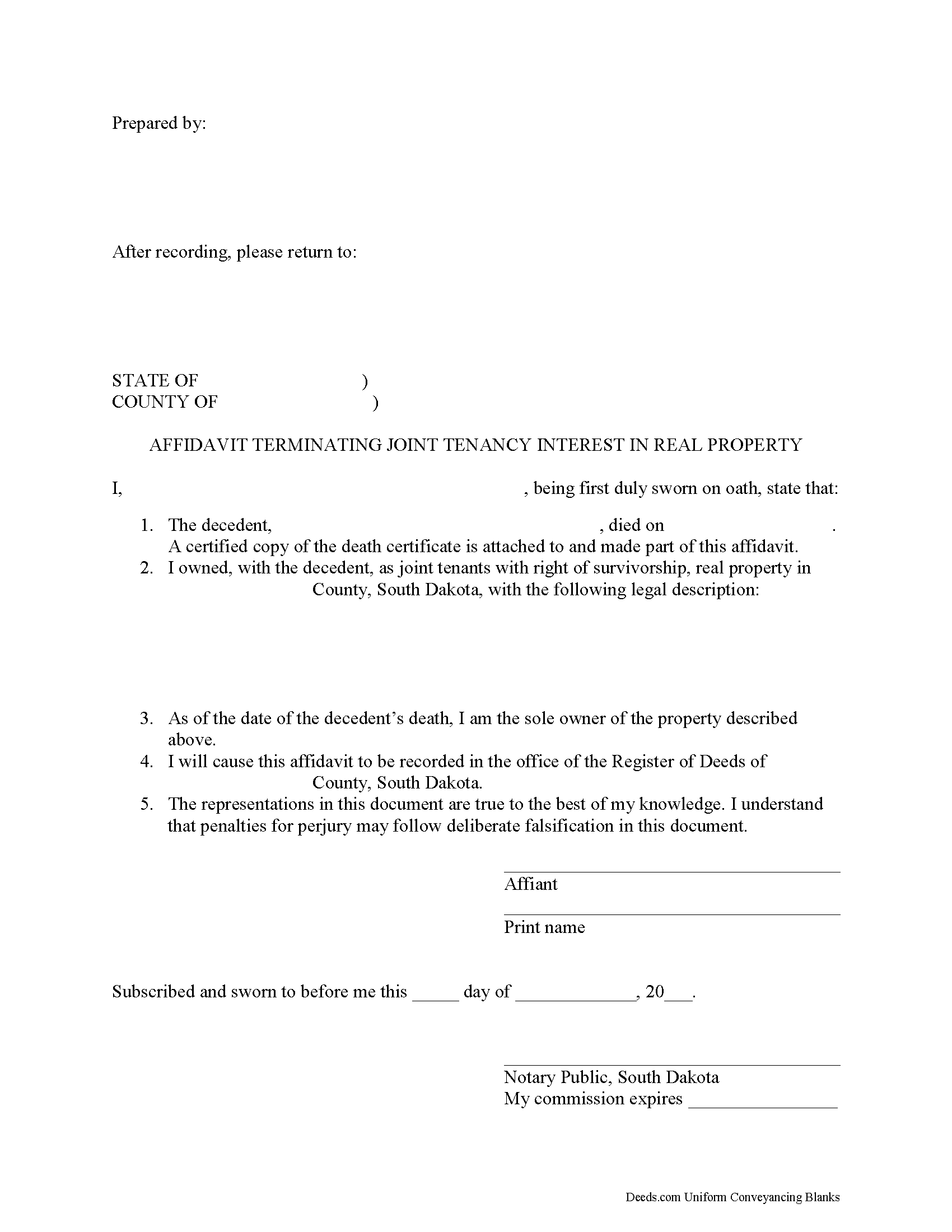
Mellette County Affidavit of Deceased Joint Tenant Form
Fill in the blank form formatted to comply with all recording and content requirements.
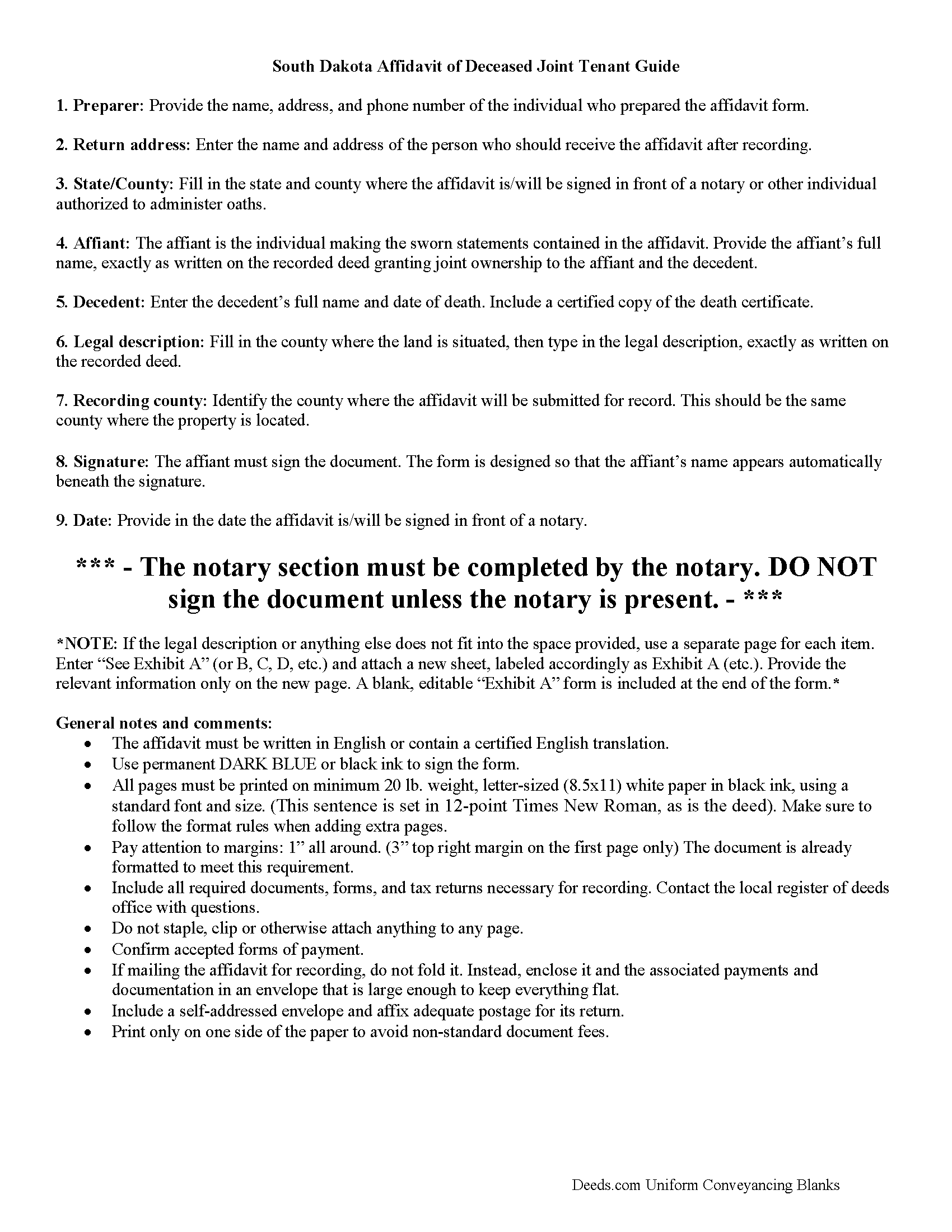
Mellette County Affidavit of Deceased Joint Tenant Guide
Line by line guide explaining every blank on the form.
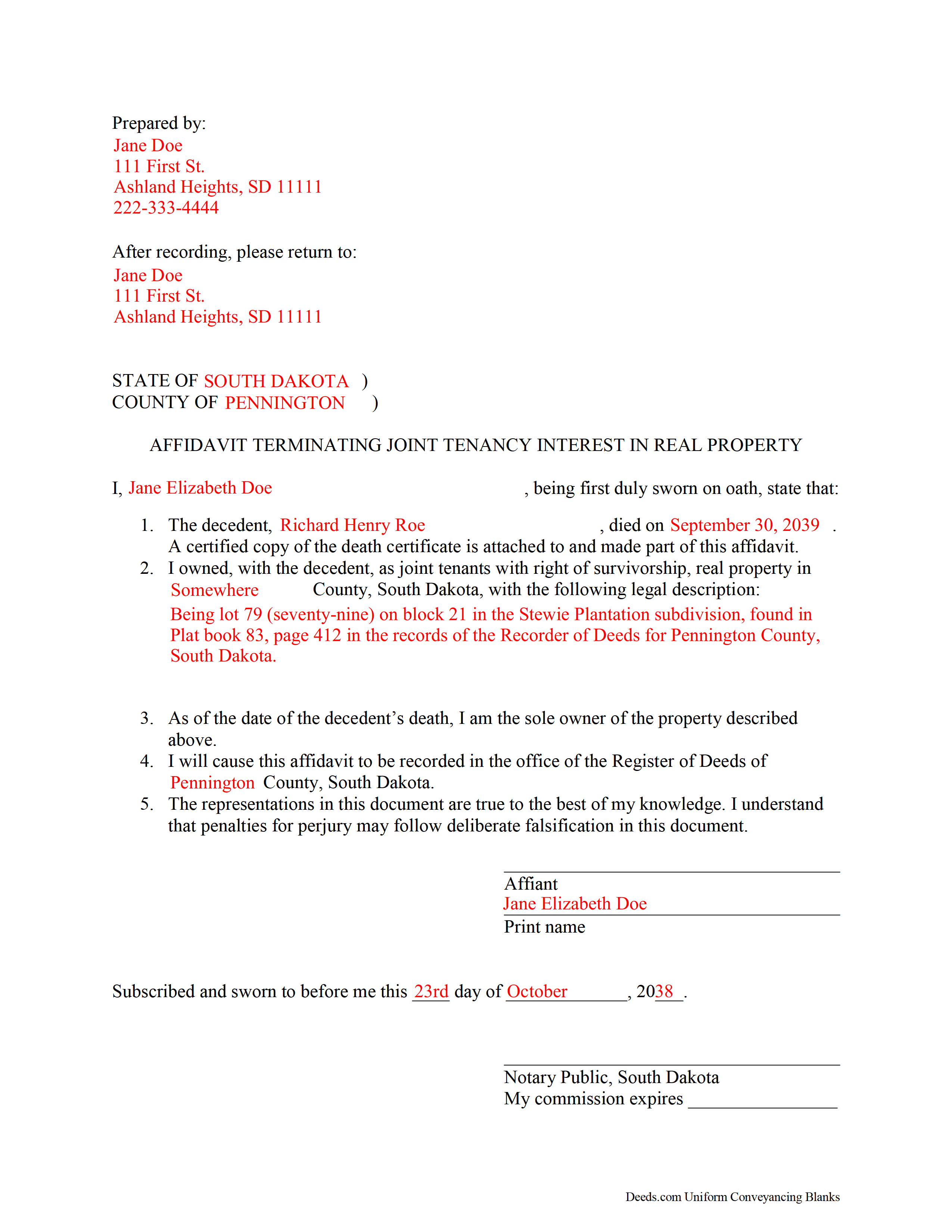
Mellette County Completed Example of the Affidavit of Deceased Joint Tenant Document
Example of a properly completed form for reference.
All 3 documents above included • One-time purchase • No recurring fees
Immediate Download • Secure Checkout
Additional South Dakota and Mellette County documents included at no extra charge:
Where to Record Your Documents
Mellette County Register of Deeds
White River, South Dakota 57579-0183
Hours: 8:00-4:00 M-W-F; 8:00-5:00 T-Th
Phone: (605) 259-3371
Recording Tips for Mellette County:
- Bring your driver's license or state-issued photo ID
- Ensure all signatures are in blue or black ink
- Leave recording info boxes blank - the office fills these
- Make copies of your documents before recording - keep originals safe
- Recorded documents become public record - avoid including SSNs
Cities and Jurisdictions in Mellette County
Properties in any of these areas use Mellette County forms:
- Norris
- White River
- Wood
Hours, fees, requirements, and more for Mellette County
How do I get my forms?
Forms are available for immediate download after payment. The Mellette County forms will be in your account ready to download to your computer. An account is created for you during checkout if you don't have one. Forms are NOT emailed.
Are these forms guaranteed to be recordable in Mellette County?
Yes. Our form blanks are guaranteed to meet or exceed the applicable formatting requirements used for recording in Mellette County, including margin requirements, font requirements, and other layout standards. This guarantee applies to formatting, not to the legal sufficiency of information entered by the user or the suitability of a form for a particular transaction.
Can I reuse these forms?
Yes. You can reuse the forms for your personal use. For example, if you have multiple properties in Mellette County you only need to order once.
What do I need to use these forms?
The forms are PDFs that you fill out on your computer. The free Adobe Acrobat Reader is recommended, and most PDF apps also work. You do NOT enter your property information online - you download the blank forms and complete them privately on your own computer.
Are there any recurring fees?
No. This is a one-time purchase. Nothing to cancel, no memberships, no recurring fees.
How much does it cost to record in Mellette County?
Recording fees in Mellette County vary. Contact the recorder's office at (605) 259-3371 for current fees.
Questions answered? Let's get started!
Clearing the Title on South Dakota Real Estate after a Joint Tenant Dies
In South Dakota, land owned by two or more people can be held as a tenancy in common, a partnership, or a joint tenancy (SDCL 43-2-11).
Joint tenancy, as defined at 43-2-12, is a property interest "owned by several persons in equal shares, by a title created by a single will or transfer, when expressly declared in the will or transfer to be a joint tenancy, or when granted or devised to personal representatives or trustees as joint tenants." South Dakota's joint tenancy includes the right of survivorship, meaning that if one of the co-owners dies, that person's share is distributed equally among the remaining owners. This distribution is identified as a nonprobate transfer under 29A-2-205(ii).
Nonprobate transfers are not included in the deceased owner's estate; instead, they cause the property to descend to the survivors as a function of law. Still, it makes sense, especially with real estate titles, to formalize and update the changed status. One way to accomplish this is by executing and recording an affidavit stating the relevant facts, attach a certified copy of the decedent's death certificate, and file it with the register of deeds for the county where the property is located.
Each circumstance is unique. Contact an attorney with specific questions or for complex situations.
(South Dakota AODJT Package includes form, guidelines, and completed example)
Important: Your property must be located in Mellette County to use these forms. Documents should be recorded at the county recording office listed above.
This Affidavit of Deceased Joint Tenant meets all recording requirements specific to Mellette County.
Our Promise
The documents you receive here are guaranteed to meet or exceed the applicable Mellette County recording format requirements. If there is a rejection caused by our formatting, we will correct the issue or refund your payment. This guarantee applies to document formatting only and does not extend to information entered by the user, the selection of the form, or the legal effect of the completed document.
Save Time and Money
Get your Mellette County Affidavit of Deceased Joint Tenant form done right the first time with Deeds.com Uniform Conveyancing Blanks. At Deeds.com, we understand that your time and money are valuable resources, and we don't want you to face a penalty fee or rejection imposed by a county recorder for submitting nonstandard documents. We constantly review and update our forms to meet rapidly changing state and county recording requirements for roughly 3,500 counties and local jurisdictions.
4.8 out of 5 - ( 4,824 Reviews )
HAROLD V. 5 out of 5 stars
Great website to have your buyer's deeds done correctly! I highly recommend this website to anyone in the real estate business.
Thank you!
Ryan K. 5 out of 5 stars
Excellent service! Quick and much easier than having to do everything through the mail. The agent was quick to answer questions and everything was processed and submitted from Deeds.com within a couple of hours. Will definitely use again if the need arises.
We appreciate your business and value your feedback. Thank you. Have a wonderful day!
Robert L. 5 out of 5 stars
Very easy to use and I had no issues submitting my deed.
Thank you!
Dana G. 5 out of 5 stars
This service is WONDERUL. I spent 14 years trying to get a deed recorded properly. Deeds.com kept submitting and resubmitting after corrections until it was finally accepted. They did in one day what I couldn't get done in 14 years!
Thank you!
William A B. 5 out of 5 stars
Good service...deed release form as required.
Thank you!
Myron L. 3 out of 5 stars
The forms were not identical to the county's version but it met my needs.
Thank you!
Michael W. 5 out of 5 stars
This was really easy and very helpful. Thanks,
Thank you!
joni e. 5 out of 5 stars
It was everything that I needed. The county clerk's office kept telling me to get a lawyer for this form, but I didn't need one. Saved myself hundreds of dollars. I've used them many times.
Thank you for your feedback. We really appreciate it. Have a great day!
Thomas F. 5 out of 5 stars
Haven't filed yet but it seems everything I need is here. Easy process
Thank you!
Catherine A. 5 out of 5 stars
Very good site, easy to get around, very thourough, easy to use. Definately will use again. I give you 5 stars
Thank you for your feedback. We really appreciate it. Have a great day!
Betty Z. 5 out of 5 stars
Thank you so much for giving us a service so important to many. I will pass on this pertinent process to all who need it. again, thank you. bz
Thanks so much Betty. We appreciate you. Have a spectacular day!
Helen M. 1 out of 5 stars
The forms are very confusing when there is so much to download! Trying to keep track and make sure you have everything needed is terrible! I think I have everything but I was under the impression I would be filling it out online and with instructions... I am very disappointed to say the least!
Sorry to hear of your disappointment Helen. We have gone ahead and canceled your order and payment. We do hope that you are able to find something more suitable to your needs elsewhere. Have a wonderful day.
Melissa W. 5 out of 5 stars
So easy to use!
Thank you!
Robert B. 5 out of 5 stars
Found this sight on the internet looking for information to add my fiance' to the house deed. Looks like the right place to be. Looking forward to getting the forms I need.
Thank you!
Yvonne W. 4 out of 5 stars
I'm not certain yet that this is all I need to do what I need to do. Marion Co. Clerk's office has not been helpful. I found this site from that site & hopefully it will help.
Thanks for the feedback Yvonne. We hope you found what you needed. Have a wonderful day!