Brule County Personal Representative Deed of Sale Form
Last validated October 28, 2026 by our Forms Development TeamFormatted for recording in Brule County, for property anywhere in the county: rural and unincorporated areas as well as Chamberlain, Kimball, Pukwana.
- 3 documents included
- Immediate PDF download
- Formatting guarantee
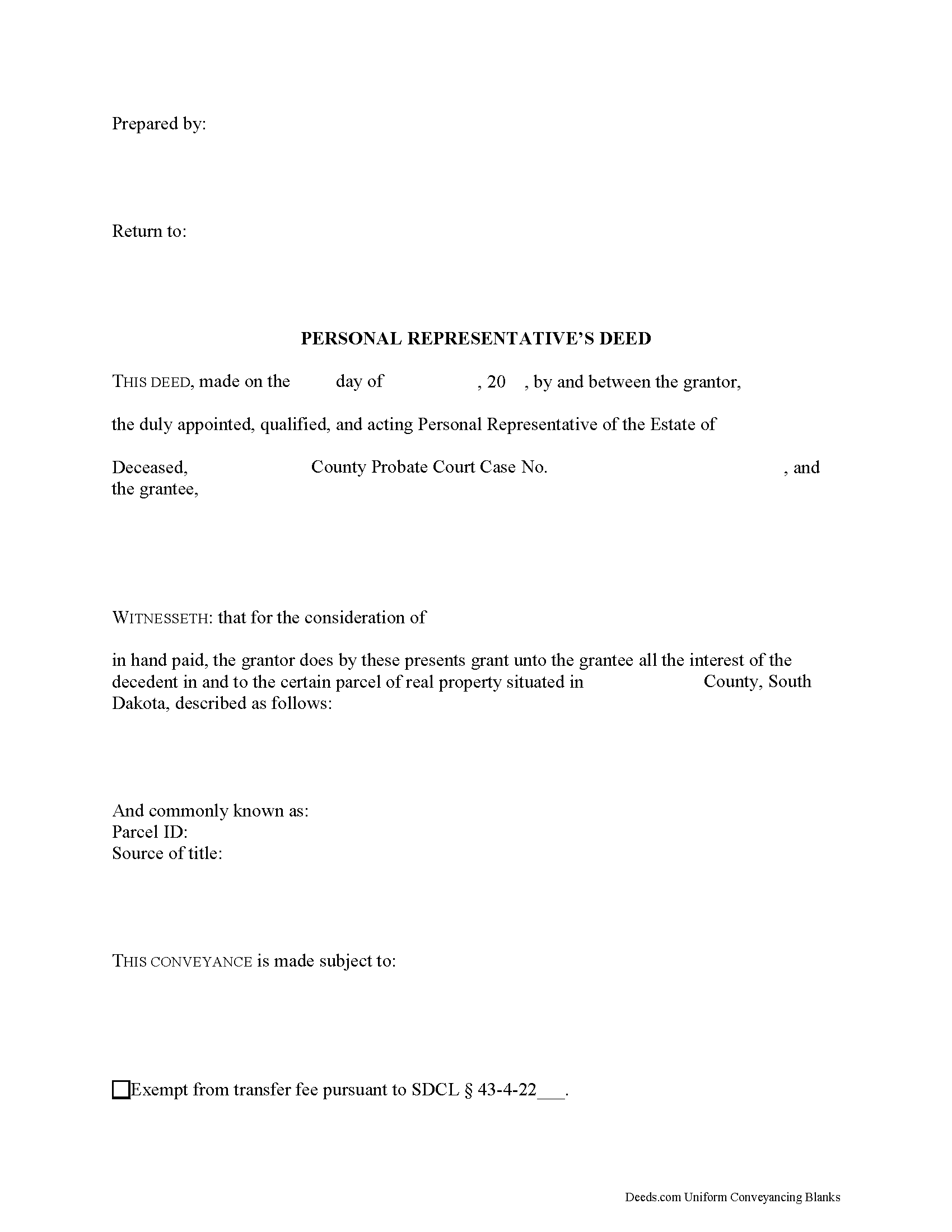
Brule County Personal Representative Deed of Sale Form
Fill in the blank form formatted to comply with all recording and content requirements.
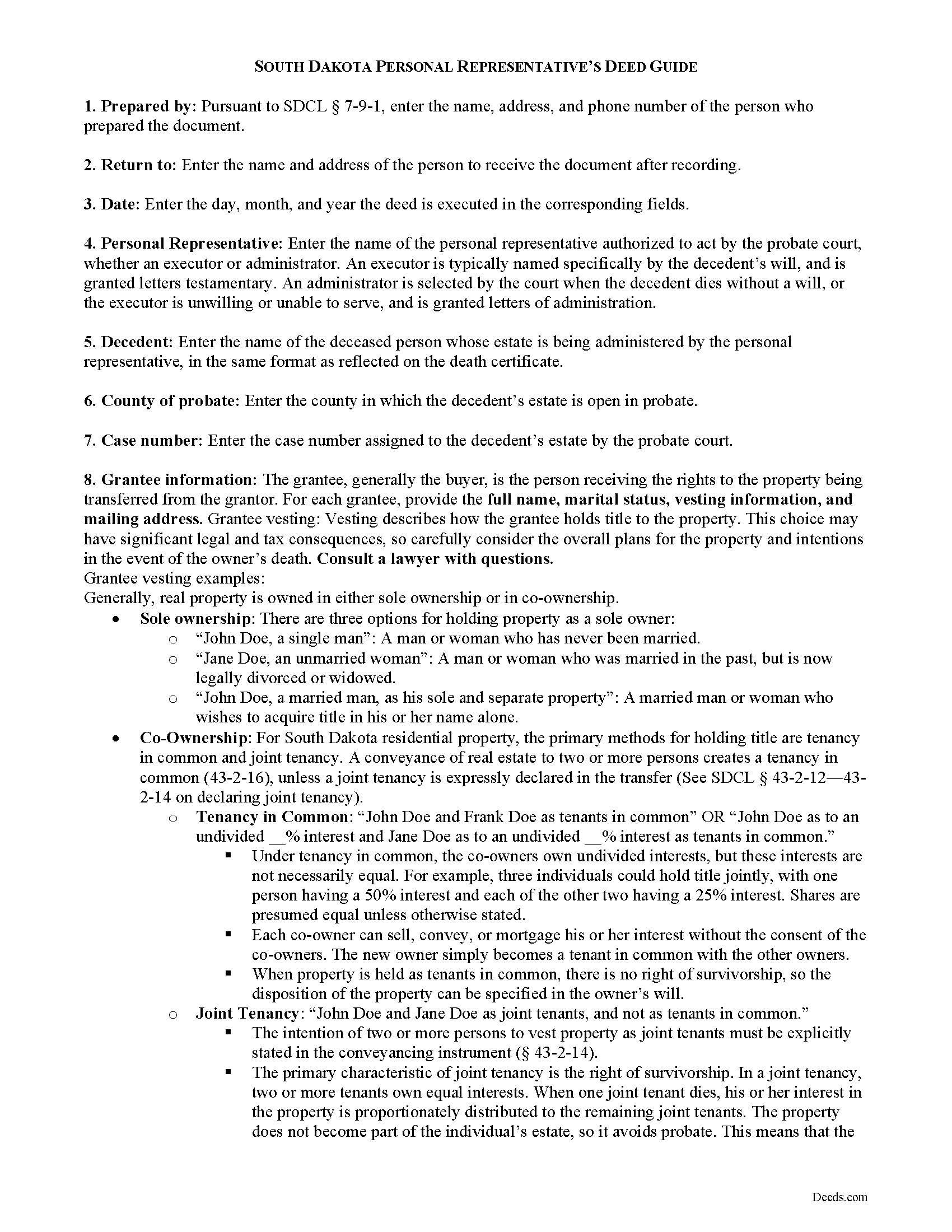
Brule County Personal Representative Deed of Sale Guide
Line by line guide explaining every blank on the form.
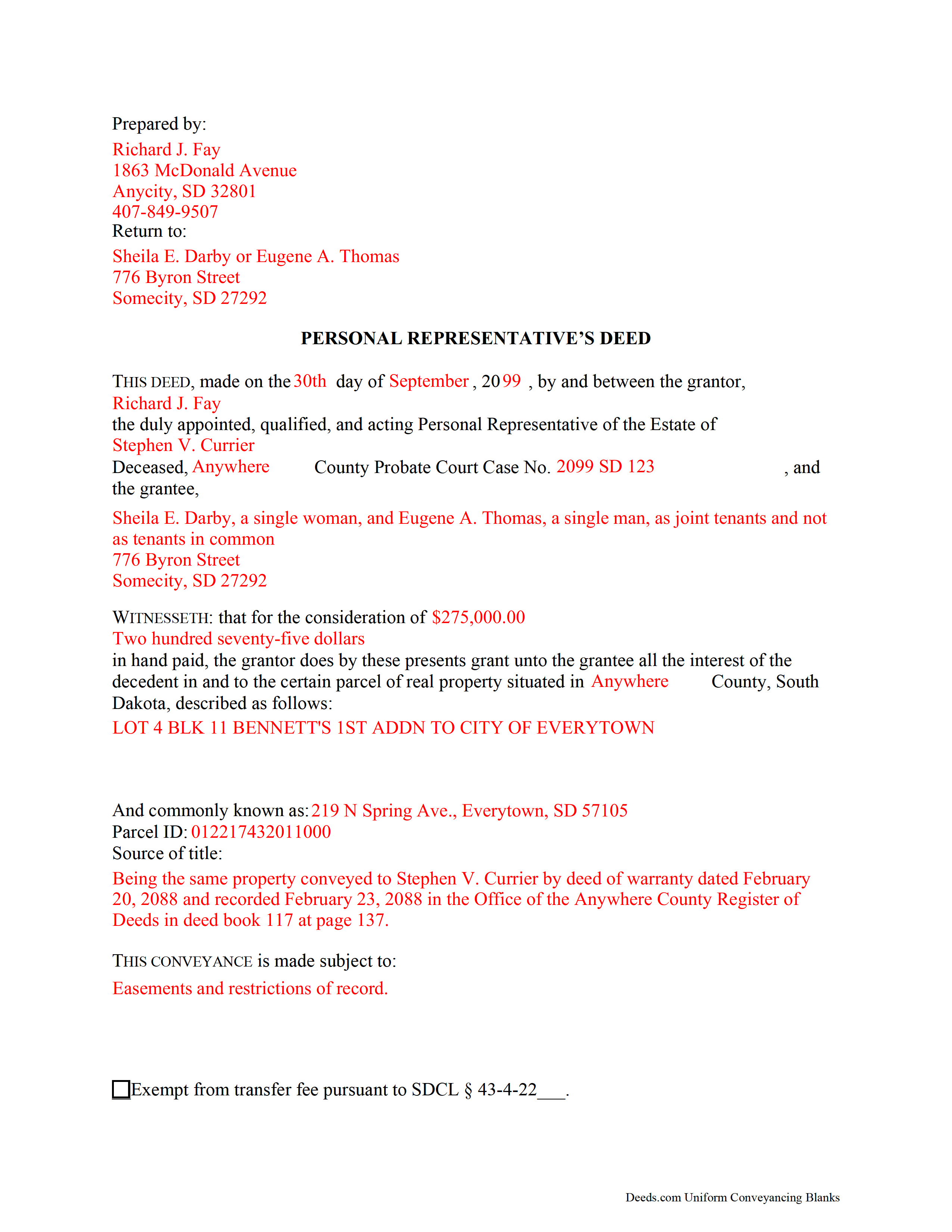
Brule County Completed Example of the Personal Representative Deed of Sale Document
Example of a properly completed form for reference.
All 3 documents above included • One-time purchase • No recurring fees
Immediate Download • Secure Checkout
Additional South Dakota and Brule County documents included at no extra charge:
Where to Record Your Documents
Brule County Register Of Deeds
Chamberlain, South Dakota 57325-1599
Hours: 8:00am to 4:30pm.M-F
Phone: (605) 234-4434
Recording Tips for Brule County:
- Bring your driver's license or state-issued photo ID
- Ensure all signatures are in blue or black ink
- Documents must be on 8.5 x 11 inch white paper
- Double-check legal descriptions match your existing deed
- Verify all names are spelled correctly before recording
Cities and Jurisdictions in Brule County
Properties in any of these areas use Brule County forms:
- Chamberlain
- Kimball
- Pukwana
Hours, fees, requirements, and more for Brule County
How do I get my forms?
Forms are available for immediate download after payment. The Brule County forms will be in your account ready to download to your computer. An account is created for you during checkout if you don't have one. Forms are NOT emailed.
Are these forms guaranteed to be recordable in Brule County?
Yes. Our form blanks are guaranteed to meet or exceed the applicable formatting requirements used for recording in Brule County, including margin requirements, font requirements, and other layout standards. This guarantee applies to formatting, not to the legal sufficiency of information entered by the user or the suitability of a form for a particular transaction.
Can I reuse these forms?
Yes. You can reuse the forms for your personal use. For example, if you have multiple properties in Brule County you only need to order once.
What do I need to use these forms?
The forms are PDFs that you fill out on your computer. The free Adobe Acrobat Reader is recommended, and most PDF apps also work. You do NOT enter your property information online - you download the blank forms and complete them privately on your own computer.
Are there any recurring fees?
No. This is a one-time purchase. Nothing to cancel, no memberships, no recurring fees.
How much does it cost to record in Brule County?
Recording fees in Brule County vary. Contact the recorder's office at (605) 234-4434 for current fees.
Questions answered? Let's get started!
In South Dakota, title to a decedent's real property devolves upon death to the decedent's devisees (for testate estates) and heirs (for intestate estates) (SDCL 29A-3-101). Though title transfers by operation of law, the estate is still subject to administration in probate. Probate is the legal process of settling the decedent's estate and distributing assets to those entitled to receive them.
In probate proceedings, governed by Title 29A of the South Dakota Codified Laws, a personal representative is appointed to the estate by the probate court to act as the estate's fiduciary.
Once authorized by the probate court, a personal representative (PR) of an estate "has the same power over the title to property of the estate that an absolute owner would have, in trust however, for the benefit of the creditors and others interested in the estate," which "may be exercised without notice, hearing, or order of court." (29A-3-711).
During estate administration, the PR may be required to sell realty to make payment of claims on the estate, to cover expenses of administration, or to liquidate the estate to facilitate easier distribution. SDCL 29A-3-715 entitles the PR to sell real property and execute deeds of conveyance.
To transfer title following a sale, the PR executes a personal representative's deed. When recorded, the deed transfers an estate in fee simple to the grantee with covenants that, at the time of conveyance, the estate is free from encumbrances done, made, or suffered by the grantor, or any person claiming under him, and that, prior to executing the conveyance, the grantor has not conveyed the estate to any other person (43-25-10).
In a personal representative's deed, the PR is named as the granting party. To properly transfer title, the deed must contain the grantee's name, marital status, address, and vesting information. PR deeds also recite information concerning the probated estate, including the decedent's name, the county of probate, and the case number assigned to the estate by the court.
As with any conveyance of an interest in real property, the deed recites the consideration the grantee is making for the transfer; the full legal description of the subject parcel; and the derivation of title. Any restrictions should be noted on the face of the deed, along with any exemption claimed to the transfer fee imposed by SDCL 43-4-21. Finally, the form must meet all state and local standards for recorded documents.
The PR must sign the deed in the presence of a notary public before recording in the Register of Deeds office of the relevant county.
Consult an attorney with questions regarding personal representative's deeds, or for any other issues related to probate in South Dakota, as each situation is unique.
(South Dakota PRDOS Package includes form, guidelines, and completed example)
Important: Your property must be located in Brule County to use these forms. Documents should be recorded at the county recording office listed above.
This Personal Representative Deed of Sale meets all recording requirements specific to Brule County.
Our Promise
The documents you receive here are guaranteed to meet or exceed the applicable Brule County recording format requirements. If there is a rejection caused by our formatting, we will correct the issue or refund your payment. This guarantee applies to document formatting only and does not extend to information entered by the user, the selection of the form, or the legal effect of the completed document.
Save Time and Money
Get your Brule County Personal Representative Deed of Sale form done right the first time with Deeds.com Uniform Conveyancing Blanks. At Deeds.com, we understand that your time and money are valuable resources, and we don't want you to face a penalty fee or rejection imposed by a county recorder for submitting nonstandard documents. We constantly review and update our forms to meet rapidly changing state and county recording requirements for roughly 3,500 counties and local jurisdictions.
4.8 out of 5 - ( 4,840 Reviews )
Robin G. 5 out of 5 stars
Easy to navigate! Will use your services again!
Thank you!
James I. 5 out of 5 stars
It worked out very well. Got the form(s) with clear instructions.
We appreciate your business and value your feedback. Thank you. Have a wonderful day!
Bryan R. 5 out of 5 stars
Deeds.com was very helpful and user friendly! Their team has been very prompt to respond to my emails. I highly recommend Deeds.com to fulfill deed recording needs!
Thanks so much, Bryan! We appreciate the kind words and your recommendation.
Vicki A. 5 out of 5 stars
Very fast and easy to use.
We appreciate your business and value your feedback. Thank you. Have a wonderful day!
CYNTHIA W. 5 out of 5 stars
My deed has now been recorded. Thank you so very much. I saved about $120.00 by doing this with your document service. Thankfully, I heard about you from a friend and did not go with my Title Company that wanted a fee that seems outrageous because of how simple it was to do. I will definitely "advertise" this service to others.
We appreciate your business and value your feedback. Thank you. Have a wonderful day!
Gretchen D. 5 out of 5 stars
Quick and easy process to get the documents, and helpful to see the example filled out.
Thank you for your feedback Gretchen, we really appreciate it. Have a great day!
Title H. 1 out of 5 stars
THIS SERVICE IS DIFFICULT TO USE AND TROUBLESOME, IN MY PROFESSIOBAL OPINION; a true NUGHTMARE! As a Title / Petroleum Land Professional (Landman), I use a wide variert of online title research tools and services. Mist are EXTREMELY COMPREHENSIVE, and relatively easy to perform one’s research. I am beginning to beliece that there is no search intrrfaxe here; just a long list of instructions full of circular references that simply tuns the researcher around and around to the same pages repeatedly. This service takes users NOWHERE. Good luck to those seeking to waste their time reading a vast set of redundant words and NO INTERFACE FOR CREATING OR EXECUTING AN AXTUAL SEARCH.
Thank you for sharing your feedback with us. We're genuinely sorry to hear about the difficulties you faced while using our service. As a Title / Petroleum Land Professional, your experience is invaluable to us, and we regret that our website did not meet your expectations.
We are committed to making the necessary changes to enhance our platform and provide a better experience for all users, including professionals like yourself.
Desiree R. 5 out of 5 stars
very easy to use
We are delighted to have been of service. Thank you for the positive review!
Ruthea M. 4 out of 5 stars
It was easy to download, but you need to open an account before doing so. That was not clear.
Your insights are invaluable to us and help us strive for better service. Thank you for taking the time to share your thoughts.
Anne-Marie B. 5 out of 5 stars
This was the first time I have ever e-recorded a document. The process was smooth and simple. I loved being informed at each step along the way. I am glad I chose deeds.com and plan to use them in the future for all my electronic recording of legal documents.
Thank you!
JoAnn S. 5 out of 5 stars
Easy to process orders.
Thank you!
Janalee T. 5 out of 5 stars
Fast, easy. quickly accepted by county recorder.
Thank you!
Esther R. 5 out of 5 stars
Very easy to follow and complete.
Thank you for your feedback. We really appreciate it. Have a great day!
Abdel M. 5 out of 5 stars
Easy to use and they are very responsive.
We appreciate your business and value your feedback. Thank you. Have a wonderful day!
Rachel E. 5 out of 5 stars
Our firm is working remotely and a lot of court services are limited with the corona-virus shutdowns, but we needed to record a Deed at the last minute. There was no other way we'd could get it done that quick without Deeds.com (staff) helped us work out some kinks and we got it recorded in less than 1 business day! Thank you!
Thank you for your feedback, we really appreciate it. Glad we could help.