Faulk County Quitclaim Deed (Corporation Grantor) Form
Last validated October 28, 2026 by our Forms Development TeamFormatted for recording in Faulk County, for property anywhere in the county: rural and unincorporated areas as well as Cresbard, Faulkton, Onaka, Rockham, Seneca.
- 3 documents included
- Immediate PDF download
- Formatting guarantee
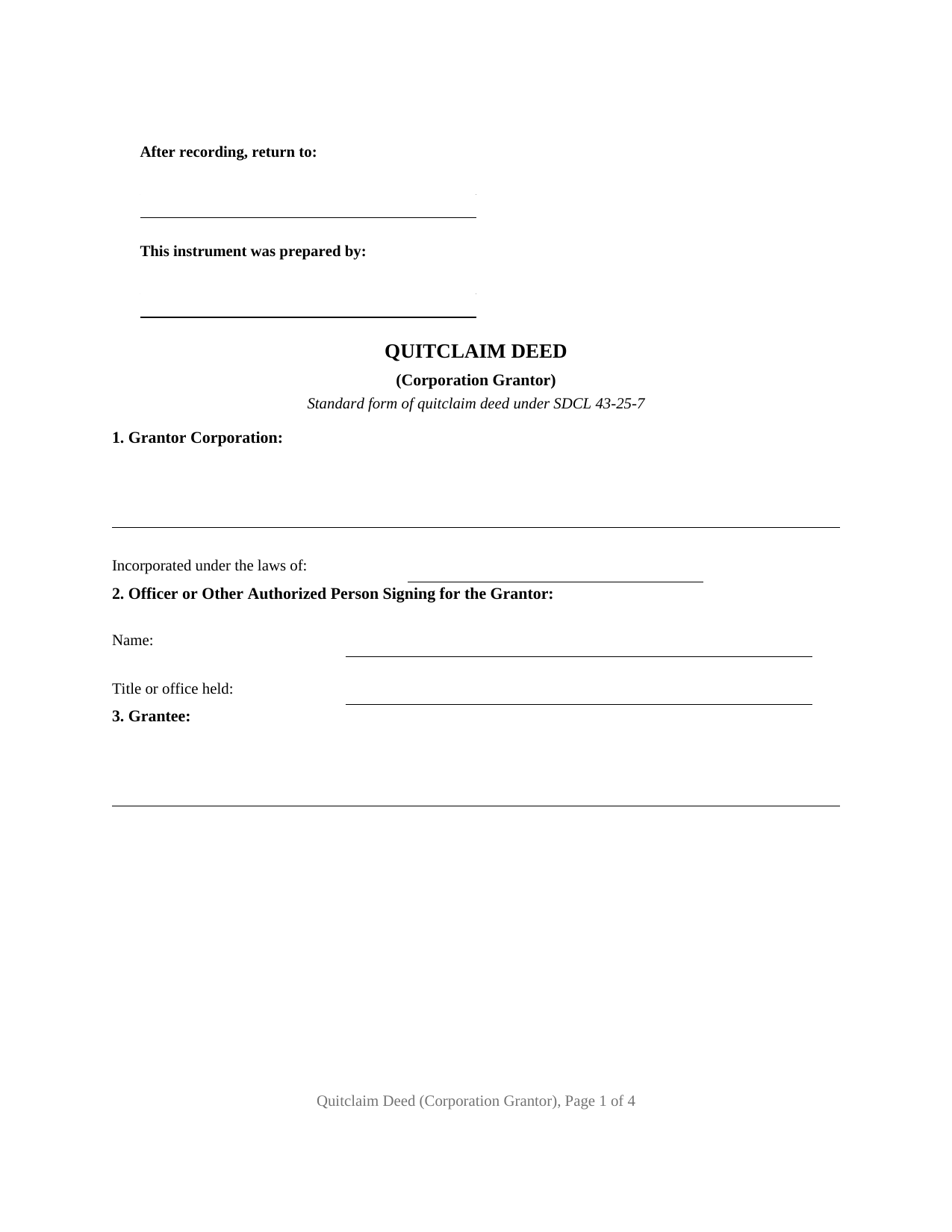
Faulk County Quitclaim Deed (Corporation Grantor) Form
Fill in the blank Quitclaim Deed (Corporation Grantor) form formatted to comply with all South Dakota recording and content requirements.
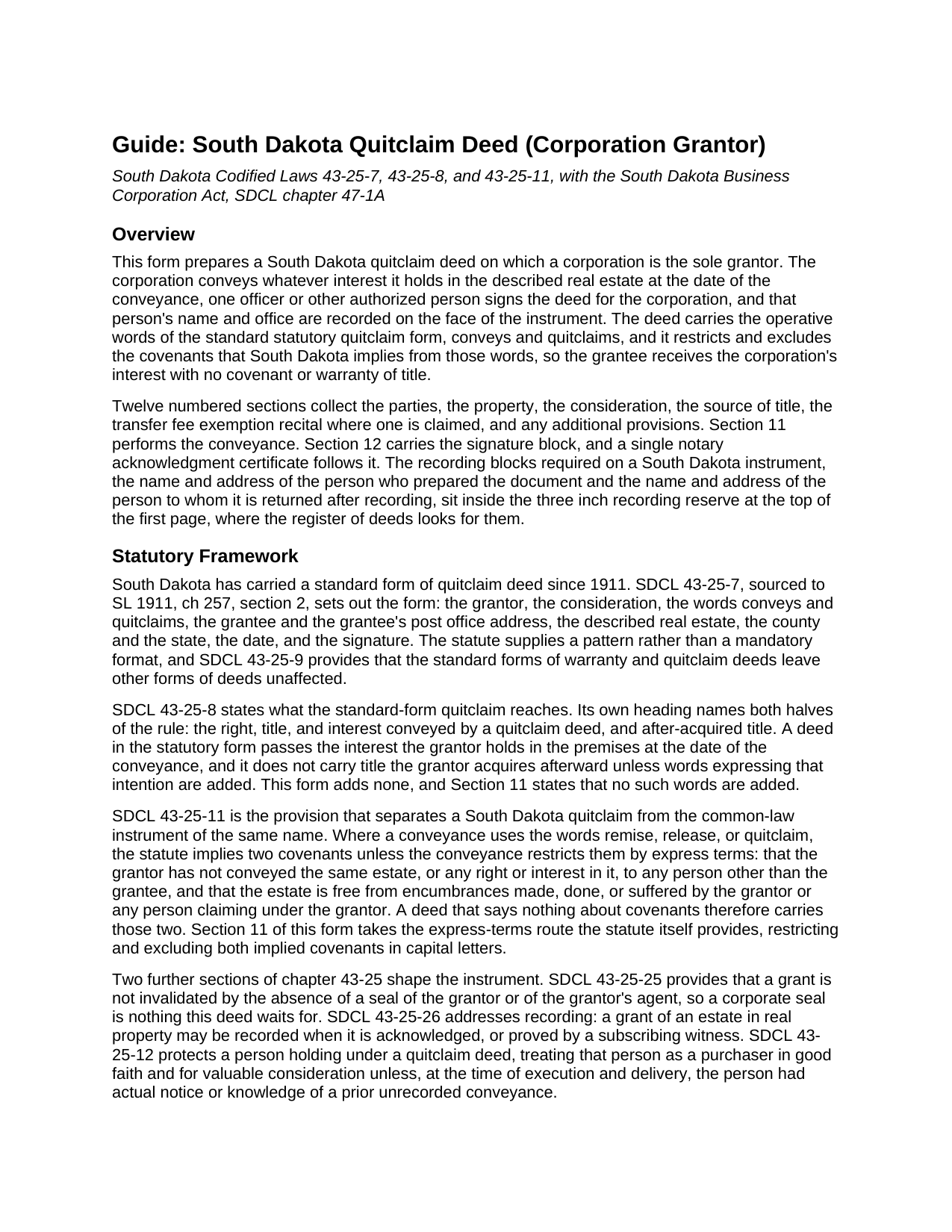
Faulk County Quitclaim Deed (Corporation Grantor) Guide
Line by line guide explaining every blank on the Quitclaim Deed (Corporation Grantor) form.
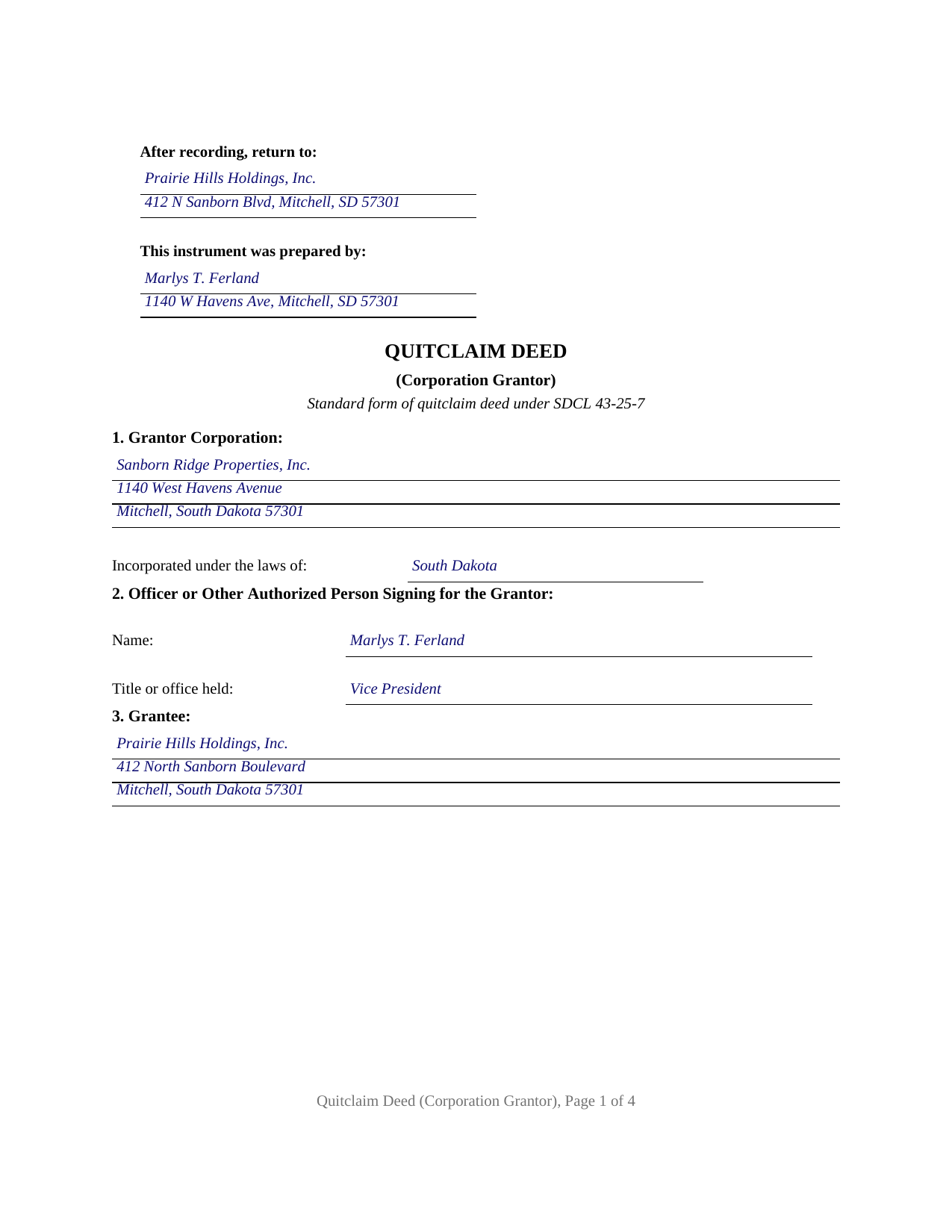
Faulk County Completed Example of the Quitclaim Deed (Corporation Grantor) Document
Example of a properly completed South Dakota Quitclaim Deed (Corporation Grantor) document for reference.
All 3 documents above included • One-time purchase • No recurring fees
Immediate Download • Secure Checkout
Additional South Dakota and Faulk County documents included at no extra charge:
Where to Record Your Documents
Faulk County Register of Deeds
Faulkton, South Dakota 57438
Hours: 8:30 to 4:30 M-F
Phone: (605) 598-6228
Recording Tips for Faulk County:
- Bring your driver's license or state-issued photo ID
- Ensure all signatures are in blue or black ink
- Ask for certified copies if you need them for other transactions
- Ask if they accept credit cards - many offices are cash/check only
- Check that your notary's commission hasn't expired
Cities and Jurisdictions in Faulk County
Properties in any of these areas use Faulk County forms:
- Cresbard
- Faulkton
- Onaka
- Rockham
- Seneca
Hours, fees, requirements, and more for Faulk County
How do I get my forms?
Forms are available for immediate download after payment. The Faulk County forms will be in your account ready to download to your computer. An account is created for you during checkout if you don't have one. Forms are NOT emailed.
Are these forms guaranteed to be recordable in Faulk County?
Yes. Our form blanks are guaranteed to meet or exceed the applicable formatting requirements used for recording in Faulk County, including margin requirements, font requirements, and other layout standards. This guarantee applies to formatting, not to the legal sufficiency of information entered by the user or the suitability of a form for a particular transaction.
Can I reuse these forms?
Yes. You can reuse the forms for your personal use. For example, if you have multiple properties in Faulk County you only need to order once.
What do I need to use these forms?
The forms are PDFs that you fill out on your computer. The free Adobe Acrobat Reader is recommended, and most PDF apps also work. You do NOT enter your property information online - you download the blank forms and complete them privately on your own computer.
Are there any recurring fees?
No. This is a one-time purchase. Nothing to cancel, no memberships, no recurring fees.
How much does it cost to record in Faulk County?
Recording fees in Faulk County vary. Contact the recorder's office at (605) 598-6228 for current fees.
Questions answered? Let's get started!
A corporation cannot hold a pen, and South Dakota's corporation statutes name no officer whose signature moves corporate land. This fillable quitclaim deed is built around that gap: the corporation alone is the Grantor, Section 2 records the name and office of the person signing for it, and the conveyancing sentence states that the signature is the corporation's act, not the signer's own. The instrument follows the standard South Dakota quitclaim pattern of SDCL 43-25-7.
Where a corporation's signing authority actually lives
Chapter 47-1A, the South Dakota Business Corporation Act, scatters the pieces. SDCL 47-1A-302 is the general powers section, and SDCL 47-1A-840 and SDCL 47-1A-841 govern officers and their duties. None of it turns an office into a deed signing office. Authority instead travels from the articles of incorporation and the bylaws through the board's own action, taken at a meeting or by the unanimous director consent SDCL 47-1A-821 treats as equivalent. The land record gets a name, an office, and a recital of that authority. SDCL 47-1A-304 limits how late a challenge arrives: the validity of corporate action may not be attacked on the ground that the corporation lacked power to act, except in three listed proceedings.
When a parcel sale becomes a shareholder question
Board authority carries most conveyances and stops short of one. SDCL 47-1A-1201 lists dispositions calling for no shareholder approval, and SDCL 47-1A-1202 draws the line: a disposition outside that list needs shareholder approval where it would leave the corporation without a significant continuing business activity. Where real estate is the business, the last parcel's sale sits there, and the sequence of SDCL 47-1A-1202.1 through SDCL 47-1A-1202.3 belongs in the minutes before signing.
Interest passes, with the implied covenants shut off
The operative words are the statutory pair, conveys and quitclaims. SDCL 43-25-8 measures them at the date of the conveyance, so the interest held that day passes and title arriving afterward stays behind unless the deed adds words reaching it, which it does not. South Dakota reads two covenants into quitclaim words unless express terms restrict them, one denying an earlier conveyance of the same estate, one denying encumbrances traceable to this grantor. The operative section excludes both in capitals, with any personal covenant of the individual who signs.
One corporate signer, no seal, no spouse
The form recites one corporate Grantor with its name, address, and jurisdiction of incorporation, one signer named with the office held, one signature block with the printed name line SDCL 43-28-23 requires, and one notary certificate holding the representative description. No corporate seal is needed, since under SDCL 43-25-25 a missing seal, the grantor's or an agent's, leaves a grant intact. Homestead concurrence never arises either, because SDCL 43-31-17 speaks to an owner who is married. Patterns presenting this architecture in the South Dakota record include a subsidiary corporation moving a parcel up to its parent, a corporation winding up and conveying land to a stockholder, and a corporation clearing a stale record interest left behind by a merger. An individual signing personally, two record owners, spouses, a trustee, and a limited liability company each print a different configuration, as do a nonprofit corporation and a cooperative, whose authority sits in other chapters of Title 47. Grantees may be one or several, Section 4 receiving a co-ownership designation measured against the tenancy in common default of SDCL 43-2-12.
The corporate exemptions at the recording counter
Thirty dollars covers a deed's first fifty pages under SDCL 7-9-15, and the SDCL 43-4-21 transfer fee is collected before recording unless an exemption applies. Three subdivisions of SDCL 43-4-22 are written for corporate transfers: mergers, consolidations, and reorganization plans moving substantially all assets under (8); a subsidiary corporation conveying to its parent for no or nominal consideration, or for the surrender of its stock, under (9), which the example claims; and a corporation to stockholder transfer needed to effectuate a dissolution under (12). SDCL 43-4-23 has the claim marked on the instrument, which Section 9 receives, and the SDCL 7-9-7 certificate of real estate value crosses the counter as its own filing.
The package holds three files: this quit claim deed as a blank fillable PDF, a completed example on a Davison County conveyance from a South Dakota corporation to its parent, and a plain-language guide to the twelve numbered sections, the corporate authority and notarization mechanics, and the recording package. The materials are informational and are not legal advice.
Important: Your property must be located in Faulk County to use these forms. Documents should be recorded at the county recording office listed above.
This Quitclaim Deed (Corporation Grantor) meets all recording requirements specific to Faulk County.
Our Promise
The documents you receive here are guaranteed to meet or exceed the applicable Faulk County recording format requirements. If there is a rejection caused by our formatting, we will correct the issue or refund your payment. This guarantee applies to document formatting only and does not extend to information entered by the user, the selection of the form, or the legal effect of the completed document.
Save Time and Money
Get your Faulk County Quitclaim Deed (Corporation Grantor) form done right the first time with Deeds.com Uniform Conveyancing Blanks. At Deeds.com, we understand that your time and money are valuable resources, and we don't want you to face a penalty fee or rejection imposed by a county recorder for submitting nonstandard documents. We constantly review and update our forms to meet rapidly changing state and county recording requirements for roughly 3,500 counties and local jurisdictions.
4.8 out of 5 - ( 4,837 Reviews )
Richard R. 5 out of 5 stars
Kind of expensive for a 3 page item...but I received it pronto and it will fill the bill.
Thank you!
Lucinda L. 5 out of 5 stars
mostly good; however, you need to update the annual exclusion gift amount from $14,000 to $15,000 (where it has ben for several years), and you need to make your Gift Deed final paragraph be gender neutral like "they" or "he or she" rather than just"he". We women lawyers and our women clients appreciate that.
Thank you for your feedback. We really appreciate it. Have a great day!
Bridgit L. 5 out of 5 stars
I must admit I was a bit hesitant to record a document online, but I am impressed by how quickly the process took from the initial sign-on, uploading and recording! I will definitely use your services again.
We appreciate your business and value your feedback. Thank you. Have a wonderful day!
Susan Mary S. 5 out of 5 stars
Thank you for the thorough assortment of forms!
Thank you for your feedback. We really appreciate it. Have a great day!
Michael M. 5 out of 5 stars
Amazing time saver, fantastic resource if you have an idea of what you are looking for and you can read. No one is going to hold your hand so be prepared to do the research yourself... it is DIY after all.
Thanks for the kind words Michael. Have a wonderful day.
Terry S. 4 out of 5 stars
Worked well for us except for not being able to edit. Got it completed and recorded with the county clerk! Having the instructions and example made it easy!
Thank you for your feedback. We really appreciate it. Have a great day!
Kevin T. 5 out of 5 stars
amazing customer service. thank you deeds.com. I just wish I knew about this company earlier. Kevin
We appreciate your business and value your feedback. Thank you. Have a wonderful day!
REBECCA B. 5 out of 5 stars
Documents arrived instantly. Performed exactly as stated. Will use website again.
We appreciate your business and value your feedback. Thank you. Have a wonderful day!
Kathy B. 5 out of 5 stars
Used this service in 2016 and had NO problems with getting all the correct paperwork submitted and I would definitely recommend this company
Thank you for your feedback. We really appreciate it. Have a great day!
Malissa B. 5 out of 5 stars
Fast response and quick delivery love it!
It was a pleasure serving you. Thank you for the positive feedback!
Kimberly B. 5 out of 5 stars
Absolutely recommend Deeds.com! The process to recording your document is explained step by step. If you have any questions, you just send a message and almost instantly a staff member will reply. Super quick processing. I uploaded my document late Friday afternoon, it was reviewed by Deeds.com staff and sent to the county for recording on Monday. By Tuesday, my document was successfully recorded by the County Recorder's Office and a copy of my recorded document was available for me, as well!
We appreciate your business and value your feedback. Thank you. Have a wonderful day!
Dallas S. 5 out of 5 stars
Very easy
Thank you!
Charles F. 5 out of 5 stars
Quick and Easy
Thank you for your feedback. We really appreciate it. Have a great day!
Jo Ann P. 3 out of 5 stars
Was hoping I would be sent copies on paper so I can fill them out without a desk computer
We appreciate your feedback. Our forms are delivered instantly as digital files, so customers can download and print as many copies as they need. This way, you have the flexibility to complete them by hand if you prefer.
Terrill M. 5 out of 5 stars
Great forms and information
We appreciate your business and value your feedback. Thank you. Have a wonderful day!