Bennett County Quitclaim Deed (Trustee Grantor) Form
Last validated October 13, 2026 by our Forms Development TeamFormatted for recording in Bennett County, for property anywhere in the county: rural and unincorporated areas as well as Allen, Martin, Tuthill.
- 3 documents included
- Immediate PDF download
- Formatting guarantee
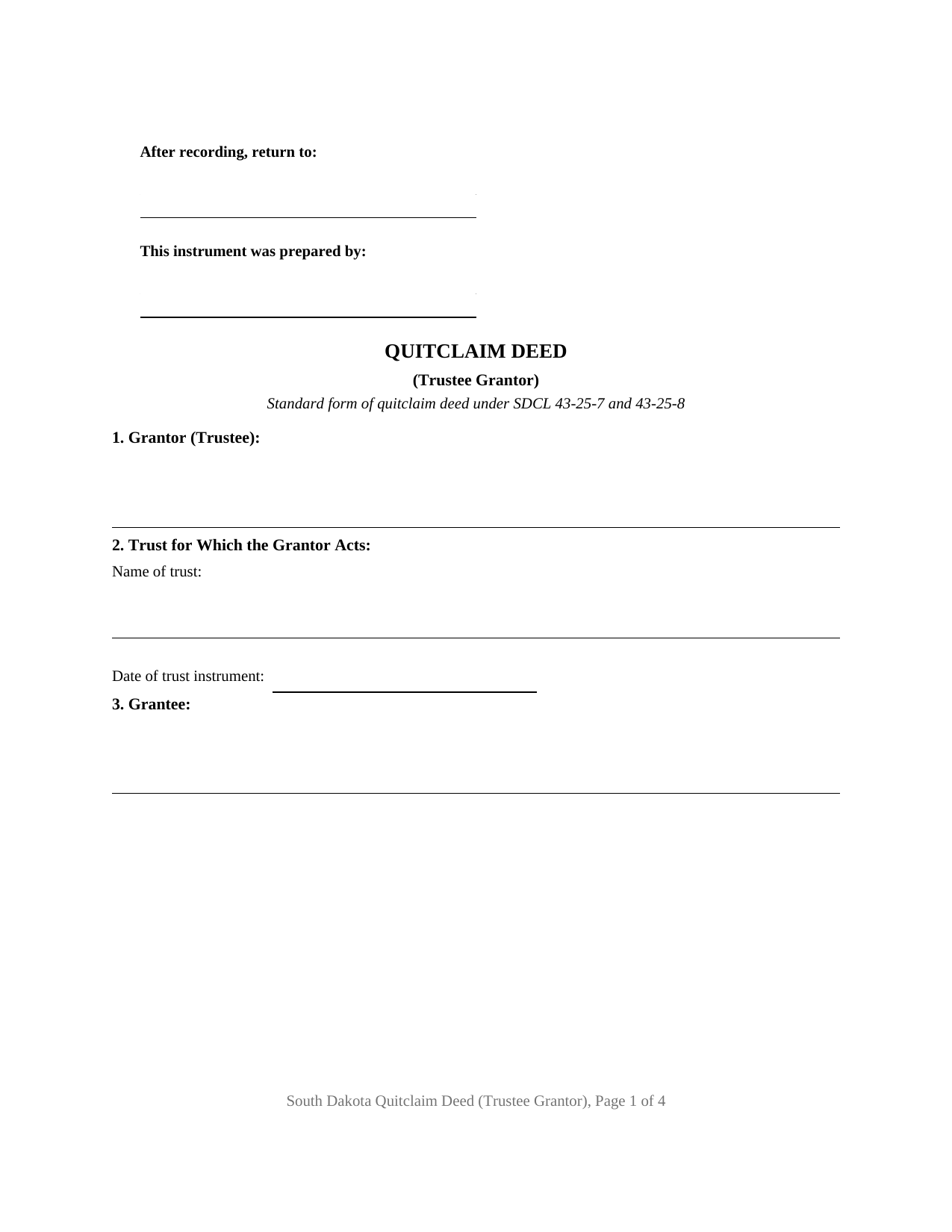
Bennett County Quitclaim Deed (Trustee Grantor) Form
Fill in the blank Quitclaim Deed (Trustee Grantor) form formatted to comply with all South Dakota recording and content requirements.
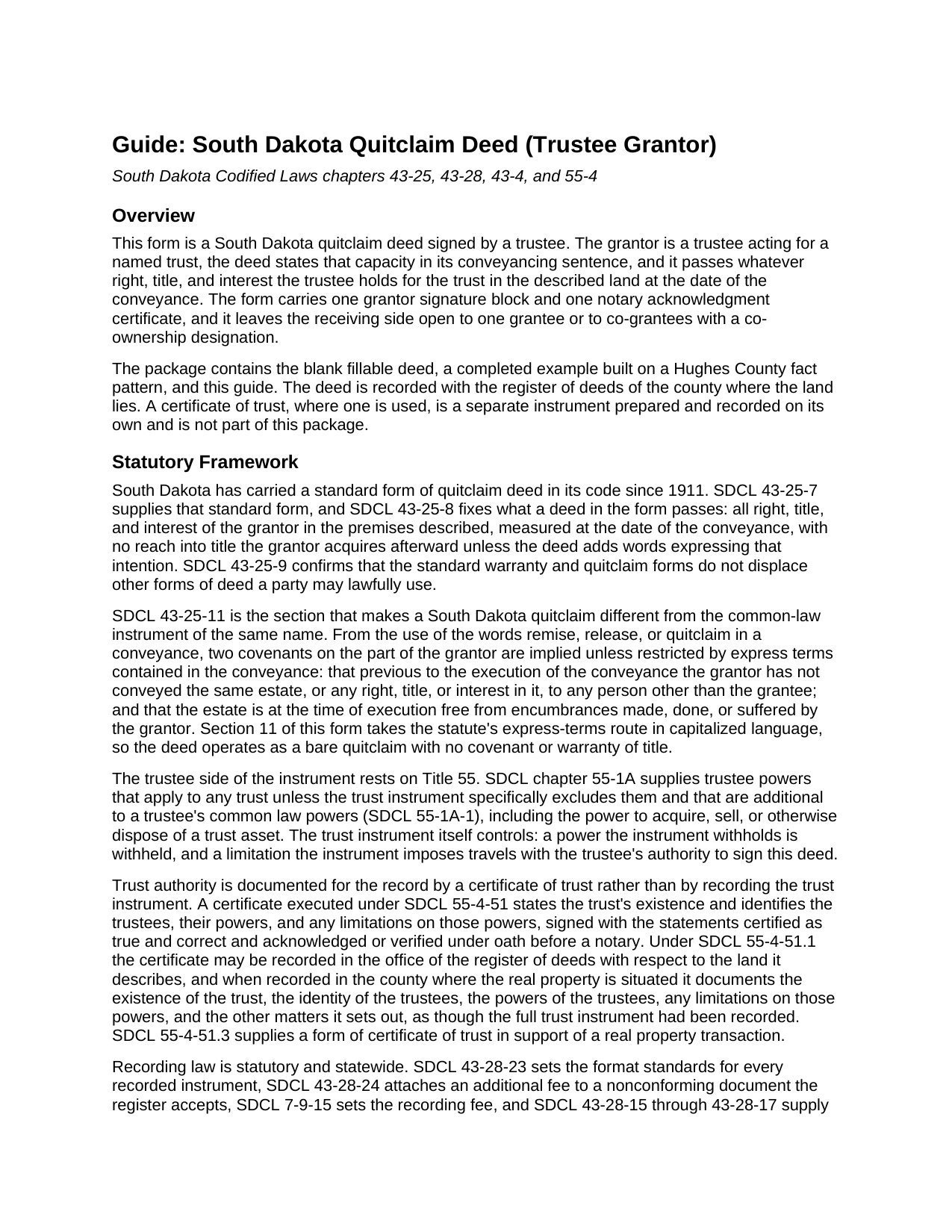
Bennett County Quitclaim Deed (Trustee Grantor) Guide
Line by line guide explaining every blank on the Quitclaim Deed (Trustee Grantor) form.
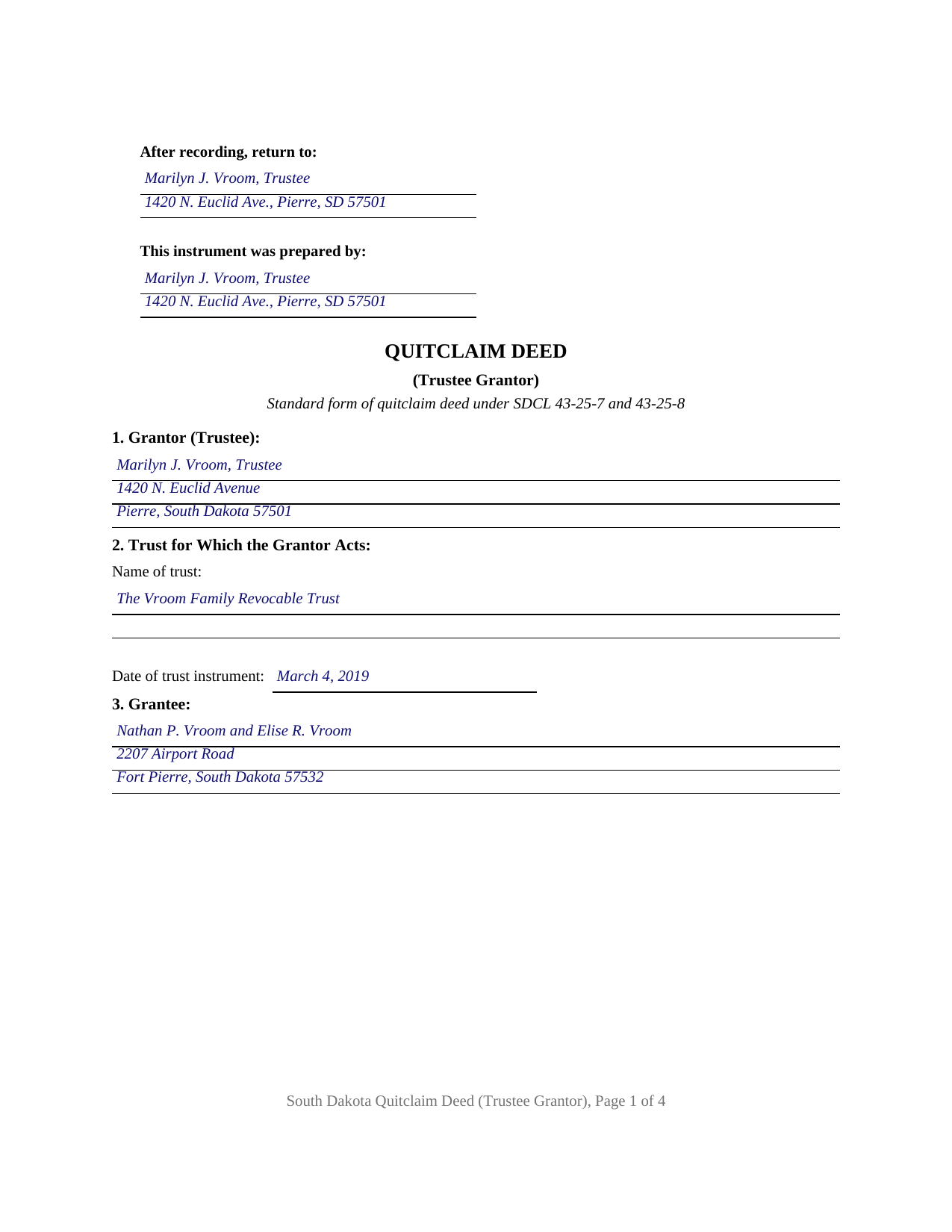
Bennett County Completed Example of the Quitclaim Deed (Trustee Grantor) Document
Example of a properly completed South Dakota Quitclaim Deed (Trustee Grantor) document for reference.
All 3 documents above included • One-time purchase • No recurring fees
Immediate Download • Secure Checkout
Additional South Dakota and Bennett County documents included at no extra charge:
Where to Record Your Documents
Bennett County Register of Deeds
Martin, South Dakota 57551-0433
Hours: 8:00 to 12:00 & 1:00 to 4:30 M-F / call ahead to confirm
Phone: (605) 685-6054
Recording Tips for Bennett County:
- Bring your driver's license or state-issued photo ID
- Ensure all signatures are in blue or black ink
- Check that your notary's commission hasn't expired
- Documents must be on 8.5 x 11 inch white paper
- Double-check legal descriptions match your existing deed
Cities and Jurisdictions in Bennett County
Properties in any of these areas use Bennett County forms:
- Allen
- Martin
- Tuthill
Hours, fees, requirements, and more for Bennett County
How do I get my forms?
Forms are available for immediate download after payment. The Bennett County forms will be in your account ready to download to your computer. An account is created for you during checkout if you don't have one. Forms are NOT emailed.
Are these forms guaranteed to be recordable in Bennett County?
Yes. Our form blanks are guaranteed to meet or exceed the applicable formatting requirements used for recording in Bennett County, including margin requirements, font requirements, and other layout standards. This guarantee applies to formatting, not to the legal sufficiency of information entered by the user or the suitability of a form for a particular transaction.
Can I reuse these forms?
Yes. You can reuse the forms for your personal use. For example, if you have multiple properties in Bennett County you only need to order once.
What do I need to use these forms?
The forms are PDFs that you fill out on your computer. The free Adobe Acrobat Reader is recommended, and most PDF apps also work. You do NOT enter your property information online - you download the blank forms and complete them privately on your own computer.
Are there any recurring fees?
No. This is a one-time purchase. Nothing to cancel, no memberships, no recurring fees.
How much does it cost to record in Bennett County?
Recording fees in Bennett County vary. Contact the recorder's office at (605) 685-6054 for current fees.
Questions answered? Let's get started!
The grantor signing this South Dakota quitclaim deed is parting with property nobody personally owned. A trustee holds legal title for a trust, and when trust land leaves the trust the record has to show which hat the signer wore. The fillable form prepares that conveyance on the standard quitclaim form of SDCL 43-25-7: one trustee as grantor, the trust named on the deed's face, a conveyancing sentence reciting the fiduciary capacity.
Capacity rides inside the conveyancing sentence
Section 11 carries the operative language: the grantor, acting solely as Trustee of the Trust identified in Section 2 and not individually, conveys and quitclaims all interest held as trustee in the land described in Section 6. Section 1 takes the signer's name with the capacity, a successor trustee's included, and Section 2 the trust's exact name and the date of its instrument, the pair a title examiner reads to tell one trust from the next.
Where a trustee's authority actually lives
No deed supplies the power to sign it. SDCL chapter 55-1A gives trustees default powers, the power to dispose of a trust asset among them, which apply unless a trust instrument specifically excludes them. Authority reaches the public record through a certificate of trust: executed under SDCL 55-4-51 and recorded under SDCL 55-4-51.1 against the land it describes, it documents the trust's existence, the trustees, and their powers and limits as though the whole trust instrument had been recorded. Section 8 takes the recording reference of a certificate already on file, or the word None; such a certificate is recorded separately and is not included here.
A self-dealing rule no deed language can answer
SDCL 55-4-13 constrains what a trustee may do with the other hand. Absent express authorization in the trust instrument, or in a will or other instrument creating the trust relationship, a trustee may not directly or indirectly lease, buy, or sell trust property from or to itself, an affiliate, or a relative, employer, partner, or other business associate. A quit claim deed running from a trustee to that same person individually, or to a relative, sits inside that section, and no deed wording moves it out.
What passes out of the trust, and what is promised
SDCL 43-25-8 measures a standard-form quitclaim at the date of the conveyance: the interest held then passes, and title arriving later stays put unless the deed adds words saying otherwise, which this one does not. Under SDCL 43-25-11 the words remise, release, or quitclaim imply two covenants unless express terms restrict them, one denying an earlier conveyance of the same estate by this grantor, one denying encumbrances traceable to this grantor. Section 11 excludes both in capital letters, and adds that no personal covenant of the individual signing as trustee travels with the deed.
One fiduciary signature, one certificate, an open grantee side
The form recites a single trustee, one signature block with the printed-name line SDCL 43-28-23 requires, and one notary acknowledgment certificate. Architectures like this one appear in the South Dakota record when a successor trustee distributes trust land to named beneficiaries, when a trustee sells a parcel to an outside buyer, and when a trustee deeds land back to a revocable trust's settlor. Co-trustees required to act together, an owner conveying in a personal capacity, and a homestead conveyance under SDCL 43-31-17, where both spouses concur and sign, each print a different configuration. One grantee or several may take, and Section 4 holds any co-ownership designation the parties enter, measured against the SDCL 43-2-12 default the guide sets out.
The recording package a trustee hands across the counter
A deed records where the land lies, at the thirty dollar charge SDCL 7-9-15 sets for its first fifty pages. The SDCL 43-4-21 realty transfer fee is collected before recording unless an SDCL 43-4-22 exemption is claimed on the deed's face, which Section 9 receives; the example claims subdivision (15), for a conveyance accommodating a fiduciary relationship. A certificate of real estate value under SDCL 7-9-7 rides along as its own Department of Revenue filing. Format answers to SDCL 43-28-23: three inches clear atop page one, an inch elsewhere, ten point type, and the grantee's mailing address.
Three files ship: the deed as a blank fillable PDF, a completed example worked through on a Hughes County distribution out of a family trust, and a plain-language guide to the numbered sections, the notarization mechanics, and what the register of deeds collects. The materials are informational and are not legal advice.
Important: Your property must be located in Bennett County to use these forms. Documents should be recorded at the county recording office listed above.
This Quitclaim Deed (Trustee Grantor) meets all recording requirements specific to Bennett County.
Our Promise
The documents you receive here are guaranteed to meet or exceed the applicable Bennett County recording format requirements. If there is a rejection caused by our formatting, we will correct the issue or refund your payment. This guarantee applies to document formatting only and does not extend to information entered by the user, the selection of the form, or the legal effect of the completed document.
Save Time and Money
Get your Bennett County Quitclaim Deed (Trustee Grantor) form done right the first time with Deeds.com Uniform Conveyancing Blanks. At Deeds.com, we understand that your time and money are valuable resources, and we don't want you to face a penalty fee or rejection imposed by a county recorder for submitting nonstandard documents. We constantly review and update our forms to meet rapidly changing state and county recording requirements for roughly 3,500 counties and local jurisdictions.
4.8 out of 5 - ( 4,829 Reviews )
RONALD L W. 5 out of 5 stars
Easy access of downloadable forms for use by Pennsylvania, Allegheny County residents.
Thank you for your feedback. We really appreciate it. Have a great day!
Robert W. 5 out of 5 stars
With the guide everything went great
Thank you!
Anne F. 5 out of 5 stars
For someone like me that isn't the swiftest on a computer, deeds.com made getting the documents I needed simple and fast. Loved the pages with the explanation and the sample of a completed document. Thank you for your very organized website. Worth every cent I paid.
Thank you for your feedback. We really appreciate it. Have a great day!
Joe F. 5 out of 5 stars
TOOK ME SEVERAL DAYS TO FIND A SITE THAT DIDNT CHARGE $100 JUST TO USE ONE FORM. THANKS
Thank you for your feedback. We really appreciate it. Have a great day!
Della F. 5 out of 5 stars
Always total satisfaction when information is needed. Request for information provided quickly from extremely knowledgeable and courteous personnel.
Thank you!
Robert D. 5 out of 5 stars
I was trying to register a financial statement (non real estate document). There was no link or statement on the home page to indicate that this could be done. All I had to do was to create an account, name and then upload the document. It took me over a day and several phone calls to the local deed recording office to try to figure this out. A simple link or statement to this effect would have saved me a lot of time
Thank you for your feedback. We really appreciate it. Have a great day!
Sandra A. 5 out of 5 stars
This site couldn't be any easier to use. Very pleased.
Great to hear — thank you for taking the time to write a review.
JOSE E. 5 out of 5 stars
Thanks
Thank you!
Barbara C. 5 out of 5 stars
I have used these forms now at least 3 times in order to sell the same parcel of land. The forms are great and I'm happy that I could use them more than once. To no fault of Deeds.com I used them many times to sell the same land. First the man died that was buying, before it got recorded. Then his wife was going to finish it, but then decided it should be sold to another party who was a friend of hers.
We appreciate your business and value your feedback. Thank you. Have a wonderful day!
Sharon B. 5 out of 5 stars
Awesome and so easy Thanks
Thank you!
Jina N. 5 out of 5 stars
Awesome site!! You guys really make it simple to understand and access any Deeds that I need. I know you keep very up to date forms, as my county is hard core when it comes to the smallest of details, even compared to every other county across the state. Yet you made it simple and quick, and I never had to redo anything. Even the clerk was impressed that I had it filled out correctly the first time, as that usually never happened. Even the size of type/font and the margins were perfect. That saved a lot of time, money and most of all, frustration. I've recommended you to relatives, friends and co-workers. Thanks to the staff at deeds dot com !! I truly appreciate you. j
Thank you!
Scott K. 5 out of 5 stars
The beneficiary deed was acceptable to the county clerk and my notarized official deed was mailed to me. The Missouri-based deed met with official approval so all is well in the land that time forgot.
Thank you!
terrance G. 5 out of 5 stars
Excellent Service, with quick turnaround times.
Thank you for your positive words! We’re thrilled to hear about your experience.
Robert J. 5 out of 5 stars
Ordered the quitclaim forms. Amazing value! Received everything I needed and then some. The forms were easy to use and understand with the help of the guide. The best part was that once completed I used deeds.com's e-recording service to submit the document for recording (our county offices are still closed). Outstanding!
Thank you for the kinds words Robert, glad we could help.
Michelle D. 5 out of 5 stars
Very professional service, they were timely and proficient with answers and sending in the documents that I requested. Will work with them again in the future
We appreciate your business and value your feedback. Thank you. Have a wonderful day!