Brown County Transfer on Death Deed Form
Last validated October 21, 2026 by our Forms Development TeamFormatted for recording in Brown County, for property anywhere in the county: rural and unincorporated areas as well as Aberdeen, Barnard, Bath, Claremont, Columbia, Ferney, Frederick, Groton and 6 more.
- 3 documents included
- Immediate PDF download
- Formatting guarantee
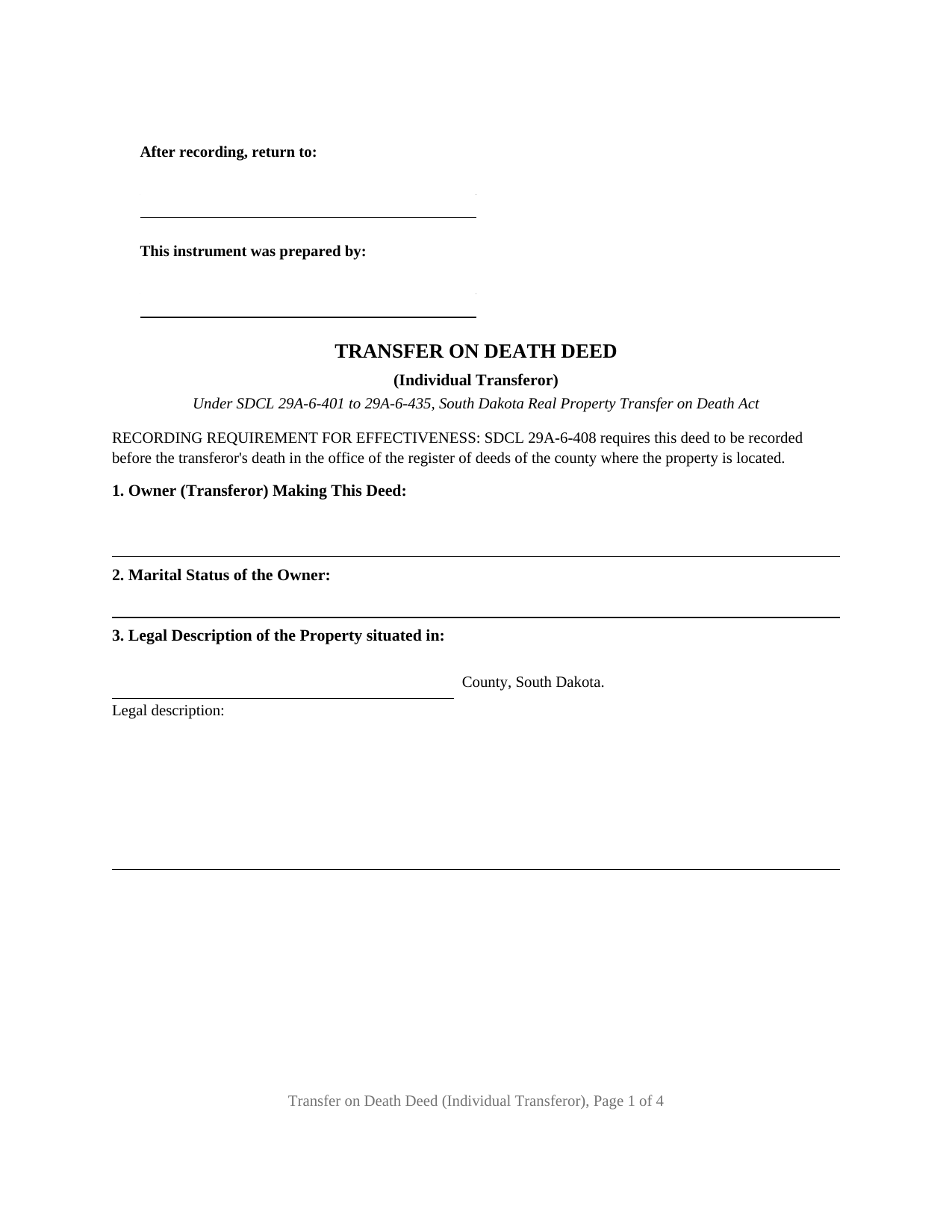
Brown County Transfer on Death Deed Form
Fill in the blank Transfer on Death Deed form formatted to comply with all South Dakota recording and content requirements.
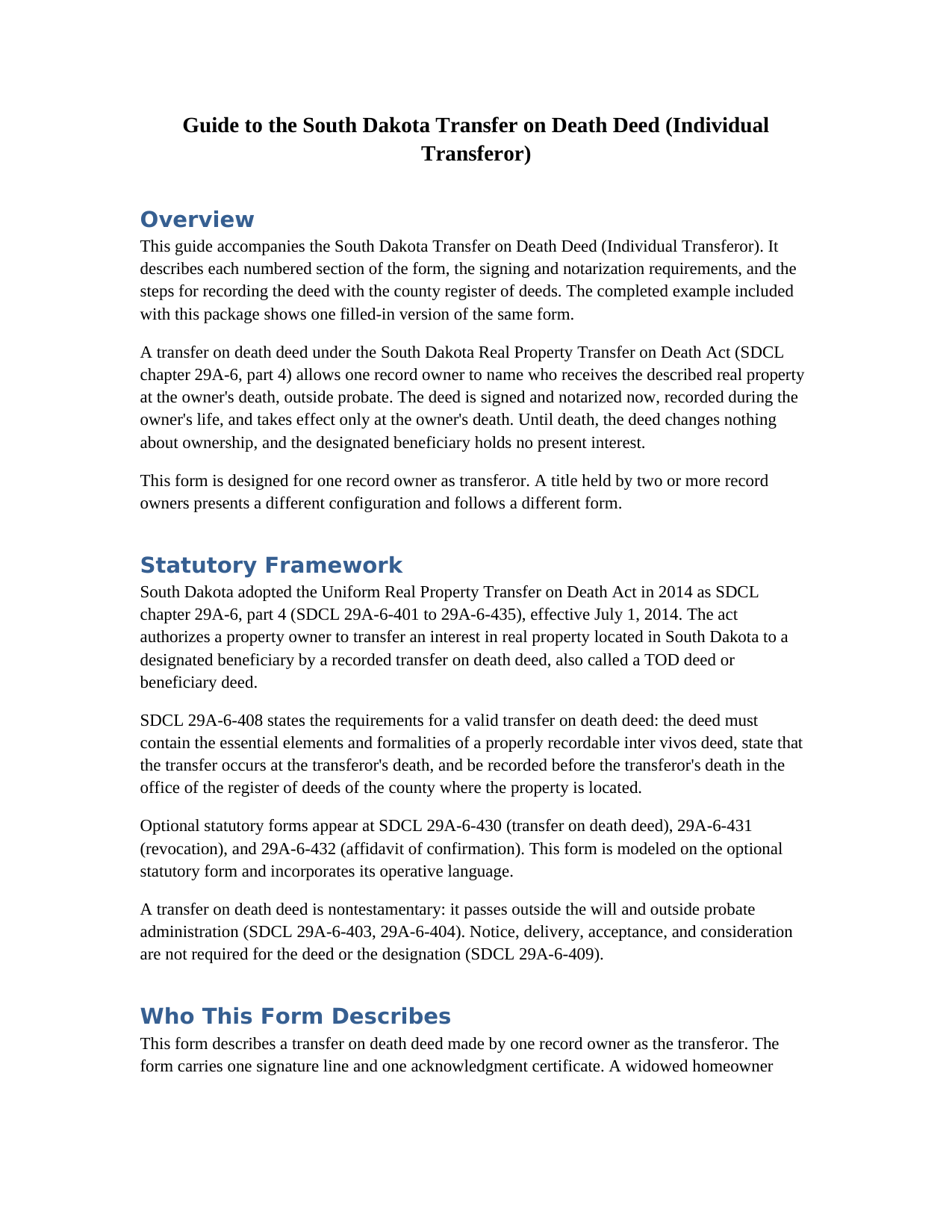
Brown County Transfer on Death Deed Guide
Line by line guide explaining every blank on the Transfer on Death Deed form.
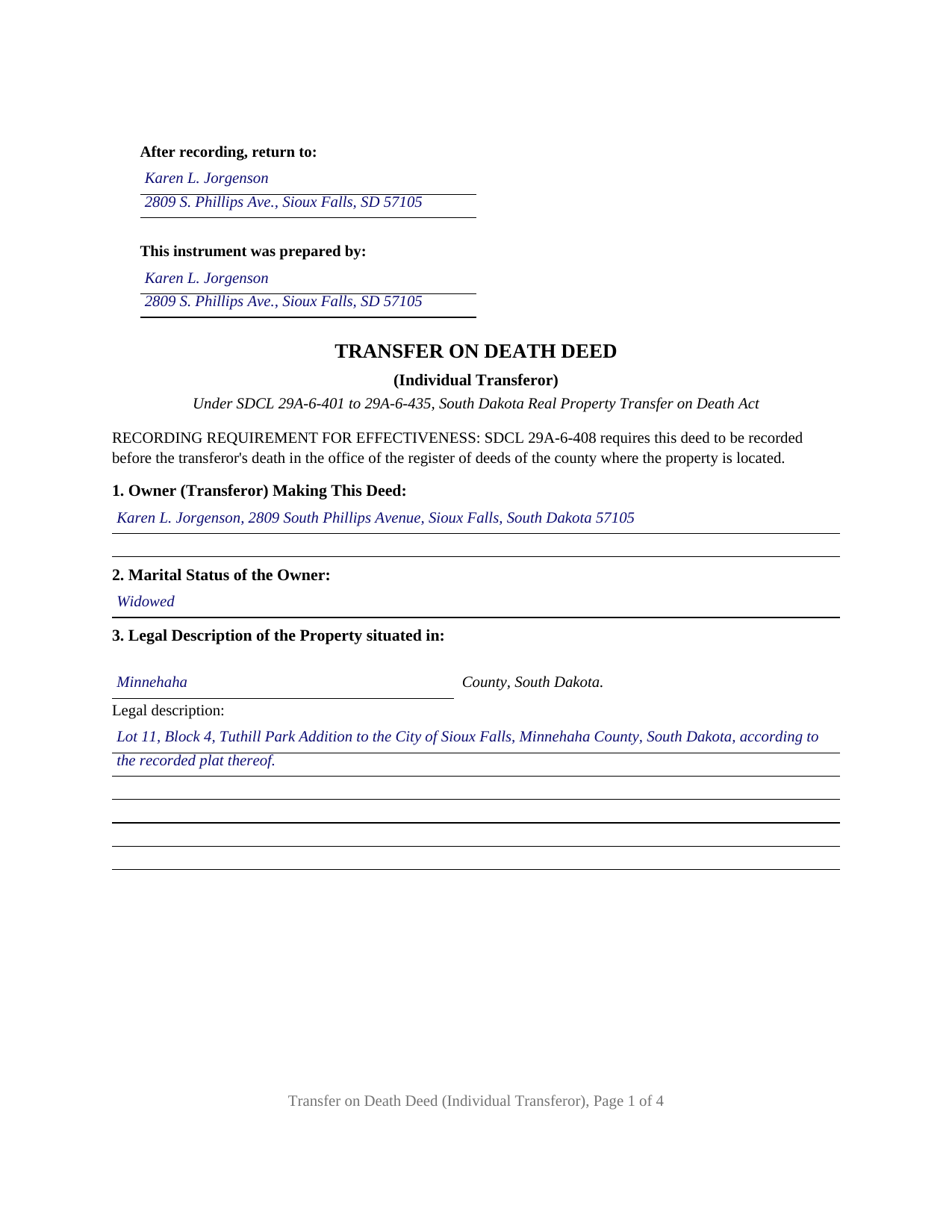
Brown County Completed Example of the Transfer on Death Deed Document
Example of a properly completed South Dakota Transfer on Death Deed document for reference.
All 3 documents above included • One-time purchase • No recurring fees
Immediate Download • Secure Checkout
Additional South Dakota and Brown County documents included at no extra charge:
Where to Record Your Documents
Brown County Register of Deeds
Aberdeen , South Dakota 57402-1307
Hours: 8:00am-5:00pm M-F
Phone: (605) 626-7140
Recording Tips for Brown County:
- Bring your driver's license or state-issued photo ID
- Ensure all signatures are in blue or black ink
- Recorded documents become public record - avoid including SSNs
- Recording fees may differ from what's posted online - verify current rates
- Request a receipt showing your recording numbers
Cities and Jurisdictions in Brown County
Properties in any of these areas use Brown County forms:
- Aberdeen
- Barnard
- Bath
- Claremont
- Columbia
- Ferney
- Frederick
- Groton
- Hecla
- Houghton
- Mansfield
- Stratford
- Warner
- Westport
Hours, fees, requirements, and more for Brown County
How do I get my forms?
Forms are available for immediate download after payment. The Brown County forms will be in your account ready to download to your computer. An account is created for you during checkout if you don't have one. Forms are NOT emailed.
Are these forms guaranteed to be recordable in Brown County?
Yes. Our form blanks are guaranteed to meet or exceed the applicable formatting requirements used for recording in Brown County, including margin requirements, font requirements, and other layout standards. This guarantee applies to formatting, not to the legal sufficiency of information entered by the user or the suitability of a form for a particular transaction.
Can I reuse these forms?
Yes. You can reuse the forms for your personal use. For example, if you have multiple properties in Brown County you only need to order once.
What do I need to use these forms?
The forms are PDFs that you fill out on your computer. The free Adobe Acrobat Reader is recommended, and most PDF apps also work. You do NOT enter your property information online - you download the blank forms and complete them privately on your own computer.
Are there any recurring fees?
No. This is a one-time purchase. Nothing to cancel, no memberships, no recurring fees.
How much does it cost to record in Brown County?
Recording fees in Brown County vary. Contact the recorder's office at (605) 626-7140 for current fees.
Questions answered? Let's get started!
One record owner, one signature line, and full ownership kept until the end: this fillable South Dakota transfer on death deed is built for a sole owner, the transferor, who names who takes the property at death and remains free to sell, mortgage, or change course at any time. The deed is signed and notarized now, placed of record during the owner's life, and moves nothing while the owner lives.
A beneficiary deed under South Dakota's probate code
South Dakota's version of the Uniform Real Property Transfer on Death Act took effect July 1, 2014 and lives in the probate code, SDCL 29A-6-401 to 29A-6-435. The instrument it authorizes, searched for as a beneficiary deed or TOD deed, is nontestamentary: the property passes outside the will and without probate administration. The act asks three things of the deed itself under SDCL 29A-6-408: the elements and formalities of an ordinary recordable deed, a statement that the transfer happens at the transferor's death, and recording, before that death, with the register of deeds where the land lies. This form is drafted from the optional statutory form in SDCL 29A-6-430 and keeps its operative sentence word for word.
Revocable until the last day
While the transferor lives, the deed does nothing (SDCL 29A-6-414): the beneficiary holds no interest of any kind, and no consideration, notice, delivery, or acceptance is involved (SDCL 29A-6-409). Changing course takes a recorded instrument: a later transfer on death deed, an express instrument of revocation, or a lifetime deed that expressly revokes, each placed of record before the transferor dies (SDCL 29A-6-410). Tearing up the paper accomplishes nothing; SDCL 29A-6-412 rules out revocation by an act on the deed itself. An owner who sells the property outright simply leaves the deed with nothing to transfer at death.
One transferor, one certificate, and the elections the form carries
Exactly one record owner signs this deed as transferor; the signature section carries one line and the notary section one certificate. A marital status entry, an element the statutory form includes, sits near the top, and the owner's name and mailing address open the deed the way the register's index expects. The beneficiary sections name one or more primary designated beneficiaries, each with the mailing address the recording statutes call for, and where several are named the statutory default divides the property in equal shares, as tenants in common. A contingent section answers the case where no primary beneficiary survives, and the statutory survival election states whether the transfer is conditioned on the named beneficiary surviving the owner by one hundred twenty hours. A widowed Sioux Falls homeowner naming an adult son, and an unmarried owner of a lake cabin naming a sister and a brother, present the single-owner pattern this deed recites; a title held by two or more owners presents a different configuration.
At the register of deeds
The recording half of the work is already handled on the deed's face. The first page reserves the three inch blank space SDCL 43-28-23 requires, with a preparer statement block in its left half the way SDCL 7-9-1 and SDCL 43-28-23(4) describe. No Certificate of Real Estate Value rides along: SDCL 7-9-7(5) excepts transfer on death deeds from the PT-56 that accompanies most South Dakota conveyances. No transfer fee is due either, and the printed exemption line citing SDCL 43-4-22(18) satisfies the face statement SDCL 43-4-23 requires of an exempt instrument. The statewide recording fee under SDCL 7-9-15 is thirty dollars for a deed of this length.
The download includes the blank single-owner deed as a fillable PDF, a completed example worked through a Minnehaha County house from the owner's name to the notary block, and a plain language guide covering each numbered section, the signing, and the recording steps. The materials are informational and are not legal advice.
Important: Your property must be located in Brown County to use these forms. Documents should be recorded at the county recording office listed above.
This Transfer on Death Deed meets all recording requirements specific to Brown County.
Our Promise
The documents you receive here are guaranteed to meet or exceed the applicable Brown County recording format requirements. If there is a rejection caused by our formatting, we will correct the issue or refund your payment. This guarantee applies to document formatting only and does not extend to information entered by the user, the selection of the form, or the legal effect of the completed document.
Save Time and Money
Get your Brown County Transfer on Death Deed form done right the first time with Deeds.com Uniform Conveyancing Blanks. At Deeds.com, we understand that your time and money are valuable resources, and we don't want you to face a penalty fee or rejection imposed by a county recorder for submitting nonstandard documents. We constantly review and update our forms to meet rapidly changing state and county recording requirements for roughly 3,500 counties and local jurisdictions.
4.8 out of 5 - ( 4,839 Reviews )
Ken J. 5 out of 5 stars
I liked the software, it's very easy to use. Once it's saved as a .pdf document on your computer, the source document is lost when you log out. I wish it could be saved and then edited on their site later instead of having to create a new document from scratch each time.
Thank you for your feedback. We really appreciate it. Have a great day!
terrence h. 5 out of 5 stars
Professional
Thank you!
Thomas D. 2 out of 5 stars
The documents themselves are fine and the information provided with them is helpful. I find the actual processing of the documents, however, to be difficult particularly once the document has been saved. First, I note that the box for the date only allows entry of the last 2 digits of the year. Unfortunately, my download only allows me to enter one of the 2 digits required. When I delete it repeatedly, it eventually allows both digits to be entered but puts them in extremely small text and in superscrypt. I have not found a solution to this problem and am not sure the deed can even be recorded with this problem. Another problem is that if you try to revise the document after you have saved it the curser goes to the end of the line after each key entry. This means that there basically is no way to efficiently save the document for reworking later since you will have to delete everything you have entered in the text box unless you only need to make a single keystroke change or are willing to replace the curser after each entry. Try that with a long property description! Please note that I am using a Mac to prepare my documents and perhaps this is part of an "incompatibility problem". However, I didn't see a disclaimer regarding Mac use and so would expect the documents to perform correctly. Overall, I give the program a "2 star" rating because I am experiencing significant difficulties in entering dates in the documents even before saving them and because saving your work for later revision appears to be basically unworkable.
Thank you for your feedback Thomas, we appreciate you being specific about the issues you encountered. Adobe and Mac have a fairly long history of issues working together.
Christopher W. 5 out of 5 stars
Completed in 1 day and no problems filing a deed in another county. Price was less than the gas I would have used, not to mention my time. Thanks
Thank you!
Maria-Luisa: M. 5 out of 5 stars
So far so good!
Thank you!
Judy A S. 5 out of 5 stars
Great do it yourself forms (I used the Quitclaim deed). If you think you're going to need a lot of hand holding you might consider hiring an attorney. The guide and general information provided by deeds.com will help if you have some idea of what you are doing and you are willing to research a little. Your mileage may vary but for me, this was a very efficient and economical way to get my quitclaim deed done.
Thank you for your feedback. We really appreciate it. Have a great day!
Cyrus A. 5 out of 5 stars
Easy site to work with.
We are grateful for your feedback and looking forward to serving you again. Thank you!
Susan L. 5 out of 5 stars
Instructions easy to follow, example form was a big help.
We appreciate your business and value your feedback. Thank you. Have a wonderful day!
Rhonda P. 5 out of 5 stars
Very quick and easy! Didn't even have to leave the house and I didn't have to send via USPS which is nice since we are in a pandemic. The convenience of this site is worth the extra money. Would definitely use this site again.
We appreciate your business and value your feedback. Thank you. Have a wonderful day!
Debra R. 5 out of 5 stars
So easy to follow when preparing a deed. The example places given helped to know how to correctly fill out the form! Very easy! I will use deeds.com again! Thank you!
Thank you!
Ryan P. 5 out of 5 stars
It was a pleasant surprise to find out how easy the site was to use! Clear directions! very user friendly!
Thank you!
Douglas C. 5 out of 5 stars
Even for a novice like me, this site was easy to use, with very clear & simple options and instructions. I wish every web site was as good!
Thank you for your feedback. We really appreciate it. Have a great day!
Kathy B. 4 out of 5 stars
Works easy enough and good directions on the form, however no help when I got locked out. Had to do a completely new account name and email address.
Thank you!
William P. 5 out of 5 stars
Good timely service. Returned my fee on a document that could not be located.
Thank you!
Elizabeth B. 5 out of 5 stars
Excellent product! Easy to fill out, complete directions. I highly recommend.
We appreciate your business and value your feedback. Thank you. Have a wonderful day!