Mcpherson County Transfer on Death Revocation (Individual Transferor) Form
Last validated October 30, 2026 by our Forms Development TeamFormatted for recording in Mcpherson County, for property anywhere in the county: rural and unincorporated areas as well as Eureka, Leola, Longlake.
- 3 documents included
- Immediate PDF download
- Formatting guarantee
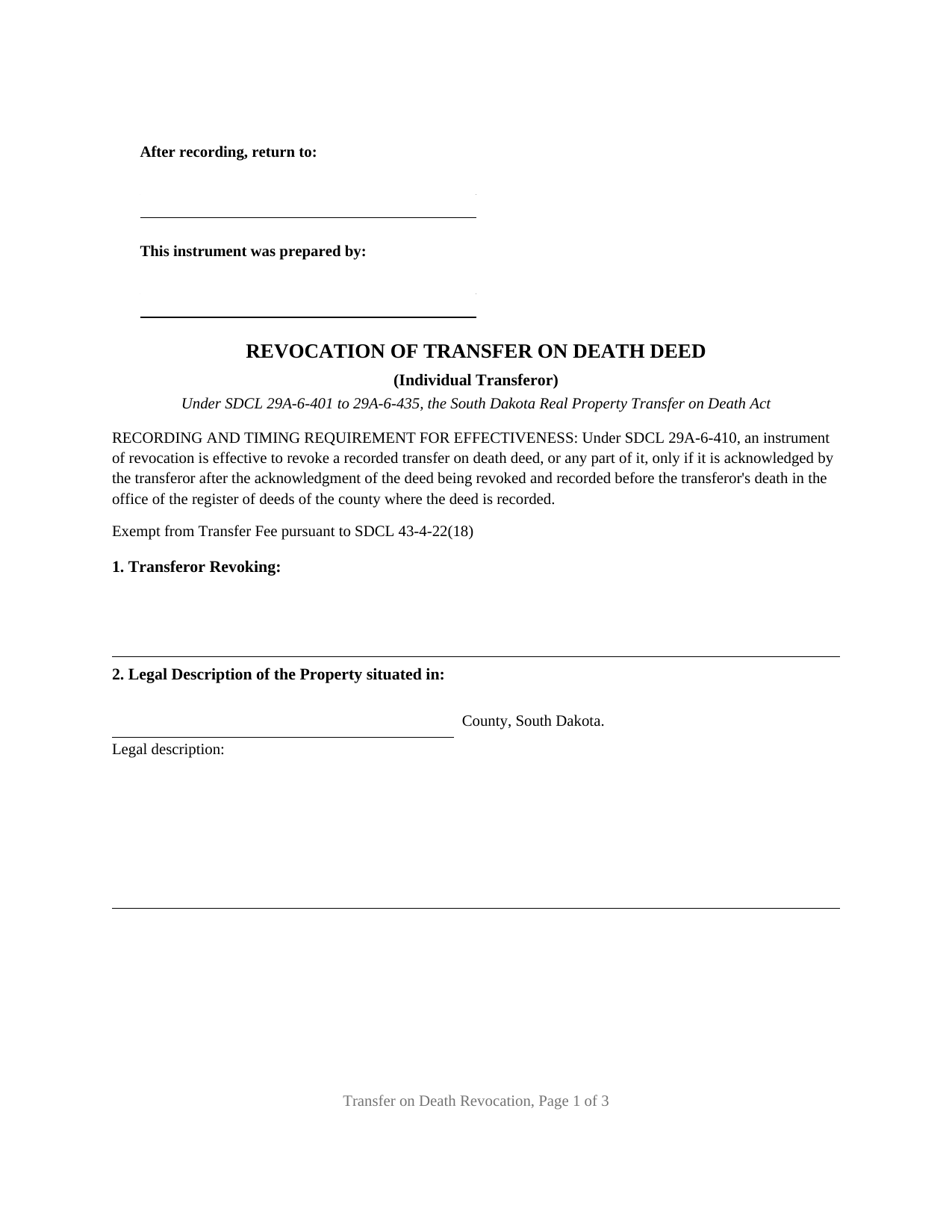
Mcpherson County Transfer on Death Revocation (Individual Transferor) Form
Fill in the blank Transfer on Death Revocation (Individual Transferor) form formatted to comply with all South Dakota recording and content requirements.
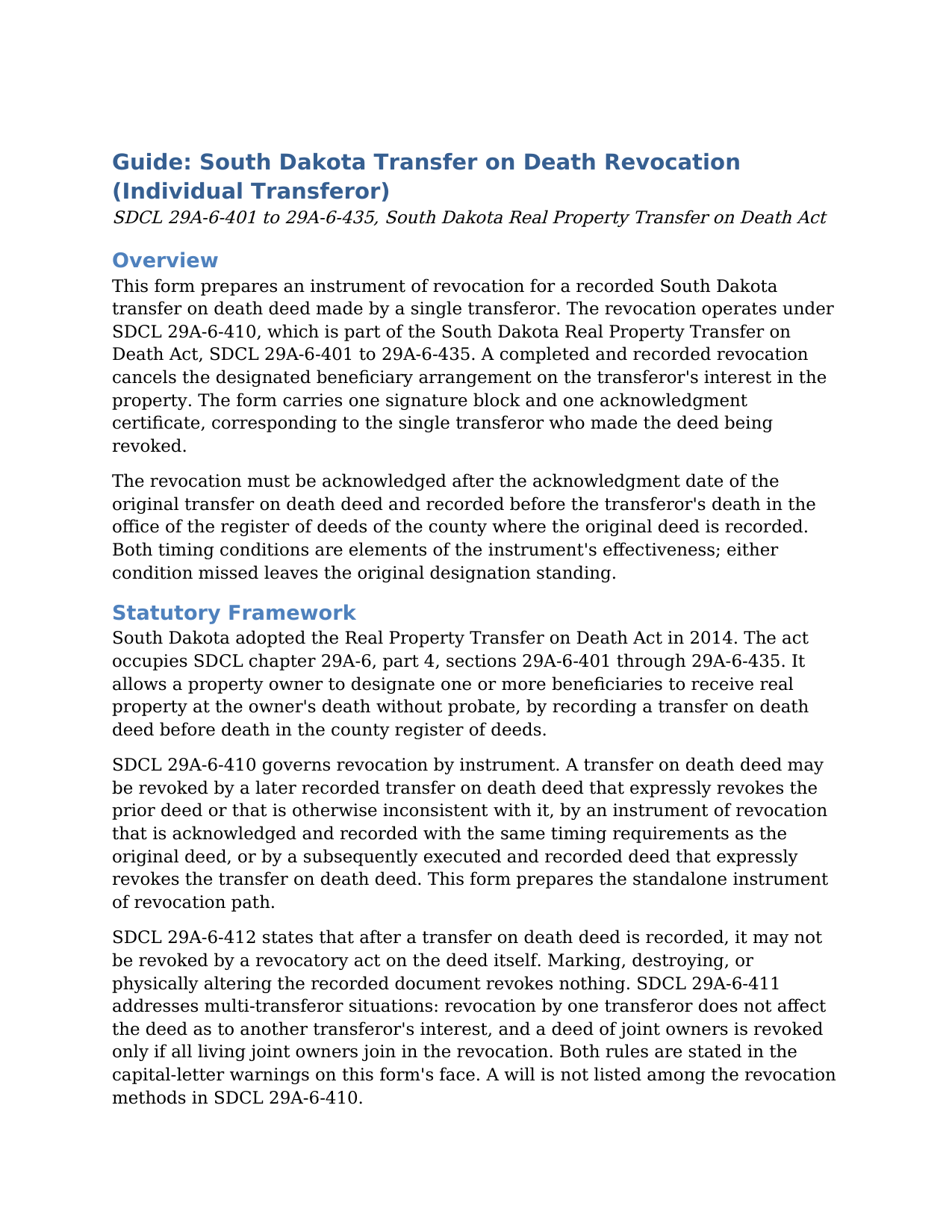
Mcpherson County Transfer on Death Revocation (Individual Transferor) Guide
Line by line guide explaining every blank on the Transfer on Death Revocation (Individual Transferor) form.
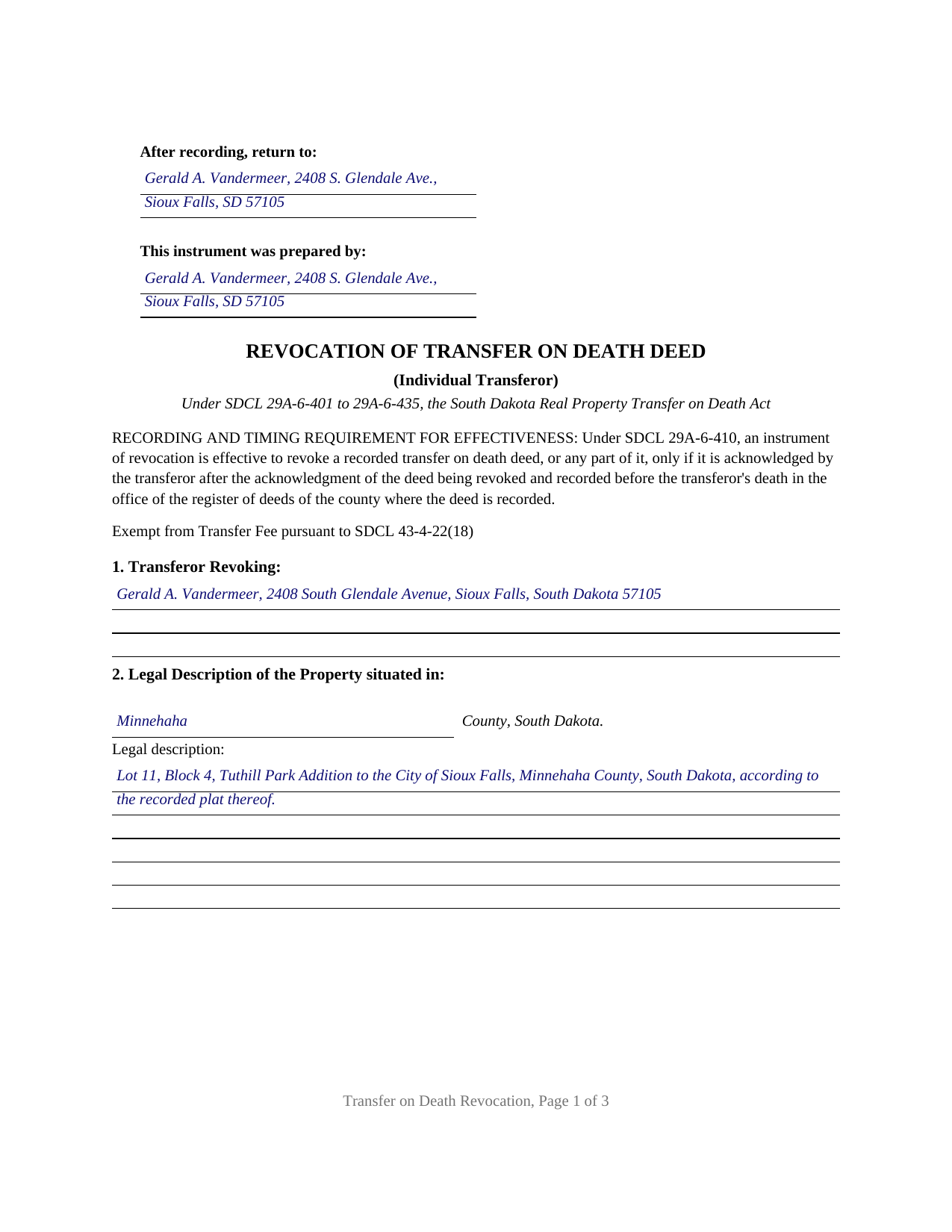
Mcpherson County Completed Example of the Transfer on Death Revocation (Individual Transferor) Document
Example of a properly completed South Dakota Transfer on Death Revocation (Individual Transferor) document for reference.
All 3 documents above included • One-time purchase • No recurring fees
Immediate Download • Secure Checkout
Additional South Dakota and Mcpherson County documents included at no extra charge:
Where to Record Your Documents
McPherson County Register of Deeds
Leola, South Dakota 57456
Hours: 8:00 to 12:00 & 1:00 to 5:00 M-F
Phone: (605) 439-3151
Recording Tips for Mcpherson County:
- Bring your driver's license or state-issued photo ID
- Ensure all signatures are in blue or black ink
- Request a receipt showing your recording numbers
- Ask about accepted payment methods when you call ahead
- Ask for certified copies if you need them for other transactions
Cities and Jurisdictions in Mcpherson County
Properties in any of these areas use Mcpherson County forms:
- Eureka
- Leola
- Longlake
Hours, fees, requirements, and more for Mcpherson County
How do I get my forms?
Forms are available for immediate download after payment. The Mcpherson County forms will be in your account ready to download to your computer. An account is created for you during checkout if you don't have one. Forms are NOT emailed.
Are these forms guaranteed to be recordable in Mcpherson County?
Yes. Our form blanks are guaranteed to meet or exceed the applicable formatting requirements used for recording in Mcpherson County, including margin requirements, font requirements, and other layout standards. This guarantee applies to formatting, not to the legal sufficiency of information entered by the user or the suitability of a form for a particular transaction.
Can I reuse these forms?
Yes. You can reuse the forms for your personal use. For example, if you have multiple properties in Mcpherson County you only need to order once.
What do I need to use these forms?
The forms are PDFs that you fill out on your computer. The free Adobe Acrobat Reader is recommended, and most PDF apps also work. You do NOT enter your property information online - you download the blank forms and complete them privately on your own computer.
Are there any recurring fees?
No. This is a one-time purchase. Nothing to cancel, no memberships, no recurring fees.
How much does it cost to record in Mcpherson County?
Recording fees in Mcpherson County vary. Contact the recorder's office at (605) 439-3151 for current fees.
Questions answered? Let's get started!
One South Dakota property owner, one recorded transfer on death deed, one recorded instrument that takes the designation back: that is the configuration this fillable Transfer on Death Revocation prepares. The form is set up for an individual transferor under SDCL 29A-6-410, the revocation provision of the South Dakota Real Property Transfer on Death Act, with a single transferor block, a single signature line, and a single acknowledgment certificate.
A Revocation That Runs Against Two Clocks
South Dakota gives a recorded transfer on death deed, also searched as a TOD deed or beneficiary deed, a deliberately narrow exit. Under SDCL 29A-6-410, a recorded deed is revoked only by another recorded instrument: a later transfer on death deed that revokes it expressly or by inconsistency, a lifetime deed that expressly revokes it, or a standalone instrument of revocation, which is what this form prepares. Marking, tearing, or destroying the recorded deed revokes nothing once the deed is of record (SDCL 29A-6-412), and the statute leaves no room for a will to undo the designation.
The instrument then runs against two clocks. It operates only if it is acknowledged before a notary after the date the transfer on death deed itself was acknowledged, and only if it is filed with the county register of deeds before the transferor dies. The form collects the deed's acknowledgment date on its face and states both timing rules in capital letters above the signature line, so the requirements travel with the document to the signing table and the recording counter.
What the Individual Transferor Form Recites
The form recites exactly one transferor: the owner who made and recorded the transfer on death deed now being revoked. Its five numbered sections carry the transferor's name and mailing address, the county and formal legal description of the property, the identification of the deed being revoked by acknowledgment date, recording date, and document number or book and page, the express revocation with the capacity recital of SDCL 29A-6-407, and the signature block, followed by one notary acknowledgment certificate. The operative section also states that the instrument transfers no interest in real property, which keeps the filing from reading as a conveyance.
An owner whose named beneficiary has died, an owner clearing an outdated designation before making a new estate plan, and an owner returning the property to disposition by will or trust present the single-transferor pattern this instrument recites. The boundary is equally specific: a transfer on death deed recorded by two or more owners follows SDCL 29A-6-411, under which revocation by one transferor reaches only that transferor's interest and a deed of joint owners is revoked only by all living joint owners, a multi-signature pattern this one-signature form is not set up to carry.
Recording at the Register of Deeds
The completed instrument is recorded with the register of deeds of the county where the transfer on death deed is recorded, for the statewide fee of thirty dollars under SDCL 7-9-15. No Certificate of Real Estate Value accompanies it: SDCL sec. 7-9-7 attaches that filing to deeds and contracts for deed used in a purchase, exchange, transfer, or assignment, and a revocation transfers nothing; for the same reason the real estate transfer fee of SDCL 43-4-21 does not apply, and the transfer fee exemption recital citing SDCL 43-4-22(18) appears on the face of the form. The first page reserves the three inch recording space of SDCL 43-28-23 and carries the preparer statement required by SDCL 43-28-23, with the preparer's name and address, in the left half of that space, matching the format standards South Dakota registers apply statewide.
After recording, the property passes at death as if the revoked designation had not been made, under the transferor's will, trust, or the intestacy statutes, or under any later transfer on death deed. A replacement designation, where one is wanted, is made by a new transfer on death deed, prepared and recorded separately and not included here. This download contains the fillable revocation form, a completed example showing a realistic Minnehaha County fact pattern in every blank, and a plain language guide that walks through each section, the signing formalities, and the recording steps. The materials are informational and are not legal advice.
Important: Your property must be located in Mcpherson County to use these forms. Documents should be recorded at the county recording office listed above.
This Transfer on Death Revocation (Individual Transferor) meets all recording requirements specific to Mcpherson County.
Our Promise
The documents you receive here are guaranteed to meet or exceed the applicable Mcpherson County recording format requirements. If there is a rejection caused by our formatting, we will correct the issue or refund your payment. This guarantee applies to document formatting only and does not extend to information entered by the user, the selection of the form, or the legal effect of the completed document.
Save Time and Money
Get your Mcpherson County Transfer on Death Revocation (Individual Transferor) form done right the first time with Deeds.com Uniform Conveyancing Blanks. At Deeds.com, we understand that your time and money are valuable resources, and we don't want you to face a penalty fee or rejection imposed by a county recorder for submitting nonstandard documents. We constantly review and update our forms to meet rapidly changing state and county recording requirements for roughly 3,500 counties and local jurisdictions.
4.8 out of 5 - ( 4,840 Reviews )
Wanda W. 5 out of 5 stars
Terrific!!!
Thank you!
tamica l. 5 out of 5 stars
Excellent Service! Fast and friendly. Thank you will use again!
Thank you!
Craig H. 5 out of 5 stars
Worked exactly like it was supposed to. No glitches
Thank you for your feedback. We really appreciate it. Have a great day!
Kristi T. 5 out of 5 stars
This was so very easy and fast! Well worth the small fee. I will use this again if I have a need. Thank you!
We appreciate your business and value your feedback. Thank you. Have a wonderful day!
TIFFANY C. 5 out of 5 stars
It would be nice if the notary State was fillable, we are having to notarize in another State. Also, need more room to add 2 beneficiaries with two different addresses.
Thank you for your feedback. We really appreciate it. Have a great day!
Lawrence R. 4 out of 5 stars
Forms do not allow enough space for fields and cutoff. Need to expand the fields to allow for more writing. I ended up re-typing to be able to include full property description. Would be nice if available in Word format rather than only PDF format.
Thank you for your feedback. We really appreciate it. Have a great day!
Steven C. 5 out of 5 stars
Easy but a little overpriced
We appreciate your business and value your feedback. Thank you. Have a wonderful day!
Bobbi W. 5 out of 5 stars
Site was super easy to use. After frustrating search for the item I needed I found it here!
We appreciate your business and value your feedback. Thank you. Have a wonderful day!
Daniel Z. 5 out of 5 stars
All is well that ends well and this form service seemed to work quite smoothly, even though my printer gives me fits at times, having to hand feed the blank paper.
Thank you for your feedback. We really appreciate it. Have a great day!
William W. 5 out of 5 stars
No fuss-No muss. Very easy!
Thank you!
sonja E. 5 out of 5 stars
It's very easy to find your way around on deeds.com, Excellent layout on this website and user friendly!
Thank you!
Billy A. 5 out of 5 stars
Documents were as described, Will not be able to tell if it works or not.. Will be Dead, but easy enough to fill out.
Thank you for taking a moment to share your thoughts.
Debra C. 5 out of 5 stars
Excellent service. Love the site.
Thank you for your feedback. We really appreciate it. Have a great day!
Deborah C. 5 out of 5 stars
Good organization and guidance.
Thank you!
Lisa D. 5 out of 5 stars
Had the correct forms I needed with guides and examples to follow on filling them out. Very easy to use. Thanks!
We appreciate your business and value your feedback. Thank you. Have a wonderful day!