Hamlin County Transfer on Death Revocation (Joint Transferors) Form
Last validated October 21, 2026 by our Forms Development TeamFormatted for recording in Hamlin County, for property anywhere in the county: rural and unincorporated areas as well as Bryant, Castlewood, Estelline, Hayti, Hazel, Lake Norden.
- 3 documents included
- Immediate PDF download
- Formatting guarantee
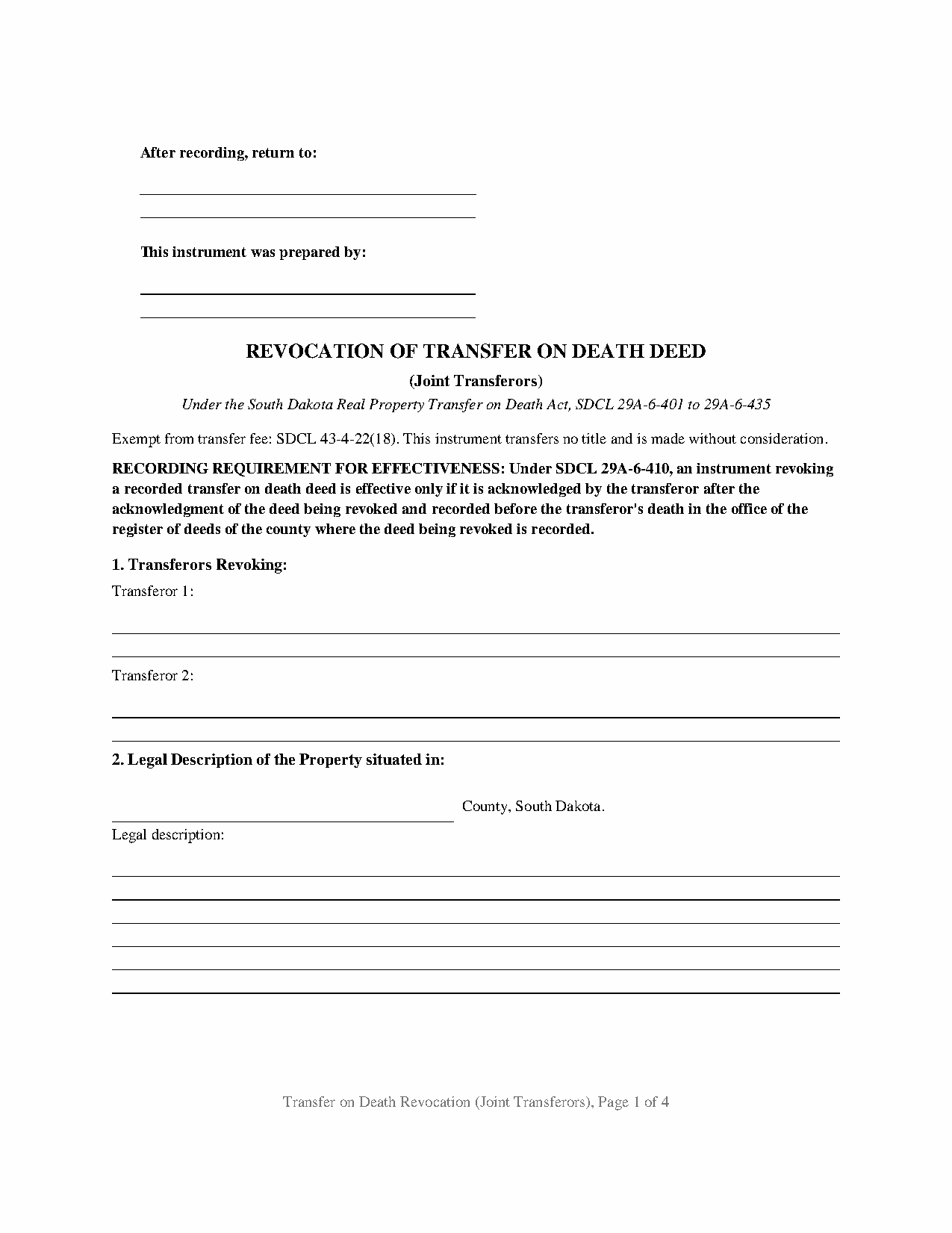
Hamlin County Transfer on Death Revocation (Joint Transferors) Form
Fill in the blank Transfer on Death Revocation (Joint Transferors) form formatted to comply with all South Dakota recording and content requirements.
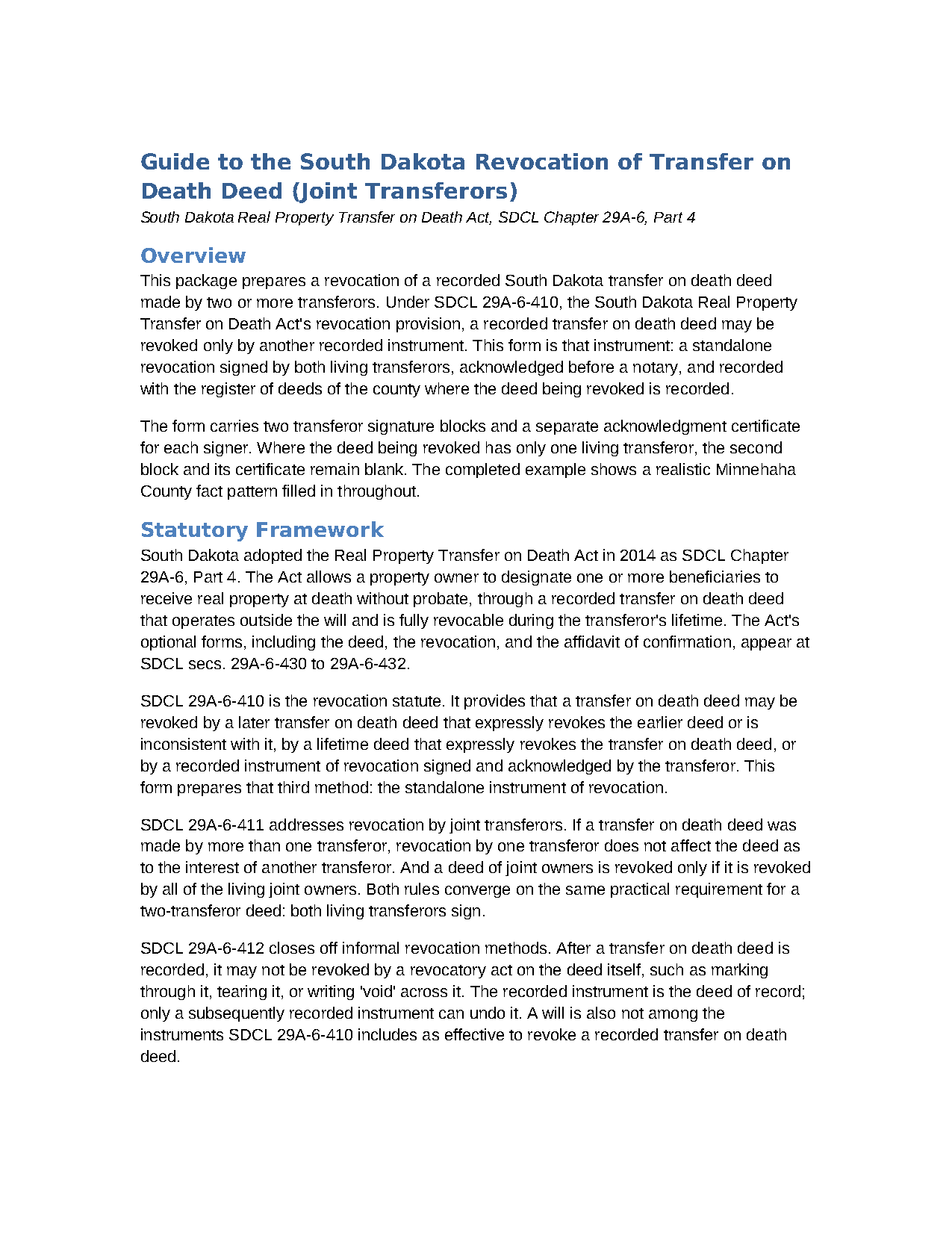
Hamlin County Transfer on Death Revocation (Joint Transferors) Guide
Line by line guide explaining every blank on the Transfer on Death Revocation (Joint Transferors) form.
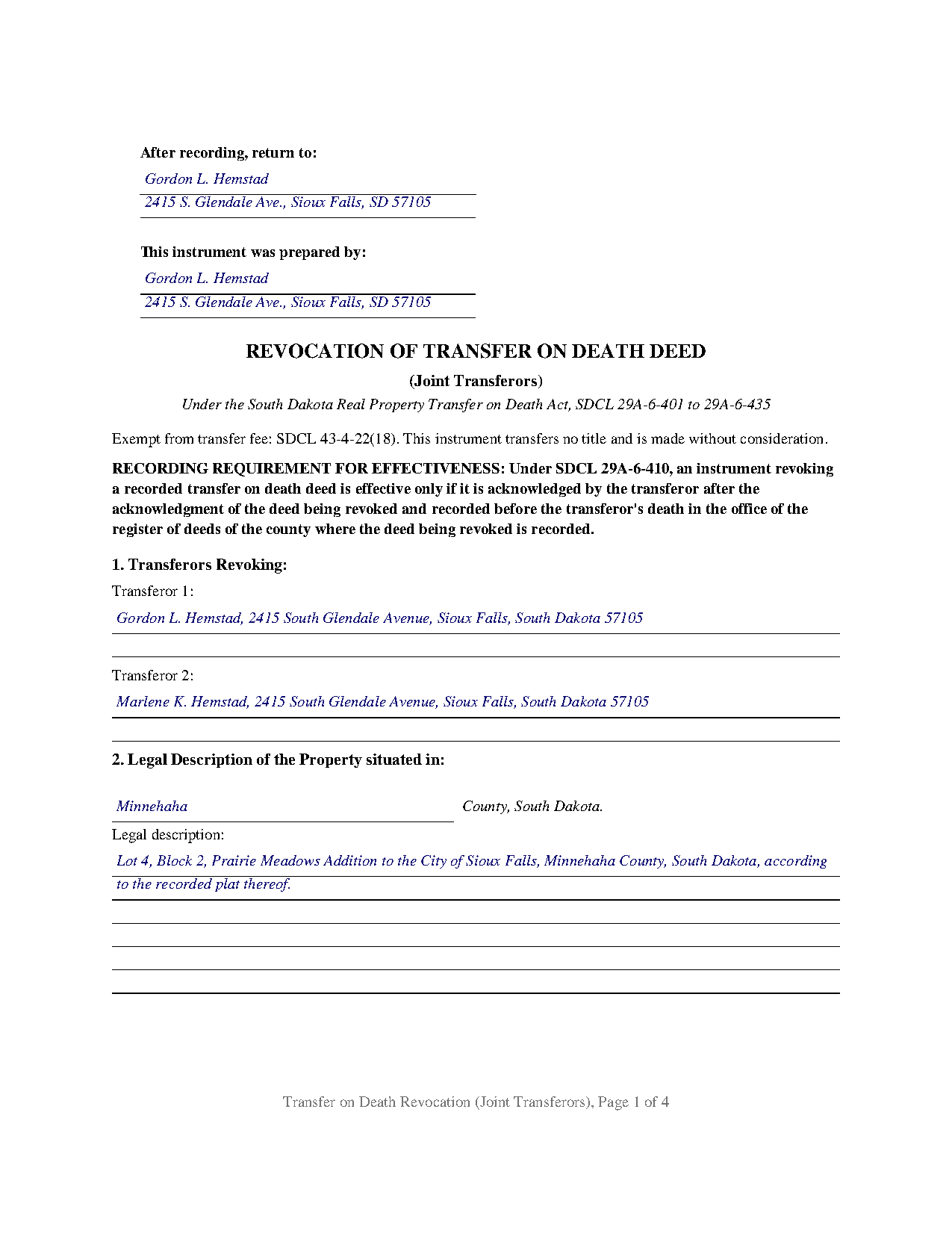
Hamlin County Completed Example of the Transfer on Death Revocation (Joint Transferors) Document
Example of a properly completed South Dakota Transfer on Death Revocation (Joint Transferors) document for reference.
All 3 documents above included • One-time purchase • No recurring fees
Immediate Download • Secure Checkout
Additional South Dakota and Hamlin County documents included at no extra charge:
Where to Record Your Documents
Hamlin County Register of Deeds
Hayti, South Dakota 57241-0056
Hours: 8:00am to 4:30pm.M-F
Phone: (605) 783-3206
Recording Tips for Hamlin County:
- Bring your driver's license or state-issued photo ID
- Ensure all signatures are in blue or black ink
- White-out or correction fluid may cause rejection
- Ask about their eRecording option for future transactions
- Avoid the last business day of the month when possible
Cities and Jurisdictions in Hamlin County
Properties in any of these areas use Hamlin County forms:
- Bryant
- Castlewood
- Estelline
- Hayti
- Hazel
- Lake Norden
Hours, fees, requirements, and more for Hamlin County
How do I get my forms?
Forms are available for immediate download after payment. The Hamlin County forms will be in your account ready to download to your computer. An account is created for you during checkout if you don't have one. Forms are NOT emailed.
Are these forms guaranteed to be recordable in Hamlin County?
Yes. Our form blanks are guaranteed to meet or exceed the applicable formatting requirements used for recording in Hamlin County, including margin requirements, font requirements, and other layout standards. This guarantee applies to formatting, not to the legal sufficiency of information entered by the user or the suitability of a form for a particular transaction.
Can I reuse these forms?
Yes. You can reuse the forms for your personal use. For example, if you have multiple properties in Hamlin County you only need to order once.
What do I need to use these forms?
The forms are PDFs that you fill out on your computer. The free Adobe Acrobat Reader is recommended, and most PDF apps also work. You do NOT enter your property information online - you download the blank forms and complete them privately on your own computer.
Are there any recurring fees?
No. This is a one-time purchase. Nothing to cancel, no memberships, no recurring fees.
How much does it cost to record in Hamlin County?
Recording fees in Hamlin County vary. Contact the recorder's office at (605) 783-3206 for current fees.
Questions answered? Let's get started!
A recorded South Dakota transfer on death deed made by two owners is not undone by one signature. This form prepares the revocation for exactly that configuration: an instrument of revocation under SDCL 29A-6-410 with two transferor signature blocks, a separate acknowledgment certificate for each signer, and the recital that the signers constitute all of the living transferors under the deed being revoked.
Why Every Living Joint Owner Signs
The South Dakota Real Property Transfer on Death Act, SDCL 29A-6-401 to 29A-6-435, splits multi-owner revocation into two rules at SDCL 29A-6-411. Revocation by a transferor does not affect the deed as to the interest of another transferor, so a co-owner holding an undivided share, such as a tenant in common, signing alone removes only that share from the deed. And a deed of joint owners, the act's term for co-owners with a right of survivorship such as South Dakota joint tenants, is revoked only if it is revoked by all of the living joint owners. One of two living joint tenants cannot quietly undo the recorded beneficiary designation.
Both rules converge on the same completed document for a two-transferor deed: both living transferors sign, and the transfer on death deed is revoked in its entirety. After one joint owner has died, the survivor holds the whole property and the act treats the deed as operating at the last surviving joint owner's death; the form's recital covers that sole living transferor, who completes only the first signature block.
Acknowledged After, Recorded Before Death
South Dakota builds two timing conditions into SDCL 29A-6-410. The revocation is effective only if each notary certificate carries a date later than the acknowledgment date of the original TOD deed, and the instrument must reach the register of deeds office of the recording county before the transferor's death. A signed revocation resting in a drawer at death revokes nothing. The statute is equally firm about what does not work: after recording, a transfer on death deed may not be revoked by a revocatory act on the document (SDCL 29A-6-412), and a will is not among the instruments SDCL 29A-6-410 lists as effective to revoke, so tearing up the old deed or signing a new will leaves the recorded designation standing.
What the Form Recites
The form identifies the transferors by the names on the recorded deed, the property by county and formal legal description, and the transfer on death deed being revoked by its acknowledgment date, recording date, document or instrument number, and recording county, all taken from the register's stamp or index. The operative section then recites the SDCL 29A-6-407 capacity standard, states that the signers constitute all living transferors, including all living joint owners, and expressly revokes the deed in its entirety, followed by the statutory warnings in capital letters. The form recites exactly two transferors; a designation made by a sole owner presents a different revocation pattern than the one this instrument recites.
The layout follows South Dakota recording standards: the 3 inch blank space across the top of the first page under SDCL 43-28-23, with the preparer statement placed in the left half of that space, 10 point type on letter size pages, and the transfer fee exemption statement on the face citing SDCL 43-4-22(18). Because a revocation conveys no title, no Certificate of Real Estate Value accompanies it, and the statewide recording fee under SDCL 7-9-15 is thirty dollars for a document of this length.
The download contains three pieces: the revocation as a fillable PDF, a completed example showing a realistic Minnehaha County revocation from start to finish, and a guide that walks through every section, the acknowledgment timing, and the recording steps. The materials describe South Dakota law in general terms and are not legal advice.
Important: Your property must be located in Hamlin County to use these forms. Documents should be recorded at the county recording office listed above.
This Transfer on Death Revocation (Joint Transferors) meets all recording requirements specific to Hamlin County.
Our Promise
The documents you receive here are guaranteed to meet or exceed the applicable Hamlin County recording format requirements. If there is a rejection caused by our formatting, we will correct the issue or refund your payment. This guarantee applies to document formatting only and does not extend to information entered by the user, the selection of the form, or the legal effect of the completed document.
Save Time and Money
Get your Hamlin County Transfer on Death Revocation (Joint Transferors) form done right the first time with Deeds.com Uniform Conveyancing Blanks. At Deeds.com, we understand that your time and money are valuable resources, and we don't want you to face a penalty fee or rejection imposed by a county recorder for submitting nonstandard documents. We constantly review and update our forms to meet rapidly changing state and county recording requirements for roughly 3,500 counties and local jurisdictions.
4.8 out of 5 - ( 4,837 Reviews )
Rick H. 5 out of 5 stars
Great service... patient with me through the process.
We appreciate your business and value your feedback. Thank you. Have a wonderful day!
Janet M. 5 out of 5 stars
Deed.com is an amazing site. After calling many places and going on many websites to figure out what I needed to submit (most counties cannot help with questions and the place I needed to turn the documents into could not help either, they are not allowed to give legal advice) I came across Deeds.com. It has been so helpful and I was able to research what documents I needed. I purchased one document and after more research I realized I needed a different document. Deed.com refunded my first purchase. I then purchased an Affidavit of Death and a Deed for the county and state I needed them for. Both the example and guide were very helpful and I will be submitting my documents after I have them notarized. I give five stars
Your feedback is greatly appreciated. Thank you for taking the time to share your experience!
Ginger O. 5 out of 5 stars
Thank you for making this so easy to use. I had looked all over the internet and yours was the most user friendly and for a reasonable price.
We appreciate your business and value your feedback. Thank you. Have a wonderful day!
Michael D. 5 out of 5 stars
Quick and easy!
Thank you!
Susan K. 5 out of 5 stars
Very helpful; information included on the form explanations about Colorado laws in regards to beneficiary deeds helped us understand the issues involved.
Thank you for your feedback. We really appreciate it. Have a great day!
Andrew T. 5 out of 5 stars
I was pleasantly surprised with the experience. Cost was better than other sites I checked. Questions about my submittal were asked within an hour. Document was recorded by next day.
Thanks for the review, Andrew. Glad we could get your document recorded quickly — that's the standard we hold ourselves to. We appreciate your business.
Gail M. 5 out of 5 stars
Great website. Once submit payment documents are immediately emailed, easy to print and clear format. Will definitely use again!
Thank you for your feedback. We really appreciate it. Have a great day!
B A A. 5 out of 5 stars
So far I like the ease of availability of the site and the help guides.
Thank you for your feedback. We really appreciate it. Have a great day!
John B. 5 out of 5 stars
Simply amazing. I had absolutely no idea how to properly file a deed, until someone told me about deeds.com. It's just such a well designed service, with fantastic customer support, and speed. Bravo to everyone at deeds.
We appreciate your business and value your feedback. Thank you. Have a wonderful day!
Karen P. 5 out of 5 stars
Very easy to use.
Thank you!
John Q. 5 out of 5 stars
I downloaded the forms, which was very easy, and filled them out with the help of the very helpful instructions! I was able to go down to my court house and file the forms within 24 hours of downloading! I am at peace knowing my son's will avoid a lot of headaches when I pass because my property deed will transfer to them without probate court TOD !!!!
We appreciate your business and value your feedback. Thank you. Have a wonderful day!
Jayne B. 5 out of 5 stars
This makes it so easy and I'm so glad I found you. I visited two other sites before I found this one. They were cumbersome to use to the point where I abandoned them and kept on looking. Then I found yours, and it was a breeze. Thank you so much!
We appreciate your business and value your feedback. Thank you. Have a wonderful day!
Terri B. 4 out of 5 stars
It's worth the money. I would like to have seen a variety of examples showing different scenarios for completing a quitclaim deed.
Thank you!
Dorothy B. 5 out of 5 stars
Love your deed service. Simple and easy.
Thank you!
Jack S. 5 out of 5 stars
Excellent and timely responses. Do you offer an annual rate? Thank you.
Thanks again Jack. Unfortunately we do not offer any annual rates or subscriptions, sorry.