Minnehaha County Trustee Deed Form
Last validated October 9, 2026 by our Forms Development TeamFormatted for recording in Minnehaha County, for property anywhere in the county: rural and unincorporated areas as well as Baltic, Brandon, Colton, Crooks, Dell Rapids, Garretson, Hartford, Humboldt and 4 more.
- 3 documents included
- Immediate PDF download
- Formatting guarantee
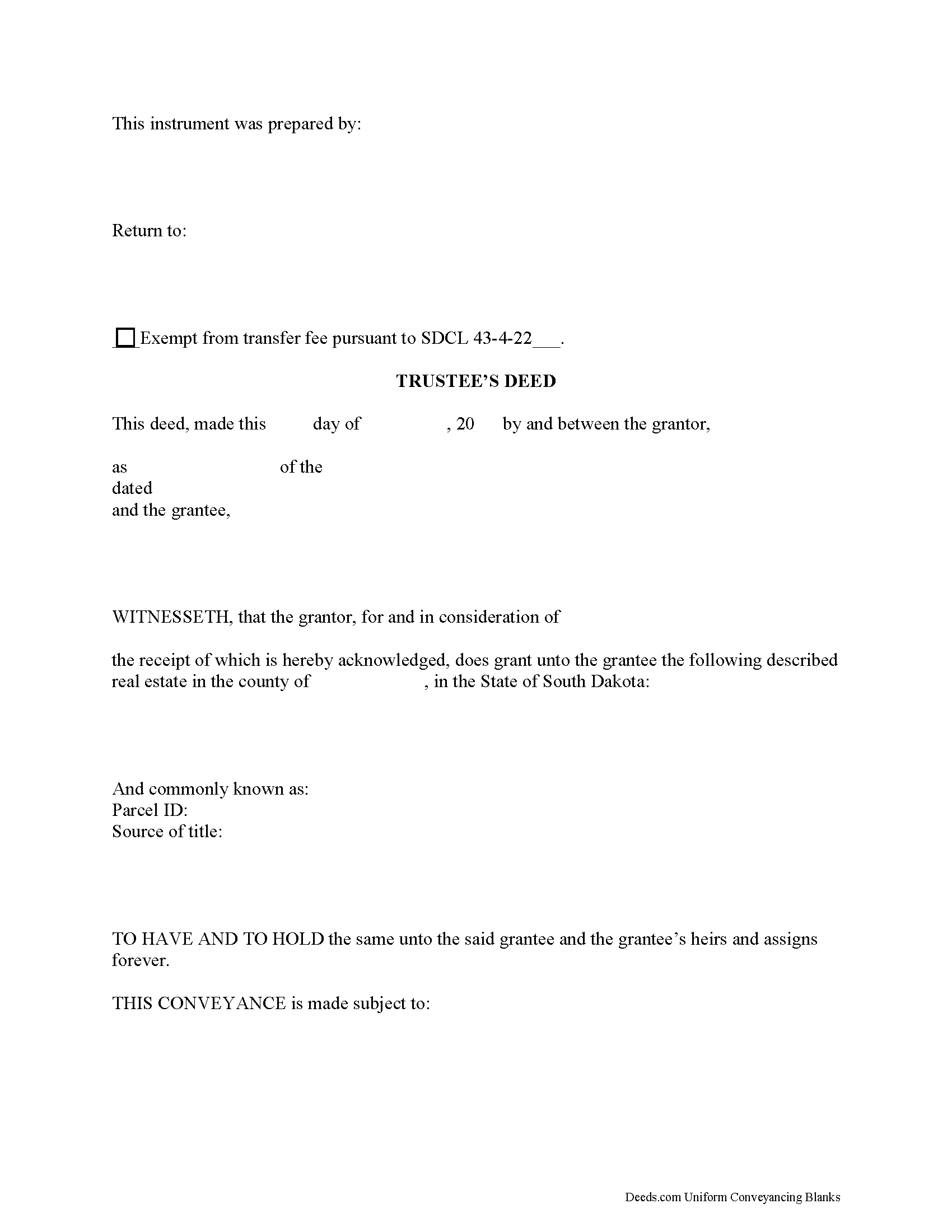
Minnehaha County Trustee Deed Form
Fill in the blank form formatted to comply with all recording and content requirements.
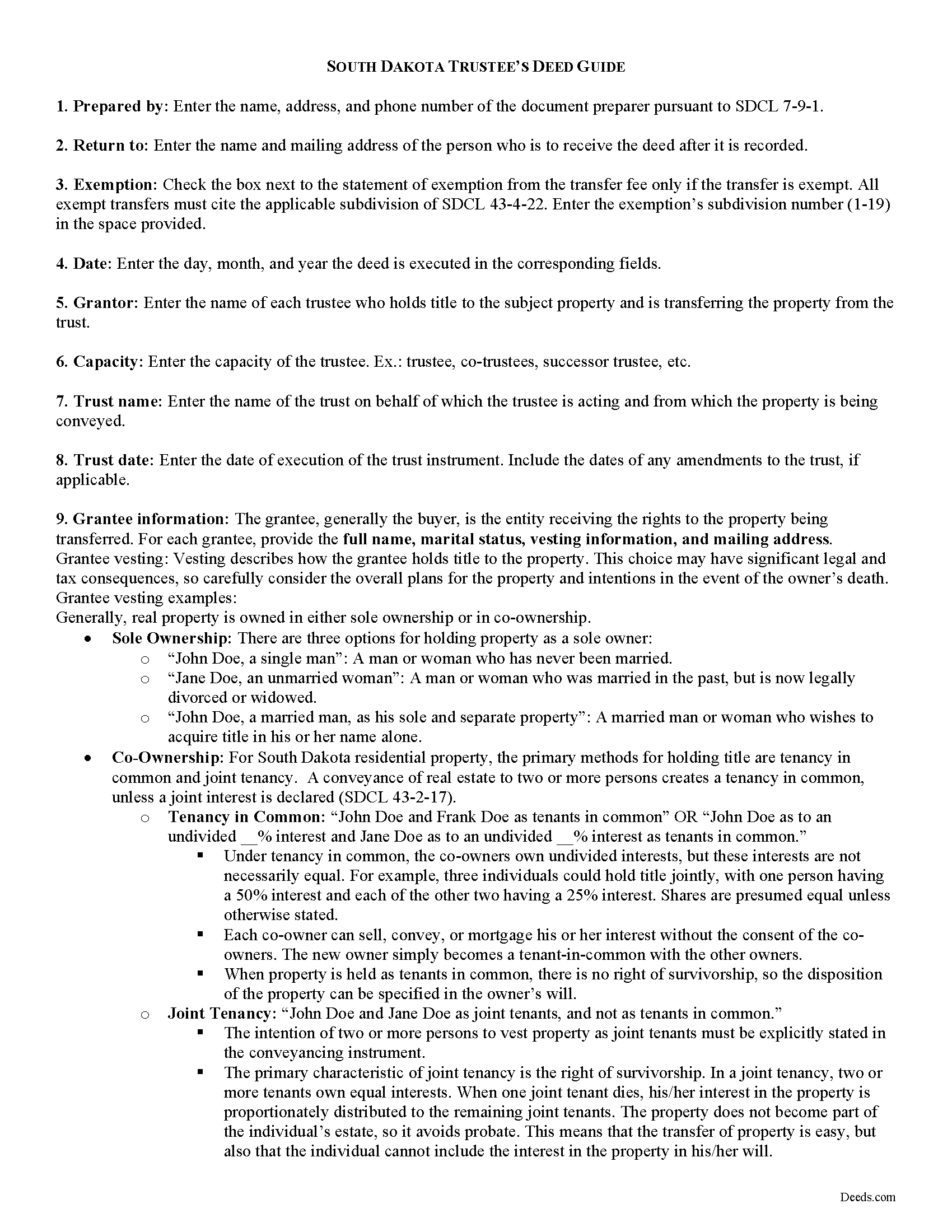
Minnehaha County Trustee Deed Guide
Line by line guide explaining every blank on the form.
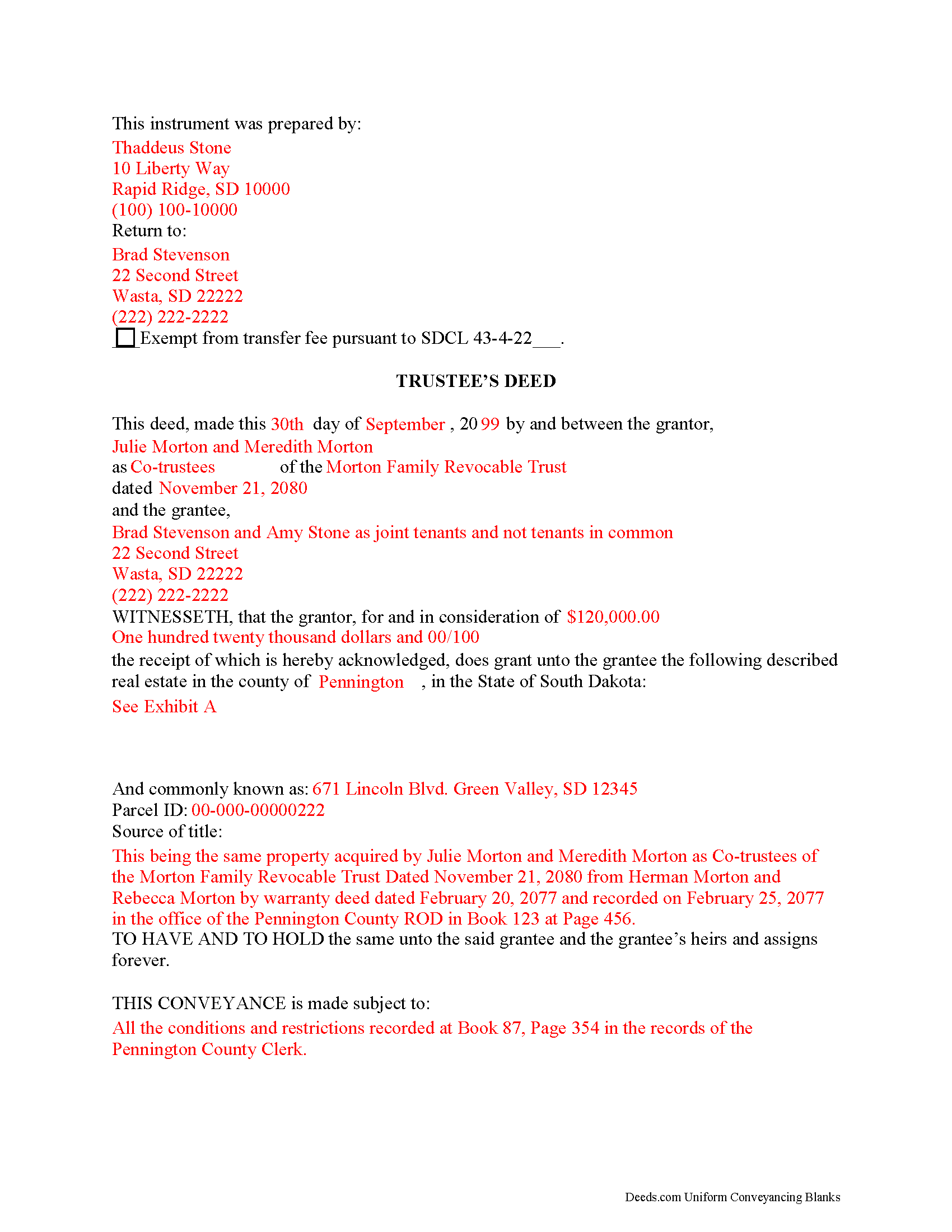
Minnehaha County Completed Example of the Trustee Deed Document
Example of a properly completed form for reference.
All 3 documents above included • One-time purchase • No recurring fees
Immediate Download • Secure Checkout
Additional South Dakota and Minnehaha County documents included at no extra charge:
Where to Record Your Documents
Minnehaha County Register of Deeds
Sioux Falls, South Dakota 57104-2465
Hours: 8:00am-5:00pm M-F
Phone: (605) 367-4223
Recording Tips for Minnehaha County:
- Bring your driver's license or state-issued photo ID
- Ensure all signatures are in blue or black ink
- Check that your notary's commission hasn't expired
- Documents must be on 8.5 x 11 inch white paper
- Double-check legal descriptions match your existing deed
Cities and Jurisdictions in Minnehaha County
Properties in any of these areas use Minnehaha County forms:
- Baltic
- Brandon
- Colton
- Crooks
- Dell Rapids
- Garretson
- Hartford
- Humboldt
- Lyons
- Renner
- Sioux Falls
- Valley Springs
Hours, fees, requirements, and more for Minnehaha County
How do I get my forms?
Forms are available for immediate download after payment. The Minnehaha County forms will be in your account ready to download to your computer. An account is created for you during checkout if you don't have one. Forms are NOT emailed.
Are these forms guaranteed to be recordable in Minnehaha County?
Yes. Our form blanks are guaranteed to meet or exceed the applicable formatting requirements used for recording in Minnehaha County, including margin requirements, font requirements, and other layout standards. This guarantee applies to formatting, not to the legal sufficiency of information entered by the user or the suitability of a form for a particular transaction.
Can I reuse these forms?
Yes. You can reuse the forms for your personal use. For example, if you have multiple properties in Minnehaha County you only need to order once.
What do I need to use these forms?
The forms are PDFs that you fill out on your computer. The free Adobe Acrobat Reader is recommended, and most PDF apps also work. You do NOT enter your property information online - you download the blank forms and complete them privately on your own computer.
Are there any recurring fees?
No. This is a one-time purchase. Nothing to cancel, no memberships, no recurring fees.
How much does it cost to record in Minnehaha County?
Recording fees in Minnehaha County vary. Contact the recorder's office at (605) 367-4223 for current fees.
Questions answered? Let's get started!
Transferring Real Property by Trust in South Dakota
In a trust arrangement, a settlor transfers property (which may include real estate) to another person (called the trustee) for the benefit of another (called the beneficiary). Trusts that take effect during the settlor's lifetime are called living (inter vivos) trusts, and trusts that take effect upon the settlor's (testator's) death through the provisions of a will are called testamentary trusts.
In a living trust, a settlor may serve in all three capacities, as long as he is not the sole beneficiary. Living trusts are estate planning tools that take effect during a settlors' lifetime and allow them to determine how their assets will be managed upon death.
In South Dakota, trusts relating to real property must be created by a written instrument signed by the trustee (SDCL 43-10-4). The trust instrument establishes the trust's provisions, determines how the trust will be managed, designates the trustee and the trustee's powers, and identifies the trust beneficiary. Trust instruments are generally unrecorded in order to maintain the privacy of the settlor's estate plan. Transfers of real property to into trust can either occur concurrently with execution of the trust instrument, or the settlor can execute a later deed titling the property in the name of the trustee on behalf of the trust.
Unless otherwise limited by the terms of the trust, a trustee has a statutory power to "acquire, sell, or otherwise dispose of an asset" (SDCL 55-1A-11). Most trust instruments specifically include a power of sale. Transferring real property from a living trust requires a trustee's deed. A trustee's deed is named for the executing party rather than for the type of warranty conveyed.
In South Dakota, a trustee's deed carries the implied covenants typically associated with a special warranty deed. The word "grant" in the granting clause implies that "the grantor has not conveyed the same estate...to any person other than the grantee" and that "such estate is...free from encumbrances done, made, or suffered by the grantor, or any person claiming under him" (43-25-10).
In titling the property in the name of the grantee, the form of the trustee's deed names each granting trustee and the name and date of the trust on behalf of which the trustee is acting. A valid instrument also includes all requirements for documents relating to real property, such as a legal description of the subject parcel, and compliance with the recording prerequisites established at SDCL 43-28-23. Transfers of property in South Dakota require a certificate of real estate value and payment of applicable transfer fees.
Before recording the deed in the applicable county, it must be signed by each granting trustee in the presence of a notary public. At the time of conveyance, the trustee may also execute a certificate of trust in support of a real property transaction under SDCL 55-4-51.3 to confirm the trust's existence and his authority to convey the property.
Consult a lawyer in the preparation of a trustee's deed in South Dakota. Trust law can quickly become complex, and each situation requires unique attention.
(South Dakota TD Package includes form, guidelines, and completed example)
Important: Your property must be located in Minnehaha County to use these forms. Documents should be recorded at the county recording office listed above.
This Trustee Deed meets all recording requirements specific to Minnehaha County.
Our Promise
The documents you receive here are guaranteed to meet or exceed the applicable Minnehaha County recording format requirements. If there is a rejection caused by our formatting, we will correct the issue or refund your payment. This guarantee applies to document formatting only and does not extend to information entered by the user, the selection of the form, or the legal effect of the completed document.
Save Time and Money
Get your Minnehaha County Trustee Deed form done right the first time with Deeds.com Uniform Conveyancing Blanks. At Deeds.com, we understand that your time and money are valuable resources, and we don't want you to face a penalty fee or rejection imposed by a county recorder for submitting nonstandard documents. We constantly review and update our forms to meet rapidly changing state and county recording requirements for roughly 3,500 counties and local jurisdictions.
4.8 out of 5 - ( 4,828 Reviews )
Lisa M. 5 out of 5 stars
Excellent service!!
We appreciate your business and value your feedback. Thank you. Have a wonderful day!
ieva r. 5 out of 5 stars
Excellent! I was worried because I saw some negative reviews online but I really needed an e-recording company and they completed everything perfectly. I will most definitely recommend them and use them again in the future. All the staff was super nice and very helpful.
We appreciate your business and value your feedback. Thank you. Have a wonderful day!
Daniel D. 5 out of 5 stars
Easier than I expected. I followed the downloaded examples step by step, and before I knew it, the form was completed correctly and good to go. Thank you, Daniel D.
We appreciate your business and value your feedback. Thank you. Have a wonderful day!
Melody P. 5 out of 5 stars
Great service as always, thanks!
Thank you for your feedback. We really appreciate it. Have a great day!
Bruce H. 5 out of 5 stars
The forms were easy to download, no problem great site
Thank you for your feedback. We really appreciate it. Have a great day!
Toni C. 4 out of 5 stars
The system was simple to use. The rep that answered my questions could have been a little more forthcoming, but that being said I would use the service again.
Thank you!
GERALD P. 5 out of 5 stars
Product is as advertised. Most beneficial is including detailed instructions and examples. Most other options did not include instructions.
Thank you for your feedback. We really appreciate it. Have a great day!
Lesley B. 5 out of 5 stars
It was so quick and easy to access.. Thank you!!
Thank you for your feedback. We really appreciate it. Have a great day!
Ellen O K. 5 out of 5 stars
Good experience. Easy peasy. :)
Thank you Ellen, have a wonderful day!
Kristina M. 5 out of 5 stars
deeds.com has been an easy and efficient way for my organization to file deeds on behalf of older DC residents. KVH especially has been wonderfully helpful in providing guidance about the submission process. Appreciate the professionalism and patience
Thank you for the kind words Kristina.
Nola B. 4 out of 5 stars
I like the form except the title should be ENHANCED LIFE ESTATE DEED and not Quit Claim Deed
Thank you for your feedback. We really appreciate it. Have a great day!
Jayne C. 5 out of 5 stars
It was very easy to navigate and find what I needed. Very happy with the app.
Thank you for your feedback. We really appreciate it. Have a great day!
Viola G. 4 out of 5 stars
no as easy as anticipated but convenient.
We are grateful for your feedback and looking forward to serving you again. Thank you!
Kimberly F. 5 out of 5 stars
Wow! This process was incredibly easy and no commitments to monthly memberships.
Thanks for the kind words Kimberly. Have an amazing day!
Marissa G. 5 out of 5 stars
The NV Clark County deed upon death was perfect! Our county doesn't offer a template, but rather has a long list of rules and specifications where they expect you to make your own document. I didnt want to risk making an unacceptable form so I purchased the template from Deeds.com. It was easy to use and very thorough. Our deed upon death was notarized and filed with the county with no issue. Save yourselves the time and headache and get the template!
We appreciate your business and value your feedback. Thank you. Have a wonderful day!