Humphreys County Demand for Enforcement Form
Last validated August 17, 2026 by our Forms Development TeamFormatted for recording in Humphreys County, for property anywhere in the county: rural and unincorporated areas as well as Hurricane Mills, Mc Ewen, New Johnsonville, Waverly.
- 3 documents included
- Immediate PDF download
- Formatting guarantee
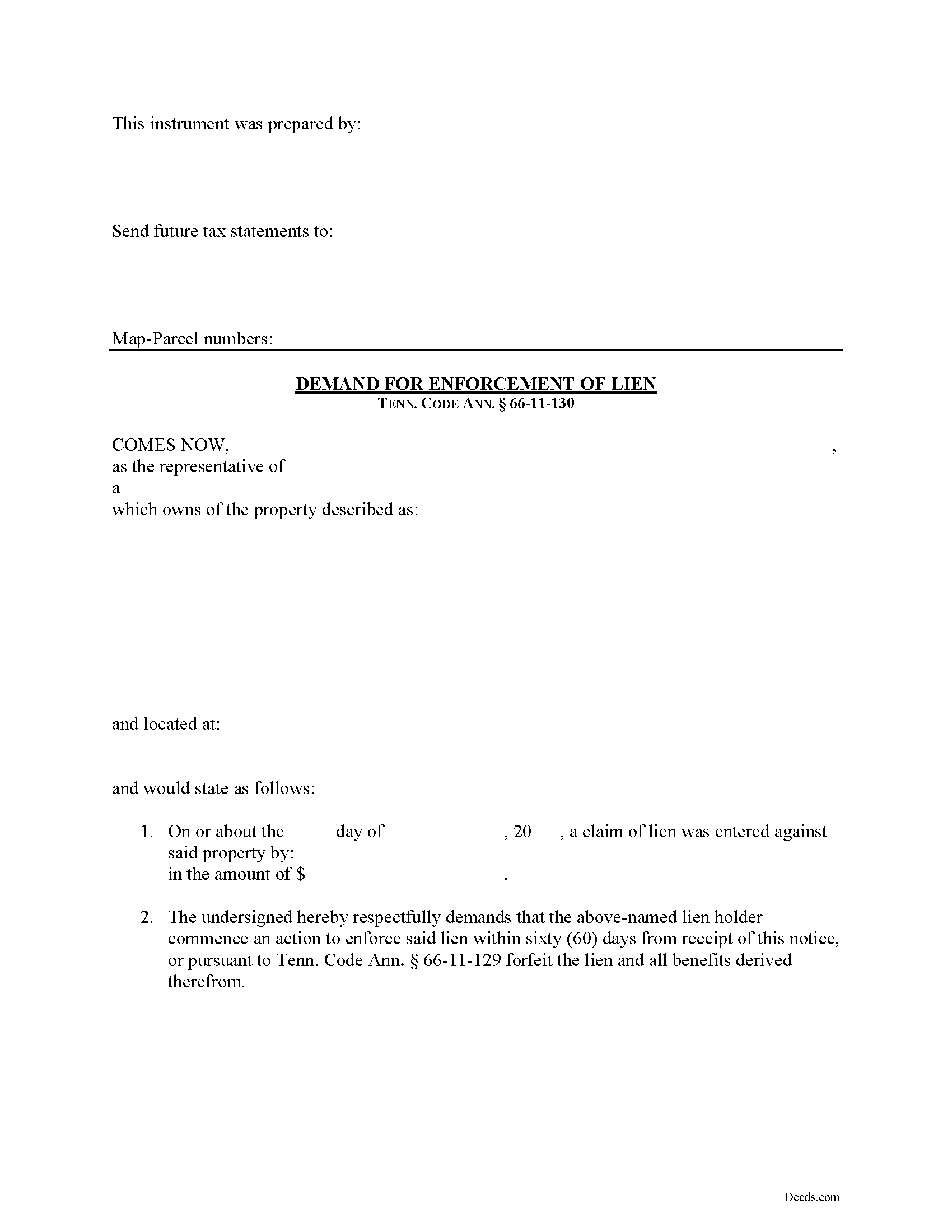
Humphreys County Demand for Enforcement Form
Fill in the blank Demand for Enforcement form formatted to comply with all Tennessee recording and content requirements.
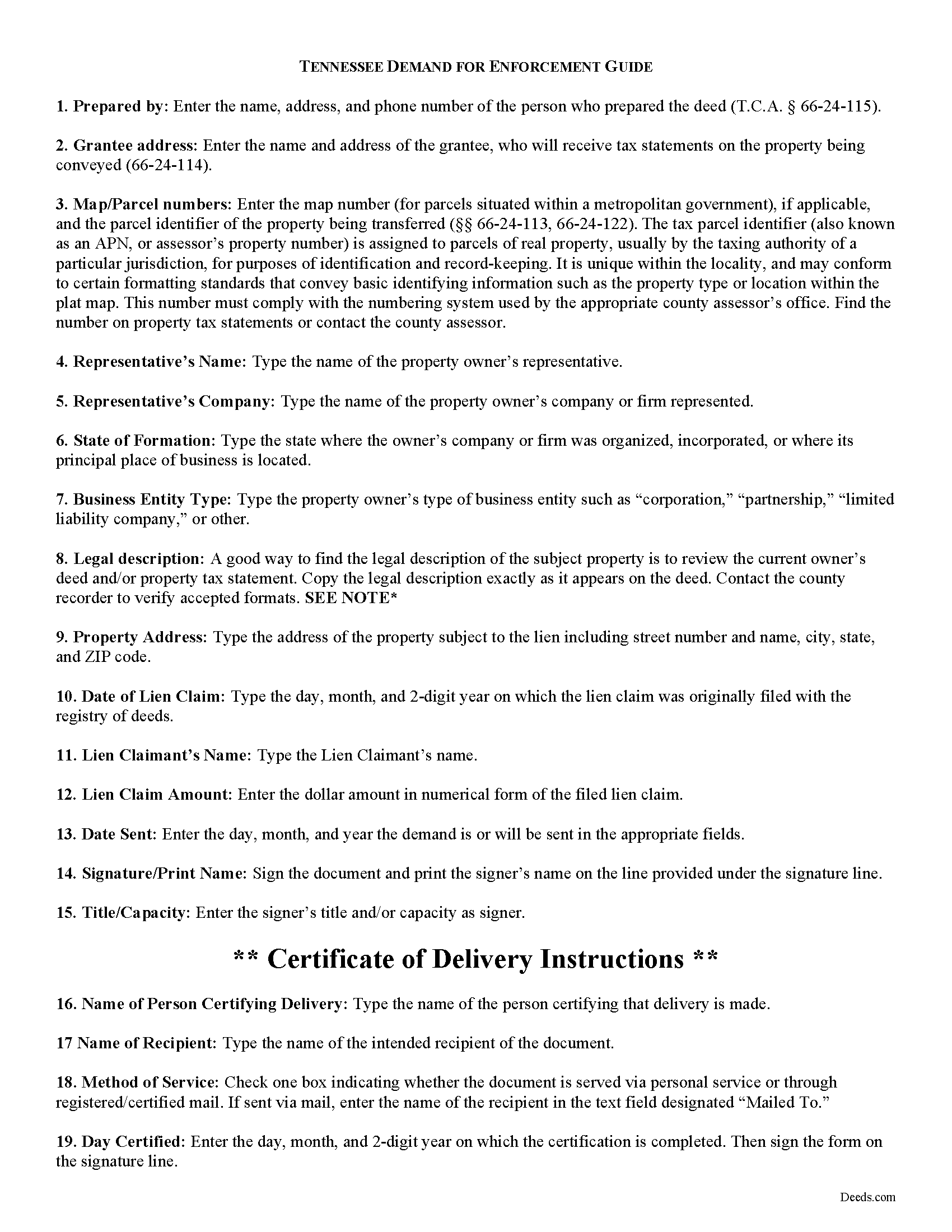
Humphreys County Demand for Enforcement Guide
Line by line guide explaining every blank on the form.
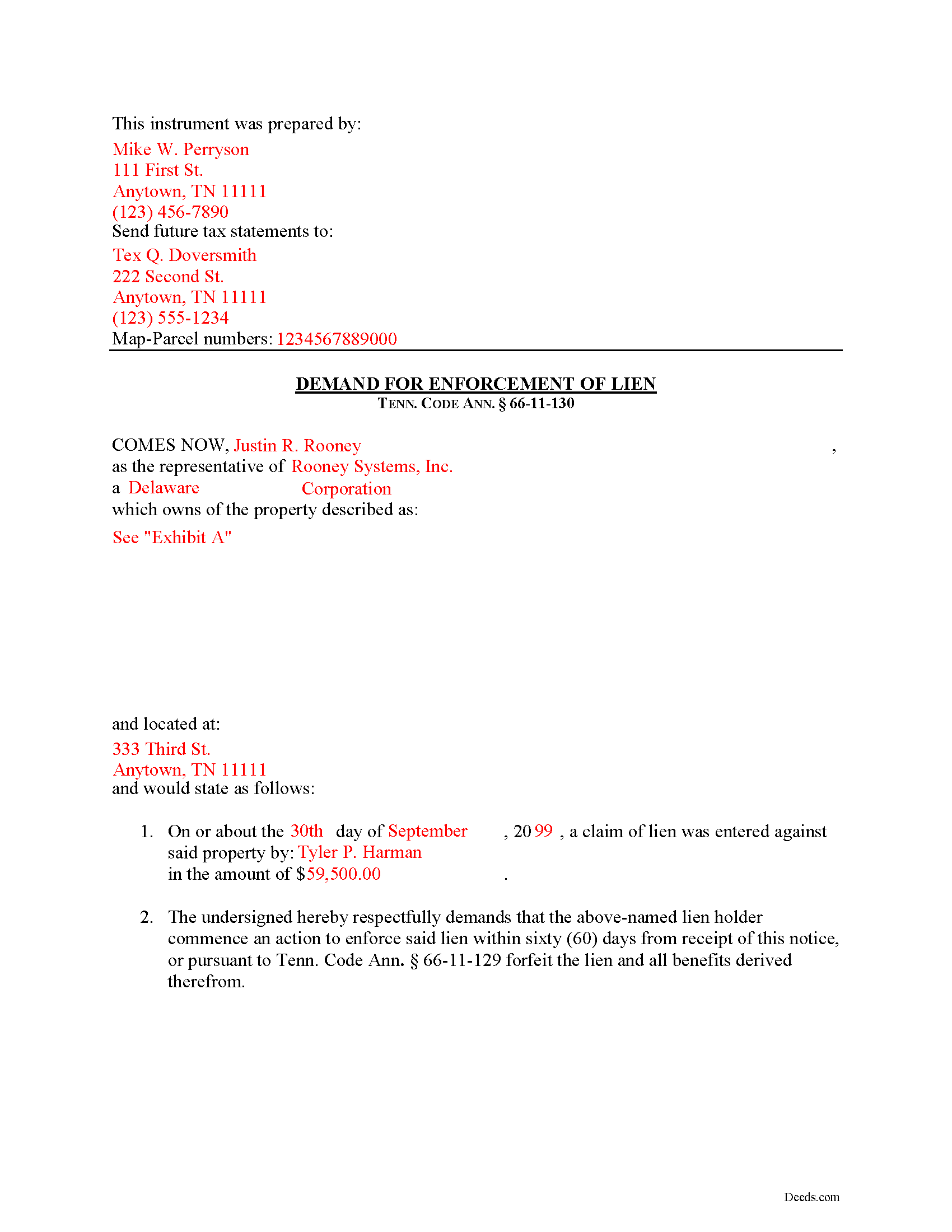
Humphreys County Completed Example of the Demand for Enforcement Document
Example of a properly completed form for reference.
All 3 documents above included • One-time purchase • No recurring fees
Immediate Download • Secure Checkout
Additional Tennessee and Humphreys County documents included at no extra charge:
Where to Record Your Documents
Humphreys County Register of Deeds
Waverly, Tennessee 37185
Hours: 8:00 to 4:30 M-F
Phone: (931) 296-7681
Recording Tips for Humphreys County:
- Bring your driver's license or state-issued photo ID
- Ensure all signatures are in blue or black ink
- Documents must be on 8.5 x 11 inch white paper
- Double-check legal descriptions match your existing deed
- Verify all names are spelled correctly before recording
Cities and Jurisdictions in Humphreys County
Properties in any of these areas use Humphreys County forms:
- Hurricane Mills
- Mc Ewen
- New Johnsonville
- Waverly
Hours, fees, requirements, and more for Humphreys County
How do I get my forms?
Forms are available for immediate download after payment. The Humphreys County forms will be in your account ready to download to your computer. An account is created for you during checkout if you don't have one. Forms are NOT emailed.
Are these forms guaranteed to be recordable in Humphreys County?
Yes. Our form blanks are guaranteed to meet or exceed the applicable formatting requirements used for recording in Humphreys County, including margin requirements, font requirements, and other layout standards. This guarantee applies to formatting, not to the legal sufficiency of information entered by the user or the suitability of a form for a particular transaction.
Can I reuse these forms?
Yes. You can reuse the forms for your personal use. For example, if you have multiple properties in Humphreys County you only need to order once.
What do I need to use these forms?
The forms are PDFs that you fill out on your computer. The free Adobe Acrobat Reader is recommended, and most PDF apps also work. You do NOT enter your property information online - you download the blank forms and complete them privately on your own computer.
Are there any recurring fees?
No. This is a one-time purchase. Nothing to cancel, no memberships, no recurring fees.
How much does it cost to record in Humphreys County?
Recording fees in Humphreys County vary. Contact the recorder's office at (931) 296-7681 for current fees.
Questions answered? Let's get started!
Demand for Enforcement of a Mechanic's Lien in Tennessee
Liens can be trouble when placed on your property, especially if you're trying to sell or refinance. Regardless of the reason for the lien, there are steps an owner can take to speed up the time that the lien can be effective. In Tennessee, filing a Demand for Enforcement of a filed lien will accelerate the lien action, requiring the lien claimant to enforce the lien or forfeit it.
Upon written demand of the owner, the owner's agent, or prime contractor, served on the lienor, requiring the lienor to commence action to enforce the lienor's lien, and describing the real property in the demand, the action shall be commenced, or the claim filed in a creditors' or foreclosure proceeding, within sixty (60) days after service, or the lien shall be forfeited. Tenn. Prop. Code 66-11-130.
The Demand for Enforcement contains the following: 1) the lien claimant's name (including business name and entity type), 2) a description of the property bound under the lien, 3) date of the lien claim, and 4) amount of the claim. The person sending the document must complete a certificate of delivery that specifies the method of service and to whom it is directed. Serving the document to the lien claimant is effective to demand he or she enforce the lien within 60 days.
This article is provided for informational purposes only and should not be considered legal advice or relied upon as any substitute for speaking with an attorney. Please consult a Tennessee attorney familiar with construction law for any questions about the Demand for Enforcement or for any other issues regarding mechanic's liens.
Important: Your property must be located in Humphreys County to use these forms. Documents should be recorded at the county recording office listed above.
This Demand for Enforcement meets all recording requirements specific to Humphreys County.
Our Promise
The documents you receive here are guaranteed to meet or exceed the applicable Humphreys County recording format requirements. If there is a rejection caused by our formatting, we will correct the issue or refund your payment. This guarantee applies to document formatting only and does not extend to information entered by the user, the selection of the form, or the legal effect of the completed document.
Save Time and Money
Get your Humphreys County Demand for Enforcement form done right the first time with Deeds.com Uniform Conveyancing Blanks. At Deeds.com, we understand that your time and money are valuable resources, and we don't want you to face a penalty fee or rejection imposed by a county recorder for submitting nonstandard documents. We constantly review and update our forms to meet rapidly changing state and county recording requirements for roughly 3,500 counties and local jurisdictions.
4.8 out of 5 - ( 4,828 Reviews )
Daniel F. 4 out of 5 stars
It was convenient to be able to download the deed template, instructions, and a completed sample deed all from deeds.com. I was able to complete my deed with little effort. My only complaint is that the editable fields in the pdf document are of fixed size, leaving some large spaces within a sentence, for example: Executed on this 1st day of July ,2020. This makes the printed document look a little peculiar.
Thank you for your feedback. We really appreciate it. Have a great day!
Jeffery H. 5 out of 5 stars
Very easy to use. Thanks for your quick response on my document submissions and follow up and guidance on specific questions.
Thank you for your positive words! We’re thrilled to hear about your experience.
Aron H. 5 out of 5 stars
Impressed with how quick the process was to e-record our documents. Will recommend this service to anyone needing to record a document.
Thank you!
brian o. 5 out of 5 stars
I was needing some forms from another state. I am a lawyer but don't have ready access to out of state forms. I was impressed with how thorough the intake process was. Very nice that I could download the form in Word so that I could adjust a few things. Very fine service. I recommend.
Thank you!
Wendy C. 3 out of 5 stars
I purchased a Warranty Deed "package" on Friday and found that the Main download was a working document, but the secondary document (which is required) was not. In other words, I was able to use the fill-in feature on the main document, but not on the second document. I used the portal on the website to report my issue the same day. That was Friday. This is Wednesday. I have not heard a word from them and I have to use my documents in 2 days. I will probably have to resort to pen and ink for that document, but I have already tried filling it out twice and have to keep reprinting and starting over. You can't white out or cross out. I would really prefer to have the complete service that I paid for.
Thank you for your feedback. As is noted on the site, supplemental forms are provided as a courtesy with your order. They are not our forms, we did not create them. They are created and provided by the jurisdiction/agency that requires them. Have a wonderful day.
clenio o. 5 out of 5 stars
Very helpful. The Register office is closed in Detroit due to covid, but after using it, I would do it regardless. Thank you.
Thank you for your feedback. We really appreciate it. Have a great day!
Thomas H. 1 out of 5 stars
Absolute crap. I would give it 0 stars for user-friendliness.
Sorry to hear that we failed you Thomas. We do hope that you found something more suitable to your needs elsewhere.
Elizabeth K. 5 out of 5 stars
I found what I needed easily.
We are delighted to have been of service. Thank you for the positive review!
Marie B. 5 out of 5 stars
Easily found what I needed. Very helpful. Downloaded the documents, saved to my computer and printed what I needed.
We appreciate your business and value your feedback. Thank you. Have a wonderful day!
Christopher G. 5 out of 5 stars
Great service and very easy to complete
Thank you for your feedback. We really appreciate it. Have a great day!
Leticia A. 5 out of 5 stars
Down to the point,covers every angle with great tips:Don't forget Probate.
Thank you!
Tamara R. 5 out of 5 stars
Easy to use and clear instructions.
We appreciate your business and value your feedback. Thank you. Have a wonderful day!
Michele S. 4 out of 5 stars
This is a great service if you know what youre looking for. Unfortunately it just wasnt right for me and my situation.
Thank you!
Michelle G. 5 out of 5 stars
This was a great service! I was having trouble recording something and found this was the best, and quickest, way to get it completed. Excellent service! Will definitely use them again!
Thank you for your feedback. We really appreciate it. Have a great day!
Kevin R. 5 out of 5 stars
I have been using Deeds.com for the last 2 years and find them very easy to use and expedient on all my recordings. Highly recommend.
Thank you for the kind words Kevin. We appreciate you.