Wayne County Demand for Enforcement Form
Last validated August 17, 2026 by our Forms Development TeamFormatted for recording in Wayne County, for property anywhere in the county: rural and unincorporated areas as well as Clifton, Collinwood, Cypress Inn, Lutts, Waynesboro.
- 3 documents included
- Immediate PDF download
- Formatting guarantee
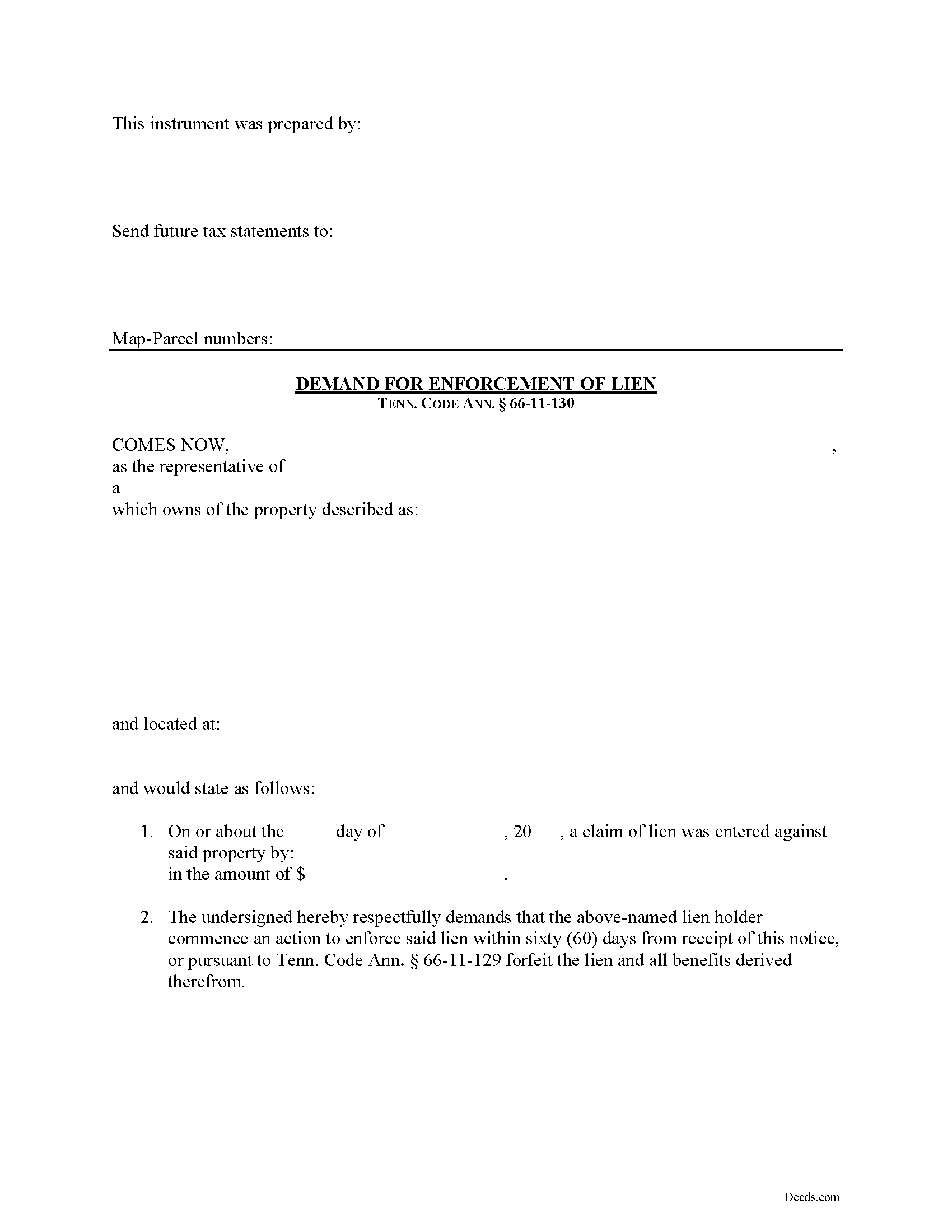
Wayne County Demand for Enforcement Form
Fill in the blank Demand for Enforcement form formatted to comply with all Tennessee recording and content requirements.
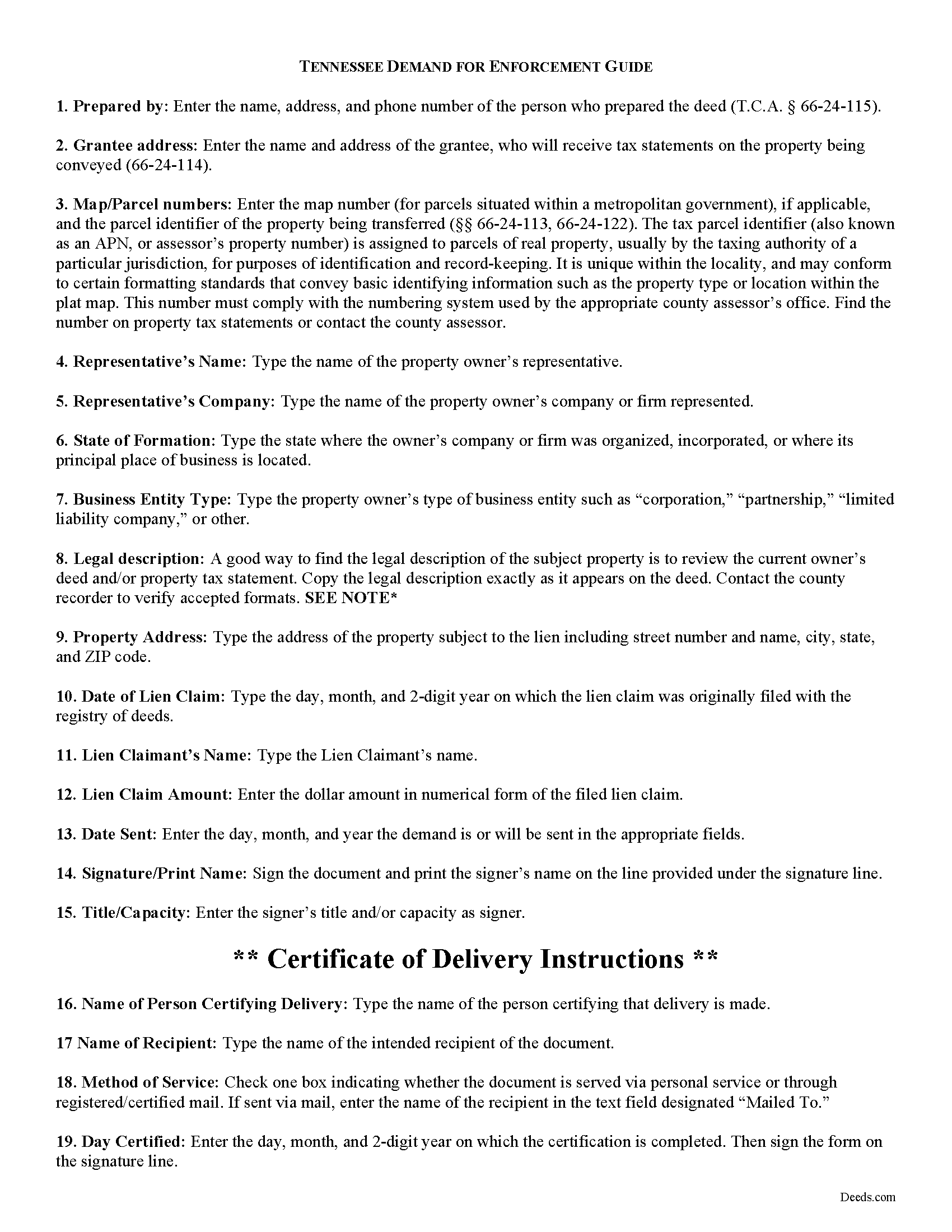
Wayne County Demand for Enforcement Guide
Line by line guide explaining every blank on the form.
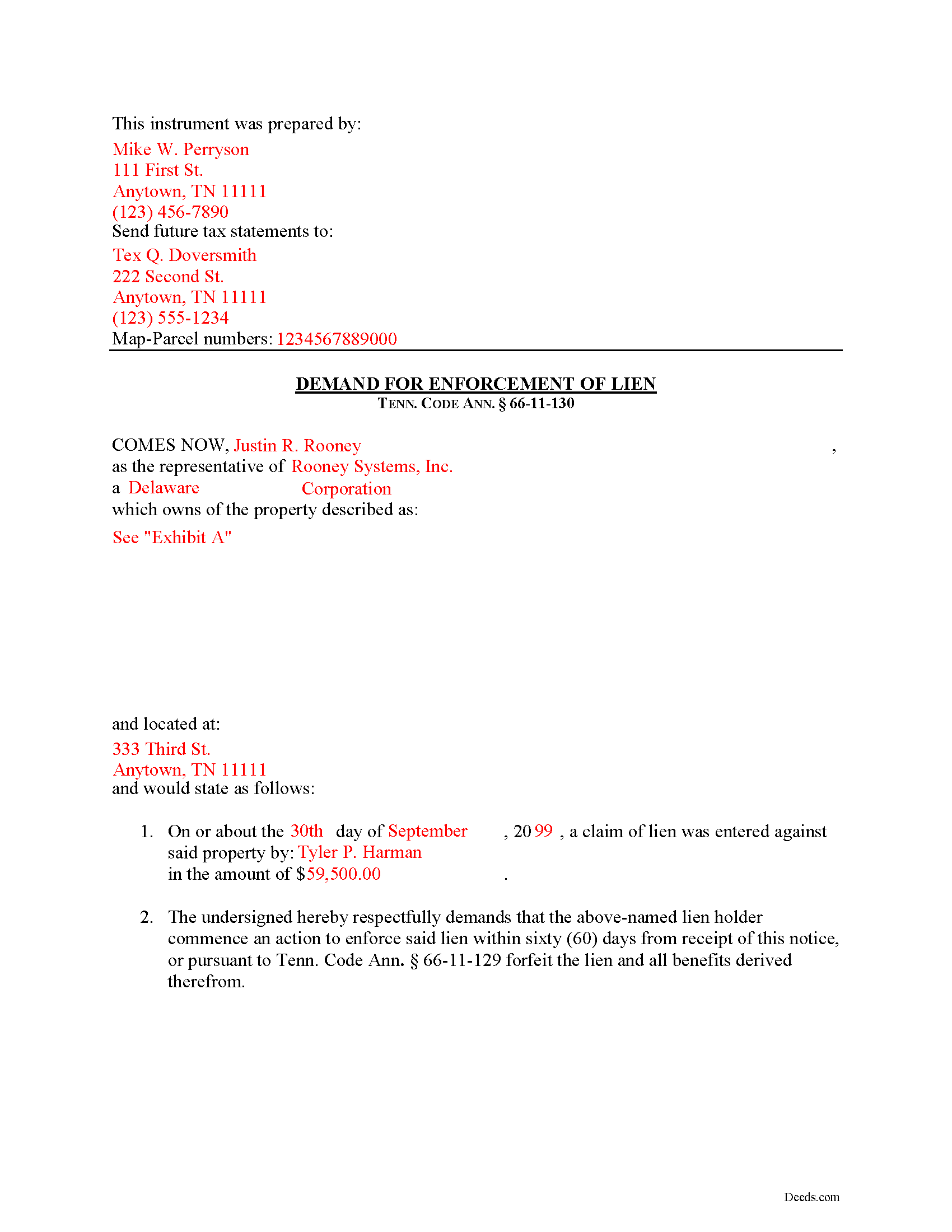
Wayne County Completed Example of the Demand for Enforcement Document
Example of a properly completed form for reference.
All 3 documents above included • One-time purchase • No recurring fees
Immediate Download • Secure Checkout
Additional Tennessee and Wayne County documents included at no extra charge:
Where to Record Your Documents
Wayne County Register of Deeds
Waynesboro, Tennessee 38485
Hours: 8:30 to 4:00 M-F
Phone: (931) 722-5518
Recording Tips for Wayne County:
- Bring your driver's license or state-issued photo ID
- Ensure all signatures are in blue or black ink
- Documents must be on 8.5 x 11 inch white paper
- Double-check legal descriptions match your existing deed
- Verify all names are spelled correctly before recording
Cities and Jurisdictions in Wayne County
Properties in any of these areas use Wayne County forms:
- Clifton
- Collinwood
- Cypress Inn
- Lutts
- Waynesboro
Hours, fees, requirements, and more for Wayne County
How do I get my forms?
Forms are available for immediate download after payment. The Wayne County forms will be in your account ready to download to your computer. An account is created for you during checkout if you don't have one. Forms are NOT emailed.
Are these forms guaranteed to be recordable in Wayne County?
Yes. Our form blanks are guaranteed to meet or exceed the applicable formatting requirements used for recording in Wayne County, including margin requirements, font requirements, and other layout standards. This guarantee applies to formatting, not to the legal sufficiency of information entered by the user or the suitability of a form for a particular transaction.
Can I reuse these forms?
Yes. You can reuse the forms for your personal use. For example, if you have multiple properties in Wayne County you only need to order once.
What do I need to use these forms?
The forms are PDFs that you fill out on your computer. The free Adobe Acrobat Reader is recommended, and most PDF apps also work. You do NOT enter your property information online - you download the blank forms and complete them privately on your own computer.
Are there any recurring fees?
No. This is a one-time purchase. Nothing to cancel, no memberships, no recurring fees.
How much does it cost to record in Wayne County?
Recording fees in Wayne County vary. Contact the recorder's office at (931) 722-5518 for current fees.
Questions answered? Let's get started!
Demand for Enforcement of a Mechanic's Lien in Tennessee
Liens can be trouble when placed on your property, especially if you're trying to sell or refinance. Regardless of the reason for the lien, there are steps an owner can take to speed up the time that the lien can be effective. In Tennessee, filing a Demand for Enforcement of a filed lien will accelerate the lien action, requiring the lien claimant to enforce the lien or forfeit it.
Upon written demand of the owner, the owner's agent, or prime contractor, served on the lienor, requiring the lienor to commence action to enforce the lienor's lien, and describing the real property in the demand, the action shall be commenced, or the claim filed in a creditors' or foreclosure proceeding, within sixty (60) days after service, or the lien shall be forfeited. Tenn. Prop. Code 66-11-130.
The Demand for Enforcement contains the following: 1) the lien claimant's name (including business name and entity type), 2) a description of the property bound under the lien, 3) date of the lien claim, and 4) amount of the claim. The person sending the document must complete a certificate of delivery that specifies the method of service and to whom it is directed. Serving the document to the lien claimant is effective to demand he or she enforce the lien within 60 days.
This article is provided for informational purposes only and should not be considered legal advice or relied upon as any substitute for speaking with an attorney. Please consult a Tennessee attorney familiar with construction law for any questions about the Demand for Enforcement or for any other issues regarding mechanic's liens.
Important: Your property must be located in Wayne County to use these forms. Documents should be recorded at the county recording office listed above.
This Demand for Enforcement meets all recording requirements specific to Wayne County.
Our Promise
The documents you receive here are guaranteed to meet or exceed the applicable Wayne County recording format requirements. If there is a rejection caused by our formatting, we will correct the issue or refund your payment. This guarantee applies to document formatting only and does not extend to information entered by the user, the selection of the form, or the legal effect of the completed document.
Save Time and Money
Get your Wayne County Demand for Enforcement form done right the first time with Deeds.com Uniform Conveyancing Blanks. At Deeds.com, we understand that your time and money are valuable resources, and we don't want you to face a penalty fee or rejection imposed by a county recorder for submitting nonstandard documents. We constantly review and update our forms to meet rapidly changing state and county recording requirements for roughly 3,500 counties and local jurisdictions.
4.8 out of 5 - ( 4,837 Reviews )
Cynthia (Cindy) R. 5 out of 5 stars
This has been the most seamless process I have ever experienced. Thank you for addressing my needs so quickly and professionally.
Thank you!
Donna R. 5 out of 5 stars
This was a seamless process. It probably took one minute to fill out my information and upload the document. It was formatted and sent immediately. It was processed the next day at the county recorders office. I have zero complaints. Before finding this company I spent an entire day calling and leaving messages at other e-filing companies like simplfile and others but they all required subscriptions. I just needed to file a single document now and then so that was not a good fit. (And those companies I found out still require the customer to do all the work!). Deeds.com kept me informed throughout the process every step. I'm happy to write this review. Thank you
Thank you for your feedback. We really appreciate it. Have a great day!
Robert B. 5 out of 5 stars
Liked the fact that the forms were fill in the blank. Good to have the option of re-doing them if needed, and I needed ;)
Thank you for your feedback. We really appreciate it. Have a great day!
Wilfrid J. 5 out of 5 stars
It was fast and easy but it's really official
Thank you!
Jayne B. 5 out of 5 stars
This makes it so easy and I'm so glad I found you. I visited two other sites before I found this one. They were cumbersome to use to the point where I abandoned them and kept on looking. Then I found yours, and it was a breeze. Thank you so much!
We appreciate your business and value your feedback. Thank you. Have a wonderful day!
Margaret S. 5 out of 5 stars
Forms & Guide easy to use. It would have been helpful if the counties with identical form packages were identified. I bought two packages when I could have used one.
Thank you for your feedback Margaret. We have processed a refund for one of your payments. Have a great day.
Margaret S. 5 out of 5 stars
Great experience, quick and easy, thank you!
Thank you for your feedback. We really appreciate it. Have a great day!
Billie W. 5 out of 5 stars
Excellent way to do this kind of transaction.
Thank you!
Christine P. 5 out of 5 stars
Great service! Just what I needed and a bunch of informative extras too. Thanks!
We appreciate your business and value your feedback. Thank you. Have a wonderful day!
Kathie C. 5 out of 5 stars
This was the first time I have used Deeds.com and I must say that I am extremely impressed. The person that handled my packages was amazing and extremely helpful. I am recommending that our firm starts using Deeds.com and we do a lot of e-recordings. Thank you so much for making this a great experience and for all of your efforts in making it so great!!!
Your feedback is greatly appreciated. Thank you for taking the time to share your experience!
Marlene B. 4 out of 5 stars
I appreciated the fact that the forms were by Texas County and I knew I had the right form. The form were fairly easy to complete. I had trouble completing the form because the property description was long and kept disappearing and I had to re-type. It would also have helped it I could have saved and not had to start over every time.
Your satisfaction with our services is of utmost importance to us. Thank you for letting us know how we did!
Vonnie F. 5 out of 5 stars
This service is very user-friendly and efficient.
Thank you!
Jaimie F. 5 out of 5 stars
Very easy process and the customer service representatives are very friendly and helpful.
It was a pleasure serving you. Thank you for the positive feedback!
Kevin U. 5 out of 5 stars
very smooth and easy
We appreciate your business and value your feedback. Thank you. Have a wonderful day!
vickie w. 5 out of 5 stars
easy & convenience .good service
Thank you for your feedback. We really appreciate it. Have a great day!