Tipton County Indemnity Agreement Form
Last validated November 6, 2026 by our Forms Development TeamFormatted for recording in Tipton County, for property anywhere in the county: rural and unincorporated areas as well as Atoka, Brighton, Burlison, Covington, Drummonds, Mason, Munford, Tipton.
- 3 documents included
- Immediate PDF download
- Formatting guarantee
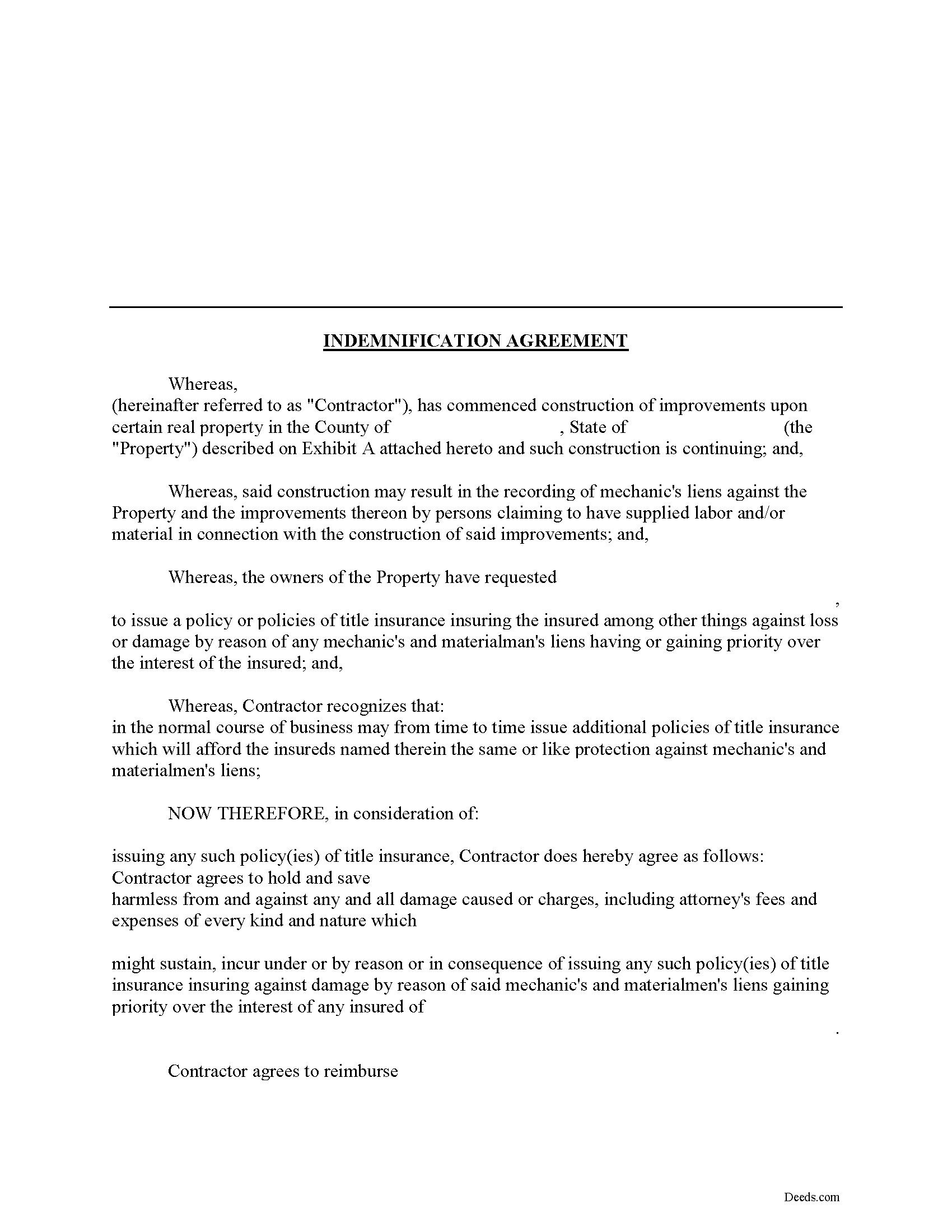
Tipton County Indemnity Agreement Form
Fill in the blank Indemnity Agreement form formatted to comply with all Tennessee recording and content requirements.
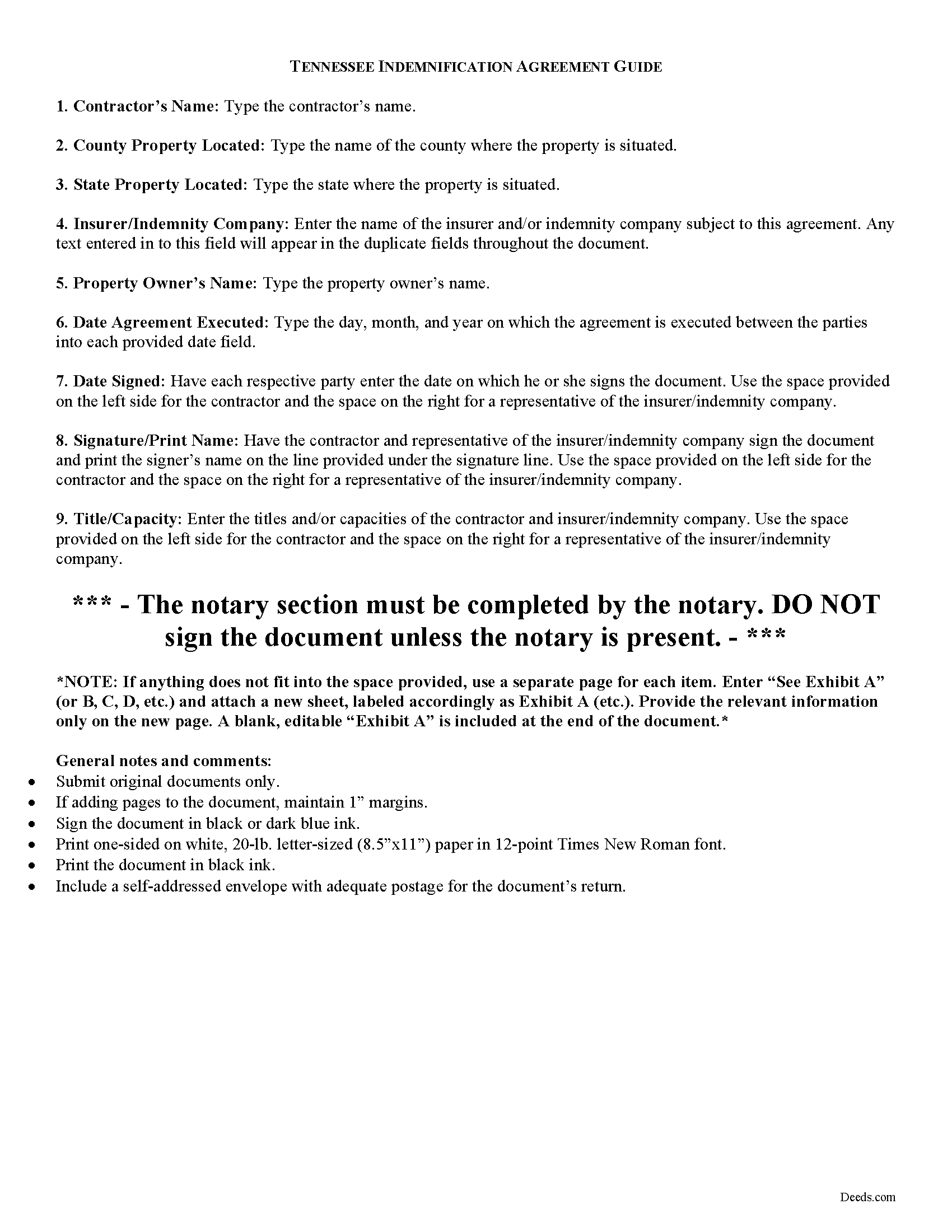
Tipton County Indemnity Agreement Guide
Line by line guide explaining every blank on the form.
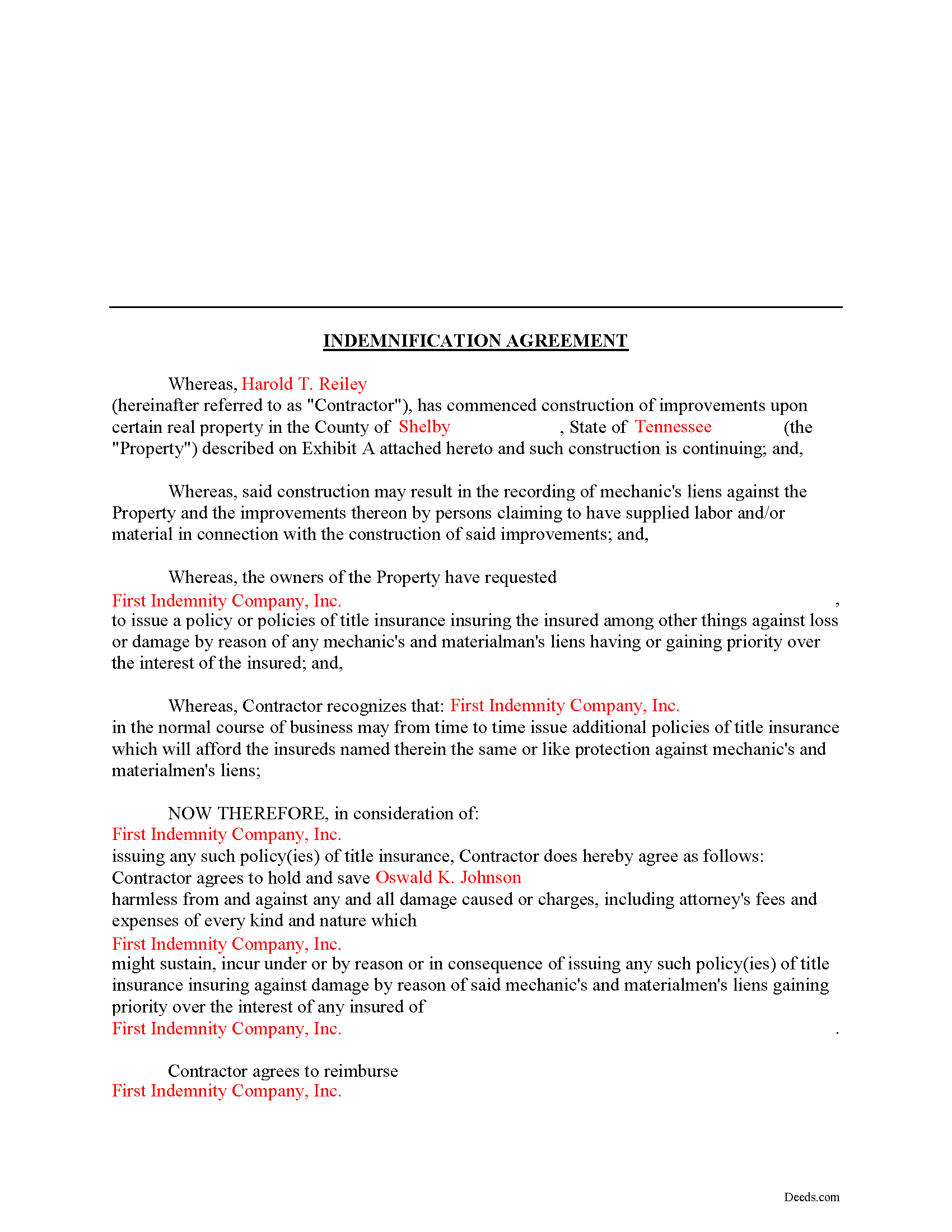
Tipton County Completed Example of the Indemnity Agreement Document
Example of a properly completed form for reference.
All 3 documents above included • One-time purchase • No recurring fees
Immediate Download • Secure Checkout
Additional Tennessee and Tipton County documents included at no extra charge:
Where to Record Your Documents
Tipton County Register of Deeds
Covington, Tennessee 38019
Hours: 8:00am-5:00pm M-F
Phone: (901) 476-0204
Recording Tips for Tipton County:
- Bring your driver's license or state-issued photo ID
- Ensure all signatures are in blue or black ink
- Avoid the last business day of the month when possible
- Both spouses typically need to sign if property is jointly owned
- Bring extra funds - fees can vary by document type and page count
Cities and Jurisdictions in Tipton County
Properties in any of these areas use Tipton County forms:
- Atoka
- Brighton
- Burlison
- Covington
- Drummonds
- Mason
- Munford
- Tipton
Hours, fees, requirements, and more for Tipton County
How do I get my forms?
Forms are available for immediate download after payment. The Tipton County forms will be in your account ready to download to your computer. An account is created for you during checkout if you don't have one. Forms are NOT emailed.
Are these forms guaranteed to be recordable in Tipton County?
Yes. Our form blanks are guaranteed to meet or exceed the applicable formatting requirements used for recording in Tipton County, including margin requirements, font requirements, and other layout standards. This guarantee applies to formatting, not to the legal sufficiency of information entered by the user or the suitability of a form for a particular transaction.
Can I reuse these forms?
Yes. You can reuse the forms for your personal use. For example, if you have multiple properties in Tipton County you only need to order once.
What do I need to use these forms?
The forms are PDFs that you fill out on your computer. The free Adobe Acrobat Reader is recommended, and most PDF apps also work. You do NOT enter your property information online - you download the blank forms and complete them privately on your own computer.
Are there any recurring fees?
No. This is a one-time purchase. Nothing to cancel, no memberships, no recurring fees.
How much does it cost to record in Tipton County?
Recording fees in Tipton County vary. Contact the recorder's office at (901) 476-0204 for current fees.
Questions answered? Let's get started!
Using an Indemnity Agreement to Protect from Liens in Tennessee
Property owners can protect themselves from a mechanic's lien on their land by executing an indemnity agreement binding both the contractor and indemnity company. By entering into an agreement, the insurer agrees to pay the contractor any amount that could otherwise be enforced through a lien placed on the property. This way, the contractor will turn to the insurance agency and not the land owner for any deficiency that is owed.
This indemnity agreement is designed to be used by contractors and material providers as well as property owners. Although this form is designed for ease of use, it may not be appropriate in every circumstance. It is always a good idea to consult with an attorney when drafting a contract between two parties.
This article is provided for informational purposes only and should not be relied upon as a substitute for the advice of an attorney. Please speak with an attorney for any questions regarding indemnity agreements.
Important: Your property must be located in Tipton County to use these forms. Documents should be recorded at the county recording office listed above.
This Indemnity Agreement meets all recording requirements specific to Tipton County.
Our Promise
The documents you receive here are guaranteed to meet or exceed the applicable Tipton County recording format requirements. If there is a rejection caused by our formatting, we will correct the issue or refund your payment. This guarantee applies to document formatting only and does not extend to information entered by the user, the selection of the form, or the legal effect of the completed document.
Save Time and Money
Get your Tipton County Indemnity Agreement form done right the first time with Deeds.com Uniform Conveyancing Blanks. At Deeds.com, we understand that your time and money are valuable resources, and we don't want you to face a penalty fee or rejection imposed by a county recorder for submitting nonstandard documents. We constantly review and update our forms to meet rapidly changing state and county recording requirements for roughly 3,500 counties and local jurisdictions.
4.8 out of 5 - ( 4,859 Reviews )
Pamela C. 4 out of 5 stars
It was easy to download. And your guide was informative as was the completed form for an example. But I wish that I had been able to edit the forms online and then print. My handwritten info is just not as crisp.
Thank you for your feedback. We really appreciate it. Have a great day!
Marsella F. 5 out of 5 stars
Thank you so much!! This is a fantastic tool!! Marsella F.
Thank you for your feedback. We really appreciate it. Have a great day!
Marlin M. 5 out of 5 stars
5 stars!
Thank you!
Evelyn L. 5 out of 5 stars
very easy to print
Thank you!
Sara M. 5 out of 5 stars
This makes work so much easier now that I don't have to drive to each county to record. Thank you.
It was a pleasure serving you. Thank you for the positive feedback!
Kurt P. 5 out of 5 stars
I like the basics. The one thing I would recommend changing would be, something that tells me I have actually have submitted my package, or that I can leave at any time without needing to click on a "Submit" button.
Thank you for your feedback. We really appreciate it. Have a great day!
Jason B. 3 out of 5 stars
Providing .doc versions would be much easier than trying to jam information into a non-editable PDF.
Thank you for your feedback. We really appreciate it. Have a great day!
willie B. 5 out of 5 stars
I love how you can get information you need online great program ,outstanding just love it....
Thank you!
Arthur S. 5 out of 5 stars
It is great and fast you get 5 stars from me
We appreciate your business and value your feedback. Thank you. Have a wonderful day!
Terri B. 4 out of 5 stars
It's worth the money. I would like to have seen a variety of examples showing different scenarios for completing a quitclaim deed.
Thank you!
kevin d. 5 out of 5 stars
the quitclaim form worked well with the Nevada Recorders office. Tried other vendors, theirs were rejected.
We appreciate your business and value your feedback. Thank you. Have a wonderful day!
Teri B. 5 out of 5 stars
Glad to have all of the helpful extra information, even though they don't answer all questions for all situations. So, I accessed public records and asked questions at the auditor's office. Also, on my Mac computer, filling out the actual deed form is a challenge because the screen jumps to the last page everytime I try to type a few letters or hit the return key, so I'm rollling back up to the first 2 pages after most keystrokes. A bit annoying. Overall, happy to have these form options are available! There is really no need to wait and pay for an attorney when all the information needed is available via public records. Fill in the blanks!
Thanks so much for the feedback Teri. There are known issues between Adobe and Mac, we try to work around them as much as possible. Have a wonderful day!
David B. 5 out of 5 stars
fast and easy.
Thank you!
Charlotte F. 5 out of 5 stars
Found the form I needed easily and will continue to use the site.
We appreciate your business and value your feedback. Thank you. Have a wonderful day!
Pedro M. 5 out of 5 stars
Fast and professional service.
Thank you for your positive words! We’re thrilled to hear about your experience.