Lawrence County Notice to Owner Form
Last validated October 26, 2026 by our Forms Development TeamFormatted for recording in Lawrence County, for property anywhere in the county: rural and unincorporated areas as well as Ethridge, Five Points, Iron City, Lawrenceburg, Leoma, Loretto, Saint Joseph, Summertown and 1 more.
- 3 documents included
- Immediate PDF download
- Formatting guarantee
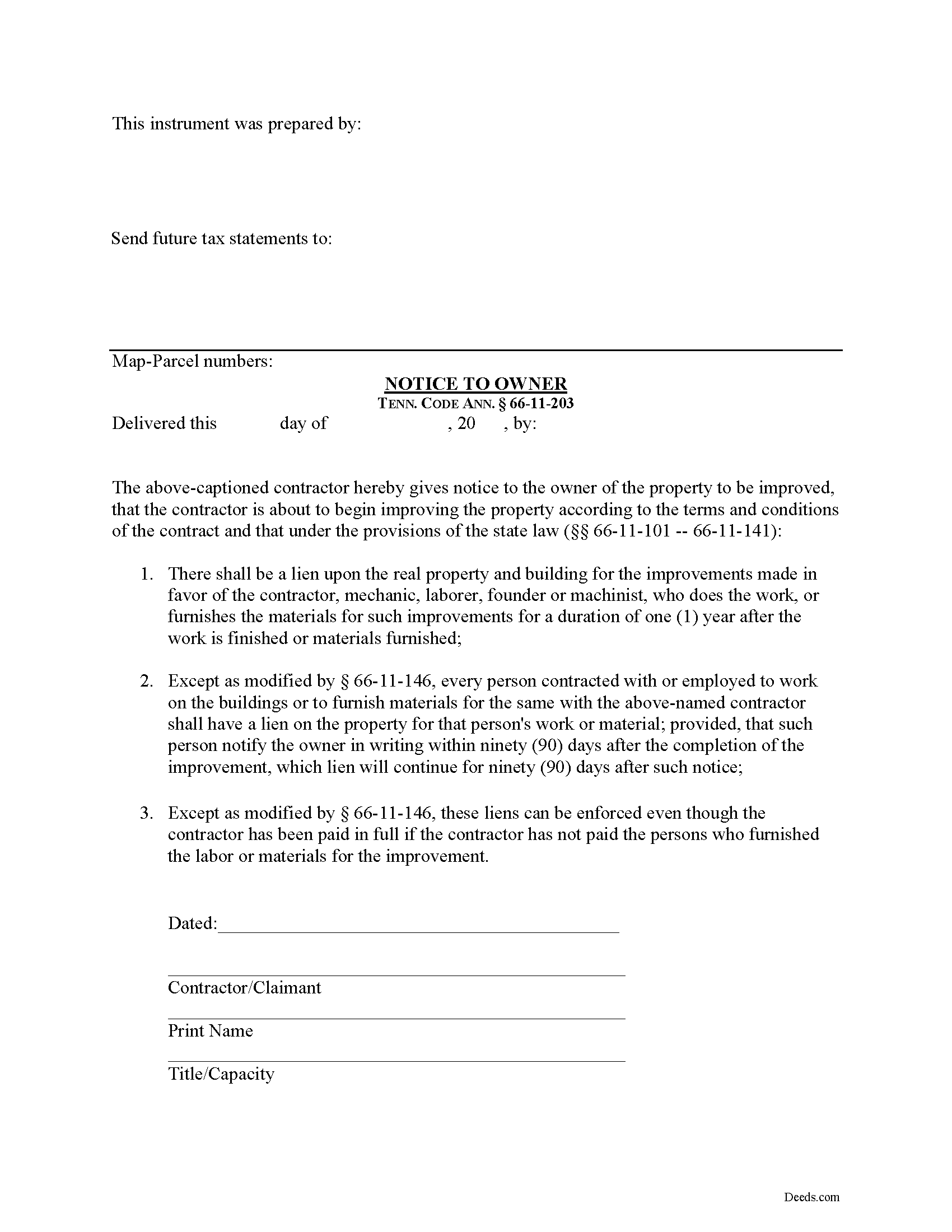
Lawrence County Notice to Owner Form
Fill in the blank Notice to Owner form formatted to comply with all Tennessee recording and content requirements.
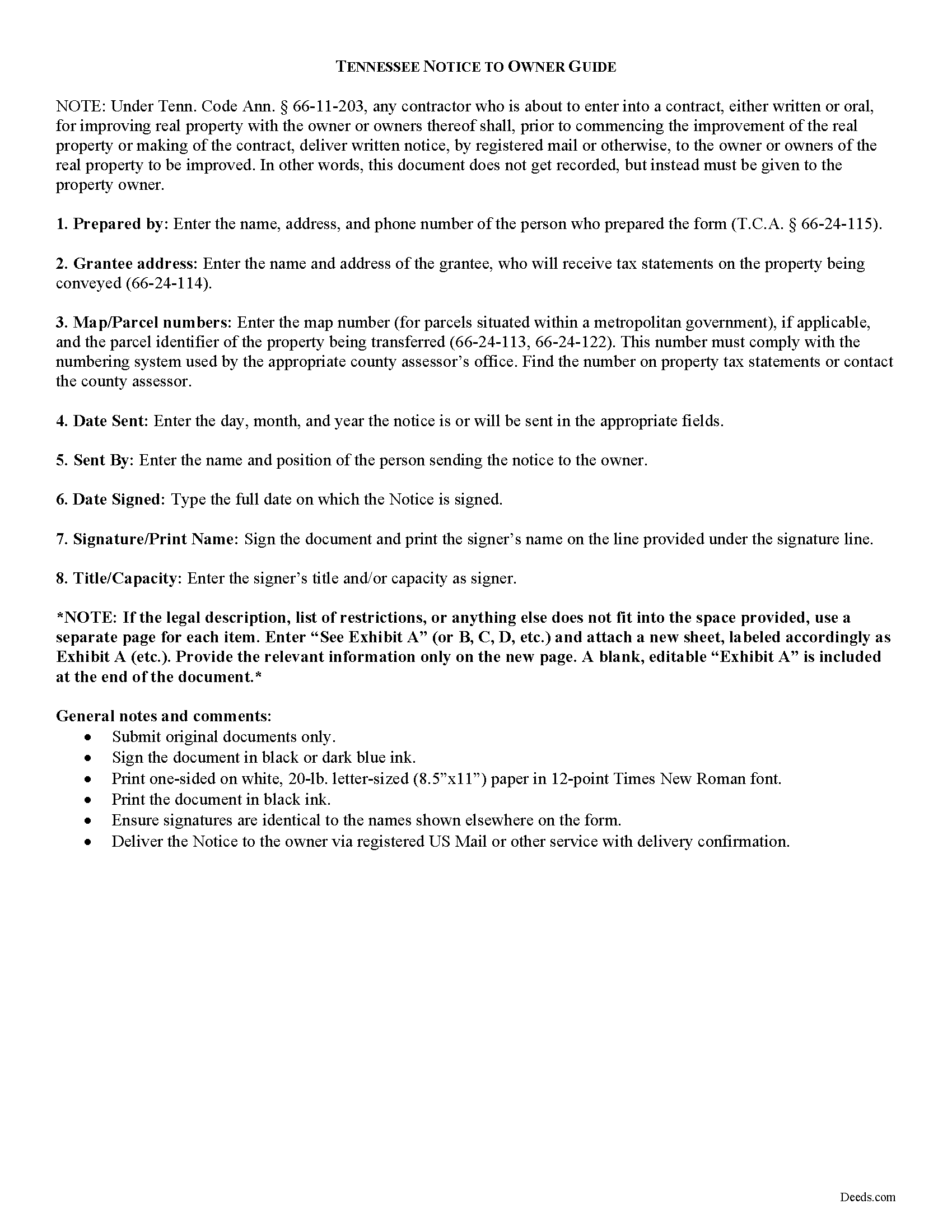
Lawrence County Notice to Owner Guide
Line by line guide explaining every blank on the form.
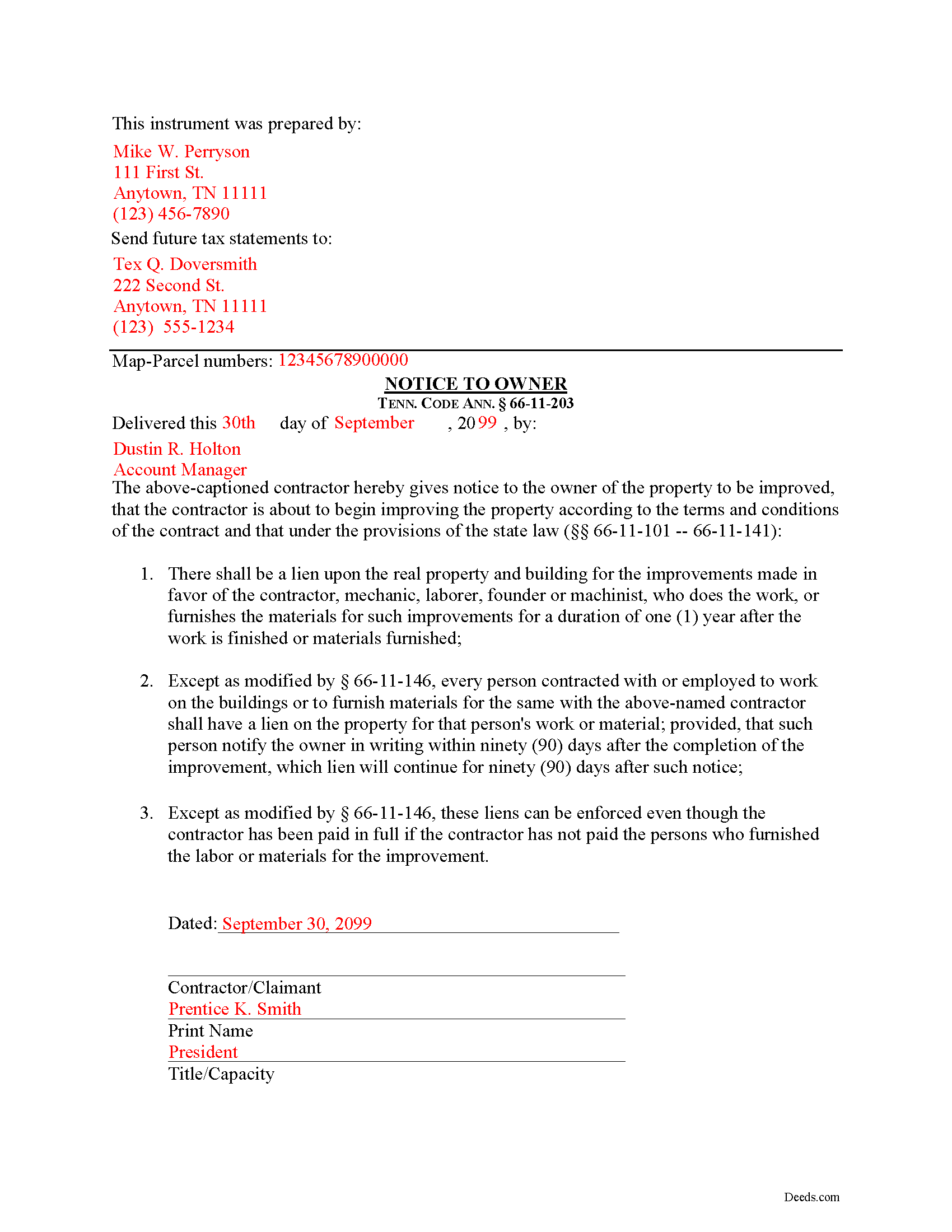
Lawrence County Completed Example of the Notice to Owner Document
Example of a properly completed form for reference.
All 3 documents above included • One-time purchase • No recurring fees
Immediate Download • Secure Checkout
Additional Tennessee and Lawrence County documents included at no extra charge:
Where to Record Your Documents
Lawrence County Register of Deeds
Lawrenceburg, Tennessee 38464
Hours: 8:30 to 4:30 M-F
Phone: (931) 766-4180
Recording Tips for Lawrence County:
- Bring your driver's license or state-issued photo ID
- Ensure all signatures are in blue or black ink
- Documents must be on 8.5 x 11 inch white paper
- Double-check legal descriptions match your existing deed
- Verify all names are spelled correctly before recording
Cities and Jurisdictions in Lawrence County
Properties in any of these areas use Lawrence County forms:
- Ethridge
- Five Points
- Iron City
- Lawrenceburg
- Leoma
- Loretto
- Saint Joseph
- Summertown
- Westpoint
Hours, fees, requirements, and more for Lawrence County
How do I get my forms?
Forms are available for immediate download after payment. The Lawrence County forms will be in your account ready to download to your computer. An account is created for you during checkout if you don't have one. Forms are NOT emailed.
Are these forms guaranteed to be recordable in Lawrence County?
Yes. Our form blanks are guaranteed to meet or exceed the applicable formatting requirements used for recording in Lawrence County, including margin requirements, font requirements, and other layout standards. This guarantee applies to formatting, not to the legal sufficiency of information entered by the user or the suitability of a form for a particular transaction.
Can I reuse these forms?
Yes. You can reuse the forms for your personal use. For example, if you have multiple properties in Lawrence County you only need to order once.
What do I need to use these forms?
The forms are PDFs that you fill out on your computer. The free Adobe Acrobat Reader is recommended, and most PDF apps also work. You do NOT enter your property information online - you download the blank forms and complete them privately on your own computer.
Are there any recurring fees?
No. This is a one-time purchase. Nothing to cancel, no memberships, no recurring fees.
How much does it cost to record in Lawrence County?
Recording fees in Lawrence County vary. Contact the recorder's office at (931) 766-4180 for current fees.
Questions answered? Let's get started!
Most states require contractors and other workers to provide a written notice to a property owner that lets he or she know that a project is about to commence. Sending the notice is necessary to protect any later mechanic's lien rights. In Tennessee, the form of notice is called a "Notice to Owner."
Any contractor who is about to enter into a contract, either written or oral, for improving real property with the owner or owners thereof shall, prior to commencing the improvement of the real property or making of the contract, deliver, by registered mail or otherwise, to the owner or owners of the real property to be improved a written notice. Tenn. Prop. Code 66-11-203.
The purpose of the Notice is to identify who the contractor is and inform the owner that the contractor is about to commence work and will have a right to claim a lien under State law. Id.
The notice identifies the parties, the delivery date, and the intended location and start date for the work or improvement. It must be sent before the work begins or else the person sending the notice may only be able to claim a lien for work arising after the notice is sent (if sent late). This document does not need to be recorded, but the potential claimant should either deliver it by hand or via USPS Registered mail or another delivery service that offers confirmation.
This article is provided for informational purposes only and should not be considered legal advice or relied upon as any substitute for speaking with an attorney. Please consult a Tennessee attorney familiar with construction law for any issues regarding mechanic's liens or sending notice to an owner.
Important: Your property must be located in Lawrence County to use these forms. Documents should be recorded at the county recording office listed above.
This Notice to Owner meets all recording requirements specific to Lawrence County.
Our Promise
The documents you receive here are guaranteed to meet or exceed the applicable Lawrence County recording format requirements. If there is a rejection caused by our formatting, we will correct the issue or refund your payment. This guarantee applies to document formatting only and does not extend to information entered by the user, the selection of the form, or the legal effect of the completed document.
Save Time and Money
Get your Lawrence County Notice to Owner form done right the first time with Deeds.com Uniform Conveyancing Blanks. At Deeds.com, we understand that your time and money are valuable resources, and we don't want you to face a penalty fee or rejection imposed by a county recorder for submitting nonstandard documents. We constantly review and update our forms to meet rapidly changing state and county recording requirements for roughly 3,500 counties and local jurisdictions.
4.8 out of 5 - ( 4,840 Reviews )
Carol M. 5 out of 5 stars
Great service
Thank you!
Stephen N. 5 out of 5 stars
Excellent service.
Thank you!
John L B. 5 out of 5 stars
I ordered the Deed package for my state of NJ and the county I needed to prepare the documents. I was able to complete everything that is required to close on an investment property. Fast easy with step by step instructions no matter your situation. Definitely will recommend to family & friends. Save $ instead of paying others to do the same thing you can do yourself.
Thank you for your feedback. We really appreciate it. Have a great day!
Holly M. 5 out of 5 stars
This was the simplest method of filing a document that I've ever encountered. I've already recommended it my colleagues, and would highly encourage anyone to use it. Fast, easy, simple.
We appreciate your business and value your feedback. Thank you. Have a wonderful day!
Mike S. 3 out of 5 stars
Overpriced
Thanks Mike. We get it, $27.97 isn't cheap for a lot of people right now. Your Nevada package includes a recorder-ready affidavit, a completed sample, and step-by-step instructions for the state. Expensive, yes. Overpriced, not even close.
Calida S. 5 out of 5 stars
I was so happy I found a way to register my deed electronically! The county I live in only does e-file through vendors who service law firms and large volume documents. I had everything done electronically only to hit a brick wall doing warp speed when it came to this last part. So far everything is going super smooth and very easy. The price is worth it to be able to get this deed done because I'm doing a life estate deed to my late boyfriends daughter. She's getting married soon and this is my gift to her since her daddy can't be here. Thanks Deeds.com This means a lot, and I plan on bringing my business back provided everything finishes well. I will definitely follow up soon!
Thank you, Calida. We’re glad we could help make the electronic recording step easier, especially for something so meaningful. We appreciate your trust in Deeds.com and look forward to helping whenever you need us again.
Mark S. 5 out of 5 stars
No Brainer. Easy to use. Good service. I recommend this.
Thank you for your feedback. We really appreciate it. Have a great day!
William P. 1 out of 5 stars
VERY difficult to work with. Nice people. But difficult system. Ask for MANY changes. Why dont you do that as a
Sorry to hear of your struggle William. We do hope that you found something more suitable to your needs elsewhere.
Julie D S. 5 out of 5 stars
thank you for all the forms
Thank you!
Carol K. 1 out of 5 stars
was expecting a one page Grant Deed not what I received.
Hi Carol, thank you for your feedback. A properly prepared California Grant Deed often runs more than one page. California requires specific recording formatting, a documentary transfer tax declaration, room for the full legal description, and the state’s mandatory notary acknowledgment wording, which is typically on its own page. Our form is built to meet those requirements so it is accepted for recording.
Kevin B. 4 out of 5 stars
It looks like it can be a huge time saver. I did a deed and appeared very professional.
Thank you for your feedback. We really appreciate it. Have a great day!
Elango R. 5 out of 5 stars
It was so easy to use the site and got recording done in a day. Very happy with experience.
Thank you!
DONALD S. 5 out of 5 stars
Using the Administrators Deed, pay attention to "Exhibit A". The blank will allow you to type a full legal description BUT it will not save it. Use "Exhibit A" to type the legal description. The form was great and I filed it this morning with no problems.
Thank you for your feedback. We really appreciate it. Have a great day!
Andrew F. 5 out of 5 stars
Must admit, I have not really had the chance to search site. Seems to be able to provide good info.
Thank you!
Tim H. 5 out of 5 stars
Found the service useful and straightforward. The only recommendation would be to send an e-mail notification to the request or when their package is ready for download. Mine, apparently, was ready within and hour or so after placing the request but did not go back onto the site until a day later to find it was ready.
Thank you for your feedback. We really appreciate it. Have a great day!