Van Buren County Partial Release of Deed of Trust Form
Last validated November 16, 2026 by our Forms Development TeamFormatted for recording in Van Buren County, for property anywhere in the county: rural and unincorporated areas as well as Spencer.
- 3 documents included
- Immediate PDF download
- Formatting guarantee
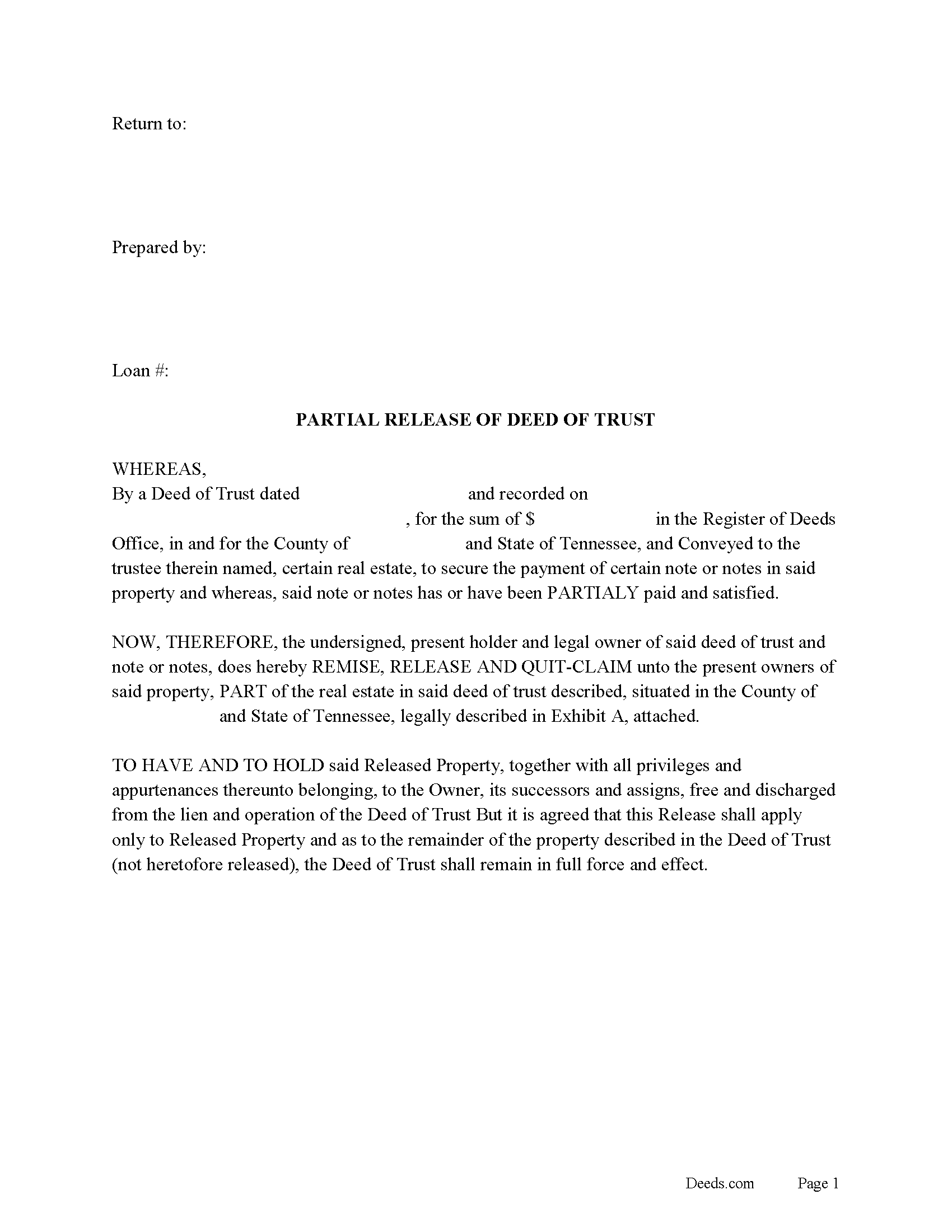
Van Buren County Partial Release of Deed of Trust Form
Fill in the blank form formatted to comply with all recording and content requirements.
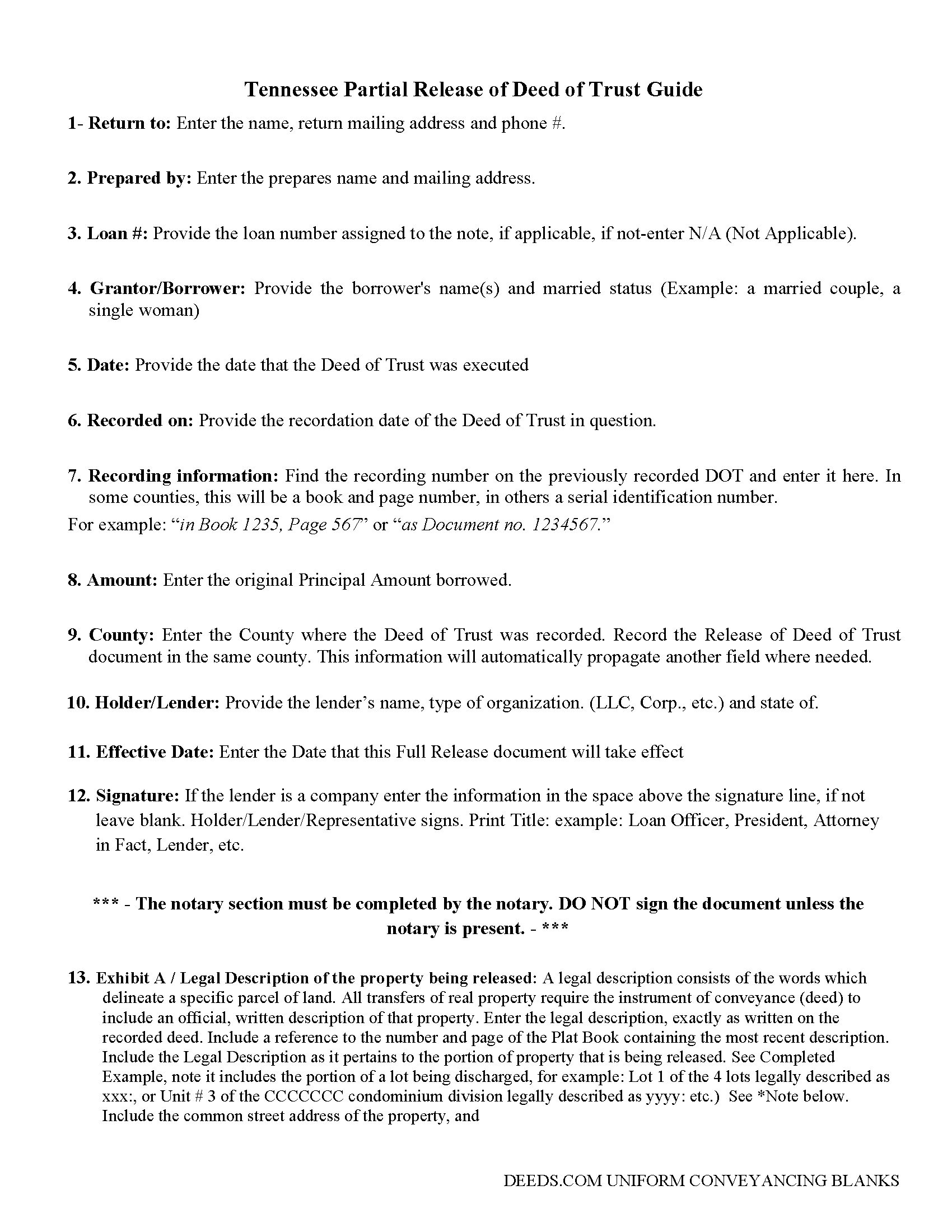
Van Buren County Partial Release of Deed of Trust Guide
Line by line guide explaining every blank on the form.
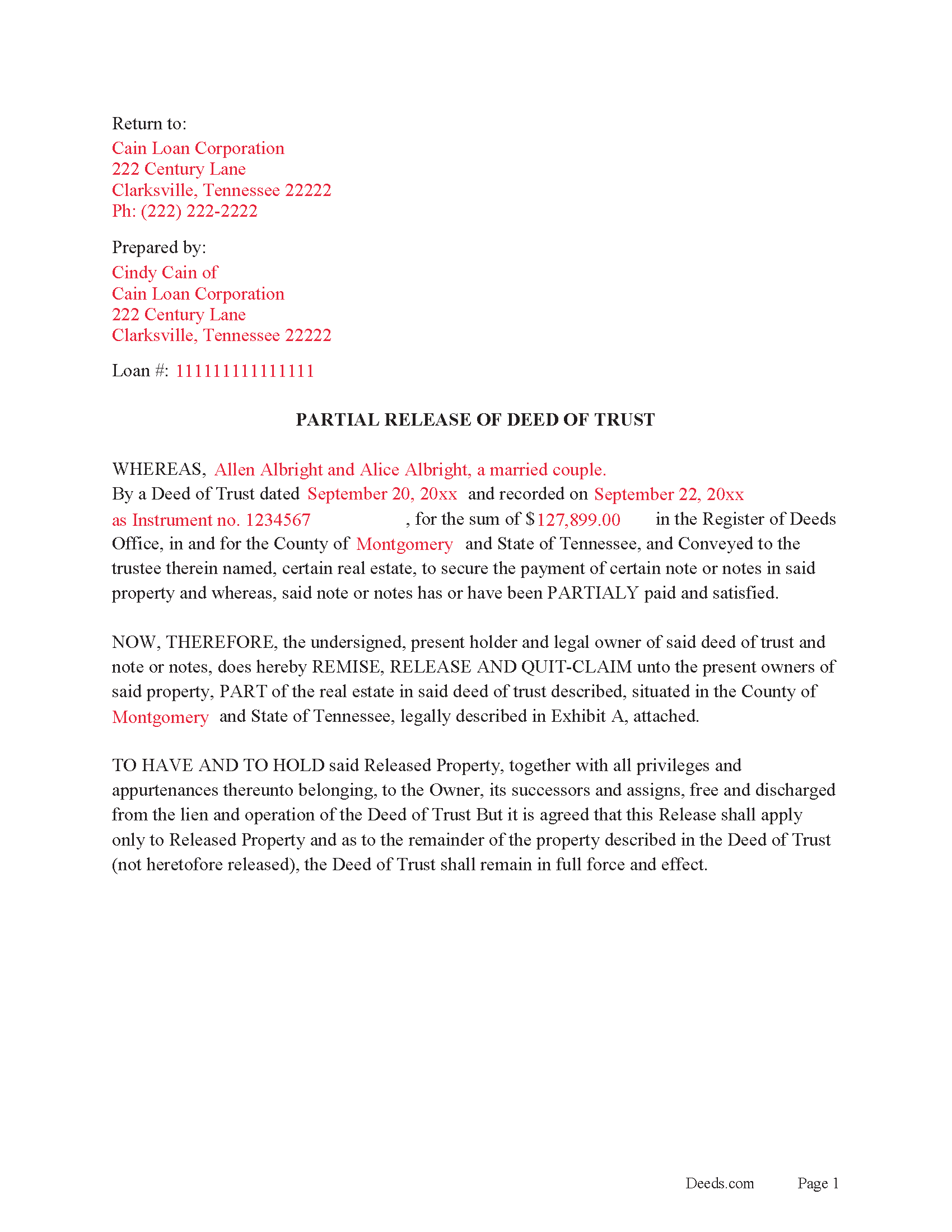
Van Buren County Completed Example of a Partial Release of DOT Document
Example of a properly completed form for reference.
All 3 documents above included • One-time purchase • No recurring fees
Immediate Download • Secure Checkout
Additional Tennessee and Van Buren County documents included at no extra charge:
Where to Record Your Documents
Van Buren County Register of Deeds
Spencer, Tennessee 38585
Hours: 8:00 to 4:00 M-F
Phone: (931) 946-7363
Recording Tips for Van Buren County:
- Bring your driver's license or state-issued photo ID
- Ensure all signatures are in blue or black ink
- Double-check legal descriptions match your existing deed
- Verify all names are spelled correctly before recording
- White-out or correction fluid may cause rejection
Cities and Jurisdictions in Van Buren County
Properties in any of these areas use Van Buren County forms:
- Spencer
Hours, fees, requirements, and more for Van Buren County
How do I get my forms?
Forms are available for immediate download after payment. The Van Buren County forms will be in your account ready to download to your computer. An account is created for you during checkout if you don't have one. Forms are NOT emailed.
Are these forms guaranteed to be recordable in Van Buren County?
Yes. Our form blanks are guaranteed to meet or exceed the applicable formatting requirements used for recording in Van Buren County, including margin requirements, font requirements, and other layout standards. This guarantee applies to formatting, not to the legal sufficiency of information entered by the user or the suitability of a form for a particular transaction.
Can I reuse these forms?
Yes. You can reuse the forms for your personal use. For example, if you have multiple properties in Van Buren County you only need to order once.
What do I need to use these forms?
The forms are PDFs that you fill out on your computer. The free Adobe Acrobat Reader is recommended, and most PDF apps also work. You do NOT enter your property information online - you download the blank forms and complete them privately on your own computer.
Are there any recurring fees?
No. This is a one-time purchase. Nothing to cancel, no memberships, no recurring fees.
How much does it cost to record in Van Buren County?
Recording fees in Van Buren County vary. Contact the recorder's office at (931) 946-7363 for current fees.
Questions answered? Let's get started!
This form is executed by the lender to release only a portion of the real property from a Deed of Trust. This form states: That this Release shall apply only to Released Property and as to the remainder of the property described in the Deed of Trust (not heretofore released), the Deed of Trust shall remain in full force and effect.
(Tennessee Partial Release of DOT Package includes form, guidelines, and completed example)
Important: Your property must be located in Van Buren County to use these forms. Documents should be recorded at the county recording office listed above.
This Partial Release of Deed of Trust meets all recording requirements specific to Van Buren County.
Our Promise
The documents you receive here are guaranteed to meet or exceed the applicable Van Buren County recording format requirements. If there is a rejection caused by our formatting, we will correct the issue or refund your payment. This guarantee applies to document formatting only and does not extend to information entered by the user, the selection of the form, or the legal effect of the completed document.
Save Time and Money
Get your Van Buren County Partial Release of Deed of Trust form done right the first time with Deeds.com Uniform Conveyancing Blanks. At Deeds.com, we understand that your time and money are valuable resources, and we don't want you to face a penalty fee or rejection imposed by a county recorder for submitting nonstandard documents. We constantly review and update our forms to meet rapidly changing state and county recording requirements for roughly 3,500 counties and local jurisdictions.
4.8 out of 5 - ( 4,864 Reviews )
Bonnie A. 5 out of 5 stars
I little struggle downloading the forms at first but support helped. After that it was a breeze, happy with everything.
We appreciate your business and value your feedback. Thank you. Have a wonderful day!
Louise M. 5 out of 5 stars
Amazing fast service. From the U.K. I was unable to get a check in U.S. dollars. This solved my problem as I was able to make payment with a card. So much faster than sending the documents from the U.K. via the postal service. Easy to use site, very quickly processed. Highly recommend
Thank you for your feedback. We really appreciate it. Have a great day!
Cindy A. 5 out of 5 stars
Needed a deed and the form provided with example and guide were of the most help. Thank you
Thank you, Cindy! We’re so glad the form, example, and guide were helpful in getting your deed taken care of. We appreciate your feedback!
Chris O. 5 out of 5 stars
Very user friendly website. Had a variety of forms. Reasonable price
We appreciate your business and value your feedback. Thank you. Have a wonderful day!
Rose C. 5 out of 5 stars
easy breezy *****
We appreciate your business and value your feedback. Thank you. Have a wonderful day!
Pamela S. 5 out of 5 stars
Great experience! Instructions are very clear and thorough. The completeness of the instructions really inspired confidence. Within minutes of uploading my document, I received a message that it had been prepared and submitted to the county for recording. Makes it so simple! Well worth it.
We appreciate your business and value your feedback. Thank you. Have a wonderful day!
Rebecca M. 5 out of 5 stars
This was pretty easy to fill out. The directions on all of the forms was very good. This should make life much easier at the County Recorder. Thank you!
We appreciate your business and value your feedback. Thank you. Have a wonderful day!
Jim A. 5 out of 5 stars
Your website is user friendly and when I brought up issues they were quickly addressed. thank you so much! jim atkinson
Thank you!
Carolyn G. 5 out of 5 stars
I was extremely pleased with this experience, which literally took a minimum amount of time. One recommendation: make certain that when documents are uploaded that they have been received in the appropriate file. The lack of clarity caused me to upload twice or three times. Thank you.
Thank you for your feedback. We really appreciate it. Have a great day!
Carole M. 5 out of 5 stars
So far it seems easy and hopefully be acceptable to Hillsborough Co
We appreciate your business and value your feedback. Thank you. Have a wonderful day!
Brian S. 3 out of 5 stars
PDF fields change font sizes leading to an unprofessional-appearing printed page. The examples for "Convey to" section don't include how to specify just one person instead of a married couple. Maybe that is simple but it would help to spell it out in an example. Haven't submitted to County Recorder yet, so will find out if it is acceptable.
Thank you for the feedback Brian.
The font issue is caused by using a PDF viewer other than Adobe Acrobat Reader. Our form fields are set to a uniform 12-point font, but non-Adobe viewers often render form fields inconsistently. Opening and printing the form with the free Adobe Acrobat Reader will resolve that.
Regarding the examples, that's a fair point, we'll look at expanding them.
Roxanne C. 5 out of 5 stars
I love that this service is available. Uploading my document took no time at all. I love that we have an option of upload our documentsinsread of going in to file.
Thank you for your feedback. We really appreciate it. Have a great day!
Deborah V. 5 out of 5 stars
Helpful and informative.
We appreciate your business and value your feedback. Thank you. Have a wonderful day!
james B. 5 out of 5 stars
Downloaded quickly and saved to hard drive easily. I then opened in Adobe Acrobat Reader DC then was able to enter and save data in appropriate blanks. Yes, worth $22.
We appreciate your business and value your feedback. Thank you. Have a wonderful day!
David W. 5 out of 5 stars
Excellent service! Questions were answered promptly, and the entire process was easy and fast. Thank you!
We appreciate your business and value your feedback. Thank you. Have a wonderful day!