Atascosa County Affidavit of Death of Life Tenant (Enhanced Life Estate Deed) Form
Last validated September 25, 2026 by our Forms Development TeamFormatted for recording in Atascosa County, for property anywhere in the county: rural and unincorporated areas as well as Campbellton, Charlotte, Christine, Jourdanton, Leming, Lytle, Peggy, Pleasanton and 1 more.
- 3 documents included
- Immediate PDF download
- Formatting guarantee
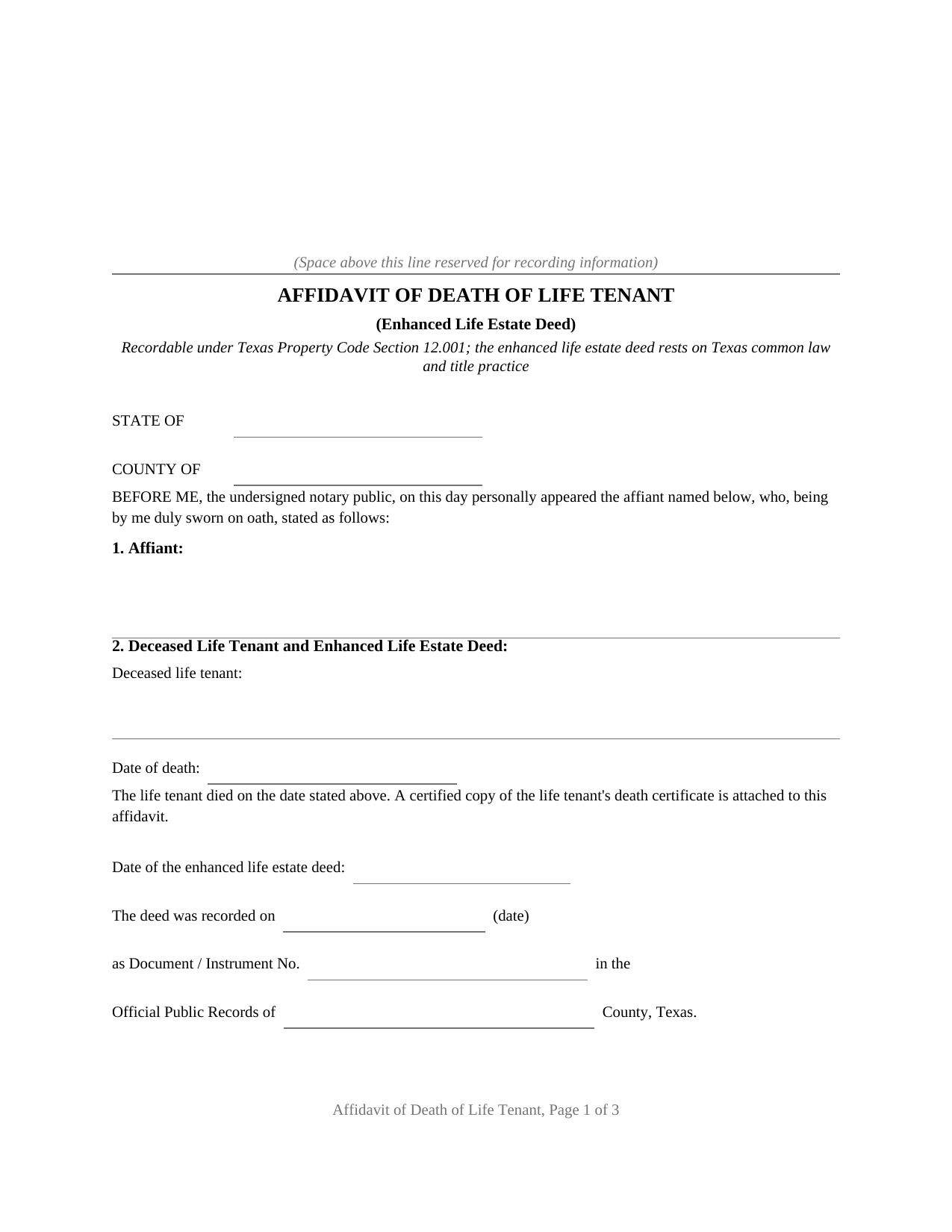
Atascosa County Affidavit of Death of Life Tenant (Enhanced Life Estate Deed) Form
Fill in the blank Affidavit of Death of Life Tenant (Enhanced Life Estate Deed) form formatted to comply with all Texas recording and content requirements.
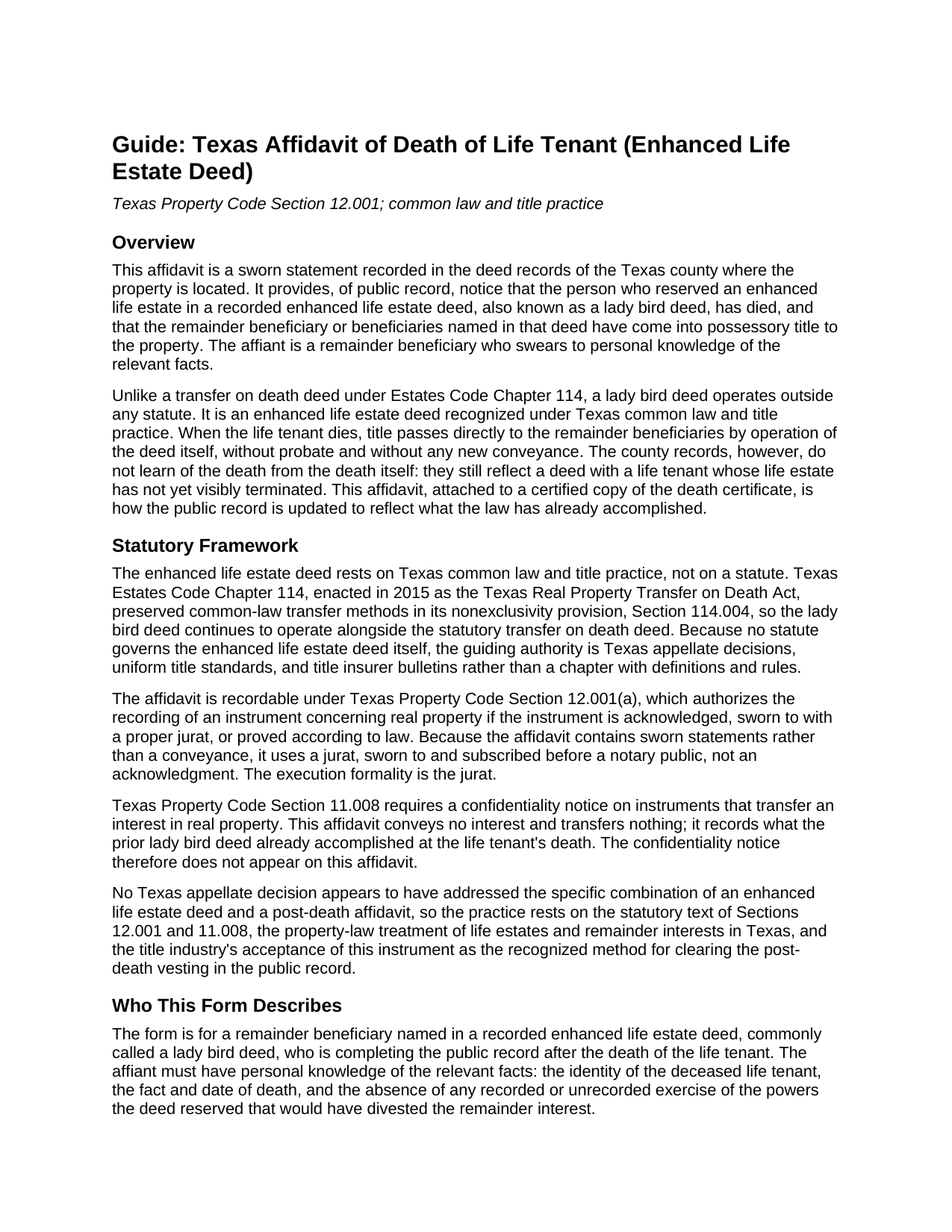
Atascosa County Affidavit of Death of Life Tenant (Enhanced Life Estate Deed) Guide
Line by line guide explaining every blank on the Affidavit of Death of Life Tenant (Enhanced Life Estate Deed) form.
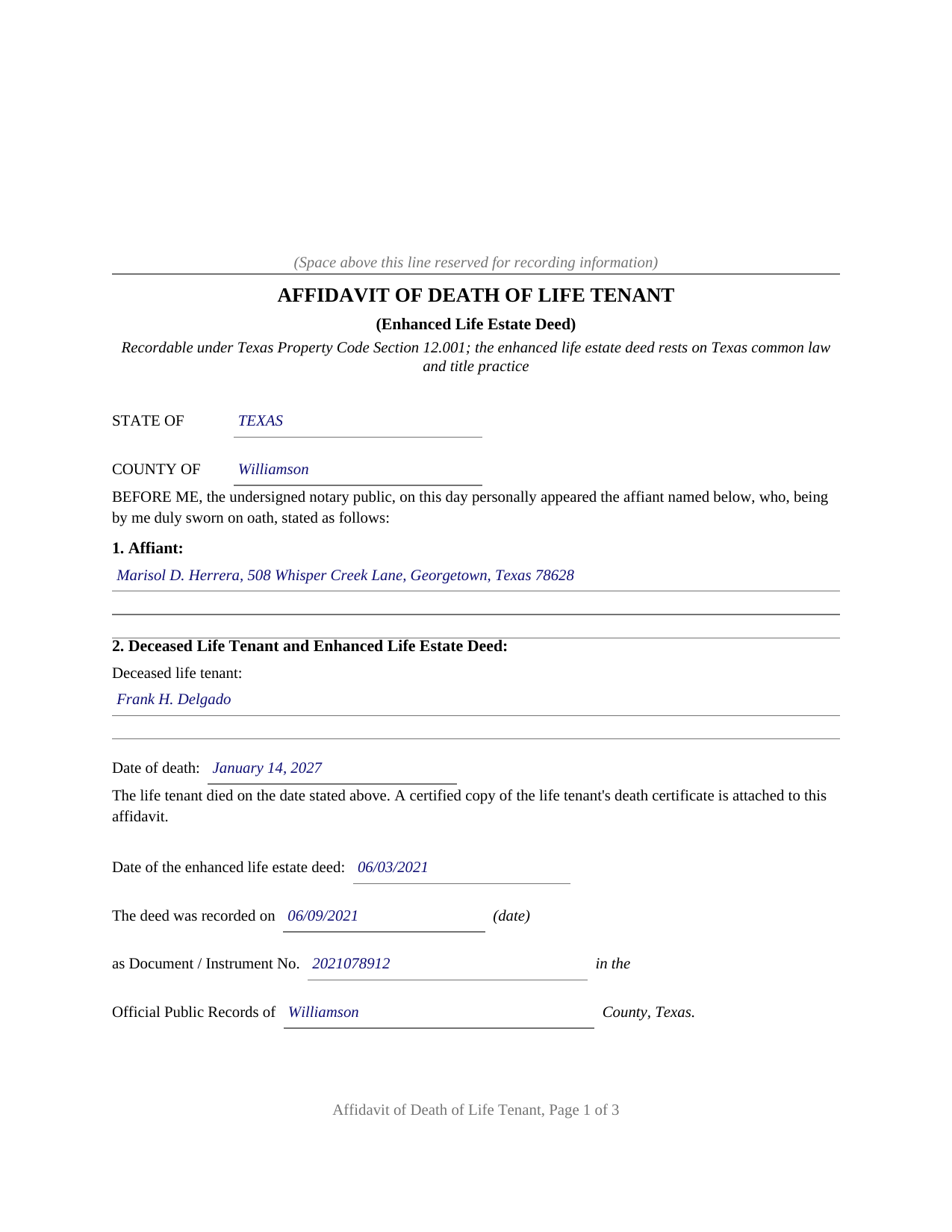
Atascosa County Completed Example of the Affidavit of Death of Life Tenant (Enhanced Life Estate Deed) Document
Example of a properly completed Texas Affidavit of Death of Life Tenant (Enhanced Life Estate Deed) document for reference.
All 3 documents above included • One-time purchase • No recurring fees
Immediate Download • Secure Checkout
Additional Texas and Atascosa County documents included at no extra charge:
Where to Record Your Documents
Atascosa County Clerk
Jourdanton, Texas 78026
Hours: 8:00 a.m. - 4:30 p.m. Monday - Friday
Phone: (830) 767-2511
Recording Tips for Atascosa County:
- Bring your driver's license or state-issued photo ID
- Ensure all signatures are in blue or black ink
- Recorded documents become public record - avoid including SSNs
- Recording fees may differ from what's posted online - verify current rates
- Request a receipt showing your recording numbers
Cities and Jurisdictions in Atascosa County
Properties in any of these areas use Atascosa County forms:
- Campbellton
- Charlotte
- Christine
- Jourdanton
- Leming
- Lytle
- Peggy
- Pleasanton
- Poteet
Hours, fees, requirements, and more for Atascosa County
How do I get my forms?
Forms are available for immediate download after payment. The Atascosa County forms will be in your account ready to download to your computer. An account is created for you during checkout if you don't have one. Forms are NOT emailed.
Are these forms guaranteed to be recordable in Atascosa County?
Yes. Our form blanks are guaranteed to meet or exceed the applicable formatting requirements used for recording in Atascosa County, including margin requirements, font requirements, and other layout standards. This guarantee applies to formatting, not to the legal sufficiency of information entered by the user or the suitability of a form for a particular transaction.
Can I reuse these forms?
Yes. You can reuse the forms for your personal use. For example, if you have multiple properties in Atascosa County you only need to order once.
What do I need to use these forms?
The forms are PDFs that you fill out on your computer. The free Adobe Acrobat Reader is recommended, and most PDF apps also work. You do NOT enter your property information online - you download the blank forms and complete them privately on your own computer.
Are there any recurring fees?
No. This is a one-time purchase. Nothing to cancel, no memberships, no recurring fees.
How much does it cost to record in Atascosa County?
Recording fees in Atascosa County vary. Contact the recorder's office at (830) 767-2511 for current fees.
Questions answered? Let's get started!
A Texas enhanced life estate deed, better known as a lady bird deed, does its work silently. The owner who signed it keeps full control for life, and at the moment of death the property vests in the remainder beneficiary named in the deed, with no probate and no new conveyance. The county records, however, learn nothing from the death itself: they still show a deed waiting to operate and a life tenant who, as far as the index reveals, is alive. This affidavit is how the record catches up.
A Deed the Statutes Never Wrote Down
Unlike the transfer on death deed, which the legislature codified in Estates Code Chapter 114, the lady bird deed rests on common law and decades of Texas title practice; when Chapter 114 was adopted, its nonexclusivity provision (Section 114.004) expressly left the older common-law transfer methods intact. That heritage shapes the paperwork at death. There is no statutory affidavit, no official form, and no statutory checklist. What title practice expects instead is a sworn, recorded affidavit that connects the recorded deed to the death certificate and states what the records themselves cannot: that the life tenant died, and that the powers the deed reserved, to sell, mortgage, or revoke, were never exercised in a way that divested the remainder.
What the Sworn Statements Establish
The affidavit identifies the deceased life tenant, the date of death, and the recorded enhanced life estate deed by its date, document number, and recording county, then sets out the sworn substance: the affiant is a remainder beneficiary named in the deed; the deed reserved an enhanced life estate with its characteristic powers; the life estate terminated at death; no recorded instrument shows a conveyance or revocation divesting the remainder; and title vested in the remainder beneficiaries the deed names, subject to matters of record. A certified copy of the death certificate accompanies the affidavit, and the two together give a later title examiner, in one place, the death, the deed, and the vesting.
Sworn With a Jurat, Then Recorded
Because the affidavit asserts facts under oath rather than conveying anything, the affiant signs before a notary who completes a jurat, and the instrument becomes recordable under Property Code Section 12.001(a), which admits to record an instrument concerning real property sworn to with a proper jurat. It is recorded with the county clerk of the county where the property is located, in the same deed records that hold the enhanced life estate deed itself. The confidentiality notice that appears atop Texas conveyances is absent by design: the affidavit transfers no interest, so the notice statute does not reach it.
The Complete Package
The download includes the affidavit as a fillable PDF, a completed example showing every entry for a realistic Williamson County fact pattern, and a plain language guide covering each numbered section, the jurat, and the recording steps, including the photo identification now required at Texas recording counters for in-person filings. The materials are informational and are not legal advice; a Texas attorney can address how a particular deed and death play out on a specific title.
Important: Your property must be located in Atascosa County to use these forms. Documents should be recorded at the county recording office listed above.
This Affidavit of Death of Life Tenant (Enhanced Life Estate Deed) meets all recording requirements specific to Atascosa County.
Our Promise
The documents you receive here are guaranteed to meet or exceed the applicable Atascosa County recording format requirements. If there is a rejection caused by our formatting, we will correct the issue or refund your payment. This guarantee applies to document formatting only and does not extend to information entered by the user, the selection of the form, or the legal effect of the completed document.
Save Time and Money
Get your Atascosa County Affidavit of Death of Life Tenant (Enhanced Life Estate Deed) form done right the first time with Deeds.com Uniform Conveyancing Blanks. At Deeds.com, we understand that your time and money are valuable resources, and we don't want you to face a penalty fee or rejection imposed by a county recorder for submitting nonstandard documents. We constantly review and update our forms to meet rapidly changing state and county recording requirements for roughly 3,500 counties and local jurisdictions.
4.8 out of 5 - ( 4,842 Reviews )
Christine L. 5 out of 5 stars
I would like the ability to edit the document.
Thank you for your feedback Christine.
Yvonne W. 4 out of 5 stars
I'm not certain yet that this is all I need to do what I need to do. Marion Co. Clerk's office has not been helpful. I found this site from that site & hopefully it will help.
Thanks for the feedback Yvonne. We hope you found what you needed. Have a wonderful day!
Michelle M. 5 out of 5 stars
This was an excellent source. The fee was much lower than the first site I checked. The sample form was very helpful.
Thank you!
David B. 5 out of 5 stars
Prompt review and submission of documents could be an appropriate tagline for this business. The attention to detail and rapid response makes the company a great go to for servicing needs related to deeds.
Your feedback is greatly appreciated. Thank you for taking the time to share your experience!
Juanita G. 5 out of 5 stars
This was so easy to use, quick turnaround and I will continue to use this service. Thank you!
Thanks you Juanita for taking the time to leave your feedback. We really appreciate it. Have a fantastic day!
Helen M. 1 out of 5 stars
The forms are very confusing when there is so much to download! Trying to keep track and make sure you have everything needed is terrible! I think I have everything but I was under the impression I would be filling it out online and with instructions... I am very disappointed to say the least!
Sorry to hear of your disappointment Helen. We have gone ahead and canceled your order and payment. We do hope that you are able to find something more suitable to your needs elsewhere. Have a wonderful day.
Margaret J. 5 out of 5 stars
Forms were clear and understandable
Thank you!
Lori M. 5 out of 5 stars
So easy to use. The directions are very clear.
Thank you!
David M. 5 out of 5 stars
Extremely easy to use. The sample completed document was very helpful. I really appreciated not having to spend a few hundred dollars for a lawyer to generate a document that I can produce myself for a small fraction of the cost.
We appreciate your business and value your feedback. Thank you. Have a wonderful day!
Dana H. 5 out of 5 stars
Thanks for making this process a seamless one! I love Deeds.com and will recommend it to others!
Thank you for your feedback. We really appreciate it. Have a great day!
Tracy A. 5 out of 5 stars
Thanks, it was a big help!!!
Thank you!
Heleena C. 5 out of 5 stars
The free additional forms that came with the form I ordered were invaluable as well. Worth every penny!
We appreciate your business and value your feedback. Thank you. Have a wonderful day!
Stephen G. 5 out of 5 stars
Well, we are 10 days from leaving the country for months and needed to notarize and record deed changes to our rental properties. We worried about USPS, UPS, DHL, etc. and hardcopies in the County's bureaucrats' hands. Soooo, we learned of Deeds.com from the County web site via one of the bulk digital recorders telling me about Deeds.com. Hit their site, read their instructions, concluded my tiny brain and decrepit abilities could handle the chore. WITHIN AN HOUR OF UPLOADING EVERYTHING INCLUDING C.C. FOR PMT IT WAS RECORDED AND I printed out copies. WORTH the $$ in speed, convenience and PEACE of mind. Pardon the loud trumpeting.
We appreciate your business and value your feedback. Thank you. Have a wonderful day!
Jacqueline G. 5 out of 5 stars
I'm 84 and not all that smart when it comes to what a Lawyer usually helps you with, but I took a chance to see if I could do this. Walla, I was able to do it. I was helping my son who had a stroke a few years ago and the transaction went well. Thank you.
Thank you for your feedback Jacqueline. We appreciate you.
Robert L. 5 out of 5 stars
Very easy to use and I had no issues submitting my deed.
Thank you!