Wharton County Affidavit of Death (Transfer on Death Beneficiary) Form
Last validated October 15, 2026 by our Forms Development TeamFormatted for recording in Wharton County, for property anywhere in the county: rural and unincorporated areas as well as Boling, Danevang, East Bernard, Egypt, El Campo, Glen Flora, Hungerford, Lane City and 4 more.
- 3 documents included
- Immediate PDF download
- Formatting guarantee
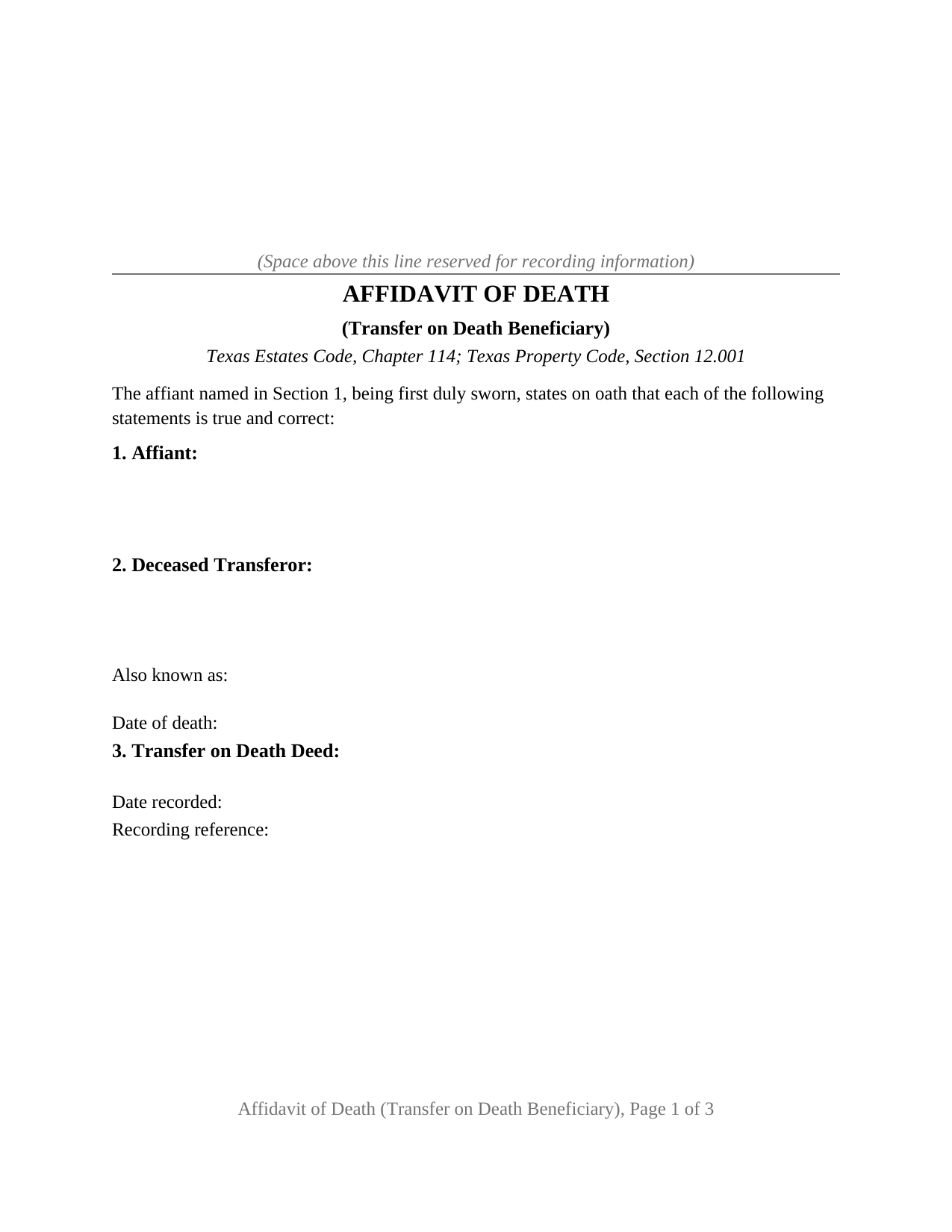
Wharton County Affidavit of Death (Transfer on Death Beneficiary) Form
Fill in the blank Affidavit of Death (Transfer on Death Beneficiary) form formatted to comply with all Texas recording and content requirements.
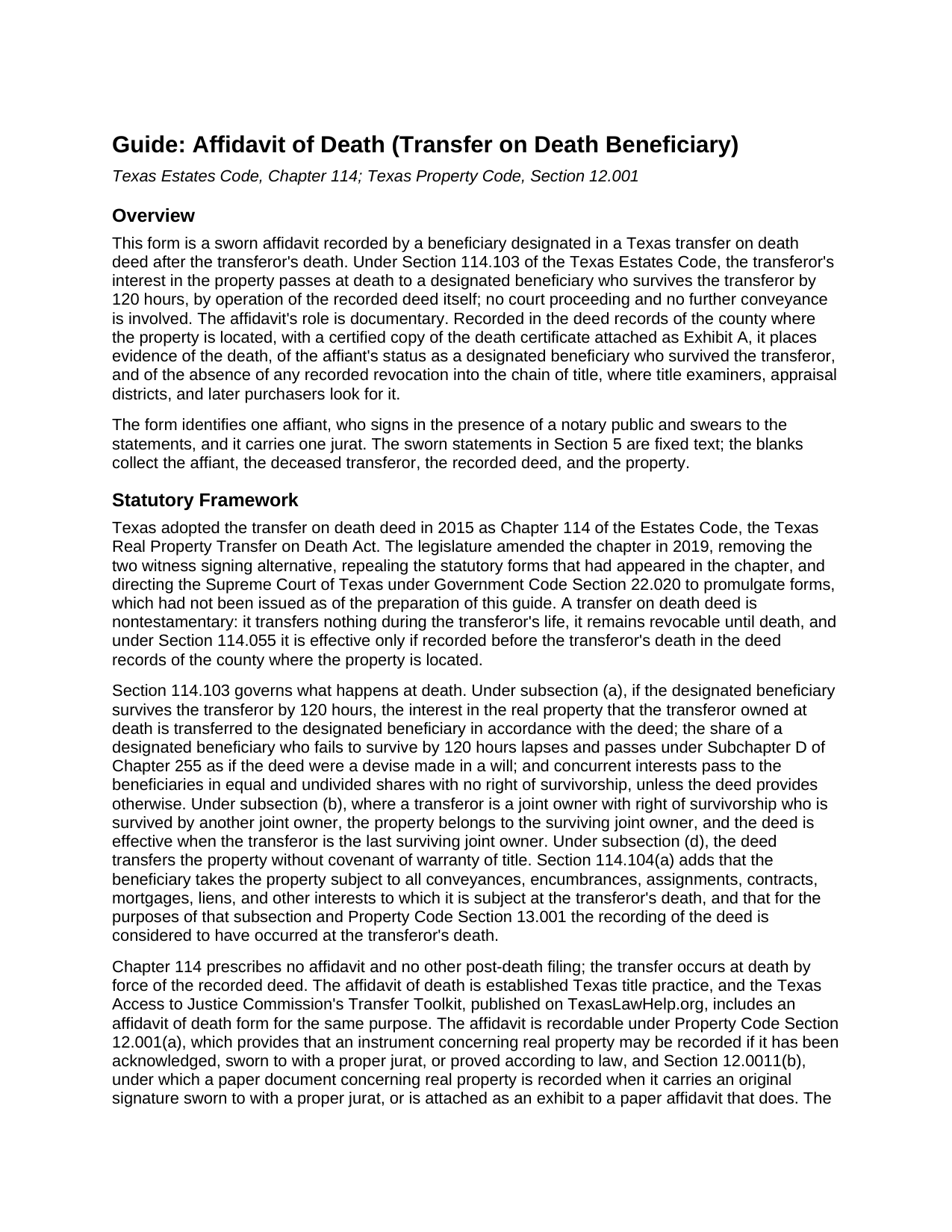
Wharton County Affidavit of Death (Transfer on Death Beneficiary) Guide
Line by line guide explaining every blank on the Affidavit of Death (Transfer on Death Beneficiary) form.
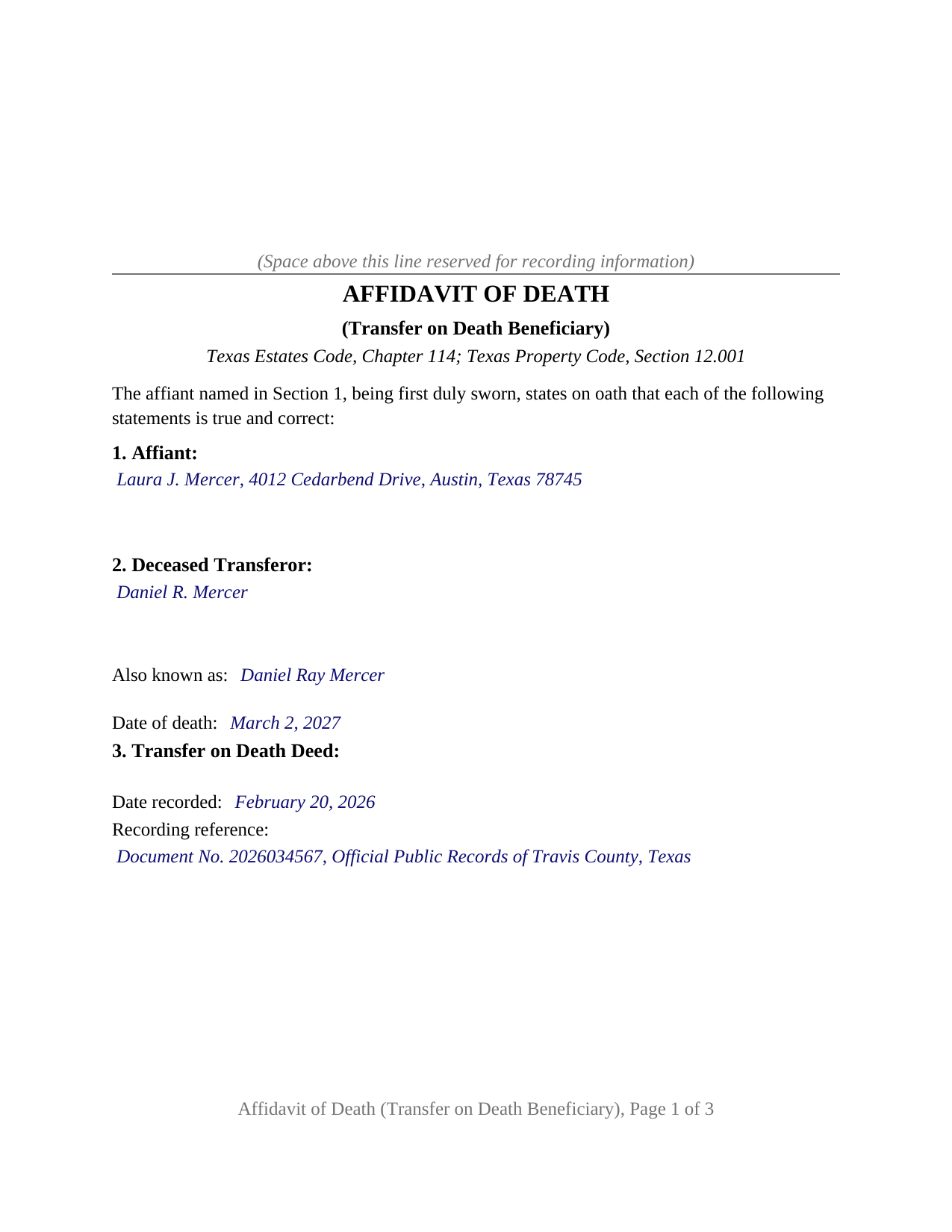
Wharton County Completed Example of the Affidavit of Death (Transfer on Death Beneficiary) Document
Example of a properly completed Texas Affidavit of Death (Transfer on Death Beneficiary) document for reference.
All 3 documents above included • One-time purchase • No recurring fees
Immediate Download • Secure Checkout
Additional Texas and Wharton County documents included at no extra charge:
Where to Record Your Documents
Wharton County Clerk
Wharton, Texas 77488
Hours: Monday - Friday 8:00am - 4:30pm / Calls until 5:00pm
Phone: (979) 532-2381
Recording Tips for Wharton County:
- Bring your driver's license or state-issued photo ID
- Ensure all signatures are in blue or black ink
- Both spouses typically need to sign if property is jointly owned
- Bring extra funds - fees can vary by document type and page count
- Check margin requirements - usually 1-2 inches at top
Cities and Jurisdictions in Wharton County
Properties in any of these areas use Wharton County forms:
- Boling
- Danevang
- East Bernard
- Egypt
- El Campo
- Glen Flora
- Hungerford
- Lane City
- Lissie
- Louise
- Pierce
- Wharton
Hours, fees, requirements, and more for Wharton County
How do I get my forms?
Forms are available for immediate download after payment. The Wharton County forms will be in your account ready to download to your computer. An account is created for you during checkout if you don't have one. Forms are NOT emailed.
Are these forms guaranteed to be recordable in Wharton County?
Yes. Our form blanks are guaranteed to meet or exceed the applicable formatting requirements used for recording in Wharton County, including margin requirements, font requirements, and other layout standards. This guarantee applies to formatting, not to the legal sufficiency of information entered by the user or the suitability of a form for a particular transaction.
Can I reuse these forms?
Yes. You can reuse the forms for your personal use. For example, if you have multiple properties in Wharton County you only need to order once.
What do I need to use these forms?
The forms are PDFs that you fill out on your computer. The free Adobe Acrobat Reader is recommended, and most PDF apps also work. You do NOT enter your property information online - you download the blank forms and complete them privately on your own computer.
Are there any recurring fees?
No. This is a one-time purchase. Nothing to cancel, no memberships, no recurring fees.
How much does it cost to record in Wharton County?
Recording fees in Wharton County vary. Contact the recorder's office at (979) 532-2381 for current fees.
Questions answered? Let's get started!
This Texas Affidavit of Death is the sworn statement a beneficiary records after the owner who signed a transfer on death deed has died. It is built for one affiant, the beneficiary designated in that recorded deed, and it carries one jurat. Its sworn statements track what Chapter 114 of the Texas Estates Code makes relevant at the transferor's death, and a certified copy of the death certificate rides with it into the county records as Exhibit A.
The transfer already happened; the record has not caught up
Under Section 114.103 of the Estates Code, the transferor's interest passes at death to a designated beneficiary who survives the transferor by 120 hours, by force of the transfer on death deed recorded during the transferor's life (an instrument recorded separately and not part of this package). No court is involved and no new deed is signed. What the county records show the day after the death, though, is a deed waiting to operate. A title examiner handling the beneficiary's later sale or refinance needs the connection made of record: this transferor died, the deed was never revoked, and this beneficiary survived and qualified. The affidavit supplies exactly that, sworn, in the deed records. Chapter 114 prescribes no post-death filing; the affidavit is Texas title practice, recordable under Property Code Section 12.001 because it is sworn to with a proper jurat.
Six statements the beneficiary swears to
The sworn statements are fixed printed text, so the affiant fills in facts and swears to the conclusions the statute cares about: that the transferor died on the date shown and that a certified copy of the death certificate is attached as Exhibit A, which Property Code Section 12.0011 lets the clerk record with a sworn affidavit; designated beneficiary status and survival by more than 120 hours; that the transferor owned the interest at death; and that no instrument of revocation, no later inconsistent transfer on death deed, and no recorded notice of a divorce judgment between the transferor and the affiant appears of record in the county where the deed is recorded, the recorded events Section 114.057 recognizes as revoking a deed.
Built for the last surviving transferor
One statement does work that generic affidavits skip. A deed made by two joint owners with right of survivorship is effective, under Section 114.103(b), only at the death of the last surviving joint owner, and a deed made by spouses holding community property with right of survivorship operates at the second death by its own terms. For either deed the affidavit is recorded after that last death, and Statement 5.4 has the affiant swear that the transferor named in the affidavit was the last surviving transferor. On a deed made by one transferor the condition never arises, so one affidavit form documents a death under any of the three Texas deed patterns without a selector or a conditional blank.
What the blanks collect
The factual entries are few: the affiant's name and mailing address; the deceased transferor's name as the deed states it, an also known as line for the name the death certificate uses, and the date of death; the deed's recording date and reference from the clerk's stamp or index; and the county and legal description, copied from the deed so the two instruments match. Everything else on the recordable pages is fixed text; the instructions cover page, which is not recorded, carries the entry conventions and the exhibit rule.
Sworn, not acknowledged
Because the document is an affidavit, the beneficiary signs in the presence of a notary and swears to the statements, and the notary completes a jurat rather than the acknowledgment certificate found on deed forms. Texas prescribes no jurat wording; the sworn to and subscribed certificate on this form follows the sample the Secretary of State publishes for Texas notaries, with venue lines that reflect wherever the affiant actually appears. The form is letter size, prints at 12 point body text above the 8 point minimum of Local Government Code Section 191.007, and reserves the top of page one for the clerk's recording stamp. Because the affidavit transfers nothing, it carries no Property Code Section 11.008 confidentiality notice.
The package includes the fillable affidavit form, a completed example filled in for a realistic Texas fact pattern, and the guide that walks through every section, the governing statutes, signing, and recording. This description and the guide describe the form and the law in general terms; they are not legal advice.
Important: Your property must be located in Wharton County to use these forms. Documents should be recorded at the county recording office listed above.
This Affidavit of Death (Transfer on Death Beneficiary) meets all recording requirements specific to Wharton County.
Our Promise
The documents you receive here are guaranteed to meet or exceed the applicable Wharton County recording format requirements. If there is a rejection caused by our formatting, we will correct the issue or refund your payment. This guarantee applies to document formatting only and does not extend to information entered by the user, the selection of the form, or the legal effect of the completed document.
Save Time and Money
Get your Wharton County Affidavit of Death (Transfer on Death Beneficiary) form done right the first time with Deeds.com Uniform Conveyancing Blanks. At Deeds.com, we understand that your time and money are valuable resources, and we don't want you to face a penalty fee or rejection imposed by a county recorder for submitting nonstandard documents. We constantly review and update our forms to meet rapidly changing state and county recording requirements for roughly 3,500 counties and local jurisdictions.
4.8 out of 5 - ( 4,846 Reviews )
Melody P. 5 out of 5 stars
Great service, as always!!
We appreciate your business and value your feedback. Thank you. Have a wonderful day!
Ardelle P. 5 out of 5 stars
Extremely happy with this. Easy to use and very professional looking form when completed.
We appreciate your business and value your feedback. Thank you. Have a wonderful day!
Dyanna B. 5 out of 5 stars
Got what I needed. Easy access.
Thank you for your positive words! We’re thrilled to hear about your experience.
Roy K. 5 out of 5 stars
Just what we were looking for. Very easy to fill out. Thanks
Thank you Roy. We appreciate your feedback.
Gene J. 4 out of 5 stars
Easy to pay for, hard to download. A zip file containing all the forms would be a great addition. Your warning under the Review box needs help: see Your review may displayed publicly so please do not include any personal information.
Thank you for your feedback. We really appreciate it. Have a great day!
ROBERT H. 5 out of 5 stars
Quick and easy. A very good value even without COVID complications. Since we DO have COVID complications this is perfect.
Thank you for your feedback. We really appreciate it. Have a great day!
Julia M. 5 out of 5 stars
Your PDF form Personal Representative's Deed was exceedingly helpful.
Thank you Julia. Have a fantastic day!
Margaret G. 5 out of 5 stars
Easy to navigate.
Thank you!
Timothy L. 5 out of 5 stars
It was very simple and easy to fill out the information need to do the warranty deed.
Thank you for your feedback. We really appreciate it. Have a great day!
Rasheedah M. 5 out of 5 stars
Excellent service. Received the exact quit claim form and additional information promptly. Thank you so much!
We appreciate your business and value your feedback. Thank you. Have a wonderful day!
Cindy J. 5 out of 5 stars
I'm stuck in Florida due to family business and needed to file documents in Virginia for other family business. Deeds.com made it easy and efficient and cost effective. I'm so grateful for this service!
Thank you!
Patricia E. 5 out of 5 stars
Easy to understand and download!
Thank you!
John D. 5 out of 5 stars
Forms were easy to complete, with the instructions that were provided. Very satisfied!
Thank you!
Jill R. 5 out of 5 stars
So helpful and extremely responsive. Such a convenient way to record deeds.
We appreciate your business and value your feedback. Thank you. Have a wonderful day!
Scott R. 5 out of 5 stars
Thanks that was great.
Thank you for your feedback. We really appreciate it. Have a great day!