Morris County Assignment of Deed of Trust Form
Last validated October 16, 2026 by our Forms Development TeamFormatted for recording in Morris County, for property anywhere in the county: rural and unincorporated areas as well as Cason, Daingerfield, Lone Star, Naples, Omaha.
- 3 documents included
- Immediate PDF download
- Formatting guarantee
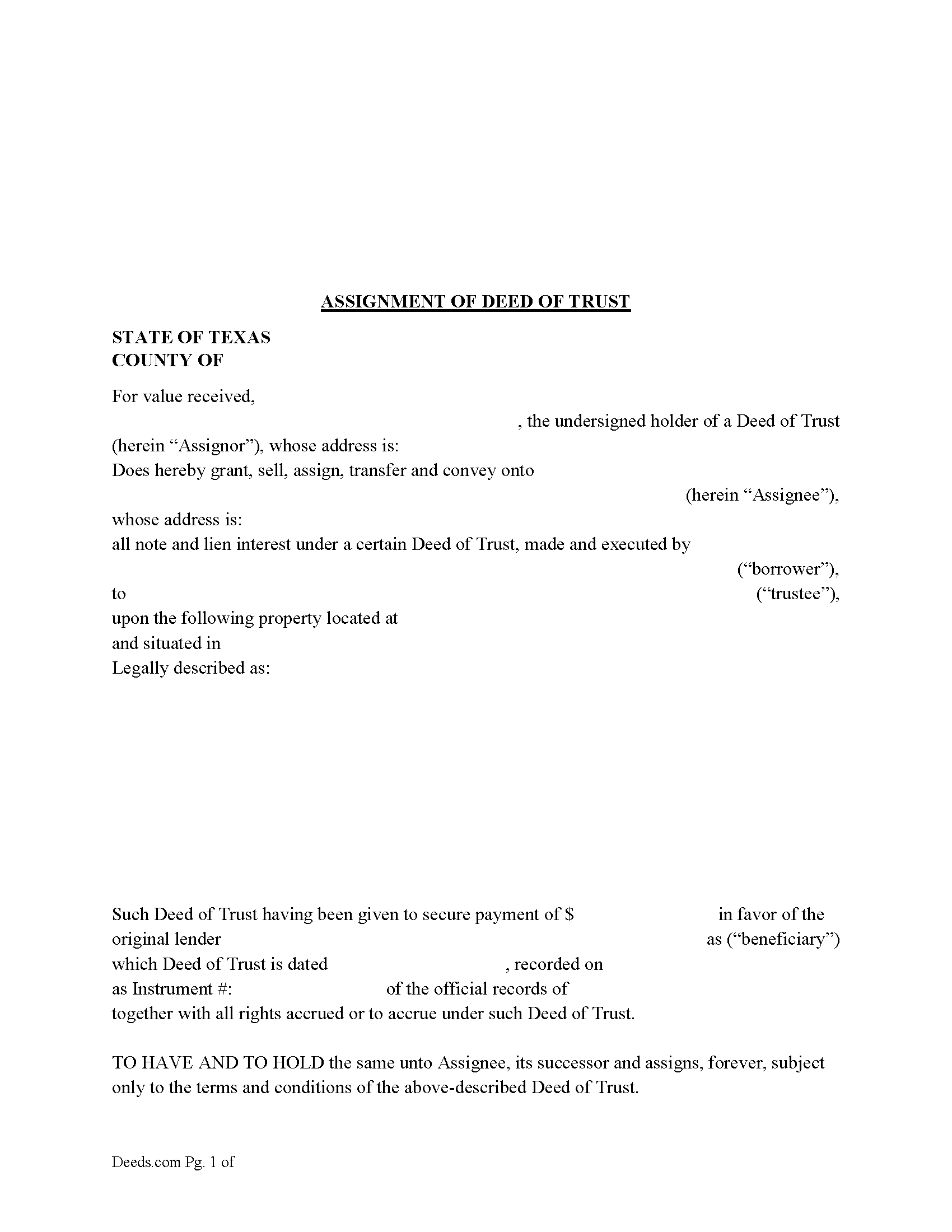
Morris County Assignment of Deed of Trust Form
Fill in the blank form formatted to comply with all recording and content requirements.
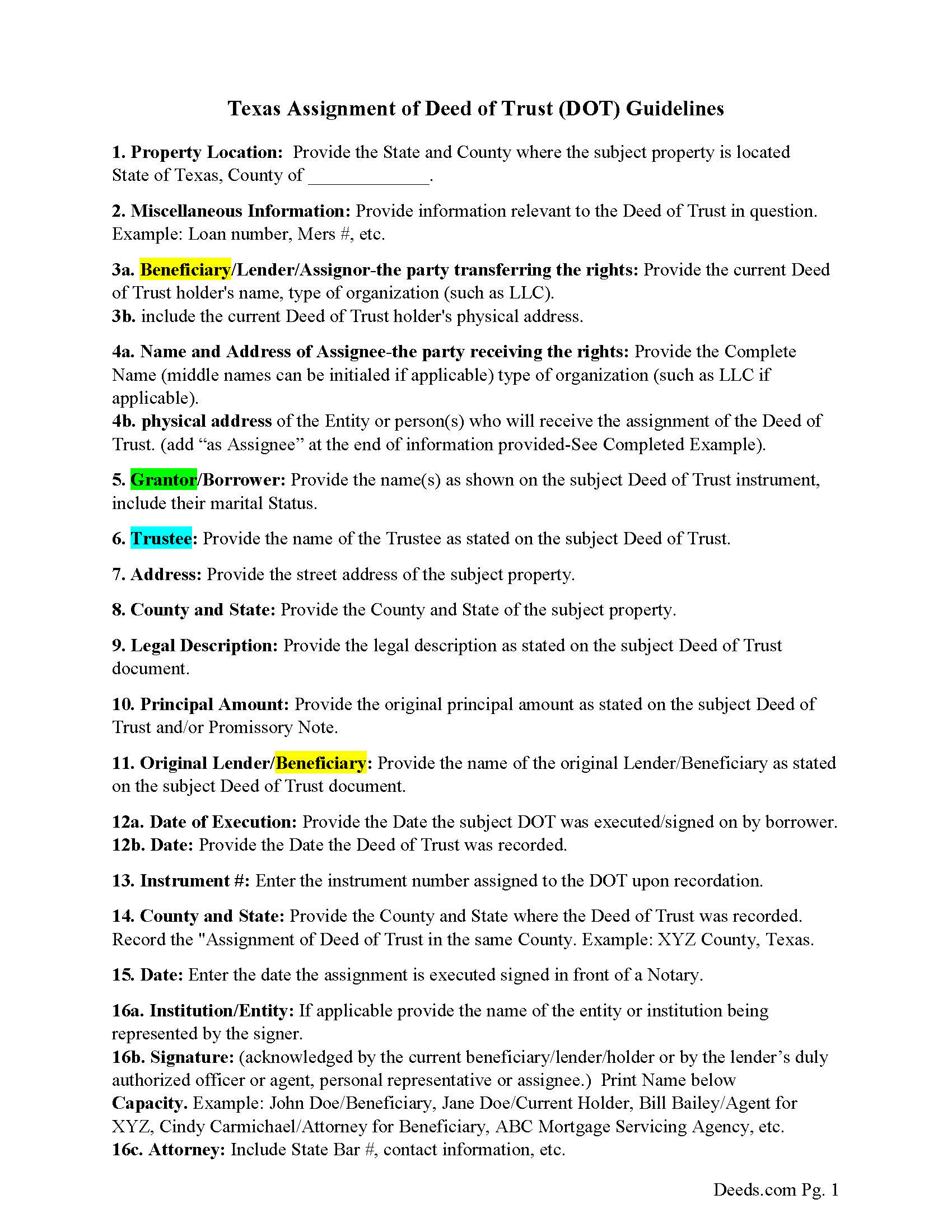
Morris County Guidelines-Assignment of Deed of Trust
Line by line guide explaining every blank on the form.
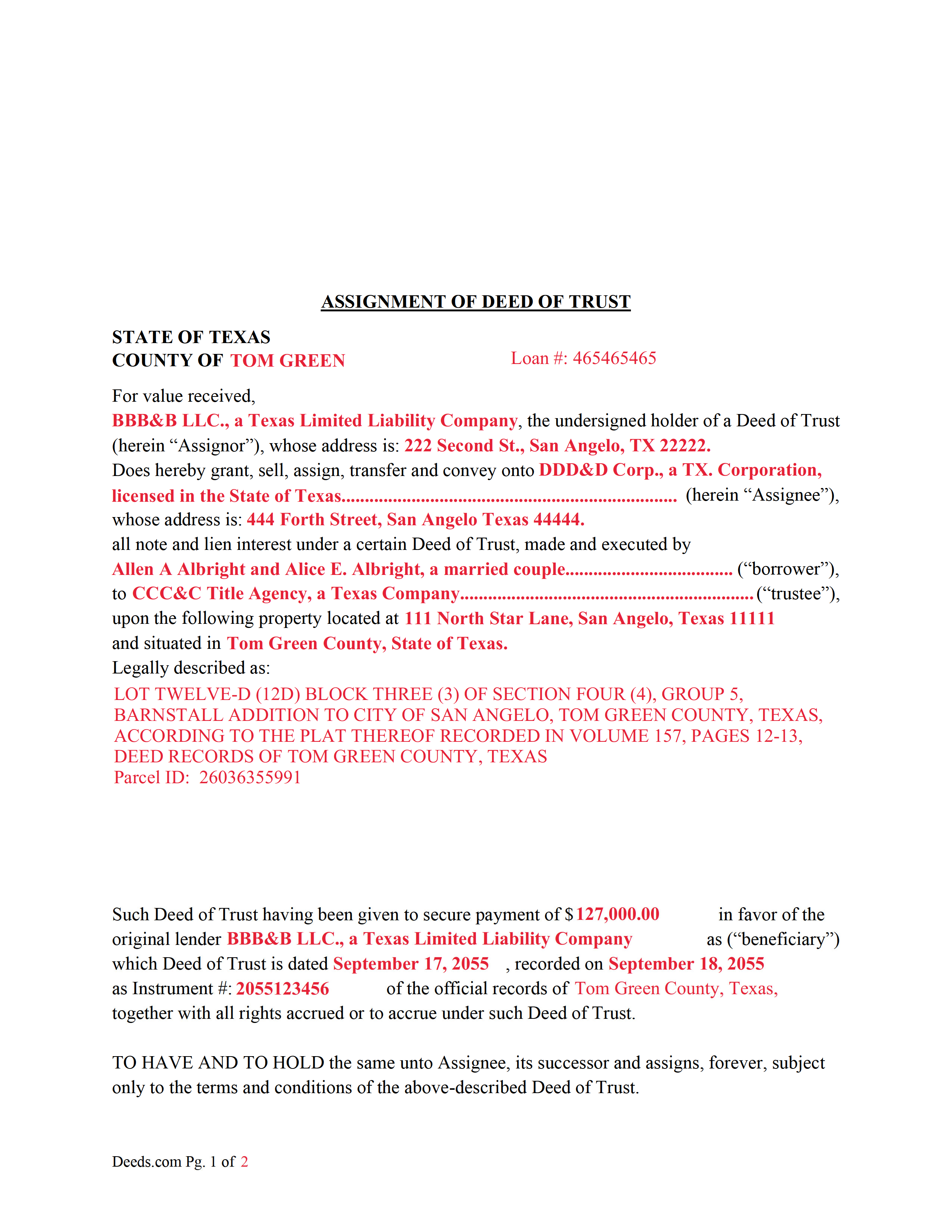
Morris County Completed Example of an Assignment of Deed of Trust Document
Example of a properly completed form for reference.
All 3 documents above included • One-time purchase • No recurring fees
Immediate Download • Secure Checkout
Additional Texas and Morris County documents included at no extra charge:
Where to Record Your Documents
Morris County Clerk's Office
Daingerfield, Texas 75638
Hours: Monday - Friday 8:00am - 12:00 & 1:00 - 5:00pm
Phone: (903) 645-3911
Recording Tips for Morris County:
- Bring your driver's license or state-issued photo ID
- Ensure all signatures are in blue or black ink
- Bring extra funds - fees can vary by document type and page count
- Check margin requirements - usually 1-2 inches at top
- Leave recording info boxes blank - the office fills these
Cities and Jurisdictions in Morris County
Properties in any of these areas use Morris County forms:
- Cason
- Daingerfield
- Lone Star
- Naples
- Omaha
Hours, fees, requirements, and more for Morris County
How do I get my forms?
Forms are available for immediate download after payment. The Morris County forms will be in your account ready to download to your computer. An account is created for you during checkout if you don't have one. Forms are NOT emailed.
Are these forms guaranteed to be recordable in Morris County?
Yes. Our form blanks are guaranteed to meet or exceed the applicable formatting requirements used for recording in Morris County, including margin requirements, font requirements, and other layout standards. This guarantee applies to formatting, not to the legal sufficiency of information entered by the user or the suitability of a form for a particular transaction.
Can I reuse these forms?
Yes. You can reuse the forms for your personal use. For example, if you have multiple properties in Morris County you only need to order once.
What do I need to use these forms?
The forms are PDFs that you fill out on your computer. The free Adobe Acrobat Reader is recommended, and most PDF apps also work. You do NOT enter your property information online - you download the blank forms and complete them privately on your own computer.
Are there any recurring fees?
No. This is a one-time purchase. Nothing to cancel, no memberships, no recurring fees.
How much does it cost to record in Morris County?
Recording fees in Morris County vary. Contact the recorder's office at (903) 645-3911 for current fees.
Questions answered? Let's get started!
This form is used by the current holder/lender or representative to assign a recorded Deed of Trust and Promissory Note to another entity. This is common when a Deed of Trust has been sold.
(Texas Assignment of Deed of Trust Package includes form, guidelines, and completed example) For use in Texas only.
Important: Your property must be located in Morris County to use these forms. Documents should be recorded at the county recording office listed above.
This Assignment of Deed of Trust meets all recording requirements specific to Morris County.
Our Promise
The documents you receive here are guaranteed to meet or exceed the applicable Morris County recording format requirements. If there is a rejection caused by our formatting, we will correct the issue or refund your payment. This guarantee applies to document formatting only and does not extend to information entered by the user, the selection of the form, or the legal effect of the completed document.
Save Time and Money
Get your Morris County Assignment of Deed of Trust form done right the first time with Deeds.com Uniform Conveyancing Blanks. At Deeds.com, we understand that your time and money are valuable resources, and we don't want you to face a penalty fee or rejection imposed by a county recorder for submitting nonstandard documents. We constantly review and update our forms to meet rapidly changing state and county recording requirements for roughly 3,500 counties and local jurisdictions.
4.8 out of 5 - ( 4,842 Reviews )
Thomas W. 5 out of 5 stars
Fast, efficient, and helpful. I don't often have documents that need recording but I found Deeds.com incredibly handy. It cost me no more and probably less than if I'd gone in to do it myself. It was especially helpful during this Covid-19 stay-at-home time. It all happened within a couple of hours and I had my recorded copies in my hands.
Thank you for your feedback. We really appreciate it. Have a great day!
Clifford B. 5 out of 5 stars
I appreciate the formatting to match the expectations of the specific Registry of Deeds that I will be filing with. That is very helpful. In my case the easement is for septic disposal field and sample wording for different purposes would be helpful.
Thank you!
Judith D. 5 out of 5 stars
If my availability does not coincide with your business hours it should not prevent me from uploading my documents and making payment. You should allow people to upload their documents at any time with the understanding that you will process them on your next business day.
Thank you!
Kelli W. 5 out of 5 stars
Fantastic documents! Easy to complete, looked great after I filled them in and printed them. No problems with the notary or recorder (recorder clerk actually said they see deeds.com documents all the time and they love em cause it makes their job easier). Highly recommend!!
Thank you for your feedback. We really appreciate it. Have a great day!
Maggie C. 5 out of 5 stars
Easy to use fantastic website. Immediately found the Sheriff's Deed I needed.
Thank you!
Ray L. 5 out of 5 stars
This was my first time using Deeds.com It was very easy to understand and use. I was pleasantly suprised.
We appreciate your business and value your feedback. Thank you. Have a wonderful day!
Roger G. 5 out of 5 stars
Straight to the point and easy to use site.
Thank you!
Phuoc M. 5 out of 5 stars
Deeds.com is helpful to help me finish my forms and submit my forms to the County successfully. Very nice to do business with your company! Thanks!
We’re glad to hear things went well. Thank you for the review.
Katherine H. 5 out of 5 stars
extremely thorough by covering all bases, easy to understand, direct access, fair price with no strings attached. I recommend the service to everyone.
We appreciate your business and value your feedback. Thank you. Have a wonderful day!
Kathy L. 3 out of 5 stars
Review: There are 10 PDFs in this warranty deed package. I don't even know what to do with them all. I don't think the directions are clear enough on how to put it all together. I probably won't use it, and feel I have wasted my money.
Sorry to hear that the volume of documents required to complete your task was more than you anticipated. It is rare that we get complaints about providing everything needed. We certainly don't want you to be overwhelmed or feel like you have wasted your money. Your order and payment has been canceled and we do hope that you find something more suitable to your needs elsewhere. Have a wonderful day.
Cindy N. 5 out of 5 stars
Our home was in only my husband’s name and as we are getting older, it was time to add my name to the Deed to avoid potential issues in the future. Our experience with Deeds.com was wonderful. The website is user friendly, instructions written in layman’s terms, straightforward and easy to follow. Very reasonably priced. I highly recommend using Deeds.com.
Thank you for the kind words Cindy. We appreciate you. Have an amazing day!
Linda K. 5 out of 5 stars
This service was easy, quick, and to the point. It was a lifesaver! Downloaded quickly and without issues. I was able to fill out a soecifice form for my state and county, which saved me from making errors from a universal form.
Thank you for your feedback. We really appreciate it. Have a great day!
James A. 5 out of 5 stars
Thanks for you help to get me out of a quick problem. Downloads were great. I recommend this service for the arcane situations of legal angst.
We appreciate your business and value your feedback. Thank you. Have a wonderful day!
Joel B. 5 out of 5 stars
I would have liked more room in the text fields for describing the potential claim. had to use Exhibit A. Could not delete Exhibit B. Alo would like to have a custom footer - not deeds.com. Unprofessional.
Thank you for your feedback. We really appreciate it. Have a great day!
Clifford A. 5 out of 5 stars
Very efficient and smooth process. Thank you!
Thank you!