Goliad County Certificate of Trust Form
Last validated June 17, 2026 by our Forms Development Team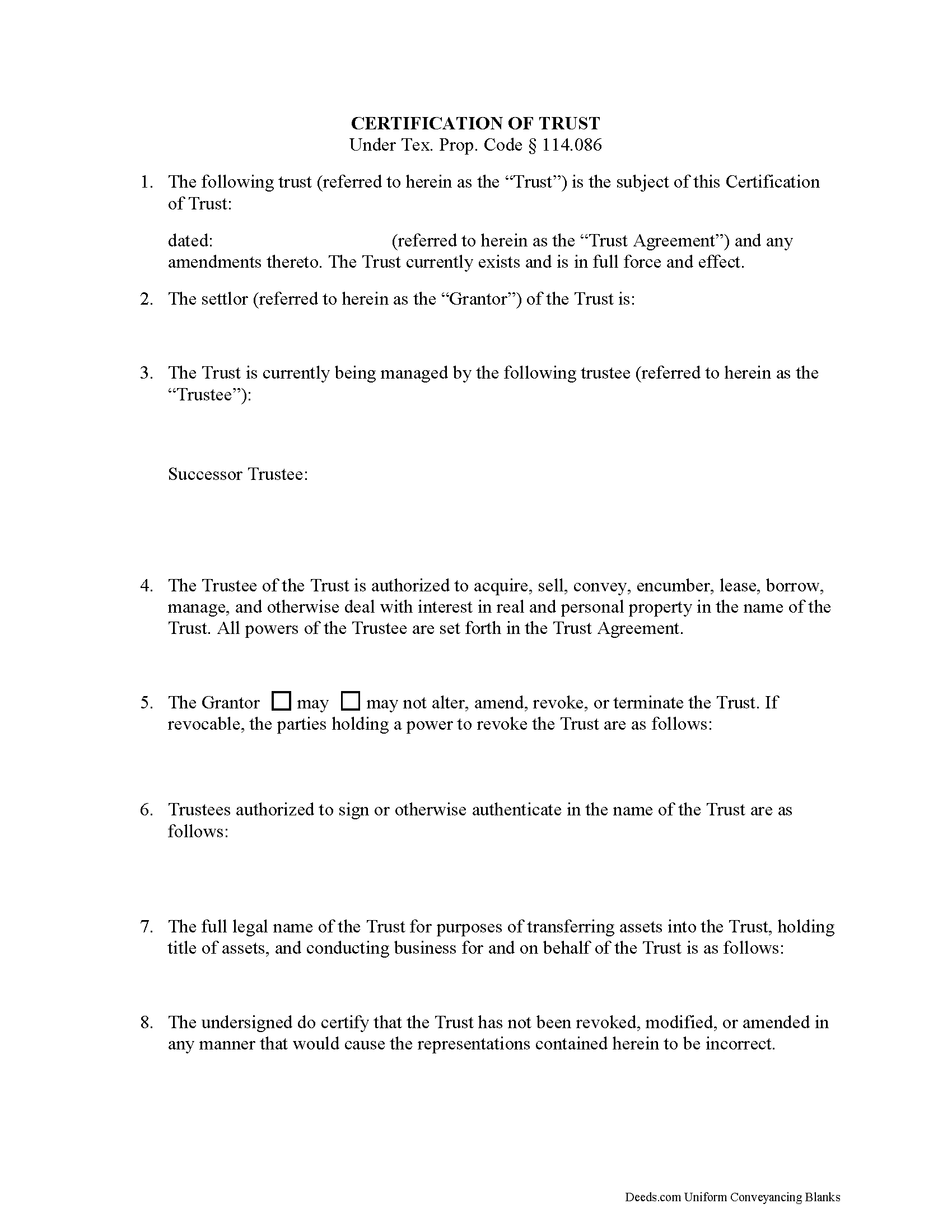
Goliad County Certificate of Trust Form
Fill in the blank form formatted to comply with all recording and content requirements.
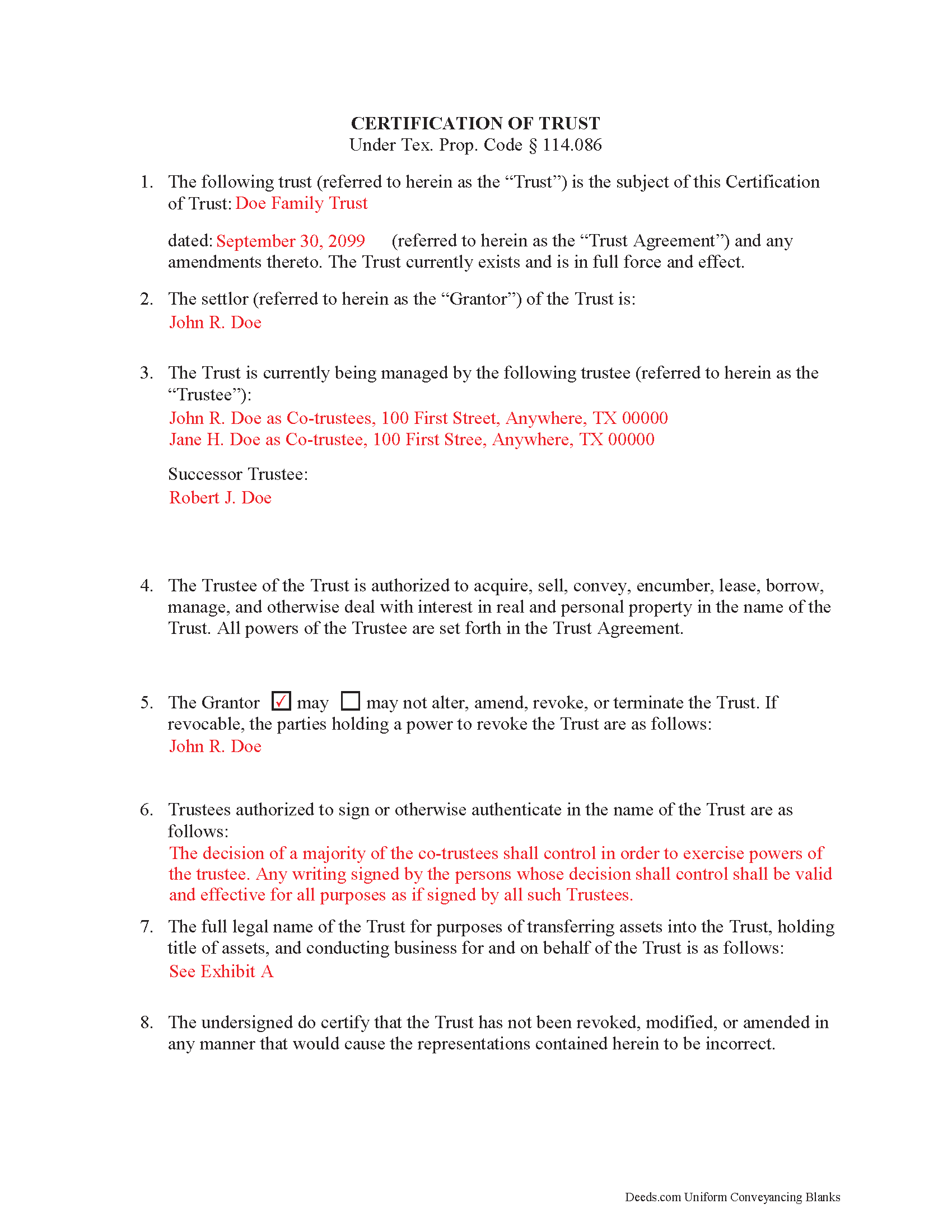
Goliad County Completed Example of the Certificate of Trust Document
Example of a properly completed form for reference.
All 2 documents above included • One-time purchase • No recurring fees
Immediate Download • Secure Checkout
Additional Texas and Goliad County documents included at no extra charge:
Where to Record Your Documents
Goliad County Clerk
Goliad, Texas 77963
Hours: Monday - Friday 8:00am - 12:00 & 1:00 - 5:00pm
Phone: (361) 645-3294
Recording Tips for Goliad County:
- Bring your driver's license or state-issued photo ID
- Double-check legal descriptions match your existing deed
- Both spouses typically need to sign if property is jointly owned
Cities and Jurisdictions in Goliad County
Properties in any of these areas use Goliad County forms:
- Berclair
- Fannin
- Goliad
- Weesatche
Hours, fees, requirements, and more for Goliad County
How do I get my forms?
Forms are available for immediate download after payment. The Goliad County forms will be in your account ready to download to your computer. An account is created for you during checkout if you don't have one. Forms are NOT emailed.
Are these forms guaranteed to be recordable in Goliad County?
Yes. Our form blanks are guaranteed to meet or exceed the applicable formatting requirements used for recording in Goliad County, including margin requirements, font requirements, and other layout standards. This guarantee applies to formatting, not to the legal sufficiency of information entered by the user or the suitability of a form for a particular transaction.
Can I reuse these forms?
Yes. You can reuse the forms for your personal use. For example, if you have multiple properties in Goliad County you only need to order once.
What do I need to use these forms?
The forms are PDFs that you fill out on your computer. You'll need Adobe Reader (free software that most computers already have). You do NOT enter your property information online - you download the blank forms and complete them privately on your own computer.
Are there any recurring fees?
No. This is a one-time purchase. Nothing to cancel, no memberships, no recurring fees.
How much does it cost to record in Goliad County?
Recording fees in Goliad County vary. Contact the recorder's office at (361) 645-3294 for current fees.
Questions answered? Let's get started!
A certification of trust is a document that contains relevant details about an established trust containing real property. It is governed by Texas Property Code Sec. 114.086. A certification of trust validates the existence of the trust by identifying its full name, the date it was established, the names of the settlor (grantor) and trustees, the trustees' powers, and other details as needed. This is important because it allows the actual trust agreement, which is generally not recorded, to remain private.
The form is executed by the trustee and signed by the trustee and grantor (who can be the same person) and recorded in the office of the county recorder in any Texas county in which all or a portion of the real property is located. In order to facilitate a transfer of real property into a trust, financial institutions may require the trustee to furnish a certification of trust. In addition, third parties may request a certification of trust to confirm the trustee has the authority to transfer real property out of the trust.
(Texas Certificate of Trust Package includes form, guidelines, and completed example)
Important: Your property must be located in Goliad County to use these forms. Documents should be recorded at the office below.
This Certificate of Trust meets all recording requirements specific to Goliad County.
Our Promise
The documents you receive here are guaranteed to meet or exceed the applicable Goliad County recording format requirements. If there is a rejection caused by our formatting, we will correct the issue or refund your payment. This guarantee applies to document formatting only and does not extend to information entered by the user, the selection of the form, or the legal effect of the completed document.
Save Time and Money
Get your Goliad County Certificate of Trust form done right the first time with Deeds.com Uniform Conveyancing Blanks. At Deeds.com, we understand that your time and money are valuable resources, and we don't want you to face a penalty fee or rejection imposed by a county recorder for submitting nonstandard documents. We constantly review and update our forms to meet rapidly changing state and county recording requirements for roughly 3,500 counties and local jurisdictions.
4.8 out of 5 - ( 4740 Reviews )
A. S.
February 27th, 2019
First, I am glad that you gave a blank copy, an example copy, and a 'guide'. It made it much easier to do. Overall I was very happy with your products and organization... however, things got pretty confusing and I have a pretty 'serious' law background in Real Estate and Civil law. With that said, I spent about 10+ hours getting my work done, using the Deed of Trust and Promissory note from you and there were a few problems: First, it would be FANTASTIC if you actually aligned your guide to actually match the Deed or Promissory Note. What I mean is that if the Deed says 'section (E)' then your guide shouldn't be 'randomly' numbered as 1,2,3, for advice/instructions, but should EXACTLY match 'section (E)'. Some places you have to 'hunt' for what you are looking for, and if you did it based on my suggestion, you wouldn't need to 'hunt' and it would avoid confusion. 2nd: This one really 'hurt'... you had something called the 'Deed of Trust Master Form' yet you had basically no information on what it was or how to use it. The only information you had was a small section at the top of the 'Short Form Deed of Trust Guide'. Holy Cow, was that 'section' super confusing. I still don't know if I did it correctly, but your guide says only put a return address on it and leave the rest of the 16 or so page Deed of Trust beneath it blank... and then include your 'Deed of Trust' (I had to assume the short form deed that I had just created) as part of it. I had to assume that I had to print off the entire 17 page or so title page and blank deed. I also had to assume that the promissory note was supposed to be EXHIBIT A or B on the Short Form Deed. It would be great if someone would take a serious look at that short section in your 'Short Form Deed of Trust Guide' and realize that those of us using your products are seriously turning this into a county clerk to file and that most of us, probably already have a property that has an existing Deed... or at least can find one in the county records if necessary... and make sure that you make a distinction between the Deed for the property that already exists, versus the Deed of Trust and Promissory note that we are trying to file. Thanks.
Thank you for your feedback. We'll have staff review the document for clarity. Have a great day!
Rosie R.
November 22nd, 2021
LOVE THIS!! I am a REALTORand from time to time I have had to take documents for filing. I'm so glad I invested some time online researching eFiling services. The first few search results that populated required an expensive annual or monthly subscription. Luckily I continued to scroll and found Deeds.com. No annual or monthly subscription required. Just pay per use. I uploaded a ROL late one night and Deed.com had it eFiled the very next morning!!! They keep you updated throughout the process via email notifications which you click on the link provided in the email that directs you to your online portal to view the status and once your documents have been filed you can immediately download the filed of record documents including the receipt from the county in which the documents were filed. SO SIMPLE, CONVENIENT, & QUICK-THANK YOU DEEDS.com!!!
We appreciate your business and value your feedback. Thank you. Have a wonderful day!
Roger M.
December 28th, 2020
A better or more simplified explanation of what some of the more common titles would be used for would help. You list 6-8 types of Trusts alone. An example of doing a Grant Deed to move a property into, out of, or from a Trust to a Trust would have been helpful.
Thank you for your feedback. We really appreciate it. Have a great day!
Nancy E.
May 4th, 2025
Took me awhile to figure out and get the information printed so I can use it later. Thank you.
Your insights are invaluable to us and help us strive for better service. Thank you for taking the time to share your thoughts.
Kayreen B.
April 24th, 2023
Very happy with my experience with using Deeds.com! Especially easy to use with the sample page of what a form looks like filled out. saved a lot of money and it worked!
We appreciate your business and value your feedback. Thank you. Have a wonderful day!
KIMBER M.
May 19th, 2020
It took me a while to locate my documents. Check out was a breeze.
Thank you!
Ed C.
June 16th, 2025
I purchased the DIY quitclaim deed forms for Florida and couldn’t be happier. The forms were clear, professional, and easy to follow. I had everything filled out and recorded without a single issue. Worth every penny — the site is great, and the forms are exactly what I needed. Highly recommend!
Thanks so much, Ed! We’re thrilled to hear that the Florida quitclaim deed forms worked perfectly for you and that the recording process went smoothly. We appreciate your trust and recommendation!
Gene L.
August 5th, 2020
Worked perfect. Thanks.
Thank you!
Melody P.
April 29th, 2021
Thanks again for such great service!
Thank you!
Anthony C.
January 9th, 2021
Good information for solving my issue...
Thank you!
Celeste G.
January 23rd, 2019
Very helpful!!! Thanks again.
Thank you Celeste.
Micael J.
August 28th, 2021
Easy to follow and fill out forms online.
Thank you for your feedback. We really appreciate it. Have a great day!
Terry M.
December 2nd, 2021
Application is not well laid out. I guess it does the job but leaves a lot to be desired. Hard to follow
Thank you for your feedback. We really appreciate it. Have a great day!
Ellen d.
February 7th, 2019
Wonderful tool to have available on line!
We appreciate your business and value your feedback. Thank you. Have a wonderful day!
Richard A.
June 24th, 2020
Great product. It would be better if the document files were not embedded within other files. It made downloading a little confusing. The titles of the forms did not match exactly word for word, which required a lot of back and forth to make sure I had downloaded the proper document. What would be great is if once you download a document, the hyperlink changed color, or somehow denoted the document had been downloaded. Just a suggestion. You have my email address if you have questions. STILL! Five stars for you guys. I would not let that hiccup dissuade me from buying any form package from you guys. Thanks!
Thank you for your feedback. We really appreciate it. Have a great day!