Bandera County Certification of Trust (Single Trustee) Form
Last validated October 9, 2026 by our Forms Development TeamFormatted for recording in Bandera County, for property anywhere in the county: rural and unincorporated areas as well as Bandera, Lakehills, Medina, Pipe Creek, Tarpley, Vanderpool.
- 3 documents included
- Immediate PDF download
- Formatting guarantee
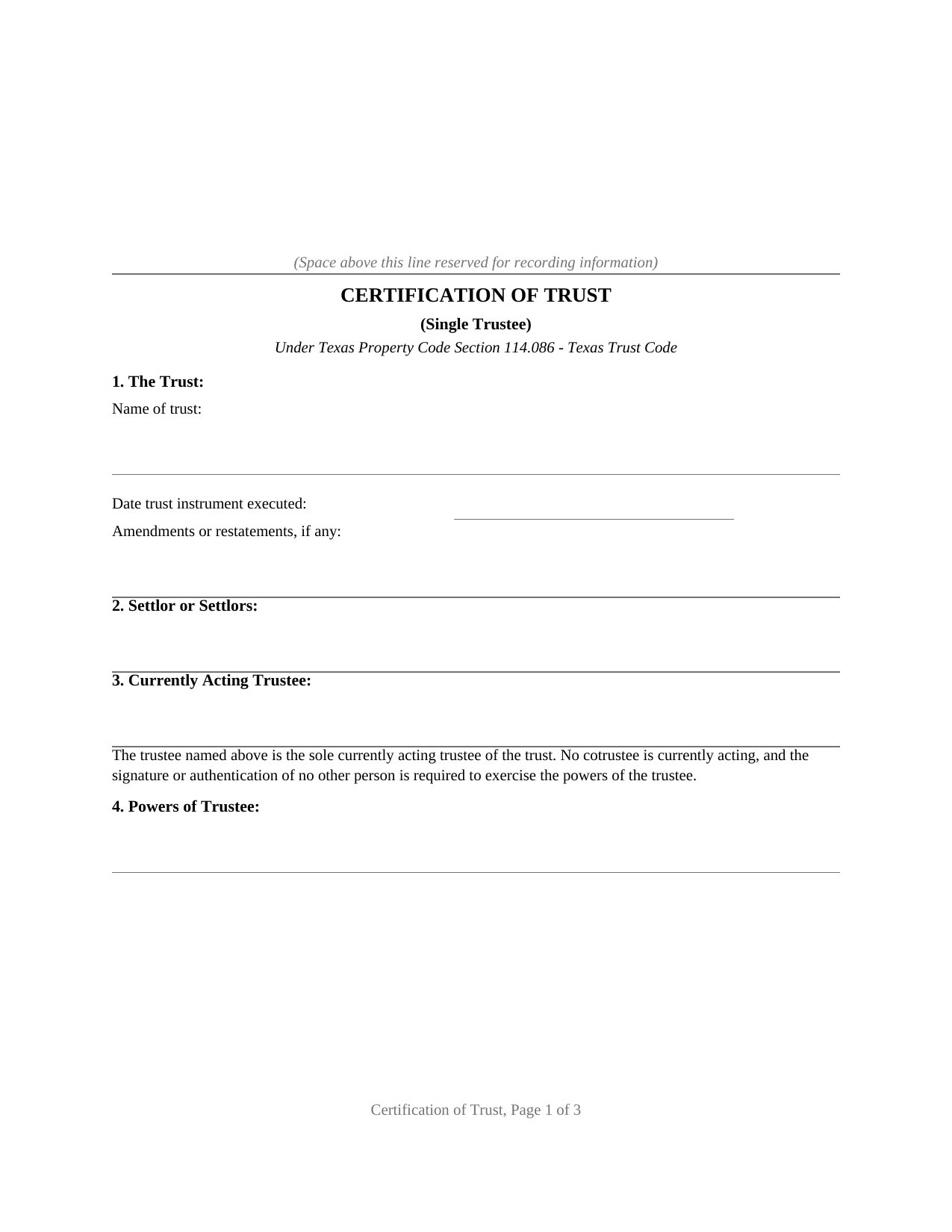
Bandera County Certification of Trust (Single Trustee) Form
Fill in the blank Certification of Trust (Single Trustee) form formatted to comply with all Texas recording and content requirements.
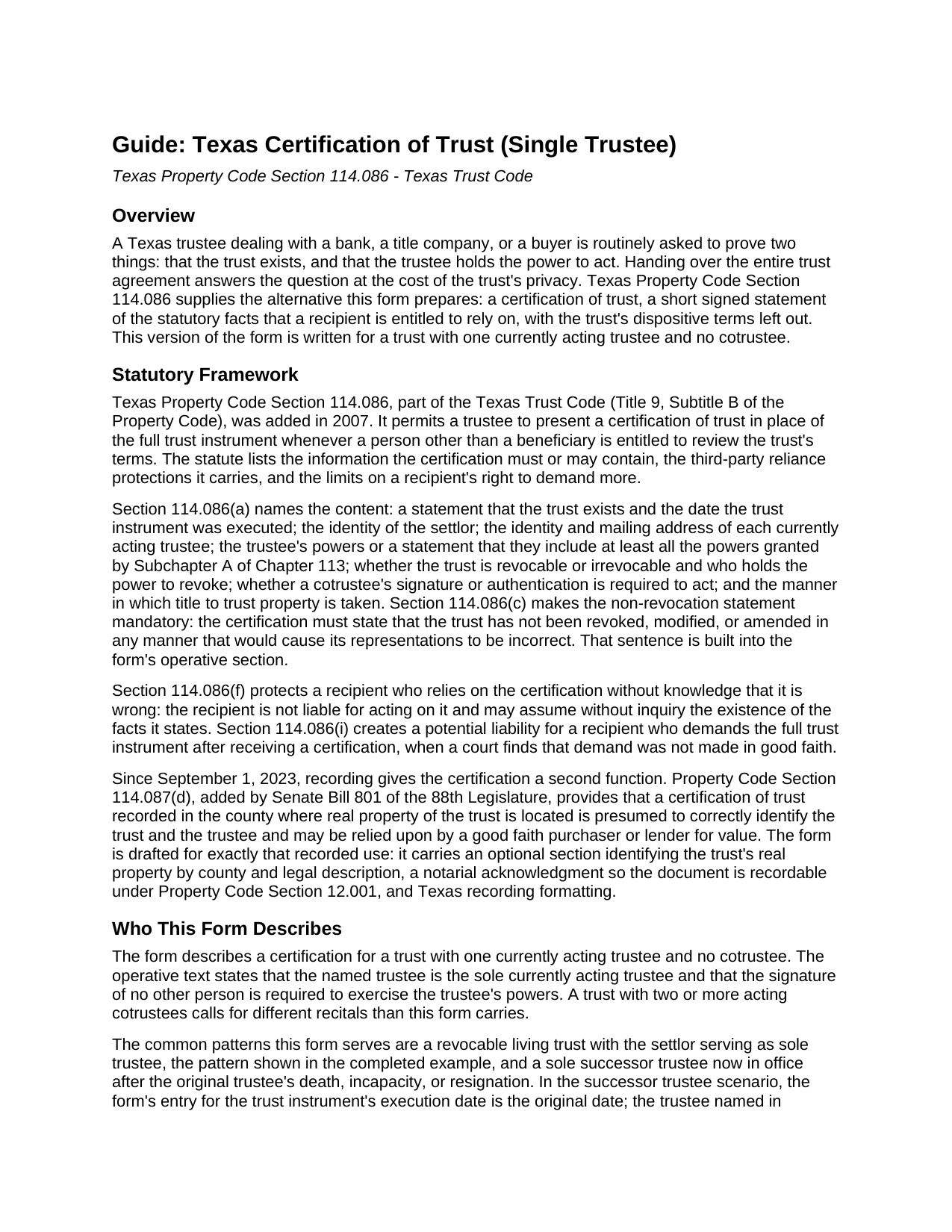
Bandera County Certification of Trust (Single Trustee) Guide
Line by line guide explaining every blank on the Certification of Trust (Single Trustee) form.
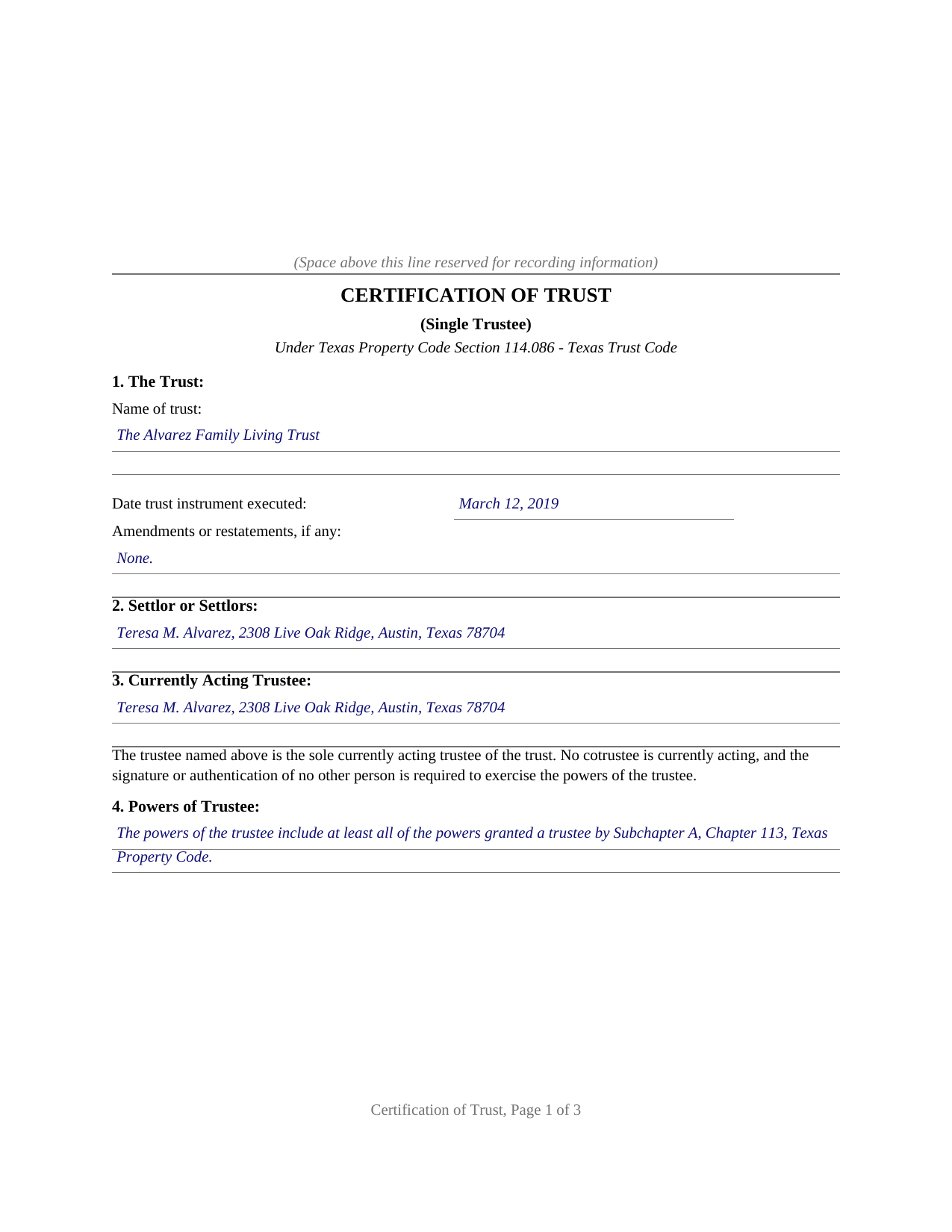
Bandera County Completed Example of the Certification of Trust (Single Trustee) Document
Example of a properly completed Texas Certification of Trust (Single Trustee) document for reference.
All 3 documents above included • One-time purchase • No recurring fees
Immediate Download • Secure Checkout
Additional Texas and Bandera County documents included at no extra charge:
Where to Record Your Documents
Bandera County Clerk
Bandera, Texas 78003
Hours: 7:00 a.m. - 4:30 p.m. Monday - Friday (except holidays)
Phone: (830) 796-3332
Recording Tips for Bandera County:
- Bring your driver's license or state-issued photo ID
- Ensure all signatures are in blue or black ink
- Ask about their eRecording option for future transactions
- Avoid the last business day of the month when possible
- Both spouses typically need to sign if property is jointly owned
Cities and Jurisdictions in Bandera County
Properties in any of these areas use Bandera County forms:
- Bandera
- Lakehills
- Medina
- Pipe Creek
- Tarpley
- Vanderpool
Hours, fees, requirements, and more for Bandera County
How do I get my forms?
Forms are available for immediate download after payment. The Bandera County forms will be in your account ready to download to your computer. An account is created for you during checkout if you don't have one. Forms are NOT emailed.
Are these forms guaranteed to be recordable in Bandera County?
Yes. Our form blanks are guaranteed to meet or exceed the applicable formatting requirements used for recording in Bandera County, including margin requirements, font requirements, and other layout standards. This guarantee applies to formatting, not to the legal sufficiency of information entered by the user or the suitability of a form for a particular transaction.
Can I reuse these forms?
Yes. You can reuse the forms for your personal use. For example, if you have multiple properties in Bandera County you only need to order once.
What do I need to use these forms?
The forms are PDFs that you fill out on your computer. The free Adobe Acrobat Reader is recommended, and most PDF apps also work. You do NOT enter your property information online - you download the blank forms and complete them privately on your own computer.
Are there any recurring fees?
No. This is a one-time purchase. Nothing to cancel, no memberships, no recurring fees.
How much does it cost to record in Bandera County?
Recording fees in Bandera County vary. Contact the recorder's office at (830) 796-3332 for current fees.
Questions answered? Let's get started!
A Texas trustee dealing with a bank, a title company, or a buyer is routinely asked to prove two things: that the trust exists, and that the trustee holds the power to act. Handing over the entire trust agreement answers the question at the cost of the trust's privacy. Texas Property Code Section 114.086 supplies the alternative this form prepares: a certification of trust, a short signed statement of the statutory facts that a recipient is entitled to rely on, with the trust's dispositive terms left out. This version of the form is written for a trust with one currently acting trustee and no cotrustee.
The facts the statute lists
Section 114.086 names the contents: the existence of the trust and the date the trust instrument was executed, the identity of the settlor, the identity and mailing address of the currently acting trustee, the trustee's powers (or a statement that they include at least all the powers granted by Subchapter A, Chapter 113 of the Property Code), whether the trust is revocable and who holds the power to revoke it, the cotrustee signing authority, and the manner in which title to trust property is taken. The certification must also state, in the statute's words, that the trust has not been revoked, modified, or amended in any manner that would cause its representations to be incorrect; that sentence is built into the form's operative section. A recipient who relies on the certification without knowledge that it is wrong is protected by the statute, and a recipient who demands the full trust instrument anyway risks liability for damages where a court finds the demand was not made in good faith.
A presumption that lives in the county records
Since September 1, 2023, recording gives the certification a second job. Property Code Section 114.087(d), added by Senate Bill 801, provides that a certification of trust recorded in the county where real property of the trust is located is presumed to correctly identify the trust and the trustee and may be relied upon by a good faith purchaser or lender for value. The form is drafted for exactly that use: it carries an optional section identifying the trust's real property by county and legal description, a notarial acknowledgment so the document is recordable under Property Code Section 12.001, and Texas recording formatting, letter size with the upper part of page one reserved for the county clerk's stamp.
One trustee, stated plainly
Cotrustee authority is one of the statutory content items, and this variant answers it in the form itself: the operative text states that the named trustee is the sole currently acting trustee and that the signature of no other person is required to exercise the trustee's powers. The common fact patterns are a revocable living trust with the settlor serving as sole trustee, the pattern in the completed example, and a sole successor trustee now in office. A trust with two or more acting cotrustees calls for different recitals than this form carries.
The download includes the fillable certification, a guide that walks through each numbered section with the statutory background, and a completed example showing the document filled in for a realistic Travis County fact pattern. The materials are informational and are not legal advice.
Important: Your property must be located in Bandera County to use these forms. Documents should be recorded at the county recording office listed above.
This Certification of Trust (Single Trustee) meets all recording requirements specific to Bandera County.
Our Promise
The documents you receive here are guaranteed to meet or exceed the applicable Bandera County recording format requirements. If there is a rejection caused by our formatting, we will correct the issue or refund your payment. This guarantee applies to document formatting only and does not extend to information entered by the user, the selection of the form, or the legal effect of the completed document.
Save Time and Money
Get your Bandera County Certification of Trust (Single Trustee) form done right the first time with Deeds.com Uniform Conveyancing Blanks. At Deeds.com, we understand that your time and money are valuable resources, and we don't want you to face a penalty fee or rejection imposed by a county recorder for submitting nonstandard documents. We constantly review and update our forms to meet rapidly changing state and county recording requirements for roughly 3,500 counties and local jurisdictions.
4.8 out of 5 - ( 4,824 Reviews )
Daniel N. 5 out of 5 stars
Deeds.com provided the document template and instructions I needed, right when I needed them. I was able to navigate through an unfamiliar process with exactly the support I needed at an affordable and fair price. Thank you!
We appreciate your business and value your feedback. Thank you. Have a wonderful day!
Norma J H. 5 out of 5 stars
Your forms have been very helpful. I thank you very much for making them easy to use.
Thank you for your feedback. We really appreciate it. Have a great day!
Shawn S. 5 out of 5 stars
Seems to be exactly whst j needed. Great job!
Thank you!
Lynd P. 5 out of 5 stars
Good
Thanks Lynd.
Eric F. 5 out of 5 stars
Thank You deeds.com, your site helped me accomplish a difficult mission.
We appreciate your business and value your feedback. Thank you. Have a wonderful day!
Roxanne G. 5 out of 5 stars
That was easy(I think). Hopefully they saved to my computer intact so I don't have to come back begging for a repeat. Great service!
Thank you!
Susan J. 5 out of 5 stars
Simple and easy to use. I was thrilled to find deeds.com during my online search for deed forms and more pleased that I could narrow it down by state and county. Thanks
We appreciate your business and value your feedback. Thank you. Have a wonderful day!
Joseph L. 5 out of 5 stars
I am an invalid and needed just one quitclaim form. I was able to quickly enter and complete the form. Unfortunately, it will probably be a last hurrah for me..
We appreciate your business and value your feedback. Thank you. Have a wonderful day!
Kelli B. 5 out of 5 stars
Amazingly simple and fast. A great service.
Thank you!
Don M. 5 out of 5 stars
The process was easy going. The process is one thing, the results another. I have attempting to resolve this matter, of claiming sole ownership of the property for several YEARS. I lost my Bride of 65 years in 2015. A lawyer I hired failed in his attempt, so I'm waiting to see the actual results. I also have two parcels in New Mexico under the same situation, so if this is successful, I'll gladly be back. Thank You so very much. Don Martin
We appreciate your business and value your feedback. Thank you. Have a wonderful day!
Ernest E. 5 out of 5 stars
No problem whatsoever navigating the forms. I hope the filing is this easy.
Thanks, Ernest! We’re glad the forms were easy to navigate. Recording in Virginia Beach City is typically straightforward, but it’s always a good idea to confirm any local requirements with the clerk before filing.
Jonny C. 5 out of 5 stars
Easy and fast
Thank you!
Deborah O. 5 out of 5 stars
Response time was fantastic. I had no idea it would be so quick. I would definitely use again. They send you a message if they need additional information, etc. I would rate them a 10+ on a 1-10 scale
Thank you for your feedback. We really appreciate it. Have a great day!
KELLY S. 5 out of 5 stars
Thank you for being here. very easy to understand and your site is great. I will always use you.
Thank you for your feedback. We really appreciate it. Have a great day!
Dianne C. 5 out of 5 stars
Love it
Thank you!