Refugio County Certification of Trust (Single Trustee) Form
Last validated October 14, 2026 by our Forms Development TeamFormatted for recording in Refugio County, for property anywhere in the county: rural and unincorporated areas as well as Austwell, Bayside, Refugio, Tivoli, Woodsboro.
- 3 documents included
- Immediate PDF download
- Formatting guarantee
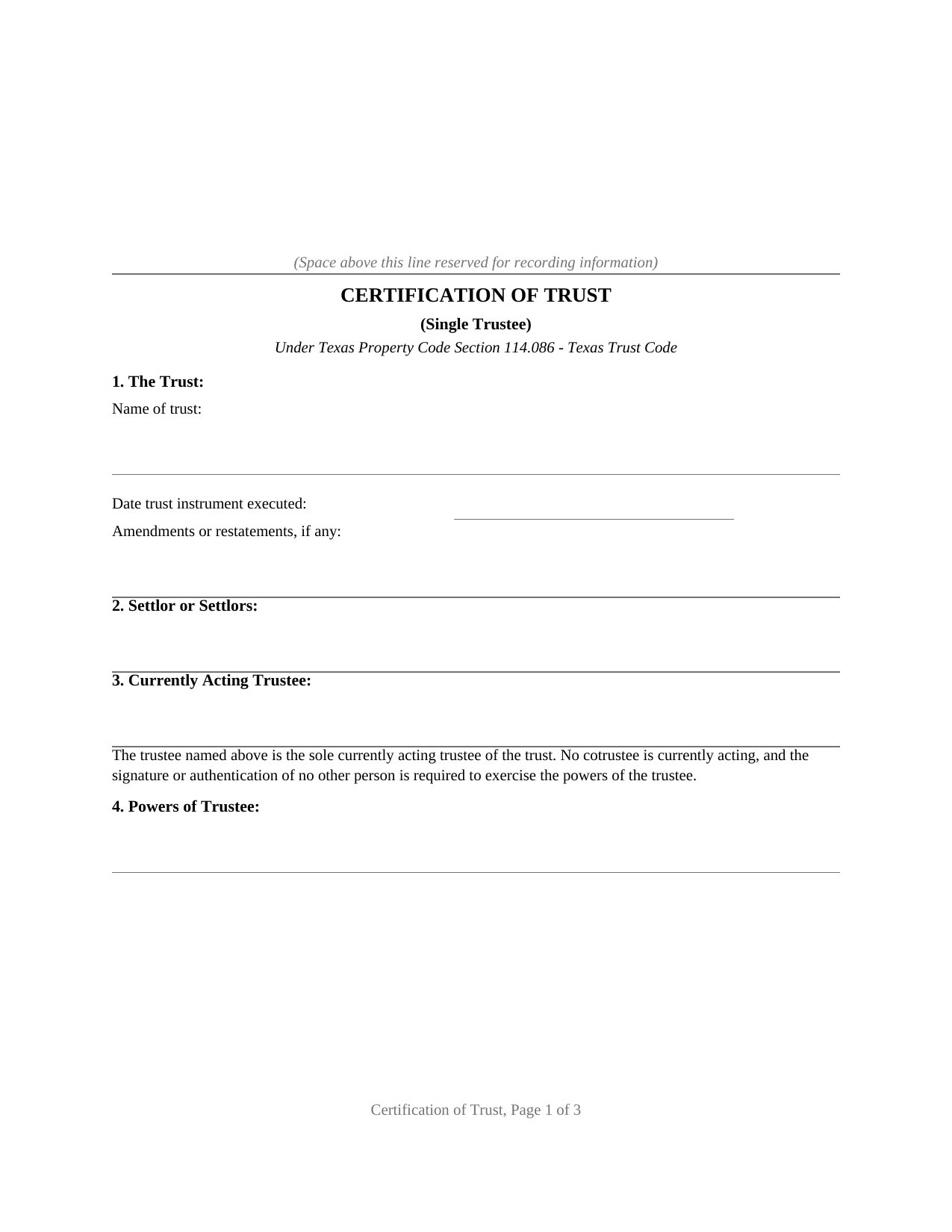
Refugio County Certification of Trust (Single Trustee) Form
Fill in the blank Certification of Trust (Single Trustee) form formatted to comply with all Texas recording and content requirements.
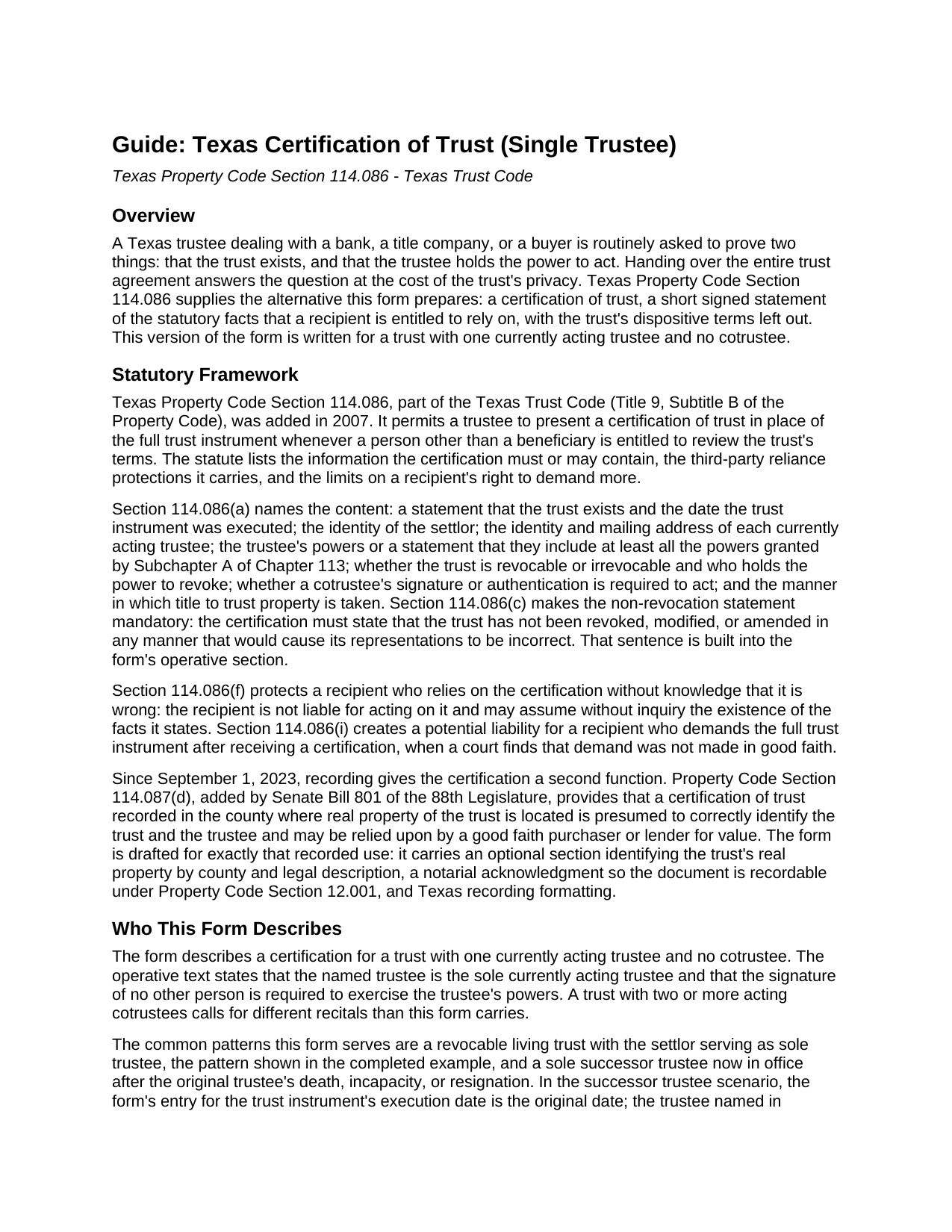
Refugio County Certification of Trust (Single Trustee) Guide
Line by line guide explaining every blank on the Certification of Trust (Single Trustee) form.
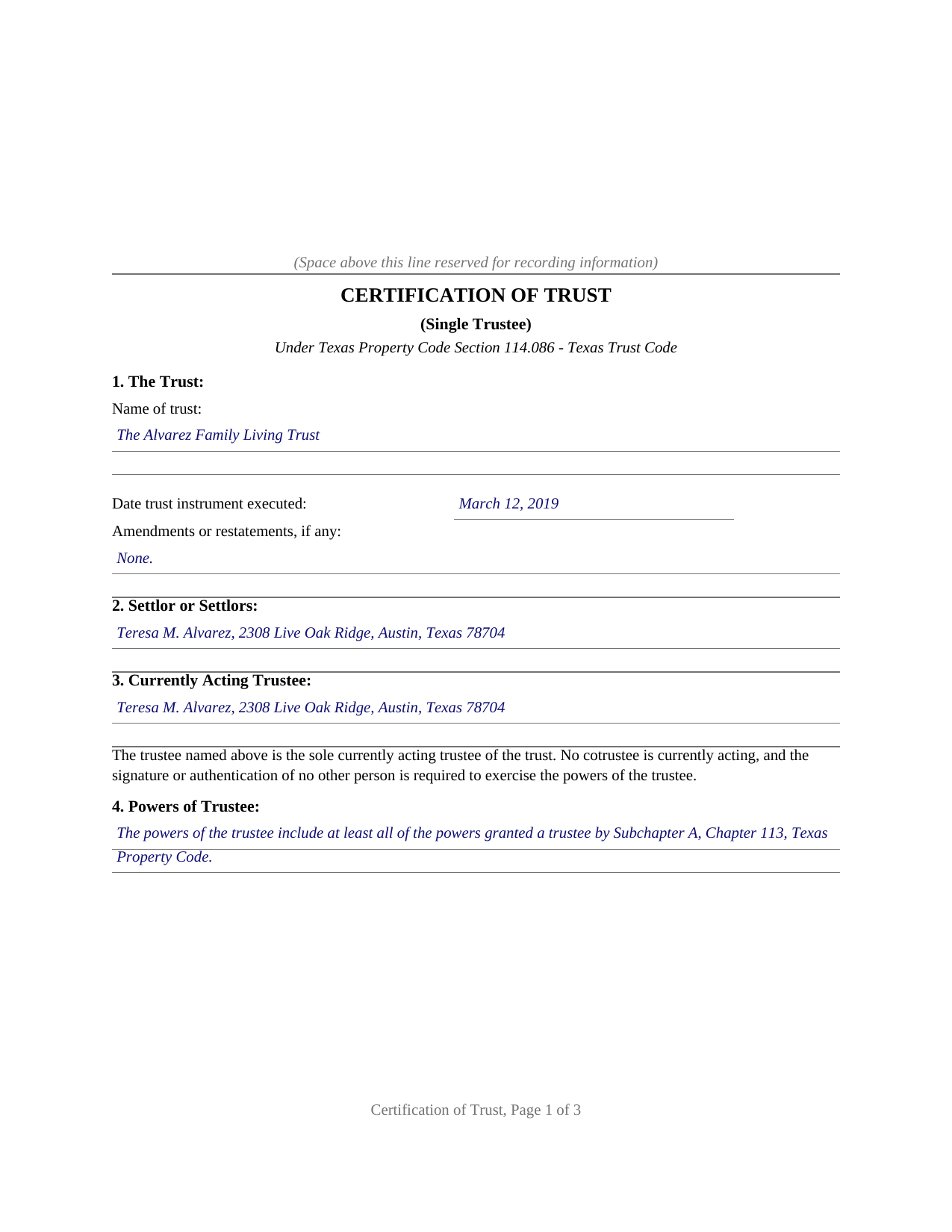
Refugio County Completed Example of the Certification of Trust (Single Trustee) Document
Example of a properly completed Texas Certification of Trust (Single Trustee) document for reference.
All 3 documents above included • One-time purchase • No recurring fees
Immediate Download • Secure Checkout
Additional Texas and Refugio County documents included at no extra charge:
Where to Record Your Documents
Refugio County Clerk
Refugio, Texas 78377
Hours: Monday - Friday 8:00 am - 5:00 pm
Phone: (361) 526-2233 & 526-2727
Recording Tips for Refugio County:
- Bring your driver's license or state-issued photo ID
- Ensure all signatures are in blue or black ink
- Recorded documents become public record - avoid including SSNs
- Recording fees may differ from what's posted online - verify current rates
- Request a receipt showing your recording numbers
Cities and Jurisdictions in Refugio County
Properties in any of these areas use Refugio County forms:
- Austwell
- Bayside
- Refugio
- Tivoli
- Woodsboro
Hours, fees, requirements, and more for Refugio County
How do I get my forms?
Forms are available for immediate download after payment. The Refugio County forms will be in your account ready to download to your computer. An account is created for you during checkout if you don't have one. Forms are NOT emailed.
Are these forms guaranteed to be recordable in Refugio County?
Yes. Our form blanks are guaranteed to meet or exceed the applicable formatting requirements used for recording in Refugio County, including margin requirements, font requirements, and other layout standards. This guarantee applies to formatting, not to the legal sufficiency of information entered by the user or the suitability of a form for a particular transaction.
Can I reuse these forms?
Yes. You can reuse the forms for your personal use. For example, if you have multiple properties in Refugio County you only need to order once.
What do I need to use these forms?
The forms are PDFs that you fill out on your computer. The free Adobe Acrobat Reader is recommended, and most PDF apps also work. You do NOT enter your property information online - you download the blank forms and complete them privately on your own computer.
Are there any recurring fees?
No. This is a one-time purchase. Nothing to cancel, no memberships, no recurring fees.
How much does it cost to record in Refugio County?
Recording fees in Refugio County vary. Contact the recorder's office at (361) 526-2233 & 526-2727 for current fees.
Questions answered? Let's get started!
A Texas trustee dealing with a bank, a title company, or a buyer is routinely asked to prove two things: that the trust exists, and that the trustee holds the power to act. Handing over the entire trust agreement answers the question at the cost of the trust's privacy. Texas Property Code Section 114.086 supplies the alternative this form prepares: a certification of trust, a short signed statement of the statutory facts that a recipient is entitled to rely on, with the trust's dispositive terms left out. This version of the form is written for a trust with one currently acting trustee and no cotrustee.
The facts the statute lists
Section 114.086 names the contents: the existence of the trust and the date the trust instrument was executed, the identity of the settlor, the identity and mailing address of the currently acting trustee, the trustee's powers (or a statement that they include at least all the powers granted by Subchapter A, Chapter 113 of the Property Code), whether the trust is revocable and who holds the power to revoke it, the cotrustee signing authority, and the manner in which title to trust property is taken. The certification must also state, in the statute's words, that the trust has not been revoked, modified, or amended in any manner that would cause its representations to be incorrect; that sentence is built into the form's operative section. A recipient who relies on the certification without knowledge that it is wrong is protected by the statute, and a recipient who demands the full trust instrument anyway risks liability for damages where a court finds the demand was not made in good faith.
A presumption that lives in the county records
Since September 1, 2023, recording gives the certification a second job. Property Code Section 114.087(d), added by Senate Bill 801, provides that a certification of trust recorded in the county where real property of the trust is located is presumed to correctly identify the trust and the trustee and may be relied upon by a good faith purchaser or lender for value. The form is drafted for exactly that use: it carries an optional section identifying the trust's real property by county and legal description, a notarial acknowledgment so the document is recordable under Property Code Section 12.001, and Texas recording formatting, letter size with the upper part of page one reserved for the county clerk's stamp.
One trustee, stated plainly
Cotrustee authority is one of the statutory content items, and this variant answers it in the form itself: the operative text states that the named trustee is the sole currently acting trustee and that the signature of no other person is required to exercise the trustee's powers. The common fact patterns are a revocable living trust with the settlor serving as sole trustee, the pattern in the completed example, and a sole successor trustee now in office. A trust with two or more acting cotrustees calls for different recitals than this form carries.
The download includes the fillable certification, a guide that walks through each numbered section with the statutory background, and a completed example showing the document filled in for a realistic Travis County fact pattern. The materials are informational and are not legal advice.
Important: Your property must be located in Refugio County to use these forms. Documents should be recorded at the county recording office listed above.
This Certification of Trust (Single Trustee) meets all recording requirements specific to Refugio County.
Our Promise
The documents you receive here are guaranteed to meet or exceed the applicable Refugio County recording format requirements. If there is a rejection caused by our formatting, we will correct the issue or refund your payment. This guarantee applies to document formatting only and does not extend to information entered by the user, the selection of the form, or the legal effect of the completed document.
Save Time and Money
Get your Refugio County Certification of Trust (Single Trustee) form done right the first time with Deeds.com Uniform Conveyancing Blanks. At Deeds.com, we understand that your time and money are valuable resources, and we don't want you to face a penalty fee or rejection imposed by a county recorder for submitting nonstandard documents. We constantly review and update our forms to meet rapidly changing state and county recording requirements for roughly 3,500 counties and local jurisdictions.
4.8 out of 5 - ( 4,828 Reviews )
Joe S. 5 out of 5 stars
My first experience with deeds.com was excellent. My task was handled promptly and efficiently. Count on me as a repeat customer.
We appreciate your business and value your feedback. Thank you. Have a wonderful day!
Alana G. 5 out of 5 stars
I was very pleased. It was the form I needed. I was getting discouraged by companies that wanted me to sign up for monthly payments just to get the one form I needed. I prefer your system of paying for what I get. Thank you so much!
Thank you for your feedback. We really appreciate it. Have a great day!
Jeffrey B. 5 out of 5 stars
Love Deeds.com! I was a little confused as to how to go about Quitclaiming, but you made it very easy! Thank you SO much!
We appreciate your business and value your feedback. Thank you. Have a wonderful day!
Kathleen M. 5 out of 5 stars
Wow, this was a breeze!! Best experience and fast. Great way to record documents in a matter of minutes. I recommend Deeds.com for anyone who needs to record documents quickly and conveniently.
Thank you for your feedback. We really appreciate it. Have a great day!
Don R. 3 out of 5 stars
From Pennsylvania here. Documents are great and easy to fill out however you are lacking a couple of things. You only provide the option for a Grant Deed when you purchase by your county which is Mercer County for me. Why not give the ability to get a Warranty Deed that better protects the Grantee? Also, being from Pennsylvania and in a county that mined Buituminous Coal we are required to include the Coal Severance Notice and Bituminous Mine Subsidence and Land Conservation Act Notice. You can check the box on your Deed form that they are required and attached but you do not provide the verbiage or form for this. You state that you know what each county requires and include everything required but you do not include these two required Notices. This has been a requirement for years and the wording never changes. I had to look for these Notices and hand type this information and include it on another seperate page after the Notary section on the Deed. The Grantor has to sign the Coal Severance Notice and be witnessed by a Notary so I had to add another place for the Notary and will have to pay twice for witnessed signatures when it could have been included in your document. My Deed from 2003 was done that way and then the Notary statement after that so it was only one notarized witness of signature.
Thank you for your feedback. We really appreciate it. Have a great day!
Joni F. 5 out of 5 stars
It was easy to navigate and I found my information without any trouble.
Thank you!
brian d. 5 out of 5 stars
I am a Loan Officer and this website saves me a bunch of time. Love it!
We appreciate your business and value your feedback. Thank you. Have a wonderful day!
William T. 5 out of 5 stars
Very skeptical at first...but it worked easily and perfectly.
We’re glad you had a positive experience. Thank you.
Penny S. 5 out of 5 stars
Easy to access information needed.
We’re always here to help. Thank you for your feedback.
Irwin C. 5 out of 5 stars
For starters, enrolling was as easy as could be. Then, it only took minutes before my entry was formatted and filed. Finally, when I asked a question, I got an answer within a few minutes. Couldn't be happier with service
We appreciate your business and value your feedback. Thank you. Have a wonderful day!
Kathy B. 5 out of 5 stars
Used this service in 2016 and had NO problems with getting all the correct paperwork submitted and I would definitely recommend this company
Thank you for your feedback. We really appreciate it. Have a great day!
Diane W. 3 out of 5 stars
The forms were immediately available for download, which was nice. However, I was not impressed by the lack of several features: 1) there was no way to edit set text in the form, such as where it says you should consult an attorney. That is not necessary for recording the deed and I wanted to deleted it, but could not. 2) Also, under the "Notes" section, there is a limited area to write; I tried adding a fuller explanation of something, but the form would not accept or include it when I printed the final document. The form may do the job, but it's not very sophisticated or elegant.
Thank you for your feedback. We really appreciate it. Have a great day!
Vertina B. 5 out of 5 stars
The website is well established and easy to use. I got everything I was supposed to get. I had no problem downloading the forms. All of the forms printed well.
We appreciate your business and value your feedback. Thank you. Have a wonderful day!
Zennell W. 5 out of 5 stars
Quick fast and easy transaction.
We are grateful for your feedback and looking forward to serving you again. Thank you!
Christina A G. 5 out of 5 stars
It was easy to locate, purchase, and download the documents I needed on the Deeds.com website.
We appreciate your business and value your feedback. Thank you. Have a wonderful day!