Bailey County Correction Deed Form
Last validated October 26, 2026 by our Forms Development TeamFormatted for recording in Bailey County, for property anywhere in the county: rural and unincorporated areas as well as Bula, Enochs, Maple, Muleshoe.
- 3 documents included
- Immediate PDF download
- Formatting guarantee
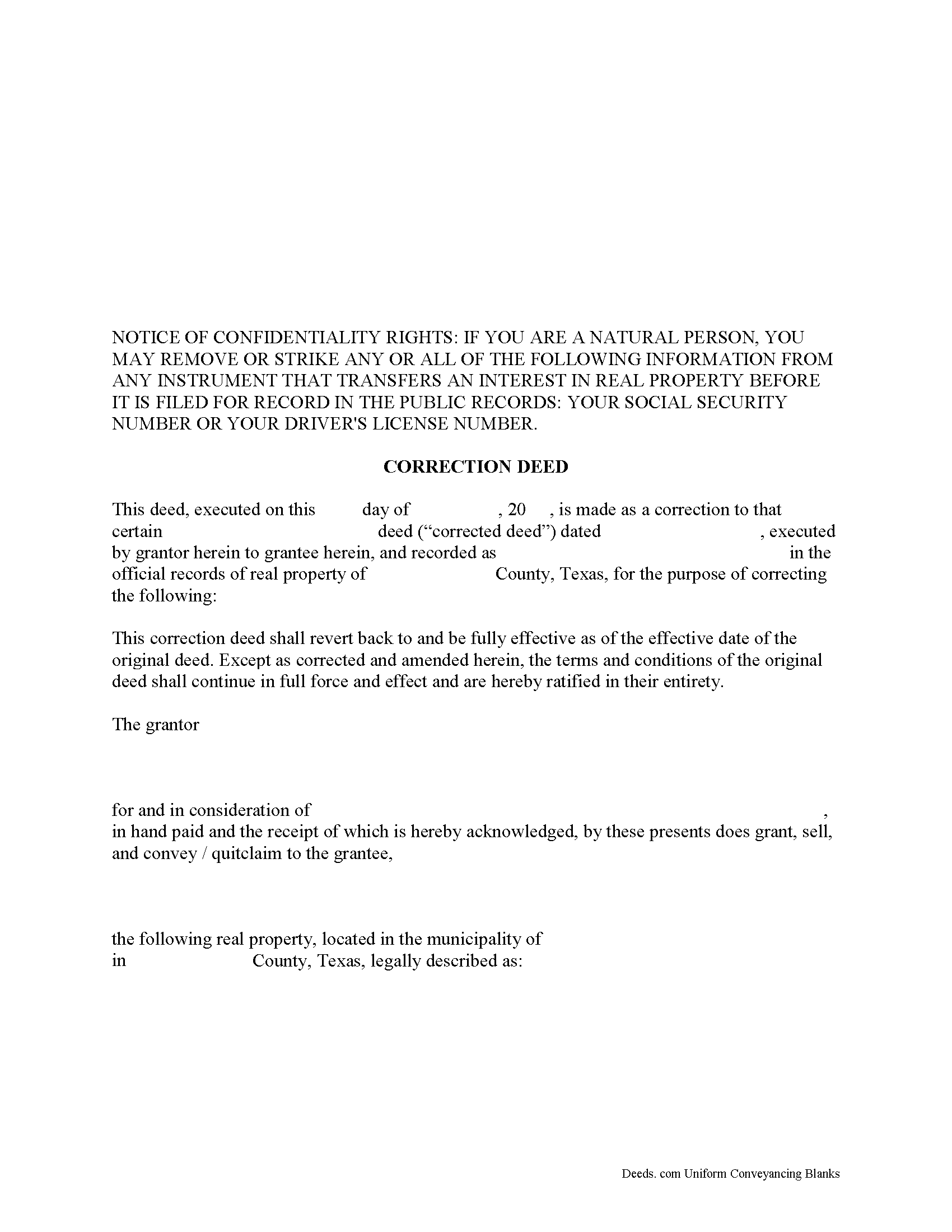
Bailey County Correction Deed Form
Fill in the blank form formatted to comply with all recording and content requirements.
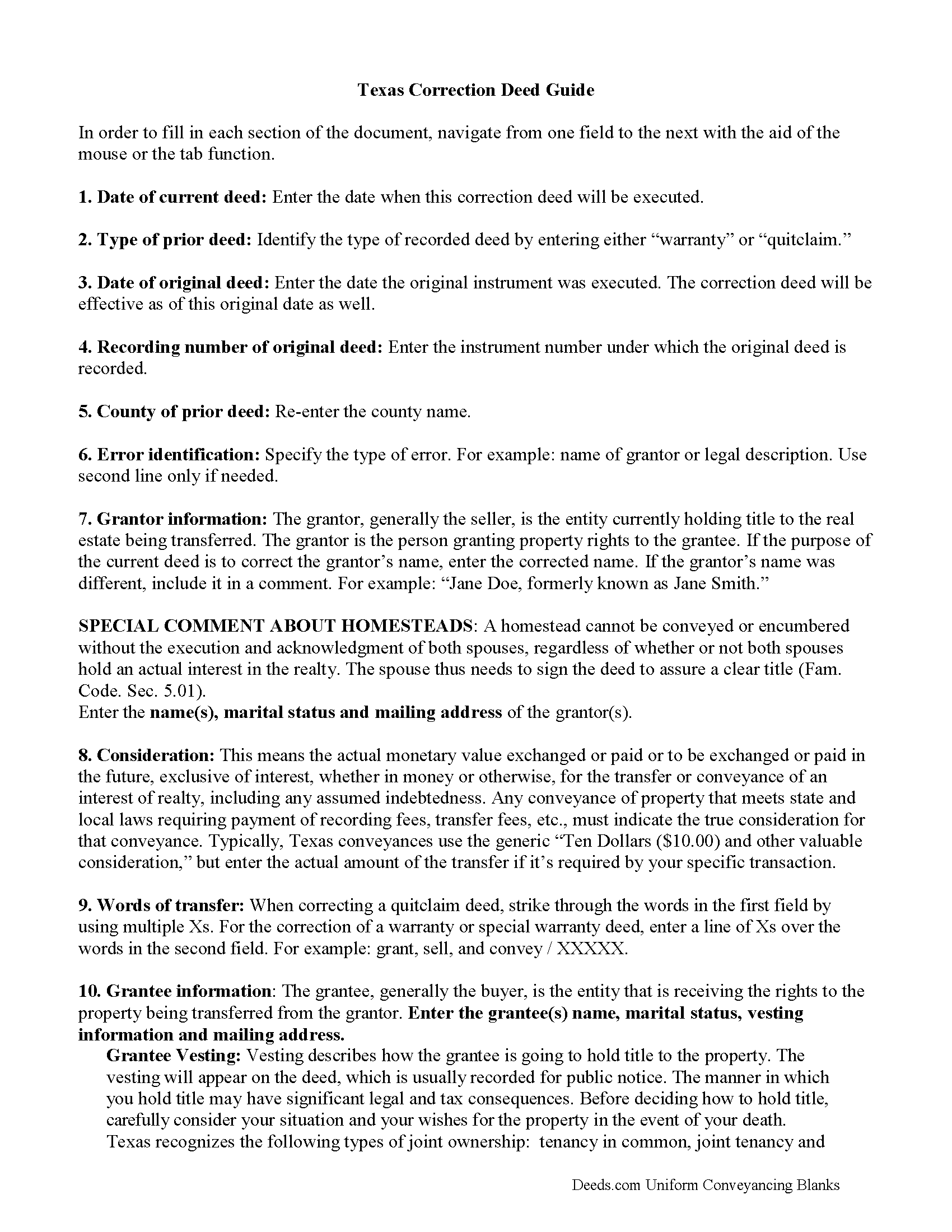
Bailey County Correction Deed Guide
Line by line guide explaining every blank on the form.
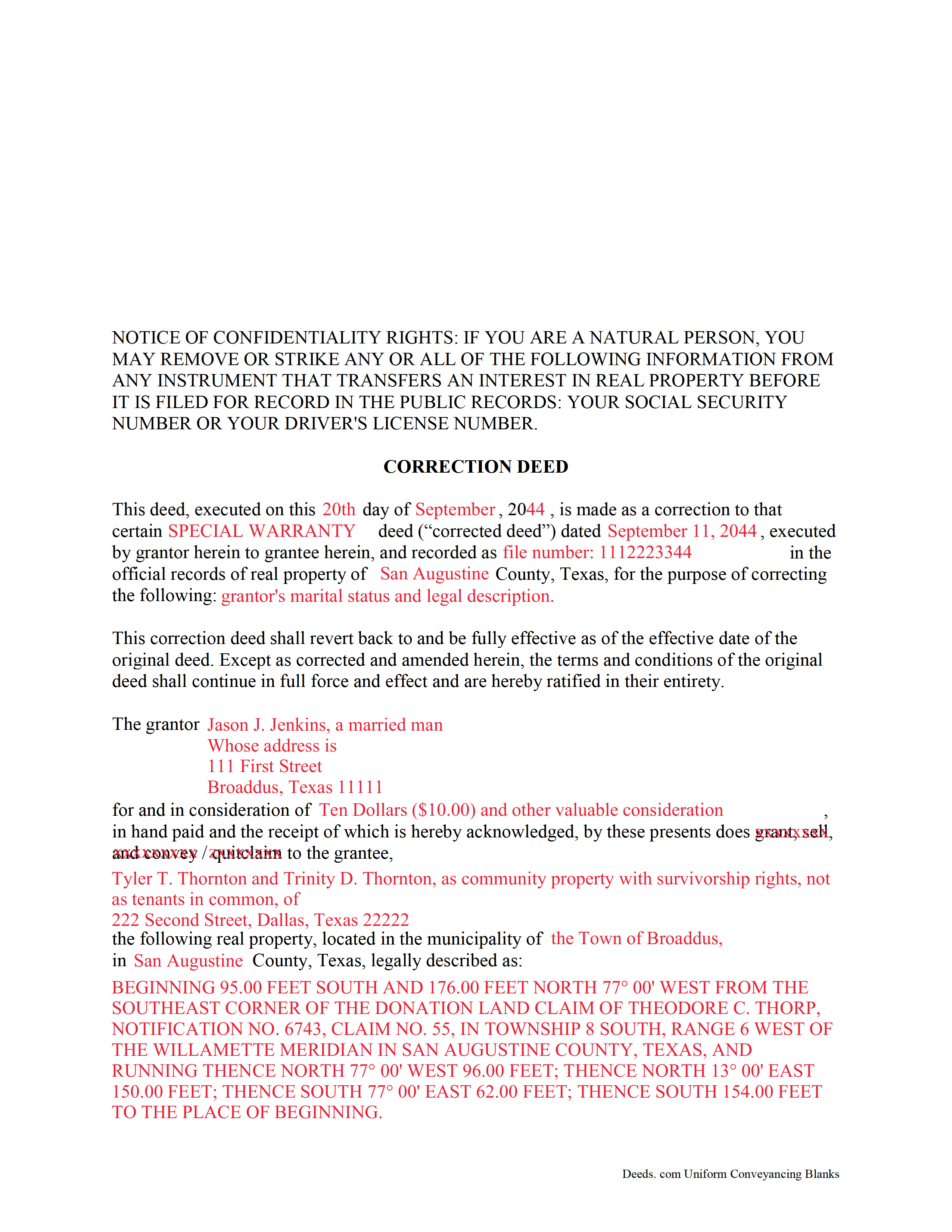
Bailey County Completed Example of the Correction Deed Document
Example of a properly completed form for reference.
All 3 documents above included • One-time purchase • No recurring fees
Immediate Download • Secure Checkout
Additional Texas and Bailey County documents included at no extra charge:
Where to Record Your Documents
Bailey County Clerk
Muleshoe, Texas TX 79347
Hours: Monday to Friday 8:30am - 12:00 and 1:00 - 5:00pm
Phone: (806) 272-3044
Recording Tips for Bailey County:
- Bring your driver's license or state-issued photo ID
- Ensure all signatures are in blue or black ink
- Avoid the last business day of the month when possible
- Both spouses typically need to sign if property is jointly owned
- Bring extra funds - fees can vary by document type and page count
Cities and Jurisdictions in Bailey County
Properties in any of these areas use Bailey County forms:
- Bula
- Enochs
- Maple
- Muleshoe
Hours, fees, requirements, and more for Bailey County
How do I get my forms?
Forms are available for immediate download after payment. The Bailey County forms will be in your account ready to download to your computer. An account is created for you during checkout if you don't have one. Forms are NOT emailed.
Are these forms guaranteed to be recordable in Bailey County?
Yes. Our form blanks are guaranteed to meet or exceed the applicable formatting requirements used for recording in Bailey County, including margin requirements, font requirements, and other layout standards. This guarantee applies to formatting, not to the legal sufficiency of information entered by the user or the suitability of a form for a particular transaction.
Can I reuse these forms?
Yes. You can reuse the forms for your personal use. For example, if you have multiple properties in Bailey County you only need to order once.
What do I need to use these forms?
The forms are PDFs that you fill out on your computer. The free Adobe Acrobat Reader is recommended, and most PDF apps also work. You do NOT enter your property information online - you download the blank forms and complete them privately on your own computer.
Are there any recurring fees?
No. This is a one-time purchase. Nothing to cancel, no memberships, no recurring fees.
How much does it cost to record in Bailey County?
Recording fees in Bailey County vary. Contact the recorder's office at (806) 272-3044 for current fees.
Questions answered? Let's get started!
In Texas, a correction deed is the deed issued to make changes to an erroneous deed, referred to as the corrected deed. These two instruments are closely linked, and all corrections are effective as of the date of the original recorded instrument (Property Code Sec. 5.030).
Texas Property Code distinguishes between material and non-material corrections, giving specific examples in each category. Non-material changes are generally clerical in nature and include additions to or corrections of: party names and marital status; elements of the property description, such as, an error in a metes and bounds description or incorrect acreage; the recording date or reference data to an earlier instrument; a missing or defective acknowledgement. All these corrections can be made by persons other than the parties of the original instrument, as long as reasons for the correction and knowledge of the facts corrected are stated and evidence of notification of the original parties or their heirs is provided (Property Code Sec. 5.028).
Material corrections, on the other hand, can only be made by the original parties or their heirs and must be executed by all of parties involved. Such changes include the addition or removal of land, disclaimers, a mortgagee's consent or subordination to a recorded instrument, and changes of lot or unit number (Property Code Sec. 5.029). A Texas Supreme Court decision from 2009 also specified the addition or removal of mineral rights as among the material changes that can only be made by the original parties.
In some areas of Texas, it has been common practice for the attorney who made the error to correct it through a scrivener's affidavit when the parties are not available and the error is only minor in nature. This type of correction is ineffective when a title company employee makes it or when it is made to a certified copy of the original instrument. Only when the parties initial the changes and sign a statement why they are being made is the correction of a certified copy acceptable for recording, but even then, can it be only made for the types of errors specified in the statutes (see above). It is always advisable to check with the local county recorder.
(Texas Correction Deed Package includes form, guidelines, and completed example)
Important: Your property must be located in Bailey County to use these forms. Documents should be recorded at the county recording office listed above.
This Correction Deed meets all recording requirements specific to Bailey County.
Our Promise
The documents you receive here are guaranteed to meet or exceed the applicable Bailey County recording format requirements. If there is a rejection caused by our formatting, we will correct the issue or refund your payment. This guarantee applies to document formatting only and does not extend to information entered by the user, the selection of the form, or the legal effect of the completed document.
Save Time and Money
Get your Bailey County Correction Deed form done right the first time with Deeds.com Uniform Conveyancing Blanks. At Deeds.com, we understand that your time and money are valuable resources, and we don't want you to face a penalty fee or rejection imposed by a county recorder for submitting nonstandard documents. We constantly review and update our forms to meet rapidly changing state and county recording requirements for roughly 3,500 counties and local jurisdictions.
4.8 out of 5 - ( 4,837 Reviews )
Stanley S. 5 out of 5 stars
Extremely convenient and easy to execute the document. Instructions and example are very helpful. I have bookmarked the site and will surely use again. 5 stars!!
Thank you!
Michelle G. 5 out of 5 stars
EXCEPTIONAL CUSTOMER SERIVCE!!! THANK YOU!!!
Thank you for your feedback. We really appreciate it. Have a great day!
Lloyd T. 5 out of 5 stars
Example deed given did not apply to married couples as joint owners with both being grantors. The example and directions also did not show how to write more than one grantee as equal grantees. Both would have been helpful when husband and wife are granting their property to their children equally. Also when attaching the exhibit A with the property description the example did not say "see exhibit A"in the property description area, so I didn't write that. Luckily the recorder of deeds allowed me to write it in. I think directions and examples for multiple scenarios would be helpful.
Thank you for your feedback. We really appreciate it. Have a great day!
Anna P. 5 out of 5 stars
Deeds.com was a life saver! I was able to have a document recorded the very same day of my request. Thank you for taking care of this! Top notch service.
Thank you!
Robert C. 5 out of 5 stars
Great service! Easy to navigate and the instructions were perfectly understandable.
We appreciate your business and value your feedback. Thank you. Have a wonderful day!
Lara C. 5 out of 5 stars
Love it! It was super easy. Will be back!
Thank you for your feedback. We really appreciate it. Have a great day!
Marsella F. 5 out of 5 stars
Thank you so much!! This is a fantastic tool!! Marsella F.
Thank you for your feedback. We really appreciate it. Have a great day!
Betty B. 5 out of 5 stars
Thank you . I appreciate your assistance Once again thanks
Thank you!
Constance F. 5 out of 5 stars
Quick and easy download with instructions and a sample document to ensure conformity to the different jurisdictions.
Thank you!
Patrick U. 5 out of 5 stars
Great product. They processed and transmitted the deed promptly. A small question I had was answered quickly and professionally. I would use again if the need arises and will recommend to friends.
Your feedback is greatly appreciated. Thank you for taking the time to share your experience!
Marie B. 5 out of 5 stars
Easily found what I needed. Very helpful. Downloaded the documents, saved to my computer and printed what I needed.
We appreciate your business and value your feedback. Thank you. Have a wonderful day!
Gary F. 5 out of 5 stars
5 star review. Was able to order and download what I wanted in just a few minutes without any glitches.
Thank you for your feedback. We really appreciate it. Have a great day!
Raymond N. 4 out of 5 stars
The process of obtaining the forms that I wanted was very easy and the cost reasonable. The site is easy to follow and explains everything. Thank you for being here.
We appreciate your business and value your feedback. Thank you. Have a wonderful day!
Lois B. 5 out of 5 stars
It works pretty well, had trouble with the word December. It printed out Decedmber with weird spacing but I think it will be ok.
Thank you for the feedback. We will take a look at the date field to see if there are any issues. Have a great day!
Ann E Grace S. 5 out of 5 stars
Forms and instructions are very easy to access. Thank you!
Thank you for your feedback. We really appreciate it. Have a great day!