Tarrant County Correction Deed Form
Last validated October 26, 2026 by our Forms Development TeamFormatted for recording in Tarrant County, for property anywhere in the county: rural and unincorporated areas as well as Arlington, Azle, Bedford, Colleyville, Crowley, Euless, Fort Worth, Grapevine and 9 more.
- 3 documents included
- Immediate PDF download
- Formatting guarantee
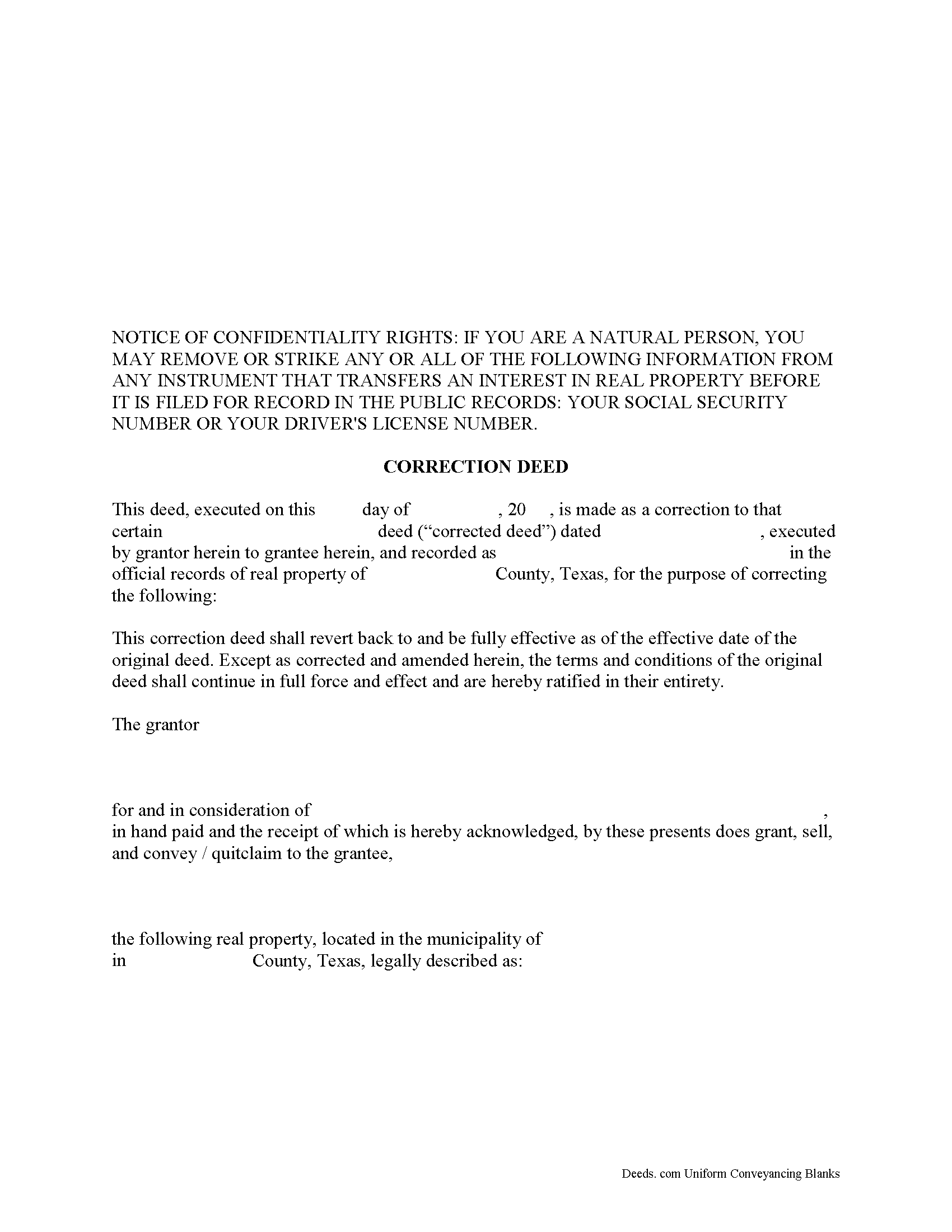
Tarrant County Correction Deed Form
Fill in the blank form formatted to comply with all recording and content requirements.
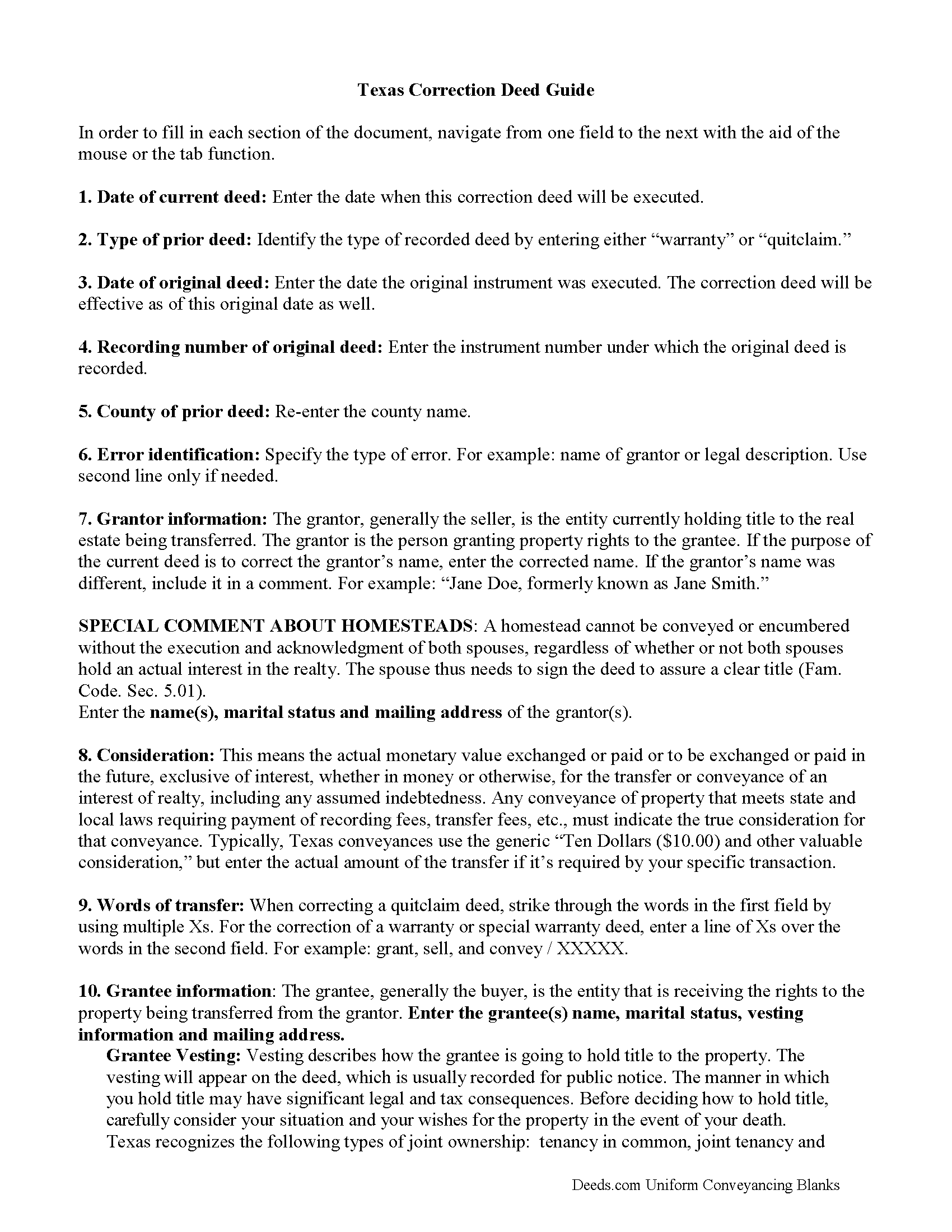
Tarrant County Correction Deed Guide
Line by line guide explaining every blank on the form.
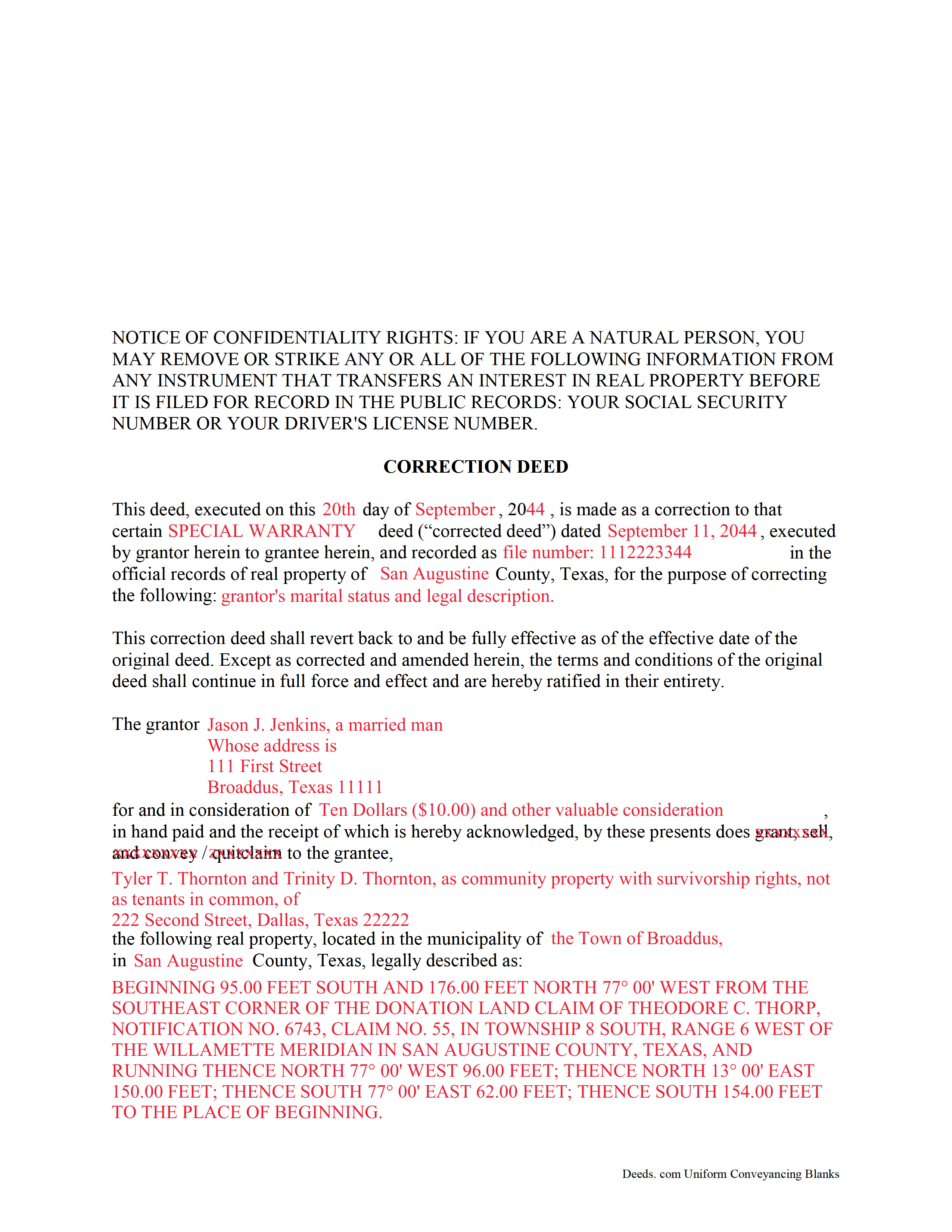
Tarrant County Completed Example of the Correction Deed Document
Example of a properly completed form for reference.
All 3 documents above included • One-time purchase • No recurring fees
Immediate Download • Secure Checkout
Additional Texas and Tarrant County documents included at no extra charge:
Where to Record Your Documents
Tarrant County Clerk
Fort Worth, Texas 76196
Hours: Monday - Friday 8:00am - 5:00pm
Phone: (817) 212-6847
Recording Tips for Tarrant County:
- Bring your driver's license or state-issued photo ID
- Ensure all signatures are in blue or black ink
- Bring extra funds - fees can vary by document type and page count
- Check margin requirements - usually 1-2 inches at top
- Leave recording info boxes blank - the office fills these
Cities and Jurisdictions in Tarrant County
Properties in any of these areas use Tarrant County forms:
- Arlington
- Azle
- Bedford
- Colleyville
- Crowley
- Euless
- Fort Worth
- Grapevine
- Haltom City
- Haslet
- Hurst
- Keller
- Kennedale
- Mansfield
- Naval Air Station/ Jrb
- North Richland Hills
- Southlake
Hours, fees, requirements, and more for Tarrant County
How do I get my forms?
Forms are available for immediate download after payment. The Tarrant County forms will be in your account ready to download to your computer. An account is created for you during checkout if you don't have one. Forms are NOT emailed.
Are these forms guaranteed to be recordable in Tarrant County?
Yes. Our form blanks are guaranteed to meet or exceed the applicable formatting requirements used for recording in Tarrant County, including margin requirements, font requirements, and other layout standards. This guarantee applies to formatting, not to the legal sufficiency of information entered by the user or the suitability of a form for a particular transaction.
Can I reuse these forms?
Yes. You can reuse the forms for your personal use. For example, if you have multiple properties in Tarrant County you only need to order once.
What do I need to use these forms?
The forms are PDFs that you fill out on your computer. The free Adobe Acrobat Reader is recommended, and most PDF apps also work. You do NOT enter your property information online - you download the blank forms and complete them privately on your own computer.
Are there any recurring fees?
No. This is a one-time purchase. Nothing to cancel, no memberships, no recurring fees.
How much does it cost to record in Tarrant County?
Recording fees in Tarrant County vary. Contact the recorder's office at (817) 212-6847 for current fees.
Questions answered? Let's get started!
In Texas, a correction deed is the deed issued to make changes to an erroneous deed, referred to as the corrected deed. These two instruments are closely linked, and all corrections are effective as of the date of the original recorded instrument (Property Code Sec. 5.030).
Texas Property Code distinguishes between material and non-material corrections, giving specific examples in each category. Non-material changes are generally clerical in nature and include additions to or corrections of: party names and marital status; elements of the property description, such as, an error in a metes and bounds description or incorrect acreage; the recording date or reference data to an earlier instrument; a missing or defective acknowledgement. All these corrections can be made by persons other than the parties of the original instrument, as long as reasons for the correction and knowledge of the facts corrected are stated and evidence of notification of the original parties or their heirs is provided (Property Code Sec. 5.028).
Material corrections, on the other hand, can only be made by the original parties or their heirs and must be executed by all of parties involved. Such changes include the addition or removal of land, disclaimers, a mortgagee's consent or subordination to a recorded instrument, and changes of lot or unit number (Property Code Sec. 5.029). A Texas Supreme Court decision from 2009 also specified the addition or removal of mineral rights as among the material changes that can only be made by the original parties.
In some areas of Texas, it has been common practice for the attorney who made the error to correct it through a scrivener's affidavit when the parties are not available and the error is only minor in nature. This type of correction is ineffective when a title company employee makes it or when it is made to a certified copy of the original instrument. Only when the parties initial the changes and sign a statement why they are being made is the correction of a certified copy acceptable for recording, but even then, can it be only made for the types of errors specified in the statutes (see above). It is always advisable to check with the local county recorder.
(Texas Correction Deed Package includes form, guidelines, and completed example)
Important: Your property must be located in Tarrant County to use these forms. Documents should be recorded at the county recording office listed above.
This Correction Deed meets all recording requirements specific to Tarrant County.
Our Promise
The documents you receive here are guaranteed to meet or exceed the applicable Tarrant County recording format requirements. If there is a rejection caused by our formatting, we will correct the issue or refund your payment. This guarantee applies to document formatting only and does not extend to information entered by the user, the selection of the form, or the legal effect of the completed document.
Save Time and Money
Get your Tarrant County Correction Deed form done right the first time with Deeds.com Uniform Conveyancing Blanks. At Deeds.com, we understand that your time and money are valuable resources, and we don't want you to face a penalty fee or rejection imposed by a county recorder for submitting nonstandard documents. We constantly review and update our forms to meet rapidly changing state and county recording requirements for roughly 3,500 counties and local jurisdictions.
4.8 out of 5 - ( 4,836 Reviews )
Katie G. 5 out of 5 stars
I haven't used the forms yet but it appears, with your tutelage, that they should not be too difficult to fill out and file. Your site was easy to navigate. Thank You
Thank you for the kinds words Katie. have a fantastic day!
Mallah B. 5 out of 5 stars
I think this company offers a great service that is non-discriminatory and allows me to save time going downtown and hassle dealing with different personalities.
Thank you for your feedback. We really appreciate it. Have a great day!
Ryan P. 5 out of 5 stars
It was a pleasant surprise to find out how easy the site was to use! Clear directions! very user friendly!
Thank you!
Molly A. 5 out of 5 stars
Super easy to download and Deeds dot com had the documents I was looking for and set up in a manner that the County Government office would accept. Nice! Thank you, Deeds!
Thank you for your feedback. We really appreciate it. Have a great day!
Anita W. 5 out of 5 stars
Love this site. It has been truly helpful and easy to navigate.
Thank you Anita, glad we could help.
Hyacinth A. 5 out of 5 stars
It was easy and helpful to use Deed.com
We appreciate your comments and your trust in us. Thank you.
Arthur H. 5 out of 5 stars
Deeds.com was informative, quick, and complete. Found everything I needed complete with instructions and examples. Easy to use and understand. And VERY reasonably priced.
We appreciate your business and value your feedback. Thank you. Have a wonderful day!
Stephen D. 5 out of 5 stars
Excellent service!
Thank you!
Nancy H. 5 out of 5 stars
Easy to use site. Would continue to go to for future needs.
We appreciate your business and value your feedback. Thank you. Have a wonderful day!
Everette W. 5 out of 5 stars
This form was very helpful ... I wish I had run across your before it would have saved me a lot of money.
Thank you!
Regina S. 5 out of 5 stars
5 STARS!!! YOU WERE AWESOME!
We appreciate your business and value your feedback. Thank you. Have a wonderful day!
Russell R. 5 out of 5 stars
This a seamless way to get a beneficiary deed recorded. Everything was easier than I imagined including the visit to the county. The website and downloads work well and I have no complaints.
Thank you for your kind words and for choosing us.
Jon B. 2 out of 5 stars
The information and documents received are great. But the communication with customer service is not good at all. I've been waiting three days for them to respond to a question. I don't think they are going too.
Thank you for your feedback. We really appreciate it. Have a great day!
Debbie K. 5 out of 5 stars
I am very happy with Deeds.com. I found the site easy to use and all the directions I needed were available. I'm so happy I didn't have to go to a title company to get this done. The site is easy to navigate and the documents are easy to download.
Thank you for your feedback. We really appreciate it. Have a great day!
Rick H. 5 out of 5 stars
Website easy to use. Sample feed from helpful. Will know more after county reviews application.
Thank you Rick, we really appreciate your feedback.