Duval County Deed of Trust to Secure Owelty Form
Last validated October 22, 2026 by our Forms Development TeamFormatted for recording in Duval County, for property anywhere in the county: rural and unincorporated areas as well as Benavides, Concepcion, Freer, Realitos, San Diego.
- 3 documents included
- Immediate PDF download
- Formatting guarantee
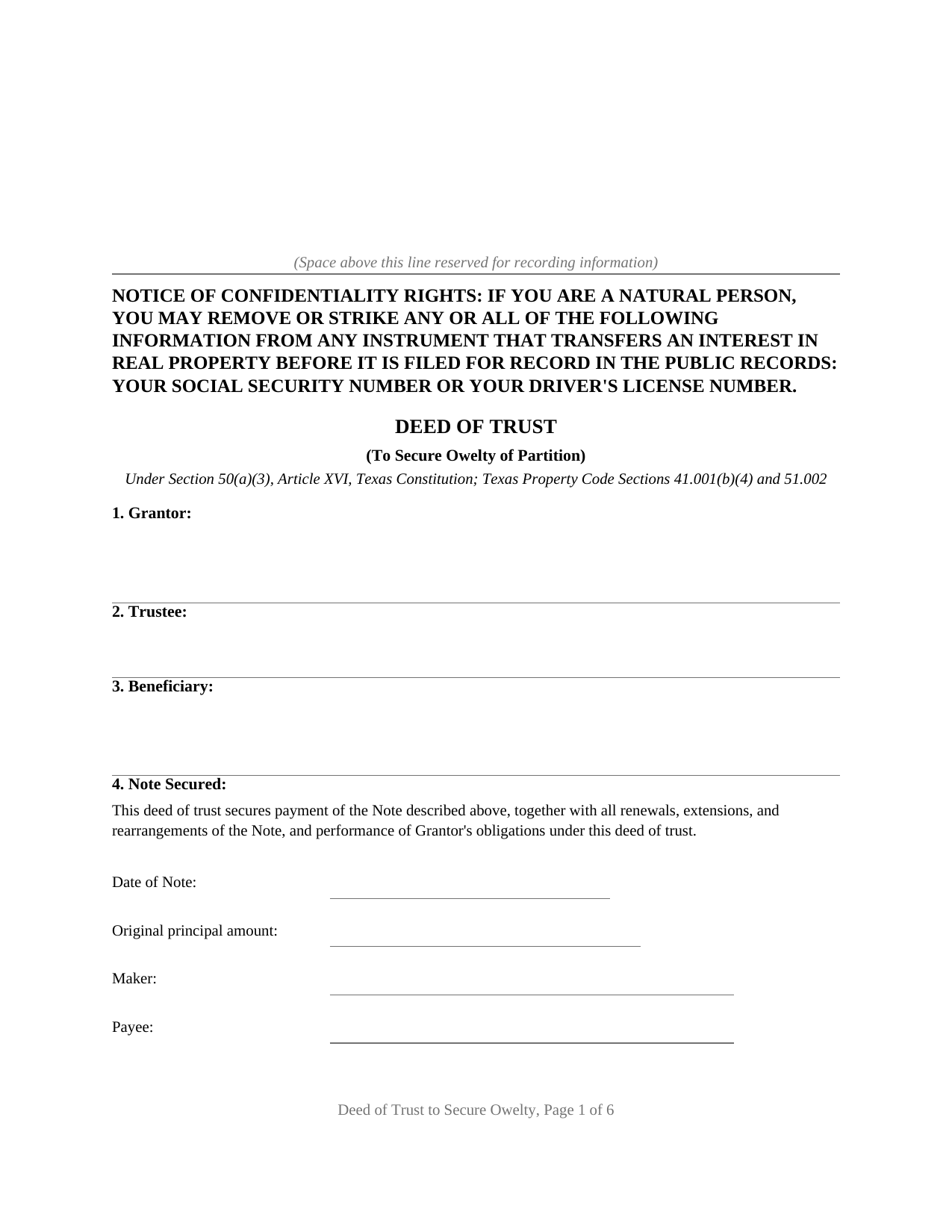
Duval County Deed of Trust to Secure Owelty Form
Fill in the blank Deed of Trust to Secure Owelty form formatted to comply with all Texas recording and content requirements.
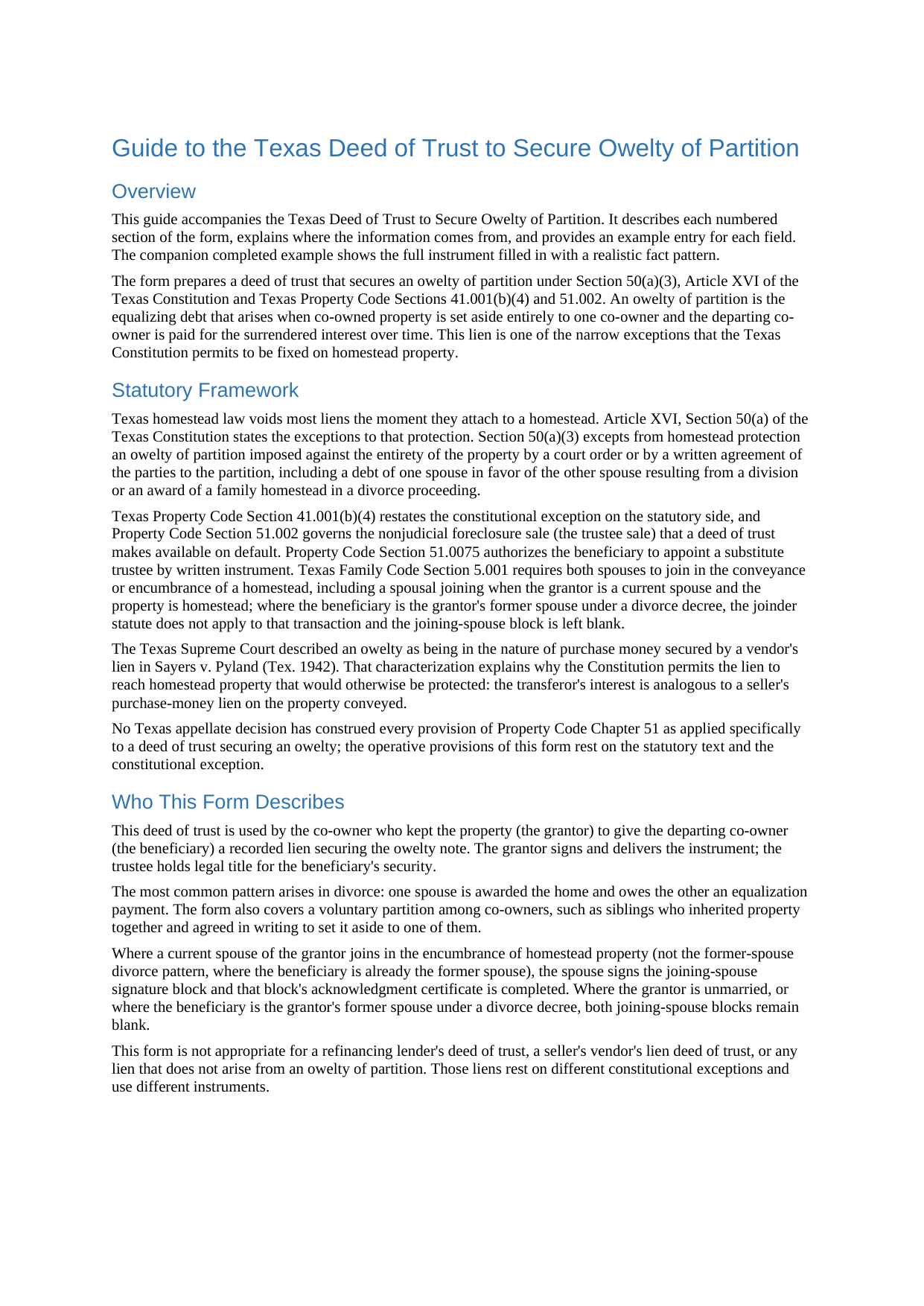
Duval County Deed of Trust to Secure Owelty Guide
Line by line guide explaining every blank on the Deed of Trust to Secure Owelty form.
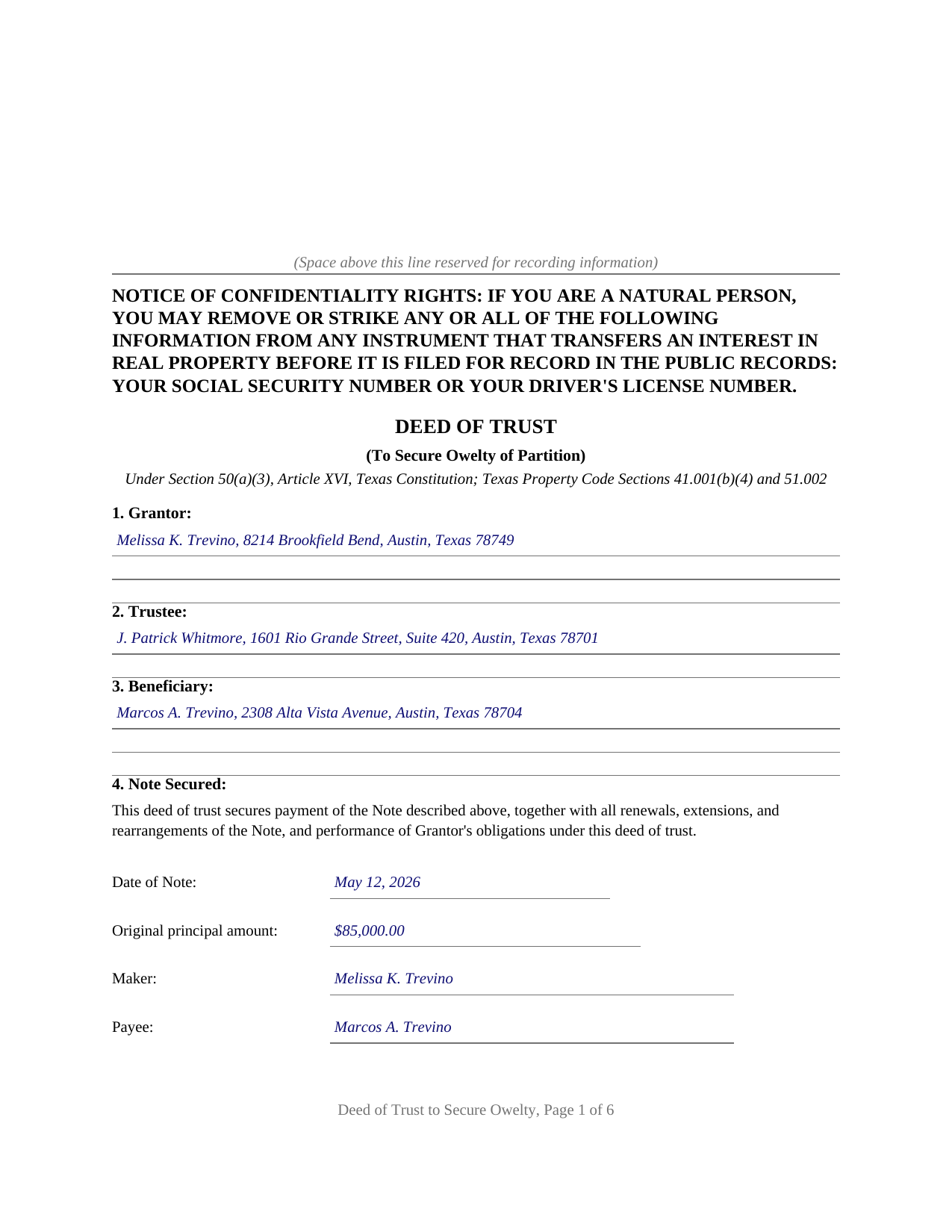
Duval County Completed Example of the Deed of Trust to Secure Owelty Document
Example of a properly completed Texas Deed of Trust to Secure Owelty document for reference.
All 3 documents above included • One-time purchase • No recurring fees
Immediate Download • Secure Checkout
Additional Texas and Duval County documents included at no extra charge:
Where to Record Your Documents
Duval County Clerk
San Diego, Texas 78384
Hours: Monday-Friday 8am-5pm
Phone: (361) 279-6272 or 6249
Recording Tips for Duval County:
- Bring your driver's license or state-issued photo ID
- Ensure all signatures are in blue or black ink
- Request a receipt showing your recording numbers
- Ask about accepted payment methods when you call ahead
- Ask for certified copies if you need them for other transactions
Cities and Jurisdictions in Duval County
Properties in any of these areas use Duval County forms:
- Benavides
- Concepcion
- Freer
- Realitos
- San Diego
Hours, fees, requirements, and more for Duval County
How do I get my forms?
Forms are available for immediate download after payment. The Duval County forms will be in your account ready to download to your computer. An account is created for you during checkout if you don't have one. Forms are NOT emailed.
Are these forms guaranteed to be recordable in Duval County?
Yes. Our form blanks are guaranteed to meet or exceed the applicable formatting requirements used for recording in Duval County, including margin requirements, font requirements, and other layout standards. This guarantee applies to formatting, not to the legal sufficiency of information entered by the user or the suitability of a form for a particular transaction.
Can I reuse these forms?
Yes. You can reuse the forms for your personal use. For example, if you have multiple properties in Duval County you only need to order once.
What do I need to use these forms?
The forms are PDFs that you fill out on your computer. The free Adobe Acrobat Reader is recommended, and most PDF apps also work. You do NOT enter your property information online - you download the blank forms and complete them privately on your own computer.
Are there any recurring fees?
No. This is a one-time purchase. Nothing to cancel, no memberships, no recurring fees.
How much does it cost to record in Duval County?
Recording fees in Duval County vary. Contact the recorder's office at (361) 279-6272 or 6249 for current fees.
Questions answered? Let's get started!
Texas homestead law voids most liens the moment they touch a homestead, and the short list of exceptions in Article XVI, Section 50 of the Texas Constitution is famously hard to get onto. An owelty of partition is on that list. When co-owned property is divided unequally, so that one co-owner keeps the whole property and owes the other for the surrendered share, the constitution permits that equalizing debt to be secured against the entirety of the property, homestead included. This deed of trust is the security instrument for exactly that debt.
A Lien That Reaches the Whole Property
Section 50(a)(3) excepts from homestead protection an owelty of partition imposed against the entirety of the property by a court order or by a written agreement of the parties to the partition, including a debt of one spouse in favor of the other spouse resulting from a division or an award of a family homestead in a divorce proceeding. Property Code Section 41.001(b)(4) repeats the rule on the statutory side. The doctrine is older still: in Sayers v. Pyland (Tex. 1942), the Texas Supreme Court described an owelty as being in the nature of purchase money secured by a vendor's lien and enforced one against a homestead fixed by voluntary agreement. The form recites the constitutional and statutory provisions, states that the lien attaches to the entirety of the property including any homestead interest, and identifies the specific decree or partition agreement that imposed the owelty, the connection on which the exception depends.
Divorce Buyouts and Co-Owner Partitions
The most common owelty arises in divorce: the decree awards the home to one spouse and imposes an owelty in favor of the other, payable over time or at a refinance or sale. The same structure carries a voluntary partition among co-owners, such as siblings who inherited a property and signed a written agreement setting it aside to one of them. In either setting, the co-owner keeping the property signs a promissory note and this deed of trust; the departing co-owner holds a recorded lien on the whole property rather than an unsecured promise. Where a married grantor encumbers homestead property in a co-owner partition, the form carries a joining spouse signature block and separate acknowledgment for the joinder Family Code Section 5.001 describes.
The Note, the Source Instrument, and the Power of Sale
The form identifies the note by date, amount, maker, payee, interest, and maturity, conveys the property to a trustee in trust with power of sale, and states the remedy path on default: acceleration after any required notice and cure period, then a trustee sale conducted under the notice, timing, and place requirements of Property Code Section 51.002, with substitute trustees appointed under Section 51.0075. The notice of confidentiality rights required by Property Code Section 11.008 appears at the top of the first page, and the instrument is formatted for Texas recording standards with space reserved for the clerk's stamp.
What Comes With the Form
The download includes the fillable deed of trust, a guide that walks through all fourteen sections with the statutes and cases behind them, and a completed example documenting a realistic divorce owelty from decree to acknowledgment. The materials are informational and are not legal advice.
Important: Your property must be located in Duval County to use these forms. Documents should be recorded at the county recording office listed above.
This Deed of Trust to Secure Owelty meets all recording requirements specific to Duval County.
Our Promise
The documents you receive here are guaranteed to meet or exceed the applicable Duval County recording format requirements. If there is a rejection caused by our formatting, we will correct the issue or refund your payment. This guarantee applies to document formatting only and does not extend to information entered by the user, the selection of the form, or the legal effect of the completed document.
Save Time and Money
Get your Duval County Deed of Trust to Secure Owelty form done right the first time with Deeds.com Uniform Conveyancing Blanks. At Deeds.com, we understand that your time and money are valuable resources, and we don't want you to face a penalty fee or rejection imposed by a county recorder for submitting nonstandard documents. We constantly review and update our forms to meet rapidly changing state and county recording requirements for roughly 3,500 counties and local jurisdictions.
4.8 out of 5 - ( 4,836 Reviews )
Jonathan W. 5 out of 5 stars
Deeds gave me the forms and the guidance that I needed. If I had paid a pro for this service it would have cost at least $300.
Thank you for your feedback. We really appreciate it. Have a great day!
Barbara G. 5 out of 5 stars
High rating, great site and forms were exactly what I needed. Thanks for being there for me.
We appreciate your business and value your feedback. Thank you. Have a wonderful day!
Deborah K. 5 out of 5 stars
great job but, I wanted to upload a document. I got it wrong, but the info was good.
Thank you!
Dee W. 5 out of 5 stars
Easy process! Submit payment, fill out forms using the document guide provided, and print!
We appreciate your business and value your feedback. Thank you. Have a wonderful day!
Virginia S. 5 out of 5 stars
Very easy to use. Had my Transfer of Death Designation Affidavit done in no time and filed with the Recorder's Office the next day.
Thank you for your feedback. We really appreciate it. Have a great day!
Julie P. 5 out of 5 stars
Easy to use service. Thank you.
Thank you for your feedback. We really appreciate it. Have a great day!
Christina D. 3 out of 5 stars
The papers allowed me to get done what I needed. But for the price I would expect a spell check. There were spelling errors when there should not have been any. Please proof read
Your feedback is a crucial part of our dedication to ongoing improvement. Thank you for your insightful comments.
Janice S. 5 out of 5 stars
Well, you couldn't find the deeds, but you didn't charge me for it so great! Thanks Jan
Thank you for your feedback. Sorry we were not able to assist you better with your deed search. Have a wonderful day!
richard E. 5 out of 5 stars
First time I used service. It was simple to use. The response time was excellent. I look forward to using them in the future.
That's awesome Richard, glad we could help!
Laurence D. 5 out of 5 stars
Quick and easy, and a good value for the money. Thanks, Deeds.com!
Thank you!
Elizabth T. 5 out of 5 stars
Deed instructions were easy to follow & understand. Deed was exactly what I needed at a fair price.
Great to hear — thank you for taking the time to write a review.
Lisa D. 5 out of 5 stars
It was an easy site to use and very a good price. Thank you!!
We appreciate your business and value your feedback. Thank you. Have a wonderful day!
Tim T. 5 out of 5 stars
Very easy to find forms and good examples for filling out forms!
Thank you for your feedback. We really appreciate it. Have a great day!
Marissa M. 5 out of 5 stars
I bought the Quitclaim deed and it was perfect to record at the courthouse
Thank you for your kind words and for choosing us.
Sylvia O. 5 out of 5 stars
Very efficient, and the samples and instructions are very easy to follow. Thank you Deeds.com
Thank you!