Jim Hogg County Deed of Trust to Secure Owelty Form
Last validated November 23, 2026 by our Forms Development TeamFormatted for recording in Jim Hogg County, for property anywhere in the county: rural and unincorporated areas as well as Guerra, Hebbronville.
- 3 documents included
- Immediate PDF download
- Formatting guarantee
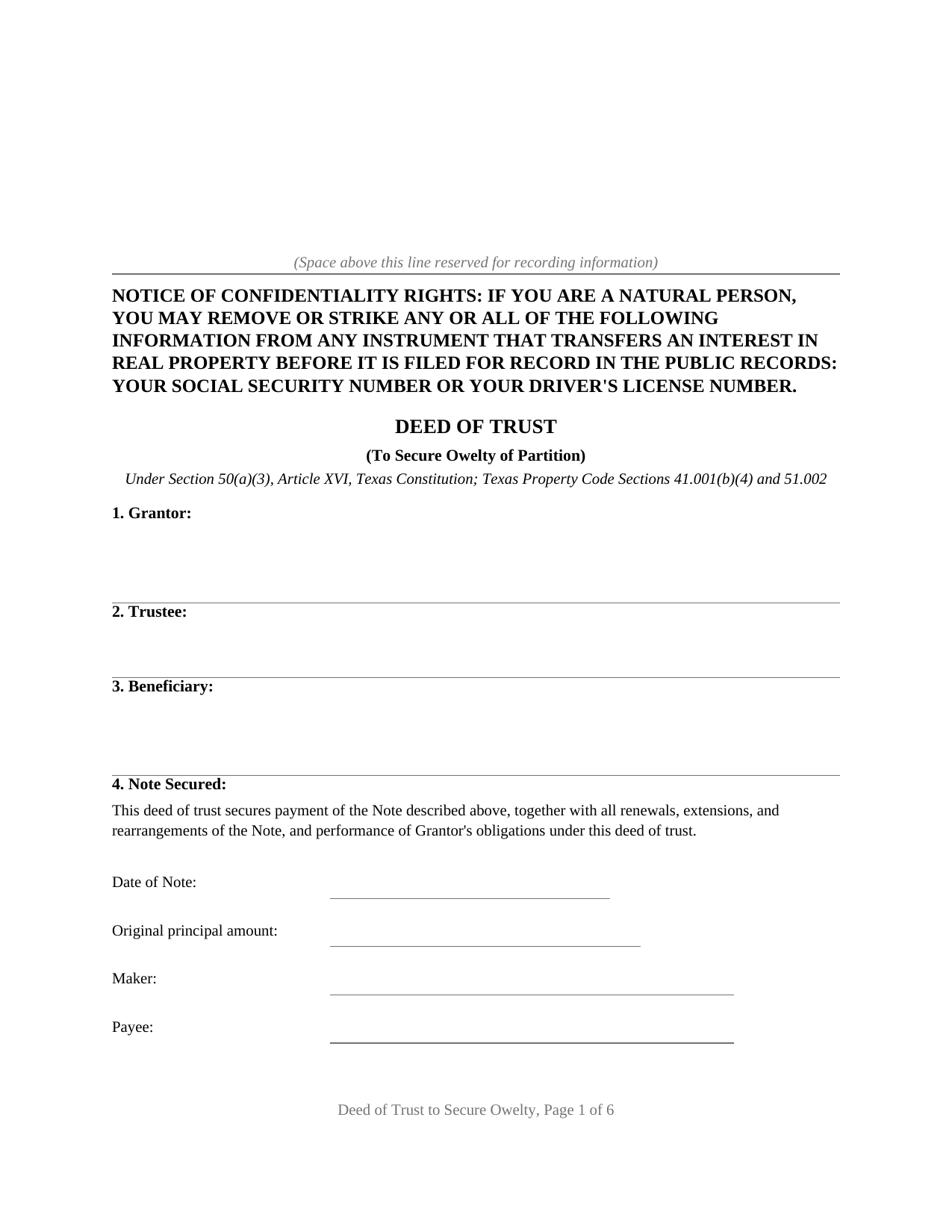
Jim Hogg County Deed of Trust to Secure Owelty Form
Fill in the blank Deed of Trust to Secure Owelty form formatted to comply with all Texas recording and content requirements.
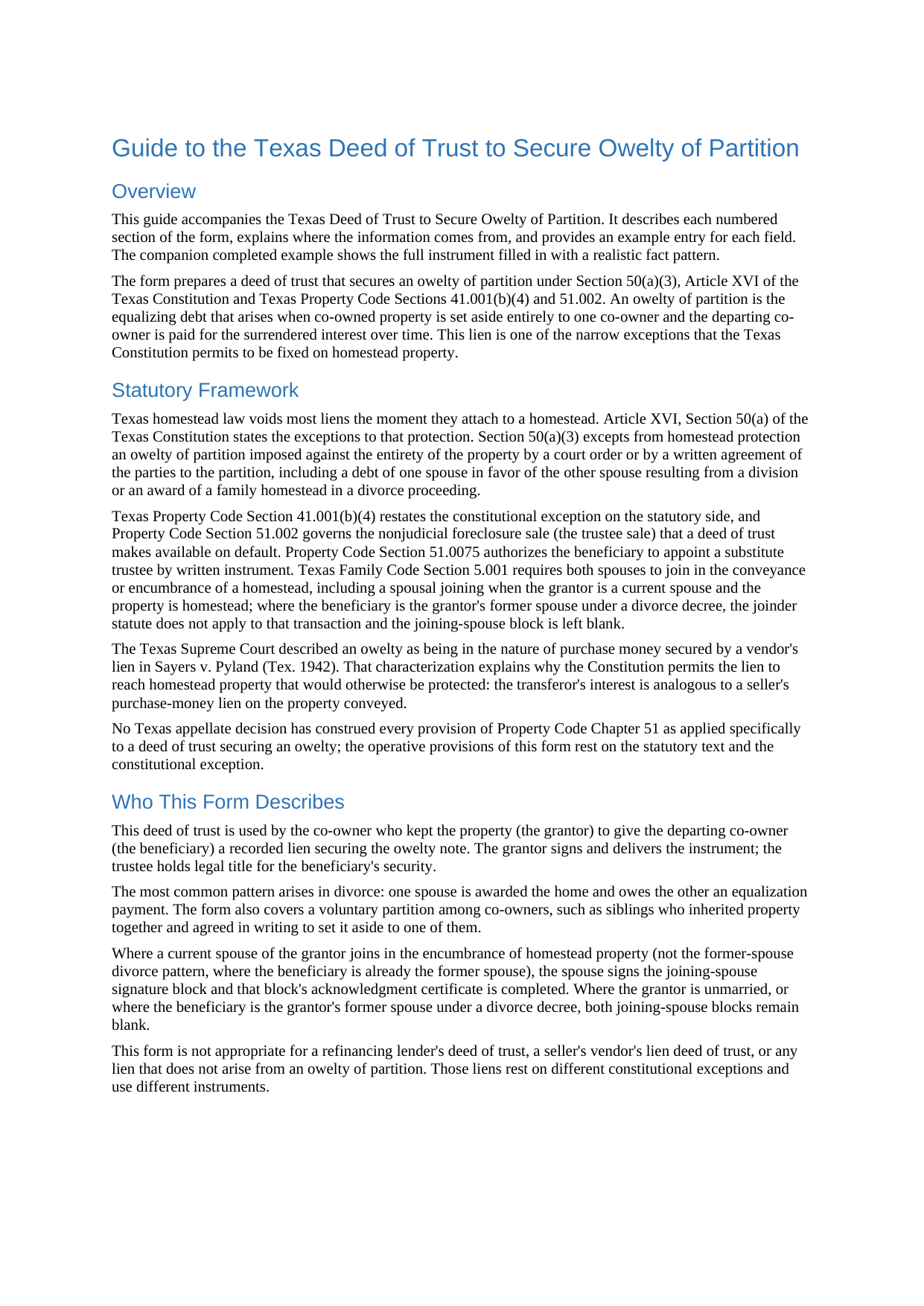
Jim Hogg County Deed of Trust to Secure Owelty Guide
Line by line guide explaining every blank on the Deed of Trust to Secure Owelty form.
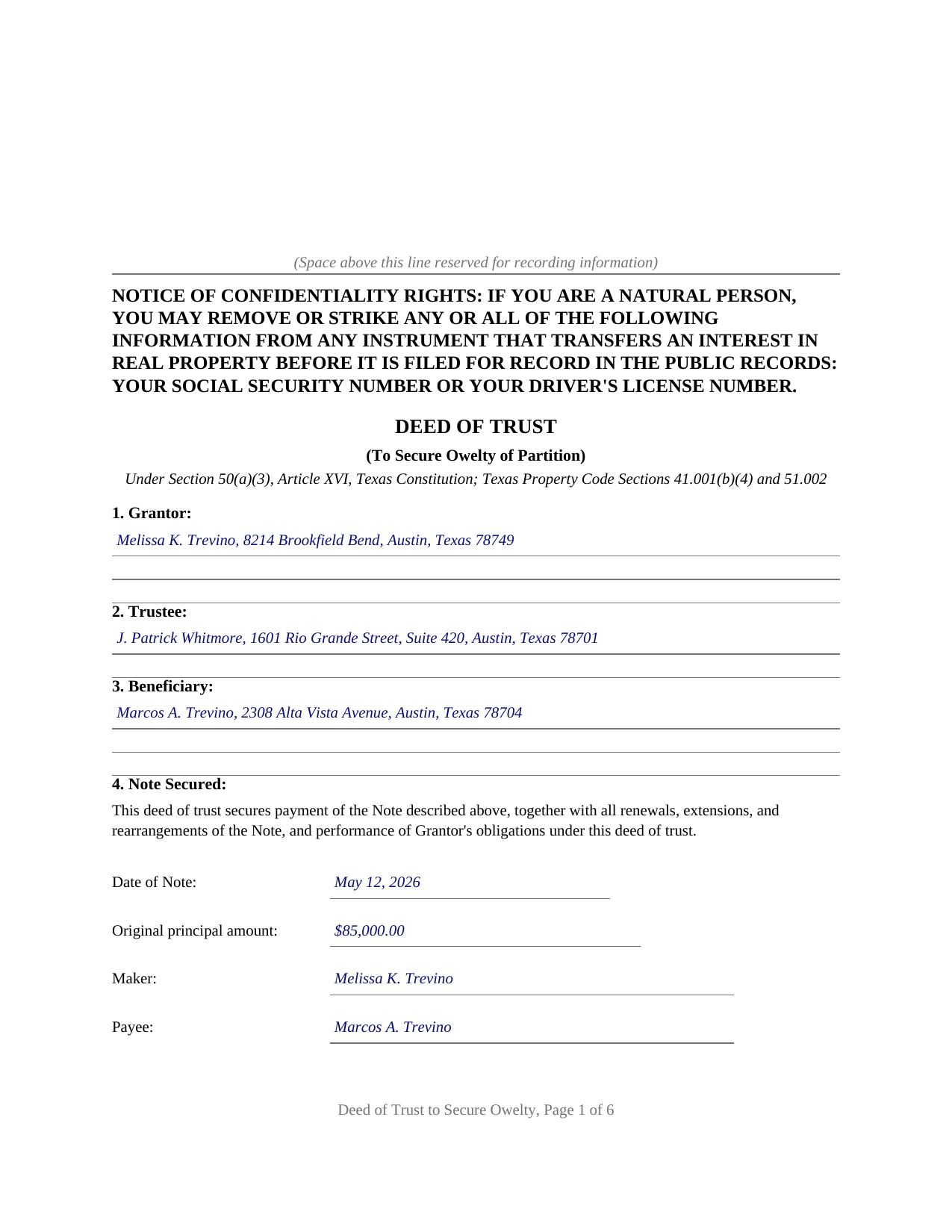
Jim Hogg County Completed Example of the Deed of Trust to Secure Owelty Document
Example of a properly completed Texas Deed of Trust to Secure Owelty document for reference.
All 3 documents above included • One-time purchase • No recurring fees
Immediate Download • Secure Checkout
Additional Texas and Jim Hogg County documents included at no extra charge:
Where to Record Your Documents
County and District Clerk
Hebbronville, Texas 78361-3509
Hours: Monday-Friday 9:00am - 5:00pm
Phone: (361) 527-5825
Recording Tips for Jim Hogg County:
- Bring your driver's license or state-issued photo ID
- Ensure all signatures are in blue or black ink
- Ask about accepted payment methods when you call ahead
- Ask for certified copies if you need them for other transactions
- Ask if they accept credit cards - many offices are cash/check only
Cities and Jurisdictions in Jim Hogg County
Properties in any of these areas use Jim Hogg County forms:
- Guerra
- Hebbronville
Hours, fees, requirements, and more for Jim Hogg County
How do I get my forms?
Forms are available for immediate download after payment. The Jim Hogg County forms will be in your account ready to download to your computer. An account is created for you during checkout if you don't have one. Forms are NOT emailed.
Are these forms guaranteed to be recordable in Jim Hogg County?
Yes. Our form blanks are guaranteed to meet or exceed the applicable formatting requirements used for recording in Jim Hogg County, including margin requirements, font requirements, and other layout standards. This guarantee applies to formatting, not to the legal sufficiency of information entered by the user or the suitability of a form for a particular transaction.
Can I reuse these forms?
Yes. You can reuse the forms for your personal use. For example, if you have multiple properties in Jim Hogg County you only need to order once.
What do I need to use these forms?
The forms are PDFs that you fill out on your computer. The free Adobe Acrobat Reader is recommended, and most PDF apps also work. You do NOT enter your property information online - you download the blank forms and complete them privately on your own computer.
Are there any recurring fees?
No. This is a one-time purchase. Nothing to cancel, no memberships, no recurring fees.
How much does it cost to record in Jim Hogg County?
Recording fees in Jim Hogg County vary. Contact the recorder's office at (361) 527-5825 for current fees.
Questions answered? Let's get started!
Texas homestead law voids most liens the moment they touch a homestead, and the short list of exceptions in Article XVI, Section 50 of the Texas Constitution is famously hard to get onto. An owelty of partition is on that list. When co-owned property is divided unequally, so that one co-owner keeps the whole property and owes the other for the surrendered share, the constitution permits that equalizing debt to be secured against the entirety of the property, homestead included. This deed of trust is the security instrument for exactly that debt.
A Lien That Reaches the Whole Property
Section 50(a)(3) excepts from homestead protection an owelty of partition imposed against the entirety of the property by a court order or by a written agreement of the parties to the partition, including a debt of one spouse in favor of the other spouse resulting from a division or an award of a family homestead in a divorce proceeding. Property Code Section 41.001(b)(4) repeats the rule on the statutory side. The doctrine is older still: in Sayers v. Pyland (Tex. 1942), the Texas Supreme Court described an owelty as being in the nature of purchase money secured by a vendor's lien and enforced one against a homestead fixed by voluntary agreement. The form recites the constitutional and statutory provisions, states that the lien attaches to the entirety of the property including any homestead interest, and identifies the specific decree or partition agreement that imposed the owelty, the connection on which the exception depends.
Divorce Buyouts and Co-Owner Partitions
The most common owelty arises in divorce: the decree awards the home to one spouse and imposes an owelty in favor of the other, payable over time or at a refinance or sale. The same structure carries a voluntary partition among co-owners, such as siblings who inherited a property and signed a written agreement setting it aside to one of them. In either setting, the co-owner keeping the property signs a promissory note and this deed of trust; the departing co-owner holds a recorded lien on the whole property rather than an unsecured promise. Where a married grantor encumbers homestead property in a co-owner partition, the form carries a joining spouse signature block and separate acknowledgment for the joinder Family Code Section 5.001 describes.
The Note, the Source Instrument, and the Power of Sale
The form identifies the note by date, amount, maker, payee, interest, and maturity, conveys the property to a trustee in trust with power of sale, and states the remedy path on default: acceleration after any required notice and cure period, then a trustee sale conducted under the notice, timing, and place requirements of Property Code Section 51.002, with substitute trustees appointed under Section 51.0075. The notice of confidentiality rights required by Property Code Section 11.008 appears at the top of the first page, and the instrument is formatted for Texas recording standards with space reserved for the clerk's stamp.
What Comes With the Form
The download includes the fillable deed of trust, a guide that walks through all fourteen sections with the statutes and cases behind them, and a completed example documenting a realistic divorce owelty from decree to acknowledgment. The materials are informational and are not legal advice.
Important: Your property must be located in Jim Hogg County to use these forms. Documents should be recorded at the county recording office listed above.
This Deed of Trust to Secure Owelty meets all recording requirements specific to Jim Hogg County.
Our Promise
The documents you receive here are guaranteed to meet or exceed the applicable Jim Hogg County recording format requirements. If there is a rejection caused by our formatting, we will correct the issue or refund your payment. This guarantee applies to document formatting only and does not extend to information entered by the user, the selection of the form, or the legal effect of the completed document.
Save Time and Money
Get your Jim Hogg County Deed of Trust to Secure Owelty form done right the first time with Deeds.com Uniform Conveyancing Blanks. At Deeds.com, we understand that your time and money are valuable resources, and we don't want you to face a penalty fee or rejection imposed by a county recorder for submitting nonstandard documents. We constantly review and update our forms to meet rapidly changing state and county recording requirements for roughly 3,500 counties and local jurisdictions.
4.8 out of 5 - ( 4,867 Reviews )
HAMIDREZA M. 5 out of 5 stars
excellent service
Thank you!
Dana R. 5 out of 5 stars
This site is Awesome! So easy to use and they really work fast. I will use this for all my Maricopa County Recorder items or deeds, etc. Love this site.
Thank you for your feedback. We really appreciate it. Have a great day!
Brian S. 3 out of 5 stars
PDF fields change font sizes leading to an unprofessional-appearing printed page. The examples for "Convey to" section don't include how to specify just one person instead of a married couple. Maybe that is simple but it would help to spell it out in an example. Haven't submitted to County Recorder yet, so will find out if it is acceptable.
Thank you for the feedback Brian.
The font issue is caused by using a PDF viewer other than Adobe Acrobat Reader. Our form fields are set to a uniform 12-point font, but non-Adobe viewers often render form fields inconsistently. Opening and printing the form with the free Adobe Acrobat Reader will resolve that.
Regarding the examples, that's a fair point, we'll look at expanding them.
Bobette B. 5 out of 5 stars
Worked well with clear guide!
Thank you!
Pam G. 5 out of 5 stars
Loved the ease of use, the very helpful instructions, and samples to go along with the documents I needed to create.
Your feedback is valuable to us and helps us improve. Thank you for sharing your thoughts!
Brian H. 2 out of 5 stars
Forms are good. But need to be able to fill in information and blanks so these can be filed. Disappointed.
Thank you for your feedback. The forms are fill in the blank, Adobe PDFs. As is noted on the site, make sure you download the documents to your computer and open them with Adobe. Sounds like you may be trying to complete them online in your browser.
Darryl S. 5 out of 5 stars
These guys saved the day! Very good at what they do and deliver AS ADVERTISED!! My county's recorder's office was closed to the public due to the COVID-19 pandemic, and the recorder's office did not offer the service I needed online. Attempting to close on a home the following day, I was in immediate need of a deed for property that I previously owned to provide to the underwriters for my pending loan. I thought I was dead in the water and would miss my next day closing date. Strolling the internet for options, I came upon DEEDS.COM. After reading the posted reviews, I thought I would give them a try. Within 10 minutes of placing my order, I received ALL the information I requested about the property I previously owned. Thank you DEEDS.COM for the prompt, courteous, and professional service. You guys are ROCK STARS!!! I closed on my new home.
Thank you so much for your kinds words Darryl, glad we were able to help.
LISA R. 5 out of 5 stars
I was very pleased to find your website and the range of services you offer. I was recommended to hire an estate attorney, but the forms you provided will eliminate the need for that. Thank you for the help!
Thank you for your feedback. We really appreciate it. Have a great day!
Katherine Y. 5 out of 5 stars
It was easy to use the form. The notary said it contained the most recent language which is also helpful.
Thanks Katherine!
Chastity S. 1 out of 5 stars
Very confusing and a waste of money, Now I will have to pay for another service from another site. Very disappointed.
Thank you for your feedback. Sorry to hear about your disappointment. It is certainly a good idea to seek a more full service route if you are not completely sure of what you are doing. We have canceled your order and payment.
Kolette S. 3 out of 5 stars
The forms are nice; however, they do not display the "th" after the day or the second digit of the year. You can type them in, but they will not print out. I just left them blank and will handwrite.
Thank you for your feedback. We really appreciate it. Have a great day!
Maria M. 5 out of 5 stars
The requested documents I needed were provided and also complete instructions on how to fill them out. I definitely will you this service again.
We appreciate your business and value your feedback. Thank you. Have a wonderful day!
Travis S. 1 out of 5 stars
I couldn't even look for a deed because the website said that deed/title searching wasn't available. Very disappointed about it.
I'm sorry to hear that you had a disappointing experience with the website's deed/title searching feature. It can be frustrating when a feature you were hoping to use isn't available.
We do hope that you found what you were looking for elsewhere.
Denise G. 5 out of 5 stars
It would be helpful if an email was sent to notify you of any additional invoices needed, documents were accepted and/or recorded. It is not always convenient to check your website on a daily basis to determine the status of the requesting recordings.
Thank you for your feedback. We really appreciate it. Have a great day!
roby m. 5 out of 5 stars
I found exactly what I needed and the download system allowed me to use the files immediately. Will use the service again.
Thank you for your feedback. We really appreciate it. Have a great day!