Mcmullen County Deed Without Warranty (Grantor to Own Revocable Trust) Form
Last validated October 5, 2026 by our Forms Development TeamFormatted for recording in Mcmullen County, for property anywhere in the county: rural and unincorporated areas as well as Calliham, Tilden.
- 3 documents included
- Immediate PDF download
- Formatting guarantee
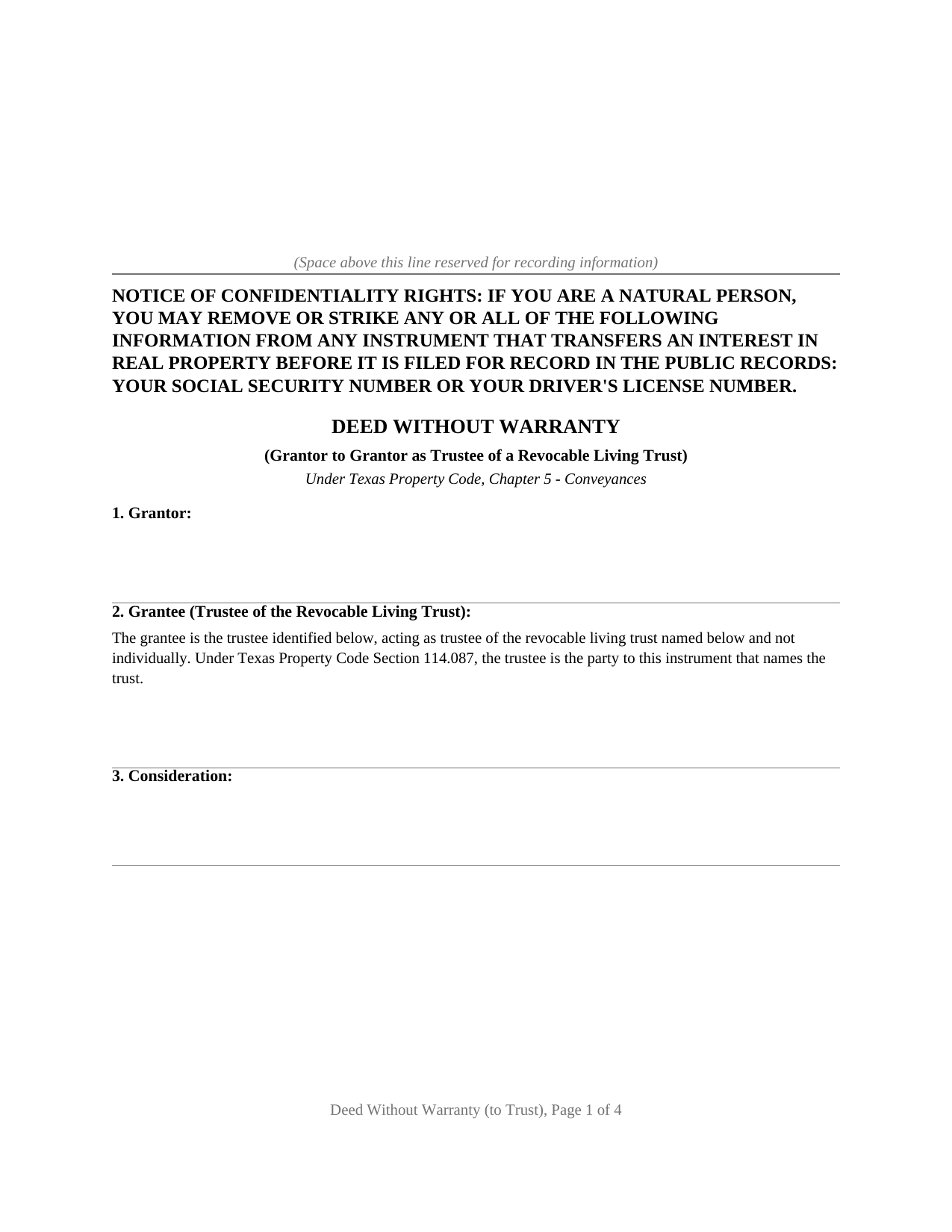
Mcmullen County Deed Without Warranty (Grantor to Own Revocable Trust) Form
Fill in the blank Deed Without Warranty (Grantor to Own Revocable Trust) form formatted to comply with all Texas recording and content requirements.
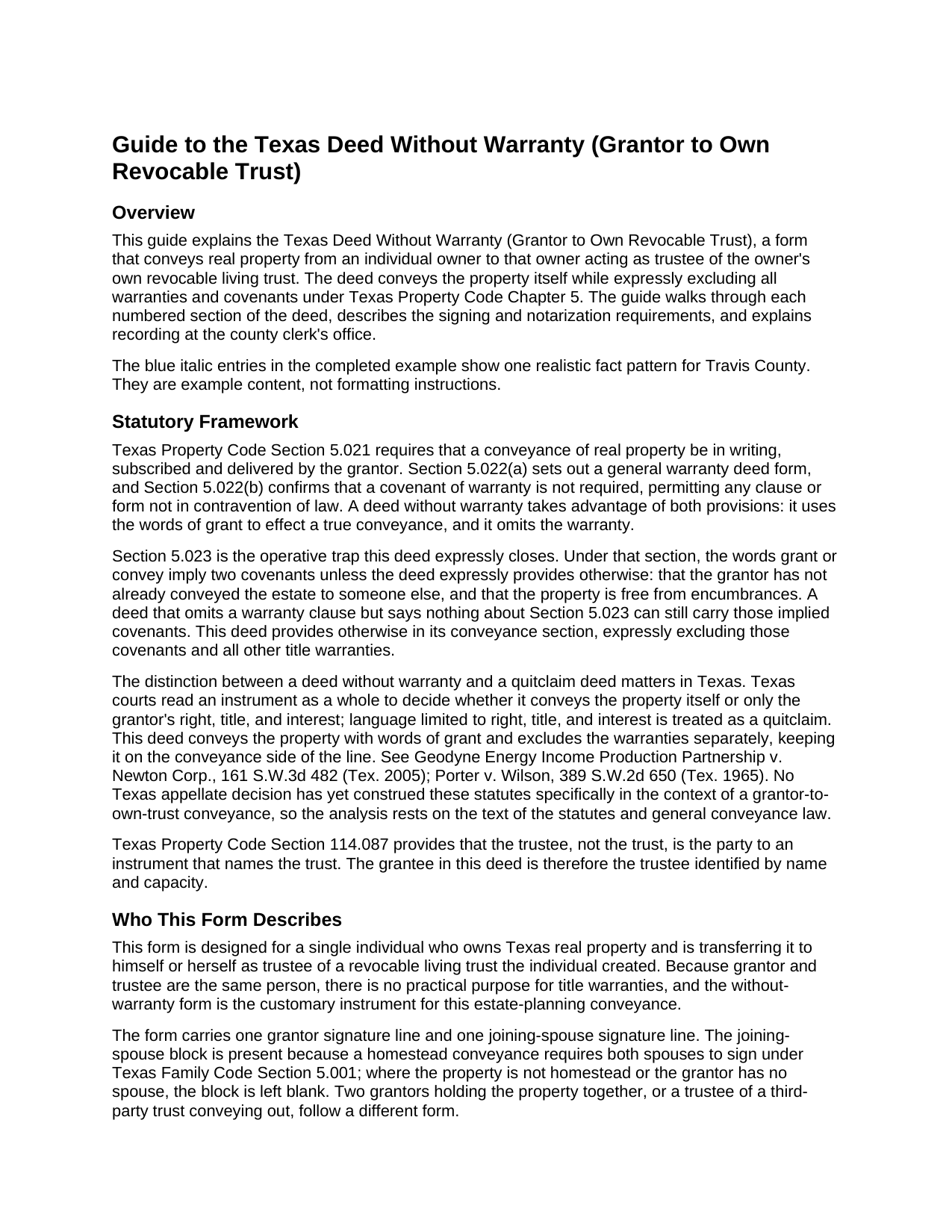
Mcmullen County Deed Without Warranty (Grantor to Own Revocable Trust) Guide
Line by line guide explaining every blank on the Deed Without Warranty (Grantor to Own Revocable Trust) form.
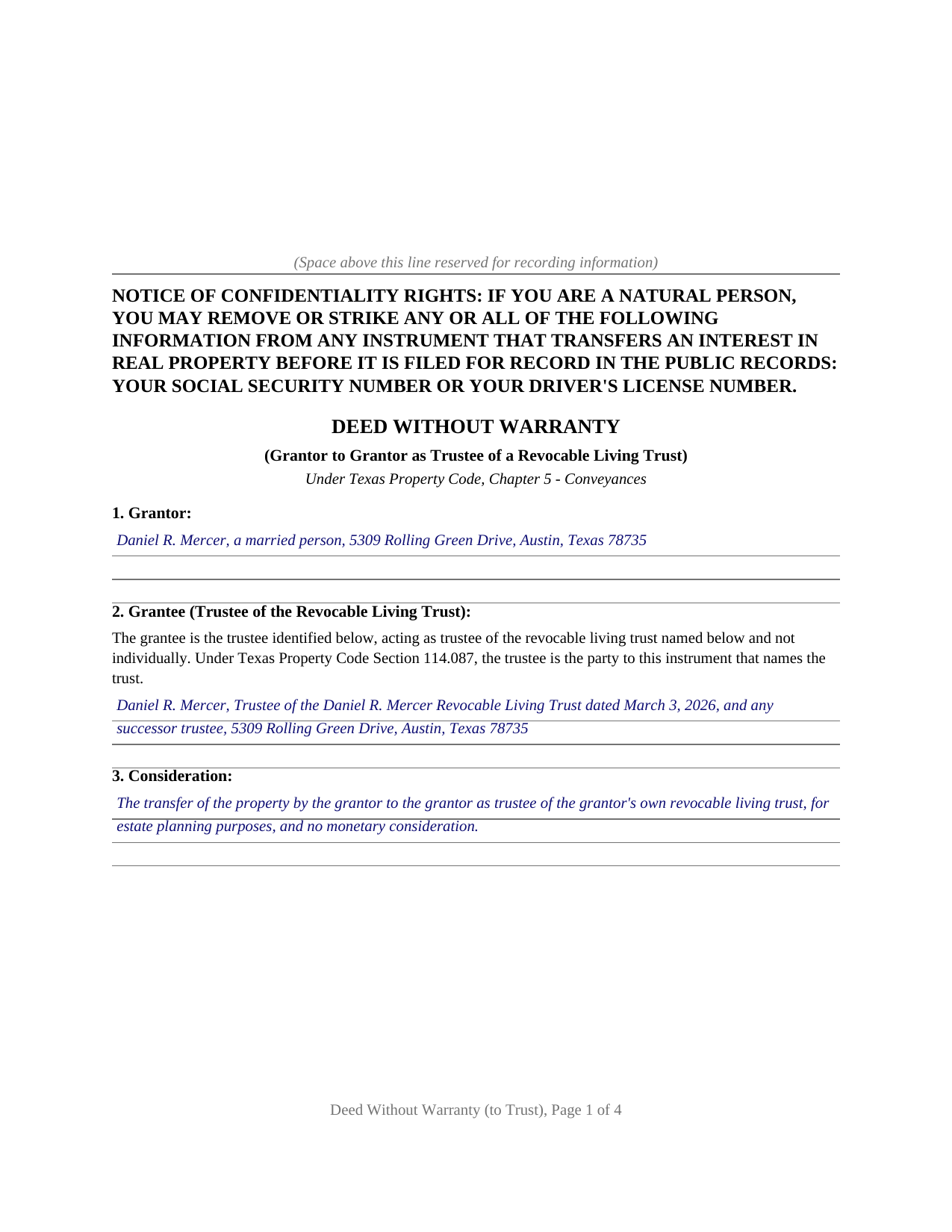
Mcmullen County Completed Example of the Deed Without Warranty (Grantor to Own Revocable Trust) Document
Example of a properly completed Texas Deed Without Warranty (Grantor to Own Revocable Trust) document for reference.
All 3 documents above included • One-time purchase • No recurring fees
Immediate Download • Secure Checkout
Additional Texas and Mcmullen County documents included at no extra charge:
Where to Record Your Documents
McMullen County Clerk
Tilden, Texas 78072
Hours: Monday - Friday 8:00am - 4:00pm
Phone: (361) 274-3215 ‎
Recording Tips for Mcmullen County:
- Bring your driver's license or state-issued photo ID
- Ensure all signatures are in blue or black ink
- Check that your notary's commission hasn't expired
- Documents must be on 8.5 x 11 inch white paper
- Double-check legal descriptions match your existing deed
Cities and Jurisdictions in Mcmullen County
Properties in any of these areas use Mcmullen County forms:
- Calliham
- Tilden
Hours, fees, requirements, and more for Mcmullen County
How do I get my forms?
Forms are available for immediate download after payment. The Mcmullen County forms will be in your account ready to download to your computer. An account is created for you during checkout if you don't have one. Forms are NOT emailed.
Are these forms guaranteed to be recordable in Mcmullen County?
Yes. Our form blanks are guaranteed to meet or exceed the applicable formatting requirements used for recording in Mcmullen County, including margin requirements, font requirements, and other layout standards. This guarantee applies to formatting, not to the legal sufficiency of information entered by the user or the suitability of a form for a particular transaction.
Can I reuse these forms?
Yes. You can reuse the forms for your personal use. For example, if you have multiple properties in Mcmullen County you only need to order once.
What do I need to use these forms?
The forms are PDFs that you fill out on your computer. The free Adobe Acrobat Reader is recommended, and most PDF apps also work. You do NOT enter your property information online - you download the blank forms and complete them privately on your own computer.
Are there any recurring fees?
No. This is a one-time purchase. Nothing to cancel, no memberships, no recurring fees.
How much does it cost to record in Mcmullen County?
Recording fees in Mcmullen County vary. Contact the recorder's office at (361) 274-3215 ‎ for current fees.
Questions answered? Let's get started!
Moving real property into a revocable living trust is how an estate plan takes effect for real estate. The owner transfers title to herself as trustee, and from that moment the property is a trust asset. When grantor and trustee are the same person, there is nothing to warrant about the title. This form prepares a Texas deed without warranty for that transfer: from an individual owner to that same individual acting as trustee of the owner's own revocable living trust, under Chapter 5 of the Texas Property Code.
A transfer deed, not a quitclaim
A deed without warranty occupies a precise legal position. It conveys the property itself, using the operative word CONVEYS, which places it among true conveyance deeds rather than quitclaims. A quitclaim passes only whatever right, title, and interest the grantor holds, a posture courts read as doubt about the title; a deed without warranty passes the property and simply makes no promise about it. Texas courts look at the whole instrument to decide which a deed is, not just the caption, and this form is drafted to come down on the conveyance side.
Why the warranty exclusion must be spelled out
Texas Property Code Section 5.023 hides a trap in ordinary conveyance language. The words grant or convey imply two covenants unless the deed expressly provides otherwise: that the grantor has not already conveyed the estate to someone else, and that the property is free from encumbrances. A deed labeled without warranty that simply grants and conveys can still carry those statutory covenants. This form closes the gap: its conveyance section expressly excludes the Section 5.023 covenants and all other title warranties, so the operative words import no promise the grantor never intended to make.
Naming the trustee as grantee
Texas Property Code Section 114.087 establishes that the trustee, not the trust itself, is the party to an instrument that names the trust. Title vests in the trustee in a fiduciary capacity; the trust entity holds no title. This form names the grantee in full: the individual's name, the word Trustee, the exact name of the trust as stated in the trust instrument, and the date the trust was created. A shorthand description, or a description that mismatches the trust instrument's language, can leave a gap in the chain of title that surfaces at the next conveyance or refinance.
Homestead and the joining-spouse block
A deed without warranty is a present conveyance, and a present conveyance of the homestead requires both spouses to sign under Texas Family Code Section 5.001. The form carries a joining-spouse signature block and a separate acknowledgment certificate for a spouse who is not the record owner, so the homestead joinder requirement can be satisfied where the property qualifies. Where the property is not homestead or the grantor has no spouse, the block is left blank; a joining spouse conveys no separate ownership interest by signing.
What the package includes
The package includes the blank deed as a fillable PDF, a completed example filled in for a realistic Travis County fact pattern, and a plain-language guide that walks through every numbered section, explains the governing statutes, and describes signing, notarization, and recording. The materials are informational and are not legal advice.
Important: Your property must be located in Mcmullen County to use these forms. Documents should be recorded at the county recording office listed above.
This Deed Without Warranty (Grantor to Own Revocable Trust) meets all recording requirements specific to Mcmullen County.
Our Promise
The documents you receive here are guaranteed to meet or exceed the applicable Mcmullen County recording format requirements. If there is a rejection caused by our formatting, we will correct the issue or refund your payment. This guarantee applies to document formatting only and does not extend to information entered by the user, the selection of the form, or the legal effect of the completed document.
Save Time and Money
Get your Mcmullen County Deed Without Warranty (Grantor to Own Revocable Trust) form done right the first time with Deeds.com Uniform Conveyancing Blanks. At Deeds.com, we understand that your time and money are valuable resources, and we don't want you to face a penalty fee or rejection imposed by a county recorder for submitting nonstandard documents. We constantly review and update our forms to meet rapidly changing state and county recording requirements for roughly 3,500 counties and local jurisdictions.
4.8 out of 5 - ( 4,844 Reviews )
Suzy I. 5 out of 5 stars
I was overwhelmed with information about what forms I needed to complete the probate process, and this site was very helpful! Everything was in one place to download. Thanks!
We appreciate your business and value your feedback. Thank you. Have a wonderful day!
Jane B. 5 out of 5 stars
Easy to use,thanks
Thank you!
joab k. 3 out of 5 stars
Usable mediocre average stuff. functional but not extraordinary but the price and service is quite good
Thank you for your feedback. We really appreciate it. Have a great day!
Don M. 3 out of 5 stars
I find the site very difficult to nagitagte.
Sorry to hear that Don, we’ll try harder.
Morgan K. 5 out of 5 stars
When I brought this deed to the county assessor, they were so impressed that I had done it correctly on my first try, and said they wished everyone would do such a good job on their paperwork.
Thank you for your feedback. We really appreciate it. Have a great day!
RAMONA F. 3 out of 5 stars
Good communication but they were unable to help me
Thank you for your feedback. We really appreciate it. Have a great day!
Victoria L. 5 out of 5 stars
This is a fantastic website and financial savings to many. Being able to download and complete the document I needed vs having my attorney complete saved me $800. I would highly recommend this website.
Thank you for the kind words Victoria. Have a great day!
DAVID JOHN M. 5 out of 5 stars
The Transfer On Death Deed did work for New Mexico! Though I did have to add the long property description to the "Exhibit" page that was included with the document. Great website! Will use again! Thanks!!!
We appreciate your business and value your feedback. Thank you. Have a wonderful day!
Kendrick S. 5 out of 5 stars
Really solid system for determining what may prevent your documents from being accepted. I love the comments section allowing for fluid communication. I only wish there were automated emails for all those communications and once documents were accepted, but I did receive a couple personally-generated emails regarding the progress instructing me to check the site.
Thank you for your feedback. We really appreciate it. Have a great day!
Marilyn T. 5 out of 5 stars
This is an extremely user friendly site! I had been searching the internet for days for the proper Gift Deed document. I had no idea that my state, the great state of Mississippi had their own site. I am truly looking forward to using this site for additional available documents. Many more blessings to the creator of this site! Keep them coming! Thank You!
We appreciate your business and value your feedback. Thank you. Have a wonderful day!
george k. 5 out of 5 stars
Thank u the site helped me get the quick deed forms I needed for TN.i will use it in the furture.
Thank you for your feedback. We really appreciate it. Have a great day!
Hanna M. 5 out of 5 stars
Very helpful information! Thank you for your service!
Thank you!
Helen B. 5 out of 5 stars
Very Good!
Thank you!
JIM H. 5 out of 5 stars
Excellent service Always find the documents in minutes. Supporting docs is a super plus!
Thank you!
Kim B. 5 out of 5 stars
The package was extremely helpful and provided everything I needed to complete this for my mom- I highly recommend their service!
Your feedback is greatly appreciated. Thank you for taking the time to share your experience!