Trinity County Deed Without Warranty (Grantor to Own Revocable Trust) Form
Last validated October 5, 2026 by our Forms Development TeamFormatted for recording in Trinity County, for property anywhere in the county: rural and unincorporated areas as well as Apple Springs, Centralia, Groveton, Pennington, Trinity, Woodlake.
- 3 documents included
- Immediate PDF download
- Formatting guarantee
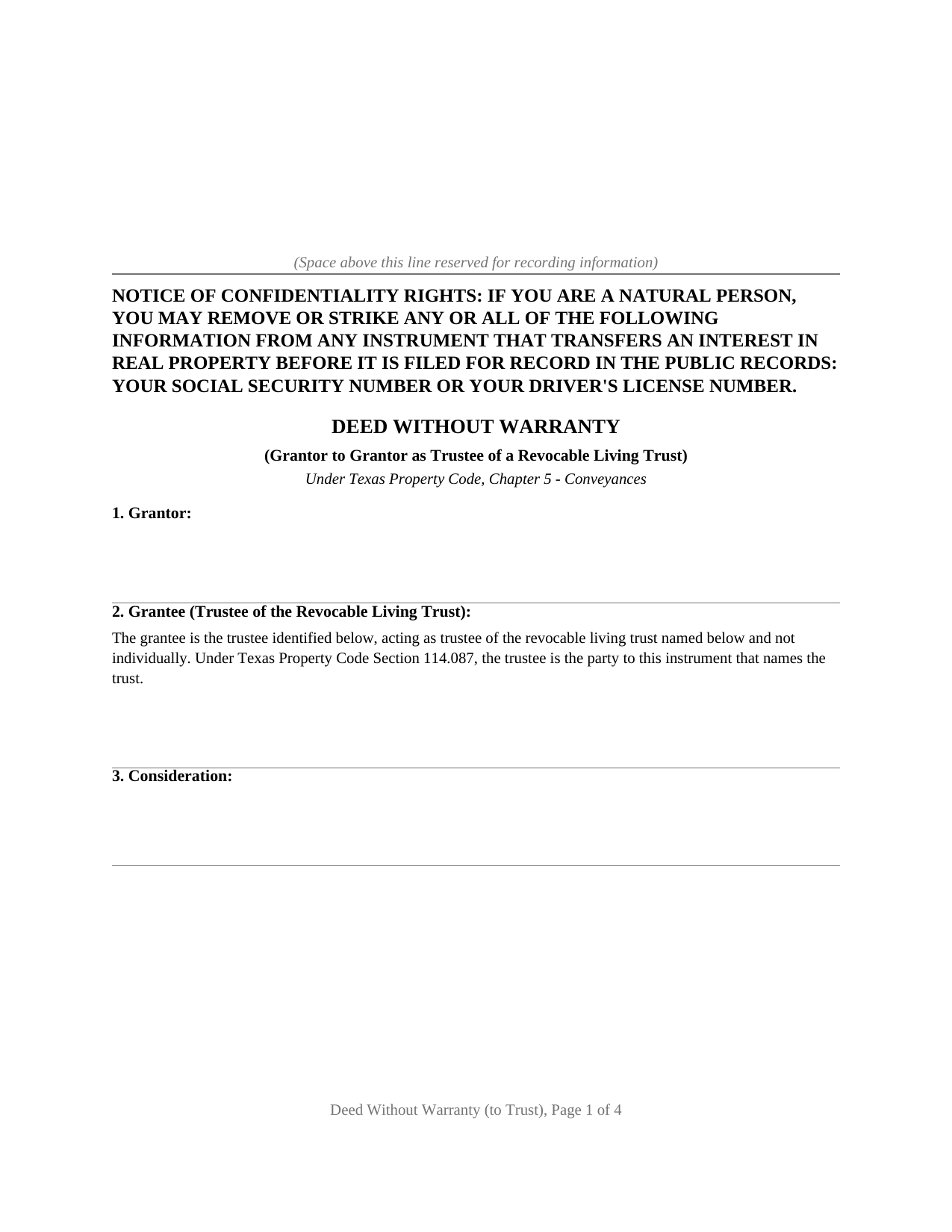
Trinity County Deed Without Warranty (Grantor to Own Revocable Trust) Form
Fill in the blank Deed Without Warranty (Grantor to Own Revocable Trust) form formatted to comply with all Texas recording and content requirements.
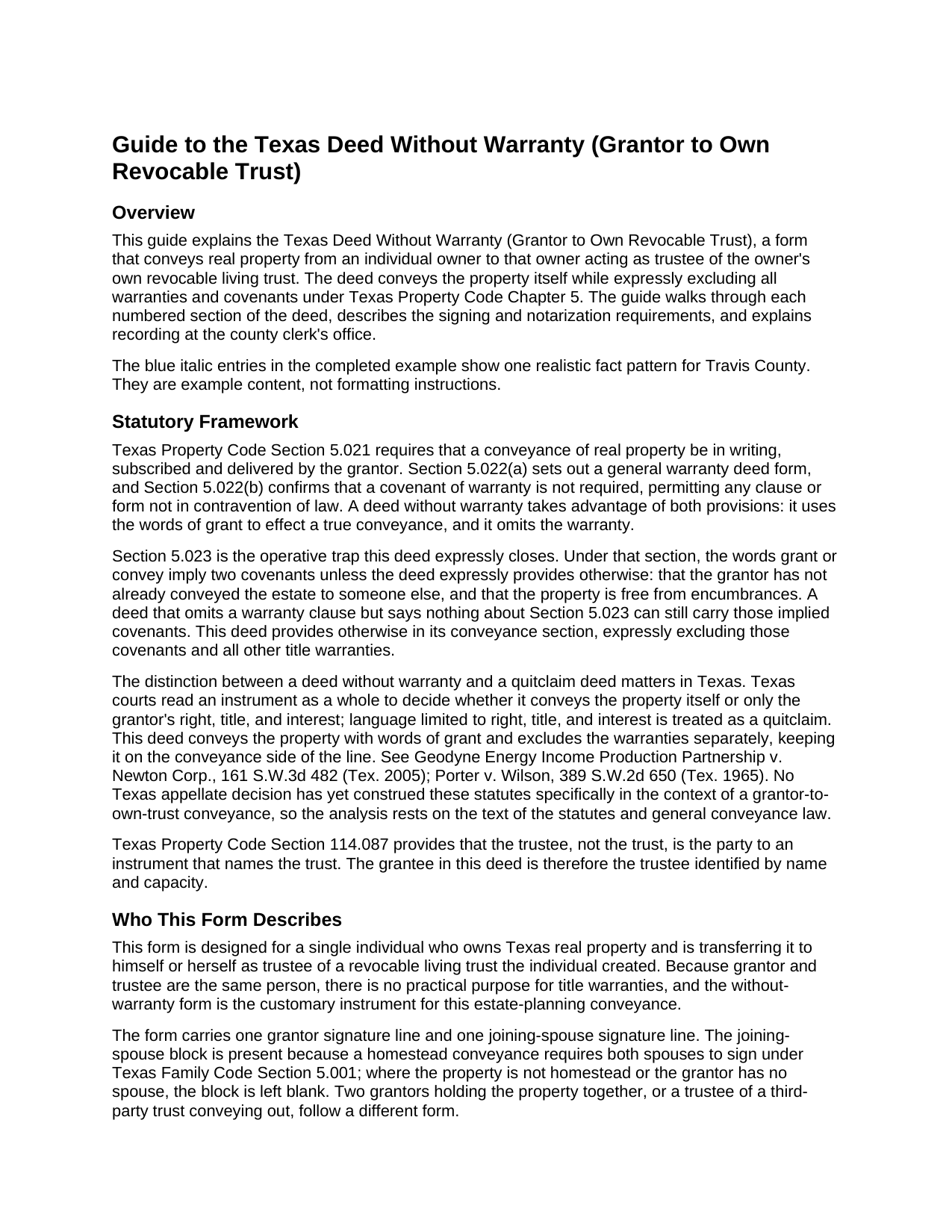
Trinity County Deed Without Warranty (Grantor to Own Revocable Trust) Guide
Line by line guide explaining every blank on the Deed Without Warranty (Grantor to Own Revocable Trust) form.
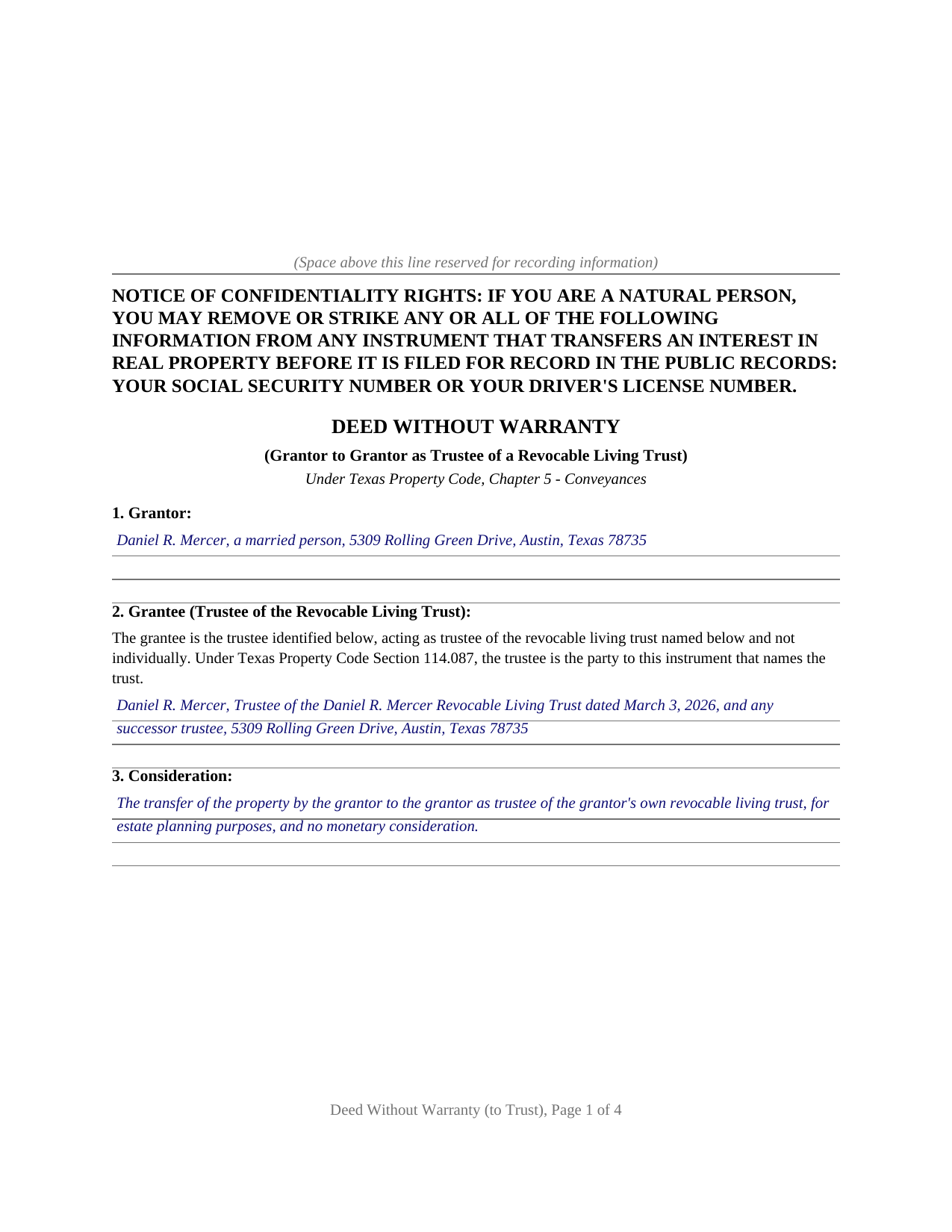
Trinity County Completed Example of the Deed Without Warranty (Grantor to Own Revocable Trust) Document
Example of a properly completed Texas Deed Without Warranty (Grantor to Own Revocable Trust) document for reference.
All 3 documents above included • One-time purchase • No recurring fees
Immediate Download • Secure Checkout
Additional Texas and Trinity County documents included at no extra charge:
Where to Record Your Documents
Trinity County Clerk
Groveton, Texas 75845
Hours: 8:00am to 4:30pm M-F
Phone: (936) 642-1208
Recording Tips for Trinity County:
- Bring your driver's license or state-issued photo ID
- Ensure all signatures are in blue or black ink
- Bring extra funds - fees can vary by document type and page count
- Check margin requirements - usually 1-2 inches at top
- Leave recording info boxes blank - the office fills these
Cities and Jurisdictions in Trinity County
Properties in any of these areas use Trinity County forms:
- Apple Springs
- Centralia
- Groveton
- Pennington
- Trinity
- Woodlake
Hours, fees, requirements, and more for Trinity County
How do I get my forms?
Forms are available for immediate download after payment. The Trinity County forms will be in your account ready to download to your computer. An account is created for you during checkout if you don't have one. Forms are NOT emailed.
Are these forms guaranteed to be recordable in Trinity County?
Yes. Our form blanks are guaranteed to meet or exceed the applicable formatting requirements used for recording in Trinity County, including margin requirements, font requirements, and other layout standards. This guarantee applies to formatting, not to the legal sufficiency of information entered by the user or the suitability of a form for a particular transaction.
Can I reuse these forms?
Yes. You can reuse the forms for your personal use. For example, if you have multiple properties in Trinity County you only need to order once.
What do I need to use these forms?
The forms are PDFs that you fill out on your computer. The free Adobe Acrobat Reader is recommended, and most PDF apps also work. You do NOT enter your property information online - you download the blank forms and complete them privately on your own computer.
Are there any recurring fees?
No. This is a one-time purchase. Nothing to cancel, no memberships, no recurring fees.
How much does it cost to record in Trinity County?
Recording fees in Trinity County vary. Contact the recorder's office at (936) 642-1208 for current fees.
Questions answered? Let's get started!
Moving real property into a revocable living trust is how an estate plan takes effect for real estate. The owner transfers title to herself as trustee, and from that moment the property is a trust asset. When grantor and trustee are the same person, there is nothing to warrant about the title. This form prepares a Texas deed without warranty for that transfer: from an individual owner to that same individual acting as trustee of the owner's own revocable living trust, under Chapter 5 of the Texas Property Code.
A transfer deed, not a quitclaim
A deed without warranty occupies a precise legal position. It conveys the property itself, using the operative word CONVEYS, which places it among true conveyance deeds rather than quitclaims. A quitclaim passes only whatever right, title, and interest the grantor holds, a posture courts read as doubt about the title; a deed without warranty passes the property and simply makes no promise about it. Texas courts look at the whole instrument to decide which a deed is, not just the caption, and this form is drafted to come down on the conveyance side.
Why the warranty exclusion must be spelled out
Texas Property Code Section 5.023 hides a trap in ordinary conveyance language. The words grant or convey imply two covenants unless the deed expressly provides otherwise: that the grantor has not already conveyed the estate to someone else, and that the property is free from encumbrances. A deed labeled without warranty that simply grants and conveys can still carry those statutory covenants. This form closes the gap: its conveyance section expressly excludes the Section 5.023 covenants and all other title warranties, so the operative words import no promise the grantor never intended to make.
Naming the trustee as grantee
Texas Property Code Section 114.087 establishes that the trustee, not the trust itself, is the party to an instrument that names the trust. Title vests in the trustee in a fiduciary capacity; the trust entity holds no title. This form names the grantee in full: the individual's name, the word Trustee, the exact name of the trust as stated in the trust instrument, and the date the trust was created. A shorthand description, or a description that mismatches the trust instrument's language, can leave a gap in the chain of title that surfaces at the next conveyance or refinance.
Homestead and the joining-spouse block
A deed without warranty is a present conveyance, and a present conveyance of the homestead requires both spouses to sign under Texas Family Code Section 5.001. The form carries a joining-spouse signature block and a separate acknowledgment certificate for a spouse who is not the record owner, so the homestead joinder requirement can be satisfied where the property qualifies. Where the property is not homestead or the grantor has no spouse, the block is left blank; a joining spouse conveys no separate ownership interest by signing.
What the package includes
The package includes the blank deed as a fillable PDF, a completed example filled in for a realistic Travis County fact pattern, and a plain-language guide that walks through every numbered section, explains the governing statutes, and describes signing, notarization, and recording. The materials are informational and are not legal advice.
Important: Your property must be located in Trinity County to use these forms. Documents should be recorded at the county recording office listed above.
This Deed Without Warranty (Grantor to Own Revocable Trust) meets all recording requirements specific to Trinity County.
Our Promise
The documents you receive here are guaranteed to meet or exceed the applicable Trinity County recording format requirements. If there is a rejection caused by our formatting, we will correct the issue or refund your payment. This guarantee applies to document formatting only and does not extend to information entered by the user, the selection of the form, or the legal effect of the completed document.
Save Time and Money
Get your Trinity County Deed Without Warranty (Grantor to Own Revocable Trust) form done right the first time with Deeds.com Uniform Conveyancing Blanks. At Deeds.com, we understand that your time and money are valuable resources, and we don't want you to face a penalty fee or rejection imposed by a county recorder for submitting nonstandard documents. We constantly review and update our forms to meet rapidly changing state and county recording requirements for roughly 3,500 counties and local jurisdictions.
4.8 out of 5 - ( 4,845 Reviews )
Allen M. 5 out of 5 stars
Fast,quick and easy to work with. Not confusing.
We appreciate your business and value your feedback. Thank you. Have a wonderful day!
HEATHER M. 5 out of 5 stars
The guide I needed was very easy to understand and the template was easy to complete. I had a property attorney review the deed before I had it registered and she was impressed. She said she couldn't have written it better herself! Definitely worth the money instead of paying high dollar attorney fees for a simple task.
Your feedback is greatly appreciated. Thank you for taking the time to share your experience!
Nancy D. 5 out of 5 stars
Program works well. Saves a lot of time trying to find out what you need to do.
Thank you!
Thomas S. 5 out of 5 stars
Very nice.
Thank you!
Gary S. 5 out of 5 stars
Easy to use. Very helpful
Thank you!
Catherine E. 5 out of 5 stars
I was referred to your company, but when i tried to process the recording of a deed to a property in City of Philadelphia my service was rejected. I appreciated the feedback i received from one of your representatives who instructed me in the right process for recording a deed in philadelphia. Thank you for all your help. The deed that needed to be recorded was overnighted yesterday. Stay safe and mask up
Thank you!
John F. 5 out of 5 stars
The document I purchased was perfect for what I needed done. Very easy to obtain the document. Website very easy to navigate. Would use again and would recommend to anyone who needs the documents.
Thank you for your feedback. We really appreciate it. Have a great day!
Marilyn S. 5 out of 5 stars
I was pleased with the service and product.
Thank you!
Lillian F. 5 out of 5 stars
I LOVE THE EASE OF GETTING THE INFORMATION I REQUESTED. YOUR SERVICE IS MORE THAN WHAT I EXPECTED.
We appreciate your business and value your feedback. Thank you. Have a wonderful day!
Nancy C. 3 out of 5 stars
Very disappointed that you had certain documents but did not have the accompanying documents needed to complete the transfer. I also had issues with the documents not allowing you to fill in the pages... example the document was prefilled in as so ... Page 1 of_____ but you could not fill in the blank... I tried reaching out to your customer service, but they had no solution for me. So, I had to write in the page, which didn't look professional. I think I could have gotten documents just as good for free if I'd research a little longer.
Thank you for your feedback, Nancy.
The Virginia Transfer on Death Deed and the Virginia Transfer on Death Beneficiary Affidavit are separate documents and are offered individually because many customers only need one, depending on their situation. In your case, the affidavit was later ordered separately.
Regarding the page numbering (“Page 1 of ___”), that field is intentionally left blank. The total number of pages is not known until the document is finalized, signed, notarized, and all attachments (such as exhibits or legal descriptions) are included. It is standard practice to complete that portion by hand at execution so the final page count accurately reflects the recorded document.
We are unable to locate a customer service inquiry associated with your order, but we are always glad to assist when contacted directly.
We appreciate your feedback and wish you the best with your transfer.
James S. 2 out of 5 stars
Order Process: 5 Stars - very easy Material Received: 2 Stars Issues: 1. Printing- Document would not print in format displayed. Format would continually shrink to approx 2/3 size thus not useable for formal doc submission to County Records office. 2. Document Format- Data insertion fields (addresses) were not of correct size for data input. I needed a 4 line input space but was limited to only 3 lines. Also, Date field (year) was mis-oriented in-so-much that the 3rd digit (inputted) overlapped on 2nd digit (pre-printed) and also was of noticeably different font. 3. Useability- Hand-written input space provided (for Notary) was deficient in space and spacing. It was a challenge to utilize the space available to complete fully and maintain legibility. Overall - the document worked marginally as advertised, I did need to re-write the entire document myself. It is a good concept but I'd recommend that Deeds company improve the downloaded forms for actual useability, readability, functionability. regards, Jim S
Thank you for your feedback. We really appreciate it. Have a great day!
Darrell W. 5 out of 5 stars
Fast and easy to use. Nice to have available online.
Thank you for your feedback. We really appreciate it. Have a great day!
Jim J. 5 out of 5 stars
The forms were easy to use and the fields are tabbed so that you can enter your information and then move quickly to the next entry. The Guide for the documents was very helpful.
Thanks Jim, we appreciate your feedback.
Jay R. 5 out of 5 stars
First time user. Great service, a little costly though
Thank you!
Catherine M. 5 out of 5 stars
Easy to use, loved the format, will use again
Thank you, Catherine! We’re so glad you found the process easy and liked the format. We appreciate your support and look forward to helping you again soon!