Callahan County Demand for Payment Form
Last validated October 12, 2026 by our Forms Development TeamFormatted for recording in Callahan County, for property anywhere in the county: rural and unincorporated areas as well as Baird, Clyde, Cross Plains, Putnam.
- 3 documents included
- Immediate PDF download
- Formatting guarantee
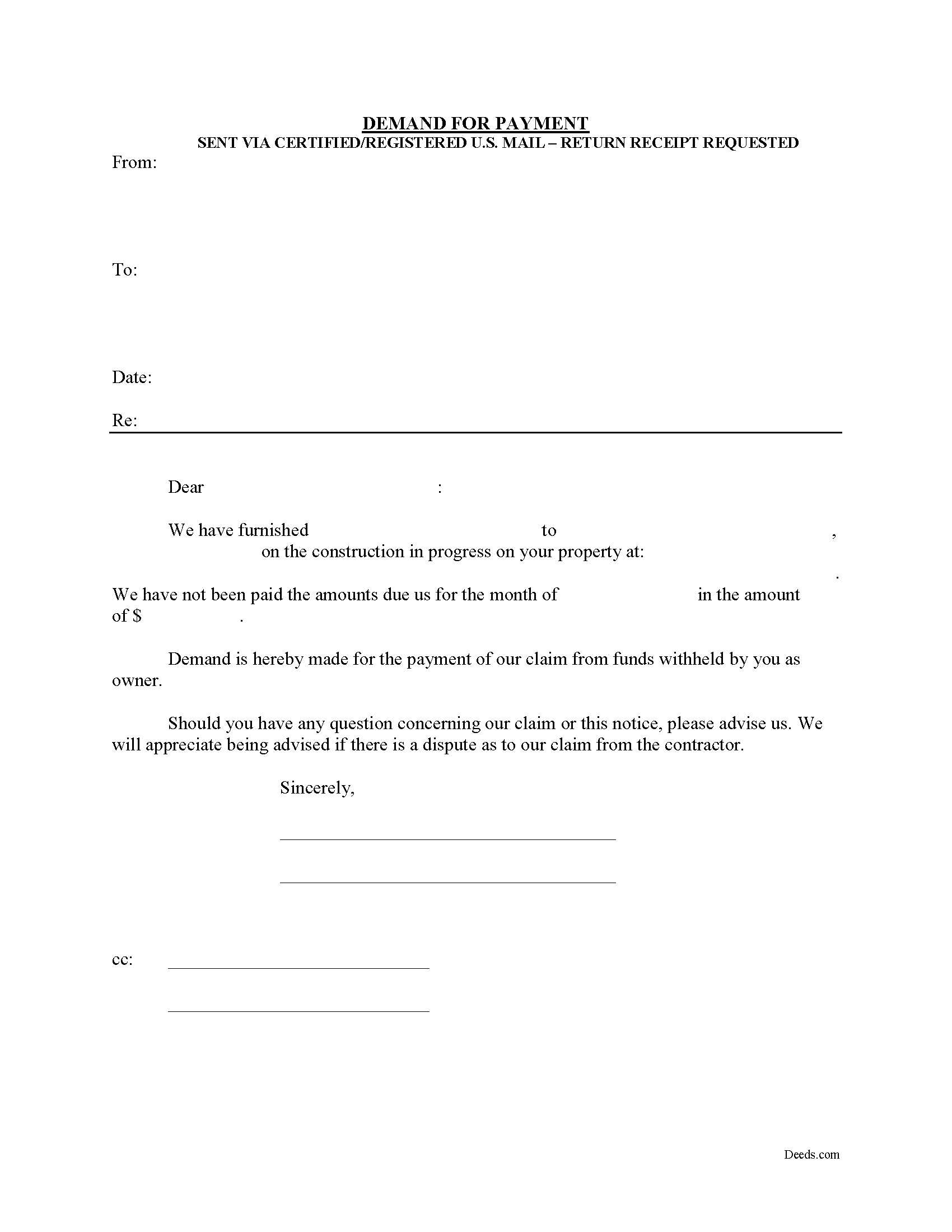
Callahan County Demand for Payment Form
Fill in the blank Demand for Payment form formatted to comply with all Texas recording and content requirements.
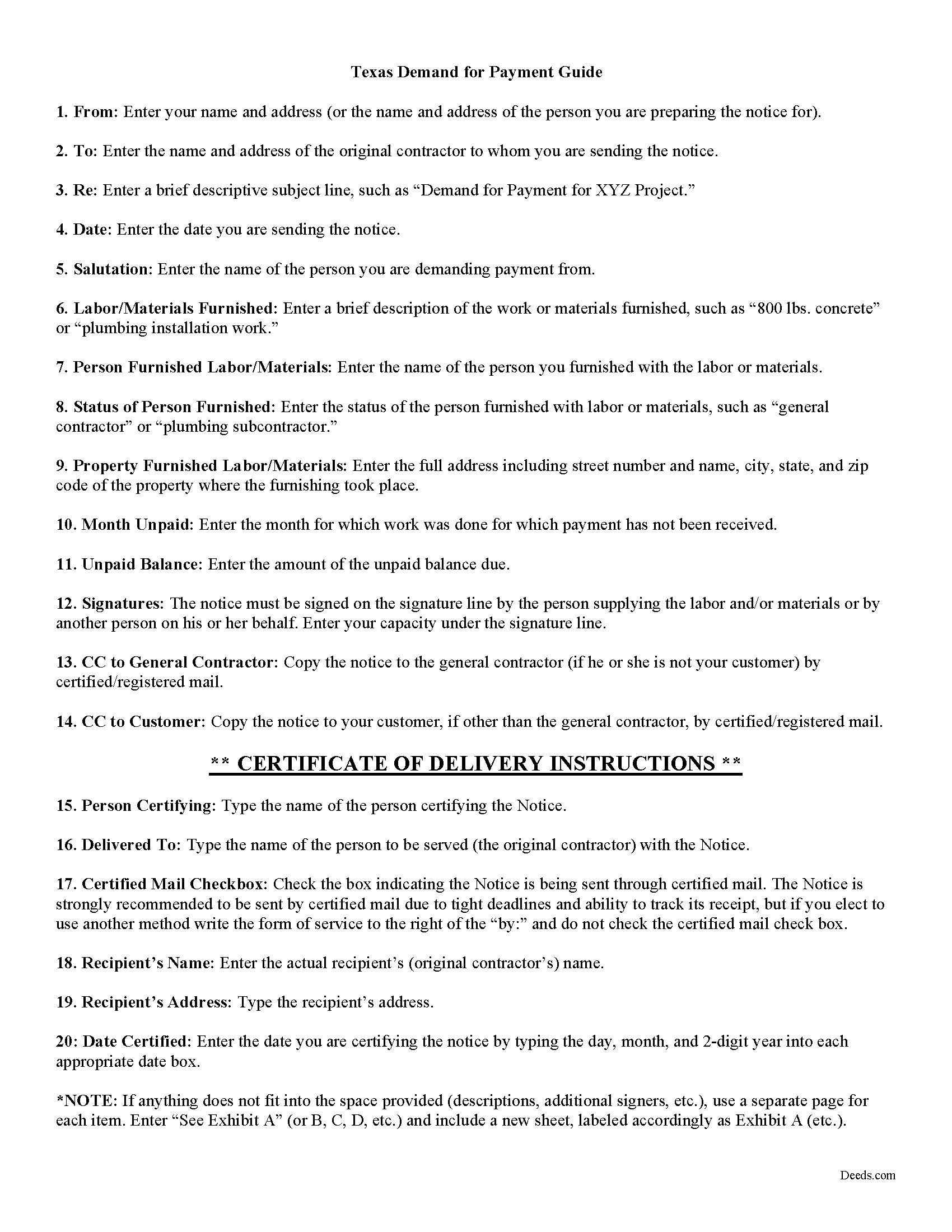
Callahan County Demand for Payment Guide
Line by line guide explaining every blank on the form.
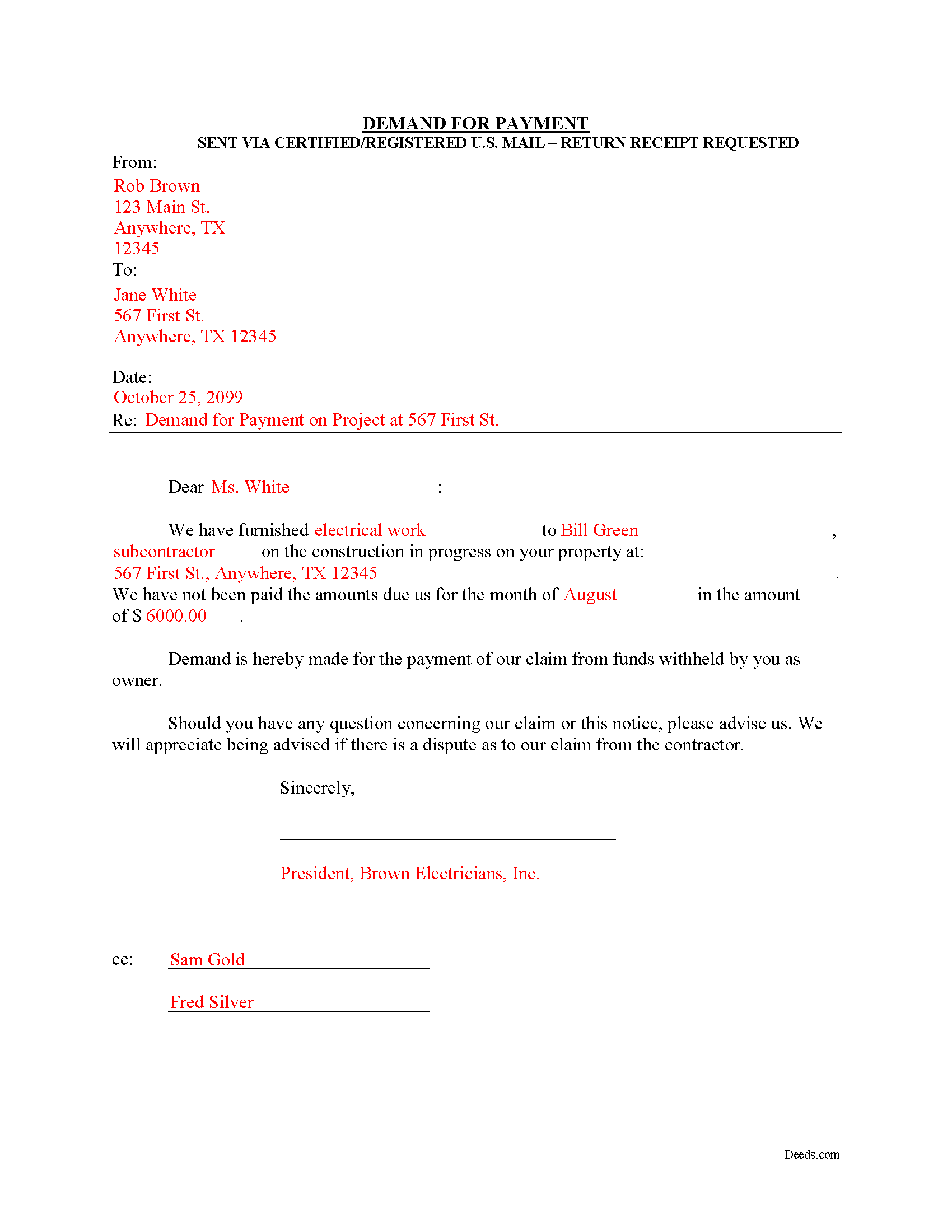
Callahan County Completed Example of the Demand for Payment Document
Example of a properly completed form for reference.
All 3 documents above included • One-time purchase • No recurring fees
Immediate Download • Secure Checkout
Additional Texas and Callahan County documents included at no extra charge:
Where to Record Your Documents
Callahan County Clerk
Baird, Texas 79504
Hours: Monday - Friday 8:00am - 5:00pm
Phone: (325) 854-5815
Recording Tips for Callahan County:
- Bring your driver's license or state-issued photo ID
- Ensure all signatures are in blue or black ink
- White-out or correction fluid may cause rejection
- Ask about their eRecording option for future transactions
- Avoid the last business day of the month when possible
Cities and Jurisdictions in Callahan County
Properties in any of these areas use Callahan County forms:
- Baird
- Clyde
- Cross Plains
- Putnam
Hours, fees, requirements, and more for Callahan County
How do I get my forms?
Forms are available for immediate download after payment. The Callahan County forms will be in your account ready to download to your computer. An account is created for you during checkout if you don't have one. Forms are NOT emailed.
Are these forms guaranteed to be recordable in Callahan County?
Yes. Our form blanks are guaranteed to meet or exceed the applicable formatting requirements used for recording in Callahan County, including margin requirements, font requirements, and other layout standards. This guarantee applies to formatting, not to the legal sufficiency of information entered by the user or the suitability of a form for a particular transaction.
Can I reuse these forms?
Yes. You can reuse the forms for your personal use. For example, if you have multiple properties in Callahan County you only need to order once.
What do I need to use these forms?
The forms are PDFs that you fill out on your computer. The free Adobe Acrobat Reader is recommended, and most PDF apps also work. You do NOT enter your property information online - you download the blank forms and complete them privately on your own computer.
Are there any recurring fees?
No. This is a one-time purchase. Nothing to cancel, no memberships, no recurring fees.
How much does it cost to record in Callahan County?
Recording fees in Callahan County vary. Contact the recorder's office at (325) 854-5815 for current fees.
Questions answered? Let's get started!
The Demand for Payment form is used by unpaid individual claimants to demand payment of their claim on an owner who is authorized to withhold funds under 53.083(a) of the Texas Property Code. The demand form also provides notice to the owner that all or part of the claim has accrued under Texas Code 53.053 or is past due under the agreement between the parties.
The claimant must also send a copy of the demand to the original contractor. If the original contractor intends to dispute the claim, he must give the owner written notice no later than the 30th day after the day he receives the copy of the demand. Failure to respond in a timely fashion implies approval of the demand and the owner must then pay the claim.
The Demand for Payment identifies the parties, the project, and relevant dates, services/materials, and fees. It is a required step in securing an eventual mechanic's lien on the owner's property if the claim remains unpaid after demand is sent.
The form does not require a notary seal or other verification, nor is it filed in the local land records. Instead, deliver the demand for payment via certified or registered mail, with a return receipt requested.
Each case is unique, and the mechanic's lien law in Texas can be complicated. Contact an attorney for complex situations, with specific questions about sending a demand for payment, or any other issue related to mechanic's liens.
Important: Your property must be located in Callahan County to use these forms. Documents should be recorded at the county recording office listed above.
This Demand for Payment meets all recording requirements specific to Callahan County.
Our Promise
The documents you receive here are guaranteed to meet or exceed the applicable Callahan County recording format requirements. If there is a rejection caused by our formatting, we will correct the issue or refund your payment. This guarantee applies to document formatting only and does not extend to information entered by the user, the selection of the form, or the legal effect of the completed document.
Save Time and Money
Get your Callahan County Demand for Payment form done right the first time with Deeds.com Uniform Conveyancing Blanks. At Deeds.com, we understand that your time and money are valuable resources, and we don't want you to face a penalty fee or rejection imposed by a county recorder for submitting nonstandard documents. We constantly review and update our forms to meet rapidly changing state and county recording requirements for roughly 3,500 counties and local jurisdictions.
4.8 out of 5 - ( 4,831 Reviews )
WAYNE C. 5 out of 5 stars
Wonderful forms, been coming here for years (since 2012) for my deed forms and they have never failed.
We appreciate your business and value your feedback. Thank you. Have a wonderful day!
brian d. 5 out of 5 stars
I am a Loan Officer and this website saves me a bunch of time. Love it!
We appreciate your business and value your feedback. Thank you. Have a wonderful day!
Jane E. 5 out of 5 stars
The form was incompatible with my son's new computer. I do not have a printer. We did use your form to type a copy into "word" so he could print it.
Thank you!
Nancy J. 5 out of 5 stars
It is helpful that an example of filled out form is included.
We appreciate your business and value your feedback. Thank you. Have a wonderful day!
Debra K. 5 out of 5 stars
Very happy with forms downloaded. Well worth the price. Could not find them anywhere else on the web. Also had easy to understand instructions and a demo form as a guide
Thank you Debra, we appreciate your feedback. Have a wonderful day!
Jerome R. 5 out of 5 stars
great service clean and accurate
Thank you for your feedback. We really appreciate it. Have a great day!
Cindy J. 5 out of 5 stars
I'm stuck in Florida due to family business and needed to file documents in Virginia for other family business. Deeds.com made it easy and efficient and cost effective. I'm so grateful for this service!
Thank you!
Douglas C. 5 out of 5 stars
Even for a novice like me, this site was easy to use, with very clear & simple options and instructions. I wish every web site was as good!
Thank you for your feedback. We really appreciate it. Have a great day!
Deborah C. 5 out of 5 stars
I just printed out my documents and they are so helpful. Now I will sit and fill out my documents and submit them to the PG County deed Office. Thanks for having this infomation online. Regards,
Thank you!
Mary Ann H. 5 out of 5 stars
Great service! Good documents. Easy to use! Thank you!
We appreciate your business and value your feedback. Thank you. Have a wonderful day!
Rosa Leticia A. 5 out of 5 stars
Outstanding service, quick and efficient. Provides promptly updates of the process, highly recommended.
Thank you!
Sherry F. 5 out of 5 stars
Good product and service.
Thank you!
Sheila P. 5 out of 5 stars
What a great service to provide with excellent directions! At first I thought I would need an attorney, but I walked through the steps and now I have it finished! Saved a ton of money. Thanks Deed.com.
Thank you for your feedback. We really appreciate it. Have a great day!
Sharon G. 5 out of 5 stars
I could not be happier with the service afforded by Deeds.com. After having been directed to two other organizations who purportedly performed this service and being told they could not accommodate me, I found Deeds.com. The website is extremely easy to use, the directions are clear and concise. The site updated me regularly as the documents were progressing through the process, and the detailing of costs was great. The turn-around -- which isn't completely in the hands of the site -- was incredibly quick. I'd use this group again without reservation. As a person who'd have to otherwise travel almost five hours to record, this has been heaven-sent!
We appreciate your business and value your feedback. Thank you. Have a wonderful day!
Janice S. 5 out of 5 stars
Well, you couldn't find the deeds, but you didn't charge me for it so great! Thanks Jan
Thank you for your feedback. Sorry we were not able to assist you better with your deed search. Have a wonderful day!