Gonzales County Demand for Payment Form
Last validated November 10, 2026 by our Forms Development TeamFormatted for recording in Gonzales County, for property anywhere in the county: rural and unincorporated areas as well as Belmont, Cost, Gonzales, Harwood, Leesville, Nixon, Ottine, Smiley and 2 more.
- 3 documents included
- Immediate PDF download
- Formatting guarantee
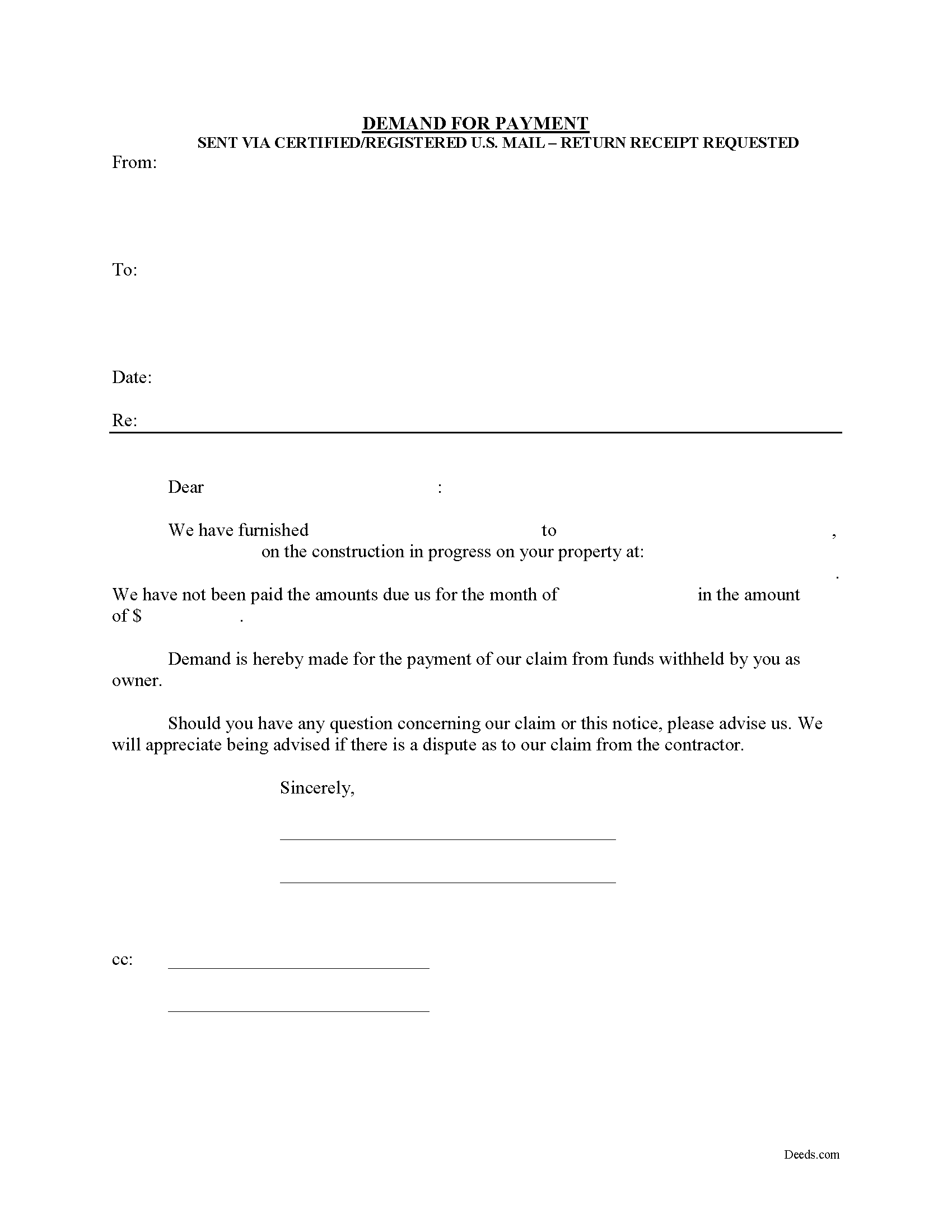
Gonzales County Demand for Payment Form
Fill in the blank Demand for Payment form formatted to comply with all Texas recording and content requirements.
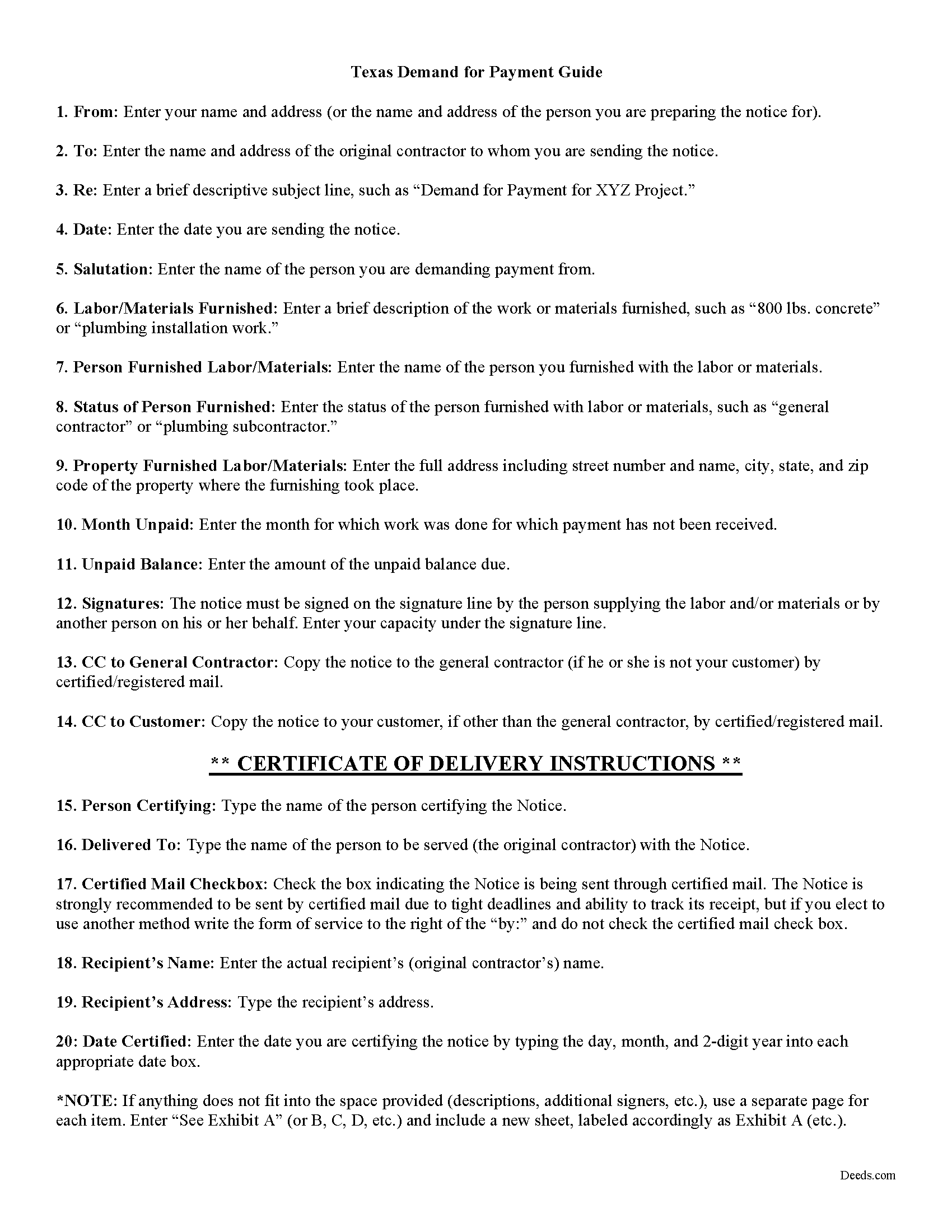
Gonzales County Demand for Payment Guide
Line by line guide explaining every blank on the form.
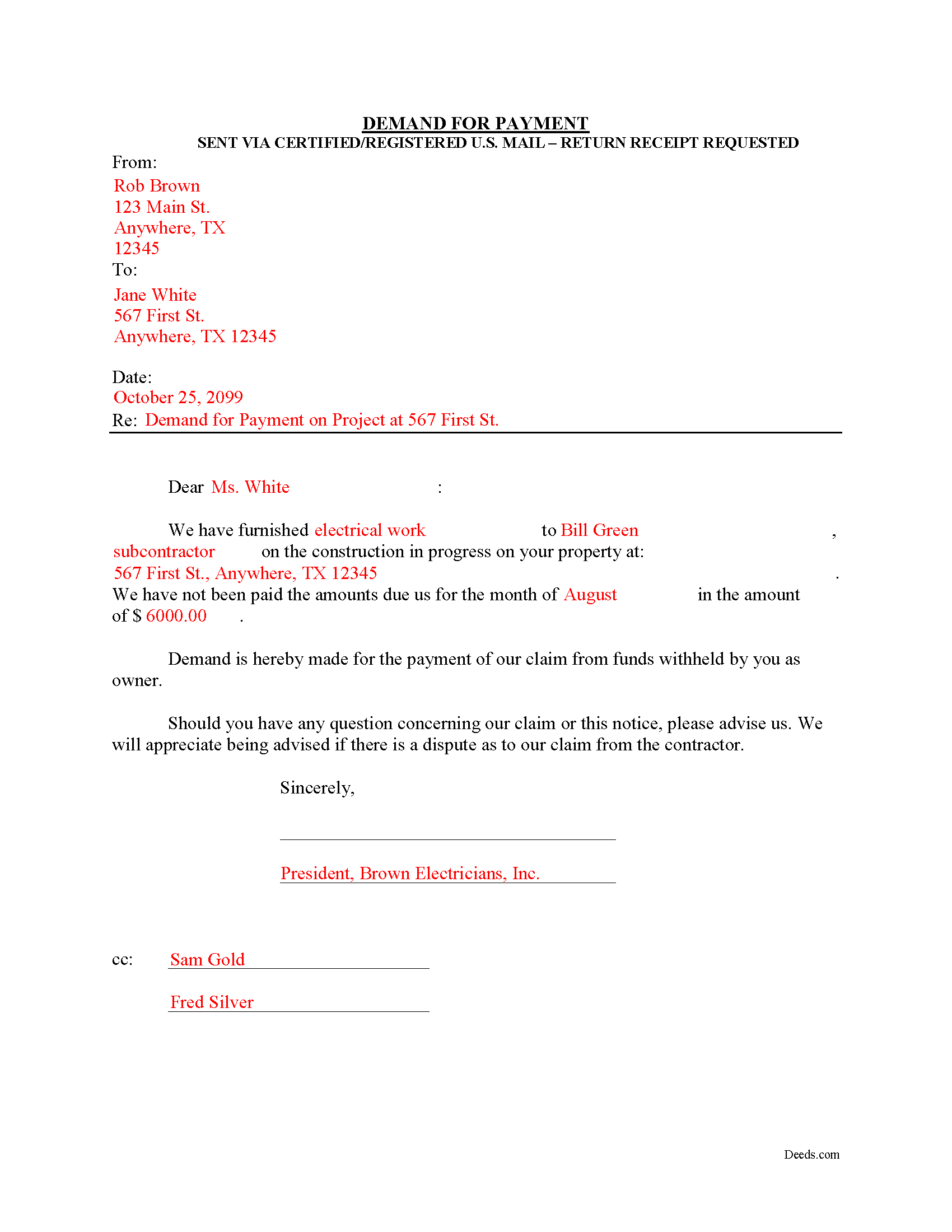
Gonzales County Completed Example of the Demand for Payment Document
Example of a properly completed form for reference.
All 3 documents above included • One-time purchase • No recurring fees
Immediate Download • Secure Checkout
Additional Texas and Gonzales County documents included at no extra charge:
Where to Record Your Documents
Clerk Office - Randle Rather Building Annex
Gonzales, Texas 78629
Hours: Monday-Friday 8:00am-4:30pm
Phone: (830) 672-2801
Recording Tips for Gonzales County:
- Bring your driver's license or state-issued photo ID
- Ensure all signatures are in blue or black ink
- Bring extra funds - fees can vary by document type and page count
- Check margin requirements - usually 1-2 inches at top
- Leave recording info boxes blank - the office fills these
Cities and Jurisdictions in Gonzales County
Properties in any of these areas use Gonzales County forms:
- Belmont
- Cost
- Gonzales
- Harwood
- Leesville
- Nixon
- Ottine
- Smiley
- Waelder
- Wrightsboro
Hours, fees, requirements, and more for Gonzales County
How do I get my forms?
Forms are available for immediate download after payment. The Gonzales County forms will be in your account ready to download to your computer. An account is created for you during checkout if you don't have one. Forms are NOT emailed.
Are these forms guaranteed to be recordable in Gonzales County?
Yes. Our form blanks are guaranteed to meet or exceed the applicable formatting requirements used for recording in Gonzales County, including margin requirements, font requirements, and other layout standards. This guarantee applies to formatting, not to the legal sufficiency of information entered by the user or the suitability of a form for a particular transaction.
Can I reuse these forms?
Yes. You can reuse the forms for your personal use. For example, if you have multiple properties in Gonzales County you only need to order once.
What do I need to use these forms?
The forms are PDFs that you fill out on your computer. The free Adobe Acrobat Reader is recommended, and most PDF apps also work. You do NOT enter your property information online - you download the blank forms and complete them privately on your own computer.
Are there any recurring fees?
No. This is a one-time purchase. Nothing to cancel, no memberships, no recurring fees.
How much does it cost to record in Gonzales County?
Recording fees in Gonzales County vary. Contact the recorder's office at (830) 672-2801 for current fees.
Questions answered? Let's get started!
The Demand for Payment form is used by unpaid individual claimants to demand payment of their claim on an owner who is authorized to withhold funds under 53.083(a) of the Texas Property Code. The demand form also provides notice to the owner that all or part of the claim has accrued under Texas Code 53.053 or is past due under the agreement between the parties.
The claimant must also send a copy of the demand to the original contractor. If the original contractor intends to dispute the claim, he must give the owner written notice no later than the 30th day after the day he receives the copy of the demand. Failure to respond in a timely fashion implies approval of the demand and the owner must then pay the claim.
The Demand for Payment identifies the parties, the project, and relevant dates, services/materials, and fees. It is a required step in securing an eventual mechanic's lien on the owner's property if the claim remains unpaid after demand is sent.
The form does not require a notary seal or other verification, nor is it filed in the local land records. Instead, deliver the demand for payment via certified or registered mail, with a return receipt requested.
Each case is unique, and the mechanic's lien law in Texas can be complicated. Contact an attorney for complex situations, with specific questions about sending a demand for payment, or any other issue related to mechanic's liens.
Important: Your property must be located in Gonzales County to use these forms. Documents should be recorded at the county recording office listed above.
This Demand for Payment meets all recording requirements specific to Gonzales County.
Our Promise
The documents you receive here are guaranteed to meet or exceed the applicable Gonzales County recording format requirements. If there is a rejection caused by our formatting, we will correct the issue or refund your payment. This guarantee applies to document formatting only and does not extend to information entered by the user, the selection of the form, or the legal effect of the completed document.
Save Time and Money
Get your Gonzales County Demand for Payment form done right the first time with Deeds.com Uniform Conveyancing Blanks. At Deeds.com, we understand that your time and money are valuable resources, and we don't want you to face a penalty fee or rejection imposed by a county recorder for submitting nonstandard documents. We constantly review and update our forms to meet rapidly changing state and county recording requirements for roughly 3,500 counties and local jurisdictions.
4.8 out of 5 - ( 4,856 Reviews )
Scott R. 5 out of 5 stars
Thanks that was great.
Thank you for your feedback. We really appreciate it. Have a great day!
Emelinda C. 5 out of 5 stars
Quick download, hassle-free, no forced membership-just a straight-forward transaction. Thank you!
Thank you for your feedback. We really appreciate it. Have a great day!
Melody P. 5 out of 5 stars
Great service, as always!!
We appreciate your business and value your feedback. Thank you. Have a wonderful day!
Sara R. 5 out of 5 stars
The deed is presently at the auditors office and will be recorded after approval from zoning board. As far as I know, everything is going along well. A self addressed envelope was left at recorder's office for return after recording is complete.
Thank you!
Franklin W. 1 out of 5 stars
I am not so happy. I did find and purchase the document I needed. But there is one problem. It is in Adobe PDF format only. I cannot enter information into the form.
Sorry to hear that. Sounds like you may have been trying to complete the document in your browser instead of downloading the PDF and completing it on your computer. The PDF forms are fill in the blank, that's one of the reasons we use that format.
Maurice C. 5 out of 5 stars
This is a great service! Very much needed.
Thank you!
Karen C. 5 out of 5 stars
Very easy site to use and reasonably priced. My document was received by the county and filed within 1/2 hour.
Thank you for your feedback. We really appreciate it. Have a great day!
Jayne J. 5 out of 5 stars
We have used this service two times and now going for third. Would recommend. So glad this service is available.
Thank you for your positive words! We’re thrilled to hear about your experience.
Doris P. 4 out of 5 stars
Easy to understand and fill out Beneficiary Deed, but when I tried to download finished form, it disappeared! Luckily I had printed it first and had to fill out again.
Thank you!
Robert W. 5 out of 5 stars
Perfect timing. Everything was consistent and timely.
Thank you Robert, we appreciate your feedback.
Catherine B. 5 out of 5 stars
Trying to get a hold of someone in the office is very difficult. This made it so much easier, thank you!
Thank you for your feedback. We really appreciate it. Have a great day!
Brian H. 2 out of 5 stars
Forms are good. But need to be able to fill in information and blanks so these can be filed. Disappointed.
Thank you for your feedback. The forms are fill in the blank, Adobe PDFs. As is noted on the site, make sure you download the documents to your computer and open them with Adobe. Sounds like you may be trying to complete them online in your browser.
James S. 2 out of 5 stars
Order Process: 5 Stars - very easy Material Received: 2 Stars Issues: 1. Printing- Document would not print in format displayed. Format would continually shrink to approx 2/3 size thus not useable for formal doc submission to County Records office. 2. Document Format- Data insertion fields (addresses) were not of correct size for data input. I needed a 4 line input space but was limited to only 3 lines. Also, Date field (year) was mis-oriented in-so-much that the 3rd digit (inputted) overlapped on 2nd digit (pre-printed) and also was of noticeably different font. 3. Useability- Hand-written input space provided (for Notary) was deficient in space and spacing. It was a challenge to utilize the space available to complete fully and maintain legibility. Overall - the document worked marginally as advertised, I did need to re-write the entire document myself. It is a good concept but I'd recommend that Deeds company improve the downloaded forms for actual useability, readability, functionability. regards, Jim S
Thank you for your feedback. We really appreciate it. Have a great day!
Donna M. 5 out of 5 stars
Very easy to use, found the forms I needed right away. Downloaded and paid for within minutes! Excellent!
Thank you!
Gordon J. 5 out of 5 stars
The experience was generally very satisfactory. I was able to fill out the Trust Deed and send it via email no problem. However, I was not able to send the filled out form of the Note. It always erased my fill-ins when it was sent. I found that very frustrating.
Thank you, Gordon. Glad the Trust Deed worked well. Issues like the one you reported with the Note can sometimes be related to how the file is opened or sent. Using Adobe Reader to fill, save, and send the form is recommended. We also pass along all feedback like this to our team to confirm there are no issues.