Hamilton County Demand for Payment Form
Last validated October 12, 2026 by our Forms Development TeamFormatted for recording in Hamilton County, for property anywhere in the county: rural and unincorporated areas as well as Carlton, Hamilton, Hico, Pottsville.
- 3 documents included
- Immediate PDF download
- Formatting guarantee
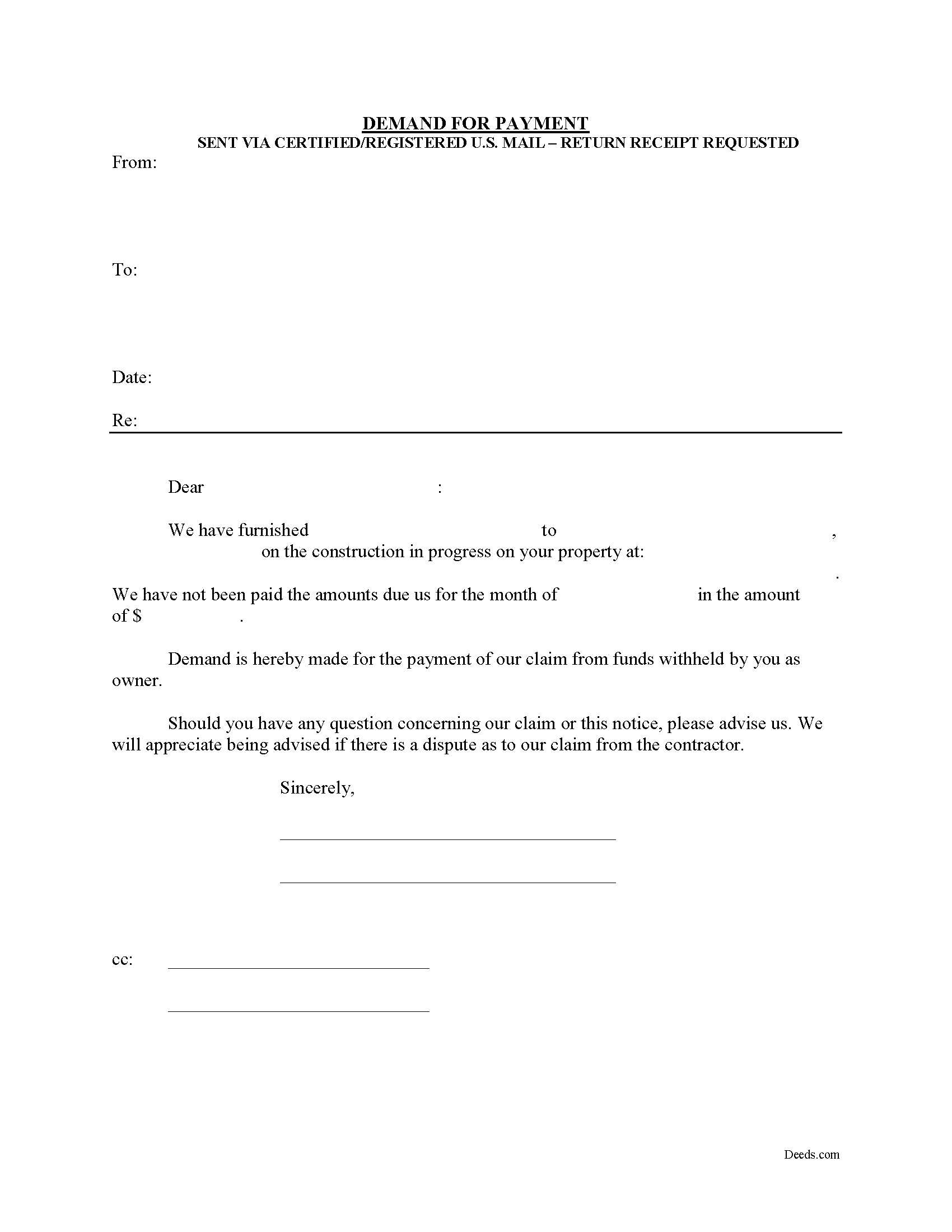
Hamilton County Demand for Payment Form
Fill in the blank Demand for Payment form formatted to comply with all Texas recording and content requirements.
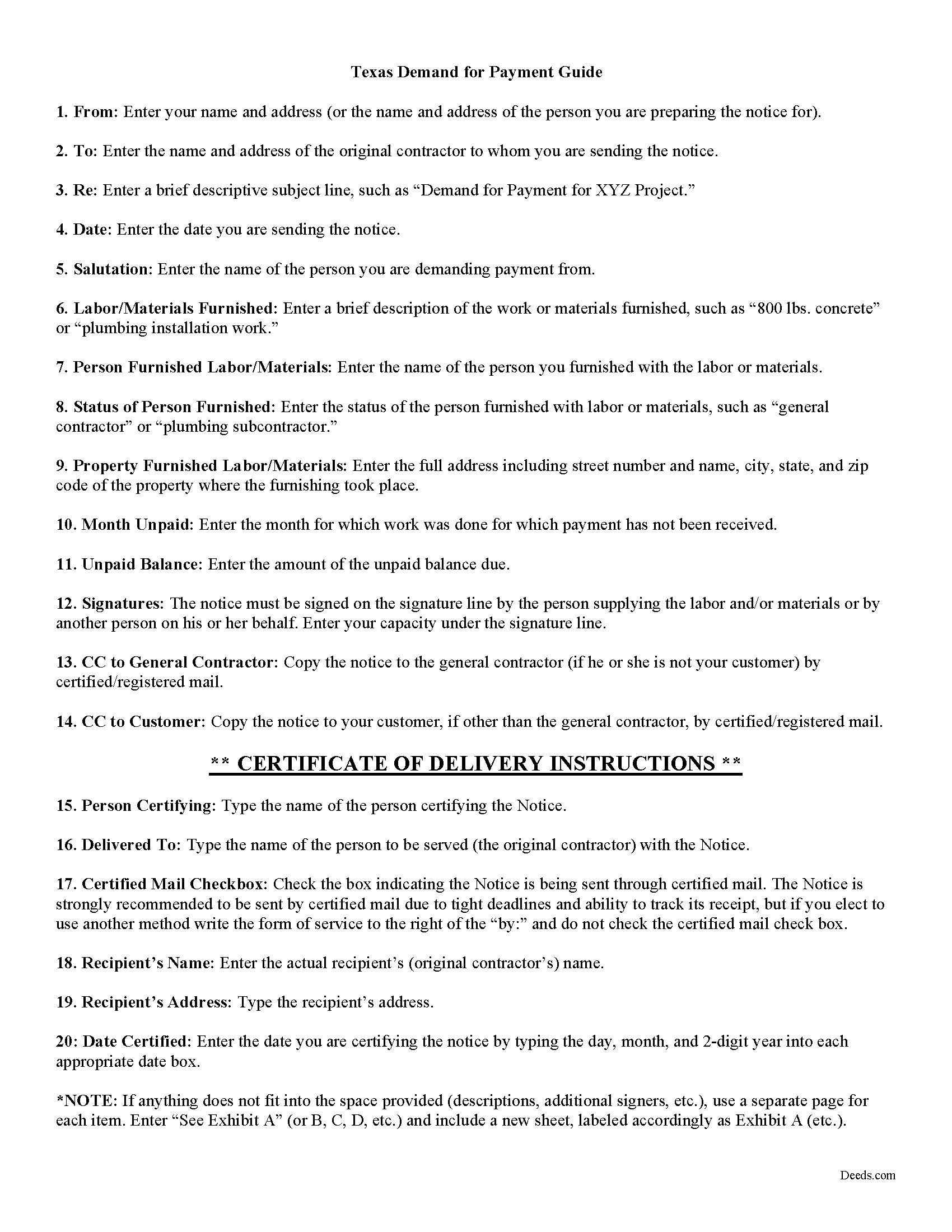
Hamilton County Demand for Payment Guide
Line by line guide explaining every blank on the form.
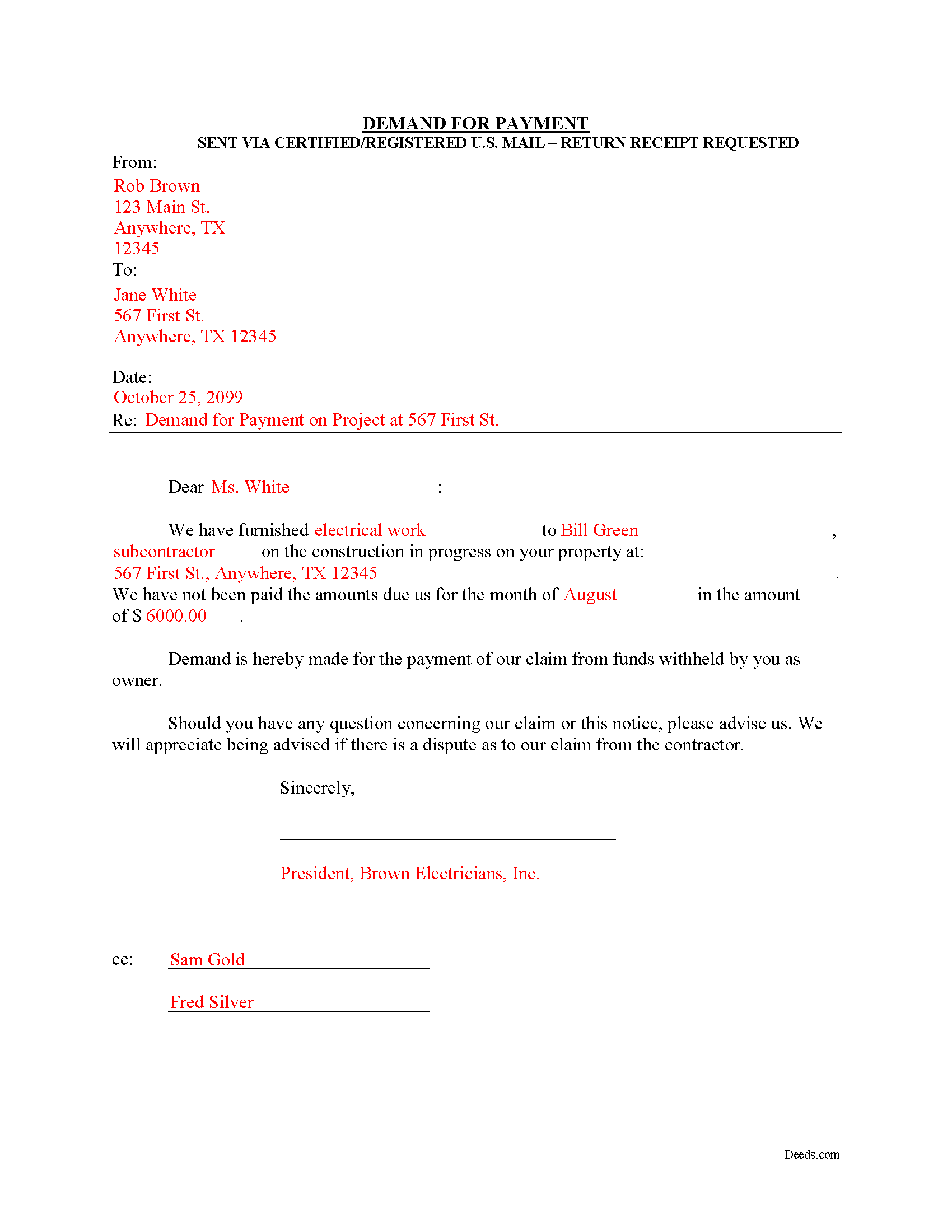
Hamilton County Completed Example of the Demand for Payment Document
Example of a properly completed form for reference.
All 3 documents above included • One-time purchase • No recurring fees
Immediate Download • Secure Checkout
Additional Texas and Hamilton County documents included at no extra charge:
Where to Record Your Documents
Hamilton County Clerk
Hamilton, Texas 76531-1909
Hours: Monday - Friday 8:00am - 4:30pm
Phone: (254)386-1205
Recording Tips for Hamilton County:
- Bring your driver's license or state-issued photo ID
- Ensure all signatures are in blue or black ink
- Recorded documents become public record - avoid including SSNs
- Recording fees may differ from what's posted online - verify current rates
- Request a receipt showing your recording numbers
Cities and Jurisdictions in Hamilton County
Properties in any of these areas use Hamilton County forms:
- Carlton
- Hamilton
- Hico
- Pottsville
Hours, fees, requirements, and more for Hamilton County
How do I get my forms?
Forms are available for immediate download after payment. The Hamilton County forms will be in your account ready to download to your computer. An account is created for you during checkout if you don't have one. Forms are NOT emailed.
Are these forms guaranteed to be recordable in Hamilton County?
Yes. Our form blanks are guaranteed to meet or exceed the applicable formatting requirements used for recording in Hamilton County, including margin requirements, font requirements, and other layout standards. This guarantee applies to formatting, not to the legal sufficiency of information entered by the user or the suitability of a form for a particular transaction.
Can I reuse these forms?
Yes. You can reuse the forms for your personal use. For example, if you have multiple properties in Hamilton County you only need to order once.
What do I need to use these forms?
The forms are PDFs that you fill out on your computer. The free Adobe Acrobat Reader is recommended, and most PDF apps also work. You do NOT enter your property information online - you download the blank forms and complete them privately on your own computer.
Are there any recurring fees?
No. This is a one-time purchase. Nothing to cancel, no memberships, no recurring fees.
How much does it cost to record in Hamilton County?
Recording fees in Hamilton County vary. Contact the recorder's office at (254)386-1205 for current fees.
Questions answered? Let's get started!
The Demand for Payment form is used by unpaid individual claimants to demand payment of their claim on an owner who is authorized to withhold funds under 53.083(a) of the Texas Property Code. The demand form also provides notice to the owner that all or part of the claim has accrued under Texas Code 53.053 or is past due under the agreement between the parties.
The claimant must also send a copy of the demand to the original contractor. If the original contractor intends to dispute the claim, he must give the owner written notice no later than the 30th day after the day he receives the copy of the demand. Failure to respond in a timely fashion implies approval of the demand and the owner must then pay the claim.
The Demand for Payment identifies the parties, the project, and relevant dates, services/materials, and fees. It is a required step in securing an eventual mechanic's lien on the owner's property if the claim remains unpaid after demand is sent.
The form does not require a notary seal or other verification, nor is it filed in the local land records. Instead, deliver the demand for payment via certified or registered mail, with a return receipt requested.
Each case is unique, and the mechanic's lien law in Texas can be complicated. Contact an attorney for complex situations, with specific questions about sending a demand for payment, or any other issue related to mechanic's liens.
Important: Your property must be located in Hamilton County to use these forms. Documents should be recorded at the county recording office listed above.
This Demand for Payment meets all recording requirements specific to Hamilton County.
Our Promise
The documents you receive here are guaranteed to meet or exceed the applicable Hamilton County recording format requirements. If there is a rejection caused by our formatting, we will correct the issue or refund your payment. This guarantee applies to document formatting only and does not extend to information entered by the user, the selection of the form, or the legal effect of the completed document.
Save Time and Money
Get your Hamilton County Demand for Payment form done right the first time with Deeds.com Uniform Conveyancing Blanks. At Deeds.com, we understand that your time and money are valuable resources, and we don't want you to face a penalty fee or rejection imposed by a county recorder for submitting nonstandard documents. We constantly review and update our forms to meet rapidly changing state and county recording requirements for roughly 3,500 counties and local jurisdictions.
4.8 out of 5 - ( 4,830 Reviews )
Scott W. 5 out of 5 stars
Finding and downloading necessary forms, and especially the example forms, were tremendously easy and trouble free, and the fact the forms were updated recently was a big selling point. If other forms are needed, this is were I'm coming.
We appreciate your business and value your feedback. Thank you. Have a wonderful day!
Evelyn R. 5 out of 5 stars
Responses to my needs were prompt and professional. I found the service easy to use and clearly outlined for processing. Thank you.
Thank you!
Debbra .S C. 5 out of 5 stars
Very easy and nice website to use.
Thank you for your feedback. We really appreciate it. Have a great day!
Roxanne C. 5 out of 5 stars
I love that this service is available. Uploading my document took no time at all. I love that we have an option of upload our documentsinsread of going in to file.
Thank you for your feedback. We really appreciate it. Have a great day!
Gerald M. 5 out of 5 stars
So easy to do. The examples and guides are well worth the few $$ this cost. Highly recommend!!
We appreciate your business and value your feedback. Thank you. Have a wonderful day!
Omid B. 5 out of 5 stars
Super efficient, extremely responsive , and above all quick turnaround. Thank you! Will definitely use your services again!
Thank you!
Rod G. 5 out of 5 stars
You guys have it DOWN!! You made it easy to navigate your site and services. You explained things effectively. You are helpful and fast. NO WAY would even entertain using a different deed/ document recording service. I'll be back! Thank you. Rod
We appreciate your business and value your feedback. Thank you. Have a wonderful day!
Paul W. 5 out of 5 stars
Great service; document was exactly what I wanted. I highly recommend your company.
Thank you for your kind words and for choosing us.
Leslie C. 5 out of 5 stars
I recently purchased online DIY legal forms, and I must say I was thoroughly impressed. The documents provided were accurate, comprehensive, and precisely what I needed. The accompanying guide was clear, instructive, and really bridged the gap for someone like me who isn't well-versed in legal jargon. What stood out the most, however, was the inclusion of the example. It served as a practical reference and made the entire process so much more approachable. Being able to see a filled-out sample made all the difference. Overall, this product has been invaluable in helping me navigate legal processes on my own.
Thank you for your feedback. We really appreciate it. Have a great day!
Marolyn V. 3 out of 5 stars
The booklet is too wordy. Not concise enough for someone who is inexperienced at filling out your form. It would be nice to have a picture example of what you are talking about. When we got to the Registars office we found out they do not have a notary. Would have been nice to know before we went. The form asks for page and book which is no longer needed. So why have it on there?
Thank you, Marolyn, this is useful feedback. A completed sample is actually included with the form, and your note tells us we should make it easier to find and tie it more directly to the instructions, so we'll do that. We'll also add a "before you begin" checklist and a clearer note that the document needs to be notarized in advance, since recording offices don't provide notary service. On the book and page: that reference is required by the Utah statute this affidavit is filed under (§ 57-1-5.1) and still applies to older deeds recorded before counties moved to entry-number-only indexing around 2000. You enter whichever reference appears on your recorded deed and leave the rest blank. Appreciate you taking the time to write in.
Kathy P. 5 out of 5 stars
I like that the quit claim form was fill in the blank on my computer instead of online, made it so much easier than having to do everything at once, at the mercy of the internet connection. Will refer others here.
We appreciate your business and value your feedback. Thank you. Have a wonderful day!
Lutz P. 5 out of 5 stars
Your forms are great but I couldn’t use them with my computer and acrobats reader didn’t work. And then my thermal printer would only print 1/3 size pages with no way to fix it. I ordered a new color printer and we’ll see what happens.
Thank you, Lutz. We're glad you like the forms, and we're sorry getting them working turned into such a hassle. That shrunken page is typical of thermal printers: most use narrow receipt or label paper, so a full page gets scaled down to fit, and no setting can change that. Thermal paper also fades over time, which you don't want on a document you're recording, so the new printer is the right call. When it arrives, print on plain white paper with “Actual size” selected in the print settings so the page comes out full size with its margins intact. If Acrobat Reader gives you trouble again, save the form to your computer first and open the saved file in Acrobat Reader rather than in your web browser. Still stuck? Contact our support team and we'll walk you through it.
Donna r. 3 out of 5 stars
Downloads were easy but I am pretty lost in filling out. Thought be more instructions
Thank you for your feedback Donna. If you are not completely sure of what you are doing we highly recommend seeking the assistance of a legal professional familiar with your specific situation.
sara g. 5 out of 5 stars
THIS WAS A USER FRIENDLY FORM, WAS ABLE TO COMPLETE WITHIN A SHORT TIME. THANK YOU
We appreciate your business and value your feedback. Thank you. Have a wonderful day!
IVAN G. 5 out of 5 stars
THIS Guys Save YOU TIME , Efforts and MONEY!!! So easy and secured to use,,NOT to mention FAST!!
We appreciate your business and value your feedback. Thank you. Have a wonderful day!