Tyler County General Warranty Deed with Vendors Lien (Third-Party Lender) Form
Last validated October 9, 2026 by our Forms Development TeamFormatted for recording in Tyler County, for property anywhere in the county: rural and unincorporated areas as well as Chester, Colmesneil, Doucette, Fred, Hillister, Spurger, Warren, Woodville.
- 3 documents included
- Immediate PDF download
- Formatting guarantee
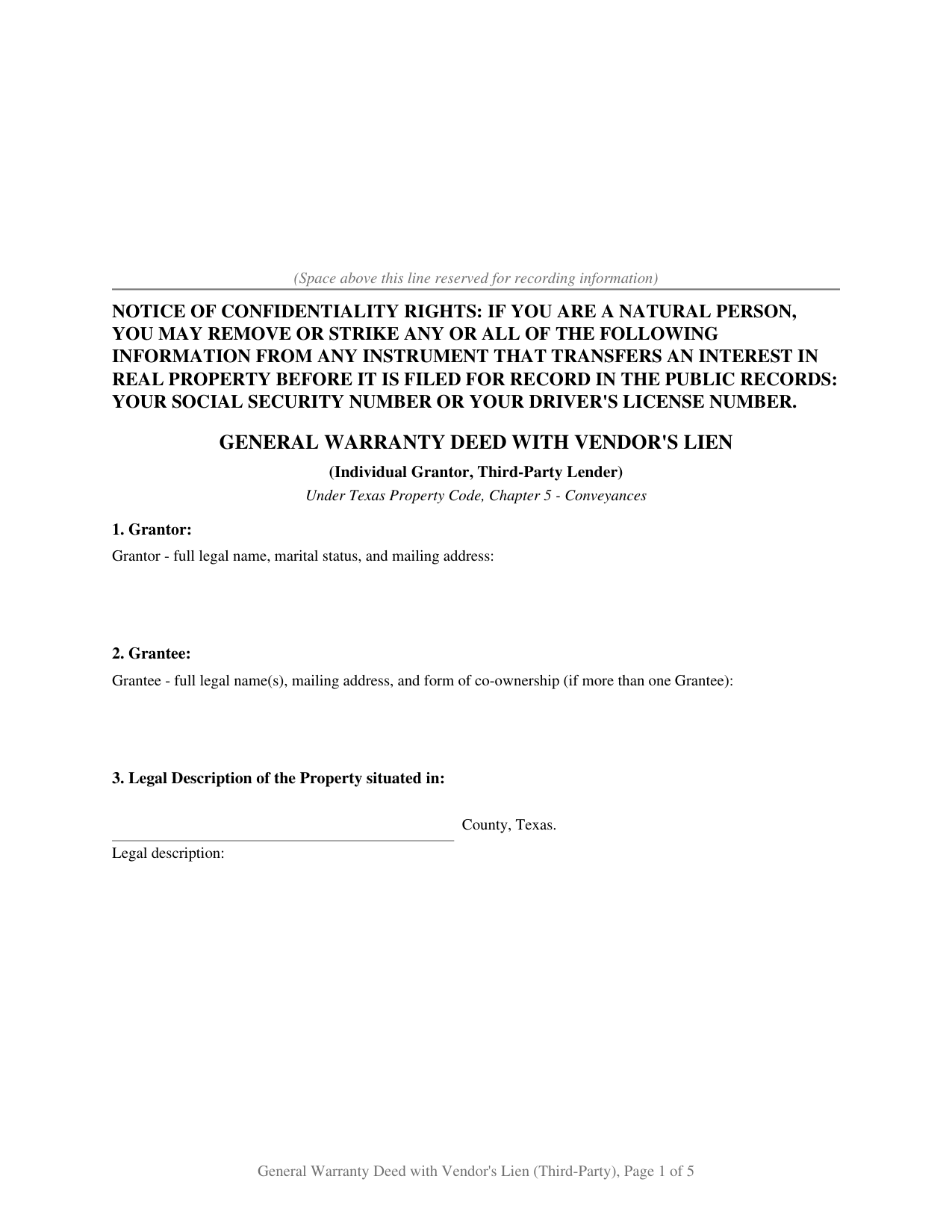
Tyler County General Warranty Deed with Vendors Lien (Third-Party Lender) Form
Fill in the blank General Warranty Deed with Vendors Lien (Third-Party Lender) form formatted to comply with all Texas recording and content requirements.
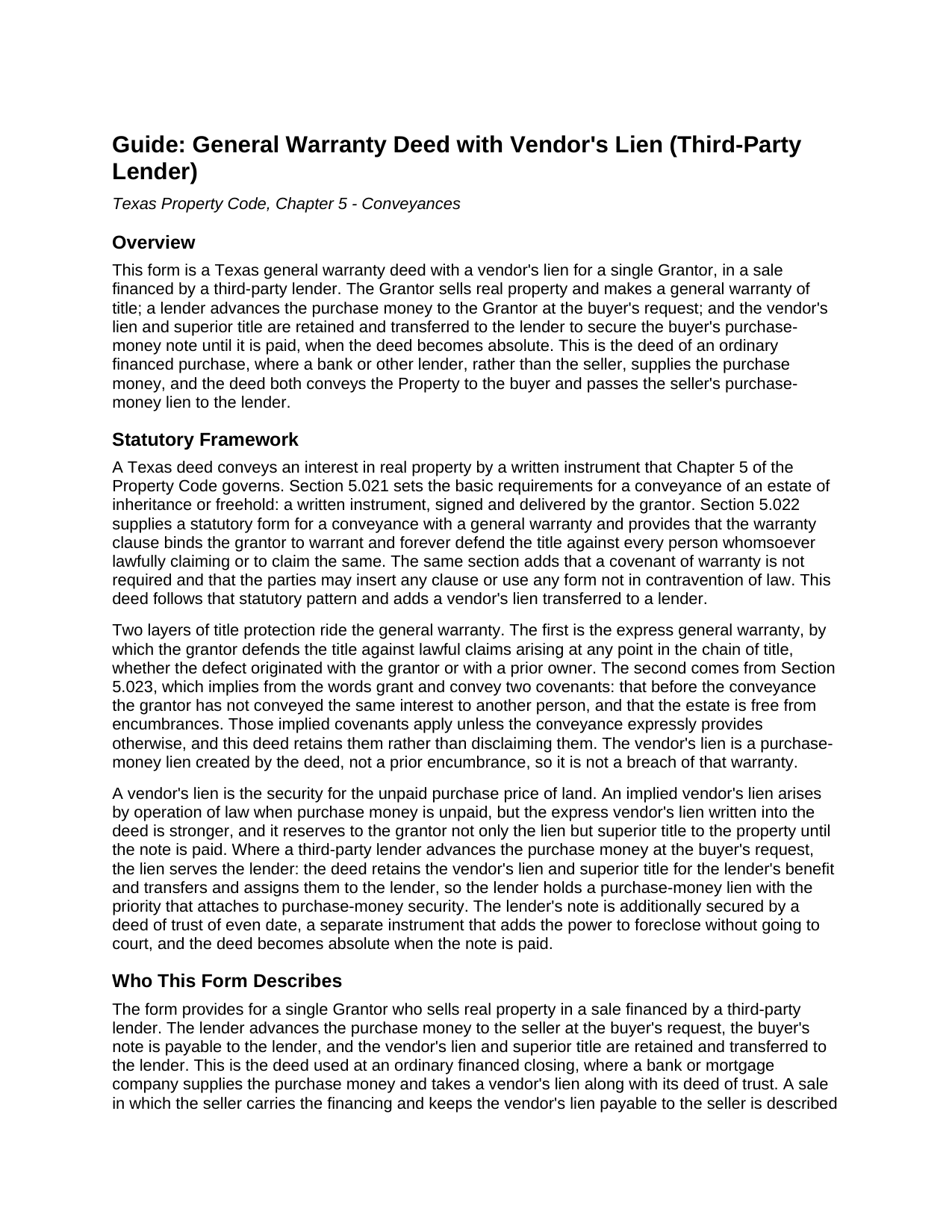
Tyler County General Warranty Deed with Vendors Lien (Third-Party Lender) Guide
Line by line guide explaining every blank on the General Warranty Deed with Vendors Lien (Third-Party Lender) form.
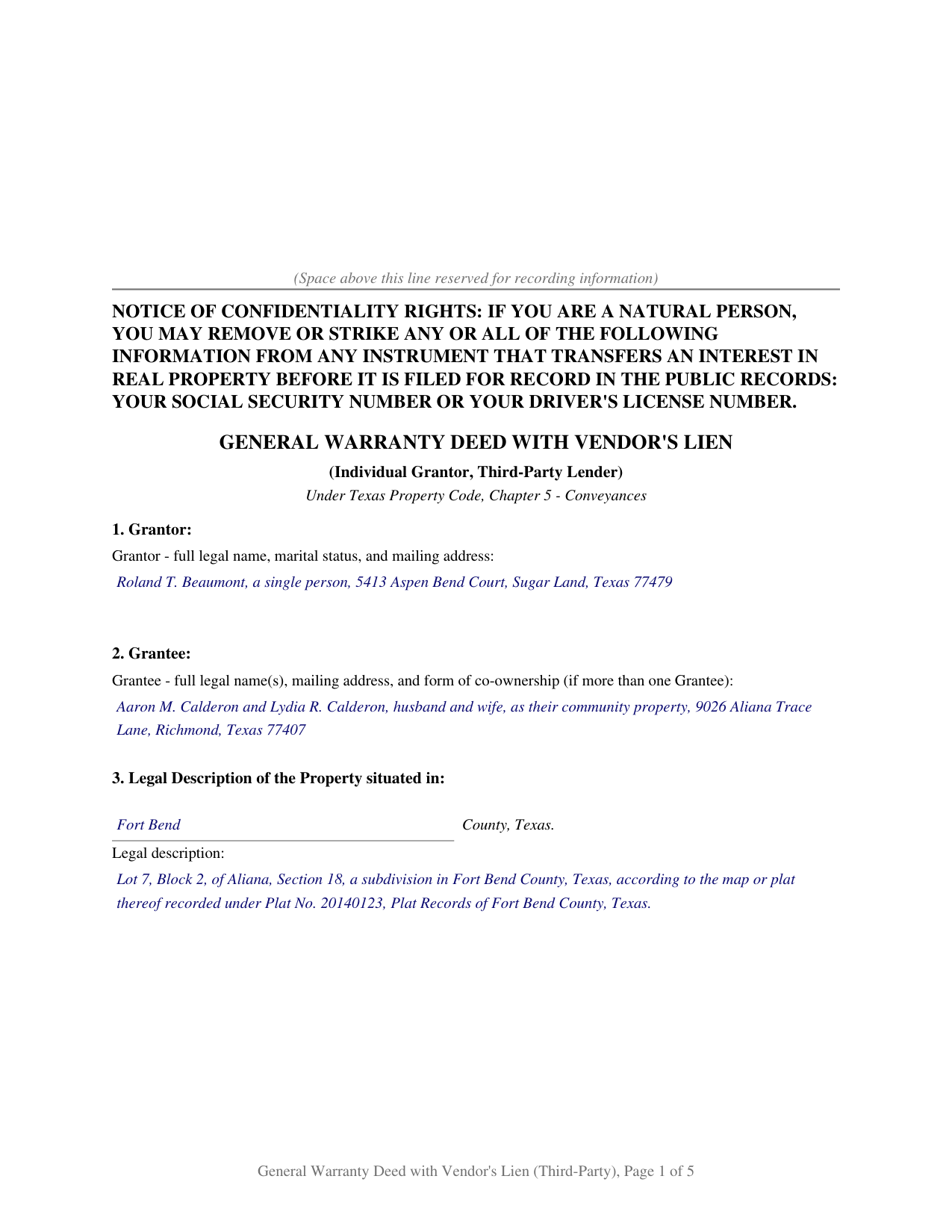
Tyler County Completed Example of the General Warranty Deed with Vendors Lien (Third-Party Lender) Document
Example of a properly completed Texas General Warranty Deed with Vendors Lien (Third-Party Lender) document for reference.
All 3 documents above included • One-time purchase • No recurring fees
Immediate Download • Secure Checkout
Additional Texas and Tyler County documents included at no extra charge:
Where to Record Your Documents
Tyler County Clerk
Woodville, Texas 75979
Hours: 8:00 to 4:30 M-F
Phone: (409) 283-2281
Recording Tips for Tyler County:
- Bring your driver's license or state-issued photo ID
- Ensure all signatures are in blue or black ink
- Ask about accepted payment methods when you call ahead
- Ask for certified copies if you need them for other transactions
- Ask if they accept credit cards - many offices are cash/check only
Cities and Jurisdictions in Tyler County
Properties in any of these areas use Tyler County forms:
- Chester
- Colmesneil
- Doucette
- Fred
- Hillister
- Spurger
- Warren
- Woodville
Hours, fees, requirements, and more for Tyler County
How do I get my forms?
Forms are available for immediate download after payment. The Tyler County forms will be in your account ready to download to your computer. An account is created for you during checkout if you don't have one. Forms are NOT emailed.
Are these forms guaranteed to be recordable in Tyler County?
Yes. Our form blanks are guaranteed to meet or exceed the applicable formatting requirements used for recording in Tyler County, including margin requirements, font requirements, and other layout standards. This guarantee applies to formatting, not to the legal sufficiency of information entered by the user or the suitability of a form for a particular transaction.
Can I reuse these forms?
Yes. You can reuse the forms for your personal use. For example, if you have multiple properties in Tyler County you only need to order once.
What do I need to use these forms?
The forms are PDFs that you fill out on your computer. The free Adobe Acrobat Reader is recommended, and most PDF apps also work. You do NOT enter your property information online - you download the blank forms and complete them privately on your own computer.
Are there any recurring fees?
No. This is a one-time purchase. Nothing to cancel, no memberships, no recurring fees.
How much does it cost to record in Tyler County?
Recording fees in Tyler County vary. Contact the recorder's office at (409) 283-2281 for current fees.
Questions answered? Let's get started!
The Texas general warranty deed with a vendor's lien for a third-party lender is the deed of an ordinary financed purchase. The Grantor sells real property with the broadest title warranty Texas recognizes; a lender advances the purchase money at the buyer's request; and the vendor's lien and superior title are retained and transferred to the lender to secure the buyer's purchase-money note. The deed conveys the Property to the buyer and passes the seller's purchase-money lien to the lender, until the note is paid and the deed becomes absolute. This package prepares the deed for a single Grantor, with a fillable form, a completed example, and a section by section guide.
How the vendor's lien reaches the lender
A vendor's lien is the security for the unpaid purchase price of land. The express vendor's lien written into the deed reserves to the grantor not only the lien but superior title to the property until the note is paid. When a third-party lender, rather than the seller, advances the purchase money, that security serves the lender: the deed retains the vendor's lien and superior title for the lender's benefit and transfers and assigns them to the lender. The lender then holds a purchase-money lien, which carries the priority of purchase-money security, in addition to the deed of trust the buyer signs, a separate instrument that adds the power to foreclose without going to court.
What the form covers
The deed is organized into numbered sections that track the order of a recorded Texas conveyance:
- A Grantor block and a grantee block, with marital status and the form of co-ownership where it applies
- The legal description of the property and its street address
- The source of title, identifying the recorded instrument by which the Grantor holds
- Reservations and exceptions, which carve matters out of both the conveyance and the warranty
- The consideration recital and the operative general warranty language
- The lender, the purchase-money note, and the retained vendor's lien transferred to the lender
Signing and recording
The Grantor signs the deed before a notary public, who completes the acknowledgment certificate. Where the property is the homestead of a married Grantor, the Grantor's spouse joins under Texas Family Code Section 5.001 by signing the second block to convey the homestead interest; where the property is not homestead or the Grantor is unmarried, that block stays blank. Neither the buyer nor the lender signs the deed; the buyer signs the separate note and deed of trust. The deed is then recorded with the county clerk where the property is located, placing the lender's vendor's lien in the public record. The confidentiality notice required by Property Code Section 11.008 appears at the top of the first page, and Senate Bill 16 added a photo identification requirement at the recording counter for instruments filed in person on or after December 4, 2025.
What the package includes
The package contains a blank fillable deed, a completed example, and a guide that explains each section, the transfer of the vendor's lien to the lender, and recording. The materials are informational and are not legal advice.
Important: Your property must be located in Tyler County to use these forms. Documents should be recorded at the county recording office listed above.
This General Warranty Deed with Vendors Lien (Third-Party Lender) meets all recording requirements specific to Tyler County.
Our Promise
The documents you receive here are guaranteed to meet or exceed the applicable Tyler County recording format requirements. If there is a rejection caused by our formatting, we will correct the issue or refund your payment. This guarantee applies to document formatting only and does not extend to information entered by the user, the selection of the form, or the legal effect of the completed document.
Save Time and Money
Get your Tyler County General Warranty Deed with Vendors Lien (Third-Party Lender) form done right the first time with Deeds.com Uniform Conveyancing Blanks. At Deeds.com, we understand that your time and money are valuable resources, and we don't want you to face a penalty fee or rejection imposed by a county recorder for submitting nonstandard documents. We constantly review and update our forms to meet rapidly changing state and county recording requirements for roughly 3,500 counties and local jurisdictions.
4.8 out of 5 - ( 4,825 Reviews )
James G. 5 out of 5 stars
Very Happy. Forms saved me from making some very silly mistakes had I done them on my own.
Thank you!
Barbara G. 5 out of 5 stars
I got what I needed very quickly. Thank you.
Thank you!
Betty H. S. 5 out of 5 stars
I have no complaints thank you.
Thanks Betty, Have a great day!
Jeffrey G. 5 out of 5 stars
Nice an easy. Just wondered if I can come back and still have my order (forms) available to get again, if I have an issue with saving them.
Thank you for your feedback. We really appreciate it. Have a great day!
Robert H. 5 out of 5 stars
I am very pleased with your service.
Thank you!
Peter R. 5 out of 5 stars
Great site makes this procedure easy to do,thanks
Thank you!
Diane C. 5 out of 5 stars
Website is very user friendly and provided a variety of forms to download for use
Thank you!
John B. 4 out of 5 stars
I purchased the Notice of Completion form because the City of Chula Vista did not have a "fillable" version of this form on their website. The Deeds.com version of this form is somewhat different than the City's version (8 numbered paragraphs vs. 11 numbered paragraphs.) However, it contains the same information in a different format. This form provided more blank space to fill in important items- like a long ownership name- than the version on the City's website. The recorder's office was satisfied with this form as I hand-delivered it to the Recorder's Office and they approved it for recording. Overall, I found this form easy to use and found the extra blank space for writing on the form helpful. My one comment for possible improvement is: it would be even more helpful (particularly for attorney users) to have strike-out capability. I would have liked having the ability to strike-out inapplicable portions of long awkward sentences. Still, I would use this form again.
Your feedback means a lot to us. Thank you.
Linda D. 5 out of 5 stars
very efficient and easy to use online platform. I reviewed several different sites before I settle on this one. Took my deed to the courthouse today and recorded it with no problems.
We appreciate your business and value your feedback. Thank you. Have a wonderful day!
Dorothea B. 4 out of 5 stars
The Affidavit- Death of Joint Tenant form you provided is not the same form as showed on the Los Angeles County property tax website. It appears that the LA county form requires entering additional info that is not included in your form.
Thank you!
James A. 5 out of 5 stars
Very easy to navigate and start your process.
Thank you for your positive words! We’re thrilled to hear about your experience.
ANTHONY W. 5 out of 5 stars
It's been extremely easy to communicate across this platform.
Thank you!
Dave W. 5 out of 5 stars
Very handy when clueless about filling out a form. Saved hours of research.
Your appreciative words mean the world to us. Thank you and we look forward to serving you again!
Melisa H. 5 out of 5 stars
Quick turnaround and superior customer service from my reviewer. Above and beyond my expectations and took the time to look into the lengthy list of other counties I have to confirm you are able to e-record for me. I appreciate all the time and effort taken to help me.
Thank you for your feedback. We really appreciate it. Have a great day!
Sara P. 5 out of 5 stars
Wonderful response time, and patient with me. Thank you.
We appreciate your business and value your feedback. Thank you. Have a wonderful day!