Coryell County Grant Deed (Joint Grantors) Form
Last validated October 23, 2026 by our Forms Development TeamFormatted for recording in Coryell County, for property anywhere in the county: rural and unincorporated areas as well as Copperas Cove, Evant, Flat, Gatesville, Jonesboro, Mound, Oglesby, Purmela.
- 3 documents included
- Immediate PDF download
- Formatting guarantee
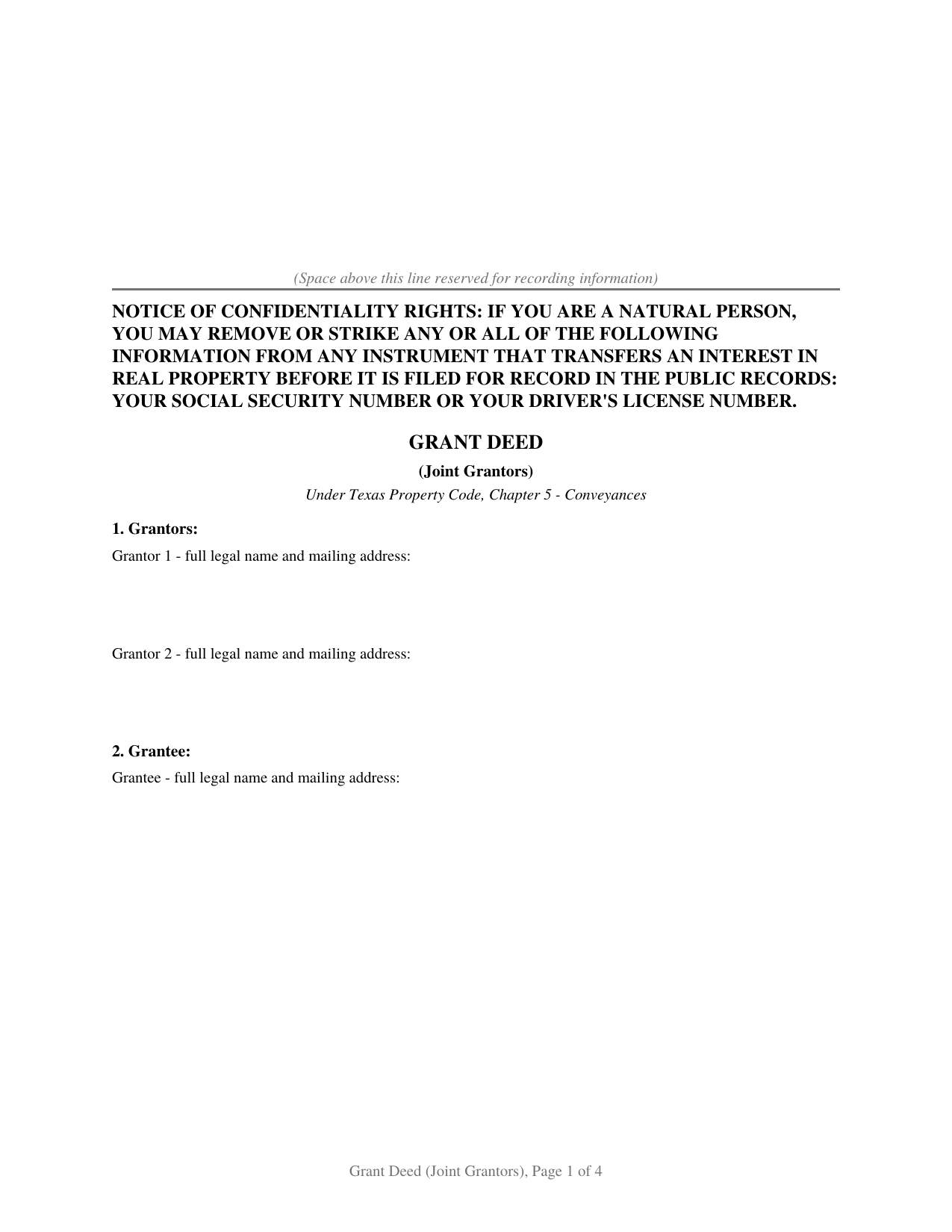
Coryell County Grant Deed (Joint Grantors) Form
Fill in the blank Grant Deed (Joint Grantors) form formatted to comply with all Texas recording and content requirements.
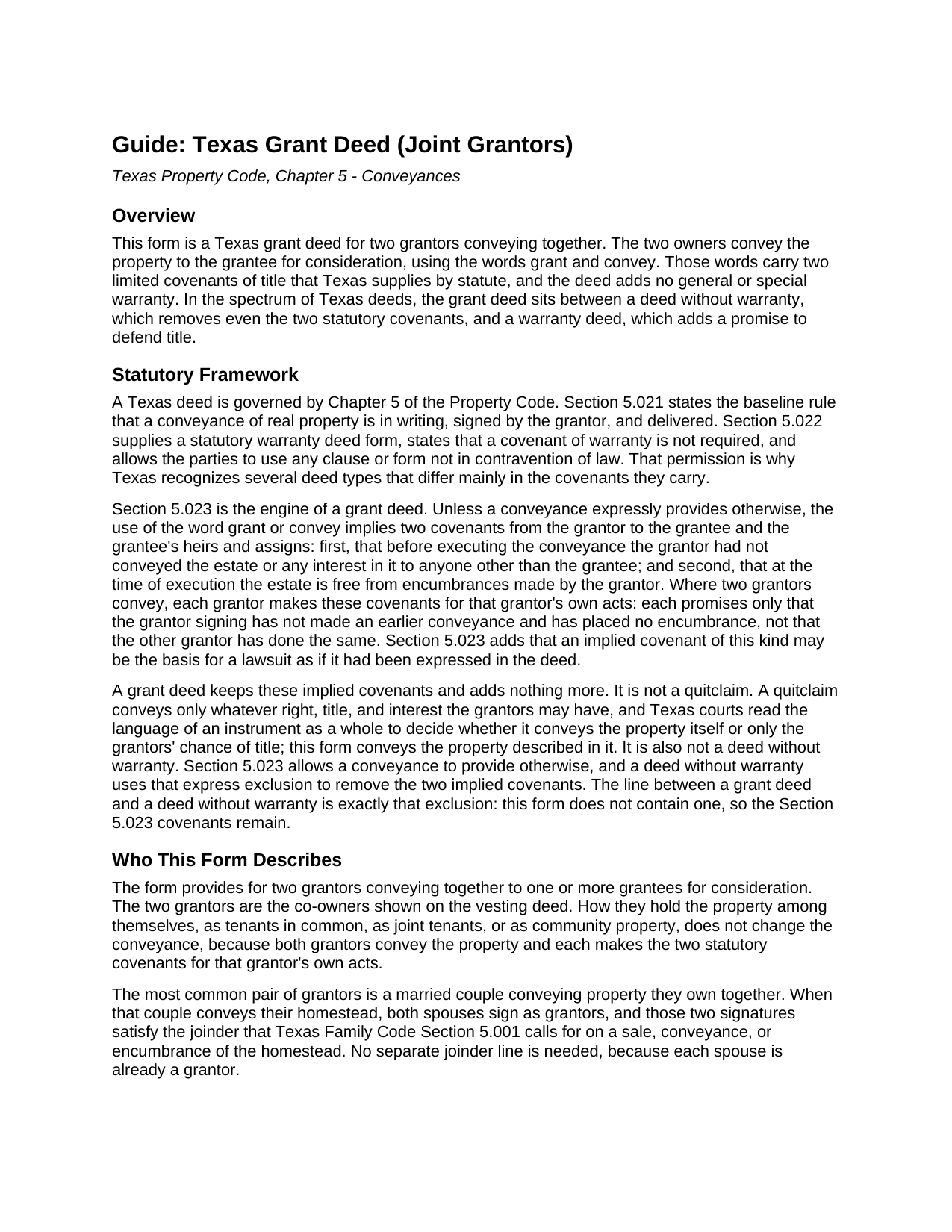
Coryell County Grant Deed (Joint Grantors) Guide
Line by line guide explaining every blank on the Grant Deed (Joint Grantors) form.
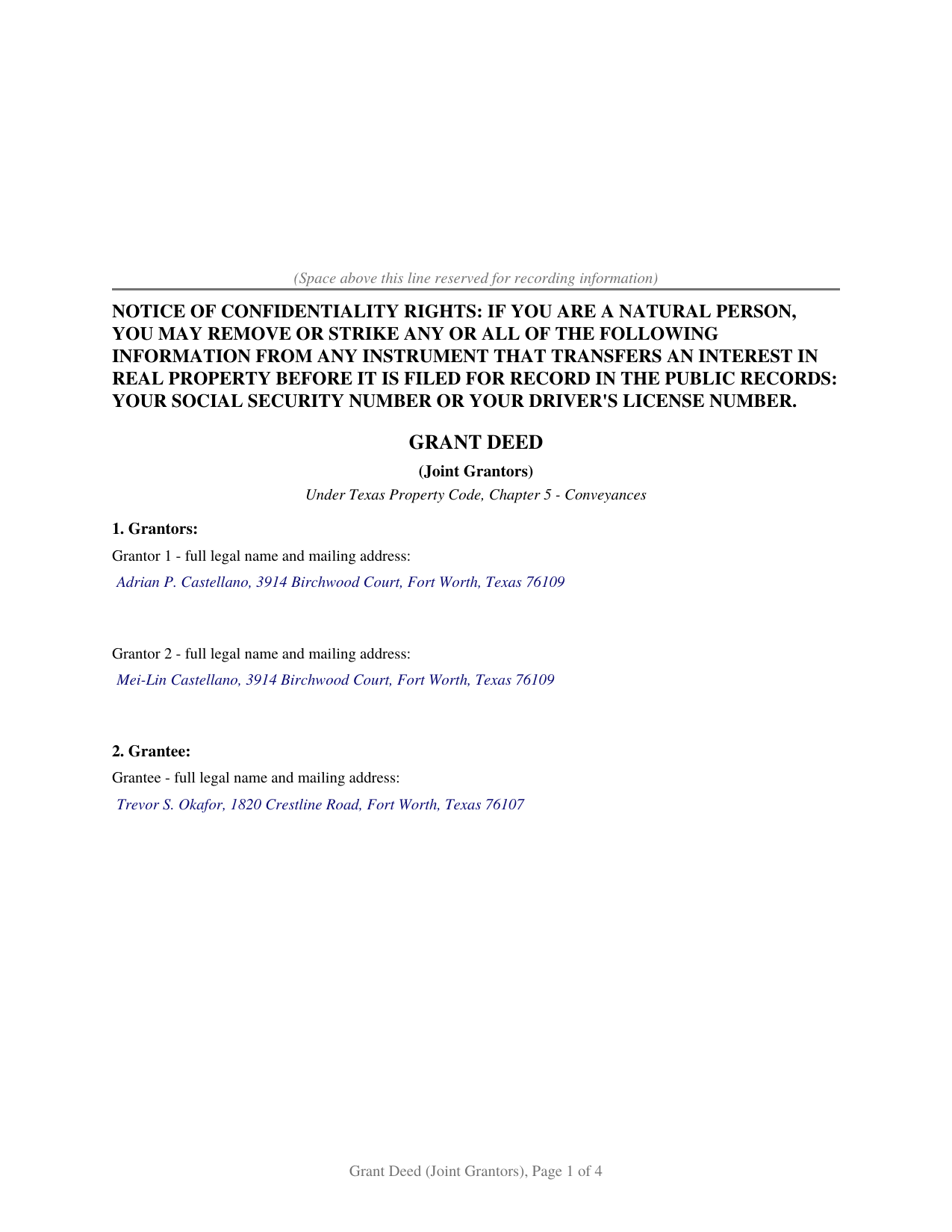
Coryell County Completed Example of the Grant Deed (Joint Grantors) Document
Example of a properly completed Texas Grant Deed (Joint Grantors) document for reference.
All 3 documents above included • One-time purchase • No recurring fees
Immediate Download • Secure Checkout
Additional Texas and Coryell County documents included at no extra charge:
Where to Record Your Documents
Coryell County Clerk
Gatesville, Texas 76528
Hours: Monday - Friday 8:00am - 12:00 & 1:00 - 5:00pm
Phone: 254-865-5911
Recording Tips for Coryell County:
- Bring your driver's license or state-issued photo ID
- Ensure all signatures are in blue or black ink
- Avoid the last business day of the month when possible
- Both spouses typically need to sign if property is jointly owned
- Bring extra funds - fees can vary by document type and page count
Cities and Jurisdictions in Coryell County
Properties in any of these areas use Coryell County forms:
- Copperas Cove
- Evant
- Flat
- Gatesville
- Jonesboro
- Mound
- Oglesby
- Purmela
Hours, fees, requirements, and more for Coryell County
How do I get my forms?
Forms are available for immediate download after payment. The Coryell County forms will be in your account ready to download to your computer. An account is created for you during checkout if you don't have one. Forms are NOT emailed.
Are these forms guaranteed to be recordable in Coryell County?
Yes. Our form blanks are guaranteed to meet or exceed the applicable formatting requirements used for recording in Coryell County, including margin requirements, font requirements, and other layout standards. This guarantee applies to formatting, not to the legal sufficiency of information entered by the user or the suitability of a form for a particular transaction.
Can I reuse these forms?
Yes. You can reuse the forms for your personal use. For example, if you have multiple properties in Coryell County you only need to order once.
What do I need to use these forms?
The forms are PDFs that you fill out on your computer. The free Adobe Acrobat Reader is recommended, and most PDF apps also work. You do NOT enter your property information online - you download the blank forms and complete them privately on your own computer.
Are there any recurring fees?
No. This is a one-time purchase. Nothing to cancel, no memberships, no recurring fees.
How much does it cost to record in Coryell County?
Recording fees in Coryell County vary. Contact the recorder's office at 254-865-5911 for current fees.
Questions answered? Let's get started!
When two owners transfer Texas real estate together, the deed they sign sets how much each promises about the title. A grant deed has them convey the property with two specific covenants and nothing beyond them. This form prepares a grant deed for two grantors under Chapter 5 of the Texas Property Code.
Two Owners Conveying Together
Both owners on the current deed sign as grantors and convey the property to the grantee. How they hold title between themselves, as tenants in common, joint tenants, or community property, does not change the deed: each signs, and each conveys the property described in it. A separate notary certificate for each grantor lets the two acknowledge on different days or before different notaries, even in different states.
What the Words Grant and Convey Promise
A grant deed takes its character from Section 5.023 of the Property Code. Unless a deed provides otherwise, the words grant and convey carry two covenants: that the signer has not previously conveyed the property to anyone else, and that the signer placed no encumbrance on it. The deed adds no general or special warranty, so it makes no broader promise to defend the title. The covenants are narrow by design, reaching a grantor's own conduct rather than the full history of the title or problems that predate the grantor's ownership.
Each Grantor Answers Only for Their Own Acts
With two grantors, the Section 5.023 covenants run separately. Each grantor promises only about what that grantor did: that this signer made no earlier conveyance and placed no encumbrance. One grantor does not insure the other's conduct, and neither answers for the chain of title that came before. That per-grantor structure is the practical point of a two-owner deed, and the form states the covenant for each grantor rather than as one joint promise.
When the Two Grantors Are a Married Couple
The most common pair of grantors is a married couple selling property they own together. When the property is their homestead, Texas Family Code Section 5.001 calls for both spouses to join in the conveyance, and here both already sign as grantors, so the deed meets that rule on its face. Where a grantor's spouse is not a co-owner and the property is that grantor's homestead, the non-owner spouse signs too; the individual grantor form carries a joinder line for that signature.
Recording in Texas
A grant deed is recorded with the county clerk where the property sits. Recording does not make the deed good between the parties, a delivered deed already does that, but under Property Code Section 13.001 an unrecorded deed is void against a later buyer or creditor without notice. Texas charges no transfer tax on a deed, and since December 4, 2025, a person filing one in person shows a government photo identification under Senate Bill 16.
Related Texas Forms
The Texas Grant Deed (Individual Grantor) makes the same two covenants for a single owner and adds a joinder line for a non-owner spouse. The Texas Deed Without Warranty uses the Section 5.023 exclusion this form omits, leaving its grantee with no covenant of title. The Texas Quitclaim Deed passes only whatever interest the grantors hold, if any. The Texas Gift Deed records a transfer made for no consideration.
Important: Your property must be located in Coryell County to use these forms. Documents should be recorded at the county recording office listed above.
This Grant Deed (Joint Grantors) meets all recording requirements specific to Coryell County.
Our Promise
The documents you receive here are guaranteed to meet or exceed the applicable Coryell County recording format requirements. If there is a rejection caused by our formatting, we will correct the issue or refund your payment. This guarantee applies to document formatting only and does not extend to information entered by the user, the selection of the form, or the legal effect of the completed document.
Save Time and Money
Get your Coryell County Grant Deed (Joint Grantors) form done right the first time with Deeds.com Uniform Conveyancing Blanks. At Deeds.com, we understand that your time and money are valuable resources, and we don't want you to face a penalty fee or rejection imposed by a county recorder for submitting nonstandard documents. We constantly review and update our forms to meet rapidly changing state and county recording requirements for roughly 3,500 counties and local jurisdictions.
4.8 out of 5 - ( 4,836 Reviews )
Joyce H. 5 out of 5 stars
I found the site very easy to use and upfront about the cost. I had tried two other sites both of which had hidden costs until after I filled out the forms.
Thank you for your feedback. We really appreciate it. Have a great day!
Scott S. 5 out of 5 stars
This is the best resource I have found for documents related to beneficiary deeds!
Thank you!
Dora O. 5 out of 5 stars
Best platform to buy forms. Simple and easy.
It was a pleasure serving you. Thank you for the positive feedback!
Andrea R. 5 out of 5 stars
Easy and fast. Thank you so much!!
Thank you!
Carol H. 5 out of 5 stars
Easy to understand, quick access, inexpensive, and I took it to my registrar's office and he said the warranty deed was good to go. Thanks for saving me a bundle in lawyer's fees.
We appreciate your business and value your feedback. Thank you. Have a wonderful day!
Jan M. 5 out of 5 stars
Fantastic company. They are the absolute best and helped me get the information I needed.
We appreciate your business and value your feedback. Thank you. Have a wonderful day!
Charlotte F. 5 out of 5 stars
Found the form I needed easily and will continue to use the site.
We appreciate your business and value your feedback. Thank you. Have a wonderful day!
Martin L. 5 out of 5 stars
Deeds.com is a lifesaver! They are fast and not too expensive. I highly recommend them!
Recognizing the value of your feedback helps us to enhance our services continually. Thank you for sharing your experience with us.
Patricia C. 5 out of 5 stars
The website works fine. The process of changing my Mineral Deed is sure more expensive in Texas. But I appreciate the convenience of the website and the pages of directions.
We appreciate your business and value your feedback. Thank you. Have a wonderful day!
Gary K. 4 out of 5 stars
Straightforward and pretty easy to use. The only downside is that there is no way to contact them directly. The number on the website is answered only by a voicemail with no return calls. Pricing seems fair compared to other services and much more efficient that filing "over the counter."
Thank you for your feedback. We really appreciate it. Have a great day!
Mary L M. 5 out of 5 stars
Your website was very helpful & easy to use
Thank you for your feedback. We really appreciate it. Have a great day!
Angela S. 5 out of 5 stars
Very easy process and efficient. Made my job easier.
Thank you for your feedback. We really appreciate it. Have a great day!
Glenda R. 5 out of 5 stars
My experience with deeds.com during this pandemic that has us inconvenienced has made it easy for personal business to continue as usual. I will recommend deeds.com to anyone I learn of needing the assistance.
Thank you for your feedback. We really appreciate it. Have a great day!
Carol H. 5 out of 5 stars
Great help Quite useful
Thank you!
Biinah B. 5 out of 5 stars
Wished I had known about this site earlier. Just what we needed. Get tool to get lip to date legal help.
Thank you for your feedback. We really appreciate it. Have a great day!