Val Verde County Memorandum of Contract Form
Last validated November 23, 2026 by our Forms Development TeamFormatted for recording in Val Verde County, for property anywhere in the county: rural and unincorporated areas as well as Comstock, Del Rio, Langtry, Laughlin A F B.
- 3 documents included
- Immediate PDF download
- Formatting guarantee
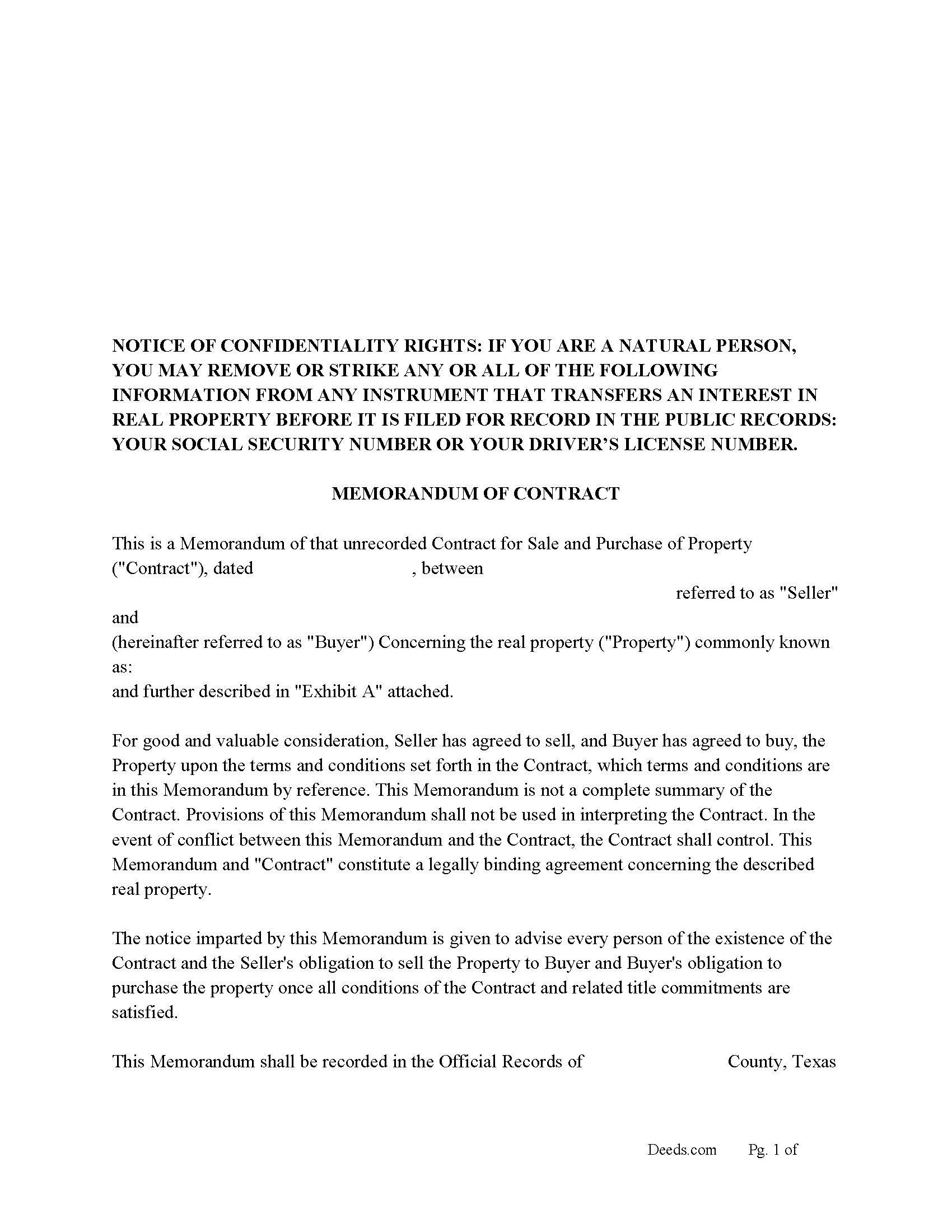
Val Verde County Memorandum of a Contract Form
Fill in the blank form formatted to comply with all recording and content requirements.
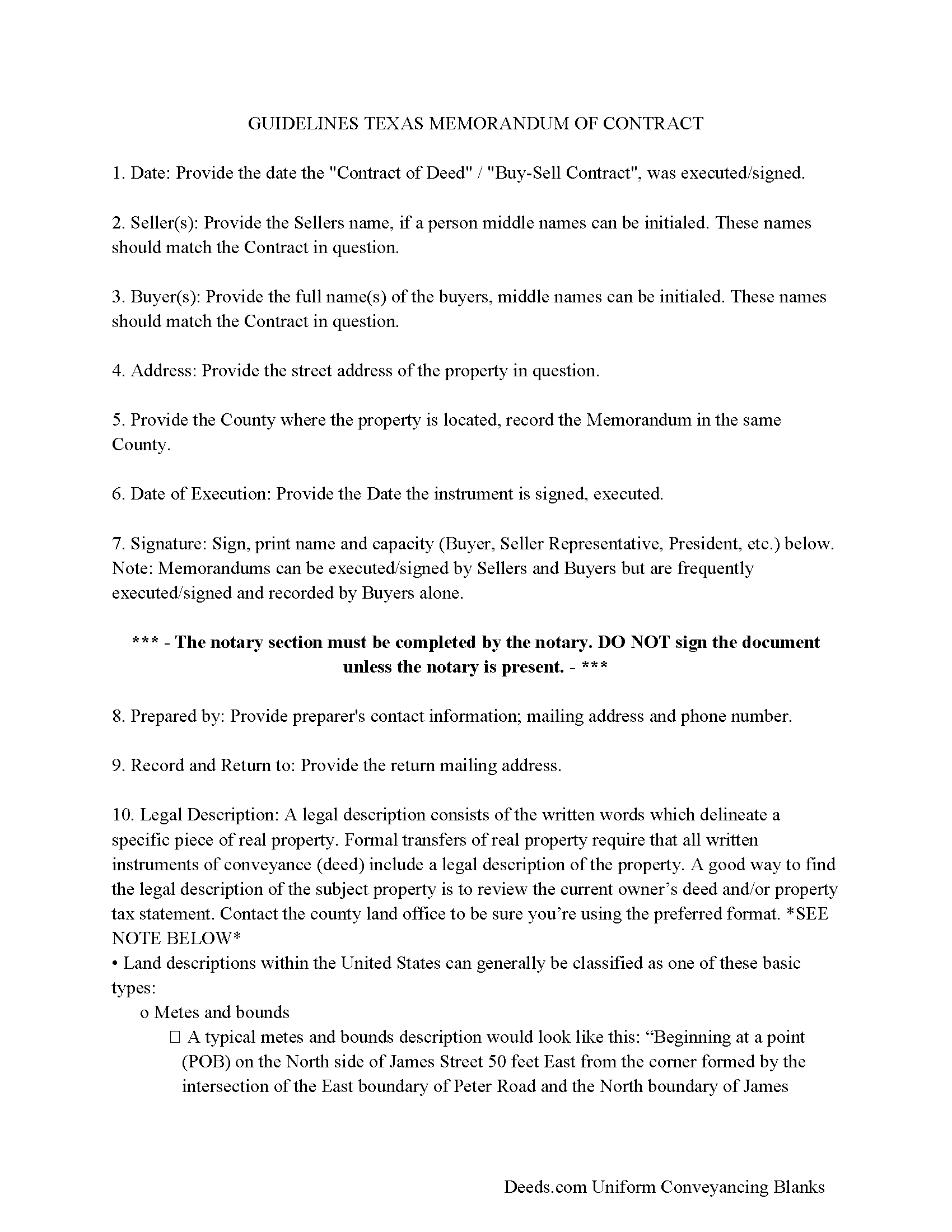
Val Verde County Memorandum Guidelines
Line by line guide explaining every blank on the form.
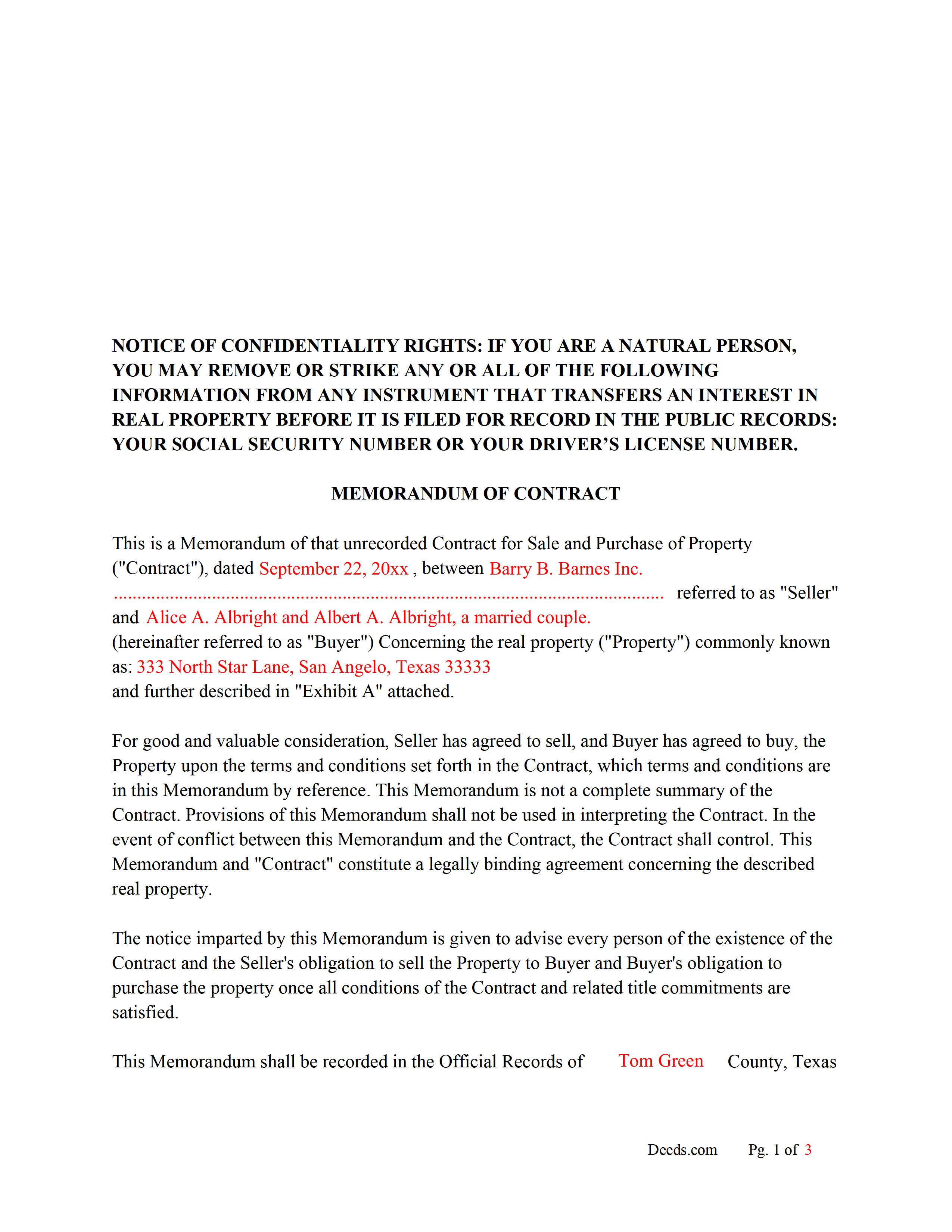
Val Verde County Completed Example of the Memorandum
Example of a properly completed form for reference.
All 3 documents above included • One-time purchase • No recurring fees
Immediate Download • Secure Checkout
Additional Texas and Val Verde County documents included at no extra charge:
Where to Record Your Documents
Val Verde County Clerk
Del Rio, Texas 78840 / 78841-1267
Hours: 8:00 - 4:30 M-F
Phone: (830) 774-7564
Recording Tips for Val Verde County:
- Bring your driver's license or state-issued photo ID
- Ensure all signatures are in blue or black ink
- Recorded documents become public record - avoid including SSNs
- Recording fees may differ from what's posted online - verify current rates
- Request a receipt showing your recording numbers
Cities and Jurisdictions in Val Verde County
Properties in any of these areas use Val Verde County forms:
- Comstock
- Del Rio
- Langtry
- Laughlin A F B
Hours, fees, requirements, and more for Val Verde County
How do I get my forms?
Forms are available for immediate download after payment. The Val Verde County forms will be in your account ready to download to your computer. An account is created for you during checkout if you don't have one. Forms are NOT emailed.
Are these forms guaranteed to be recordable in Val Verde County?
Yes. Our form blanks are guaranteed to meet or exceed the applicable formatting requirements used for recording in Val Verde County, including margin requirements, font requirements, and other layout standards. This guarantee applies to formatting, not to the legal sufficiency of information entered by the user or the suitability of a form for a particular transaction.
Can I reuse these forms?
Yes. You can reuse the forms for your personal use. For example, if you have multiple properties in Val Verde County you only need to order once.
What do I need to use these forms?
The forms are PDFs that you fill out on your computer. The free Adobe Acrobat Reader is recommended, and most PDF apps also work. You do NOT enter your property information online - you download the blank forms and complete them privately on your own computer.
Are there any recurring fees?
No. This is a one-time purchase. Nothing to cancel, no memberships, no recurring fees.
How much does it cost to record in Val Verde County?
Recording fees in Val Verde County vary. Contact the recorder's office at (830) 774-7564 for current fees.
Questions answered? Let's get started!
When is this document used?
When a property is sold, and a Contract has been executed by both parties this Memorandum document is often recorded in the county where the subject property is located instead of the actual Contract. Stating - Seller has agreed to sell, and Buyer has agreed to buy, the Property upon the terms and conditions set forth in the Contract.
Why a Memorandum of Contract?
Privacy - When parties want to keep financial details of a Contract for Deed, Land Contract or Buy-Sell Agreement private, a Memorandum is recorded.
Notice - puts the world on notice that a Contract between buyer and seller exists on a specific property.
Legal - legal binding agreement between buyer and seller concerning the property in question.
Protection - Often filed by buyers alone, after a contract has been executed, preventing loans or encumbrances being placed on the property by existing Deed holder. Encumbrances have been placed on properties even though the Contract states they can't. This can be devastating for a buyer who has made payments. A Memorandum is an effective instrument to prevent this. In short, either the Contract or Memorandum should be recorded for your protection.
Seller Financing - When the buyer chooses or is obligated to obtain bank financing a Memorandum legitimizes the purchase agreement, providing proof to the bank that a deal was in place. Most banks will require that the Contract or Memorandum be recorded before they will finance the property in question.
(Texas Memorandum of Contract Package includes form, guidelines, and completed example)
Important: Your property must be located in Val Verde County to use these forms. Documents should be recorded at the county recording office listed above.
This Memorandum of Contract meets all recording requirements specific to Val Verde County.
Our Promise
The documents you receive here are guaranteed to meet or exceed the applicable Val Verde County recording format requirements. If there is a rejection caused by our formatting, we will correct the issue or refund your payment. This guarantee applies to document formatting only and does not extend to information entered by the user, the selection of the form, or the legal effect of the completed document.
Save Time and Money
Get your Val Verde County Memorandum of Contract form done right the first time with Deeds.com Uniform Conveyancing Blanks. At Deeds.com, we understand that your time and money are valuable resources, and we don't want you to face a penalty fee or rejection imposed by a county recorder for submitting nonstandard documents. We constantly review and update our forms to meet rapidly changing state and county recording requirements for roughly 3,500 counties and local jurisdictions.
4.8 out of 5 - ( 4,865 Reviews )
Myron M. 5 out of 5 stars
This is what we need and it was very helpful and easy to fill out. Thanks
We appreciate your business and value your feedback. Thank you. Have a wonderful day!
RHONDA G. 4 out of 5 stars
Was driven to this site by the county website. It took a bit of work having to create an account, etc. The example was useful; however the example only showed both parties in the same county, nor did the instructions mention anything about differing counties. This caused an oversight on my part.
Your insights are invaluable to us and help us strive for better service. Thank you for taking the time to share your thoughts.
Matilde A. 5 out of 5 stars
Very easy to navigate... will be back to use!
Thank you for your feedback. We really appreciate it. Have a great day!
David K. 3 out of 5 stars
Price seemed high (~$28) for just some forms (especially because we may not actually use the forms), but it beats navigating the Hawaii state and Honolulu county websites for forms. It would be better if a single button push would download all 7 or 8 forms.
Thank you for your feedback. We really appreciate it. Have a great day!
Gene J. 4 out of 5 stars
Easy to pay for, hard to download. A zip file containing all the forms would be a great addition. Your warning under the Review box needs help: see Your review may displayed publicly so please do not include any personal information.
Thank you for your feedback. We really appreciate it. Have a great day!
Eileen D. 5 out of 5 stars
Very easy to use. The example form was a big help in making sure I had the forms filled out correctly.
Thank you!
Donna F. 5 out of 5 stars
Straight forward easy to understand completing my document. The guide readily explained filing all portions of the document.
Thank you Donna, we appreciate your feedback.
Novella M T. 5 out of 5 stars
Amazing forms, nice to have something specific and not generic like some other sites. Getting the other required forms included is a nice bonus.
Great to hear Novella. We appreciate you taking the time to leave your feedback.
Jeremy C. 5 out of 5 stars
Really impressed with the speed and professionalism of the service. I would recommend putting a grey background on the form field inputs as I had trouble seeing them in the user interface, but otherwise I was really impressed and would happily return as a customer.
Thank you for your feedback. We really appreciate it. Have a great day!
Gale W. 5 out of 5 stars
Haven't filled them out yet, but extremely pleased with the beneficiary deed forms, including the instructions and a completed sample. 5-stars.
Thank you, Gale! Glad to hear you’re happy with the beneficiary deed package. We appreciate your feedback and wish you the best as you complete your forms.
Kevin B. 5 out of 5 stars
Easy to use and very helpful
Thank you for taking the time to give us your feedback Kevin. Hope you have an amazing day.
Giuseppina M. 5 out of 5 stars
Love to work with your company
It was a pleasure serving you. Thank you for the positive feedback!
Darius M. 5 out of 5 stars
I receive the specific legal forms that I needed as well as a guide on how to fill out the form. Very pleased. I saved $300.00 in lawyers fees by filling out the Quickclaim deed myself.
Thank you for your feedback. We really appreciate it. Have a great day!
Michael L. G. 5 out of 5 stars
Thank you, Deed.com provided the needed forms to change county and state information after the passing of my father, saved me a trip to law office, especially after the lawyers would not return my calls, so I would recommend you check Deed.com for information, saved my family money for lawyer fees, would use Deed.com again. Mike
Thank you for your feedback. We really appreciate it. Have a great day!
Michael D. 1 out of 5 stars
I did not like the size of the Warranty Deed form which took 2 pages to print. It should be no larger than 8 1/2 by 14 inches. I did not like that I could not reformat it to be smaller, could not eliminate unused lines, could not delete the excessive 4 signature lines, could not copy or paste into text editor. Very unsatisfactory rating.
Thank you for your feedback Michael. Unfortunately we don't make the requirements, we only make the documents to be compliant with the requirements. Have a great day!